display Hyundai Ioniq Electric 2017 Owner's Guide
[x] Cancel search | Manufacturer: HYUNDAI, Model Year: 2017, Model line: Ioniq Electric, Model: Hyundai Ioniq Electric 2017Pages: 582, PDF Size: 37.73 MB
Page 183 of 582
3-14
Convenient features of your vehicle
Recalling memory positions
1. Shift to P (Park) while the POWER
button is in the ON position.
2. Press the desired memory button (1 or 2). The system will beep
once, then the driver’s seat posi-
tion, outside rearview mirror and
instrument panel illumination willautomatically adjust to the storedposition (if equipped).
3. "Driver 1(or 2) settings is applied" will appear on the LCD display. Information
While recalling the "1" memory position, pressing the SET or 1 but-
ton temporarily stops the adjust-
ment of the recalled memory posi-
tion. Pressing the 2 button recalls
the "2" memory position.
While recalling the "2" memory position, pressing the SET or 2 but-
ton temporarily stops the adjust-
ment of the recalled memory posi-
tion. Pressing the 1 button recalls
the "1" memory position.
While recalling the stored positions, pressing one of the control buttons
for the driver's seat, outside
rearview mirror, or instrument
panel illumination will cause the
movement of that component to stop
and move in the direction that the
control button is pressed.
Easy access function (if equipped)
The system will move the driver's
seat automatically as follows:
The gear is in P (Park)
- It will move the driver’s seat rear-ward when the POWER button is in
the OFF position and the driver’sdoor is opened.
- It will move the driver’s seat forward when the vehicle is turned ON or
the driver’s door is closed with the
smart key with you.
You can activate or deactivate theEasy Access Function from the User
Settings Mode on the LCD display.
For more details, refer to "LCD
Display" in this chapter.
i
Page 204 of 582
3-35
Convenient features of your vehicle
3
OAEE046100L
IINN SSTT RR UU MM EENN TT CC LLUU SSTT EERR
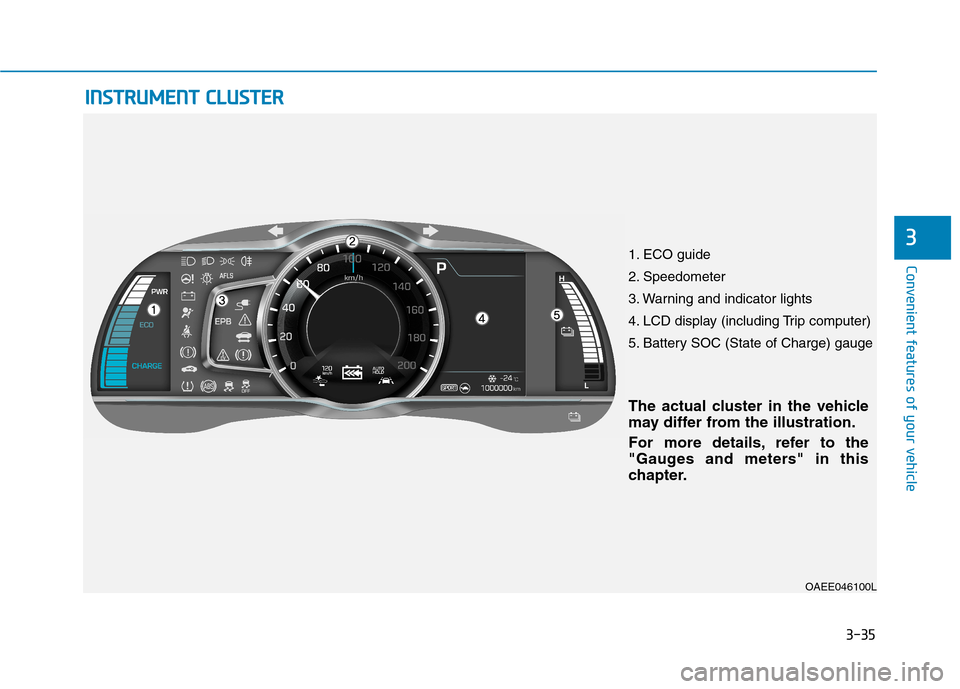
The actual cluster in the vehicle
may differ from the illustration.
For more details, refer to the
"Gauges and meters" in this
chapter.
1. ECO guide
2. Speedometer
3. Warning and indicator lights
4. LCD display (including Trip computer)
5. Battery SOC (State of Charge) gauge
Page 205 of 582
3-36
Convenient features of your vehicle
Instrument cluster control
Instrument panel illumination
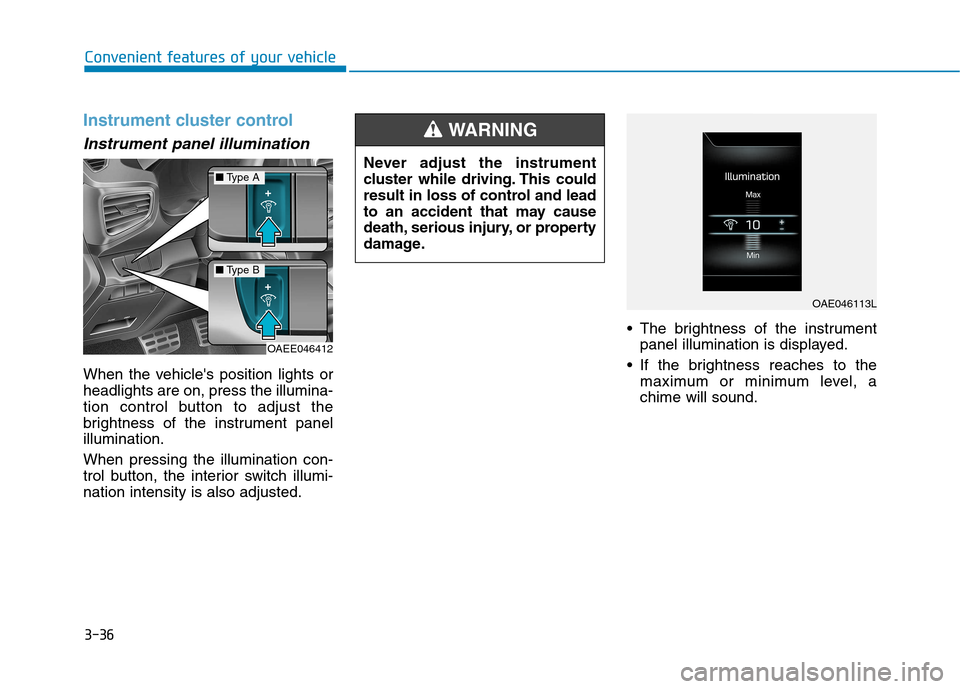
When the vehicle's position lights or headlights are on, press the illumina-
tion control button to adjust the
brightness of the instrument panelillumination. When pressing the illumination con-
trol button, the interior switch illumi-nation intensity is also adjusted. The brightness of the instrument
panel illumination is displayed.
If the brightness reaches to the maximum or minimum level, achime will sound.
Never adjust the instrument
cluster while driving. This could
result in loss of control and lead
to an accident that may cause
death, serious injury, or property
damage.
WARNING
OAE046113L
OAEE046412
■
Type A
■Type B
Page 206 of 582
3-37
Convenient features of your vehicle
3
Gauges and meters
Speedometer
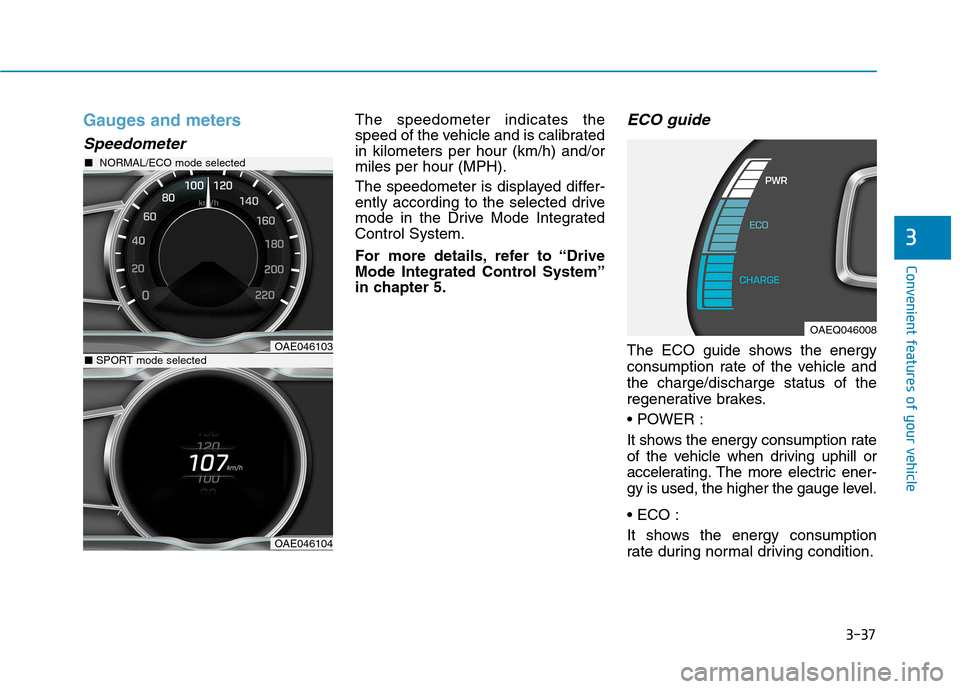
The speedometer indicates the
speed of the vehicle and is calibratedin kilometers per hour (km/h) and/ormiles per hour (MPH).
The speedometer is displayed differ-
ently according to the selected drive
mode in the Drive Mode IntegratedControl System.
For more details, refer to “Drive
Mode Integrated Control System”
in chapter 5.ECO guide
The ECO guide shows the energy
consumption rate of the vehicle andthe charge/discharge status of the
regenerative brakes.
It shows the energy consumption rate
of the vehicle when driving uphill or
accelerating. The more electric ener-
gy is used, the higher the gauge level.
It shows the energy consumption
rate during normal driving condition.OAE046103
■NORMAL/ECO mode selected
OAE046104
■SPORT mode selected
OAEQ046008
Page 209 of 582
3-40
Convenient features of your vehicle
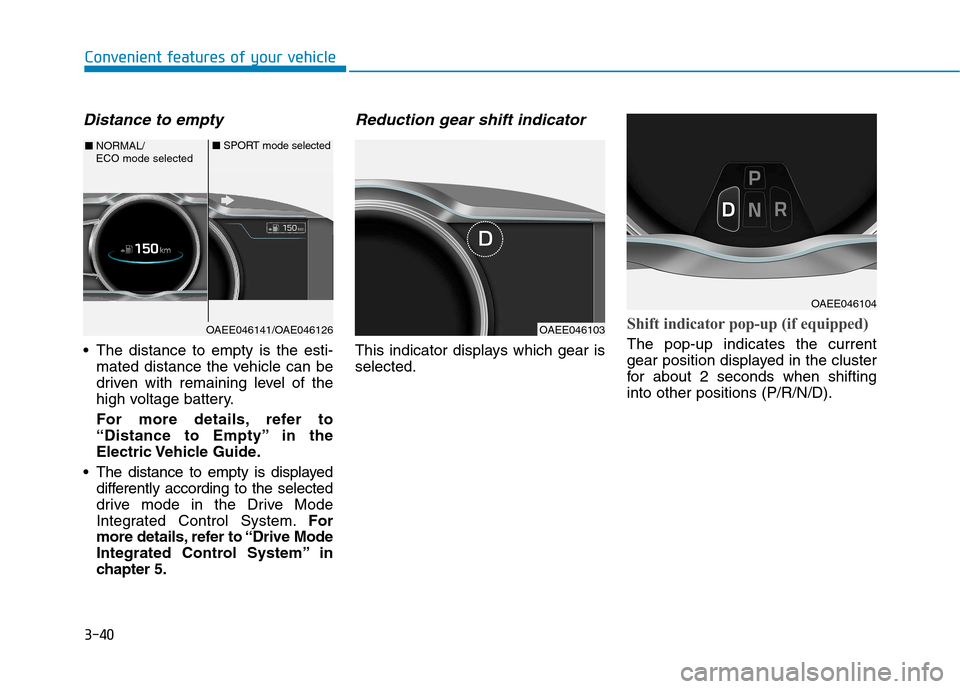
Distance to empty
The distance to empty is the esti-mated distance the vehicle can be
driven with remaining level of the
high voltage battery.
For more details, refer to
“Distance to Empty” in the
Electric Vehicle Guide.
The distance to empty is displayed differently according to the selected
drive mode in the Drive Mode
Integrated Control System. For
more details, refer to “Drive Mode
Integrated Control System” in
chapter 5.
Reduction gear shift indicator
This indicator displays which gear isselected.
Shift indicator pop-up (if equipped)
The pop-up indicates the current
gear position displayed in the cluster
for about 2 seconds when shiftinginto other positions (P/R/N/D).
OAEE046141/OAE046126
■ NORMAL/ ECO mode selected ■
SPORT mode selected
OAEE046103
OAEE046104
Page 215 of 582
3-46
Convenient features of your vehicle
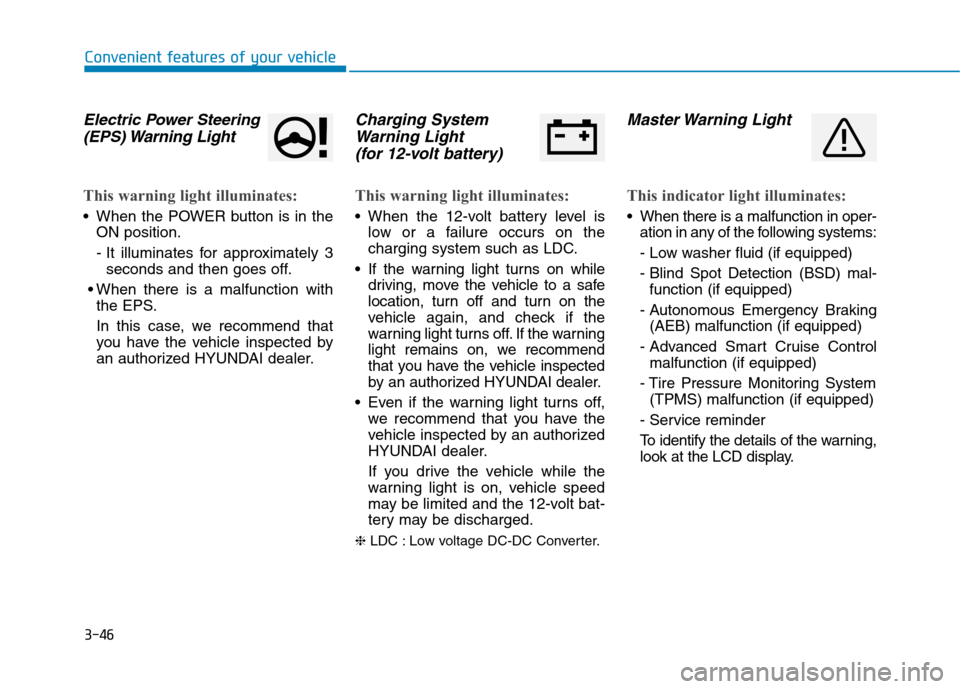
Electric Power Steering(EPS) Warning Light
This warning light illuminates:
When the POWER button is in the ON position.
- It illuminates for approximately 3seconds and then goes off.
When there is a malfunction with the EPS.
In this case, we recommend that
you have the vehicle inspected by
an authorized HYUNDAI dealer.
Charging System
Warning Light
(for 12-volt battery)
This warning light illuminates:
When the 12-volt battery level is low or a failure occurs on the
charging system such as LDC.
If the warning light turns on while driving, move the vehicle to a safe
location, turn off and turn on the
vehicle again, and check if the
warning light turns off. If the warning
light remains on, we recommend
that you have the vehicle inspected
by an authorized HYUNDAI dealer.
Even if the warning light turns off, we recommend that you have the
vehicle inspected by an authorized
HYUNDAI dealer.
If you drive the vehicle while the
warning light is on, vehicle speed
may be limited and the 12-volt bat-
tery may be discharged.
❈ LDC : Low voltage DC-DC Converter.
Master Warning Light
This indicator light illuminates:
When there is a malfunction in oper-
ation in any of the following systems:
- Low washer fluid (if equipped)
- Blind Spot Detection (BSD) mal-function (if equipped)
- Autonomous Emergency Braking (AEB) malfunction (if equipped)
- Advanced Smart Cruise Control malfunction (if equipped)
- Tire Pressure Monitoring System (TPMS) malfunction (if equipped)
- Service reminder
To identify the details of the warning,
look at the LCD display.
Page 221 of 582
3-52
Convenient features of your vehicle
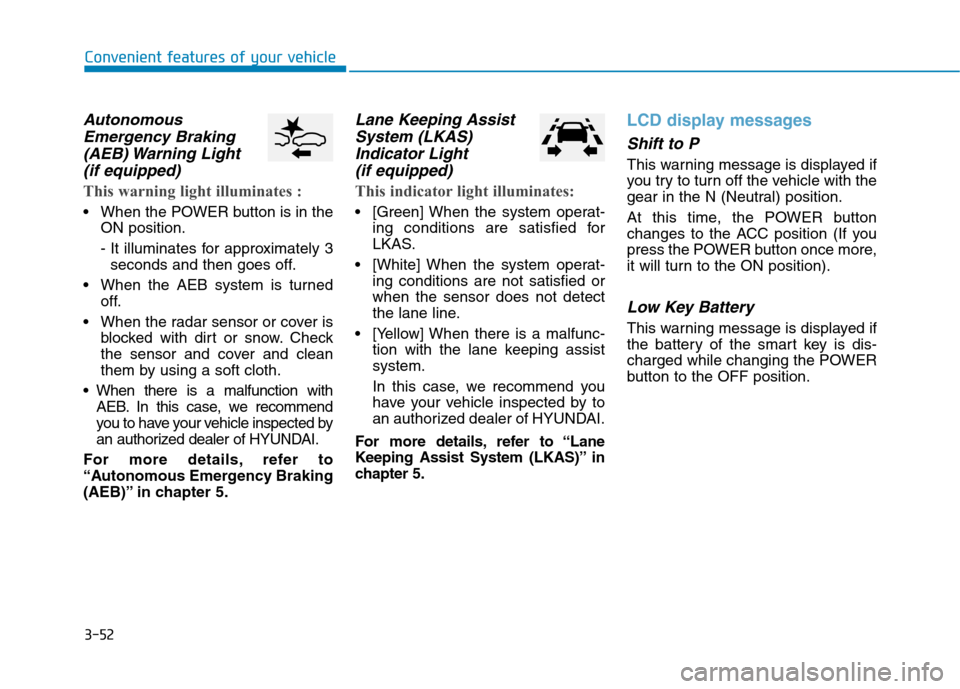
AutonomousEmergency Braking
(AEB) Warning Light (if equipped)
This warning light illuminates :
When the POWER button is in the ON position.
- It illuminates for approximately 3seconds and then goes off.
When the AEB system is turned off.
When the radar sensor or cover is blocked with dirt or snow. Check
the sensor and cover and clean
them by using a soft cloth.
When there is a malfunction with AEB. In this case, we recommend
you to have your vehicle inspected by
an authorized dealer of HYUNDAI.
For more details, refer to
“Autonomous Emergency Braking
(AEB)” in chapter 5.
Lane Keeping Assist System (LKAS)
Indicator Light (if equipped)
This indicator light illuminates:
[Green] When the system operat- ing conditions are satisfied for
LKAS.
[White] When the system operat- ing conditions are not satisfied orwhen the sensor does not detect
the lane line.
[Yellow] When there is a malfunc- tion with the lane keeping assistsystem.
In this case, we recommend you
have your vehicle inspected by to
an authorized dealer of HYUNDAI.
For more details, refer to “Lane
Keeping Assist System (LKAS)” in
chapter 5.
LCD display messages
Shift to P
This warning message is displayed if
you try to turn off the vehicle with the
gear in the N (Neutral) position.
At this time, the POWER button
changes to the ACC position (If you
press the POWER button once more,
it will turn to the ON position).
Low Key Battery
This warning message is displayed if
the battery of the smart key is dis-
charged while changing the POWER
button to the OFF position.
Page 222 of 582
3-53
Convenient features of your vehicle
3
Press POWER button whileturning wheel
This warning message is displayed if
the steering wheel does not unlock
normally when the POWER button ispressed.
You should press the POWER button
while turning the steering wheel rightand left.
Check Steering Wheel LockSystem
This warning message is displayed if
the steering wheel does not lock nor-
mally while the POWER buttonchanges to the OFF position.
Press brake pedal to start vehicle
This warning message is displayed if
the POWER button changes to the
ACC position twice by pressing the
button repeatedly without depressing
the brake pedal.
You can start the vehicle by depress-
ing the brake pedal.
Key not in vehicle
This warning message is displayed if
the smart key is not in the vehicle
when you press the POWER button.
When attempting to start the vehicle,
always have the smart key with you.
Key not detected
This warning message is displayed if
the smart key is not detected when
you press the POWER button.
Press POWER button again
This message is displayed if you
were unable to start the vehicle when
the POWER button was pressed.
If this occurs, attempt to start the
vehicle by pressing the POWER but-ton again.
If the warning message appears
each time you press the POWER
button, we recommend you to have
your vehicle inspected by an author-
ized HYUNDAI dealer.
Page 223 of 582
3-54
Convenient features of your vehicle
Press POWER button with key
This warning message is displayed if
you press the POWER button while
the warning message “Key not
detected” is displayed.
At this time, the immobilizer indicator
light blinks.
Check BRAKE SWITCH fuse
This warning message is displayed if
the brake switch fuse is disconnected.
You need to replace the fuse with a
new one before starting the vehicle.
If that is not possible, you can start the
vehicle by pressing the POWER but-
ton for 10 seconds in the ACC posi-tion.
Shift to P to start vehicle
This warning message is displayed if
you try to start the vehicle without
shifting to the P (Park) position.
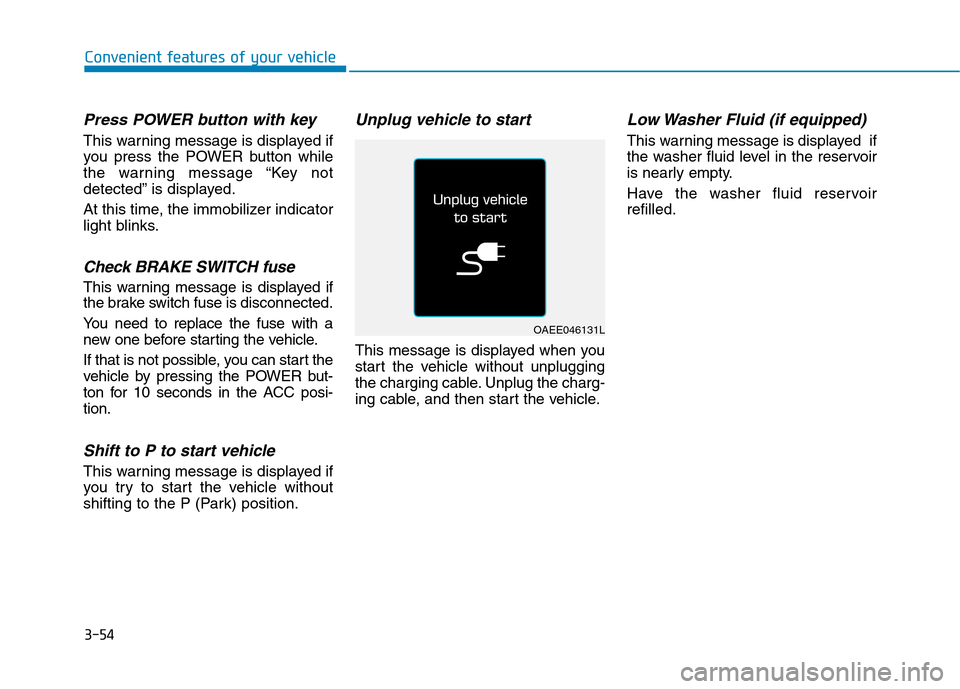
Unplug vehicle to start
This message is displayed when you
start the vehicle without unplugging
the charging cable. Unplug the charg-
ing cable, and then start the vehicle.
Low Washer Fluid (if equipped)
This warning message is displayed if
the washer fluid level in the reservoir
is nearly empty.
Have the washer fluid reservoir refilled.
OAEE046131L
Page 224 of 582
3-55
Convenient features of your vehicle
3
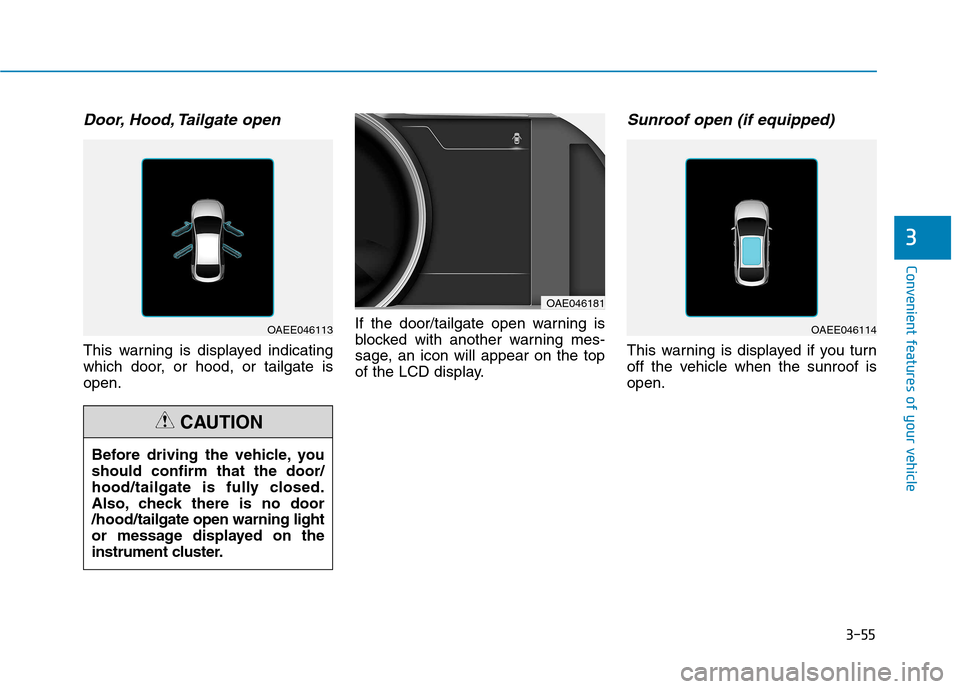
Door, Hood, Tailgate open
This warning is displayed indicating
which door, or hood, or tailgate isopen.If the door/tailgate open warning is
blocked with another warning mes-
sage, an icon will appear on the top
of the LCD display.
Sunroof open (if equipped)
This warning is displayed if you turn
off the vehicle when the sunroof isopen.
OAE046181
OAEE046114OAEE046113
Before driving the vehicle, you should confirm that the door/
hood/tailgate is fully closed.
Also, check there is no door/hood/ tailgate open warning light
or message displayed on the
instrument cluster.
CAUTION