change time Hyundai Ioniq Electric 2017 Owner's Manual
[x] Cancel search | Manufacturer: HYUNDAI, Model Year: 2017, Model line: Ioniq Electric, Model: Hyundai Ioniq Electric 2017Pages: 582, PDF Size: 37.73 MB
Page 1 of 582
OOWW NNEERR ''SS MM AANN UU AALL
OOppeerraa ttiioo nn
M
M aaiinn ttee nn aann ccee
S
S ppeecciiff iicc aa ttiioo nnss
All information in this Owner's Manual is current at the time of publica-
tion. However, HYUNDAI reserves the right to make changes at any time
so that our policy of continual product improvement may be carried out.
This manual applies to all models of this vehicle and includes descrip-
tions and explanations of optional as well as standard equipment.
As a result, you may find material in this manual that does not apply to
your specific vehicle. Please note that some models are equipped with Right-Hand Drive
(RHD). The explanations and illustrations for some operations in RHD
models are opposite of those written in this manual.
Page 108 of 582
2-10
Safety system of your vehicle
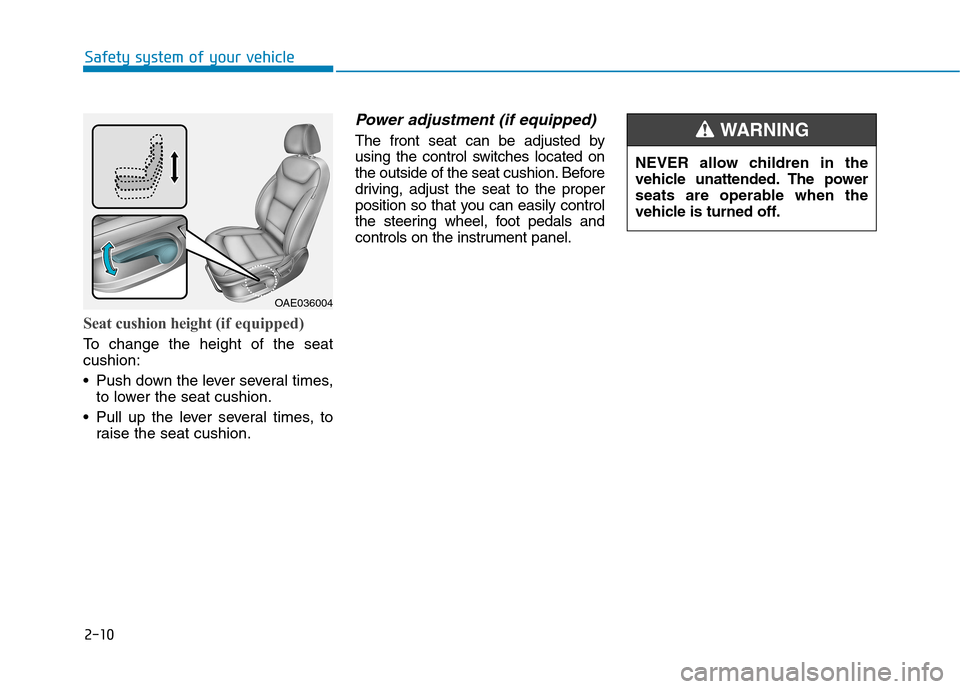
Seat cushion height (if equipped)
To change the height of the seat cushion:
• Push down the lever several times,
to lower the seat cushion.
Pull up the lever several times, to raise the seat cushion.
Power adjustment (if equipped)
The front seat can be adjusted by
using the control switches located on
the outside of the seat cushion. Before
driving, adjust the seat to the proper
position so that you can easily control
the steering wheel, foot pedals and
controls on the instrument panel.
OAE036004 NEVER allow children in the
vehicle unattended. The power
seats are operable when the
vehicle is turned off.
WARNING
Page 119 of 582
2-21
Safety system of your vehicle
2
Seat warmers and air ventila- tion seats
Front seat warmers (if equipped)
Seat warmers are provided to warm
the seats during cold weather.To prevent damage to the seat
warmers and seats:
Never use a solvent such as
paint thinner, benzene, alcohol
or gasoline to clean the seats.
Do not place heavy or sharp objects on seats equipped with
seat warmers.
Do not change the seat cover. It may damage the seat warmer.
NOTICE(Continued)
Fatigued individuals.
Intoxicated individuals.
People taking medication that
can cause drowsiness orsleepiness.
NEVER place anything on the
seat that insulates against heatwhen the seat warmer is in oper-
ation, such as a blanket or seat
cushion. This may cause the
seat warmer to overheat, caus-
ing a burn or damage to the seat.
WARNING
The seat warmers can cause a
SERIOUS BURN, even at low
temperatures and especially if
used for long periods of time.
Passengers must be able to feel if the seat is becoming too warm
so they can turn it off, if needed.
People who cannot detect tem-
perature change or pain to the
skin should use extreme cau-
tion, especially the following
types of passengers:
Infants, children, elderly or
disabled persons, or hospitaloutpatients.
People with sensitive skin or
who burn easily.
(Continued)
WARNING
Page 120 of 582
2-22
Safety system of your vehicle
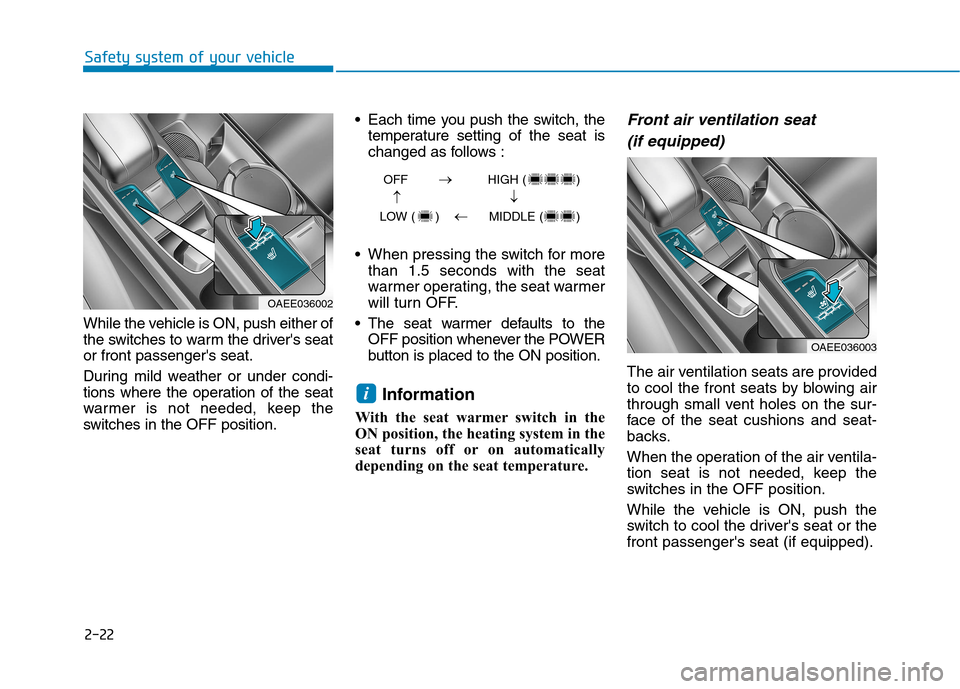
While the vehicle is ON, push either of
the switches to warm the driver's seator front passenger's seat.
During mild weather or under condi-
tions where the operation of the seat
warmer is not needed, keep the
switches in the OFF position. Each time you push the switch, the
temperature setting of the seat is
changed as follows :
When pressing the switch for more than 1.5 seconds with the seat
warmer operating, the seat warmer
will turn OFF.
The seat warmer defaults to the OFF position whenever the POWER
button is placed to the ON position.
Information
With the seat warmer switch in the
ON position, the heating system in the
seat turns off or on automatically
depending on the seat temperature.
Front air ventilation seat (if equipped)
The air ventilation seats are provided
to cool the front seats by blowing air
through small vent holes on the sur-
face of the seat cushions and seat-
backs.
When the operation of the air ventila-
tion seat is not needed, keep the
switches in the OFF position.
While the vehicle is ON, push the
switch to cool the driver's seat or thefront passenger's seat (if equipped).
i
OAEE036002
OAEE036003
OFF HIGH ( )
LOW ( ) MIDDLE ( )
Page 121 of 582
2-23
Safety system of your vehicle
2
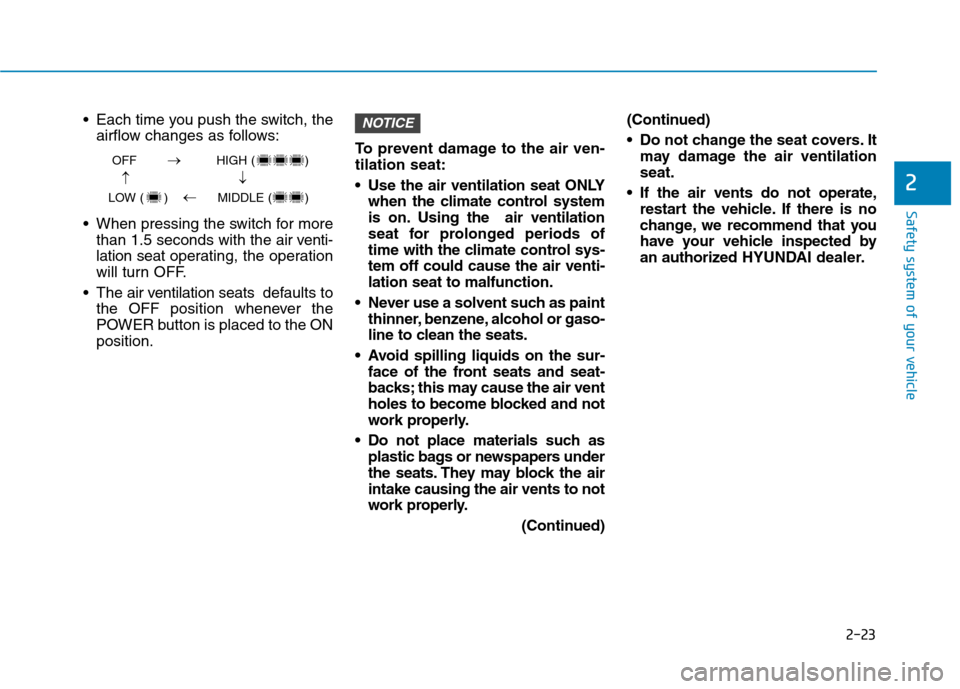
Each time you push the switch, theairflow changes as follows:
When pressing the switch for more than 1.5 seconds with the air v enti-
lation seat operating, the operation
will turn OFF.
The air v entilation seats def aults to
the OFF position whenever the
POWER button is placed to the ONposition. To prevent damage to the air ven-tilation seat:
Use the air ventilation seat ONLY
when the climate control system
is on. Using the air ventilation
seat for prolonged periods of
time with the climate control sys-tem off could cause the air venti-lation seat to malfunction.
Never use a solvent such as paint thinner, benzene, alcohol or gaso-
line to clean the seats.
Avoid spilling liquids on the sur- face of the front seats and seat-
backs; this may cause the air vent
holes to become blocked and not
work properly.
Do not place materials such as plastic bags or newspapers under
the seats. They may block the airintake causing the air vents to not
work properly.
(Continued)(Continued)
Do not change the seat covers. It
may damage the air ventilation seat.
If the air vents do not operate, restart the vehicle. If there is no
change, we recommend that you
have your vehicle inspected by
an authorized HYUNDAI dealer.NOTICE
OFF HIGH ( )
LOW ( ) MIDDLE ( )
Page 122 of 582
2-24
Safety system of your vehicle
Rear seat warmers (if equipped)
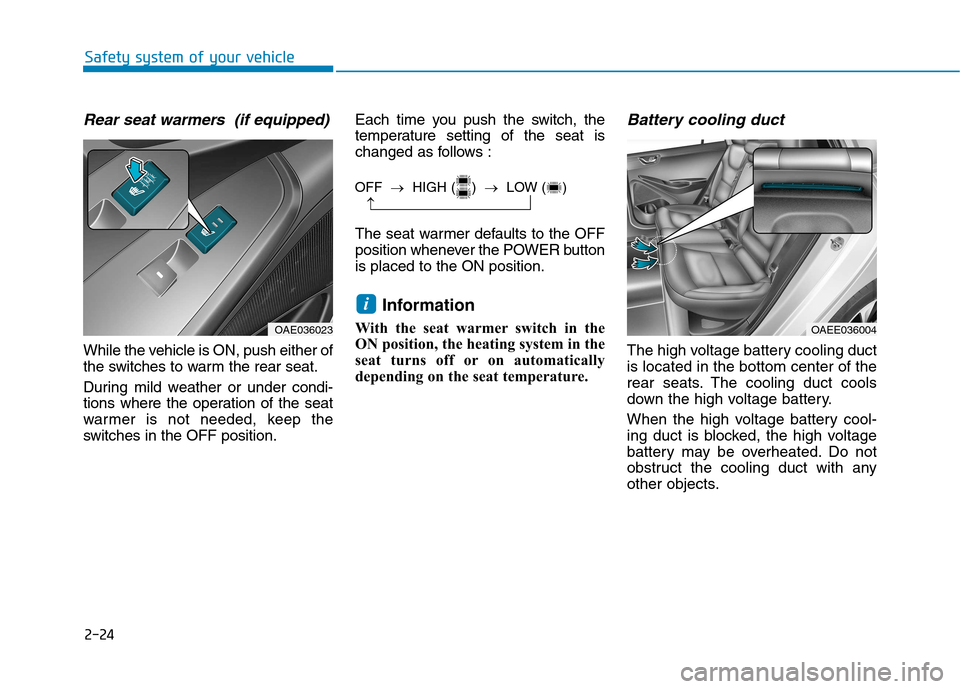
While the vehicle is ON, push either of
the switches to warm the rear seat.
During mild weather or under condi-
tions where the operation of the seat
warmer is not needed, keep the
switches in the OFF position.Each time you push the switch, the
temperature setting of the seat is
changed as follows :
The seat warmer defaults to the OFF
position whenever the POWER buttonis placed to the ON position.
Information
With the seat warmer switch in the
ON position, the heating system in the
seat turns off or on automatically
depending on the seat temperature.
Battery cooling duct
The high voltage battery cooling ductis located in the bottom center of the
rear seats. The cooling duct cools
down the high voltage battery.
When the high voltage battery cool-
ing duct is blocked, the high voltage
battery may be overheated. Do not
obstruct the cooling duct with any
other objects.
i
OFF HIGH ( ) LOW ( )
OAE036023OAEE036004
Page 184 of 582
3-15
Convenient features of your vehicle
3
Electric power steering (EPS)
The system assists you with steering
the vehicle. If the vehicle is off or if
the power steering system becomes
inoperative, the vehicle may still be
steered, but it will require increased
steering effort.
Also, the steering effort becomes
heavier as the vehicle’s speedincreases and becomes lighter as
the vehicle’s speed decreases for
better control of the steering wheel.
Should you notice any change in the
effort required to steer during normal
vehicle operation, we recommend
that the system be checked by an
authorized HYUNDAI dealer.
If the Electric Power SteeringSystem does not operate nor-
mally, the warning light ( ) will
illuminate or blink on the instru-
ment cluster. The steering wheel
may become difficult to control
or operate. Take your vehicle to
an authorized HYUNDAI dealer
and have the system checked as
soon as possible.
(Continued)(Continued)
When abnormality is detected in
the electric power steering sys-
tem, to prevent a deadly acci-
dent, the steering assist function
will stop. At this time, the warn-
ing light turns on or blinks on
the cluster. The steering wheel
may become difficult to control
or operate. Have your vehicle
checked immediately, after mov-
ing the vehicle to a safe zone.
Information
The following symptoms may occur
during normal vehicle operation:
The steering effort may be high immediately after placing the
POWER button in the ON position.
This happens as the system per-
forms the EPS system diagnostics.
When the diagnostics is completed,
the steering wheel will return to its
normal condition.
(Continued)(Continued)
A click noise may be heard from the
EPS relay after the POWER button
is in the ON or OFF position.
Motor noise may be heard when the vehicle is at a stop or at a low driv-
ing speed.
When you operate the steering wheel in low temperature, abnormal
noise may occur. If temperature
rises, the noise will disappear. This
is a normal condition.
When the vehicle is stationary, if you turn the steering wheel all the
way to the left or right continuously,
the steering wheel effort increases.
This is not a system malfunction. As
time passes, the steering wheel
effort will return to its normal con-
dition.
i
NOTICE
SSTT EEEERR IINN GG WW HHEEEELL
Page 221 of 582
3-52
Convenient features of your vehicle
AutonomousEmergency Braking
(AEB) Warning Light (if equipped)
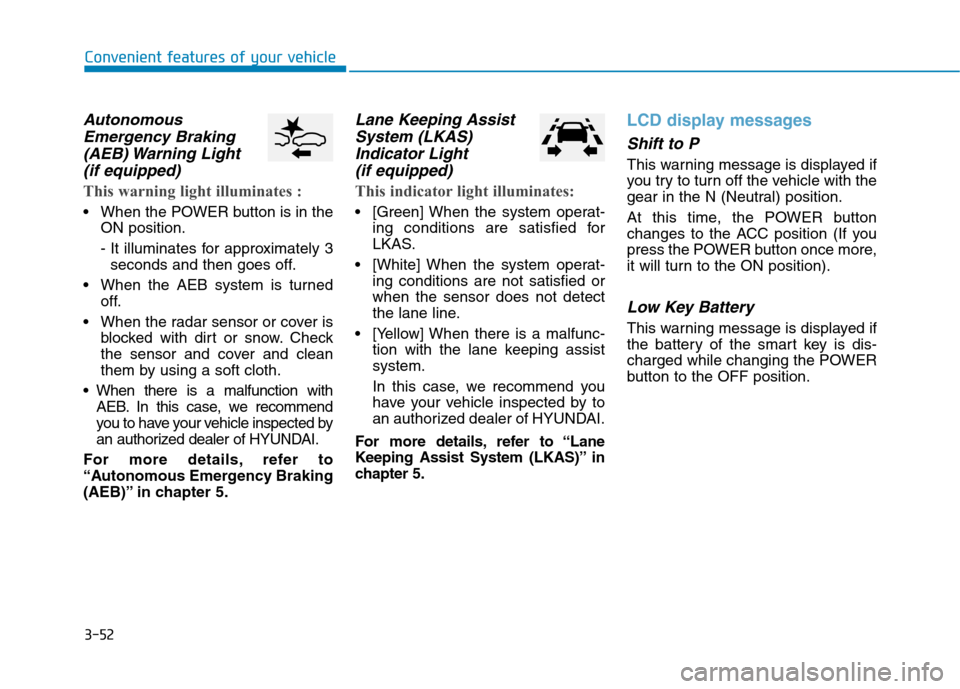
This warning light illuminates :
When the POWER button is in the ON position.
- It illuminates for approximately 3seconds and then goes off.
When the AEB system is turned off.
When the radar sensor or cover is blocked with dirt or snow. Check
the sensor and cover and clean
them by using a soft cloth.
When there is a malfunction with AEB. In this case, we recommend
you to have your vehicle inspected by
an authorized dealer of HYUNDAI.
For more details, refer to
“Autonomous Emergency Braking
(AEB)” in chapter 5.
Lane Keeping Assist System (LKAS)
Indicator Light (if equipped)
This indicator light illuminates:
[Green] When the system operat- ing conditions are satisfied for
LKAS.
[White] When the system operat- ing conditions are not satisfied orwhen the sensor does not detect
the lane line.
[Yellow] When there is a malfunc- tion with the lane keeping assistsystem.
In this case, we recommend you
have your vehicle inspected by to
an authorized dealer of HYUNDAI.
For more details, refer to “Lane
Keeping Assist System (LKAS)” in
chapter 5.
LCD display messages
Shift to P
This warning message is displayed if
you try to turn off the vehicle with the
gear in the N (Neutral) position.
At this time, the POWER button
changes to the ACC position (If you
press the POWER button once more,
it will turn to the ON position).
Low Key Battery
This warning message is displayed if
the battery of the smart key is dis-
charged while changing the POWER
button to the OFF position.
Page 222 of 582
3-53
Convenient features of your vehicle
3
Press POWER button whileturning wheel
This warning message is displayed if
the steering wheel does not unlock
normally when the POWER button ispressed.
You should press the POWER button
while turning the steering wheel rightand left.
Check Steering Wheel LockSystem
This warning message is displayed if
the steering wheel does not lock nor-
mally while the POWER buttonchanges to the OFF position.
Press brake pedal to start vehicle
This warning message is displayed if
the POWER button changes to the
ACC position twice by pressing the
button repeatedly without depressing
the brake pedal.
You can start the vehicle by depress-
ing the brake pedal.
Key not in vehicle
This warning message is displayed if
the smart key is not in the vehicle
when you press the POWER button.
When attempting to start the vehicle,
always have the smart key with you.
Key not detected
This warning message is displayed if
the smart key is not detected when
you press the POWER button.
Press POWER button again
This message is displayed if you
were unable to start the vehicle when
the POWER button was pressed.
If this occurs, attempt to start the
vehicle by pressing the POWER but-ton again.
If the warning message appears
each time you press the POWER
button, we recommend you to have
your vehicle inspected by an author-
ized HYUNDAI dealer.
Page 240 of 582
3-71
Convenient features of your vehicle
3
3. Lights
- Off: The one touch turn signal func-tion will be deactivated.
- 3, 5, 7 Flashes: The turn signal indi- cator will blink 3, 5, or 7 times when
the turn signal lever is moved slightly.
For more information, refer to
"Light" in this chapter.
To activate or deactivate the head-
lamp delay function.
For more information, refer to
"Light" in this chapter 4. Sound
- Softer/Louder
To adjust the Park Assist System
volume.
5. Convenience
- Off: The seat easy access function is deactivated.
- Normal/Extended: When you turn off the vehicle, the driver's seat will
automatically move rearward short
(Normal) or long (Extended) for you
to enter or exit the vehicle more
comfortably.
For more information, refer to
"Driver Position Memory System"
in this chapter.
To activate or deactivate the wireless charging system in the front seat.
For more information, refer to
"Wireless Charging System" in
this chapter.
To activate or deactivate the Wiper/
Light mode.
When activated, the LCD display
shows the selected Wiper/Light
mode whenever you change the
mode.
To activate or deactivate the gear
position pop-up.
When activated, the gear position
will be displayed on the LCD display.
6. Service Interval
To activate or deactivate the service
interval function.
If the service interval menu is acti-
vated, you may adjust the time and
distance.
Information
To use the service interval menu, con-
sult an authorized HYUNDAI dealer.
i