display Hyundai Ioniq Electric 2017 Owner's Manual
[x] Cancel search | Manufacturer: HYUNDAI, Model Year: 2017, Model line: Ioniq Electric, Model: Hyundai Ioniq Electric 2017Pages: 582, PDF Size: 37.73 MB
Page 9 of 582
Trickle Charge (For Europe) ................................H52How to Connect Portable Charger
(ICCB: In-Cable Control Box) ..........................................H52Unlock Charging Door in Emergency ..........................H56
Checking Charging Status ...............................................H56
Charging Status Indicator Lamp for
Portable Charger ...............................................................H58
How to Disconnect Portable Charger
(ICCB: In-Cable Control Box) ..........................................H61 Unlock Charging Connector in Emergency ................H62
Precautions for Portable Charger
(ICCB: In-Cable Control Box) ..........................................H62
How to Start the Vehicle ......................................H63
How to Stop the Vehicle.......................................H64
Virtual Engine Sound System ..............................H64
Distance to Empty .................................................H65 When destination is not set ...........................................H65
When destination is set...................................................H66
Tips for Improving Distance to Empty ...............H66
ECO Guide ...............................................................H67
State of charge (SOC) gauge for high voltage
battery.....................................................................H67
Warning and Indicator Lights
(related to electric vehicle) .................................H68 Ready Indicator ................................................................H68
Service Warning Light .....................................................H68
This warning light illuminates : ......................................H68
Power Down Warning Light ...........................................H69
Charging Indicator Light..................................................H69
High Voltage Battery Level Warning Light .................H69
Regenerative Brake Warning Light ..............................H70 LCD Display Messages ..........................................H70
Shift to P to charge .........................................................H70
Remaining time ..................................................................H70
Charging Door Open ........................................................H71
Charger Error! / Quick Charger Error!........................H71
Stop vehicle and check brakes .....................................H71
Check brakes......................................................................H72
Low Battery........................................................................H72
Charge immediately. Power limited ..............................H72
Low Battery. Charge immediately.................................H73
Low Battery Temp. Power limited.................................H73
Battery Overheated! Stop vehicle ................................H73
Power limited .....................................................................H74
Stop vehicle and check power supply .........................H74
Check Active Air Flap System........................................H75
Check Virtual Engine Sound System............................H75
Check electric vehicle system .......................................H75
Energy flow ...........................................................H76 Vehicle Stop........................................................................H76
EV Propulsion ....................................................................H76
Regeneration ......................................................................H77
Aux. Battery Saver+ .............................................H77 Mode ....................................................................................H77
System Setting...................................................................H78
LCD Message .....................................................................H78
If an Accident Occurs ...........................................H79
Other Precautions for Electric Vehicle ..............H81
Service Plug ...........................................................H81
Page 15 of 582
H8
EEVV MM OODDEE (( CC OO NNTT..))
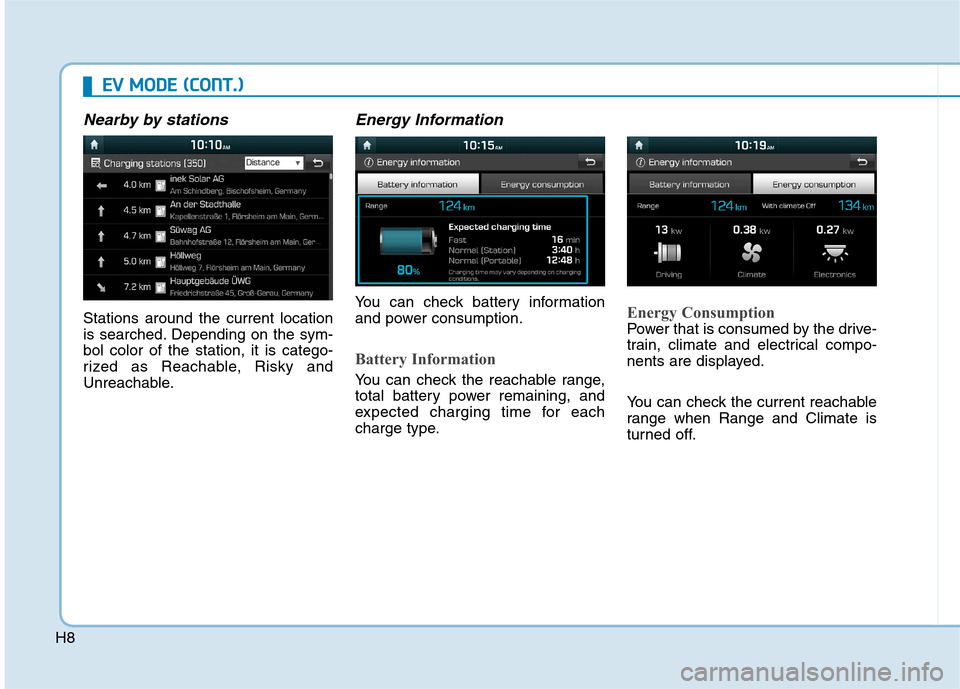
Nearby by stations
Stations around the current location
is searched. Depending on the sym-bol color of the station, it is catego-
rized as Reachable, Risky and
Unreachable.
Energy Information
You can check battery information
and power consumption.
Battery Information
You can check the reachable range,
total battery power remaining, and
expected charging time for each
charge type.
Energy Consumption
Power that is consumed by the drive-
train, climate and electrical compo-
nents are displayed.
You can check the current reachable
range when Range and Climate is
turned off.
Page 17 of 582
H10
EEVV MM OODDEE (( CC OO NNTT..))
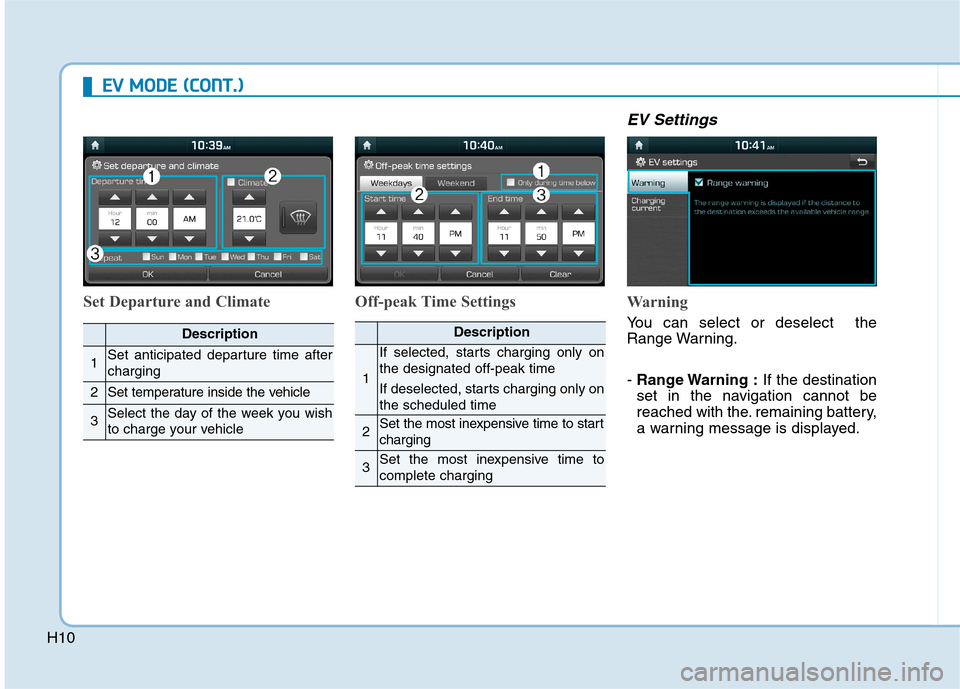
Set Departure and Climate Off-peak Time Settings
EV Settings
Warning
You can select or deselect the
Range Warning. - Range Warning : If the destination
set in the navigation cannot be
reached with the. remaining battery,
a warning message is displayed.Description
1Set anticipated departure time after charging
2Set temperature inside the vehicle
3Select the day of the week you wish
to charge your vehicle
Description
1
If selected, starts charging only on the designated off-peak time
If deselected, starts charging only on the scheduled time
2Set the most inexpensive time to start charging
3Set the most inexpensive time to complete charging
Page 29 of 582
H22
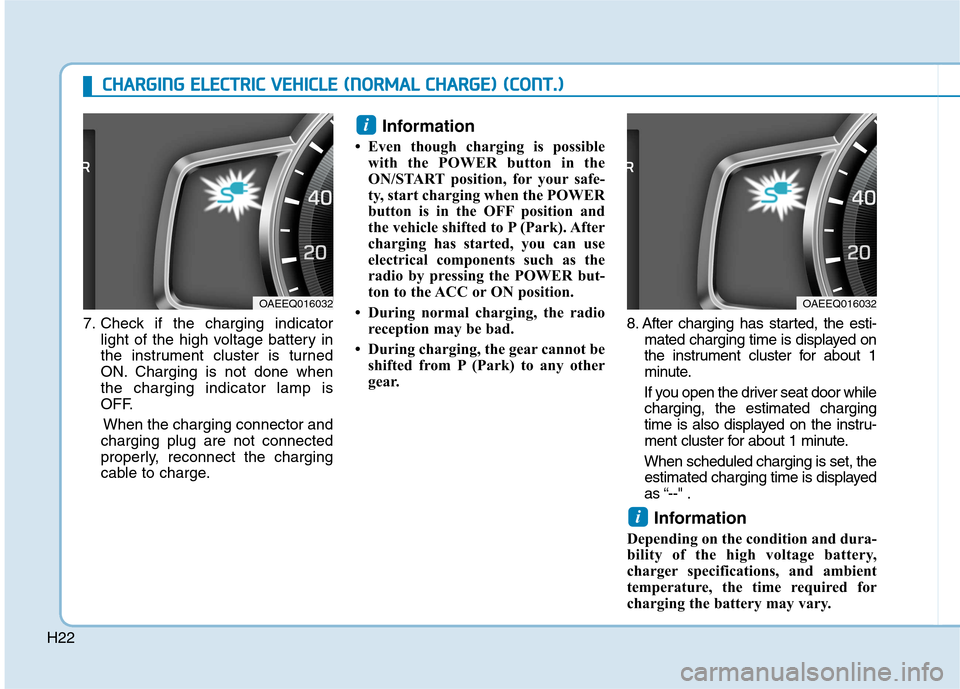
7. Check if the charging indicatorlight of the high voltage battery in
the instrument cluster is turned
ON. Charging is not done whenthe charging indicator lamp is
OFF.
When the charging connector and
charging plug are not connected
properly, reconnect the charging
cable to charge. Information
Even though charging is possible with the POWER button in the
ON/START position, for your safe-
ty, start charging when the POWER
button is in the OFF position and
the vehicle shifted to P (Park). After
charging has started, you can use
electrical components such as the
radio by pressing the POWER but-
ton to the ACC or ON position.
During normal charging, the radio reception may be bad.
During charging, the gear cannot be shifted from P (Park) to any other
gear. 8. After charging has started, the esti-
mated charging time is displayed on
the instrument cluster for about 1
minute.
If you open the driver seat door while charging, the estimated charging
time is also displayed on the instru-
ment cluster for about 1 minute.
When scheduled charging is set, the estimated charging time is displayed
as “--" .
Information
Depending on the condition and dura-
bility of the high voltage battery,
charger specifications, and ambient
temperature, the time required for
charging the battery may vary.
i
i
OAEEQ016032OAEEQ016032
CC HH AARRGG IINN GG EE LLEE CCTT RR IICC VV EEHH IICC LLEE (( NN OO RRMM AALL CC HH AARRGG EE)) (( CC OO NNTT..))
Page 41 of 582
H34Information
Even though charging is possible with the POWER button in the
ON/START position, for your safe-
ty, start charging when the POWER
button is in the OFF position and
the vehicle shifted to P (Park).
After charging has started, you can
use electrical components such as
the radio by pressing the POWER
button to ACC or ON position.
During charging, the gear cannot be shifted from P (Park) to any other
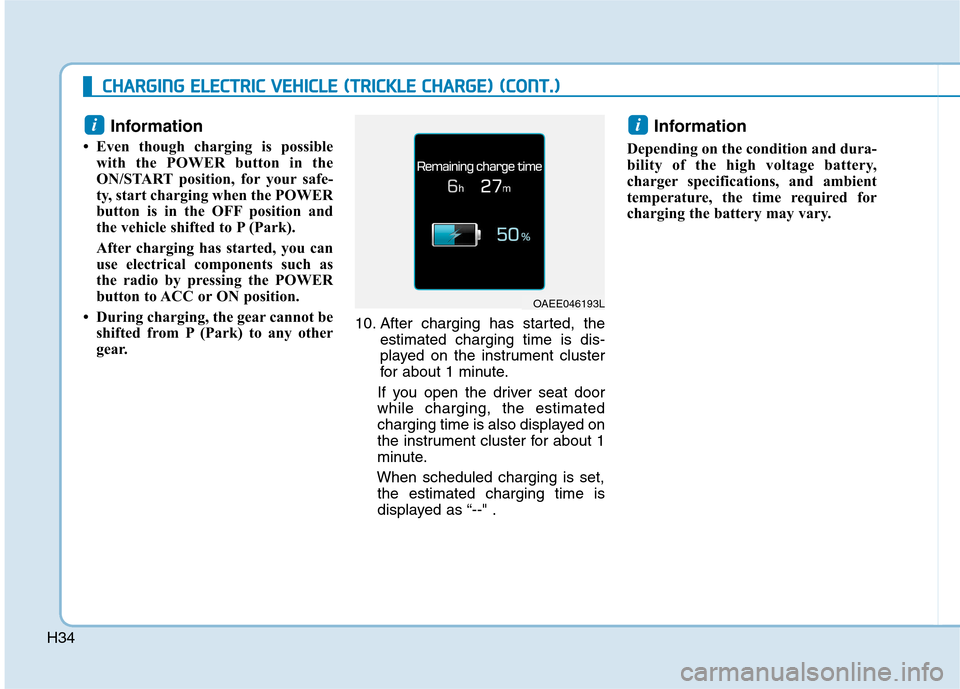
gear. 10. After charging has started, the
estimated charging time is dis-
played on the instrument cluster
for about 1 minute.
If you open the driver seat doorwhile charging, the estimated
charging time is also displayed on
the instrument cluster for about 1
minute.
When scheduled charging is set, the estimated charging time is
displayed as “--" . Information
Depending on the condition and dura-
bility of the high voltage battery,
charger specifications, and ambient
temperature, the time required for
charging the battery may vary.
ii
CC HH AARRGG IINN GG EE LLEE CCTT RR IICC VV EEHH IICC LLEE (( TT RR IICC KK LLEE CC HH AARRGG EE)) (( CC OO NNTT..))
OAEE046193L
Page 51 of 582
H44
CCHH AARRGG IINN GG EE LLEE CCTT RR IICC VV EEHH IICC LLEE (( NN OO RRMM AALL CC HH AARRGG EE)) (( CC OO NNTT..))
10. After charging has started, the
estimated charging time is dis-
played on the instrument cluster
for about 1 minute.
If you open the driver seat doorwhile charging, the estimated
charging time is also displayed
on the instrument cluster for
about 1 minute.
When scheduled charging is set, the estimated charging time is
displayed as “--" . Information
Depending on the condition and dura-
bility of the high voltage battery,
charger specifications, and ambient
temperature, the time required for
charging the battery may vary.
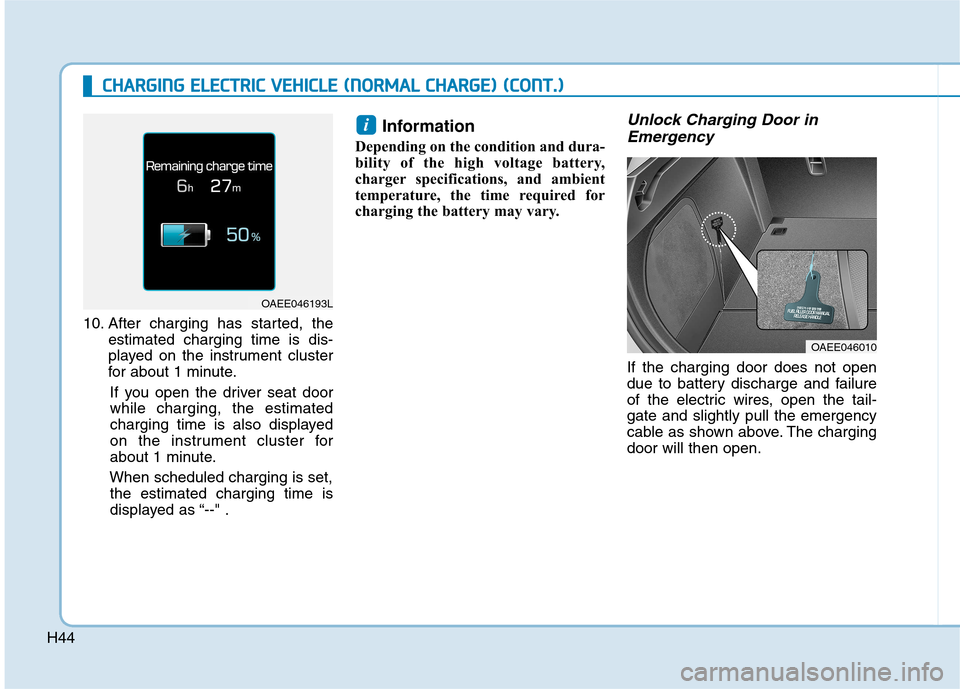
Unlock Charging Door in Emergency
If the charging door does not open
due to battery discharge and failure
of the electric wires, open the tail-gate and slightly pull the emergency
cable as shown above. The chargingdoor will then open.
i
OAEE046010
OAEE046193L
Page 62 of 582
H55
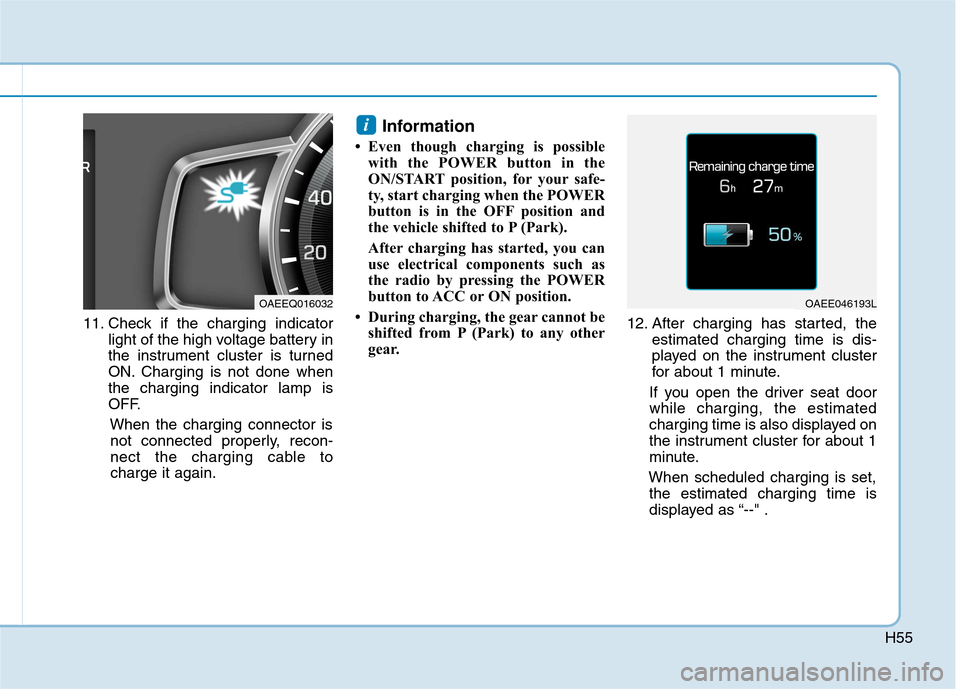
11. Check if the charging indicatorlight of the high voltage battery in
the instrument cluster is turned
ON. Charging is not done whenthe charging indicator lamp is
OFF.
When the charging connector isnot connected properly, recon-
nect the charging cable tocharge it again. Information
Even though charging is possible with the POWER button in the
ON/START position, for your safe-
ty, start charging when the POWER
button is in the OFF position and
the vehicle shifted to P (Park).
After charging has started, you can
use electrical components such as
the radio by pressing the POWER
button to ACC or ON position.
During charging, the gear cannot be shifted from P (Park) to any other
gear. 12. After charging has started, the
estimated charging time is dis-
played on the instrument cluster
for about 1 minute.
If you open the driver seat doorwhile charging, the estimated
charging time is also displayed on
the instrument cluster for about 1
minute.
When scheduled charging is set, the estimated charging time is
displayed as “--" .
i
OAEE046193LOAEEQ016032
Page 72 of 582
H65
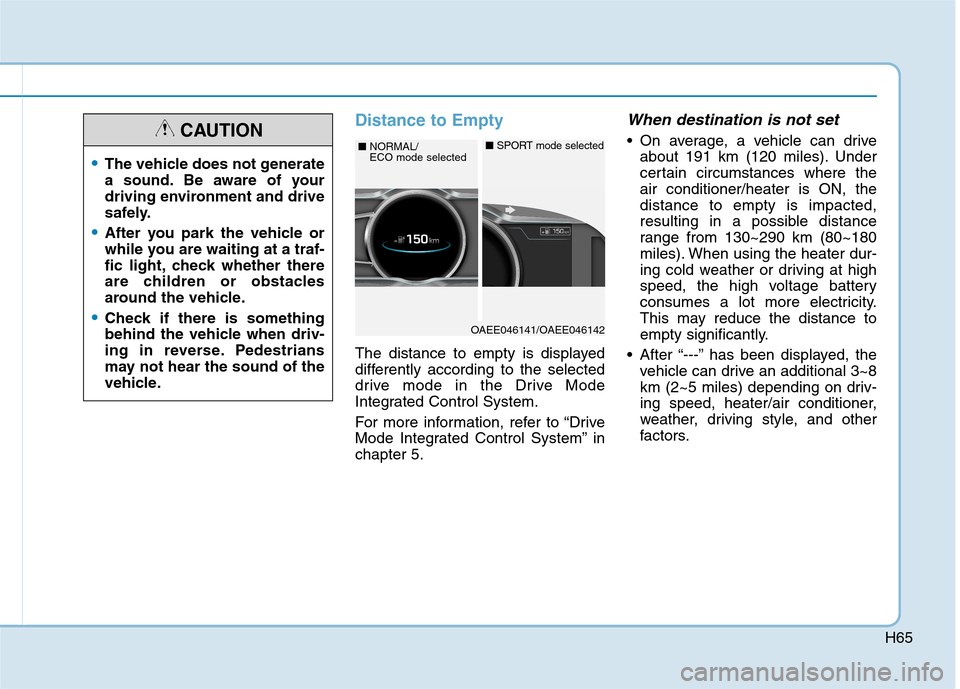
Distance to Empty
The distance to empty is displayed
differently according to the selected
drive mode in the Drive Mode
Integrated Control System.
For more information, refer to “Drive
Mode Integrated Control System” inchapter 5.
When destination is not set
On average, a vehicle can driveabout 191 km (120 miles). Under
certain circumstances where theair conditioner/heater is ON, thedistance to empty is impacted,
resulting in a possible distance
range from 130~290 km (80~180
miles). When using the heater dur-
ing cold weather or driving at high
speed, the high voltage battery
consumes a lot more electricity.
This may reduce the distance to
empty significantly.
After “---” has been displayed, the vehicle can drive an additional 3~8
km (2~5 miles) depending on driv-
ing speed, heater/air conditioner,
weather, driving style, and other
factors.
OAEE046141/OAEE046142
■NORMAL/ ECO mode selected■ SPORT mode selected
The vehicle does not generate
a sound. Be aware of your
driving environment and drive
safely.
After you park the vehicle or
while you are waiting at a traf-
fic light, check whether there
are children or obstacles
around the vehicle.
Check if there is something
behind the vehicle when driv-
ing in reverse. Pedestrians
may not hear the sound of the
vehicle.
CAUTION
Page 73 of 582
H66
DDRRIIVV IINN GG EE LLEE CCTT RR IICC VV EEHH IICC LLEE (( CC OO NNTT..))
Distance to empty that is displayed
on the instrument cluster after
completing a recharge may vary
significantly depending on previ-
ous operating patterns.
When previous driving patterns
include high speed driving, result-
ing in the high voltage battery
using more electricity than usual,the estimated distance to empty is
reduced. When the high voltage
battery uses little electricity in ECO
mode, the estimated distance to
empty increases.
Distance to empty may depend on many factors such as the charge
amount of the high voltage battery,
weather, temperature, durability of
the battery, geographical features,
and driving style.
Natural degradation may occur with the high voltage battery
depending on the number of years
the vehicle is used. This may
reduce the distance to empty.When destination is set
When the destination is set, the dis-
tance to empty may change. The dis-tance to empty is recalculated using
the information of the destination.
However, the distance to empty may
vary significantly based on traffic
conditions, driving habits, and condi-
tion of the vehicle.
Tips for Improving Distance to Empty
If you operate the air conditioner/heater too much, the driving bat-
tery uses too much electricity. This
may reduce the distance to empty.
Therefore, it is recommended that
you set the cabin temperature to
22°C AUTO. This setting that has
been certified by various assess-ment tests to maintain optimal
energy consumption rates while
keeping the temperature fresh.
Turn OFF the heater and air condi-
tioner if you do not need them.
Depress and hold the accelerator pedal to maintain speed and drive
economically.
Gradually depress and release the accelerator pedal when accelerat-
ing or decelerating.
Always maintain specified tire pressures.
Do not use unnecessary electrical components while driving.
Do not load unnecessary items in the vehicle.
Do not mount parts that may increase air resistance.
Page 77 of 582
H70
DDRRIIVV IINN GG EE LLEE CCTT RR IICC VV EEHH IICC LLEE (( CC OO NNTT..))
Regenerative Brake
Warning Light
This warning light illuminates :
When the regenerative brake does
not operate and the brake does not
perform well. This causes the Brake
Warning light (red) and Regenerative
Brake Warning Light (yellow) to illu-
minate simultaneously.
In this case, drive safely and we rec-
ommend that you have your vehicle
inspected by an authorized HYUNDAI
dealer.
The operation of the brake pedal may
be more difficult than normal and the
braking distance can increase.
LCD Display Messages
Shift to P to charge
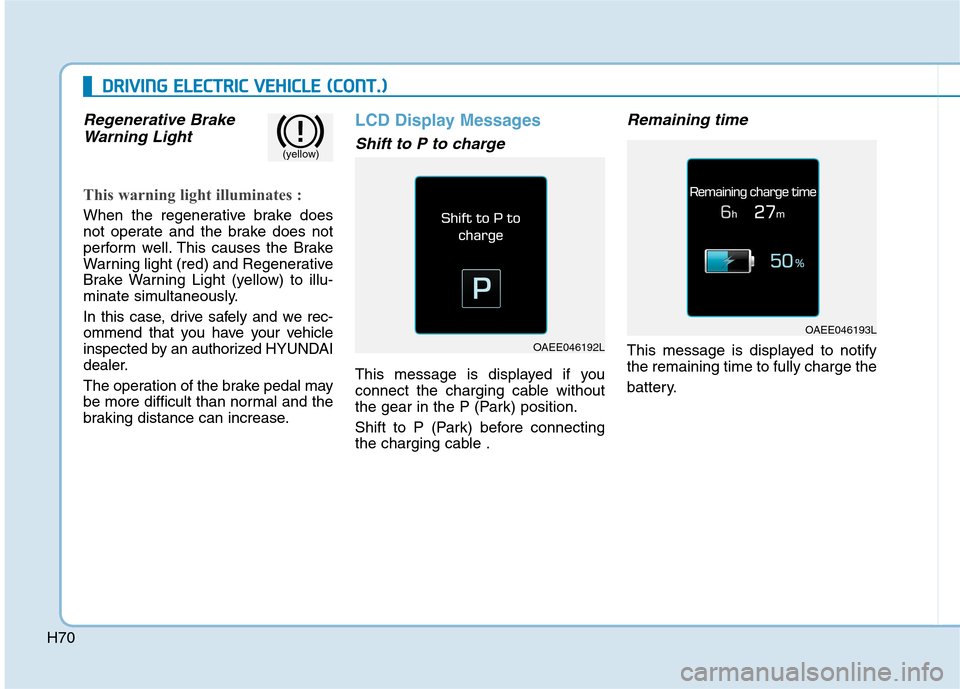
This message is displayed if you
connect the charging cable without
the gear in the P (Park) position.
Shift to P (Park) before connecting
the charging cable .
Remaining time
This message is displayed to notifythe remaining time to fully charge the
battery.OAEE046192L
OAEE046193L
(yellow)