Change HYUNDAI KONA 2022 Workshop Manual
[x] Cancel search | Manufacturer: HYUNDAI, Model Year: 2022, Model line: KONA, Model: HYUNDAI KONA 2022Pages: 579, PDF Size: 35.31 MB
Page 307 of 579
Driving your vehicle
6-50
WARNING
Do not drive across the contour of steep
hills. A slight change in the wheel angle
can destabilize the vehicle, or a stable
vehicle may lose stability if the vehicle
stops its forward motion. Your vehicle
may roll over and lead to a serious injury
or death.
Try to avoid driving in deep standing
water. It may stall your engine and
clog your exhaust pipes.
If you need to drive in water, stop
your vehicle, set the vehicle in AWD
LOCK mode and drive under 5 mph (8
km/h).
Do not change gear while driving in
water.
CAUTION
Always drive slowly in water. If you
drive too fast, water may get into the
engine compartment and wet the
ignition system causing your vehicle to
suddenly stop.
Become familiar with the off-road
conditions before driving.
Always pay attention when driving off-
road and avoid dangerous areas.
Drive slowly when driving in heavy
wind.
Reduce vehicle speed when
cornering. The center of gravity
of 4WD vehicles is higher than
conventional 2WD vehicles, making
them more likely to roll over when you
rapidly turn corners.
OOS057075L
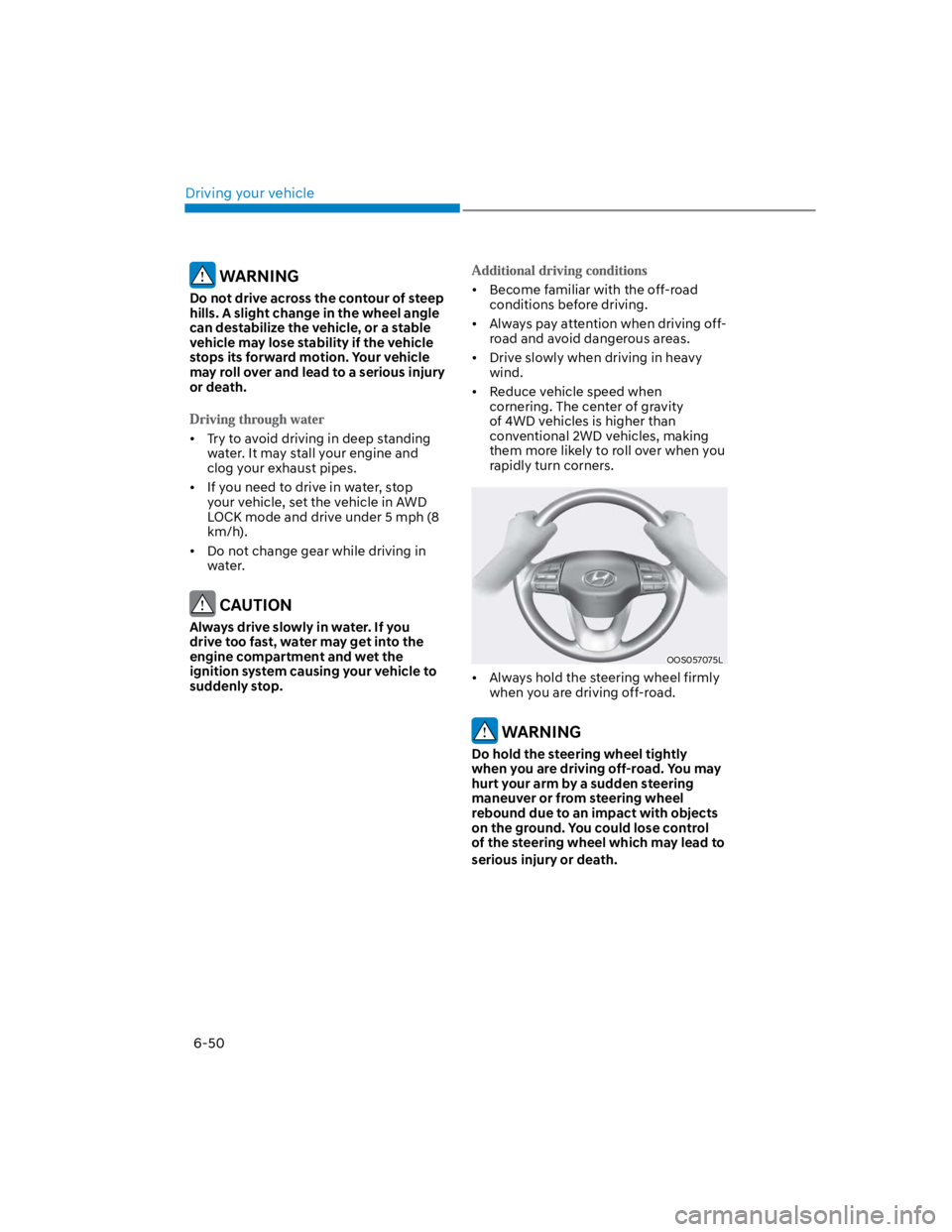
Always hold the steering wheel firmly
when you are driving off-road.
WARNING
Do hold the steering wheel tightly
when you are driving off-road. You may
hurt your arm by a sudden steering
maneuver or from steering wheel
rebound due to an impact with objects
on the ground. You could lose control
of the steering wheel which may lead to
serious injury or death.
Page 317 of 579
Driving your vehicle
6-60
OOS060012N
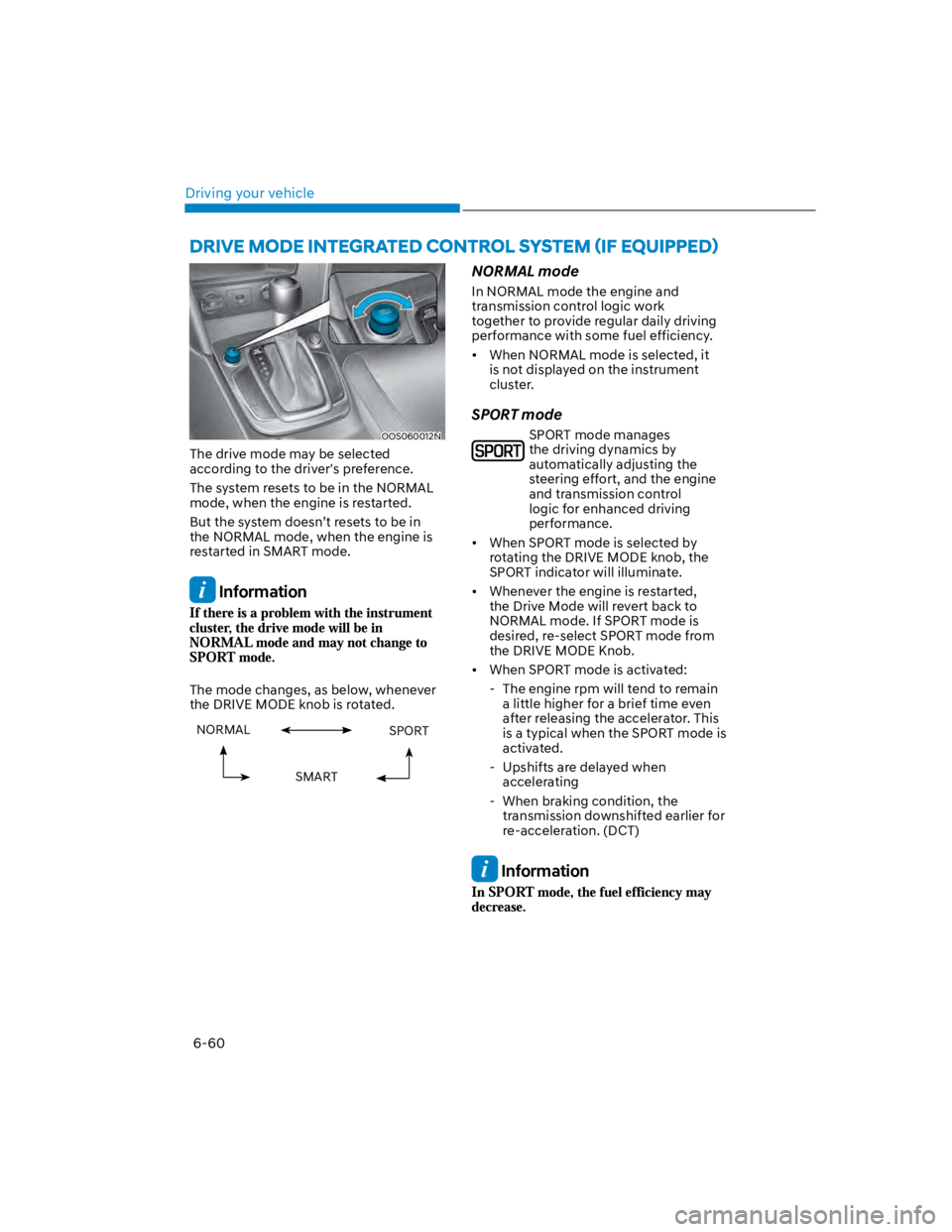
The drive mode may be selected
according to the driver's preference.
The system resets to be in the NORMAL
mode, when the engine is restarted.
But the system doesn’t resets to be in
the NORMAL mode, when the engine is
restarted in SMART mode.
Information
The mode changes, as below, whenever
the DRIVE MODE knob is rotated.
NORMAL SPORT
SMART
NORMAL mode
In NORMAL mode the engine and
transmission control logic work
together to provide regular daily driving
performance with some fuel efficiency.
When NORMAL mode is selected, it
is not displayed on the instrument
cluster.
SPORT mode
SPORT mode manages
the driving dynamics by
automatically adjusting the
steering effort, and the engine
and transmission control
logic for enhanced driving
performance.
When SPORT mode is selected by
rotating the DRIVE MODE knob, the
SPORT indicator will illuminate.
Whenever the engine is restarted,
the Drive Mode will revert back to
NORMAL mode. If SPORT mode is
desired, re-select SPORT mode from
the DRIVE MODE Knob.
When SPORT mode is activated:
- The engine rpm will tend to remain
a little higher for a brief time even
after releasing the accelerator. This
is a typical when the SPORT mode is
activated.
- Upshifts are delayed when
accelerating
- When braking condition, the
transmission downshifted earlier for
re-acceleration. (DCT)
Information
Page 318 of 579
06
6-61
SMART mode
SMART mode selects the proper
driving mode among NORMAL,
ECO and SPORT by judging
the driver's driving habits (i.e.
mild or dynamic) from the
brake pedal depression or the
steering wheel operation.
Rotate the DRIVE MODE knob to
activate SMART mode. When SMART
mode is activated, the indicator
illuminates on the instrument cluster.
The vehicle starts in SMART mode,
when the engine was turned OFF in
SMART mode.
SMART mode automatically controls
gear shifting patterns, engine torque,
in accordance with the driver's driving
habits.
Information
The driving mode automatically
changes to ECO mode after a certain
period of time, when you gently
depress the accelerator pedal (Your
driving is categorized to be mild.).
The driving mode automatically
changes from SMART ECO mode to
SMART NORMAL mode after a certain
period of time, when you sharply or
repetitively depress the accelerator
pedal.
The driving mode automatically
changes to SMART NORMAL mode
with the same driving patterns, when
the vehicle starts to drive on an
upward slope of a certain angle. The
driving mode automatically returns to
SMART ECO mode, when the vehicle
enters a leveled road.
The driving mode automatically
changes to SMART SPORT, when
you abruptly accelerate the vehicle
or repetitively operate the steering
wheel (Your driving is categorized
to be sporty.). In this mode, your
vehicle drives in a lower gear for
abrupt accelerating/decelerating
and increases the engine brake
performance.
You may still sense the engine brake
performance, even when you release
the accelerator pedal in SMART
SPORT mode. It is because your
vehicle remains to be in a lower gear
over a certain period of time for next
acceleration. Thus, it is a normal
driving situation, not indicating any
malfunction.
The driving mode automatically
changes to SMART SPORT mode
only in harsh driving situations. In
most of the normal driving situations,
the driving mode sets to be either
in SMART ECO mode or in SMART
NORMAL mode.
Page 320 of 579
06
6-63
SPECIAL DRIVING CONDITIONS
Hazardous driving conditions
When hazardous driving elements
are encountered such as water, snow,
ice, mud and sand, take the following
precautions:
Drive cautiously and maintain a longer
braking distance.
Avoid abrupt braking or steering.
When your vehicle is stuck in
snow, mud, or sand, use second
gear. Accelerate slowly to avoid
unnecessary wheel spin.
Put sand, rock salt, tire chains or other
non-slip materials under the wheels to
provide additional traction while the
vehicle becomes stuck in ice, snow,
or mud.
WARNING
Downshifting with an automatic
transmission while driving on slippery
surfaces can cause an accident. The
sudden change in tire speed could
cause the tires to skid. Be careful when
downshifting on slippery surfaces.
Rocking the vehicle
If it is necessary to rock the vehicle to
free it from snow, sand, or mud, first turn
the steering wheel right and left to clear
the area around your front wheels. Then,
shift back and forth between R (Reverse)
and a forward gear.
Try to avoid spinning the wheels, and do
not race the engine.
To prevent transmission wear, wait until
the wheels stop spinning before shifting
gears. Release the accelerator pedal
while shifting, and press lightly on the
accelerator pedal while the transmission
is in gear. Slowly spinning the wheels in
forward and reverse directions causes a
rocking motion that may free the vehicle.
WARNING
If the vehicle is stuck and excessive
wheel spin occurs, the temperature
in the tires can increase very quickly.
If the tires become damaged, a tire
blow out or tire explosion can occur.
This condition is dangerous - you and
others may be injured. Do not attempt
this procedure if people or objects are
anywhere near the vehicle.
If you attempt to free the vehicle, the
vehicle can overheat quickly, possibly
causing an engine compartment fire
or other damage. Try to avoid spinning
the wheels as much as possible to
prevent overheating of either the tires
or the engine. DO NOT allow the vehicle
to spin the wheels above 35 mph (56
km/h).
Information
Page 325 of 579

Driving your vehicle
6-68
When installing tire chains, follow the
manufacturer’s instructions and mount
them as tightly possible. Drive slowly
(less than 20 mph (30 km/h)) with
chains installed. If you hear the chains
contacting the body or chassis, stop and
tighten them. If they still make contact,
slow down until the noise stops. Remove
the tire chains as soon as you begin
driving on cleared roads.
When mounting snow chains, park the
vehicle on level ground away from traffic.
Turn on the vehicle Hazard Warning
Flasher and place a triangular emergency
warning device behind the vehicle (if
available). Always place the vehicle in P
(Park), apply the parking brake and turn
off the engine before installing snow
chains.
NOTICE
When using tire chains:
Wrong size chains or improperly
installed chains can damage your
vehicle’s brake lines, suspension,
body and wheels.
Use SAE “S” class or wire chains.
If you hear noise caused by chains
contacting the body, retighten the
chain to prevent contact with the
vehicle body.
To prevent body damage, retighten
the chains after driving 0.3~0.6 miles
(0.5~1.0 km).
Do not use tire chains on vehicles
equipped with aluminum wheels. If
unavoidable, use a wire type chain.
Use wire chains less than 0.47 in.
(12mm) thick to prevent damage to
the chain’s connection.
Winter precautions
Use high quality ethylene glycol coolant
Your vehicle is delivered with high
quality ethylene glycol coolant in the
cooling system. It is the only type of
coolant that should be used because it
helps prevent corrosion in the cooling
system, lubricates the water pump and
prevents freezing. Be sure to replace or
replenish your coolant in accordance
with the maintenance schedule in
chapter 9. Before winter, have your
coolant tested to assure that its freezing
point is sufficient for the temperatures
anticipated during the winter.
Check battery and cables
Winter temperatures affect battery
performance. Inspect the battery and
cables, as specified in chapter 9. The
battery charging level can be checked
by an authorized HYUNDAI dealer or in a
service station.
Change to “winter weight” oil if
necessary
In some regions during winter, it is
recommended to use the “winter
weight” oil with lower viscosity In
addition, replace the engine oil and filter
if it is close to the next maintenance
interval. Fresh engine oil ensures
optimum engine operation during the
winter months. For further information,
refer to chapter 2. When you are not sure
about a type of winter weight oil, consult
an authorized HYUNDAI dealer.
Page 329 of 579

Driving your vehicle
6-72
Vehicle capacity weight
5 persons : 860 lbs. (390 kg)
Vehicle capacity weight is the maximum
combined weight of occupants and
cargo. If your vehicle is equipped with a
trailer, the combined weight includes the
tongue load.
Seating capacity
Total : 5 persons (Front seat : 2 persons,
Rear seat : 3 persons)
Seating capacity is the maximum
number of occupants including a driver,
your vehicle may carry. However, the
seating capacity may be reduced based
upon the weight of all of the occupants,
and the weight of the cargo being carried
or towed. Do not overload the vehicle as
there is a limit to the total weight, or load
limit including occupants and cargo, the
vehicle can carry.
Towing capacity
We do not recommend using this vehicle
for trailer towing.
Cargo capacity
The cargo capacity of your vehicle will
increase or decrease depending on the
weight and the number of occupants
and the tongue load, if your vehicle is
equipped with a trailer.
Steps for determining correct load
limit
1. Locate the statement "The combined
weight of occupants and cargo should
never exceed XXX kg or XXX lbs." on
your vehicle's placard.
2. Determine the combined weight of
the driver and passengers that will be
riding in your vehicle.
3. Subtract the combined weight of the
driver and passengers from XXX kg or
XXX lbs.
4. The resulting figure equals the
available amount of cargo and
luggage load capacity. For example,
if the "XXX" amount equals 1400
lbs. and there will be five 150 lb
passengers in your vehicle, the
amount of available cargo and
luggage load capacity is 650 lbs.
(1400 - 750 (5 x 150) = 650 lbs.)
5. Determine the combined weight of
luggage and cargo being loaded on
the vehicle. That weight may not
safely exceed the available cargo and
luggage load capacity calculated in
Step 4.
6. If your vehicle will be towing a
trailer, load from your trailer will be
transferred to your vehicle. Consult
this manual to determine how this
reduces the available cargo and
luggage load capacity of your vehicle.
WARNING
Do not overload the vehicle as there
is a limit to the total weight, or load
limit, including occupants and cargo,
the vehicle can carry. Overloading can
shorten the life of the vehicle. If the
GVWR or the GAWR is exceeded, parts
on the vehicle can break, and it can
change the handling of your vehicle.
These could cause you to lose control
and result in an accident.
Page 336 of 579
Driver assistance system
7-4
OTM070140N
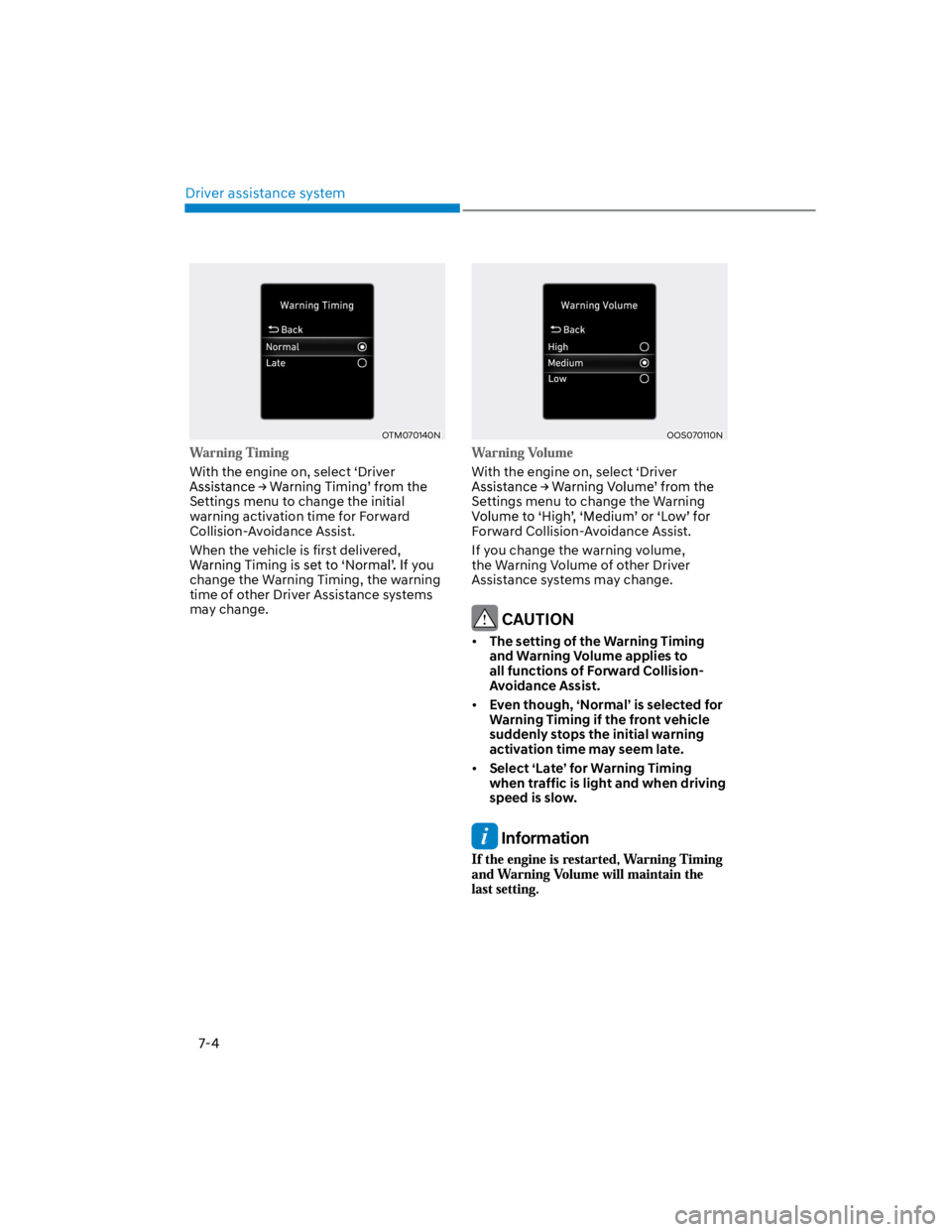
With the engine on, select ‘Driver
Settings menu to change the initial
warning activation time for Forward
Collision-Avoidance Assist.
When the vehicle is first delivered,
change the Warning Timing, the warning
time of other Driver Assistance systems
may change.
OOS070110N
With the engine on, select ‘Driver
Settings menu to change the Warning
Forward Collision-Avoidance Assist.
If you change the warning volume,
the Warning Volume of other Driver
Assistance systems may change.
CAUTION
The setting of the Warning Timing
and Warning Volume applies to
all functions of Forward Collision-
Avoidance Assist.
Even though, ‘Normal’ is selected for
Warning Timing if the front vehicle
suddenly stops the initial warning
activation time may seem late.
Select ‘Late’ for Warning Timing
when traffic is light and when driving
speed is slow.
Information
Page 338 of 579
Driver assistance system
7-6
OTM070059L
Stopping vehicle and ending brake control
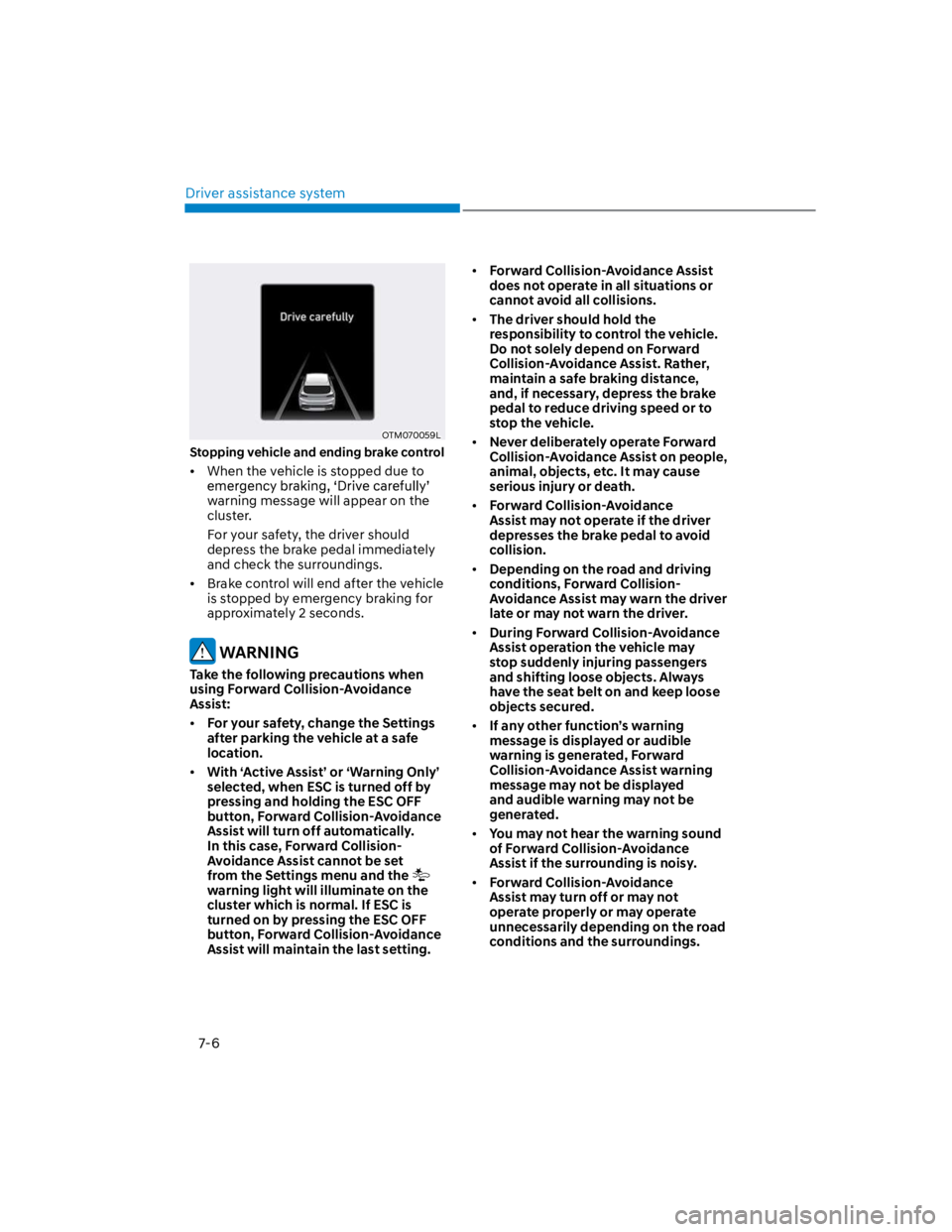
When the vehicle is stopped due to
warning message will appear on the
cluster.
For your safety, the driver should
depress the brake pedal immediately
and check the surroundings.
Brake control will end after the vehicle
is stopped by emergency braking for
approximately 2 seconds.
WARNING
Take the following precautions when
using Forward Collision-Avoidance
Assist:
For your safety, change the Settings
after parking the vehicle at a safe
location.
With ‘Active Assist’ or ‘Warning Only’
selected, when ESC is turned off by
pressing and holding the ESC OFF
button, Forward Collision-Avoidance
Assist will turn off automatically.
In this case, Forward Collision-
Avoidance Assist cannot be set
from the Settings menu and the
warning light will illuminate on the
cluster which is normal. If ESC is
turned on by pressing the ESC OFF
button, Forward Collision-Avoidance
Assist will maintain the last setting.
Forward Collision-Avoidance Assist
does not operate in all situations or
cannot avoid all collisions.
The driver should hold the
responsibility to control the vehicle.
Do not solely depend on Forward
Collision-Avoidance Assist. Rather,
maintain a safe braking distance,
and, if necessary, depress the brake
pedal to reduce driving speed or to
stop the vehicle.
Never deliberately operate Forward
Collision-Avoidance Assist on people,
animal, objects, etc. It may cause
serious injury or death.
Forward Collision-Avoidance
Assist may not operate if the driver
depresses the brake pedal to avoid
collision.
Depending on the road and driving
conditions, Forward Collision-
Avoidance Assist may warn the driver
late or may not warn the driver.
During Forward Collision-Avoidance
Assist operation the vehicle may
stop suddenly injuring passengers
and shifting loose objects. Always
have the seat belt on and keep loose
objects secured.
If any other function’s warning
message is displayed or audible
warning is generated, Forward
Collision-Avoidance Assist warning
message may not be displayed
and audible warning may not be
generated.
You may not hear the warning sound
of Forward Collision-Avoidance
Assist if the surrounding is noisy.
Forward Collision-Avoidance
Assist may turn off or may not
operate properly or may operate
unnecessarily depending on the road
conditions and the surroundings.
Page 340 of 579

Driver assistance system
7-8
Forward Collision-Avoidance Assist
disabled
OTM070093N
When the front windshield where the
front view camera is located or the
sensor is covered with foreign material,
such as snow or rain, it can reduce the
detecting performance and temporarily
limit or disable Forward Collision-
Avoidance Assist.
If this occurs ‘Forward Safety system
message, and the and warning
lights will illuminate on the cluster.
Forward Collision-Avoidance Assist will
operate normally when such snow, rain
or foreign material is removed.
If Forward Collision-Avoidance Assist
does not operate normally after
obstruction (snow, rain, or foreign
material) is removed, have the vehicle
inspected by an authorized HYUNDAI
dealer.
WARNING
Even though the warning message or
warning light does not appear on the
cluster, Forward Collision-Avoidance
Assist may not properly operate.
Forward Collision-Avoidance Assist
may not properly operate in an area
(e.g. open terrain), where any objects
are not detected after turning ON the
engine.
Limitations of Forward Collision-
Avoidance Assist
Forward Collision-Avoidance Assist may
not operate normally, or it may operate
unexpectedly under the following
circumstances:
The detecting sensor or the
surroundings are contaminated or
damaged
The temperature around the front
view camera is high or low
The camera lens is contaminated due
to tinted, filmed or coated windshield,
damaged glass, or sticky foreign
material (sticker, bug, etc.) on the
glass
Moisture is not removed or frozen on
the windshield
Washer fluid is continuously sprayed,
or the wiper is on
Driving in heavy rain or snow, or thick
fog
The field of view of the front view
camera is obstructed by sun glare
Street light or light from an oncoming
vehicle is reflected on the wet road
surface, such as a puddle on the road
An object is placed on the dashboard
Your vehicle is being towed
The surrounding is very bright
The surrounding is very dark, such as
in a tunnel, etc.
The brightness changes suddenly, for
example when entering or exiting a
tunnel
The brightness outside is low, and the
headlamps are not on or are not bright
Page 341 of 579
07
7-9
Driving through steam, smoke or
shadow
Only part of the vehicle, pedestrian or
cyclist is detected
The vehicle in front is a bus, heavy
truck, truck with a unusually shaped
cargo, trailer, etc.
The vehicle in front has no tail lights,
tail lights are located unusually, etc.
The brightness outside is low, and the
tail lamps are not on or are not bright
The rear of the front vehicle is small
or the vehicle does not look normal,
such as when the vehicle is tilted,
overturned, or the side of the vehicle
is visible, etc.
low or high
A vehicle or pedestrian suddenly cuts
in front
The vehicle in front is detected late
The vehicle in front is suddenly
blocked by a obstacle
The vehicle in front suddenly changes
lane or suddenly reduces speed
The vehicle in front is bent out of
shape
slow
The vehicle in front steers in the
opposite direction of your vehicle to
avoid a collision
With a vehicle in front, your vehicle
changes lane at low speed
The vehicle in front is covered with
snow
You are departing or returning to the
lane
Unstable driving
You are on a roundabout and the
vehicle in front is not detected
You are continuously driving in a circle
The vehicle in front has an unusual
shape
The vehicle in front is driving uphill or
downhill
The pedestrian is not fully detected,
for example, if the pedestrian is
leaning over or is not fully walking
upright
The pedestrian is wearing clothing or
equipment that makes it difficult to
detect as a pedestrian
OADAS051
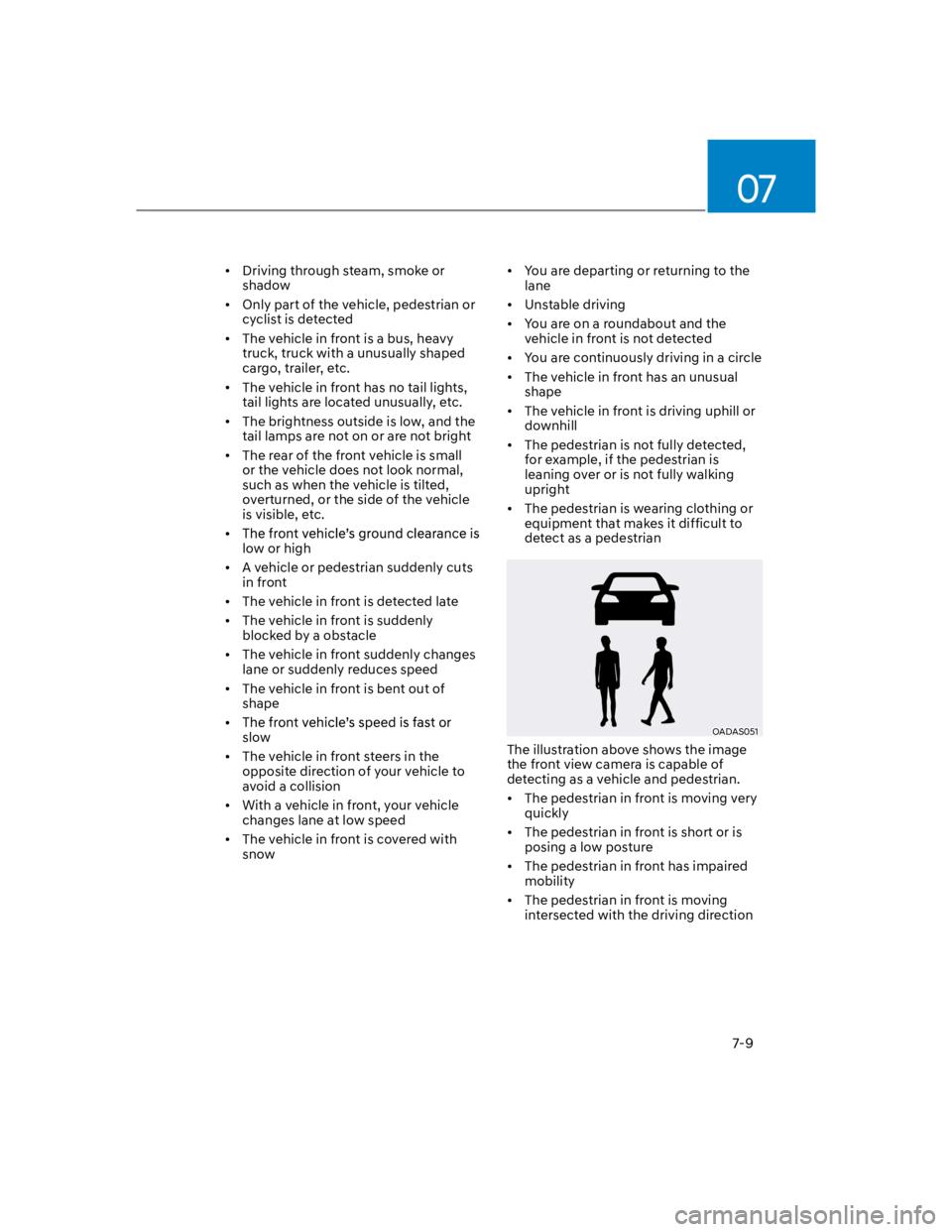
The illustration above shows the image
the front view camera is capable of
detecting as a vehicle and pedestrian.
The pedestrian in front is moving very
quickly
The pedestrian in front is short or is
posing a low posture
The pedestrian in front has impaired
mobility
The pedestrian in front is moving
intersected with the driving direction