lock Hyundai Kona EV 2019 Owners Manual
[x] Cancel search | Manufacturer: HYUNDAI, Model Year: 2019, Model line: Kona EV, Model: Hyundai Kona EV 2019Pages: 540, PDF Size: 21.84 MB
Page 437 of 540
7-57
7
Maintenance
Always handle them carefully, andavoid scratches and abrasions. If
the bulbs are lit, avoid contact with
liquids.
Never touch the glass with bare hands. Residual oil may cause the
bulb to overheat and burst when lit.
A bulb should be operated only when installed in a headlamp.
If a bulb becomes damaged or cracked, replace it immediately
and carefully dispose of it.
Daytime running light(DRL)/Position lamp
If the lamp (LED) does not operate,
have the system checked by an
authorized HYUNDAI dealer.
The LED lamps cannot be replaced
as a single unit because it is an inte-
grated unit. The LED lamps has to be
replaced with the unit.
A skilled technician should check or
repair the LED lamp, for it may dam-
age related parts of the vehicle.
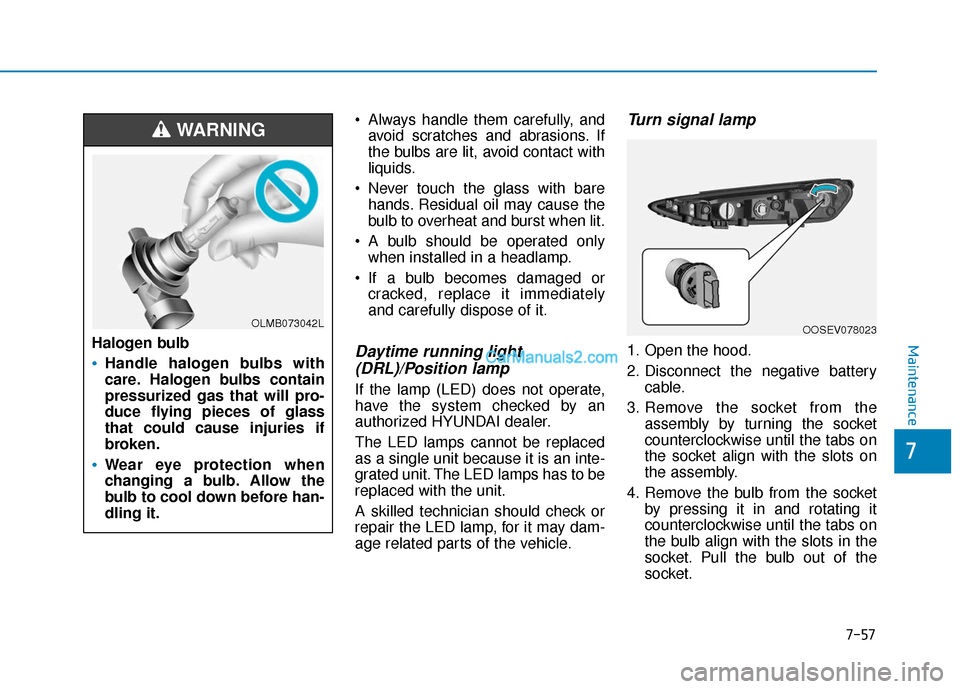
Turn signal lamp
1. Open the hood.
2. Disconnect the negative battery
cable.
3. Remove the socket from the assembly by turning the socket
counterclockwise until the tabs on
the socket align with the slots on
the assembly.
4. Remove the bulb from the socket by pressing it in and rotating it
counterclockwise until the tabs on
the bulb align with the slots in the
socket. Pull the bulb out of the
socket.
OOSEV078023Halogen bulb
Handle halogen bulbs with
care. Halogen bulbs contain
pressurized gas that will pro-
duce flying pieces of glass
that could cause injuries if
broken.
Wear eye protection when
changing a bulb. Allow the
bulb to cool down before han-
dling it.
WARNING
OLMB073042L
Page 438 of 540
7-58
Maintenance
5. Install a new bulb by inserting it into the socket and rotating it until
it locks into place.
6. Install the socket in the assembly by aligning the tabs on the socket
with the slots in the assembly.
7. Push the socket into the assembly and turn the socket clockwise.
Side marker
1. Open the hood.
2. Disconnect the negative batterycable.
3. Remove the socket from the assembly by turning the socket
counterclockwise until the tabs on
the socket align with the slots on
the assembly.
4. Remove the bulb from the socket by pulling out the bulb.
5. Insert a new bulb.
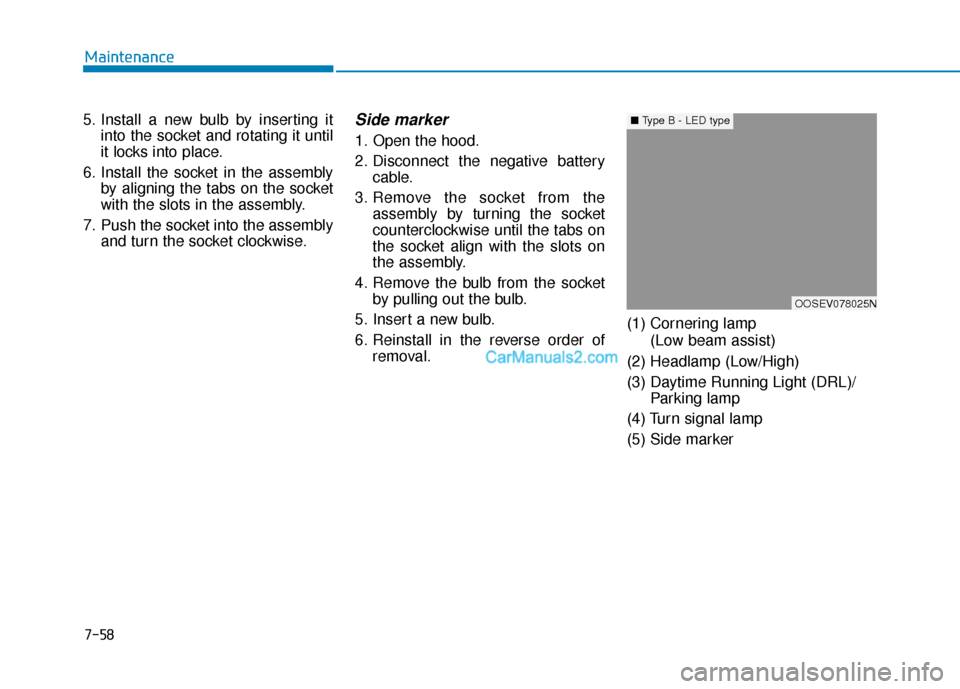
6. Reinstall in the reverse order of removal. (1) Cornering lamp
(Low beam assist)
(2) Headlamp (Low/High)
(3) Daytime Running Light (DRL)/ Parking lamp
(4) Turn signal lamp
(5) Side marker
OOSEV078025N
■ Type B - LED type
Page 439 of 540
7-59
7
Maintenance
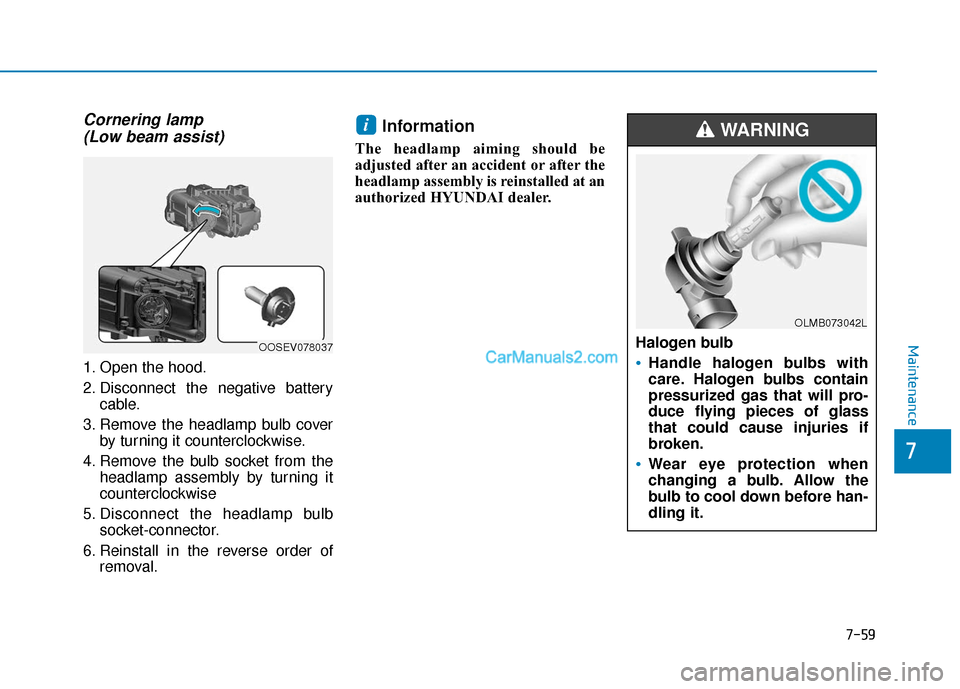
Cornering lamp (Low beam assist)
1. Open the hood.
2. Disconnect the negative battery
cable.
3. Remove the headlamp bulb cover by turning it counterclockwise.
4. Remove the bulb socket from the headlamp assembly by turning it
counterclockwise
5. Disconnect the headlamp bulb socket-connector.
6. Reinstall in the reverse order of removal.
Information
The headlamp aiming should be
adjusted after an accident or after the
headlamp assembly is reinstalled at an
authorized HYUNDAI dealer.
i
Halogen bulb
Handle halogen bulbs with
care. Halogen bulbs contain
pressurized gas that will pro-
duce flying pieces of glass
that could cause injuries if
broken.
Wear eye protection when
changing a bulb. Allow the
bulb to cool down before han-
dling it.
WARNING
OOSEV078037
OLMB073042L
Page 440 of 540
7-60
Maintenance
Always handle them carefully, and avoid scratches and abrasions. If
the bulbs are lit, avoid contact with
liquids.
Never touch the glass with bare hands. Residual oil may cause the
bulb to overheat and burst when lit.
A bulb should be operated only when installed in a headlamp.
If a bulb becomes damaged or cracked, replace it immediately
and carefully dispose of it.
Headlamp (Low/High) andDaytime Running Light(DRL)/Position lamp
If the lamp (LED) does not operate,
have the system checked by an
authorized HYUNDAI dealer.
The LED lamps cannot be replaced
as a single unit because it is an inte-
grated unit. The LED lamps has to be
replaced with the unit.
A skilled technician should check or
repair the LED lamp, for it may dam-
age related parts of the vehicle.
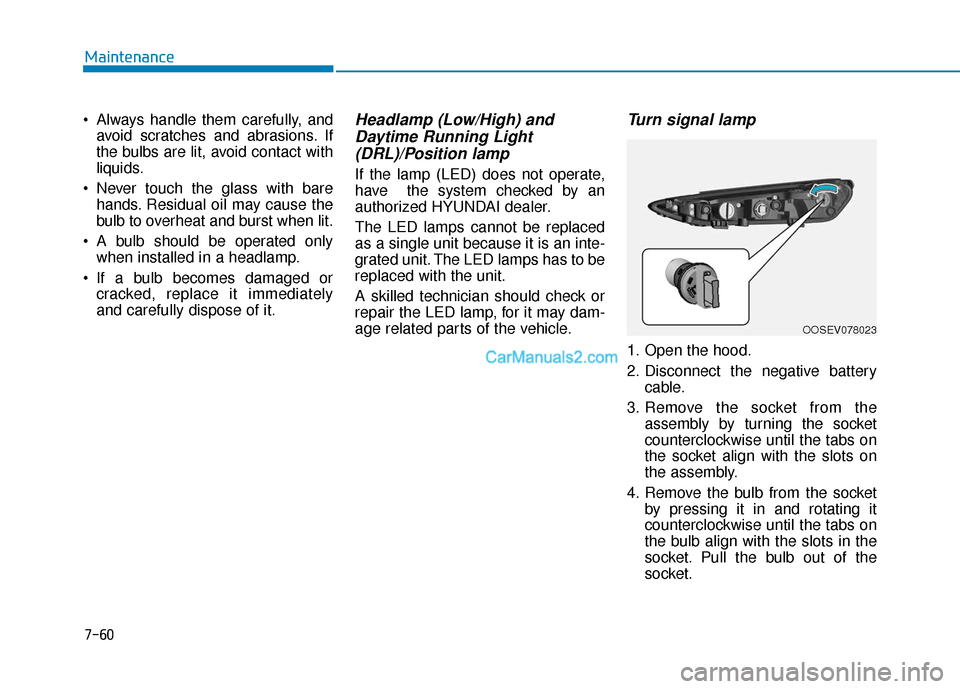
Turn signal lamp
1. Open the hood.
2. Disconnect the negative battery
cable.
3. Remove the socket from the assembly by turning the socket
counterclockwise until the tabs on
the socket align with the slots on
the assembly.
4. Remove the bulb from the socket by pressing it in and rotating it
counterclockwise until the tabs on
the bulb align with the slots in the
socket. Pull the bulb out of the
socket.
OOSEV078023
Page 441 of 540
7-61
7
Maintenance
5. Install a new bulb by inserting itinto the socket and rotating it until
it locks into place.
6. Install the socket in the assembly by aligning the tabs on the socket
with the slots in the assembly.
7. Push the socket into the assembly and turn the socket clockwise.Side Repeater Lamp
Replacement
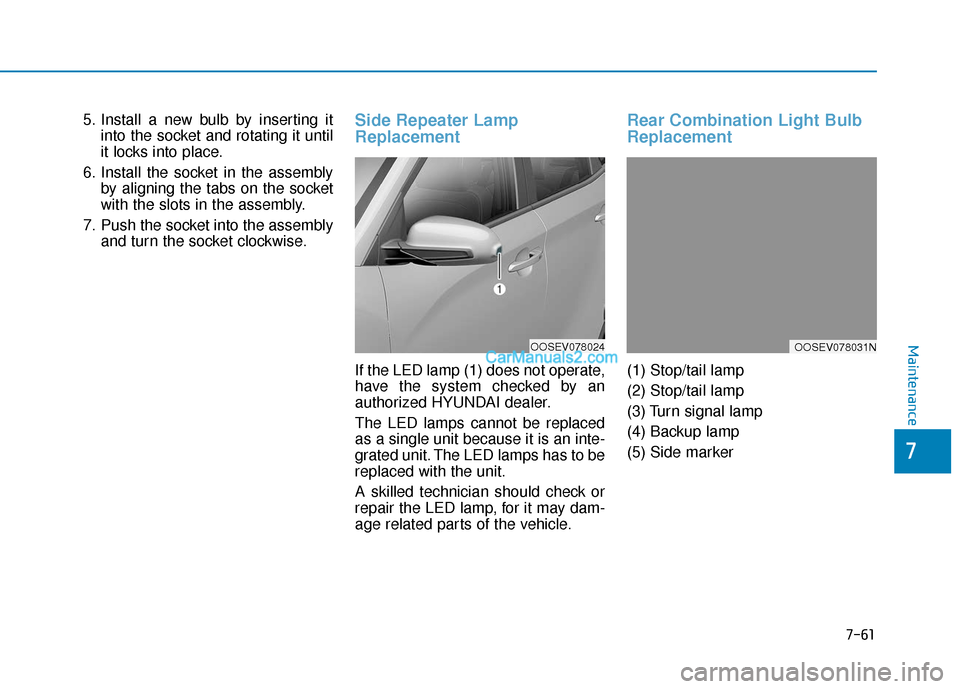
If the LED lamp (1) does not operate,
have the system checked by an
authorized HYUNDAI dealer.
The LED lamps cannot be replaced
as a single unit because it is an inte-
grated unit. The LED lamps has to be
replaced with the unit.
A skilled technician should check or
repair the LED lamp, for it may dam-
age related parts of the vehicle.
Rear Combination Light Bulb
Replacement
(1) Stop/tail lamp
(2) Stop/tail lamp
(3) Turn signal lamp
(4) Backup lamp
(5) Side marker
OOSEV078024OOSEV078031N
Page 442 of 540
7-62
Maintenance
Stop/tail lamp and side marker
If the lamp (LED) does not operate,
have the system checked by an
authorized HYUNDAI dealer.
The LED lamps cannot be replaced
as a single unit because it is an inte-
grated unit. The LED lamps has to be
replaced with the unit.
A skilled technician should check or
repair the LED lamp, for it may dam-
age related parts of the vehicle.
Turn signal lamp and backuplamp
If the lamp does not operate, have
the vehicle checked by an author-
ized HYUNDAI dealer.
High Mounted Stop Lamp Bulb
Replacement
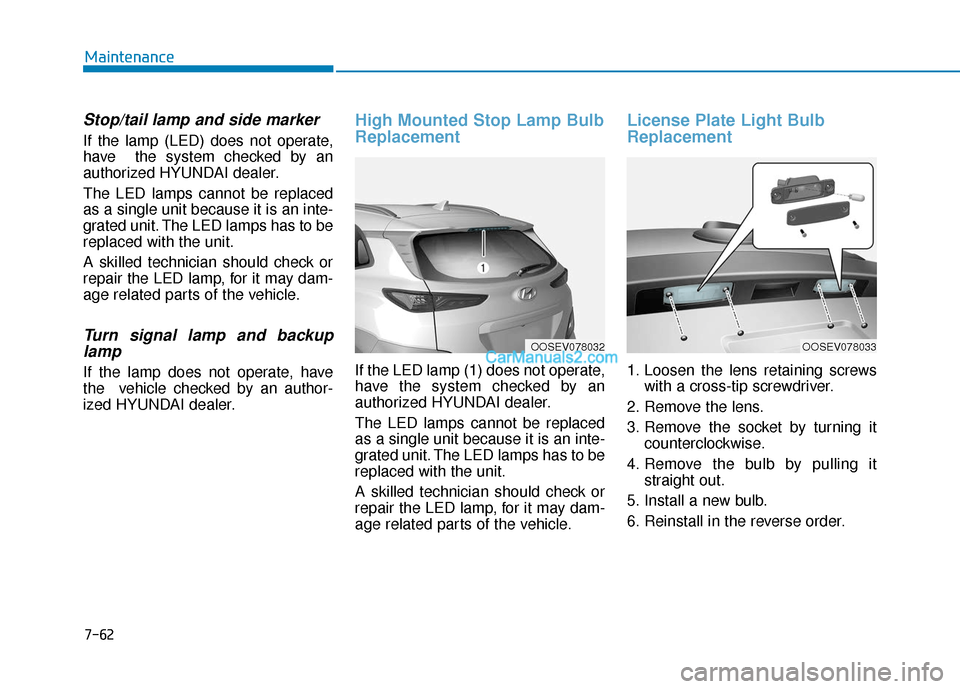
If the LED lamp (1) does not operate,
have the system checked by an
authorized HYUNDAI dealer.
The LED lamps cannot be replaced
as a single unit because it is an inte-
grated unit. The LED lamps has to be
replaced with the unit.
A skilled technician should check or
repair the LED lamp, for it may dam-
age related parts of the vehicle.
License Plate Light Bulb
Replacement
1. Loosen the lens retaining screws
with a cross-tip screwdriver.
2. Remove the lens.
3. Remove the socket by turning it counterclockwise.
4. Remove the bulb by pulling it straight out.
5. Install a new bulb.
6. Reinstall in the reverse order.
OOSEV078032OOSEV078033
Page 446 of 540
7-66
Maintenance
After washing, rinse the vehicle thor-
oughly with lukewarm or cold water.
Do not allow soap to dry on the fin-
ish. Do not use strong soap, chemi-
cal detergents or hot water, and
do not wash the vehicle in direct
sunlight or when the body of the
vehicle is warm.
Be careful when washing the side windows of your vehicle.
Especially, with high-pressure
water, water may leak through
the windows and wet the interi-
or.
To prevent damage to the plastic parts, do not clean with chemi-
cal solvents or strong deter-
gents.
To prevent damage to the charg- ing door, make sure to close and
lock the vehicle doors when
washing (high-pressure wash-
ing, automatic car washing, etc.)
the vehicle. Water washing in the motor
compartment including high
pressure water washing may
cause the failure of electrical cir-
cuits located in the motor com-
partment.
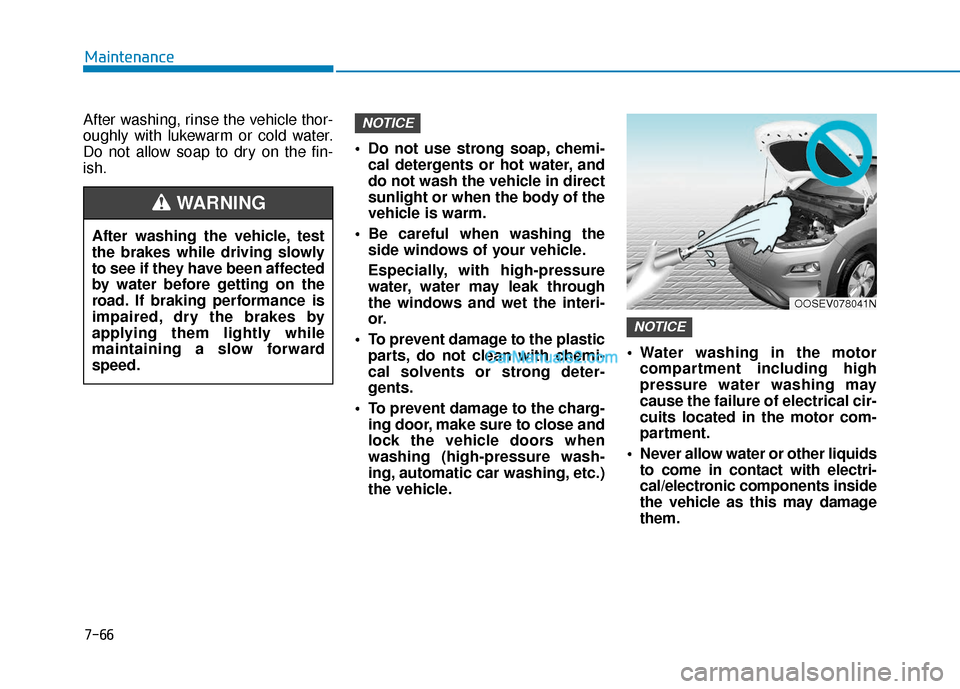
Never allow water or other liquids to come in contact with electri-
cal/electronic components inside
the vehicle as this may damage
them.
NOTICE
NOTICE
OOSEV078041N
After washing the vehicle, test
the brakes while driving slowly
to see if they have been affected
by water before getting on the
road. If braking performance is
impaired, dry the brakes by
applying them lightly while
maintaining a slow forward
speed.
WARNING
Page 461 of 540
8-8
Specifications, Consumer information and Reporting safety defects
The tires supplied on your new vehi-
cle are chosen to provide the best
performance for normal driving.
The tire label located on the driver’s
side center pillar gives the tire pres-
sures recommended for your car. The motor number is stamped on the
motor block as shown in the drawing.
The motor number can be seen from
under the vehicle.
The refrigerant label provides infor-
mation such as refrigerant type and
amount.
The label is located on the underside
of the hood.
M M
O
OT
TO
O R
R
N
N U
U M
M B
BE
ER
R R
RE
EF
FR
R I
IG
G E
ER
R A
A N
N T
T
L
L A
A B
BE
EL
L
(
( I
IF
F
E
E Q
Q U
UI
IP
P P
PE
ED
D )
)
T
T
I
IR
R E
E
S
S P
P E
EC
CI
IF
F I
IC
C A
A T
TI
IO
O N
N
A
A N
N D
D
P
P R
R E
ES
SS
SU
U R
RE
E
L
L A
A B
BE
EL
L
OOS087003OOSEV088003N
OOSEV088001
Page 464 of 540
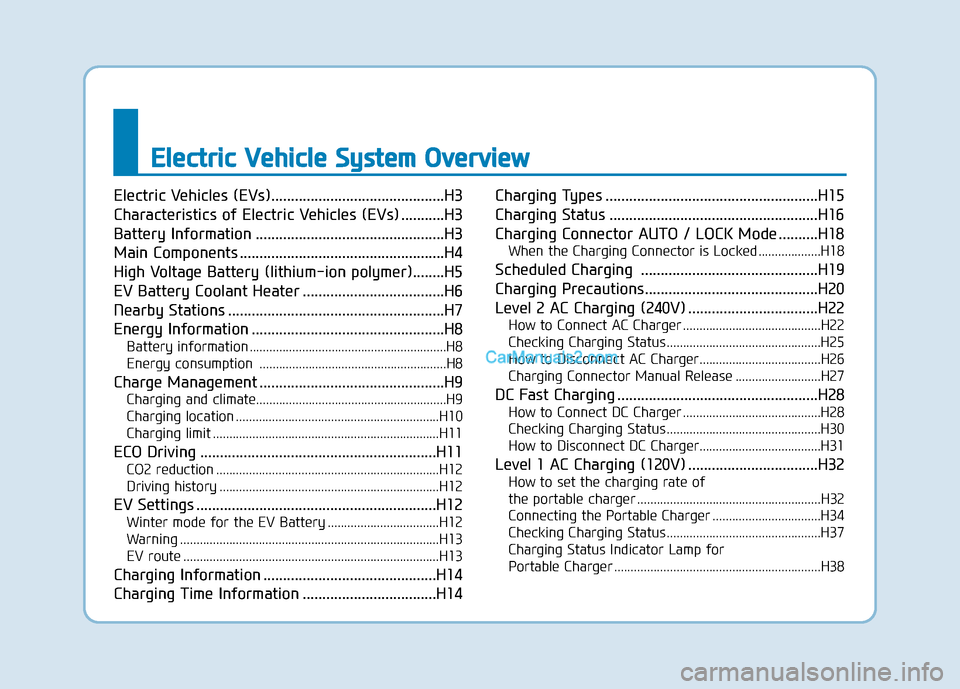
E
El
le
e c
ct
tr
r i
ic
c
V
V e
eh
h i
ic
c l
le
e
S
S y
ys
st
te
e m
m
O
O v
ve
e r
rv
v i
ie
e w
w
Electric Vehicles (EVs)............................................H3
Characteristics of Electric Vehicles (EVs) ...........H3
Battery Information ................................................H3
Main Components ....................................................H4
High Voltage Battery (lithium-ion polymer)........H5
EV Battery Coolant Heater ....................................H6
Nearby Stations .......................................................H7
Energy Information .................................................H8
Battery information ............................................................H8
Energy consumption .........................................................H8
Charge Management ...............................................H9
Charging and climate........................................................\
..H9
Charging location ..............................................................H10
Charging limit .....................................................................H11\
ECO Driving ............................................................H11
CO2 reduction ....................................................................H12
Driving history ...................................................................H12
EV Settings .............................................................H12
Winter mode for the EV Battery ..................................H12
Warning ........................................................................\
.......H13
EV route ........................................................................\
......H13
Charging Information ............................................H14
Charging Time Information ..................................H14 Charging Types ......................................................H15
Charging Status .....................................................H16
Charging Connector AUTO / LOCK Mode ..........H18
When the Charging Connector is Locked ...................H18
Scheduled Charging .............................................H19
Charging Precautions............................................H20
Level 2 AC Charging (240V) .................................H22
How to Connect AC Charger ..........................................H22
Checking Charging Status ...............................................H25
How to Disconnect AC Charger.....................................H26
Charging Connector Manual Release ..........................H27
DC Fast Charging ...................................................H28
How to Connect DC Charger ..........................................H28
Checking Charging Status ...............................................H30
How to Disconnect DC Charger.....................................H31
Level 1 AC Charging (120V) .................................H32
How to set the charging rate of
the portable charger ........................................................H32
Connecting the Portable Charger .................................H34
Checking Charging Status ...............................................H37
Charging Status Indicator Lamp for
Portable Charger ...............................................................H38
Page 465 of 540
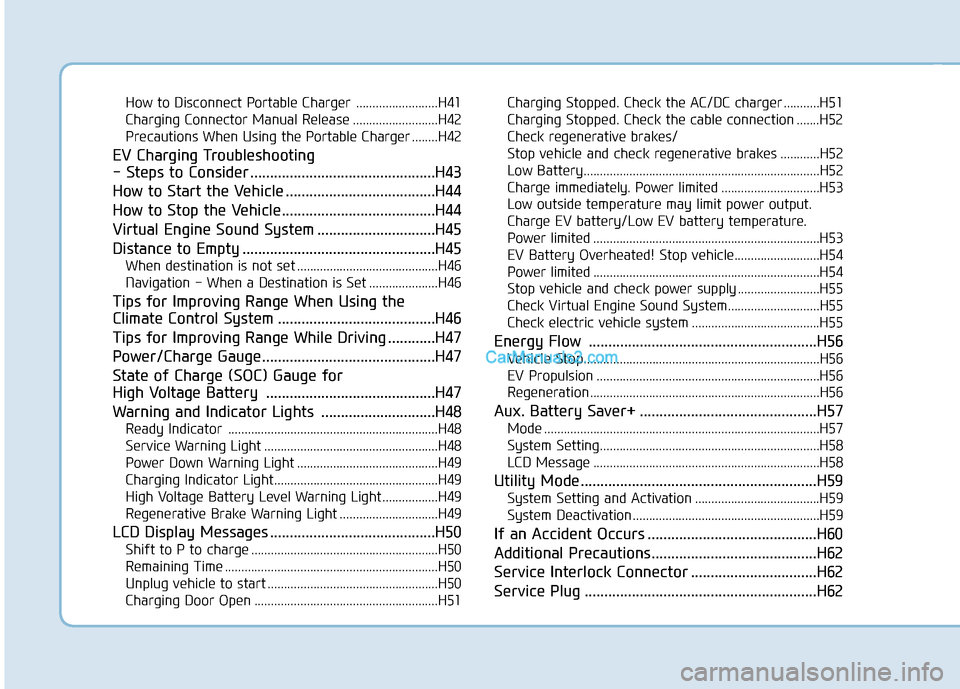
How to Disconnect Portable Charger .........................H41
Charging Connector Manual Release ..........................H42
Precautions When Using the Portable Charger ........H42
EV Charging Troubleshooting
- Steps to Consider ...............................................H43
How to Start the Vehicle ......................................H44
How to Stop the Vehicle.......................................H44
Virtual Engine Sound System ..............................H45
Distance to Empty .................................................H45
When destination is not set ...........................................H46
Navigation - When a Destination is Set .....................H46
Tips for Improving Range When Using the
Climate Control System ........................................H46
Tips for Improving Range While Driving ............H47
Power/Charge Gauge............................................H47
State of Charge (SOC) Gauge for
High Voltage Battery ...........................................H47
Warning and Indicator Lights .............................H48
Ready Indicator ................................................................H48
Service Warning Light .....................................................H48
Power Down Warning Light ...........................................H49
Charging Indicator Light..................................................H49
High Voltage Battery Level Warning Light .................H49
Regenerative Brake Warning Light ..............................H49
LCD Display Messages ..........................................H50
Shift to P to charge .........................................................H50
Remaining Time .................................................................H50
Unplug vehicle to start ....................................................H50
Charging Door Open ........................................................H51Charging Stopped. Check the AC/DC charger ...........H51
Charging Stopped. Check the cable connection .......H52
Check regenerative brakes/
Stop vehicle and check regenerative brakes ............H52 Low Battery........................................................................\
H52
Charge immediately. Power limited ..............................H53
Low outside temperature may limit power output.
Charge EV battery/Low EV battery temperature.
Power limited .....................................................................H53\
EV Battery Overheated! Stop vehicle..........................H54
Power limited .....................................................................H54\
Stop vehicle and check power supply .........................H55
Check Virtual Engine Sound System............................H55
Check electric vehicle system .......................................H55
Energy Flow ..........................................................H56
Vehicle Stop........................................................................\
H56
EV Propulsion ....................................................................H56
Regeneration ......................................................................H5\
6
Aux. Battery Saver+ .............................................H57
Mode ........................................................................\
............H57
System Setting...................................................................H58
LCD Message .....................................................................H58\
Utility Mode ............................................................H59
System Setting and Activation ......................................H59
System Deactivation .........................................................H59
If an Accident Occurs ...........................................H60
Additional Precautions..........................................H62
Service Interlock Connector ................................H62
Service Plug ...........................................................H62