charging Hyundai Kona EV 2019 User Guide
[x] Cancel search | Manufacturer: HYUNDAI, Model Year: 2019, Model line: Kona EV, Model: Hyundai Kona EV 2019Pages: 540, PDF Size: 21.84 MB
Page 147 of 540
3-63
Convenient features of your vehicle
3
LCD Display Messages
Driving info display
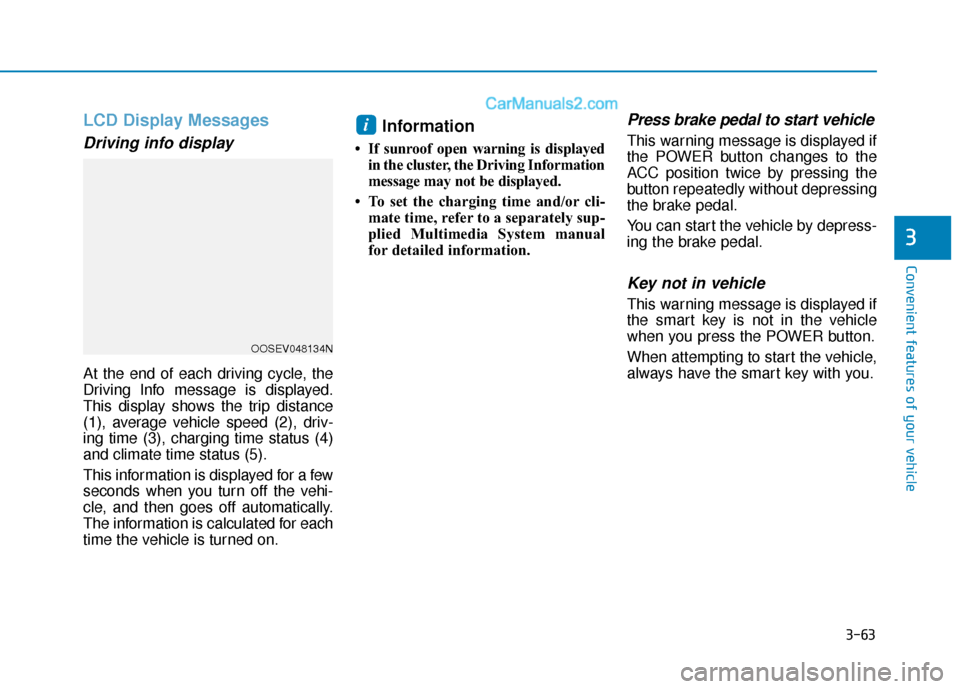
At the end of each driving cycle, the
Driving Info message is displayed.
This display shows the trip distance
(1), average vehicle speed (2), driv-
ing time (3), charging time status (4)
and climate time status (5).
This information is displayed for a few
seconds when you turn off the vehi-
cle, and then goes off automatically.
The information is calculated for each
time the vehicle is turned on.
Information
• If sunroof open warning is displayedin the cluster, the Driving Information
message may not be displayed.
• To set the charging time and/or cli- mate time, refer to a separately sup-
plied Multimedia System manual
for detailed information.
Press brake pedal to start vehicle
This warning message is displayed if
the POWER button changes to the
ACC position twice by pressing the
button repeatedly without depressing
the brake pedal.
You can start the vehicle by depress-
ing the brake pedal.
Key not in vehicle
This warning message is displayed if
the smart key is not in the vehicle
when you press the POWER button.
When attempting to start the vehicle,
always have the smart key with you.
i
OOSEV048134N
Page 148 of 540
3-64
Convenient features of your vehicle
Key not detected
This warning message is displayed if
the smart key is not detected when
you press the POWER button.
Press POWER button again
This message is displayed if you
were unable to start the vehicle when
the POWER button was pressed.
If this occurs, attempt to start the
vehicle by pressing the POWER but-
ton again.
If the warning message appears
each time you press the POWER
button, have your vehicle inspected
by an authorized HYUNDAI dealer.
Press POWER button with key
This warning message is displayed if
you press the POWER button while
the warning message "Key not
detected" is displayed.
Check BRAKE SWITCH fuse
This warning message is displayed if
the brake switch fuse is disconnected.
You need to replace the fuse with a
new one before starting the vehicle.
If that is not possible, you can start the
vehicle by pressing the POWER but-
ton for 10 seconds in the ACC posi-
tion.
Shift to P to start vehicle
This warning message is displayed if
you try to start the vehicle without
shifting to the P (Park) position.
Shift to P
This warning message is displayed if
you try to turn off the vehicle with the
gear in the N (Neutral) position.
At this time, the POWER button
changes to the ACC position (If you
press the POWER button once more,
it will turn to the ON position).
Low Key Battery
This warning message is displayed if
the battery of the smart key is dis-
charged while changing the POWER
button to the OFF position.
Battery discharging due toexternal electrical devices
This message is displayed if the bat-
tery voltage is weak due to any non-
factory electrical accessories (ex.
dashboard camera) while parking.
Be careful that the battery is not dis-
charged.
If the warning message appears after
removing the non-factory electrical
accessories, have the vehicle inspect-
ed by an authorized HYUNDAI dealer.
Page 153 of 540
3-69
Convenient features of your vehicle
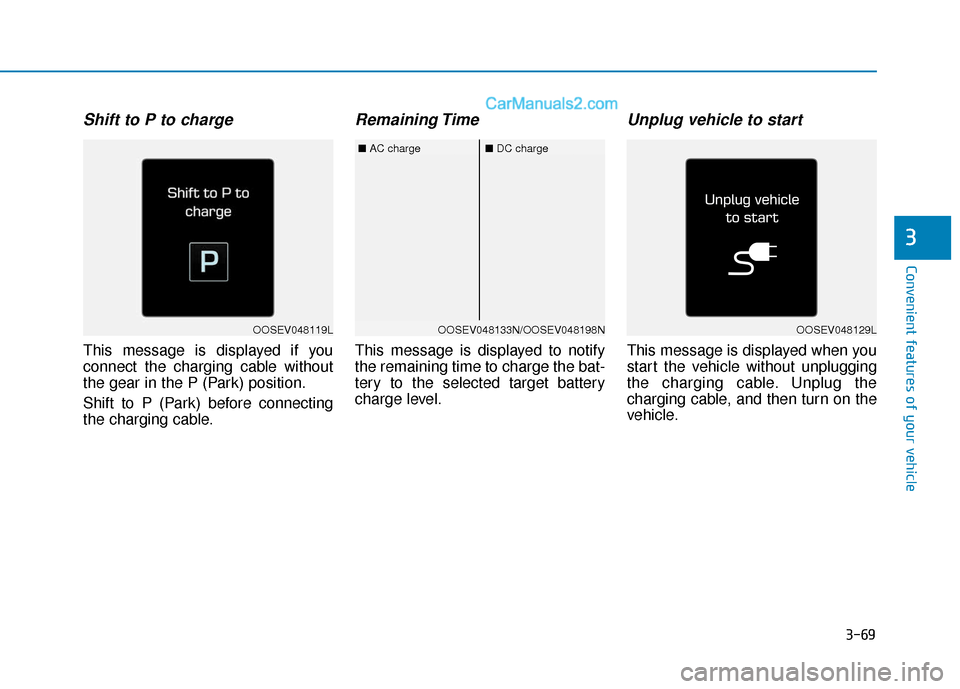
Shift to P to charge
This message is displayed if you
connect the charging cable without
the gear in the P (Park) position.
Shift to P (Park) before connecting
the charging cable.
Remaining Time
This message is displayed to notify
the remaining time to charge the bat-
tery to the selected target battery
charge level.
Unplug vehicle to start
This message is displayed when you
start the vehicle without unplugging
the charging cable. Unplug the
charging cable, and then turn on the
vehicle.
3
OOSEV048119LOOSEV048133N/OOSEV048198N
■AC charge■DC charge
OOSEV048129L
Page 154 of 540
3-70
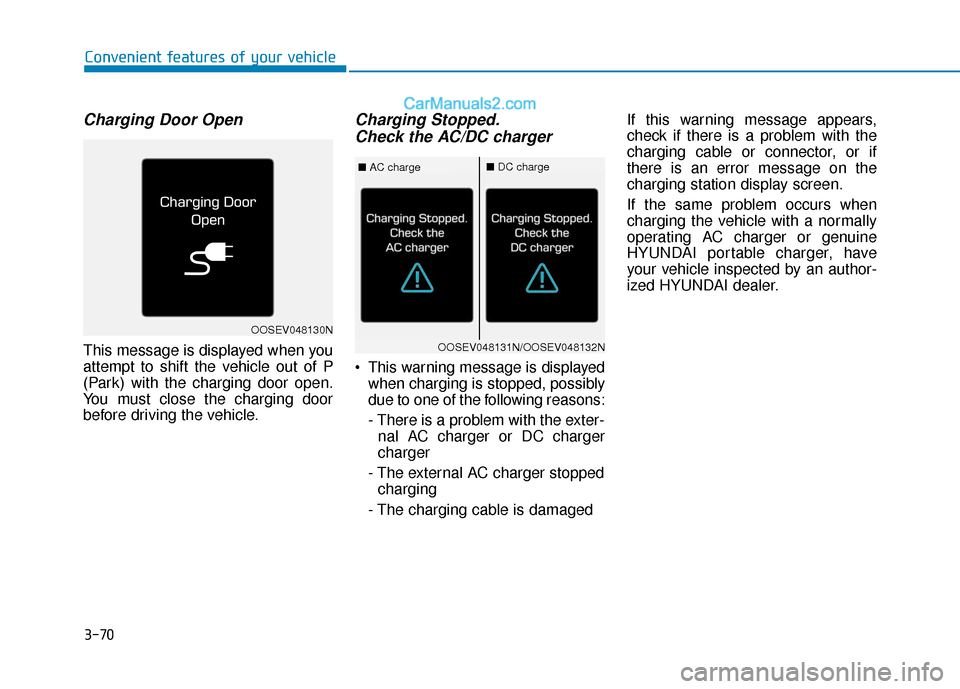
Charging Door Open
This message is displayed when you
attempt to shift the vehicle out of P
(Park) with the charging door open.
You must close the charging door
before driving the vehicle.
Charging Stopped.Check the AC/DC charger
This warning message is displayed
when charging is stopped, possibly
due to one of the following reasons:
- There is a problem with the exter-nal AC charger or DC charger
charger
- The external AC charger stopped charging
- The charging cable is damaged If this warning message appears,
check if there is a problem with the
charging cable or connector, or if
there is an error message on the
charging station display screen.
If the same problem occurs when
charging the vehicle with a normally
operating AC charger or genuine
HYUNDAI portable charger, have
your vehicle inspected by an author-
ized HYUNDAI dealer.
Convenient features of your vehicle
OOSEV048130N
OOSEV048131N/OOSEV048132N
■
AC charge■DC charge
Page 155 of 540
3-71
Convenient features of your vehicle
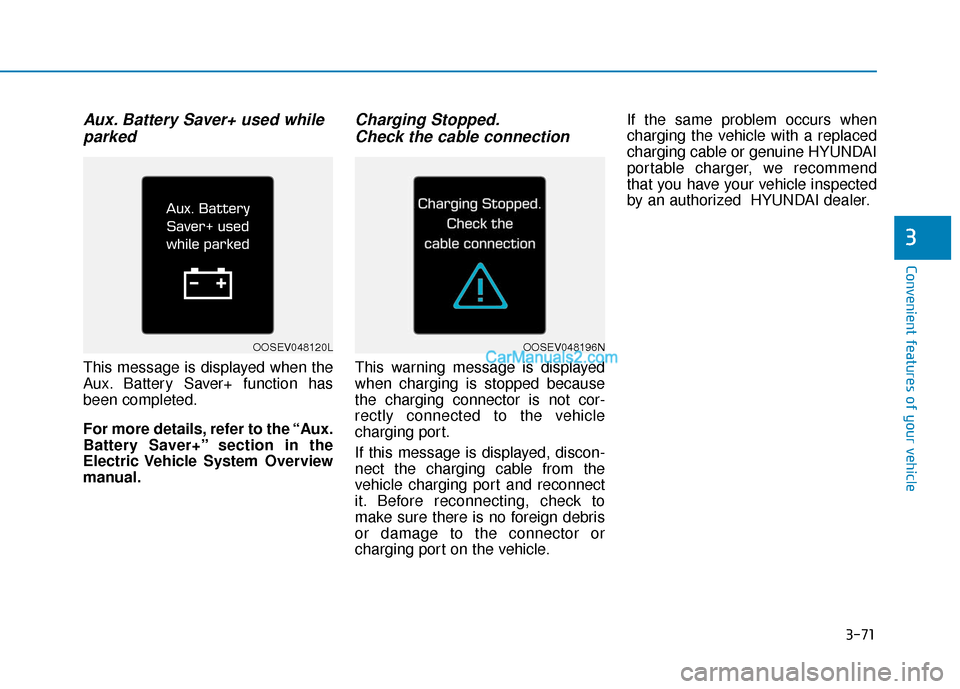
Aux. Battery Saver+ used whileparked
This message is displayed when the
Aux. Battery Saver+ function has
been completed.
For more details, refer to the “Aux.
Battery Saver+” section in the
Electric Vehicle System Overview
manual.
Charging Stopped.Check the cable connection
This warning message is displayed
when charging is stopped because
the charging connector is not cor-
rectly connected to the vehicle
charging port.
If this message is displayed, discon-
nect the charging cable from the
vehicle charging port and reconnect
it. Before reconnecting, check to
make sure there is no foreign debris
or damage to the connector or
charging port on the vehicle. If the same problem occurs when
charging the vehicle with a replaced
charging cable or genuine HYUNDAI
portable charger, we recommend
that you have your vehicle inspected
by an authorized HYUNDAI dealer.
3
OOSEV048120LOOSEV048196N
Page 157 of 540
![Hyundai Kona EV 2019 User Guide 3-73
Convenient features of your vehicle
Low outside temperature maylimit power output. Charge EVbattery / Low EV battery temper-ature. Po wer limited
[A] : Displays when turning off vehicle.
[B] : Di](/img/35/16246/w960_16246-156.png "Hyundai Kona EV 2019 User Guide 3-73
Convenient features of your vehicle
Low outside temperature maylimit power output. Charge EVbattery / Low EV battery temper-ature. Po wer limited
[A] : Displays when turning off vehicle.
[B] : Di")
3-73
Convenient features of your vehicle
Low outside temperature maylimit power output. Charge EVbattery / Low EV battery temper-ature. Po wer limited
[A] : Displays when turning off vehicle.
[B] : Displays when turning on vehicle.
Both warning messages are dis-
played to protect electric vehicle sys-
tem when the outside ambient tem-
perature is low. If the high voltage
battery charging level is low and
parked outside in low temperature for
a long time, vehicle power could be
limited.
Charging the battery before driving
helps increase power. If this warning message is still dis-
played even after the ambient tem-
perature has increased, have the
vehicle inspected by an author-
ized HYUNDAI dealer.
EV Battery Overheated!
Stop vehicle
This warning message is displayed
to protect battery and electric vehicle
system when the high voltage bat-
tery temperature is too high.
Turn off the POWER button and stop
the vehicle so that the battery tem-
perature decreases.
NOTICE
3
OOSEV048199N/OOSEV048126N
■ AC charge■DC charge
OOSEV048122N
Page 170 of 540
3-86
Convenient features of your vehicle
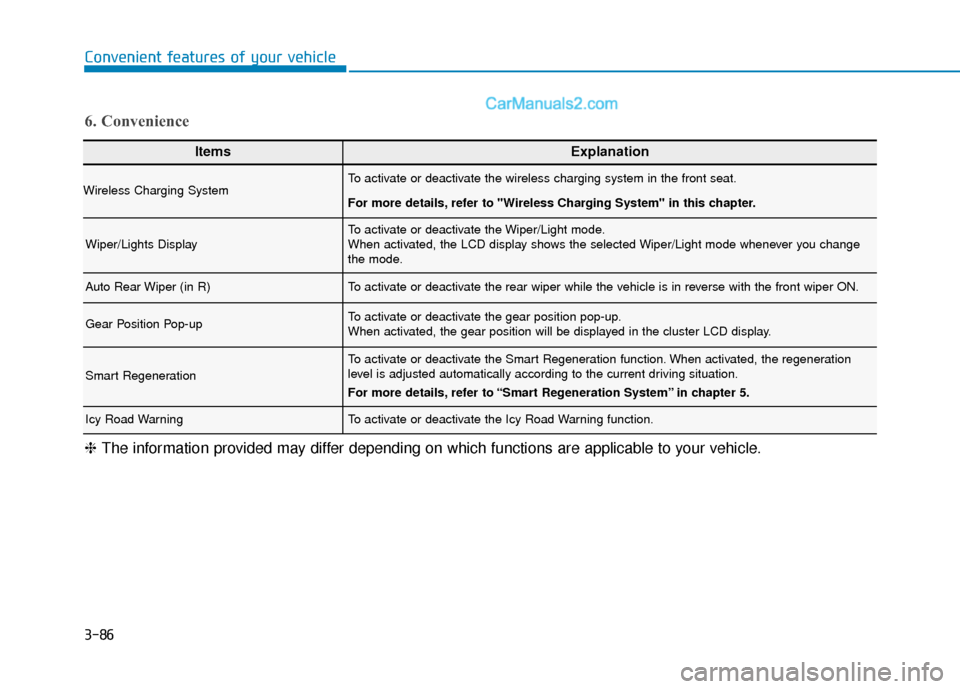
ItemsExplanation
Wireless Charging SystemTo activate or deactivate the wireless charging system in the front seat.
For more details, refer to "Wireless Charging System" in this chapter.
Wiper/Lights DisplayTo activate or deactivate the Wiper/Light mode.
When activated, the LCD display shows the selected Wiper/Light mode whenever you change
the mode.
Auto Rear Wiper (in R)To activate or deactivate the rear wiper while the vehicle is in reverse with the front wiper ON.
Gear Position Pop-upTo activate or deactivate the gear position pop-up.
When activated, the gear position will be displayed in the cluster LCD display.
Smart Regeneration
To activate or deactivate the Smart Regeneration function. When activated, the regeneration
level is adjusted automatically according to the current driving situation.
For more details, refer to “Smart Regeneration System” in chapter 5.
Icy Road WarningTo activate or deactivate the Icy Road Warning function.
6. Convenience
❈The information provided may differ depending on which functions are applicable to your vehicle.
Page 172 of 540
3-88
Convenient features of your vehicle
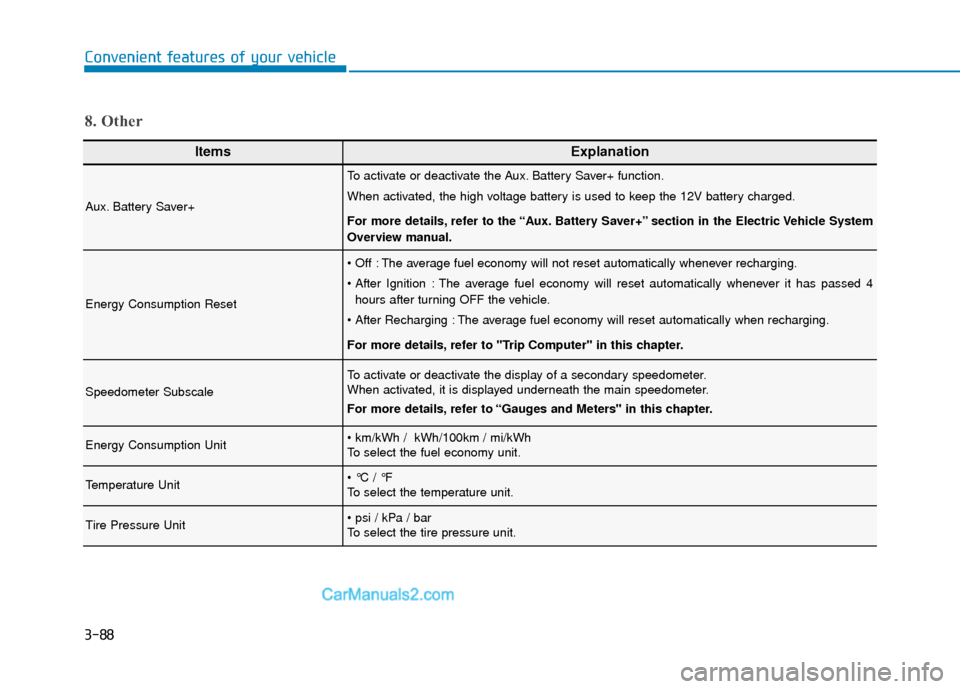
ItemsExplanation
Aux. Battery Saver+
To activate or deactivate the Aux. Battery Saver+ function.
When activated, the high voltage battery is used to keep the 12V battery charged.
For more details, refer to the “Aux. Battery Saver+” section in the Electric Vehicle System
Overview manual.
Energy Consumption Reset
The average fuel economy will not reset automatically whenever recharging.
The average fuel economy will reset automatically whenever it has passed 4hours after turning OFF the vehicle.
The average fuel economy will reset automatically when recharging.
For more details, refer to "Trip Computer" in this chapter.
Speedometer Subscale
To activate or deactivate the display of a secondary speedometer.
When activated, it is displayed underneath the main speedometer.
For more details, refer to “Gauges and Meters" in this chapter.
Energy Consumption Unit
To select the fuel economy unit.
Temperature Unit
To select the temperature unit.
Tire Pressure Unit
To select the tire pressure unit.
8. Other
Page 175 of 540
3-91
Convenient features of your vehicle
3
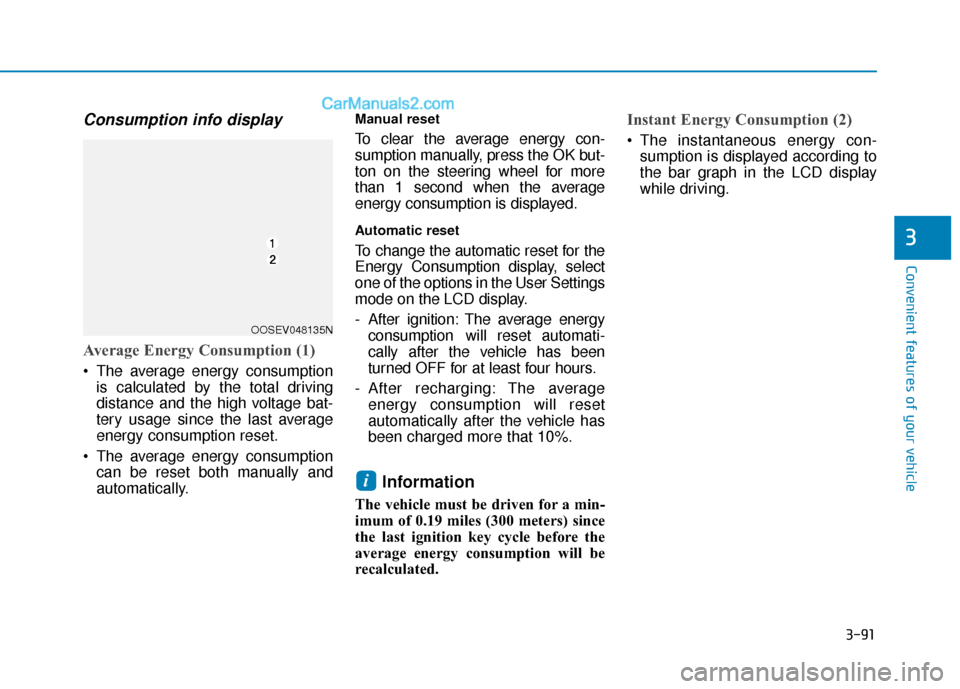
Consumption info display
Average Energy Consumption (1)
The average energy consumptionis calculated by the total driving
distance and the high voltage bat-
tery usage since the last average
energy consumption reset.
The average energy consumption can be reset both manually and
automatically.
Manual reset
To clear the average energy con-
sumption manually, press the OK but-
ton on the steering wheel for more
than 1 second when the average
energy consumption is displayed.
Automatic reset
To change the automatic reset for the
Energy Consumption display, select
one of the options in the User Settings
mode on the LCD display.
- After ignition: The average energyconsumption will reset automati-
cally after the vehicle has been
turned OFF for at least four hours.
- After recharging: The average energy consumption will reset
automatically after the vehicle has
been charged more that 10%.
Information
The vehicle must be driven for a min-
imum of 0.19 miles (300 meters) since
the last ignition key cycle before the
average energy consumption will be
recalculated.
Instant Energy Consumption (2)
The instantaneous energy con-sumption is displayed according to
the bar graph in the LCD display
while driving.
i
OOSEV048135N
Page 202 of 540
3-118
Convenient features of your vehicle
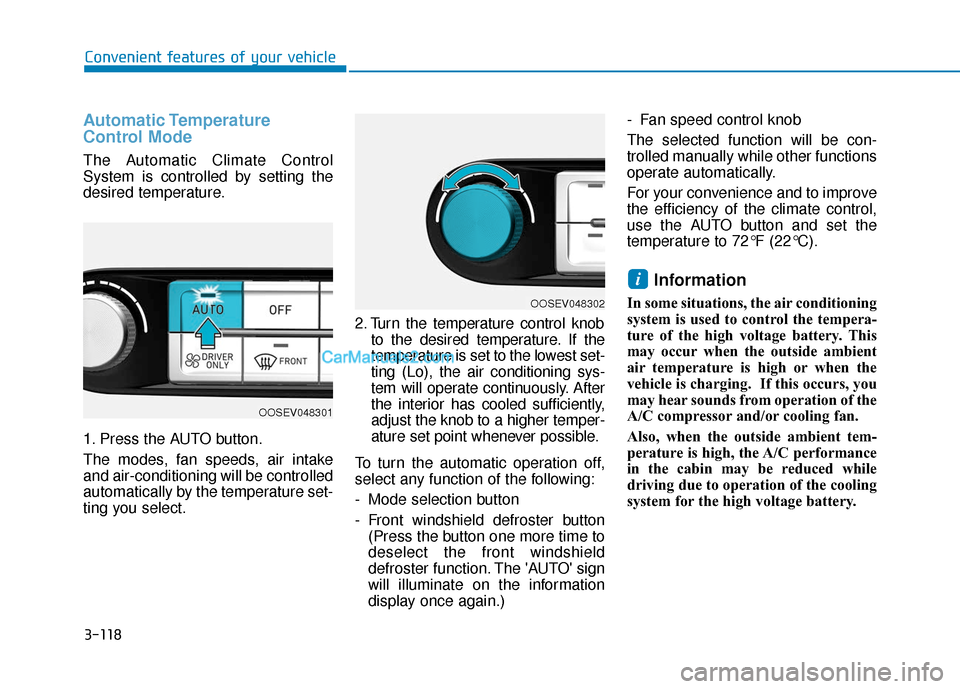
Automatic Temperature
Control Mode
The Automatic Climate Control
System is controlled by setting the
desired temperature.
1. Press the AUTO button.
The modes, fan speeds, air intake
and air-conditioning will be controlled
automatically by the temperature set-
ting you select.2. Turn the temperature control knob
to the desired temperature. If the
temperature is set to the lowest set-
ting (Lo), the air conditioning sys-
tem will operate continuously. After
the interior has cooled sufficiently,
adjust the knob to a higher temper-
ature set point whenever possible.
To turn the automatic operation off,
select any function of the following:
- Mode selection button
- Front windshield defroster button (Press the button one more time to
deselect the front windshield
defroster function. The 'AUTO' sign
will illuminate on the information
display once again.) - Fan speed control knob
The selected function will be con-
trolled manually while other functions
operate automatically.
For your convenience and to improve
the efficiency of the climate control,
use the AUTO button and set the
temperature to 72°F (22°C).
Information
In some situations, the air conditioning
system is used to control the tempera-
ture of the high voltage battery. This
may occur when the outside ambient
air temperature is high or when the
vehicle is charging. If this occurs, you
may hear sounds from operation of the
A/C compressor and/or cooling fan.
Also, when the outside ambient tem-
perature is high, the A/C performance
in the cabin may be reduced while
driving due to operation of the cooling
system for the high voltage battery.
i
OOSEV048302
OOSEV048301