replace Hyundai Kona EV 2019 Owner's Guide
[x] Cancel search | Manufacturer: HYUNDAI, Model Year: 2019, Model line: Kona EV, Model: Hyundai Kona EV 2019Pages: 540, PDF Size: 21.84 MB
Page 282 of 540
5-49
Driving your vehicle
5
The Forward Collision-Avoidance
Assist (FCA) system is designed to
help detect and monitor the vehicle
ahead in the roadway through radar
signals and camera recognition to
warn the driver that a collision is
imminent, and if necessary, apply
emergency braking.
The camera type FCA systemdetects the vehicle ahead in theroadway through the camera.
System Setting and Activation
System setting
The Forward Collision-Avoidance Assist (FCA) system is enabled
whenever the vehicle is turned on.
To turn off the system, go to the
'User Settings →Driver
Assistance' and deselect 'Forward
Collision Avoidance Assist' on the
cluster LCD display.
The FCA deactivates, when the
driver deselects the system set-
ting.
F F O
O R
RW
W A
AR
RD
D
C
C O
O L
LL
LI
IS
S I
IO
O N
N-
-A
A V
VO
O I
ID
D A
A N
N C
CE
E
A
A S
SS
SI
IS
S T
T
(
( F
F C
C A
A )
)
S
S Y
Y S
ST
T E
EM
M
C
C A
A M
M E
ER
R A
A
T
T Y
Y P
PE
E
Take the following precautions
when using the Forward
Collision-Avoidance Assist
(FCA) system:
This system is only a supple-
mental system and it is not
intended to, nor does it
replace the need for extreme
care and attention of the driv-
er. The sensing range and
objects detectable by the sen-
sors are limited. Pay attention
to the road conditions at all
times.
NEVER drive too fast in accor-
dance with the road condi-
tions or while cornering.
Always drive cautiously to
prevent unexpected and sud-
den situations from occur-
ring. FCA does not stop the
vehicle completely and is not
a collision avoidance system.
WARNING
Page 287 of 540
5-54
Driving your vehicle
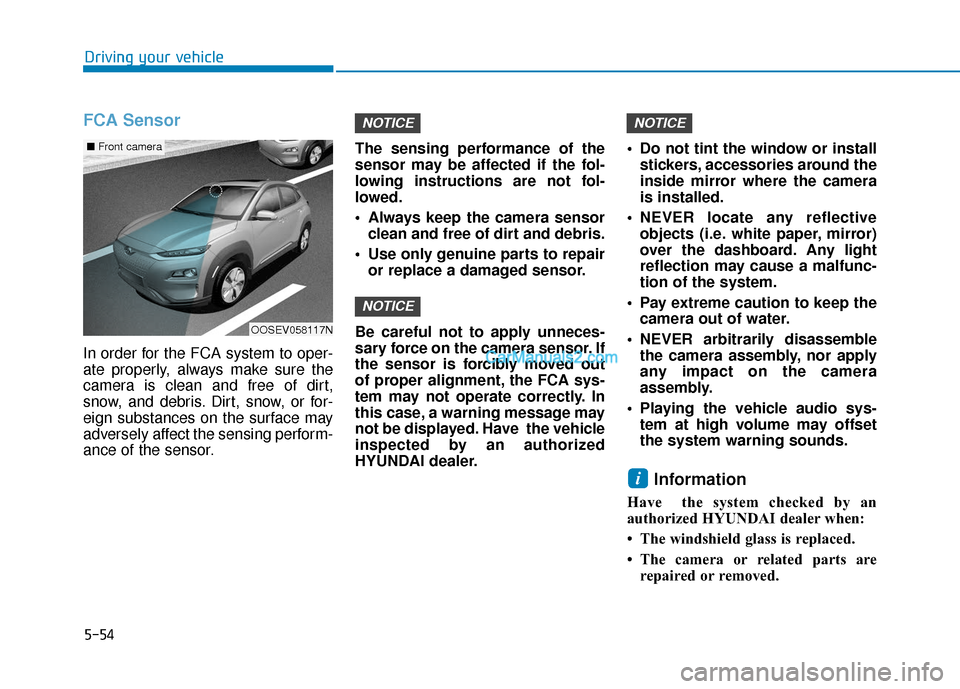
FCA Sensor
In order for the FCA system to oper-
ate properly, always make sure the
camera is clean and free of dirt,
snow, and debris. Dirt, snow, or for-
eign substances on the surface may
adversely affect the sensing perform-
ance of the sensor.The sensing performance of the
sensor may be affected if the fol-
lowing instructions are not fol-
lowed.
Always keep the camera sensor
clean and free of dirt and debris.
Use only genuine parts to repair or replace a damaged sensor.
Be careful not to apply unneces-
sary force on the camera sensor. If
the sensor is forcibly moved out
of proper alignment, the FCA sys-
tem may not operate correctly. In
this case, a warning message may
not be displayed. Have the vehicle
inspected by an authorized
HYUNDAI dealer. Do not tint the window or install
stickers, accessories around the
inside mirror where the camera
is installed.
NEVER locate any reflective objects (i.e. white paper, mirror)
over the dashboard. Any light
reflection may cause a malfunc-
tion of the system.
Pay extreme caution to keep the camera out of water.
NEVER arbitrarily disassemble the camera assembly, nor apply
any impact on the camera
assembly.
Playing the vehicle audio sys- tem at high volume may offset
the system warning sounds.
Information
Have the system checked by an
authorized HYUNDAI dealer when:
• The windshield glass is replaced.
• The camera or related parts arerepaired or removed.
i
NOTICE
NOTICE
NOTICE
OOSEV058117N
■ Front camera
Page 300 of 540
5-67
Driving your vehicle
5
Information
• The warning chime will turn offwhen:
- The detected vehicle moves out ofthe sensing area or
- when the vehicle is right behind your vehicle or
- when the vehicle is not approach- ing your vehicle or
- when the other vehicle slows down.
• The system may not operate proper- ly due to other factors or circum-
stances. Always pay attention to
your surrounding.
• If the sensing area near the rear bumper is blocked by either a wall
or barrier or by a parked vehicle,
the system sensing area may be
reduced. The system may not work prop-
erly when the bumper has been
damaged, or if the rear bumper
has been replaced or repaired.
The sensing range differs some- what according to the width of
the road. When the road is nar-
row, the system may detect
other vehicles in the next lane.
The system may turn off due to strong electromagnetic waves.
NOTICE
i
With the system activated, the
warning light on the outer
side view mirror will illumi-
nate whenever a vehicle is
detected at the rear side by
the system.
To avoid accidents, do not
focus only on the warning
light and neglect to see the
surrounding of the vehicle.
Drive safely even though the
vehicle is equipped with a
Blind-Spot Collision Warning
(BCW) system and Rear Cross-
Traffic Collision Warning
(RCCW) system. Do not solely
rely on the system but check
your surrounding before
changing lanes or backing the
vehicle up.
The system may not alert the
driver in some conditions so
always check your surround-
ings while driving.
WARNING The Blind-Spot Collision
Warning (BCW) system and
Rear Cross-Traffic Collision
Warning (RCCW) system are
not a substitute for proper
and safe driving practices.
Always drive safely and use
caution when changing lanes
or backing up your vehicle.
The Blind-Spot Collision
Warning (BCW) system and
Rear Cross-Traffic Collision
Warning (RCCW) system may
not detect every object along-
side the vehicle.
Page 308 of 540
5-75
Driving your vehicle
5
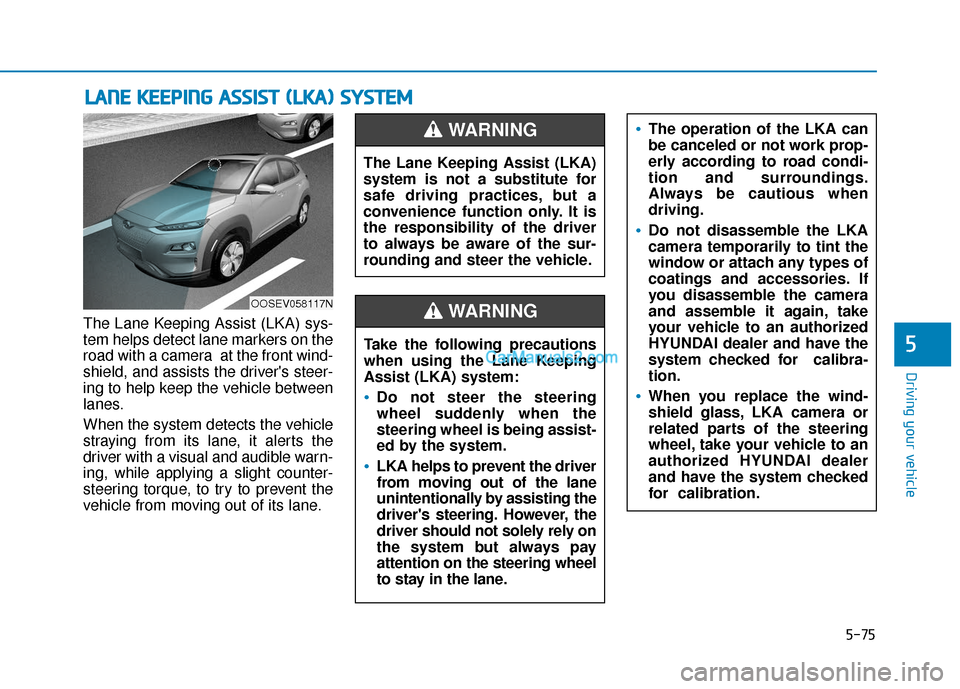
The Lane Keeping Assist (LKA) sys-
tem helps detect lane markers on the
road with a camera at the front wind-
shield, and assists the driver's steer-
ing to help keep the vehicle between
lanes.
When the system detects the vehicle
straying from its lane, it alerts the
driver with a visual and audible warn-
ing, while applying a slight counter-
steering torque, to try to prevent the
vehicle from moving out of its lane.
L LA
A N
N E
E
K
K E
EE
EP
P I
IN
N G
G
A
A S
SS
SI
IS
S T
T
(
( L
L K
K A
A )
)
S
S Y
Y S
ST
T E
EM
M
OOSEV058117N
The Lane Keeping Assist (LKA)
system is not a substitute for
safe driving practices, but a
convenience function only. It is
the responsibility of the driver
to always be aware of the sur-
rounding and steer the vehicle.
WARNING
Take the following precautions
when using the Lane Keeping
Assist (LKA) system:
Do not steer the steering
wheel suddenly when the
steering wheel is being assist-
ed by the system.
LKA helps to prevent the driver
from moving out of the lane
unintentionally by assisting the
driver's steering. However, the
driver should not solely rely on
the system but always pay
attention on the steering wheel
to stay in the lane.
WARNING
The operation of the LKA can
be canceled or not work prop-
erly according to road condi-
tion and surroundings.
Always be cautious when
driving.
Do not disassemble the LKA
camera temporarily to tint the
window or attach any types of
coatings and accessories. If
you disassemble the camera
and assemble it again, take
your vehicle to an authorized
HYUNDAI dealer and have the
system checked for calibra-
tion.
When you replace the wind-
shield glass, LKA camera or
related parts of the steering
wheel, take your vehicle to an
authorized HYUNDAI dealer
and have the system checked
for calibration.
Page 336 of 540
5-103
Driving your vehicle
5
Information
For the SCC operation is temporarily
stopped if the radar is blocked, but
you wish to use conventional cruise
control mode (speed only control func-
tion), you must convert to the cruise
control mode (refer to "To convert to
Cruise Control mode" in the following
page).
Check Smart Cruise Control System
The message will appear when the
vehicle to vehicle distance control
system is not functioning normally.
Take your vehicle to an authorized
HYUNDAI dealer and have the sys-
tem checked.
i
Do not apply license plate
frame or foreign objects such
as a bumper sticker or a
bumper guard near the radar
sensor. Doing so may
adversely affect the sensing
performance of the radar.
Always keep the radar sensor
and lens cover clean and free
of dirt and debris.
Use only a soft cloth to wash
the vehicle. Do not spray pres-
surized water directly on the
sensor or sensor cover.
CAUTIONOIK057110L
Be careful not to apply unnec-
essary force on the radar sen-
sor or sensor cover. If the sen-
sor is forcibly moved out of
proper alignment, the Smart
Cruise Control system may
not operate correctly. In this
case, a warning message may
not be displayed. Have the
vehicle inspected by an
authorized HYUNDAI dealer.
If the front bumper becomes
damaged in the area around
the radar sensor, the Smart
Cruise Control System may
not operate properly. Have the
vehicle inspected by an
authorized HYUNDAI dealer.
Use only genuine HYUNDAI
parts to repair or replace a
damaged sensor or sensor
cover. Do not apply paint to
the sensor cover.
Page 345 of 540
5-112
Driving your vehicle
Information
The ESC system must be turned OFF
before rocking the vehicle.
If you are still stuck after rocking
the vehicle a few times, have the
vehicle pulled out by a tow vehicle
to avoid vehicle overheating, pos-
sible damage to the reduction
gear and tire damage. See
"Towing" in chapter 6.
Smooth Cornering
Avoid braking or gear changing in
corners, especially when roads are
wet. Ideally, corners should always
be taken under gentle acceleration.
Driving at Night
Night driving presents more hazards
than driving in the daylight. Here are
some important tips to remember:
Slow down and keep more dis-tance between you and other vehi-
cles, as it may be more difficult to
see at night, especially in areas
where there may not be any street
lights.
Adjust your mirrors to reduce the glare from other driver's head-
lamps.
Keep your headlamps clean and properly aimed. Dirty or improperly
aimed headlamps will make it
much more difficult to see at night.
Avoid staring directly at the head- lamps of oncoming vehicles. You
could be temporarily blinded, and it
will take several seconds for your
eyes to readjust to the darkness.
Driving in the Rain
Rain and wet roads can make driving
dangerous. Here are a few things to
consider when driving in the rain or
on slick pavement:
Slow down and allow extra follow-ing distance. A heavy rainfall
makes it harder to see and increas-
es the distance needed to stop
your vehicle.
Turn OFF your Cruise Control. (if equipped)
Replace your windshield wiper blades when they show signs of
streaking or missing areas on the
windshield.
Be sure your tires have enough tread. If your tires do not have
enough tread, making a quick stop
on wet pavement can cause a skid
and possibly lead to an accident.
See "Tire Tread" in chapter 7.
Turn on your headlamps to make it easier for others to see you.
Driving too fast through large pud- dles can affect your brakes. If you
must go through puddles, try to
drive through them slowly.
NOTICE
i
Page 350 of 540
5-117
Driving your vehicle
5
When using tire chains:
Wrong size chains or improperlyinstalled chains can damage
your vehicle's brake lines, sus-
pension, body and wheels.
Use SAE "S" class or wire chains.
If you hear noise caused by chains contacting the body,
retighten the chain to prevent
contact with the vehicle body.
To prevent body damage, retighten the chains after driving
0.3~0.6 miles (0.5~1.0 km).
Do not use tire chains on vehi- cles equipped with aluminum
wheels. If unavoidable, use a
wire type chain.
Use wire chains less than 0.47 in (12 mm) thick to prevent damage
to the chain's connection.
Winter Precautions
Use high quality ethylene glycolcoolant
Your vehicle is delivered with high
quality ethylene glycol coolant in the
cooling system. It is the only type of
coolant that should be used because
it helps prevent corrosion in the cool-
ing system, lubricates the water
pump and prevents freezing. Be sure
to replace or replenish your coolant
in accordance with the maintenance
schedule in chapter 7. Before winter,
have your coolant tested to assure
that its freezing point is sufficient for
the temperatures anticipated during
the winter.
Change to "winter weight" oil ifnecessary
In some climates it is recommended
that a lower viscosity "winter weight"
oil be used during cold weather. See
chapter 8 for recommendations. If
you aren't sure what weight oil you
should use, consult an authorized
HYUNDAI dealer.
Check battery and cables
Winter puts additional burdens on
the battery system. Visually inspect
the battery and cables as described
in chapter 7. The level of charge in
your battery can be checked by an
authorized HYUNDAI dealer or a
service station.
NOTICE
Page 365 of 540
6-9
What to do in an emergency
6
Tire Pressure Monitoring
System
Each tire, including the spare (if pro-
vided), should be checked monthly
when cold and inflated to the inflation
pressure recommended by the vehi-
cle manufacturer on the vehicle plac-
ard or tire inflation pressure label. (If
your vehicle has tires of a different
size than the size indicated on the
vehicle placard or tire inflation pres-
sure label, you should determine the
proper tire inflation pressure for
those tires.)As an added safety feature, your
vehicle has been equipped with a tire
pressure monitoring system (TPMS)
that illuminates a low tire pressure
telltale when one or more of your
tires is significantly under-inflated.
Accordingly, when the low tire pres-
sure telltale illuminates, you should
stop and check your tires as soon as
possible, and inflate them to the
proper pressure. Driving on a signifi-
cantly under-inflated tire causes the
tire to overheat and can lead to tire
failure.
Under-inflation also reduces fuel effi-
ciency and tire tread life, and may
affect the vehicle’s handling and
stopping ability.
Please note that the TPMS is not a
substitute for proper tire mainte-
nance, and it is the driver’s responsi-
bility to maintain correct tire pres-
sure, even if under-inflation has not
reached the level to trigger illumina-
tion of the TPMS low tire pressure
telltale.Your vehicle has also been equipped
with a TPMS malfunction indicator to
indicate when the system is not
operating properly. The TPMS mal-
function indicator is combined with
the low tire pressure telltale. When
the system detects a malfunction,
the telltale will flash for approximate-
ly one minute and then remain con-
tinuously illuminated. This sequence
will continue upon subsequent vehi-
cle start-ups as long as the malfunc-
tion exists.
When the malfunction indicator is
illuminated, the system may not be
able to detect or signal low tire pres-
sure as intended. TPMS malfunc-
tions may occur for a variety of rea-
sons, including the installation of
replacement or alternate tires or
wheels on the vehicle that prevent
the TPMS from functioning properly.
Always check the TPMS malfunction
telltale after replacing one or more
tires or wheels on your vehicle to
ensure that the replacement or alter-
nate tires and wheels allow the
TPMS to continue to function proper-
ly.
Over-inflation or under-inflation
can reduce tire life, adversely
affect vehicle handling, and
lead to sudden tire failure that
may cause loss of vehicle con-
trol resulting in an accident.
WARNING
Page 366 of 540
6-10
What to do in an emergency
If any of the below happens, have
the system checked by an author-
ized HYUNDAI dealer.
1. The Low Tire Pressure TPMS Malfunction Indicator does not
illuminate for 3 seconds when
the POWER button is placed to
the ON position or vehicle is ON
( indicator ON).
2. The TPMS Malfunction Indicator remains illuminated after blink-
ing for approximately 1 minute.
3. The Low Tire Pressure LCD dis- play remains illuminated
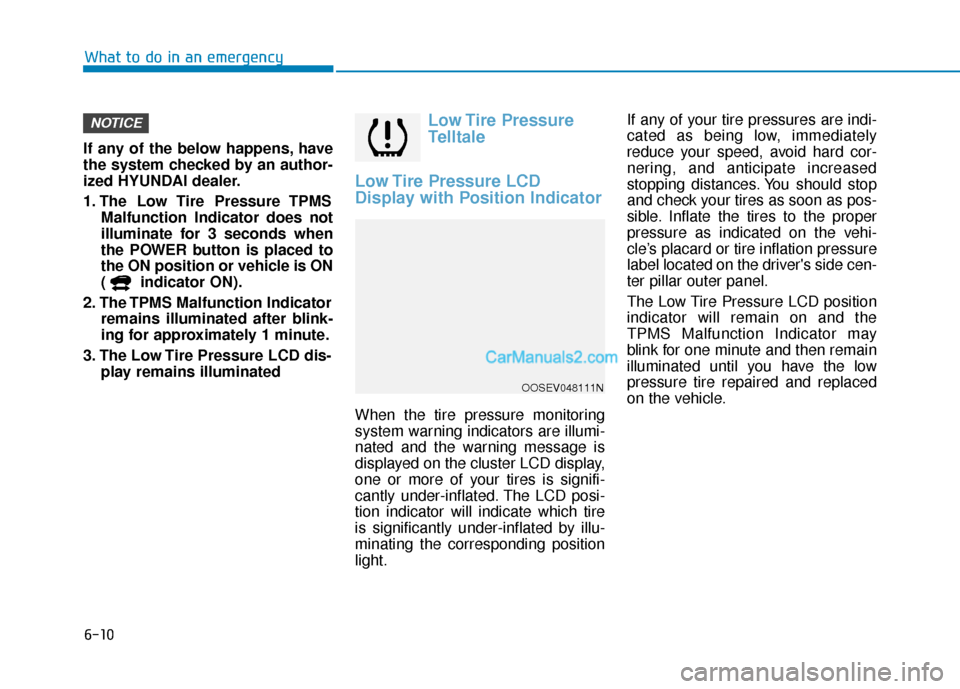
Low Tire Pressure
Telltale
Low Tire Pressure LCD
Display with Position Indicator
When the tire pressure monitoring
system warning indicators are illumi-
nated and the warning message is
displayed on the cluster LCD display,
one or more of your tires is signifi-
cantly under-inflated. The LCD posi-
tion indicator will indicate which tire
is significantly under-inflated by illu-
minating the corresponding position
light. If any of your tire pressures are indi-
cated as being low, immediately
reduce your speed, avoid hard cor-
nering, and anticipate increased
stopping distances. You should stop
and check your tires as soon as pos-
sible. Inflate the tires to the proper
pressure as indicated on the vehi-
cle’s placard or tire inflation pressure
label located on the driver's side cen-
ter pillar outer panel.
The Low Tire Pressure LCD position
indicator will remain on and the
TPMS Malfunction Indicator may
blink for one minute and then remain
illuminated until you have the low
pressure tire repaired and replaced
on the vehicle.
NOTICE
OOSEV048111N
Page 370 of 540
6-14
What to do in an emergency
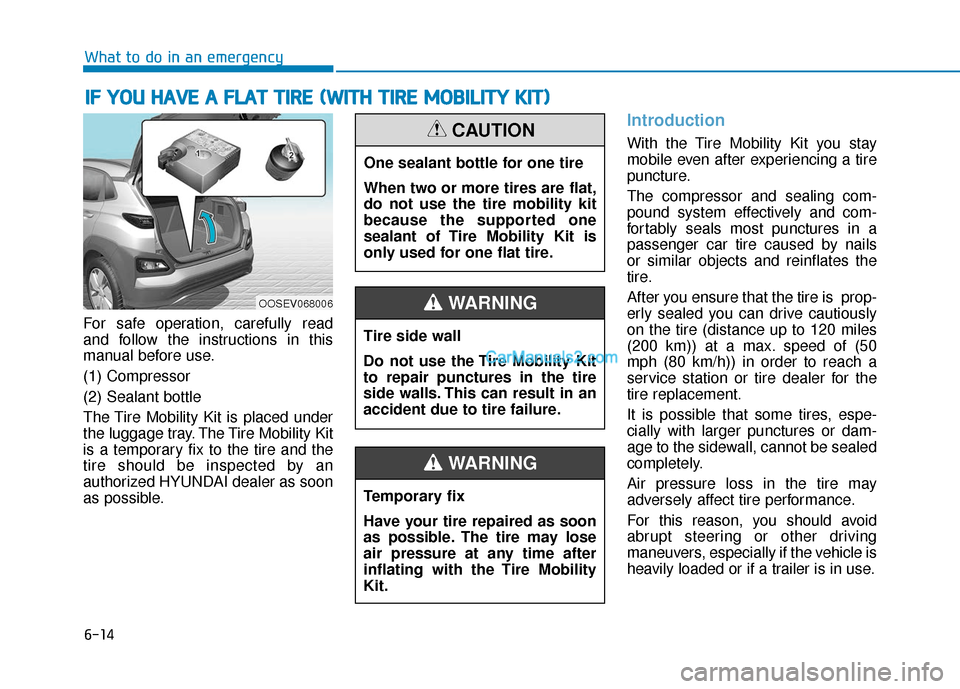
For safe operation, carefully read
and follow the instructions in this
manual before use.
(1) Compressor
(2) Sealant bottle
The Tire Mobility Kit is placed under
the luggage tray. The Tire Mobility Kit
is a temporary fix to the tire and the
tire should be inspected by an
authorized HYUNDAI dealer as soon
as possible.
Introduction
With the Tire Mobility Kit you stay
mobile even after experiencing a tire
puncture.
The compressor and sealing com-
pound system effectively and com-
fortably seals most punctures in a
passenger car tire caused by nails
or similar objects and reinflates the
tire.
After you ensure that the tire is prop-
erly sealed you can drive cautiously
on the tire (distance up to 120 miles
(200 km)) at a max. speed of (50
mph (80 km/h)) in order to reach a
service station or tire dealer for the
tire replacement.
It is possible that some tires, espe-
cially with larger punctures or dam-
age to the sidewall, cannot be sealed
completely.
Air pressure loss in the tire may
adversely affect tire performance.
For this reason, you should avoid
abrupt steering or other driving
maneuvers, especially if the vehicle is
heavily loaded or if a trailer is in use.
I I F
F
Y
Y O
O U
U
H
H A
AV
VE
E
A
A
F
F L
LA
A T
T
T
T I
IR
R E
E
(
( W
W I
IT
T H
H
T
T I
IR
R E
E
M
M O
OB
BI
IL
L I
IT
T Y
Y
K
K I
IT
T )
)
OOSEV068006
One sealant bottle for one tire
When two or more tires are flat,
do not use the tire mobility kit
because the supported one
sealant of Tire Mobility Kit is
only used for one flat tire.
CAUTION
Tire side wall
Do not use the Tire Mobility Kit
to repair punctures in the tire
side walls. This can result in an
accident due to tire failure.
WARNING
Temporary fix
Have your tire repaired as soon
as possible. The tire may lose
air pressure at any time after
inflating with the Tire Mobility
Kit.
WARNING