replace Hyundai Kona EV 2019 User Guide
[x] Cancel search | Manufacturer: HYUNDAI, Model Year: 2019, Model line: Kona EV, Model: Hyundai Kona EV 2019Pages: 540, PDF Size: 21.84 MB
Page 121 of 540
3-37
Convenient features of your vehicle
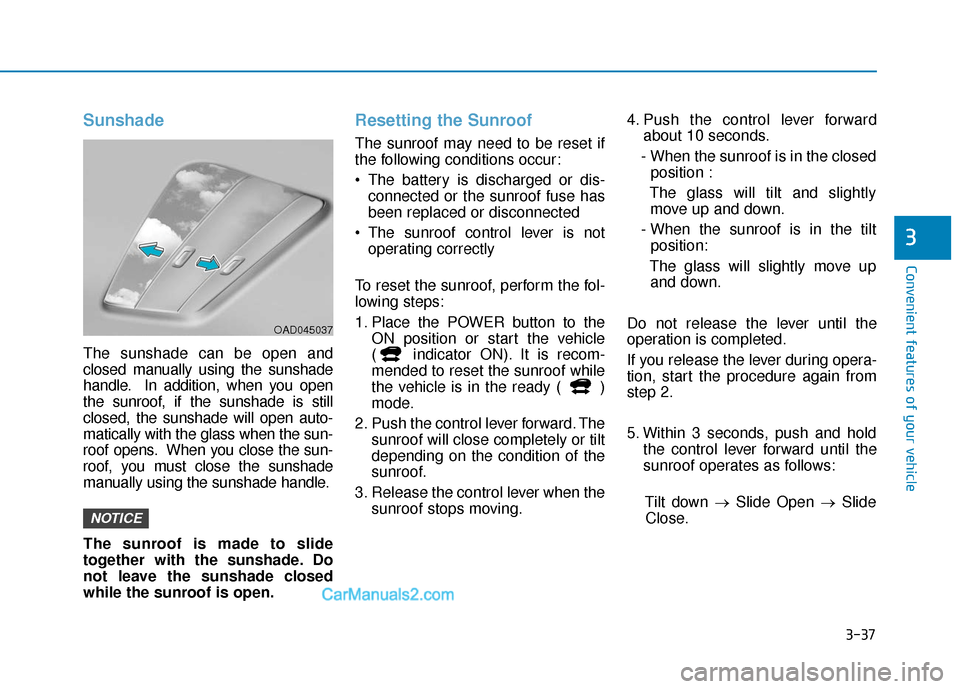
Sunshade
The sunshade can be open and
closed manually using the sunshade
handle. In addition, when you open
the sunroof, if the sunshade is still
closed, the sunshade will open auto-
matically with the glass when the sun-
roof opens. When you close the sun-
roof, you must close the sunshade
manually using the sunshade handle.
The sunroof is made to slide
together with the sunshade. Do
not leave the sunshade closed
while the sunroof is open.
Resetting the Sunroof
The sunroof may need to be reset if
the following conditions occur:
The battery is discharged or dis-connected or the sunroof fuse has
been replaced or disconnected
The sunroof control lever is not operating correctly
To reset the sunroof, perform the fol-
lowing steps:
1. Place the POWER button to the ON position or start the vehicle
( indicator ON). It is recom-
mended to reset the sunroof while
the vehicle is in the ready ( )
mode.
2. Push the control lever forward. The sunroof will close completely or tilt
depending on the condition of the
sunroof.
3. Release the control lever when the sunroof stops moving. 4. Push the control lever forward
about 10 seconds.
- When the sunroof is in the closed position :
The glass will tilt and slightly move up and down.
- When the sunroof is in the tilt position:
The glass will slightly move up and down.
Do not release the lever until the
operation is completed.
If you release the lever during opera-
tion, start the procedure again from
step 2.
5. Within 3 seconds, push and hold the control lever forward until the
sunroof operates as follows:
Tilt down → Slide Open → Slide
Close.
NOTICE
3
OAD045037
Page 148 of 540
3-64
Convenient features of your vehicle
Key not detected
This warning message is displayed if
the smart key is not detected when
you press the POWER button.
Press POWER button again
This message is displayed if you
were unable to start the vehicle when
the POWER button was pressed.
If this occurs, attempt to start the
vehicle by pressing the POWER but-
ton again.
If the warning message appears
each time you press the POWER
button, have your vehicle inspected
by an authorized HYUNDAI dealer.
Press POWER button with key
This warning message is displayed if
you press the POWER button while
the warning message "Key not
detected" is displayed.
Check BRAKE SWITCH fuse
This warning message is displayed if
the brake switch fuse is disconnected.
You need to replace the fuse with a
new one before starting the vehicle.
If that is not possible, you can start the
vehicle by pressing the POWER but-
ton for 10 seconds in the ACC posi-
tion.
Shift to P to start vehicle
This warning message is displayed if
you try to start the vehicle without
shifting to the P (Park) position.
Shift to P
This warning message is displayed if
you try to turn off the vehicle with the
gear in the N (Neutral) position.
At this time, the POWER button
changes to the ACC position (If you
press the POWER button once more,
it will turn to the ON position).
Low Key Battery
This warning message is displayed if
the battery of the smart key is dis-
charged while changing the POWER
button to the OFF position.
Battery discharging due toexternal electrical devices
This message is displayed if the bat-
tery voltage is weak due to any non-
factory electrical accessories (ex.
dashboard camera) while parking.
Be careful that the battery is not dis-
charged.
If the warning message appears after
removing the non-factory electrical
accessories, have the vehicle inspect-
ed by an authorized HYUNDAI dealer.
Page 150 of 540
3-66
Convenient features of your vehicle
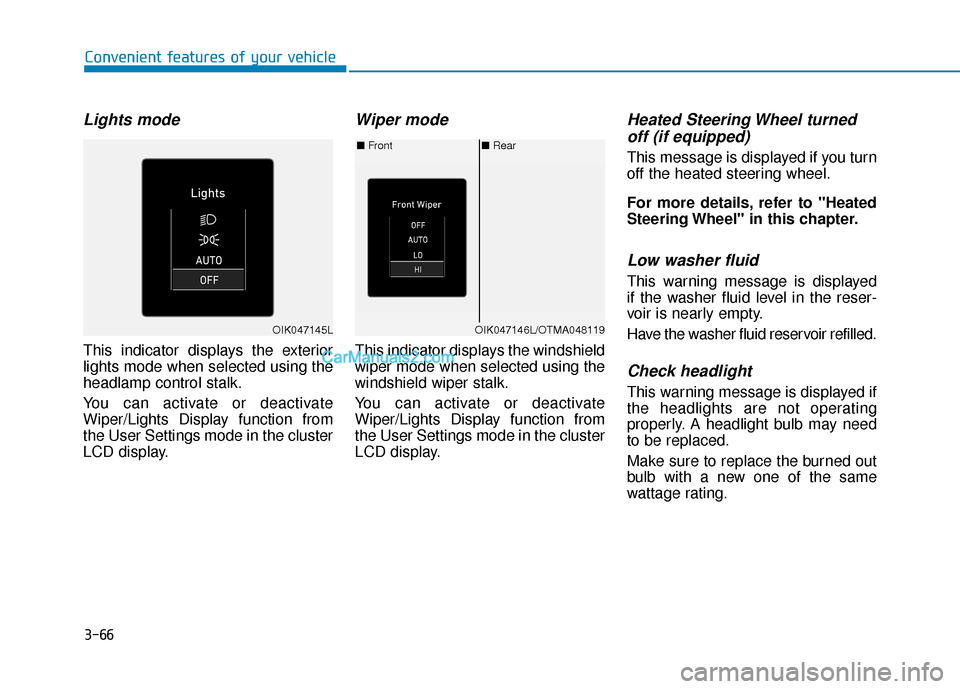
Lights mode
This indicator displays the exterior
lights mode when selected using the
headlamp control stalk.
You can activate or deactivate
Wiper/Lights Display function from
the User Settings mode in the cluster
LCD display.
Wiper mode
This indicator displays the windshield
wiper mode when selected using the
windshield wiper stalk.
You can activate or deactivate
Wiper/Lights Display function from
the User Settings mode in the cluster
LCD display.
Heated Steering Wheel turnedoff (if equipped)
This message is displayed if you turn
off the heated steering wheel.
For more details, refer to "Heated
Steering Wheel" in this chapter.
Low washer fluid
This warning message is displayed
if the washer fluid level in the reser-
voir is nearly empty.
Have the washer fluid reservoir refilled.
Check headlight
This warning message is displayed if
the headlights are not operating
properly. A headlight bulb may need
to be replaced.
Make sure to replace the burned out
bulb with a new one of the same
wattage rating.
■ Rear
■ Front
OIK047146L/OTMA048119OIK047145L
Page 151 of 540
3-67
Convenient features of your vehicle
3
Check turn signal
This warning message is displayed if
the turn signal lamps are not operat-
ing properly. A lamp may need to be
replaced.
Make sure to replace the burned out
bulb with a new one of the same
wattage rating.
Check brake light
This warning message is displayed if
the stop lamps are not operating
properly. A lamp may need to be
replaced.
Make sure to replace the burned out
bulb with a new one of the same
wattage rating.
Check cornering lamp (if equipped)
This warning message is displayed if
the cornering lamps are not operat-
ing properly. A lamp may need to be
replaced.
Make sure to replace the burned out
bulb with a new one of the same
wattage rating.
Check High Beam Assist (HBA)system (if equipped)
This warning message is displayed if
there is a problem with the High Beam
Assist (HBA) system. Have the vehi-
cle inspected by an authorized
HYUNDAI dealer.
For more details, refer to "High
Beam Assist (HBA) System" in
chapter 3.
Check headlight LED (if equipped)
This warning message is displayed if
there is a problem with the LED
headlight. Have the vehicle inspected
by an authorized HYUNDAI dealer.
Check Forward CollisionAvoidance Assist system
This warning message is displayed if
there is a problem with the Forward
Collision-Avoidance Assist (FCA)
system. Have the vehicle inspected
by an authorized HYUNDAI dealer.
For more details, refer to "Forward
Collision-Avoidance Assist (FCA)
system" in chapter 5.
Check Blind-Spot CollisionWarning (BCW) system
This warning message is displayed if
there is a problem with the Blind-
Spot Collision Warning system. Have
the vehicle inspected by an author-
ized HYUNDAI dealer.
For more details, refer to "Blind-
Spot Collision Warning/Rear Cross-
Traffic Collision Warning (RCCW)
System in chapter 5.
Page 155 of 540
3-71
Convenient features of your vehicle
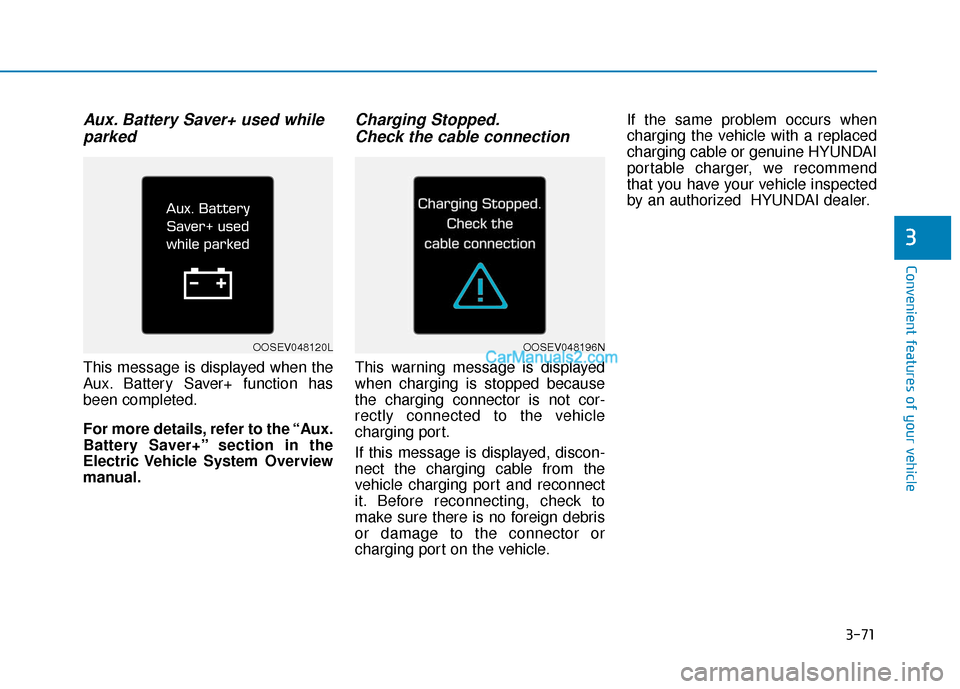
Aux. Battery Saver+ used whileparked
This message is displayed when the
Aux. Battery Saver+ function has
been completed.
For more details, refer to the “Aux.
Battery Saver+” section in the
Electric Vehicle System Overview
manual.
Charging Stopped.Check the cable connection
This warning message is displayed
when charging is stopped because
the charging connector is not cor-
rectly connected to the vehicle
charging port.
If this message is displayed, discon-
nect the charging cable from the
vehicle charging port and reconnect
it. Before reconnecting, check to
make sure there is no foreign debris
or damage to the connector or
charging port on the vehicle. If the same problem occurs when
charging the vehicle with a replaced
charging cable or genuine HYUNDAI
portable charger, we recommend
that you have your vehicle inspected
by an authorized HYUNDAI dealer.
3
OOSEV048120LOOSEV048196N
Page 186 of 540
3-102
Convenient features of your vehicle
Turn signals and lane changesignals
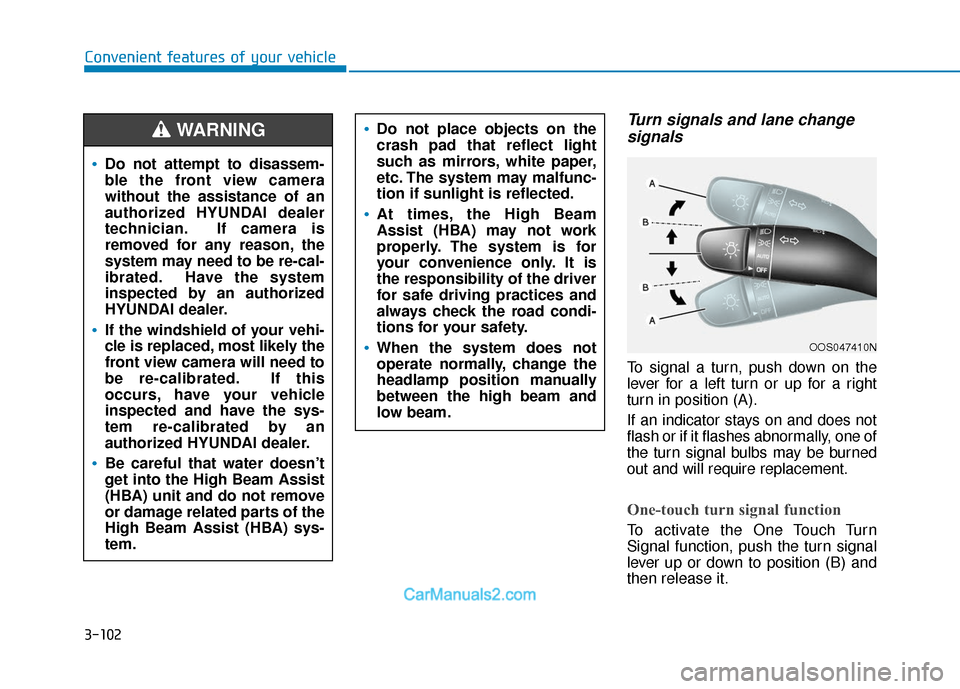
To signal a turn, push down on the
lever for a left turn or up for a right
turn in position (A).
If an indicator stays on and does not
flash or if it flashes abnormally, one of
the turn signal bulbs may be burned
out and will require replacement.
One-touch turn signal function
To activate the One Touch Turn
Signal function, push the turn signal
lever up or down to position (B) and
then release it.
OOS047410N
Do not attempt to disassem-
ble the front view camera
without the assistance of an
authorized HYUNDAI dealer
technician. If camera is
removed for any reason, the
system may need to be re-cal-
ibrated. Have the system
inspected by an authorized
HYUNDAI dealer.
If the windshield of your vehi-
cle is replaced, most likely the
front view camera will need to
be re-calibrated. If this
occurs, have your vehicle
inspected and have the sys-
tem re-calibrated by an
authorized HYUNDAI dealer.
Be careful that water doesn’t
get into the High Beam Assist
(HBA) unit and do not remove
or damage related parts of the
High Beam Assist (HBA) sys-
tem.
Do not place objects on the
crash pad that reflect light
such as mirrors, white paper,
etc. The system may malfunc-
tion if sunlight is reflected.
At times, the High Beam
Assist (HBA) may not work
properly. The system is for
your convenience only. It is
the responsibility of the driver
for safe driving practices and
always check the road condi-
tions for your safety.
When the system does not
operate normally, change the
headlamp position manually
between the high beam and
low beam.
WARNING
Page 212 of 540
![Hyundai Kona EV 2019 User Guide 3-128
Convenient features of your vehicle
System Maintenance
Cabin air filter
[A] : Outside air, [B] : Recirculated air
[C] : Climate control air filter, [D] : Blower
[E] : Evaporator core, [F] : Heat](/img/35/16246/w960_16246-211.png "Hyundai Kona EV 2019 User Guide 3-128
Convenient features of your vehicle
System Maintenance
Cabin air filter
[A] : Outside air, [B] : Recirculated air
[C] : Climate control air filter, [D] : Blower
[E] : Evaporator core, [F] : Heat")
3-128
Convenient features of your vehicle
System Maintenance
Cabin air filter
[A] : Outside air, [B] : Recirculated air
[C] : Climate control air filter, [D] : Blower
[E] : Evaporator core, [F] : Heater core
The cabin air filter is installed behind
the glove box. It filters the dust or other
pollutants that enter the vehicle
through the heating and air condition-
ing system.
Have the The cabin air filter replaced
by an authorized HYUNDAI dealer
according to the maintenance sched-
ule.If the vehicle is frequently driven on
dusty or gravel roads, or if the occu-
pants inside the vehicle smoke, or if
pets are regularly inside the vehicle,
then it is recommended to change
the cabin filter more often. Refer to
the maintenance section in this man-
ual for more detailed information.
If the air flow rate suddenly decreas-
es, the system should be checked at
an authorized HYUNDAI dealer.
Checking the amount of air
conditioner refrigerant andcompressor lubricant
When the amount of refrigerant is
low, the performance of the air con-
ditioning is reduced. Overfilling also
reduces the performance of the air
conditioning system.
Therefore, if abnormal operation is
found, have the system inspected by
an authorized HYUNDAI dealer.
It is important that the correct
type and amount of oil and refrig-
erant is used. Otherwise, damage
to the compressor and abnormal
system operation may occur.
Refer to the maintenance section
in this manual for more detailed
information.
NOTICE
OIK047401L
Page 243 of 540
5-10
Driving your vehicle
To prevent damage to the vehicle:
If the " " indicator turns off
while you are in motion, do not
attempt to shift to the P (Park)
position.
To prevent damage to the vehicle:
When the stop lamp fuse is blown,
you cannot normally start the
vehicle. Replace the fuse with a
new one. If you are not able to
replace the fuse, you can start the
vehicle by pressing and holding
the POWER button for 10 seconds
with the POWER button in the ACC
position.
Do not press the POWER button
for more than 10 seconds except
when the stop lamp fuse is blown.
For your safety always depress
the brake pedal before starting the
vehicle.
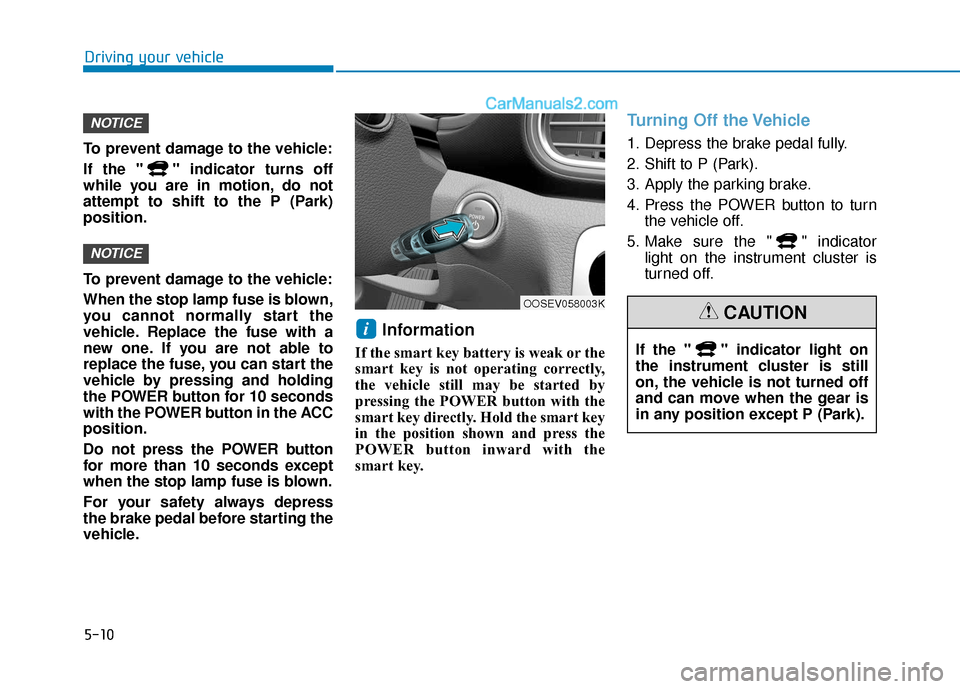
Information
If the smart key battery is weak or the
smart key is not operating correctly,
the vehicle still may be started by
pressing the POWER button with the
smart key directly. Hold the smart key
in the position shown and press the
POWER button inward with the
smart key.
Turning Off the Vehicle
1. Depress the brake pedal fully.
2. Shift to P (Park).
3. Apply the parking brake.
4. Press the POWER button to turn the vehicle off.
5. Make sure the " " indicator light on the instrument cluster is
turned off.
i
NOTICE
NOTICE
OOSEV058003K
If the " " indicator light on
the instrument cluster is still
on, the vehicle is not turned off
and can move when the gear is
in any position except P (Park).
CAUTION
Page 257 of 540
5-24
Driving your vehicle
Warning Message
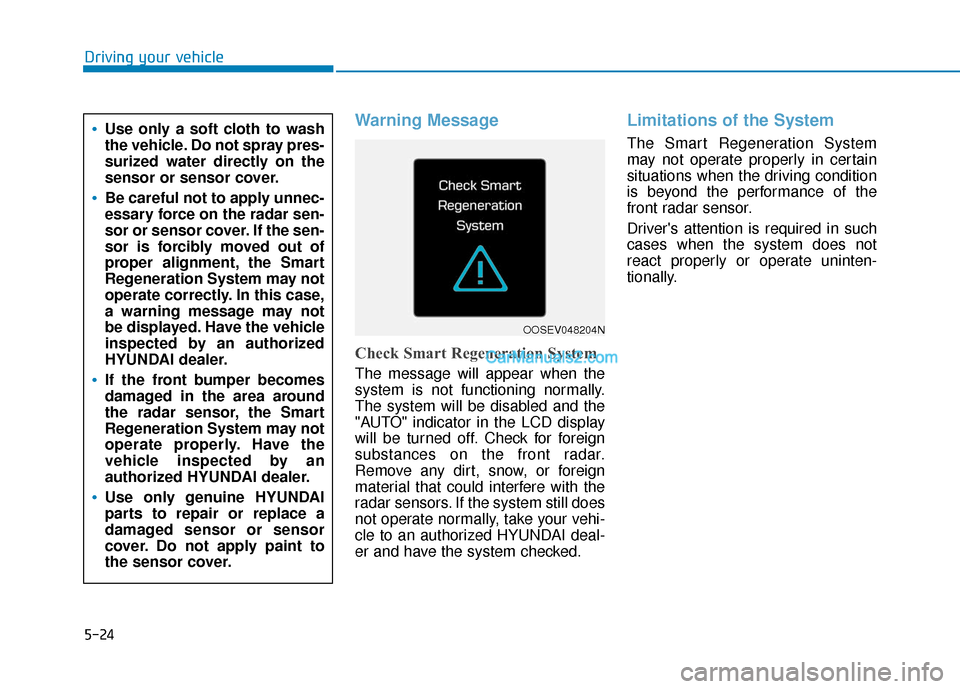
Check Smart Regeneration System
The message will appear when the
system is not functioning normally.
The system will be disabled and the
"AUTO" indicator in the LCD display
will be turned off. Check for foreign
substances on the front radar.
Remove any dirt, snow, or foreign
material that could interfere with the
radar sensors. If the system still does
not operate normally, take your vehi-
cle to an authorized HYUNDAI deal-
er and have the system checked.
Limitations of the System
The Smart Regeneration System
may not operate properly in certain
situations when the driving condition
is beyond the performance of the
front radar sensor.
Driver's attention is required in such
cases when the system does not
react properly or operate uninten-
tionally.Use only a soft cloth to wash
the vehicle. Do not spray pres-
surized water directly on the
sensor or sensor cover.
Be careful not to apply unnec-
essary force on the radar sen-
sor or sensor cover. If the sen-
sor is forcibly moved out of
proper alignment, the Smart
Regeneration System may not
operate correctly. In this case,
a warning message may not
be displayed. Have the vehicle
inspected by an authorized
HYUNDAI dealer.
If the front bumper becomes
damaged in the area around
the radar sensor, the Smart
Regeneration System may not
operate properly. Have the
vehicle inspected by an
authorized HYUNDAI dealer.
Use only genuine HYUNDAI
parts to repair or replace a
damaged sensor or sensor
cover. Do not apply paint to
the sensor cover.
OOSEV048204N
Page 263 of 540
5-30
Driving your vehicle
Do not continue depressing the brake pedal if the " "indica-
tor is OFF. The battery may be
discharged.
Noise and vibration generated during braking is normal.
Under normal operation, electric brake pump noise and motor
vibration may occur temporarily
in below cases.
- When the pedal is depressedsuddenly.
- When the pedal is repeatedly depressed in short intervals.
- When the ABS function is acti- vated while braking.
Disc Brake Wear Indicator
When your brake pads are worn and
new pads are required, you will hear
a high pitched warning sound from
your front or rear brakes. You may
hear this sound come and go or it
may occur whenever you depress
the brake pedal.
Note that some driving conditions or
climates may cause a brake squeal
when you first apply (or lightly apply)
the brakes. This is normal and does
not indicate a problem with your
brakes.
To avoid costly brake repairs, do
not continue to drive with worn
brake pads.
Information
Always replace brake pads as com-
plete front or rear axle sets.
Electronic Parking Brake
(EPB)
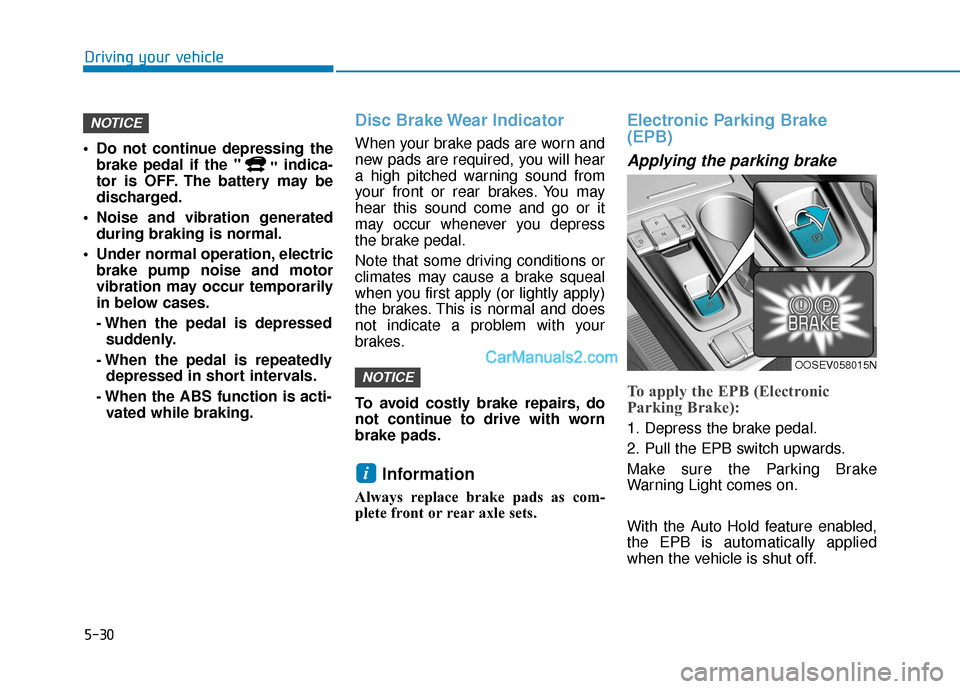
Applying the parking brake
To apply the EPB (Electronic
Parking Brake):
1. Depress the brake pedal.
2. Pull the EPB switch upwards.
Make sure the Parking Brake
Warning Light comes on.
With the Auto Hold feature enabled,
the EPB is automatically applied
when the vehicle is shut off.
i
NOTICE
NOTICE
OOSEV058015N