chapter 7 HYUNDAI KONA EV 2022 Workshop Manual
[x] Cancel search | Manufacturer: HYUNDAI, Model Year: 2022, Model line: KONA EV, Model: HYUNDAI KONA EV 2022Pages: 548, PDF Size: 49.14 MB
Page 378 of 548
07
7-45
•
There is a fixed object near the
vehicle, such as sound barriers,
guardrails, central dividers, entry
barriers, street lamps, signs,
tunnels, walls, etc. (including double
structures)
• Driving in large areas where there are
few vehicles or structures (i.e. desert,
meadow, suburb, etc.)
• Driving through a narrow road where
trees or grass are overgrown
• Driving on a wet road surface, such as
a puddle on the road
• The other vehicle drives very close
behind your vehicle, or the other
vehicle passes by your vehicle in close
proximity
• The speed of the other vehicle is very
fast that it passes by your vehicle in a short time
• Your vehicle passes by the other
vehicle
• Your vehicle changes lane
• Your vehicle has started at the same
time as the vehicle next to you and
has accelerated
• The vehicle in the next lane moves
two lanes away from you, or when the
vehicle two lanes away moves to the
next lane from you
• A trailer or carrier is installed around
the rear corner radar
• The bumper around the rear corner
radar is covered with objects, such as
a bumper sticker, bumper guard, bike
rack, etc.
• The bumper around the rear corner
radar is impacted, damaged or the
radar is out of position
• Your vehicle height is low or high
due to heavy loads, abnormal tire
pressure, etc. Blind-Spot Collision-Avoidance Assist
may not operate normally, or the
function may operate unexpectedly
when the following objects are detected: •
A motorcycle or bicycle is detected
• A vehicle such as a flat trailer is
detected
• A big vehicle such as a bus or truck is
detected
• A moving obstacle such as a
pedestrian, animal, shopping cart or a
baby stroller is detected
• A vehicle with low height such as a
sports car is detected
Braking control may not work, driver’s
attention is required in the following
circumstances: • The vehicle severely vibrates while
driving over a bumpy road, uneven
road or concrete patch
• Driving on a slippery surface due to
snow, water puddle, ice, etc.
• The tire pressure is low or a tire is damaged
• The brake is reworked
• The vehicle makes abrupt lane changes
Information
For more details on the limitations of the
front view camera, refer to “Forward
Collision-Avoidance Assist (FCA)” and
“Lane Keeping Assist (LKA)” section in
this chapter.
Page 381 of 548
Driver assistance system
7-48
OJX1070063L
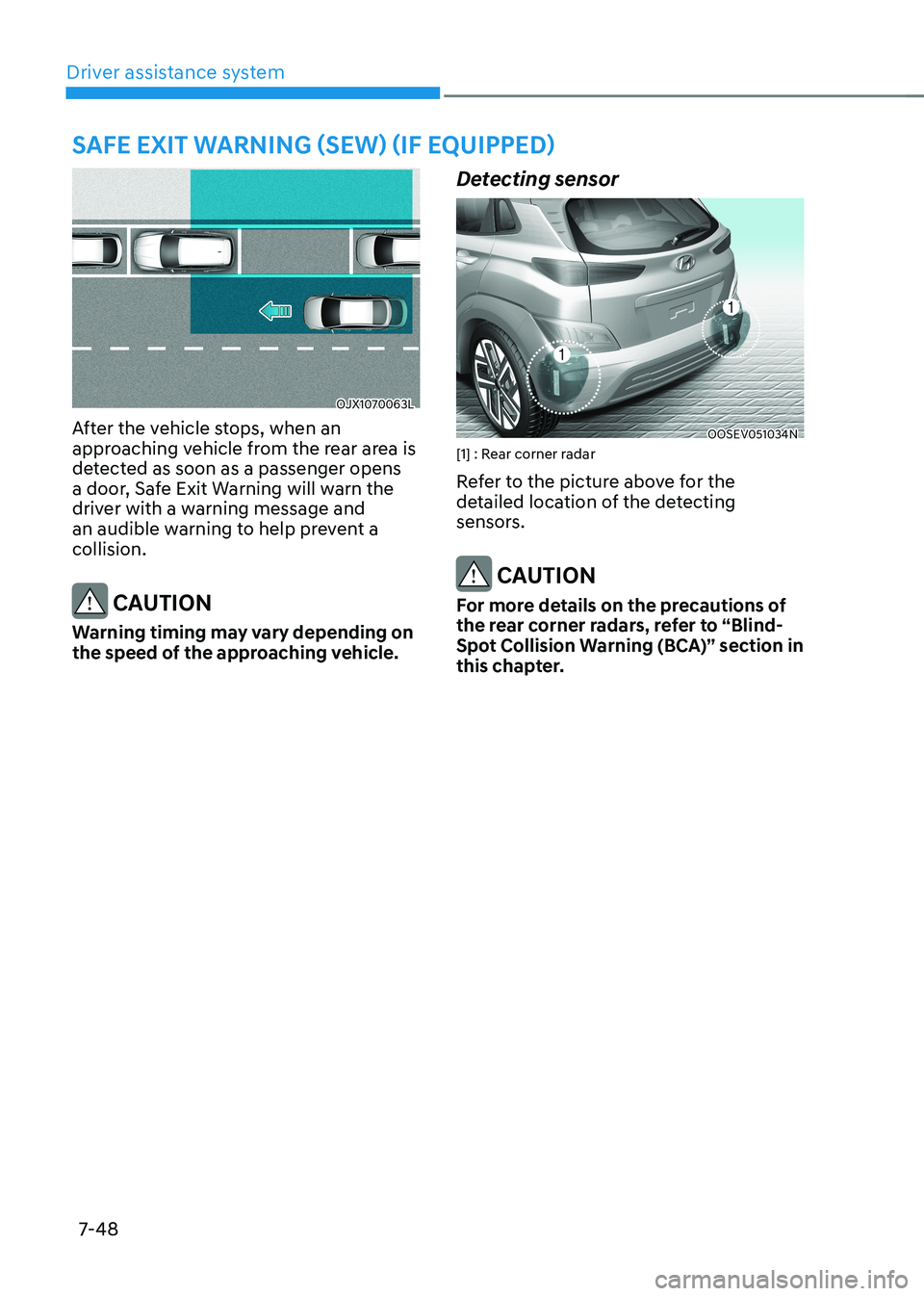
After the vehicle stops, when an
approaching vehicle from the rear area is
detected as soon as a passenger opens
a door, Safe Exit Warning will warn the
driver with a warning message and
an audible warning to help prevent a collision.
CAUTION
Warning timing may vary depending on
the speed of the approaching vehicle. Detecting sensor
OOSEV051034N
[1] : Rear corner radar
Refer to the picture above for the
detailed location of the detecting
sensors.
CAUTION
For more details on the precautions of
the rear corner radars, refer to “Blind-
spot Collision warning (BCa)” section in
this chapter.
saFe exit warning (sew) (iF equipped)
Page 386 of 548
07
7-53
warning
• even though the warning message
does not appear on the cluster,
safe exit warning may not properly
operate.
• safe exit warning may not properly
operate in an area (e.g. open terrain)
where any substance are not
detected right after the vehicle is
turned on, or when the detecting
sensor is blocked with foreign
material right after the vehicle is turned on.
CAUTION
turn off safe exit warning to install
a trailer, carrier, etc., or remove the
trailer, carrier, etc. to use safe exit
Warning. Limitations of Safe Exit Warning
Safe Exit Warning may not operate
normally, or it may operate unexpectedly
under the following circumstances: •
Getting out of the vehicle where trees
or grass are overgrown
• Getting out of the vehicle where the
road is wet
• The approaching vehicle is very fast or
very slow
Information
For more details on the limitations of the
rear corner radar, refer to “Blind- Spot
Collision-Avoidance Assist (BCA)” section
in this chapter.
warning
• safe exit warning may not operate
normally if interfered by strong
electromagnetic waves.
• safe exit warning may not operate
for 3 seconds after the vehicle is
started, or the rear corner radars are
initialized.
Page 387 of 548
Driver assistance system
7-54
Basic function
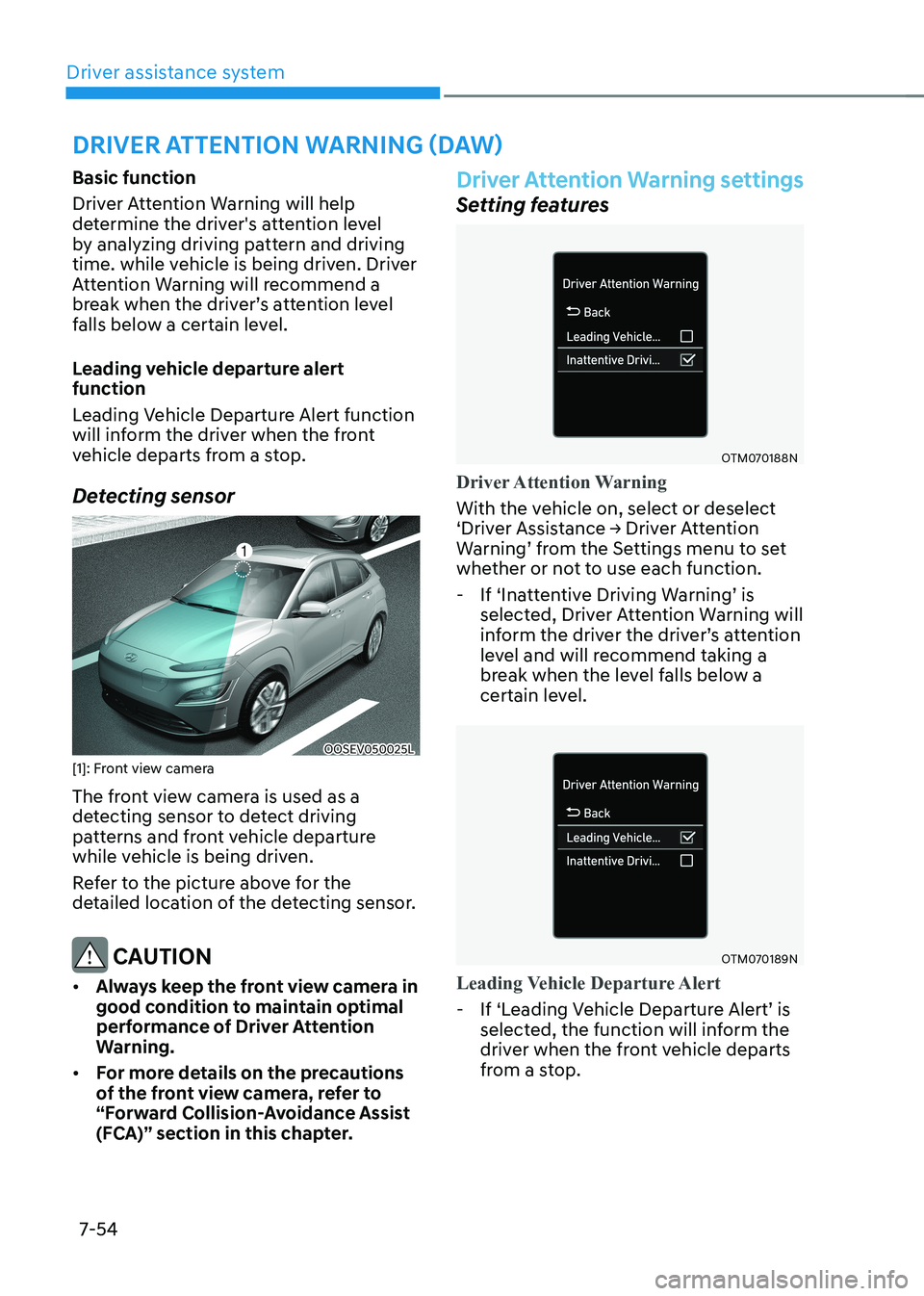
Driver Attention Warning will help
determine the driver's attention level
by analyzing driving pattern and driving
time. while vehicle is being driven. Driver
Attention Warning will recommend a
break when the driver’s attention level
falls below a certain level.
Leading vehicle departure alert function
Leading Vehicle Departure Alert function
will inform the driver when the front
vehicle departs from a stop.
Detecting sensor
OOSEV050025L
[1]: Front view camera
The front view camera is used as a
detecting sensor to detect driving
patterns and front vehicle departure
while vehicle is being driven.
Refer to the picture above for the
detailed location of the detecting sensor.
CAUTION
• Always keep the front view camera in
good condition to maintain optimal
performance of Driver Attention
Warning.
• For more details on the precautions
of the front view camera, refer to
“Forward Collision-Avoidance Assist
(FCA)” section in this chapter.
Driver Attention Warning settings
Setting features
OTM070188N
Driver Attention Warning
With the vehicle on, select or deselect
‘Driver Assistance → Driver Attention
Warning’ from the Settings menu to set
whether or not to use each function.
- If ‘Inattentive Driving Warning’ is
selected, Driver Attention Warning will
inform the driver the driver’s attention
level and will recommend taking a
break when the level falls below a
certain level.
OTM070189N
Leading Vehicle Departure Alert
-If ‘Leading Vehicle Departure Alert’ is
selected, the function will inform the
driver when the front vehicle departs
from a stop.
driver attention warning (daw)
Page 389 of 548
Driver assistance system
7-56
• The driver’s attention level is displayed
on the scale of 1 to 5. The lower the
level is, the more inattentive the driver is.
• The level decreases when the driver
does not take a break for a certain
period of time.
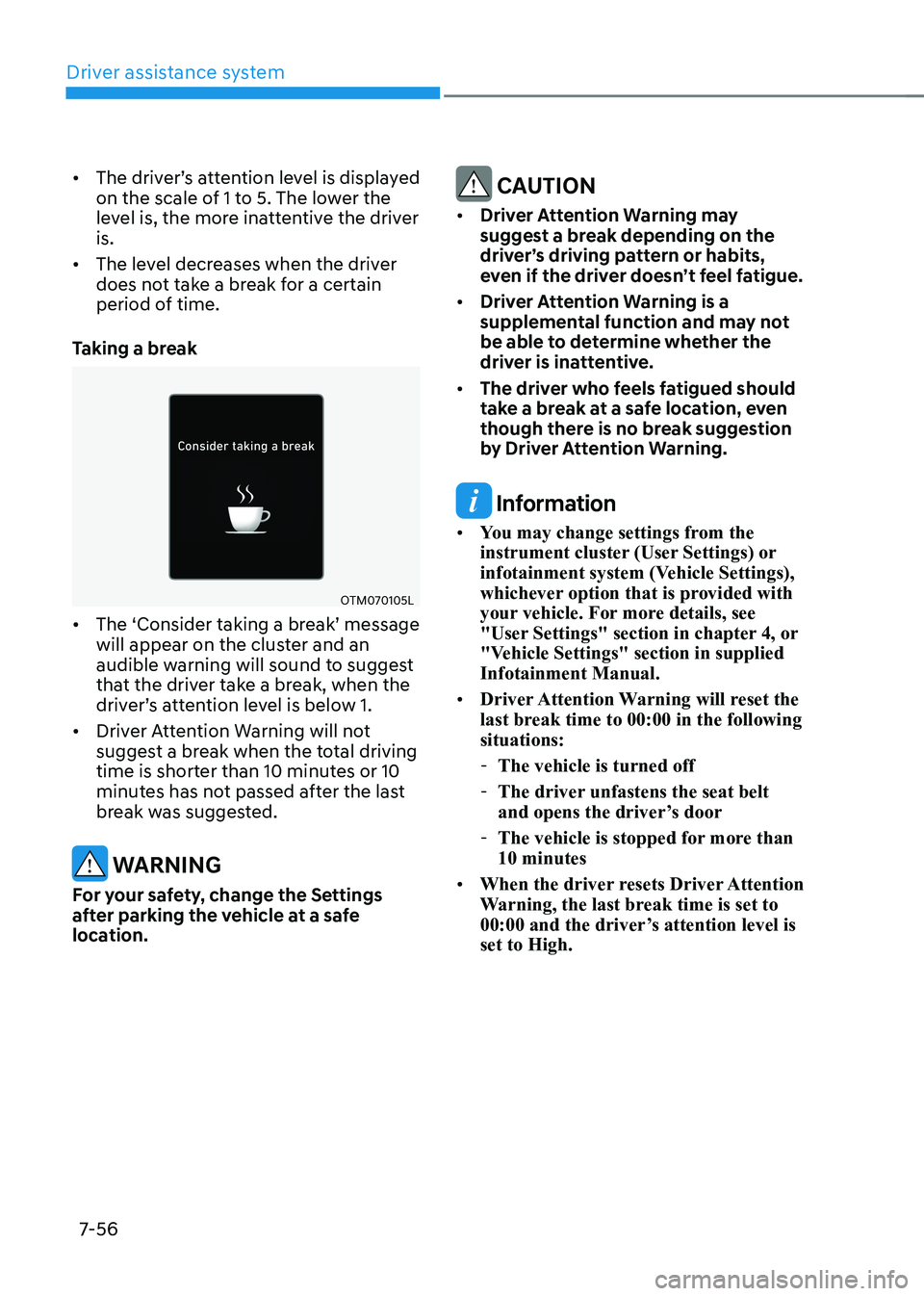
Taking a break
OTM070105L
• The ‘Consider taking a break’ message will appear on the cluster and an
audible warning will sound to suggest
that the driver take a break, when the
driver’s attention level is below 1.
• Driver Attention Warning will not
suggest a break when the total driving
time is shorter than 10 minutes or 10
minutes has not passed after the last
break was suggested.
warning
For your safety, change the Settings
after parking the vehicle at a safe
location.
CAUTION
• Driver Attention Warning may
suggest a break depending on the
driver’s driving pattern or habits,
even if the driver doesn’t feel fatigue.
• Driver Attention Warning is a
supplemental function and may not
be able to determine whether the
driver is inattentive.
• The driver who feels fatigued should
take a break at a safe location, even
though there is no break suggestion
by Driver Attention Warning.
Information
• You may change settings from the
instrument cluster (User Settings) or
infotainment system (Vehicle Settings),
whichever option that is provided with
your vehicle. For more details, see
"User Settings" section in chapter 4, or
"Vehicle Settings" section in supplied Infotainment Manual.
• Driver Attention Warning will reset the
last break time to 00:00 in the following situations:
- The vehicle is turned off
- The driver unfastens the seat belt
and opens the driver’s door
- The vehicle is stopped for more than 10 minutes
• When the driver resets Driver Attention
Warning, the last break time is set to
00:00 and the driver’s attention level is set to High.
Page 392 of 548
07
7-59
•
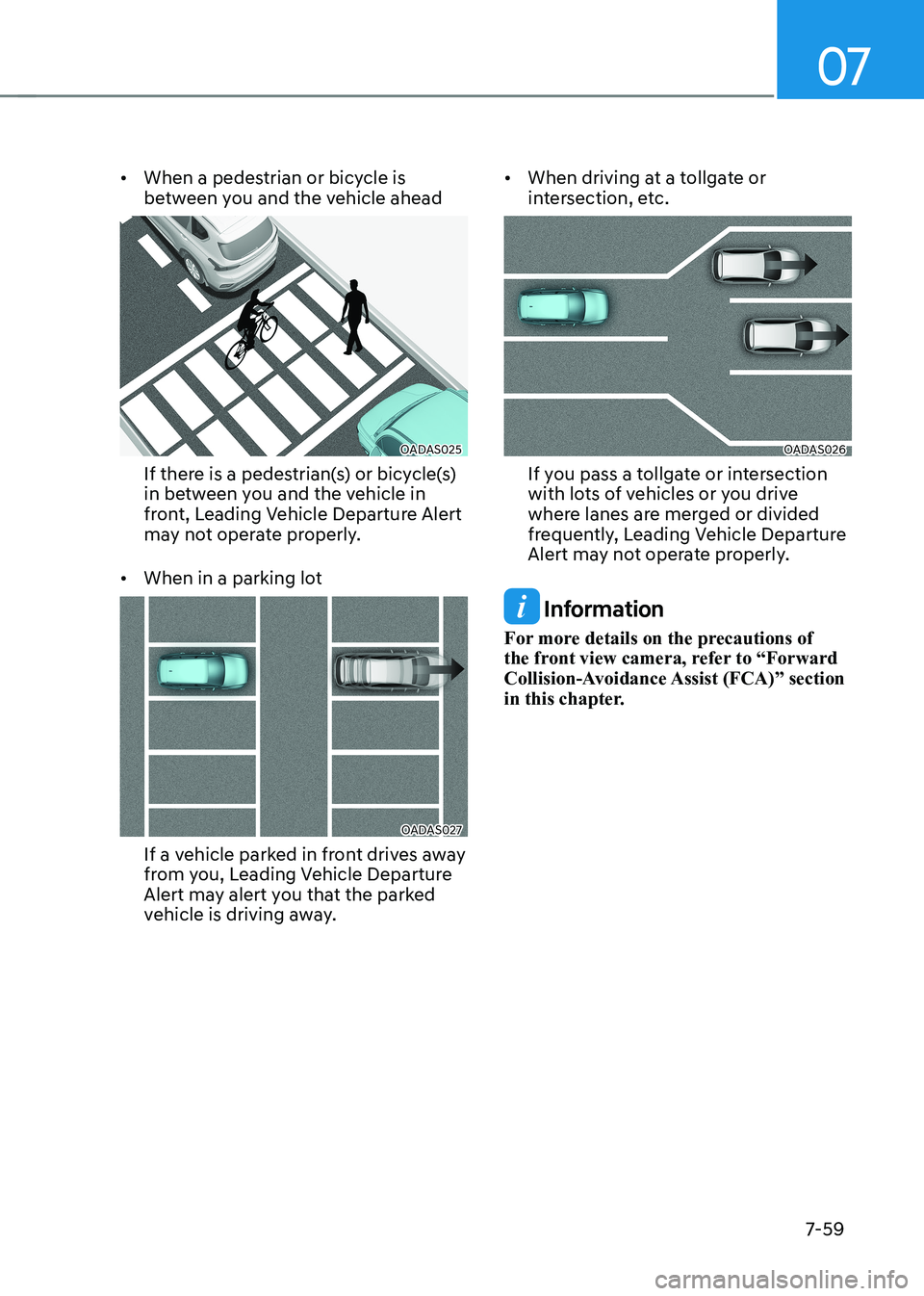
When a pedestrian or bicycle is
between you and the vehicle ahead
OADAS025
If there is a pedestrian(s) or bicycle(s)
in between you and the vehicle in
front, Leading Vehicle Departure Alert
may not operate properly.
• When in a parking lot
OADAS027
If a vehicle parked in front drives away
from you, Leading Vehicle Departure
Alert may alert you that the parked
vehicle is driving away. •
When driving at a tollgate or
intersection, etc.
OADAS026
If you pass a tollgate or intersection
with lots of vehicles or you drive
where lanes are merged or divided
frequently, Leading Vehicle Departure
Alert may not operate properly.
Information
For more details on the precautions of
the front view camera, refer to “Forward
Collision-Avoidance Assist (FCA)” section
in this chapter.
Page 397 of 548
Driver assistance system
7-64
Smart Cruise Control is designed to
detect the vehicle ahead and help
maintain the desired speed and
minimum distance between the vehicle ahead.
Overtaking Acceleration Assist
While Smart Cruise Control is operating,
if the function judges that the driver is
determined to overtake the vehicle in
front, acceleration will be assisted.
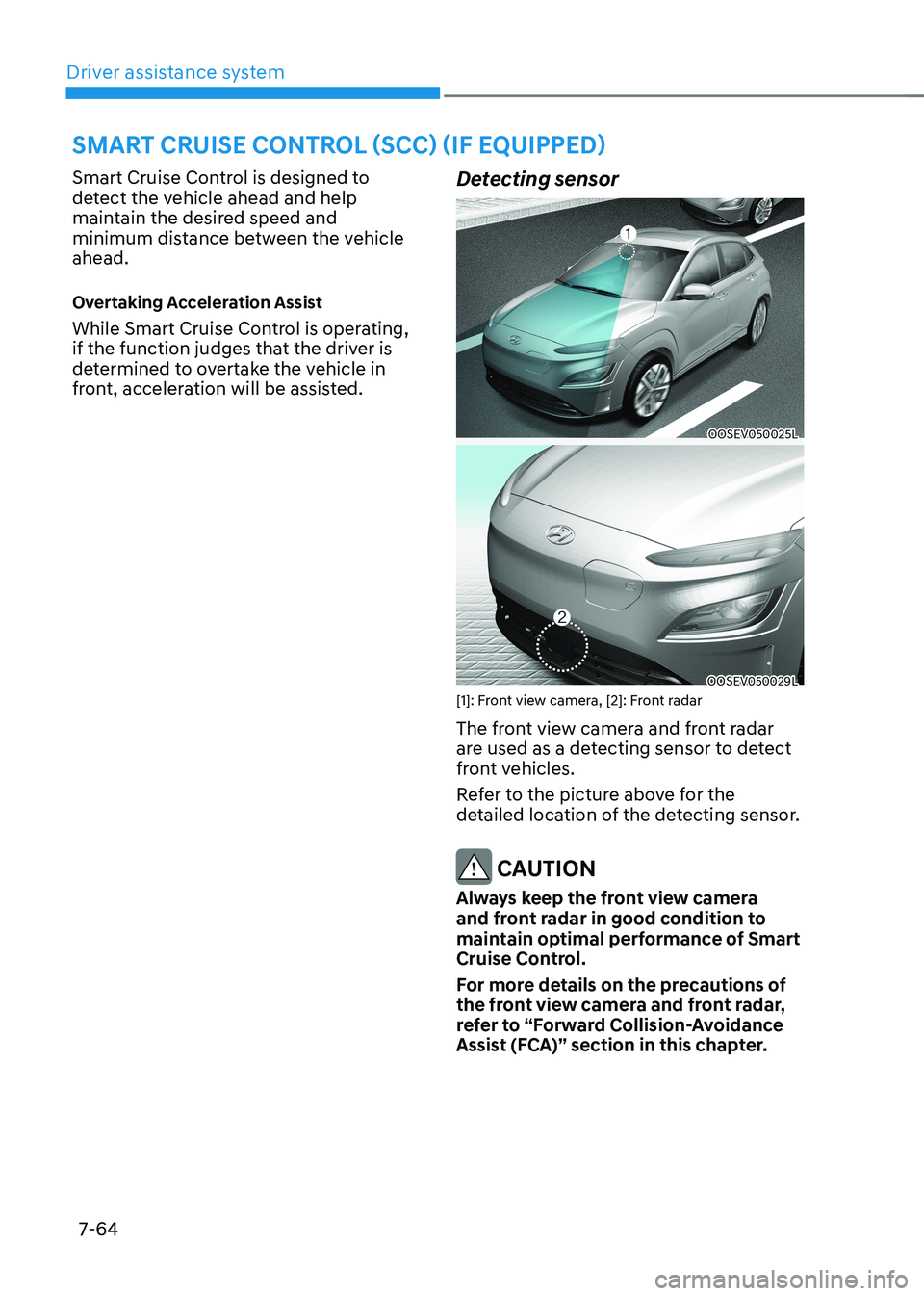
Detecting sensor
OOSEV050025L
OOSEV050029L
[1]: Front view camera, [2]: Front radar
The front view camera and front radar
are used as a detecting sensor to detect
front vehicles.
Refer to the picture above for the
detailed location of the detecting sensor.
CAUTION
Always keep the front view camera
and front radar in good condition to
maintain optimal performance of Smart
Cruise Control.
For more details on the precautions of
the front view camera and front radar,
refer to “Forward Collision-Avoidance
Assist (FCA)” section in this chapter.
smart Cruise Control (sCC) (iF equipped)
Page 402 of 548
07
7-69
Overtaking Acceleration Assist
Overtaking Acceleration Assist will
operate when the turn signal indicator
is turned on to the left (left-hand drive)
or turned on to the right (right-hand
drive) while Smart Cruise Control is
operating, and the following conditions
are satisfied: • Your vehicle speed is above 60 km/h
(40 mph)
• The hazard warning flasher is off
• A vehicle is detected in front of your
vehicle
• Deceleration is not needed to
maintain distance with the vehicle in
front
warning
• When the turn signal indicator is
turned on to the left (left-hand drive)
or turned on to the right (right-
hand drive) while there is a vehicle
ahead, the vehicle may accelerate
temporarily. Pay attention to the
road conditions at all times.
• Regardless of your countries driving
direction, Overtaking Acceleration
Assist will operate when the
conditions are satisfied. When
using the function in countries with
different driving direction, always
check the road conditions at all times.
Smart Cruise Control display and
control
Basic function
You can see the status of the Smart
Cruise Control operation in the Driving
Assist view on the cluster. Refer to “View
Modes” section in chapter 4.
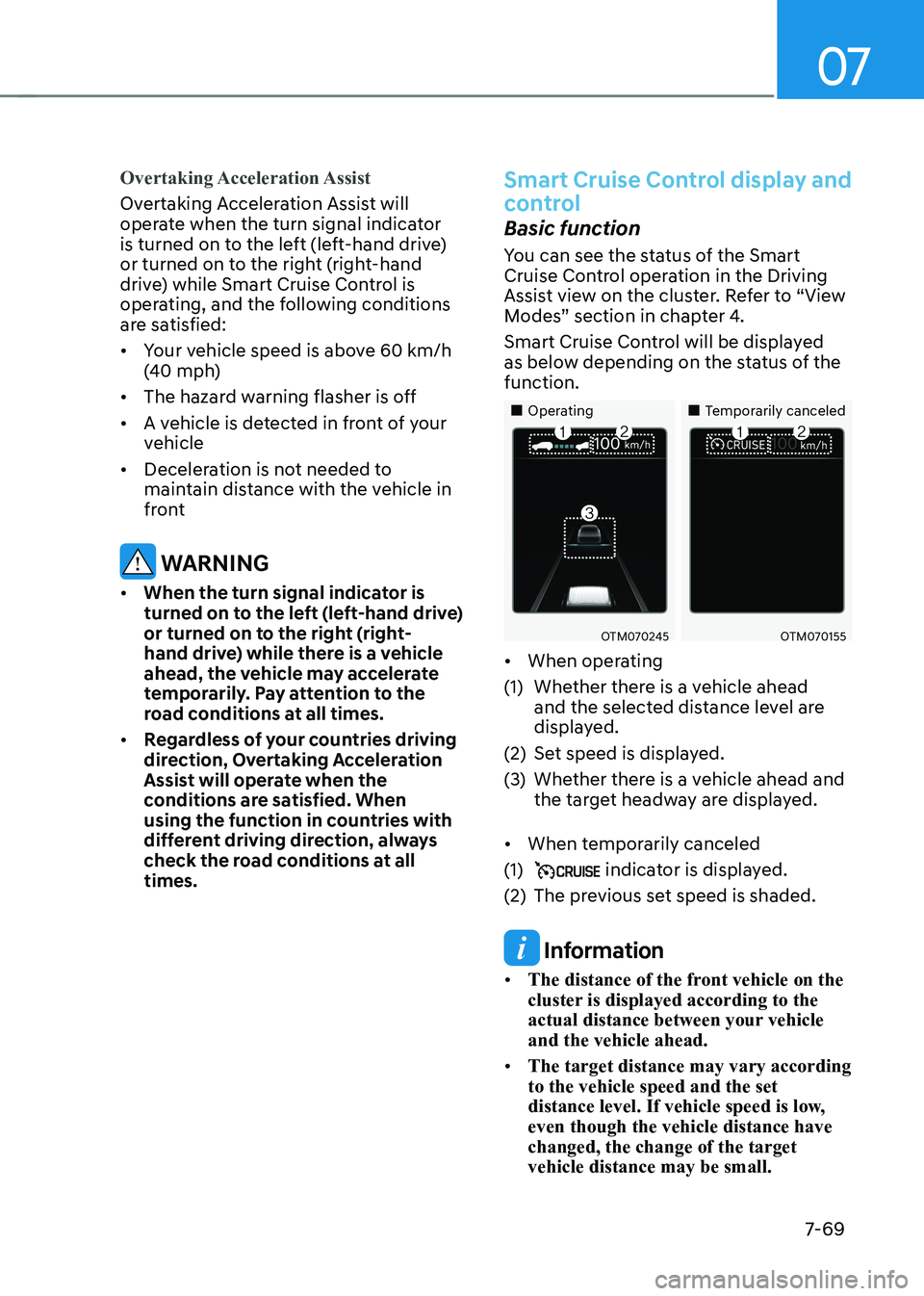
Smart Cruise Control will be displayed
as below depending on the status of the function.
„„Operating „„Temporarily canceled
OTM070245OTM070155
• When operating
(1) Whether there is a vehicle ahead and the selected distance level are
displayed.
(2) Set speed is displayed.
(3) Whether there is a vehicle ahead and the target headway are displayed.
• When temporarily canceled
(1)
indicator is displayed.
(2) The previous set speed is shaded.
Information
• The distance of the front vehicle on the
cluster is displayed according to the
actual distance between your vehicle and the vehicle ahead.
• The target distance may vary according to the vehicle speed and the set
distance level. If vehicle speed is low, even though the vehicle distance have changed, the change of the target vehicle distance may be small.
Page 414 of 548
07
7-81
Navigation-based Smart Cruise
Control operation
Operating conditions
Navigation-based Smart Cruise Control
is ready to operate if all of the following
conditions are satisfied: • Smart Cruise Control is operating
• Driving on main roads of highways (or
motorways)
Information
For more details on how to operate Smart
Cruise Control, refer to “Smart Cruise
Control (SCC)” section in this chapter.
Navigation-based Smart Cruise
Control display and control
When Navigation-based Smart Cruise
Control operates, it will be displayed on
the cluster as follows: • Navigation-based Smart Cruise
Control standby
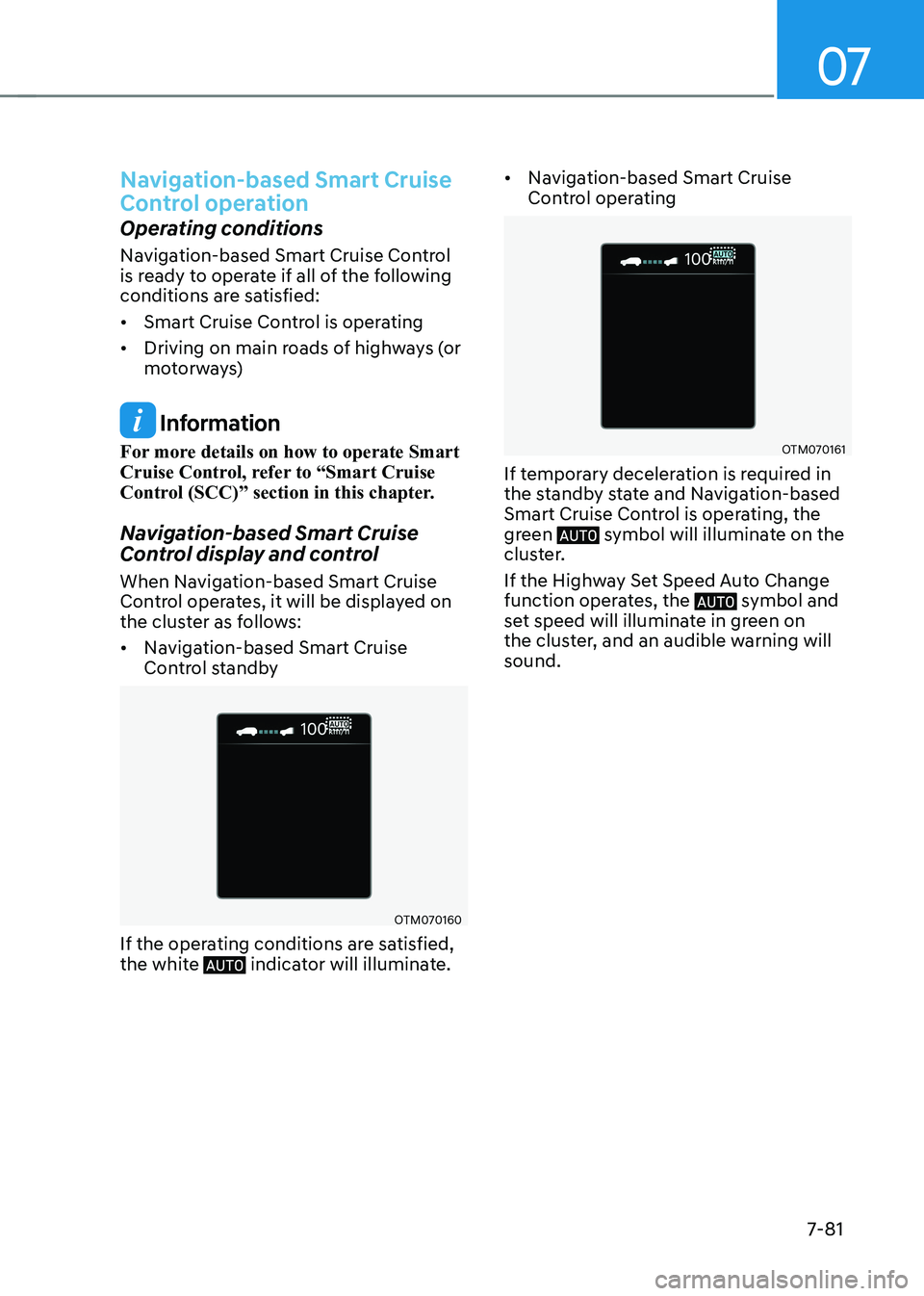
OTM070160
If the operating conditions are satisfied,
the white
indicator will illuminate. •
Navigation-based Smart Cruise
Control operating
OTM070161
If temporary deceleration is required in
the standby state and Navigation-based
Smart Cruise Control is operating, the
green
symbol will illuminate on the
cluster.
If the Highway Set Speed Auto Change
function operates, the
symbol and
set speed will illuminate in green on
the cluster, and an audible warning will sound.
Page 420 of 548
07
7-87
Lane Following Assist is designed to help
detect lane markings and/or vehicles on
the road, and assists the driver’s steering
to help keep the vehicle between lanes.
Detecting sensor
OOSEV050025L
[1]: Front view camera
The front view camera is used as a
detecting sensor to detect lane markings
and front vehicles.
Refer to the picture above for the
detailed location of the detecting sensor.
CAUTION
For more details on the precautions
of the front view camera, refer to
“Forward Collision-Avoidance Assist
(FCA)” section in this chapter.
Lane Following Assist settings
Setting features
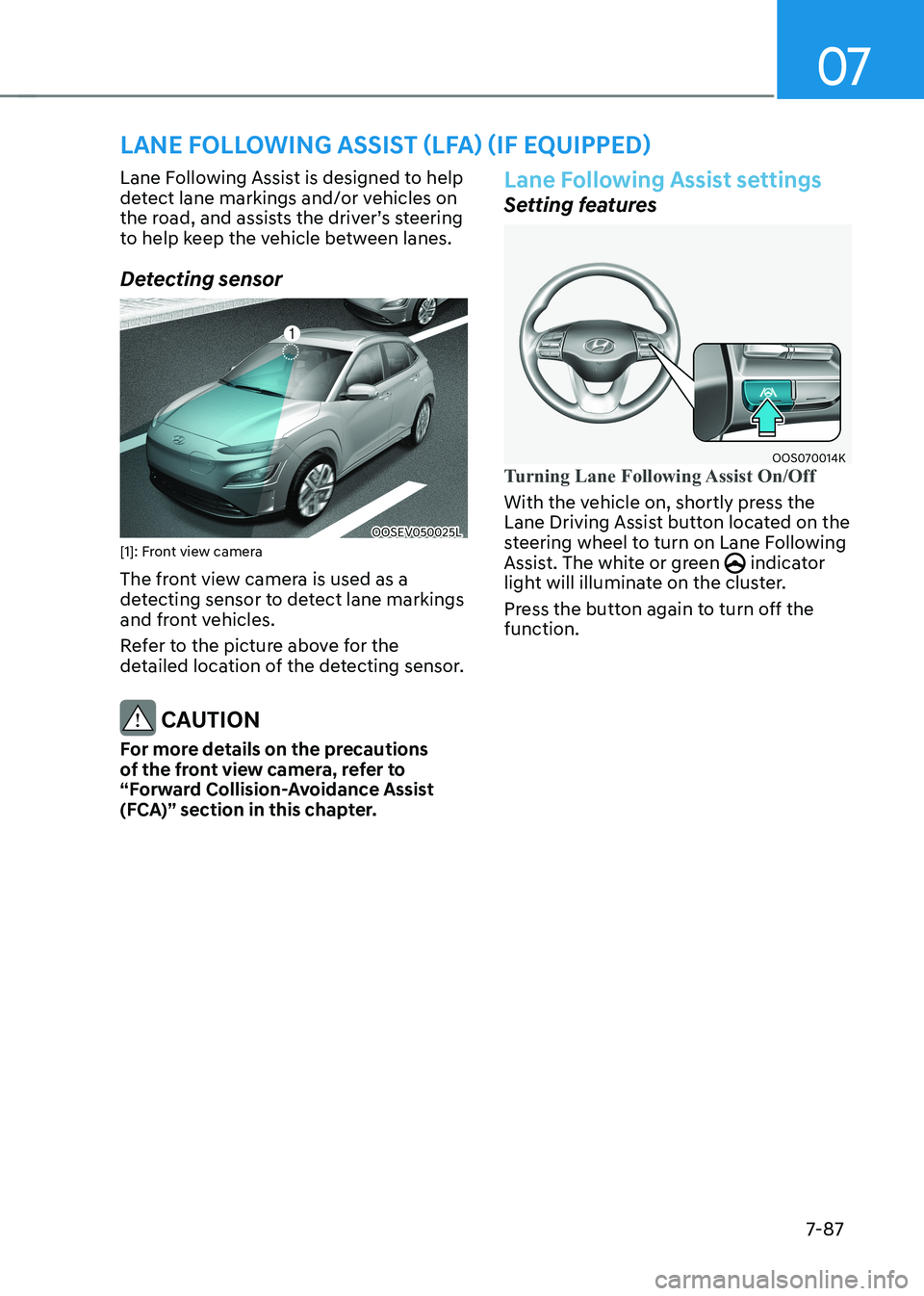
OOS070014KTurning Lane Following Assist On/Off
With the vehicle on, shortly press the
Lane Driving Assist button located on the
steering wheel to turn on Lane Following
Assist. The white or green
indicator
light will illuminate on the cluster.
Press the button again to turn off the function.
lane Following assist (lFa) (iF equipped)