chapter 7 HYUNDAI KONA EV 2022 Repair Manual
[x] Cancel search | Manufacturer: HYUNDAI, Model Year: 2022, Model line: KONA EV, Model: HYUNDAI KONA EV 2022Pages: 548, PDF Size: 49.14 MB
Page 423 of 548
Driver assistance system
7-90
Information
• For more details on setting the functions in the infotainment system,
refer to “Vehicle Settings” section in
chapter 4.
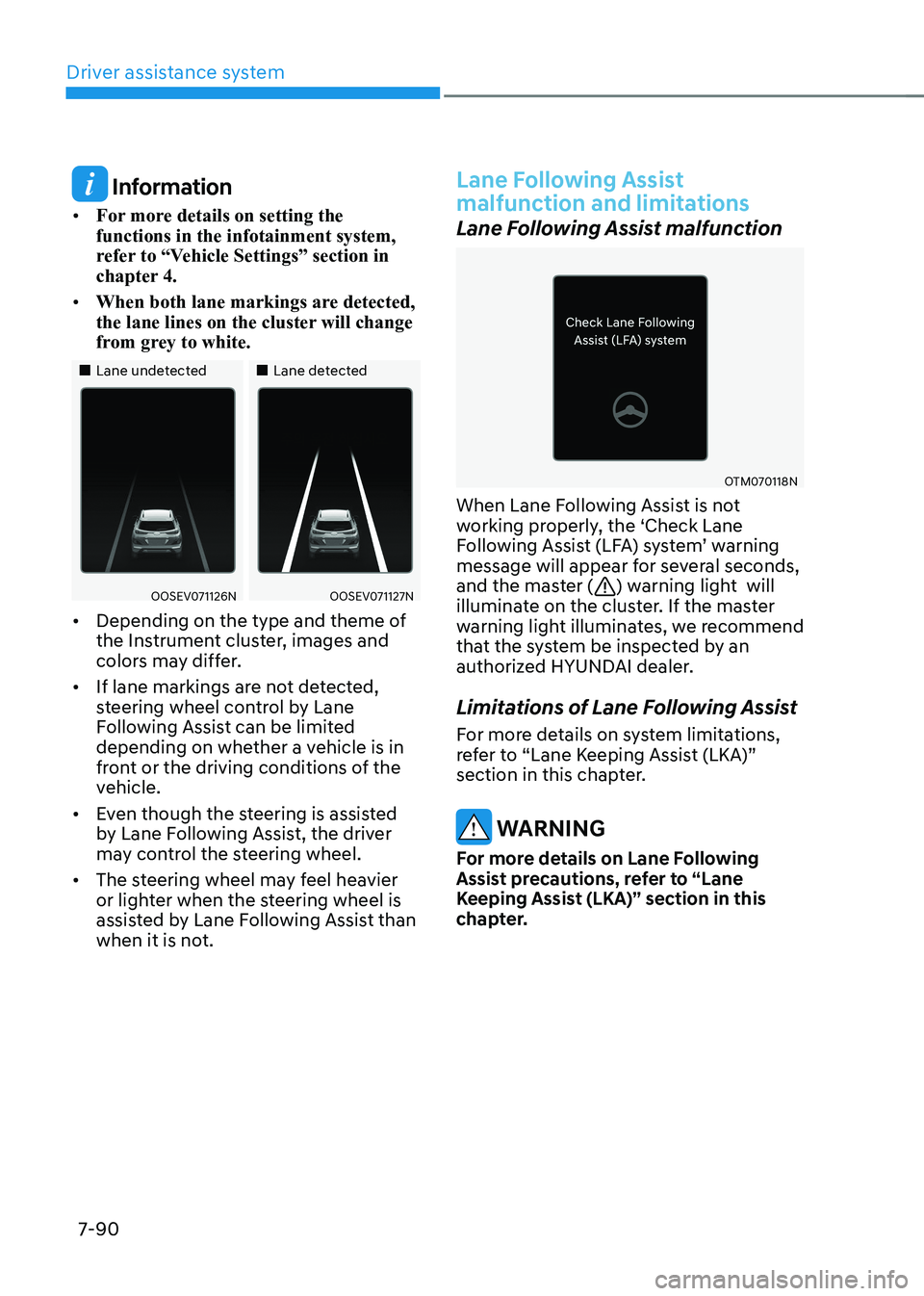
• When both lane markings are detected,
the lane lines on the cluster will change
from grey to white.
„„Lane undetected „„Lane detected
OOSEV071126NOOSEV071127N
• Depending on the type and theme of
the Instrument cluster, images and
colors may differ.
• If lane markings are not detected,
steering wheel control by Lane
Following Assist can be limited
depending on whether a vehicle is in
front or the driving conditions of the
vehicle.
• Even though the steering is assisted
by Lane Following Assist, the driver
may control the steering wheel.
• The steering wheel may feel heavier
or lighter when the steering wheel is
assisted by Lane Following Assist than
when it is not.
Lane Following Assist
malfunction and limitations
Lane Following Assist malfunction
OTM070118N
When Lane Following Assist is not
working properly, the ‘Check Lane
Following Assist (LFA) system’ warning
message will appear for several seconds,
and the master (
) warning light will
illuminate on the cluster. If the master
warning light illuminates, we recommend
that the system be inspected by an
authorized HYUNDAI dealer.
Limitations of Lane Following Assist
For more details on system limitations,
refer to “Lane Keeping Assist (LKA)”
section in this chapter.
warning
For more details on Lane Following
Assist precautions, refer to “Lane
Keeping Assist (LKA)” section in this
chapter.
Page 424 of 548
07
7-91
Basic function
Highway Driving Assist is designed to
help detect vehicles and lanes ahead,
and help maintain distance from
the vehicle ahead, maintain the set
speed, and keep the vehicle between
lanes while driving on the highway (or
motorway).
OADAS035
Information
The Highway Driving Assist is available
only on controlled access road of certain highways.
à Controlled access road indicates
roads with limited entrances and exits that allow uninterrupted high speed
traffic flow. Only passenger cars and
motorcycles are allowed on controlled
access roads. Detecting sensor
OOSEV050025L
OOSEV050029L
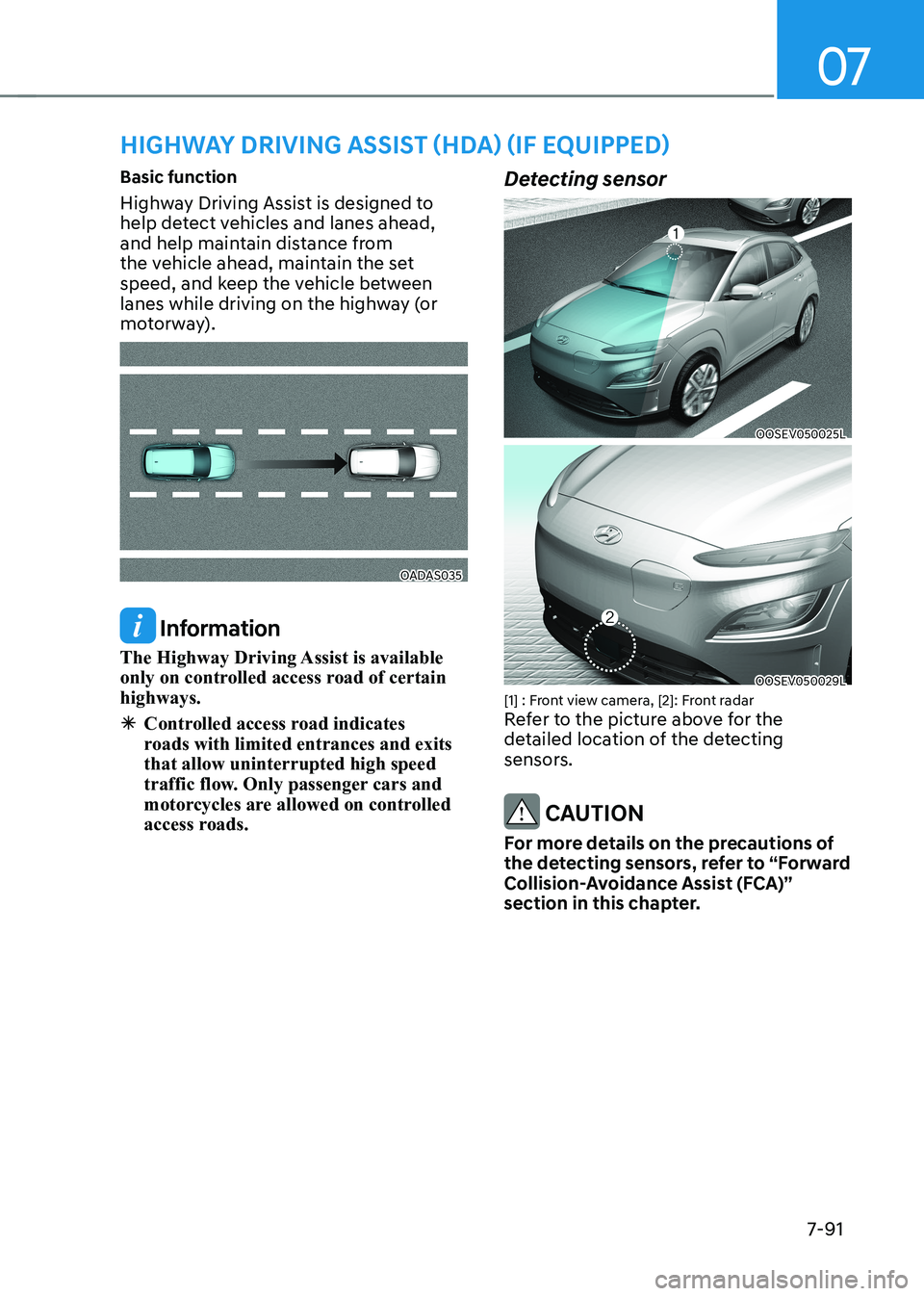
[1] : Front view camera, [2]: Front radar
Refer to the picture above for the
detailed location of the detecting
sensors.
CAUTION
For more details on the precautions of
the detecting sensors, refer to “Forward
Collision-Avoidance Assist (FCA)”
section in this chapter.
HigHway driving assist (Hda) (iF equipped)
Page 426 of 548
07
7-93
Highway Driving Assist
operation
Basic function
Highway Driving Assist display and
control
You can see the status of the Highway
Driving Assist operation in the Driving
Assist view on the cluster. Refer to “View
Modes” section in chapter 4.
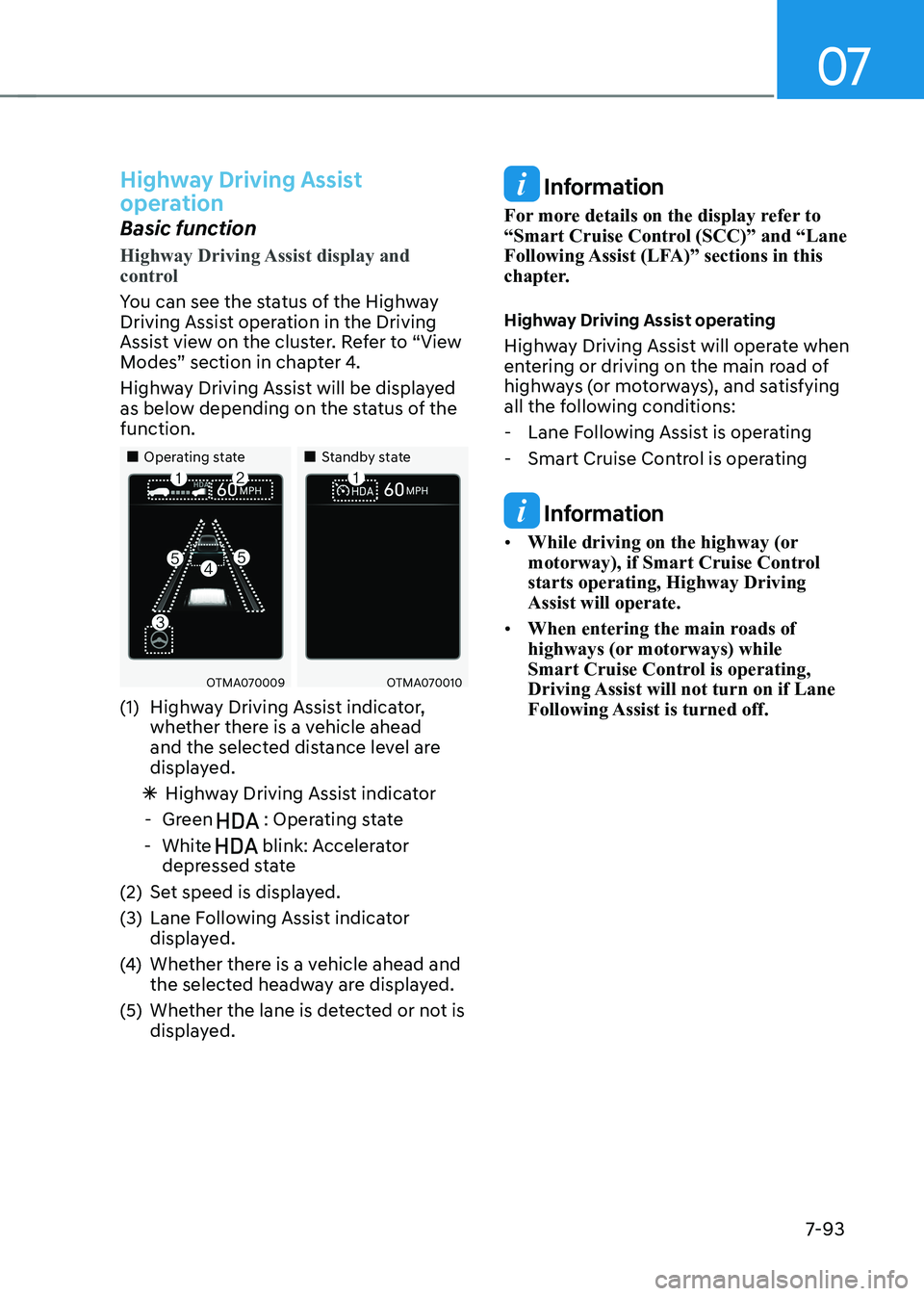
Highway Driving Assist will be displayed
as below depending on the status of the function.
„„Operating state„„Standby state
OTMA070009OTMA070010
(1) Highway Driving Assist indicator, whether there is a vehicle ahead
and the selected distance level are
displayed.
à Highway Driving Assist indicator
- Green
: Operating state
- White
blink: Accelerator
depressed state
(2) Set speed is displayed.
(3) Lane Following Assist indicator displayed.
(4) Whether there is a vehicle ahead and
the selected headway are displayed.
(5) Whether the lane is detected or not is displayed.
Information
For more details on the display refer to
“Smart Cruise Control (SCC)” and “Lane
Following Assist (LFA)” sections in this
chapter.
Highway Driving Assist operating
Highway Driving Assist will operate when
entering or driving on the main road of
highways (or motorways), and satisfying
all the following conditions: - Lane Following Assist is operating
- Smart Cruise Control is operating
Information
• While driving on the highway (or
motorway), if Smart Cruise Control starts operating, Highway Driving Assist will operate.
• When entering the main roads of
highways (or motorways) while
Smart Cruise Control is operating,
Driving Assist will not turn on if Lane
Following Assist is turned off.
Page 430 of 548
07
7-97
Limitations of Highway Driving
Assist
Highway Driving Assist and Highway
Lane Change function may not operate
normally, or may not operate under the
following circumstances: •
The map information and the
actual road is different because the
navigation is not updated
• The map information and the actual
road is different because of real-time
GPS data or map information error
• The infotainment system is overloaded
by simultaneously performing
functions such as route search, video
playback, voice recognition, etc.
• GPS signals are blocked in areas such as a tunnel
• The driver goes off course or the
route to the destination is changed or
canceled by resetting the navigation
• The vehicle enters a service station or
rest area
• Android Auto or Car Play is operating
• The navigation cannot detect the
current vehicle position (ex: elevated
roads including overpass adjacent to
general roads or nearby roads exist in
a parallel way)
• White single dotted lane line or road
edge cannot be detected
• The road is temporarily controlled due
to construction, etc.
• There is no structure, such as a
medium strip, guardrails, etc., on the
road
• There is a changeable lane in the
direction of lane change
Information
For more details on the limitations of
the front view camera, front radar, front
corner radar and rear corner radar, refer
to “Forward Collision-Avoidance Assist
(FCA)” section in this chapter.
Information
This device complies with Industry Canada RSS-210 standard.
Operation is subject to the following three conditions: 1. This device may not cause harmful
interference, and
2. This device must accept any
interference received, including
interference that may cause undesired operation.
3. Changes or modifications not expressly
approved by the party responsible
for compliance could void the user's authority to operate the device.
Information
Radio frequency radiation exposure information: This equipment complies with RSS- 210
radiation exposure limits set forth for an
uncontrolled environment. This equipment should be installed and operated with minimum distance of 20cm
(8 in.) between the radiator (antenna) and
your body.
This transmitter must not be co-located or
operating in conjunction with any other
antenna or transmitter.
Page 434 of 548
07
7-101
Rear Cross-Traffic Collision-Avoidance
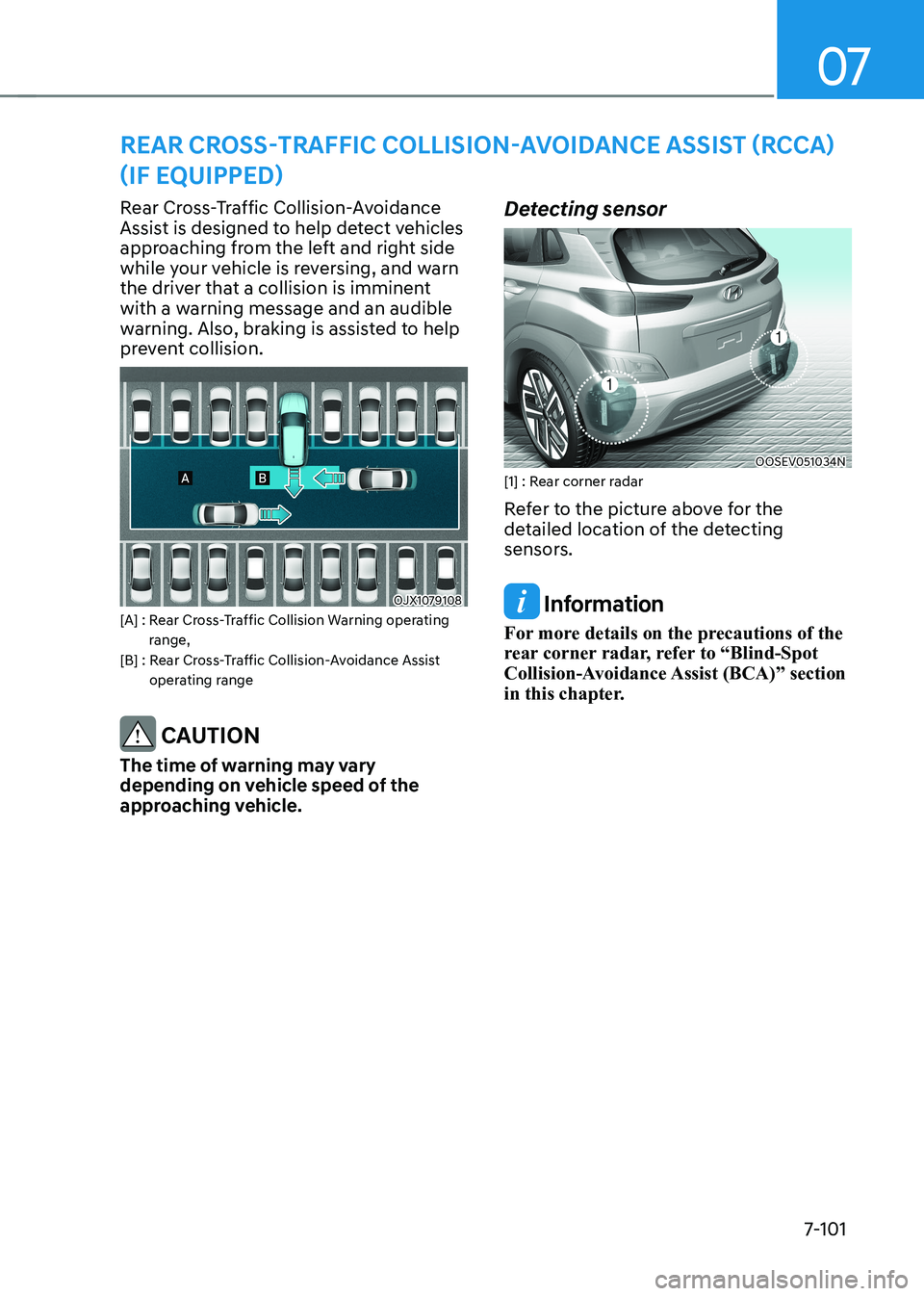
Assist is designed to help detect vehicles
approaching from the left and right side
while your vehicle is reversing, and warn
the driver that a collision is imminent
with a warning message and an audible
warning. Also, braking is assisted to help
prevent collision.
OJX1079108
[A] : Rear Cross-Traffic Collision Warning operating range,
[B] : Rear Cross-Traffic Collision-Avoidance Assist
operating range
CAUTION
The time of warning may vary
depending on vehicle speed of the
approaching vehicle. Detecting sensor
OOSEV051034N
[1] : Rear corner radar
Refer to the picture above for the
detailed location of the detecting
sensors.
Information
For more details on the precautions of the
rear corner radar, refer to “Blind-Spot
Collision-Avoidance Assist (BCA)” section
in this chapter.
rear Cross-traFFiC Collision-avoidanCe assist (rCCa)
(iF equipped)
Page 441 of 548
Driver assistance system
7-108
Rear Cross-Traffic Collision-
Avoidance Assist disabled
OTM070124N
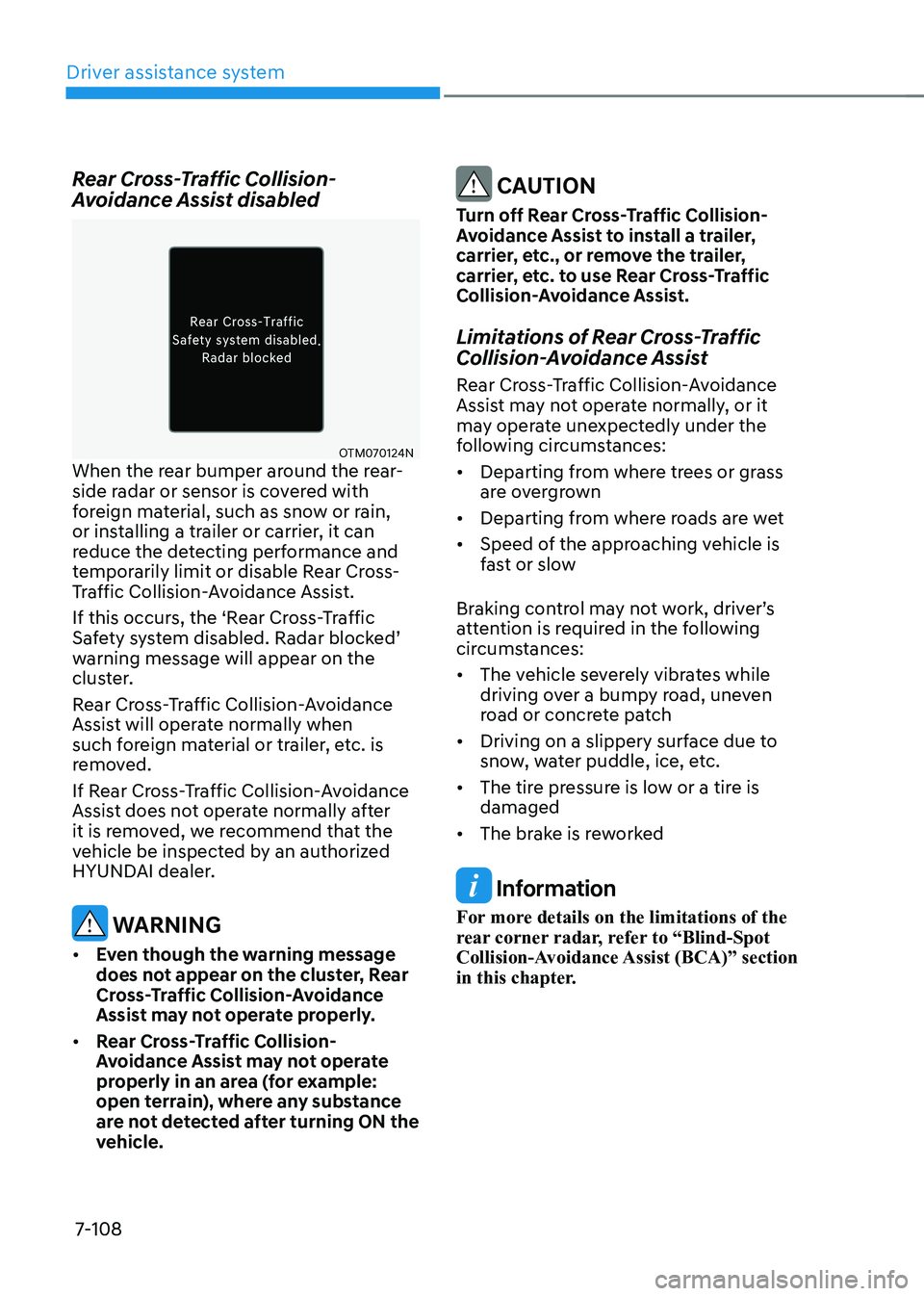
When the rear bumper around the rear-
side radar or sensor is covered with
foreign material, such as snow or rain,
or installing a trailer or carrier, it can
reduce the detecting performance and
temporarily limit or disable Rear Cross-
Traffic Collision-Avoidance Assist.
If this occurs, the ‘Rear Cross-Traffic
Safety system disabled. Radar blocked’
warning message will appear on the
cluster.
Rear Cross-Traffic Collision-Avoidance
Assist will operate normally when
such foreign material or trailer, etc. is
removed.
If Rear Cross-Traffic Collision-Avoidance
Assist does not operate normally after
it is removed, we recommend that the
vehicle be inspected by an authorized
HYUNDAI dealer.
warning
• even though the warning message
does not appear on the cluster, Rear
Cross-Traffic Collision-Avoidance
Assist may not operate properly.
• Rear Cross-Traffic Collision-
Avoidance Assist may not operate
properly in an area (for example:
open terrain), where any substance
are not detected after turning ON the
vehicle.
CAUTION
Turn off Rear Cross-Traffic Collision-
Avoidance Assist to install a trailer,
carrier, etc., or remove the trailer,
carrier, etc. to use Rear Cross-Traffic
Collision-Avoidance Assist.
Limitations of Rear Cross-Traffic
Collision-Avoidance Assist
Rear Cross-Traffic Collision-Avoidance
Assist may not operate normally, or it
may operate unexpectedly under the
following circumstances: • Departing from where trees or grass
are overgrown
• Departing from where roads are wet
• Speed of the approaching vehicle is
fast or slow
Braking control may not work, driver’s
attention is required in the following
circumstances: • The vehicle severely vibrates while
driving over a bumpy road, uneven
road or concrete patch
• Driving on a slippery surface due to
snow, water puddle, ice, etc.
• The tire pressure is low or a tire is damaged
• The brake is reworked
Information
For more details on the limitations of the
rear corner radar, refer to “Blind-Spot
Collision-Avoidance Assist (BCA)” section
in this chapter.
Page 458 of 548
08
8-3
If you have a flat tire while driving
If a tire goes flat while you are driving: • Take your foot off the accelerator
pedal and let the vehicle slow down
while driving straight ahead. Do not
apply the brakes immediately or
attempt to pull off the road as this
may cause loss of vehicle control
resulting in an accident. When the
vehicle has slowed to such a speed
that it is safe to do so, brake carefully
and pull off the road. Drive off the
road as far as possible and park on
firm, level ground. If you are on a
divided highway, do not park in the
median area between the two traffic lanes.
• When the vehicle is stopped, press the
hazard warning flasher button, shift to
P (Park), apply the parking brake, and
place the START/STOP button in the OFF position.
• Have all passengers get out of the
vehicle. Be sure they all get out on the
side of the vehicle that is away from
traffic.
• When changing a flat tire, follow the
instructions provided later in this
chapter.
if tHe veHicle will not
s ta rt
Confirm the EV battery is not low
on the charge gauge
• Be sure the gear is in P (Park). The
vehicle starts only when the gear is in
P (Park).
• Check the 12-volt battery connections
to be sure they are clean and tight.
• Turn on the interior light. If the light
dims or goes out when you operate
the starter, the 12V battery is drained.
Do not push or pull the vehicle to start it.
This could cause damage to your vehicle.
See instructions for “Jump Starting”
provided in this chapter.
Page 461 of 548
Emergency situations
8-6
OOSEV060014L
OOSEV048110L
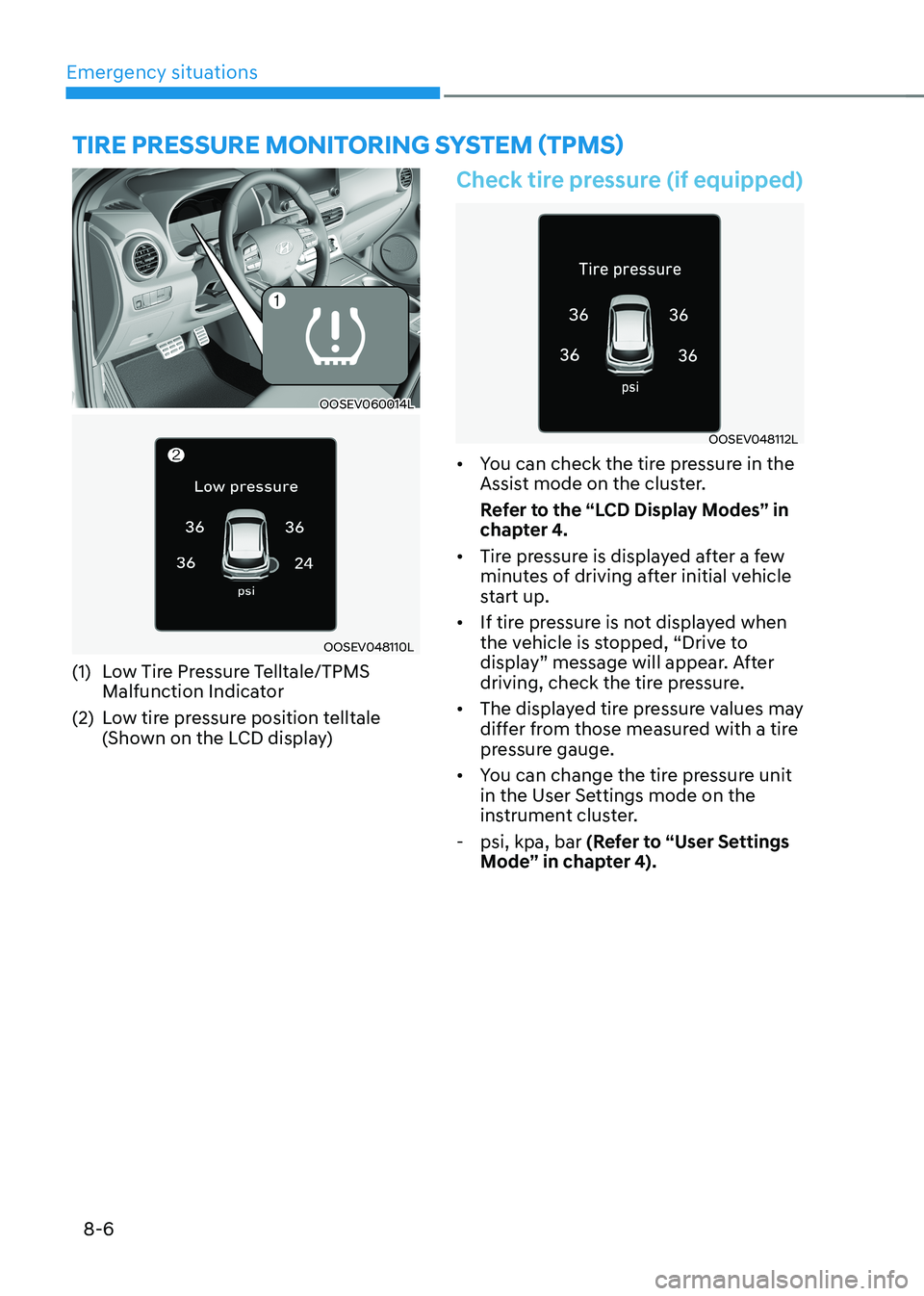
(1) Low Tire Pressure Telltale/TPMS Malfunction Indicator
(2) Low tire pressure position telltale (Shown on the LCD display)
Check tire pressure (if equipped)
OOSEV048112L
• You can check the tire pressure in the
Assist mode on the cluster.
Refer to the “LCD Display Modes” in
chapter 4.
• Tire pressure is displayed after a few
minutes of driving after initial vehicle
start up.
• If tire pressure is not displayed when
the vehicle is stopped, “Drive to
display” message will appear. After
driving, check the tire pressure.
• The displayed tire pressure values may
differ from those measured with a tire
pressure gauge.
• You can change the tire pressure unit
in the User Settings mode on the
instrument cluster.
- psi, kpa, bar (Refer to “User Settings
Mode” in chapter 4).
TIRE PRESSURE MoNIToRING SYSTEM (TPMS)
Page 468 of 548
08
8-13
WARNING
Sealant • Keep out of reach of children.
• Avoid contact with eyes.
• Do not swallow.
Using the Tire Mobility Kit When
a tire is flat
CAUTION
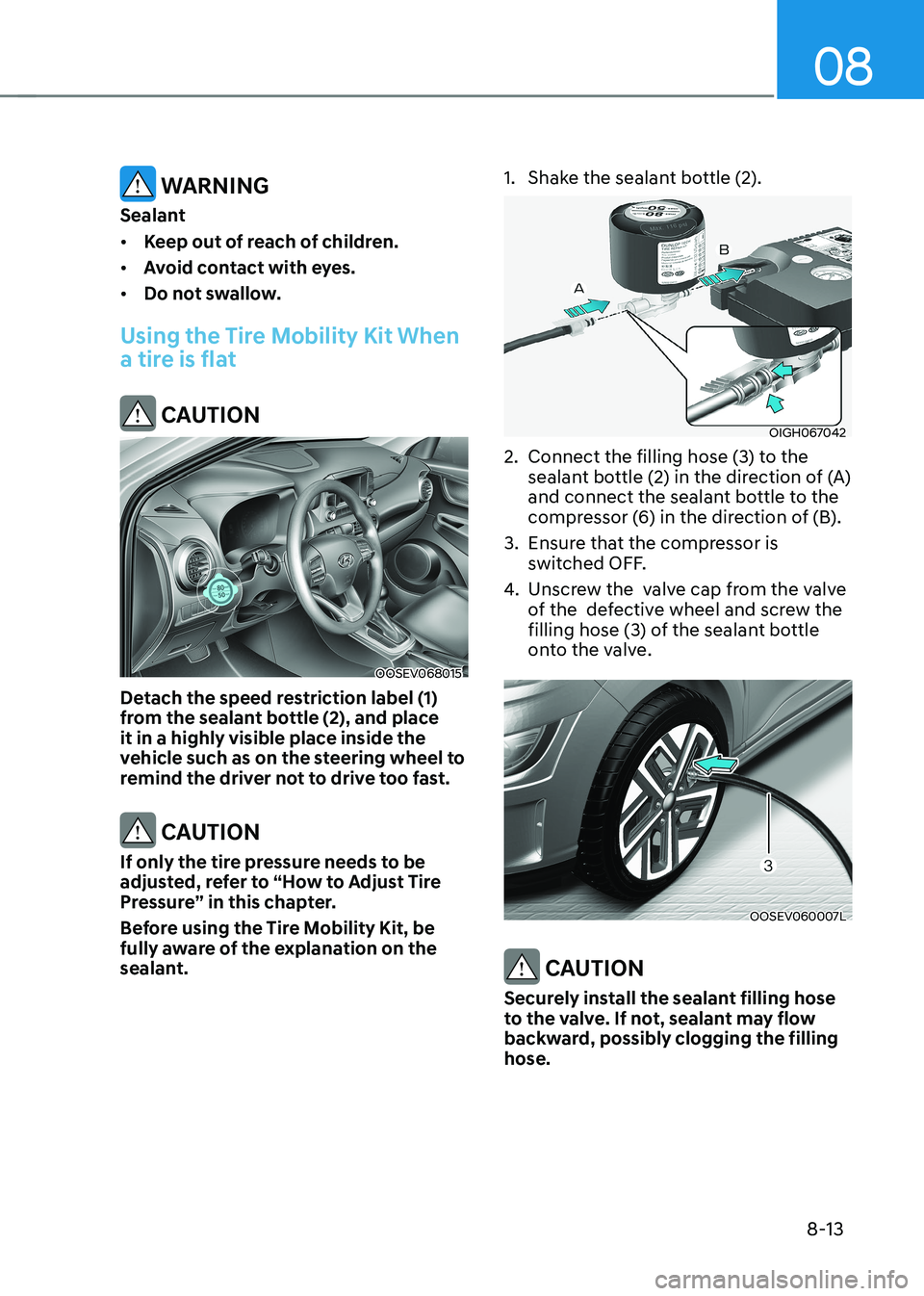
OOSEV068015
Detach the speed restriction label (1)
from the sealant bottle (2), and place
it in a highly visible place inside the
vehicle such as on the steering wheel to
remind the driver not to drive too fast.
CAUTION
If only the tire pressure needs to be
adjusted, refer to “How to Adjust Tire
Pressure” in this chapter.
Before using the Tire Mobility Kit, be
fully aware of the explanation on the
sealant. 1. Shake the sealant bottle (2).
OIGH067042
2. Connect the filling hose (3) to the sealant bottle (2) in the direction of (A)
and connect the sealant bottle to the
compressor (6) in the direction of (B).
3. Ensure that the compressor is switched OFF.
4. Unscrew the valve cap from the valve
of the defective wheel and screw the
filling hose (3) of the sealant bottle
onto the valve.
OOSEV060007L
CAUTION
Securely install the sealant filling hose
to the valve. If not, sealant may flow
backward, possibly clogging the filling hose.
Page 469 of 548
Emergency situations
8-14
OOSEV060008L
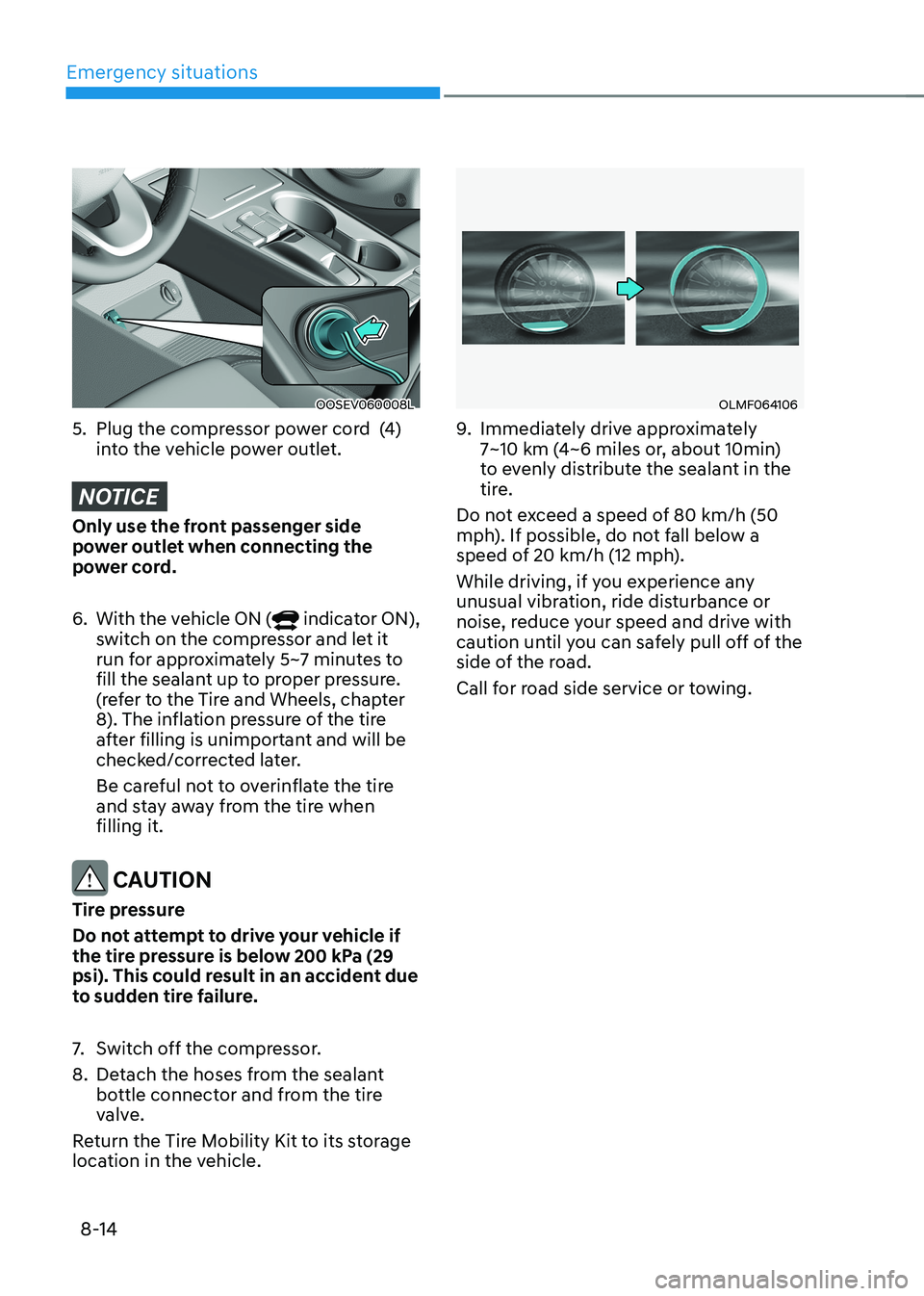
5. Plug the compressor power cord (4) into the vehicle power outlet.
NOTICE
Only use the front passenger side
power outlet when connecting the
power cord. 6. With the vehicle ON (
indicator ON),
switch on the compressor and let it
run for approximately 5~7 minutes to
fill the sealant up to proper pressure.
(refer to the Tire and Wheels, chapter
8). The inflation pressure of the tire
after filling is unimportant and will be
checked/corrected later.
Be careful not to overinflate the tire
and stay away from the tire when filling it.
CAUTION
Tire pressure
Do not attempt to drive your vehicle if
the tire pressure is below 200 kPa (29
psi). This could result in an accident due
to sudden tire failure.
7. Switch off the compressor.
8. Detach the hoses from the sealant bottle connector and from the tire
valve.
Return the Tire Mobility Kit to its storage
location in the vehicle.
OLMF064106
9. Immediately drive approximately
7~10 km (4~6 miles or, about 10min)
to evenly distribute the sealant in the
tire.
Do not exceed a speed of 80 km/h (50
mph). If possible, do not fall below a
speed of 20 km/h (12 mph).
While driving, if you experience any
unusual vibration, ride disturbance or
noise, reduce your speed and drive with
caution until you can safely pull off of the
side of the road.
Call for road side service or towing.