ignition Hyundai Matrix 2005 Workshop Manual
[x] Cancel search | Manufacturer: HYUNDAI, Model Year: 2005, Model line: Matrix, Model: Hyundai Matrix 2005Pages: 407, PDF Size: 10.31 MB
Page 219 of 407
1
FEATURES OF YOUR HYUNDAI
55
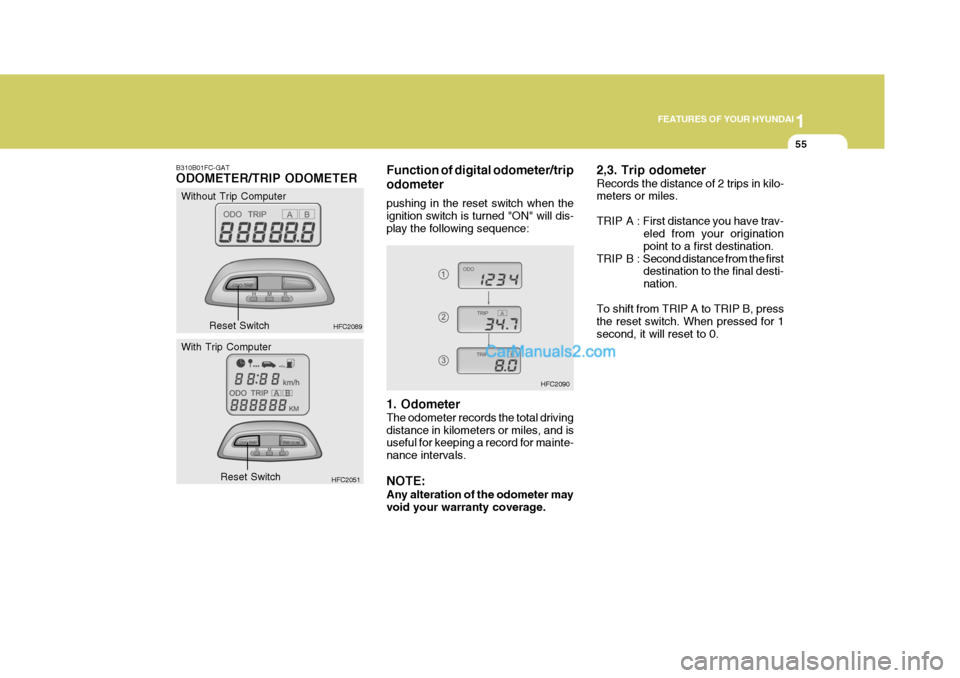
2,3. Trip odometer Records the distance of 2 trips in kilo- meters or miles.
TRIP A : First distance you have trav-
eled from your origination point to a first destination.
TRIP B : Second distance from the first
destination to the final desti-nation.
To shift from TRIP A to TRIP B, pressthe reset switch. When pressed for 1second, it will reset to 0.
HFC2090
B310B01FC-GAT ODOMETER/TRIP ODOMETER
Without Trip Computer
HFC2089Function of digital odometer/trip odometer pushing in the reset switch when the ignition switch is turned "ON" will dis-play the following sequence:
Reset Switch
HFC2051
With Trip Computer
Reset Switch 1. Odometer The odometer records the total driving distance in kilometers or miles, and is useful for keeping a record for mainte- nance intervals. NOTE: Any alteration of the odometer may void your warranty coverage.
Page 222 of 407
1FEATURES OF YOUR HYUNDAI
58
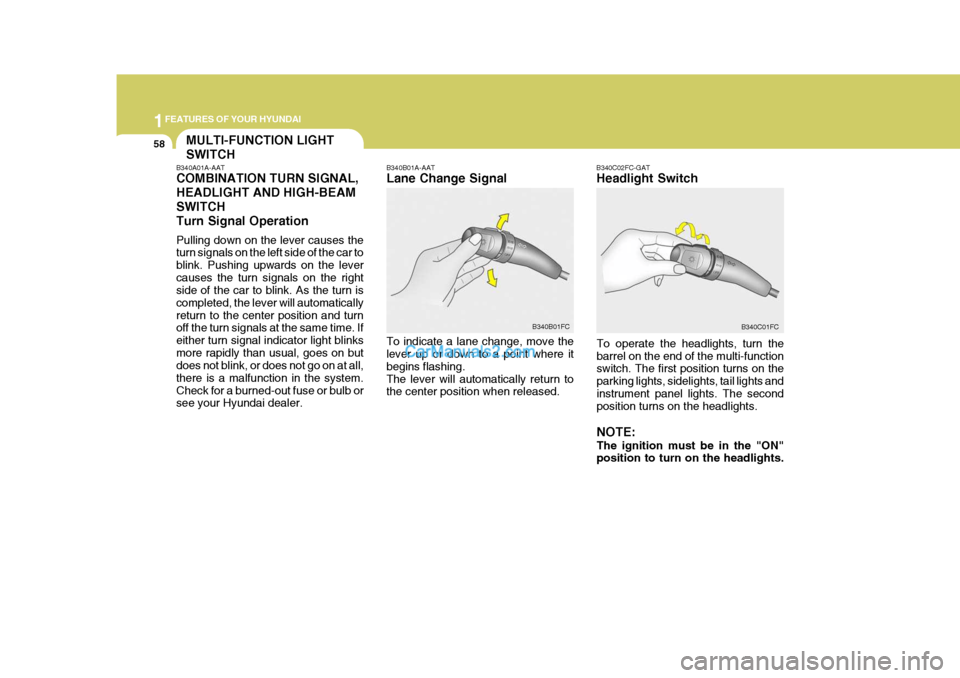
B340C02FC-GAT Headlight Switch
To operate the headlights, turn the barrel on the end of the multi-function switch. The first position turns on the parking lights, sidelights, tail lights andinstrument panel lights. The second position turns on the headlights. NOTE: The ignition must be in the "ON" position to turn on the headlights.
B340B01A-AAT Lane Change Signal To indicate a lane change, move the lever up or down to a point where it begins flashing.The lever will automatically return to the center position when released.
B340B01FC
B340C01FC
MULTI-FUNCTION LIGHT SWITCH
B340A01A-AAT COMBINATION TURN SIGNAL, HEADLIGHT AND HIGH-BEAMSWITCHTurn Signal Operation Pulling down on the lever causes the turn signals on the left side of the car to blink. Pushing upwards on the levercauses the turn signals on the right side of the car to blink. As the turn is completed, the lever will automaticallyreturn to the center position and turn off the turn signals at the same time. If either turn signal indicator light blinksmore rapidly than usual, goes on but does not blink, or does not go on at all, there is a malfunction in the system.Check for a burned-out fuse or bulb or see your Hyundai dealer.
Page 223 of 407
1
FEATURES OF YOUR HYUNDAI
59
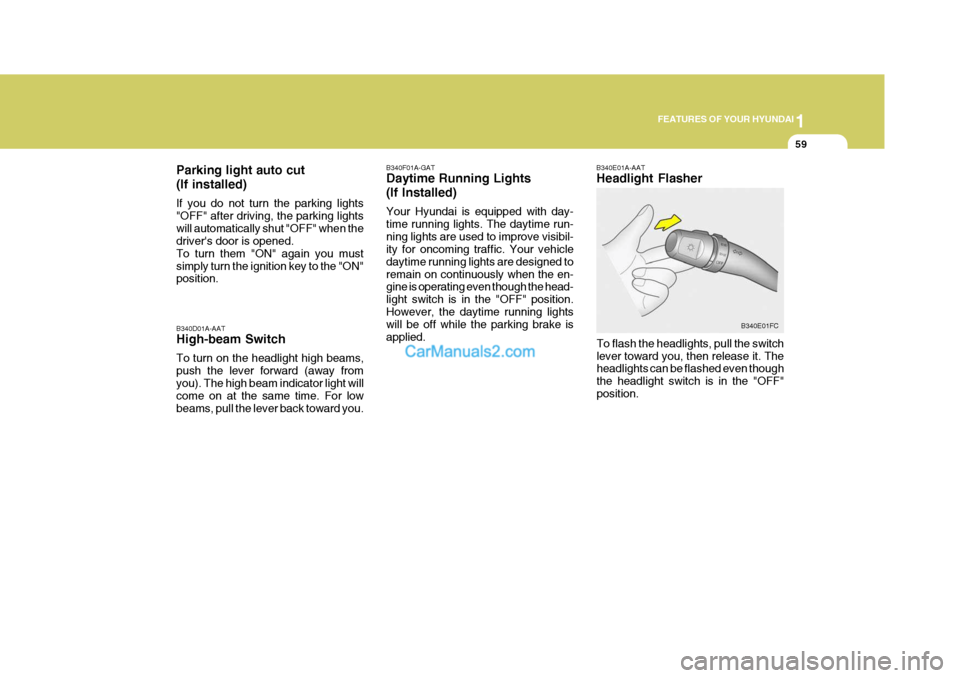
B340E01A-AAT Headlight Flasher
To flash the headlights, pull the switch lever toward you, then release it. The headlights can be flashed even though the headlight switch is in the "OFF"position. B340E01FC
B340D01A-AAT High-beam Switch To turn on the headlight high beams, push the lever forward (away fromyou). The high beam indicator light will come on at the same time. For low beams, pull the lever back toward you. B340F01A-GAT Daytime Running Lights (If Installed) Your Hyundai is equipped with day- time running lights. The daytime run-ning lights are used to improve visibil- ity for oncoming traffic. Your vehicle daytime running lights are designed toremain on continuously when the en- gine is operating even though the head- light switch is in the "OFF" position.However, the daytime running lights will be off while the parking brake is applied.
Parking light auto cut (If installed) If you do not turn the parking lights "OFF" after driving, the parking lightswill automatically shut "OFF" when the driver's door is opened. To turn them "ON" again you mustsimply turn the ignition key to the "ON" position.
Page 225 of 407
1
FEATURES OF YOUR HYUNDAI
61
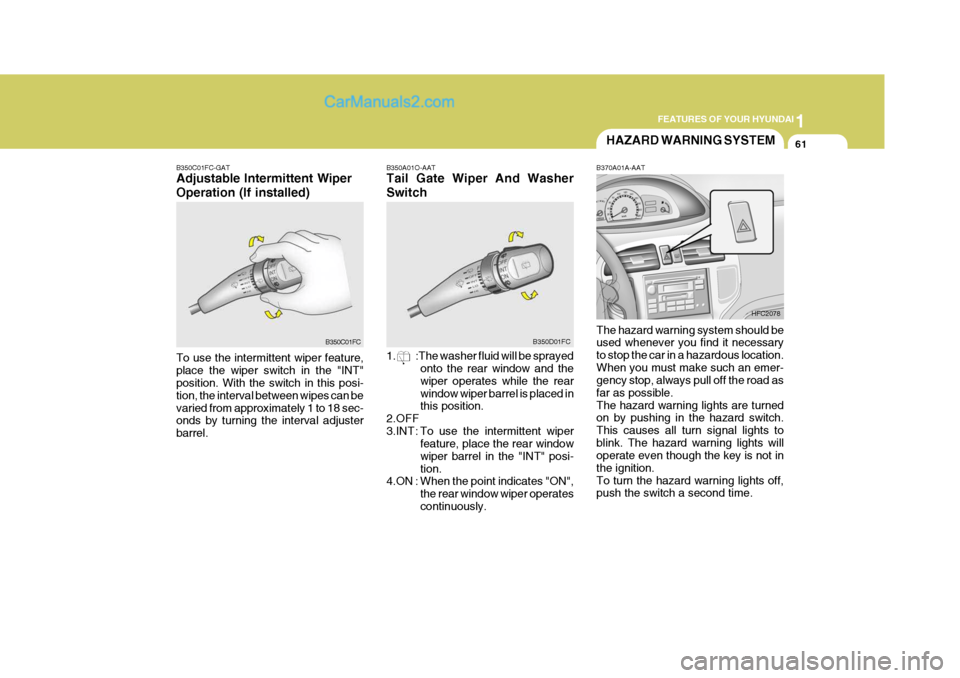
B350A01O-AAT Tail Gate Wiper And Washer Switch
1. :The washer fluid will be sprayed
onto the rear window and the wiper operates while the rearwindow wiper barrel is placed in this position.
2.OFF
3.INT : To use the intermittent wiper
feature, place the rear windowwiper barrel in the "INT" posi-tion.
4.ON : When the point indicates "ON",
the rear window wiper operatescontinuously.
B350D01FC
B370A01A-AAT The hazard warning system should be used whenever you find it necessary to stop the car in a hazardous location.When you must make such an emer- gency stop, always pull off the road as far as possible.The hazard warning lights are turned on by pushing in the hazard switch. This causes all turn signal lights toblink. The hazard warning lights will operate even though the key is not in the ignition.To turn the hazard warning lights off, push the switch a second time. HFC2078
HAZARD WARNING SYSTEM
B350C01FC-GAT Adjustable Intermittent Wiper Operation (If installed) To use the intermittent wiper feature, place the wiper switch in the "INT" position. With the switch in this posi- tion, the interval between wipes can bevaried from approximately 1 to 18 sec- onds by turning the interval adjuster barrel. B350C01FC
Page 226 of 407
1FEATURES OF YOUR HYUNDAI
62FOG LIGHT SWITCH
CAUTION:
Do not clean the inner side of the rear window glass with an abrasive type of glass cleaner or use a scraper to remove foreign deposits fromthe inner surface of the glass as this may cause damage to the de- froster elements. NOTE: The ignition must be in the "ON" position for the rear window de- froster to operate.
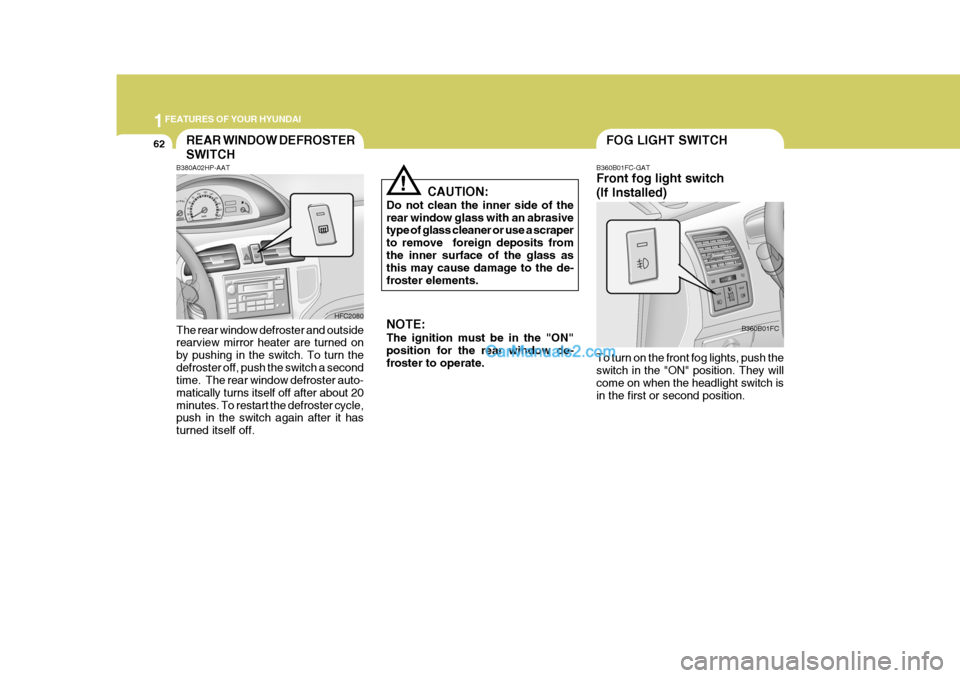
! B360B01FC-GAT Front fog light switch (If Installed) To turn on the front fog lights, push the switch in the "ON" position. They will come on when the headlight switch is in the first or second position.B360B01FC
B380A02HP-AAT
HFC2080
REAR WINDOW DEFROSTER SWITCH
The rear window defroster and outside rearview mirror heater are turned on by pushing in the switch. To turn thedefroster off, push the switch a second time. The rear window defroster auto- matically turns itself off after about 20minutes. To restart the defroster cycle, push in the switch again after it has turned itself off.
Page 231 of 407
1
FEATURES OF YOUR HYUNDAI
67
!
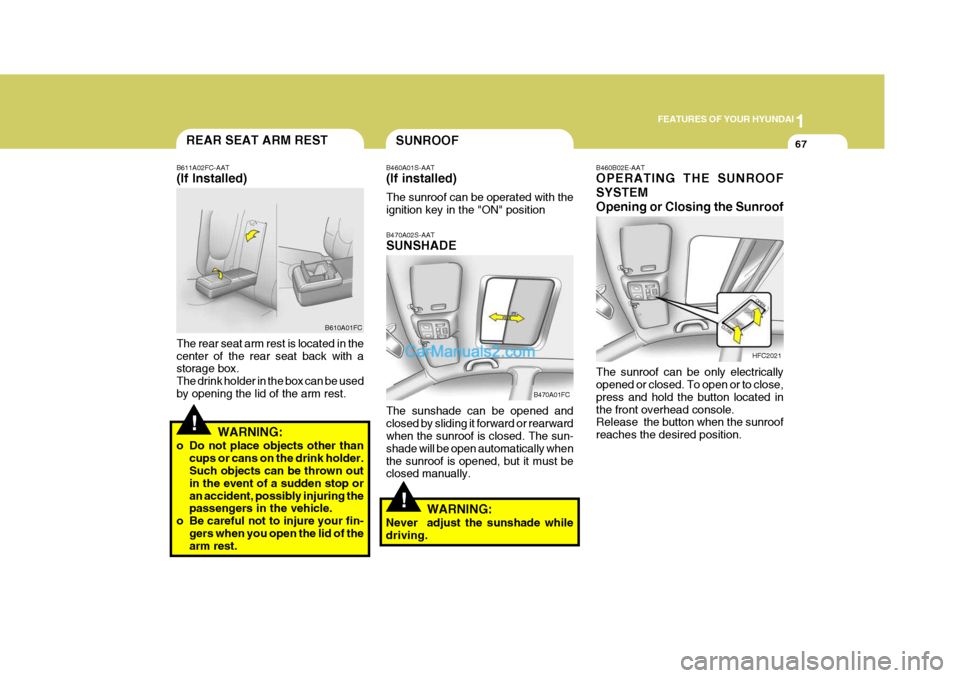
B460B02E-AAT OPERATING THE SUNROOF SYSTEMOpening or Closing the Sunroof
HFC2021
The sunroof can be only electrically opened or closed. To open or to close, press and hold the button located inthe front overhead console. Release the button when the sunroof reaches the desired position.
SUNROOF
B470A02S-AAT SUNSHADE The sunshade can be opened and closed by sliding it forward or rearward when the sunroof is closed. The sun- shade will be open automatically whenthe sunroof is opened, but it must be closed manually.
B460A01S-AAT (If installed) The sunroof can be operated with the ignition key in the "ON" position
B470A01FCREAR SEAT ARM REST
B611A02FC-AAT (If Installed) The rear seat arm rest is located in the center of the rear seat back with a storage box. The drink holder in the box can be usedby opening the lid of the arm rest. B610A01FC
WARNING:
o Do not place objects other than cups or cans on the drink holder. Such objects can be thrown out in the event of a sudden stop oran accident, possibly injuring the passengers in the vehicle.
o Be careful not to injure your fin-
gers when you open the lid of thearm rest.
!
WARNING:
Never adjust the sunshade while driving.
Page 234 of 407
1FEATURES OF YOUR HYUNDAI
70
!
SPECTACLE CASE
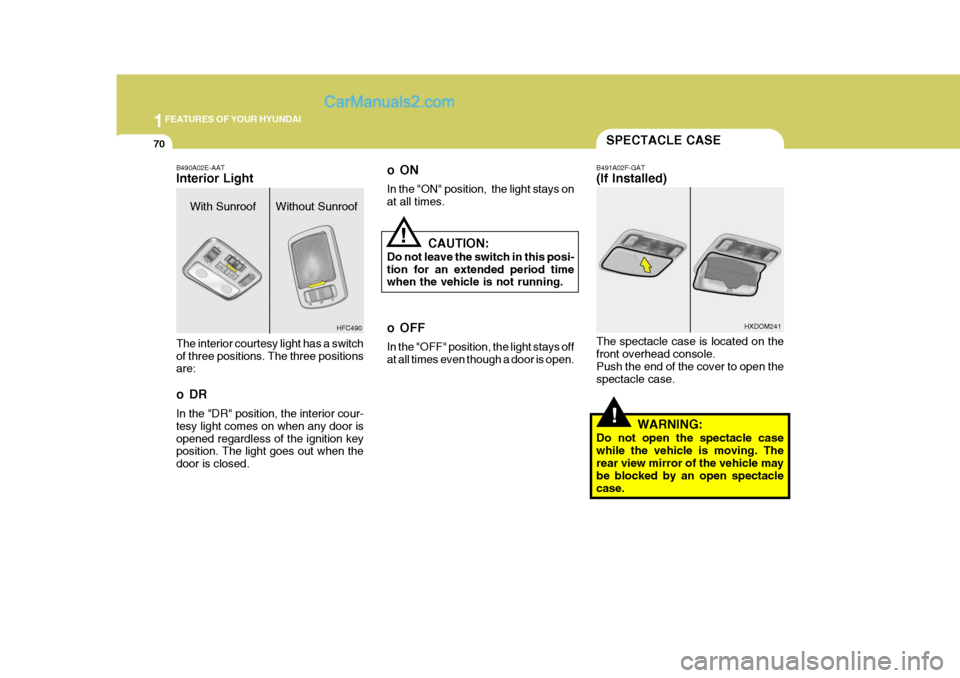
B491A02F-GAT (If Installed) The spectacle case is located on the front overhead console. Push the end of the cover to open thespectacle case.
WARNING:
Do not open the spectacle casewhile the vehicle is moving. Therear view mirror of the vehicle may be blocked by an open spectacle case. HXDOM241
oON In the "ON" position, the light stays on at all times.
CAUTION:
Do not leave the switch in this posi-tion for an extended period time when the vehicle is not running.
o OFF In the "OFF" position, the light stays off at all times even though a door is open.
!
B490A02E-AAT Interior Light The interior courtesy light has a switch of three positions. The three positions are:
oDR In the "DR" position, the interior cour- tesy light comes on when any door isopened regardless of the ignition key position. The light goes out when the door is closed. HFC490
With Sunroof Without Sunroof
Page 250 of 407
1FEATURES OF YOUR HYUNDAI
86HEATING CONTROLS
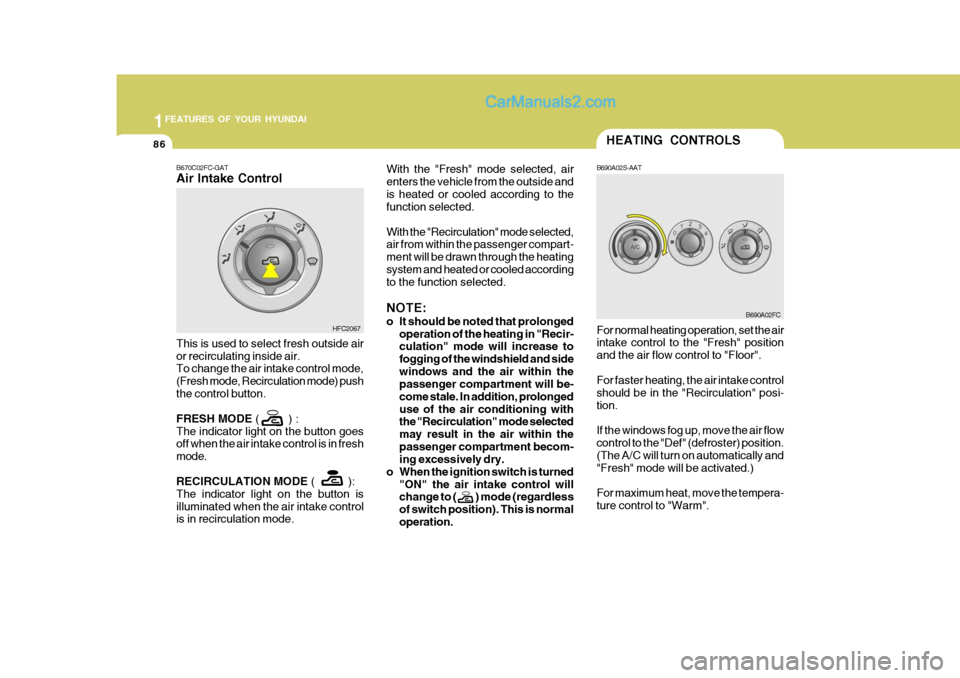
B690A02S-AAT
B670C02FC-GAT Air Intake Control With the "Fresh" mode selected, air enters the vehicle from the outside andis heated or cooled according to the function selected. With the "Recirculation" mode selected, air from within the passenger compart- ment will be drawn through the heatingsystem and heated or cooled according to the function selected. NOTE:
o It should be noted that prolonged
operation of the heating in "Recir- culation" mode will increase to fogging of the windshield and sidewindows and the air within the passenger compartment will be- come stale. In addition, prolongeduse of the air conditioning with the "Recirculation" mode selected may result in the air within thepassenger compartment becom- ing excessively dry.
o When the ignition switch is turned "ON" the air intake control willchange to ( ) mode (regardless of switch position). This is normaloperation.
This is used to select fresh outside airor recirculating inside air. To change the air intake control mode, (Fresh mode, Recirculation mode) pushthe control button. FRESH MODE
( ) :
The indicator light on the button goes off when the air intake control is in fresh mode. RECIRCULATION MODE ( ):
The indicator light on the button is illuminated when the air intake control is in recirculation mode. HFC2067
For normal heating operation, set the air intake control to the "Fresh" position and the air flow control to "Floor". For faster heating, the air intake control should be in the "Recirculation" posi-tion. If the windows fog up, move the air flow control to the "Def" (defroster) position. (The A/C will turn on automatically and "Fresh" mode will be activated.) For maximum heat, move the tempera- ture control to "Warm".
B690A02FC
Page 258 of 407

1FEATURES OF YOUR HYUNDAI
94
H210B03O-AAT
1. POWER ON-OFF/VOLUME
Control Knob
The radio unit may be operated when the ignition key is in the "ACC" or "ON"position. Rotate the knob clockwise to switch the radio unit on and to increase the volume.The LCD shows the radio frequency in the radio mode. Turn the knob counter- clockwise to reduce the volume and toswitch the radio unit off. BAL (Balance Control) Knob Pull and turn the control knob clockwise to emphasize right speaker sound (left speaker sound will be attenuated). When the control knob is turned counterclock-wise, left speaker sound will be empha- sized (right speaker soundwill be at- tenuated).After adjusting the balance, push the knob again to use the other function. 4. BAND Selector Pressing the button changes the AM, FM1 and FM2 bands. The modeselected is displayed on LCD. 5. TUNE (Manual) Select Button Press the ( ) side or ( ) side to increase or to decrease the frequency. With the button held down for 1 sec. or more, thestop signal (broadcasting radio wave) is ignored and channel selection contin- ues. SEEK Operation (Automatic Channel Selection) Press the TUNE select button for 1 sec. or more. When the ( ) side is pressed,the unit will automatically tune to the next higher frequency and when the ( ) side is pressed, it will automaticallytune to the next lower frequency.
SCAN Knob When the scan knob is pressed, the frequency will increase and the receiv-able stations will be tuned in one after another, receiving each station for 5 seconds. To stop scanning, press thescan knob again.
2. FAD (Fader Control) Knob Turn the control knob counterclockwise to emphasize front speaker sound (rear speaker sound will be attenuated). Whenthe control knob is turned clockwise, rear speaker sound will be emphasized (front speaker sound will be attenu-ated). 3. BASS Control Knob Press to pop the knob out and turn to the left or right for the desired bass tone. TREBLE Control Knob. Further pull-lock position of popped-up knob. Turn to the left or right for thedesired treble tone.
FM
AM
Page 261 of 407
1
FEATURES OF YOUR HYUNDAI
97
4. BAND Selector Pressing the button changes the AM, FM1 and FM2 bands. The modeselected is displayed on LCD. 5. TUNE (Manual) Select Button Press the ( ) side or ( ) side to increase or to decrease the frequency. With the button held down for 1 sec. or more, thestop signal (broadcasting radio wave) is ignored and channel selection contin- ues. SEEK Operation (Automatic Channel Selection) Press the TUNE select button for 1 sec. or more. When the ( ) side is pressed,the unit will automatically tune to the next higher frequency and when the ( ) side is pressed, it will automaticallytune to the next lower frequency.
H210B03O-AAT
1. POWER ON-OFF/VOLUME
Control Knob
The radio unit may be operated when the ignition key is in the "ACC" or "ON"position. Rotate the knob clockwise to switch the radio unit on and to increase the volume.The LCD shows the radio frequency in the radio mode. Turn the knob counter- clockwise to reduce the volume and toswitch the radio unit off. BAL (Balance Control) Knob Pull and turn the control knob clockwise to emphasize right speaker sound (left speaker sound will be attenuated). When the control knob is turned counterclock-wise, left speaker sound will be empha- sized (right speaker soundwill be at- tenuated).After adjusting the balance, push the knob again to use the other function. SCAN Knob When the scan knob is pressed, the frequency will increase and the receiv-able stations will be tuned in one after another, receiving each station for 5 seconds. To stop scanning, press thescan knob again.
2. FAD (Fader Control) Knob Turn the control knob counterclockwise to emphasize front speaker sound (rear speaker sound will be attenuated). Whenthe control knob is turned clockwise, rear speaker sound will be emphasized (front speaker sound will be attenu-ated). 3. BASS Control Knob Press to pop the knob out and turn to the left or right for the desired bass tone. TREBLE Control Knob. Further pull-lock position of popped-up knob. Turn to the left or right for thedesired treble tone.
FM
AM