Brake Hyundai Santa Fe 2017 Repair Manual
[x] Cancel search | Manufacturer: HYUNDAI, Model Year: 2017, Model line: Santa Fe, Model: Hyundai Santa Fe 2017Pages: 569, PDF Size: 16.88 MB
Page 351 of 569
559
Driving your vehicle
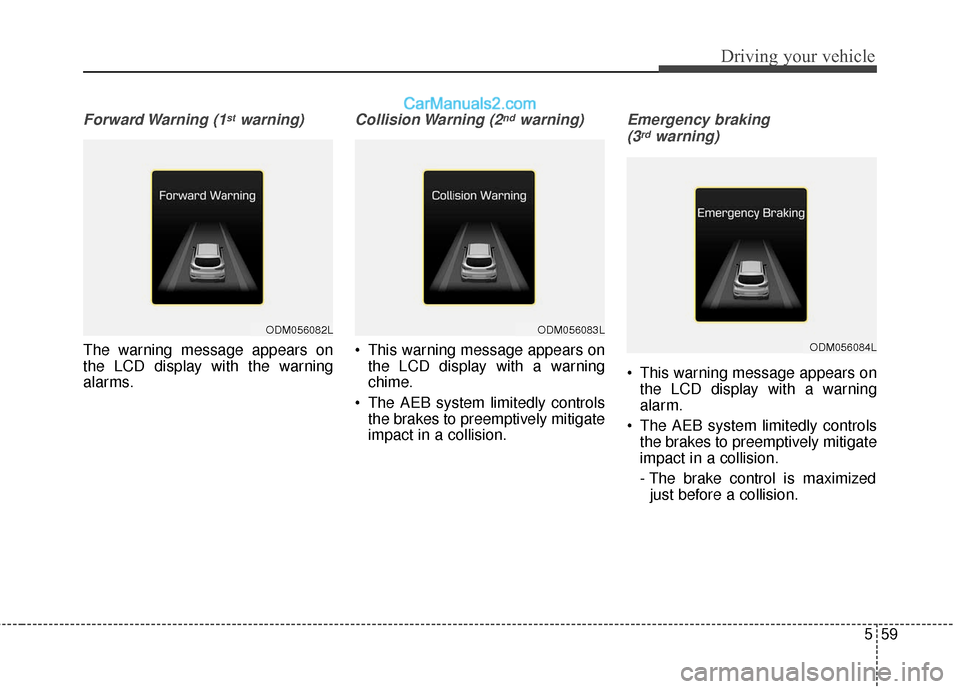
Forward Warning (1stwarning)
The warning message appears on
the LCD display with the warning
alarms.
Collision Warning (2ndwarning)
This warning message appears onthe LCD display with a warning
chime.
The AEB system limitedly controls the brakes to preemptively mitigate
impact in a collision.
Emergency braking
(3rdwarning)
This warning message appears on the LCD display with a warning
alarm.
The AEB system limitedly controls the brakes to preemptively mitigate
impact in a collision.
- The brake control is maximizedjust before a collision.
ODM056082LODM056083L
ODM056084L
Page 352 of 569
Driving your vehicle
60
5
Brake operation
In an urgent situation, the braking
system enters into the ready status
for prompt reaction against the dri-
ver’s depressing the brake pedal.
The AEB provides additional brak- ing power for optimum braking per-
formance, when the driver depress-
es the brake pedal.
The braking control is automatically deactivated, when the driver sharply
depresses the brake pedal, or when
the driver abruptly operates the
steering wheel.
The braking control is automatically canceled, when risk factors disap-
pear.CAUTION
The driver should always exer-cise caution to vehicle opera-tion, even when there is nowarning message or warningalarm.
WARNING
The braking control cannot
completely stop the vehicle nor
avoid all collisions. The driver
should hold the responsibility
to safely drive and control the
vehicle.
WARNING
The AEB operates in accor-
dance with the risk levels, such
as the distance from the vehi-
cle/passer-by in front, the speed
of the vehicle/passer-by in front,
and the driver's vehicle opera-
tion.
Page 354 of 569
Driving your vehicle
62
5
System malfunction
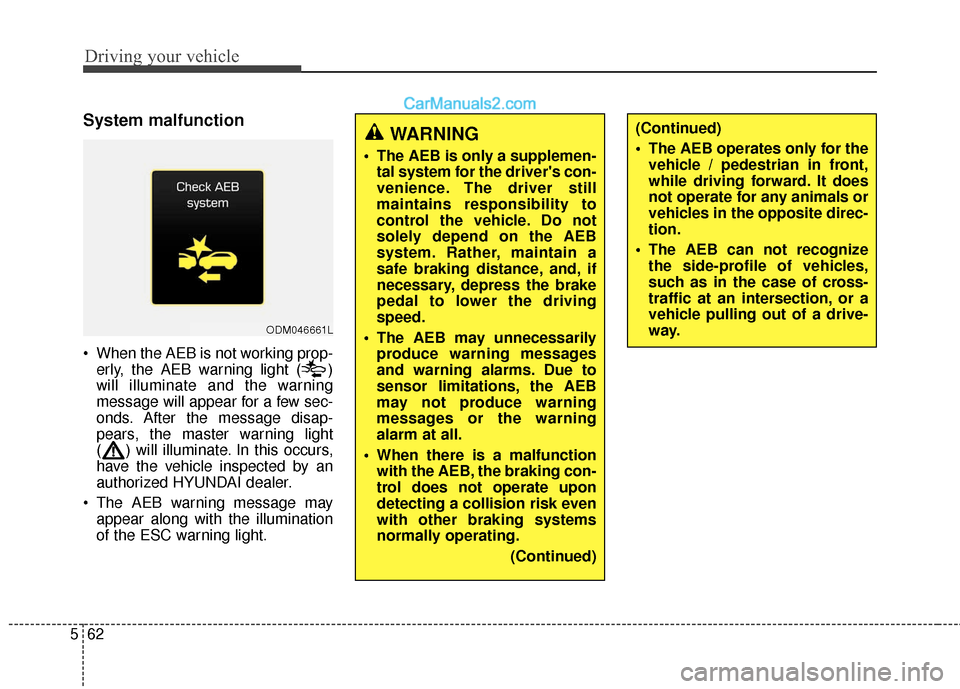
When the AEB is not working prop-
erly, the AEB warning light ( )
will illuminate and the warning
message will appear for a few sec-
onds. After the message disap-
pears, the master warning light
( ) will illuminate. In this occurs,
have the vehicle inspected by an
authorized HYUNDAI dealer.
The AEB warning message may appear along with the illumination
of the ESC warning light.
ODM046661L
WARNING
The AEB is only a supplemen-tal system for the driver's con-
venience. The driver still
maintains responsibility to
control the vehicle. Do not
solely depend on the AEB
system. Rather, maintain a
safe braking distance, and, if
necessary, depress the brake
pedal to lower the driving
speed.
The AEB may unnecessarily produce warning messages
and warning alarms. Due to
sensor limitations, the AEB
may not produce warning
messages or the warning
alarm at all.
When there is a malfunction with the AEB, the braking con-
trol does not operate upon
detecting a collision risk even
with other braking systems
normally operating.
(Continued)
(Continued)
The AEB operates only for thevehicle / pedestrian in front,
while driving forward. It does
not operate for any animals or
vehicles in the opposite direc-
tion.
The AEB can not recognize the side-profile of vehicles,
such as in the case of cross-
traffic at an intersection, or a
vehicle pulling out of a drive-
way.
Page 355 of 569
563
Driving your vehicle
Limitation of the system
The AEB monitors driving conditions
through the radar and the camera
sensor. For any vehicle activity
occurring outside the sensor's range
and field of view, the AEB may not be
able to react. The driver should exer-
cise caution in the following situa-
tions, as the AEB operation may be
limited:
Recognizing vehicles
- The radar or the camera isobscured by foreign substances.
- In heavy rain or snow
- There is electromagnetic interfer- ence.
- The object in front deflects the radar beam due to extreme angles
or an extremely irregular surface.
- The vehicle in front has a narrow body. (i.e. motor cycle and bicycle)
- The sysem cannot identify objects in front due to driving into the at
dusk/dawn, bright reflections, or
darkness. - The camera cannot fit the full out-
line of a vehicle in front.
- The vehicle in front has cargo extending beyond the back of the
vehicle or has a high ground clear-
ance.
- The vehicle in front does not turn ON the rear lights, does not have
rear lights, has asymmetric rear
lights, or has rear lights out of
angle.
- The outside brightness changes suddently, such as entering/exiting
a tunnel.
- Vehicle driving is erratic.
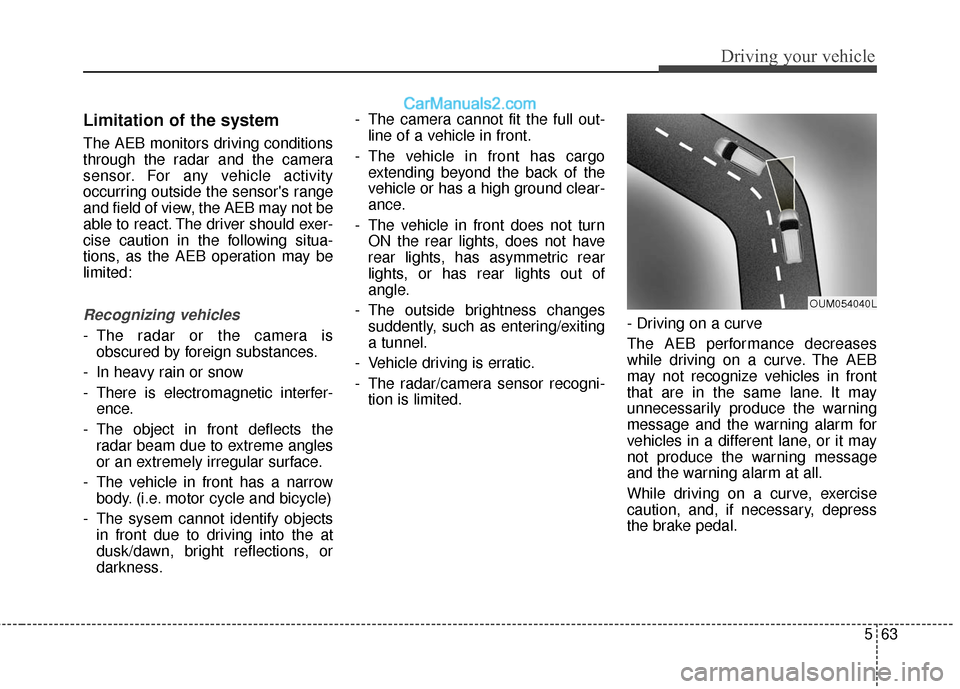
- The radar/camera sensor recogni- tion is limited. - Driving on a curve
The AEB performance decreases
while driving on a curve. The AEB
may not recognize vehicles in front
that are in the same lane. It may
unnecessarily produce the warning
message and the warning alarm for
vehicles in a different lane, or it may
not produce the warning message
and the warning alarm at all.
While driving on a curve, exercise
caution, and, if necessary, depress
the brake pedal.
OUM054040L
Page 356 of 569
Driving your vehicle
64
5
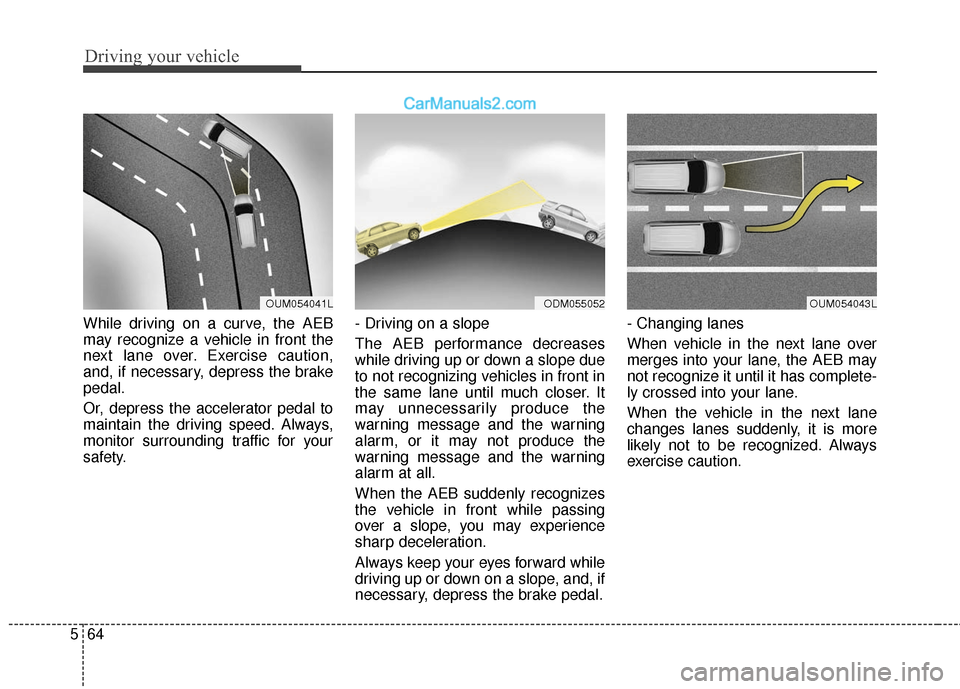
While driving on a curve, the AEB
may recognize a vehicle in front the
next lane over. Exercise caution,
and, if necessary, depress the brake
pedal.
Or, depress the accelerator pedal to
maintain the driving speed. Always,
monitor surrounding traffic for your
safety. - Driving on a slope
The AEB performance decreases
while driving up or down a slope due
to not recognizing vehicles in front in
the same lane until much closer. It
may unnecessarily produce the
warning message and the warning
alarm, or it may not produce the
warning message and the warning
alarm at all.
When the AEB suddenly recognizes
the vehicle in front while passing
over a slope, you may experience
sharp deceleration.
Always keep your eyes forward while
driving up or down on a slope, and, if
necessary, depress the brake pedal.- Changing lanes
When vehicle in the next lane over
merges into your lane, the AEB may
not recognize it until it has complete-
ly crossed into your lane.
When the vehicle in the next lane
changes lanes suddenly, it is more
likely not to be recognized. Always
exercise caution.
OUM054041LODM055052OUM054043L
Page 358 of 569
Driving your vehicle
66
5
✽
✽
NOTICE
In some instances, the AEB system
may be cancelled when subjected to
electromagnetic interference.
This device complies with Part
15 of the FCC rules.
Operation is subject to the following
two conditions:
1. This device may not cause harm-
ful interference, and
2. This device must accept any inter- ference received, including inter-
ference that may cause undesired
operation.
WARNING
Cancel the AEB in the UserSettings on the LCD before
towing another vehicle. While
towing, the brake application
may adversely affect your
vehicle safety.
Exercise caution when there is a vehicle in front that has
cargo extending beyond the
back of the vehicle or has a
high ground clearance.
The sensor only detects standing or walking pedestri-
ans, not carts, bicycles,
motorcycles, luggage bags, or
strollers.
The AEB is not guaranteed to work in every possible situa-
tion. Never test the AEB
against a person or an object.
It may cause severe injuries
or death.
Page 360 of 569
Driving your vehicle
68
5
✽
✽
NOTICE
• During normal cruise control
operation, when the SET switch is
activated or reactivated after
applying the brakes, the cruise
control will energize after approx-
imately 3 seconds. This delay is
normal.
• To activate cruise control, depress the brake pedal at least once after
turning the ignition switch to the
ON position or starting the engine.
This is to check if the brake switch
which is important part to cancel
cruise control is in normal condi-
tion.
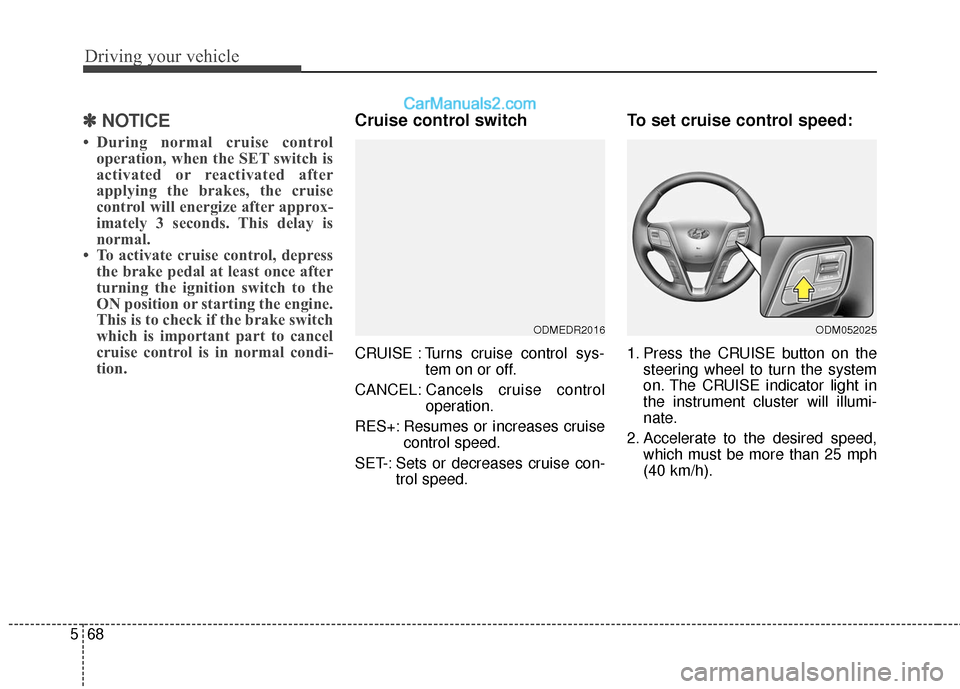
Cruise control switch
CRUISE : Turns cruise control sys-
tem on or off.
CANCEL: Cancels cruise control
operation.
RES+: Resumes or increases cruise control speed.
SET-: Sets or decreases cruise con- trol speed.
To set cruise control speed:
1. Press the CRUISE button on thesteering wheel to turn the system
on. The CRUISE indicator light in
the instrument cluster will illumi-
nate.
2. Accelerate to the desired speed, which must be more than 25 mph
(40 km/h).
ODMEDR2016ODM052025
Page 362 of 569
Driving your vehicle
70
5
To temporarily accelerate with
the cruise control on:
If you want to speed up temporarily
when the cruise control is on,
depress the accelerator pedal.
Increased speed will not interfere
with cruise control operation or
change the set speed.
To return to the set speed, take your
foot off the accelerator pedal.
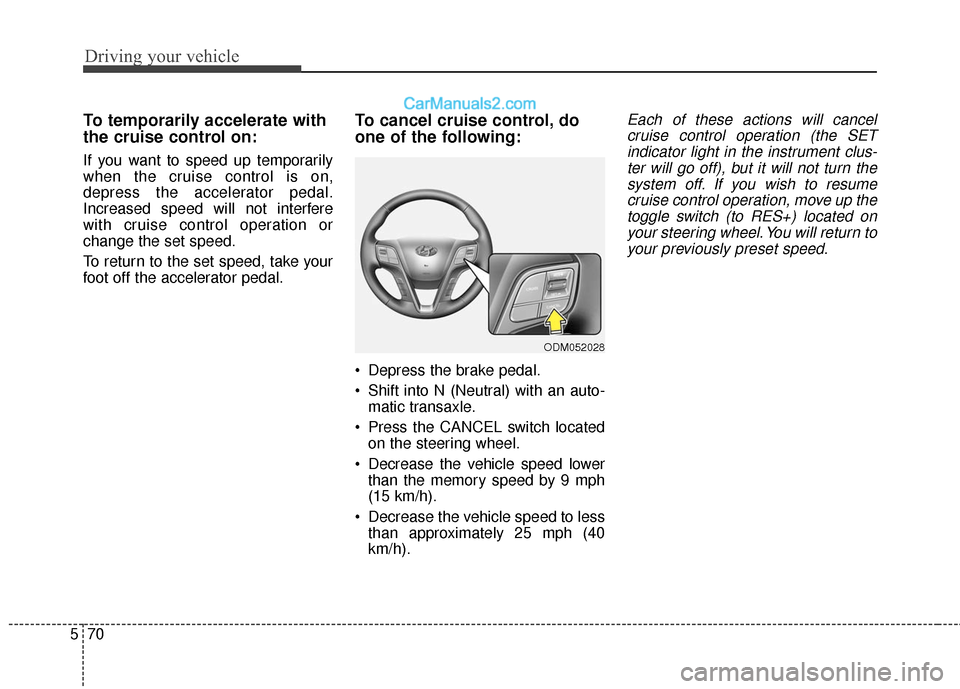
To cancel cruise control, do
one of the following:
Depress the brake pedal.
Shift into N (Neutral) with an auto-
matic transaxle.
Press the CANCEL switch located on the steering wheel.
Decrease the vehicle speed lower than the memory speed by 9 mph
(15 km/h).
Decrease the vehicle speed to less than approximately 25 mph (40
km/h).
Each of these actions will cancelcruise control operation (the SETindicator light in the instrument clus-ter will go off), but it will not turn thesystem off. If you wish to resumecruise control operation, move up thetoggle switch (to RES+) located onyour steering wheel. You will return toyour previously preset speed.
ODM052028
Page 364 of 569
Driving your vehicle
72
5
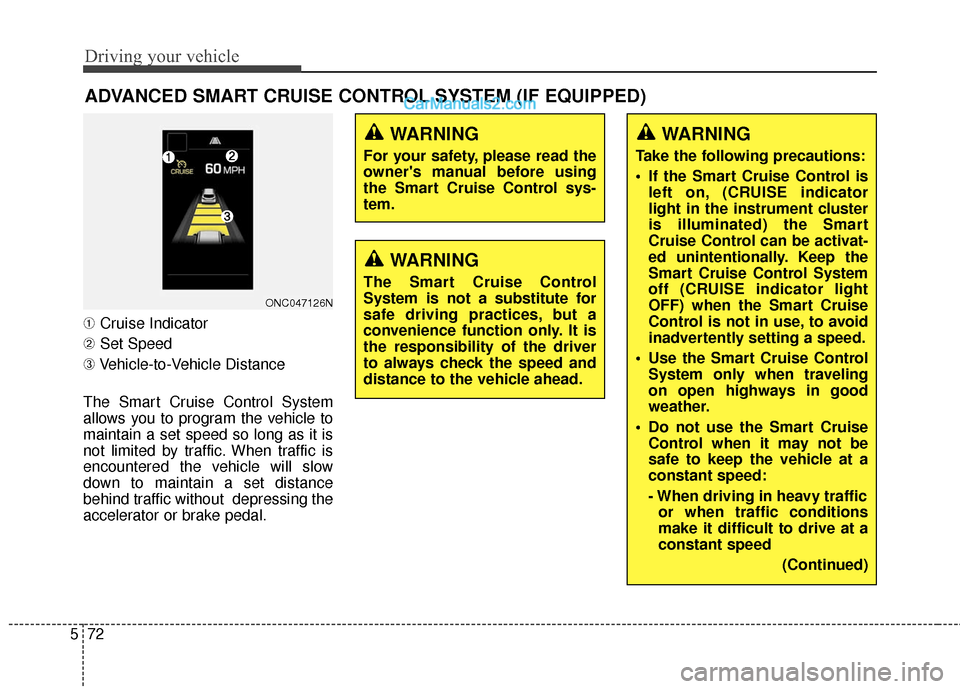
➀ Cruise Indicator
➁ Set Speed
➂ Vehicle-to-Vehicle Distance
The Smart Cruise Control System
allows you to program the vehicle to
maintain a set speed so long as it is
not limited by traffic. When traffic is
encountered the vehicle will slow
down to maintain a set distance
behind traffic without depressing the
accelerator or brake pedal.
ADVANCED SMART CRUISE CONTROL SYSTEM (IF EQUIPPED)
ONC047126N
WARNING
For your safety, please read the
owner's manual before using
the Smart Cruise Control sys-
tem.
WARNING
The Smart Cruise Control
System is not a substitute for
safe driving practices, but a
convenience function only. It is
the responsibility of the driver
to always check the speed and
distance to the vehicle ahead.
WARNING
Take the following precautions:
If the Smart Cruise Control is left on, (CRUISE indicator
light in the instrument cluster
is illuminated) the Smart
Cruise Control can be activat-
ed unintentionally. Keep the
Smart Cruise Control System
off (CRUISE indicator light
OFF) when the Smart Cruise
Control is not in use, to avoid
inadvertently setting a speed.
Use the Smart Cruise Control System only when traveling
on open highways in good
weather.
Do not use the Smart Cruise Control when it may not be
safe to keep the vehicle at a
constant speed:
- When driving in heavy trafficor when traffic conditions
make it difficult to drive at a
constant speed
(Continued)
Page 366 of 569
Driving your vehicle
74
5
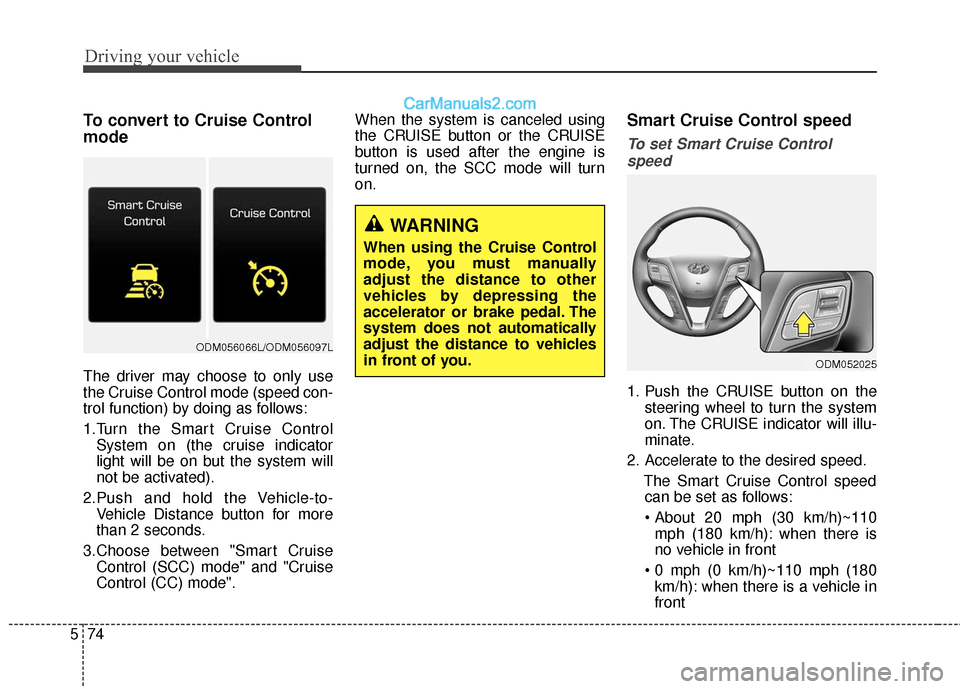
To convert to Cruise Control
mode
The driver may choose to only use
the Cruise Control mode (speed con-
trol function) by doing as follows:
1.Turn the Smart Cruise Control
System on (the cruise indicator
light will be on but the system will
not be activated).
2.Push and hold the Vehicle-to- Vehicle Distance button for more
than 2 seconds.
3.Choose between "Smart Cruise Control (SCC) mode" and "Cruise
Control (CC) mode". When the system is canceled using
the CRUISE button or the CRUISE
button is used after the engine is
turned on, the SCC mode will turn
on.
Smart Cruise Control speed
To set Smart Cruise Control
speed
1. Push the CRUISE button on the steering wheel to turn the system
on. The CRUISE indicator will illu-
minate.
2. Accelerate to the desired speed. The Smart Cruise Control speedcan be set as follows:
mph (180 km/h): when there is
no vehicle in front
km/h): when there is a vehicle in
front
WARNING
When using the Cruise Control
mode, you must manually
adjust the distance to other
vehicles by depressing the
accelerator or brake pedal. The
system does not automatically
adjust the distance to vehicles
in front of you.
ODM052025
ODM056066L/ODM056097L