light Hyundai Terracan 2005 Owner's Manual
[x] Cancel search | Manufacturer: HYUNDAI, Model Year: 2005, Model line: Terracan, Model: Hyundai Terracan 2005Pages: 539, PDF Size: 18.03 MB
Page 390 of 539
1
CONTROLS AND EQUIPMENT
85
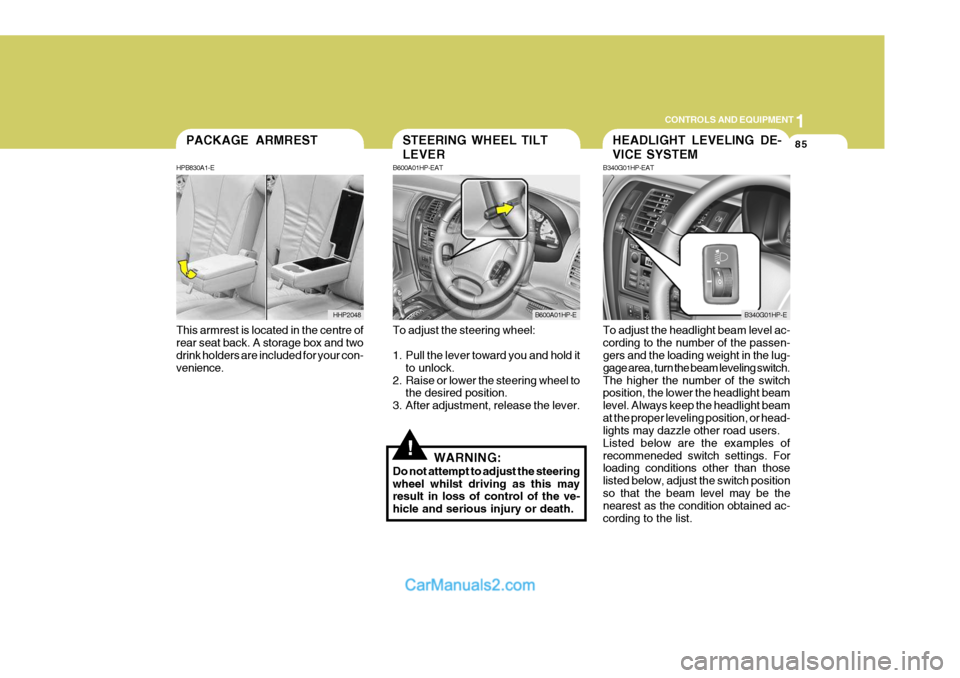
This armrest is located in the centre of rear seat back. A storage box and two drink holders are included for your con- venience.PACKAGE ARMREST
HPB830A1-E
HHP2048
!
To adjust the steering wheel:
1. Pull the lever toward you and hold it to unlock.
2. Raise or lower the steering wheel to the desired position.
3. After adjustment, release the lever.
WARNING:
Do not attempt to adjust the steering wheel whilst driving as this may result in loss of control of the ve- hicle and serious injury or death. To adjust the headlight beam level ac-cording to the number of the passen- gers and the loading weight in the lug- gage area, turn the beam leveling switch.The higher the number of the switch position, the lower the headlight beam level. Always keep the headlight beamat the proper leveling position, or head- lights may dazzle other road users. Listed below are the examples ofrecommeneded switch settings. For loading conditions other than those listed below, adjust the switch positionso that the beam level may be the nearest as the condition obtained ac- cording to the list.
STEERING WHEEL TILT LEVER
B600A01HP-EAT
B600A01HP-E
HEADLIGHT LEVELING DE- VICE SYSTEM
B340G01HP-EAT
B340G01HP-E
Page 391 of 539
1CONTROLS AND EQUIPMENT
86
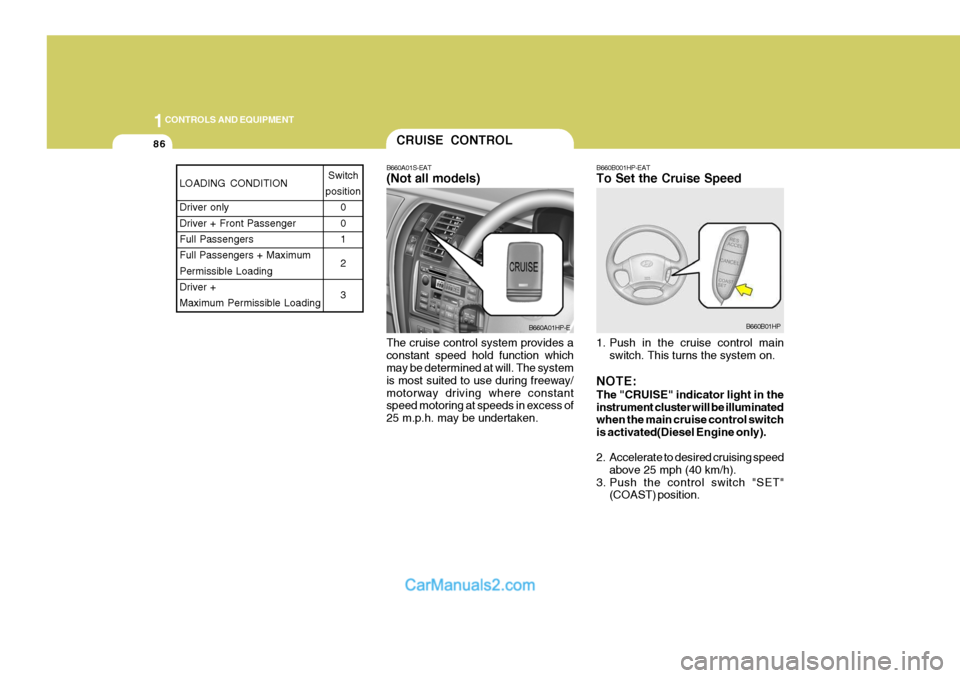
B660B001HP-EAT To Set the Cruise Speed
The cruise control system provides a constant speed hold function which may be determined at will. The system is most suited to use during freeway/motorway driving where constant speed motoring at speeds in excess of 25 m.p.h. may be undertaken. 1. Push in the cruise control main
switch. This turns the system on.
NOTE: The "CRUISE" indicator light in the instrument cluster will be illuminated when the main cruise control switch is activated(Diesel Engine only).
2. Accelerate to desired cruising speed above 25 mph (40 km/h).
3. Push the control switch "SET" (COAST) position.CRUISE CONTROL
B660A01S-EAT (Not all models)
B660A01HP-EB660B01HP
LOADING CONDITION Driver only Driver + Front PassengerFull Passengers Full Passengers + Maximum Permissible LoadingDriver + Maximum Permissible Loading Switch
position 0 01 2 3
Page 392 of 539
1
CONTROLS AND EQUIPMENT
87
NOTE: The "CRUISE" indicator light in the instrument cluster will illuminate af- ter you have set the vehicle speed atthe desired speed (Petrol Engine only).
4. Remove your foot from the accelera- tor pedal and the desired speed will automatically be maintained.
5. To increase speed, depress the ac- celerator pedal enough for the ve-hicle to exceed the preset speed.When you remove your foot from the accelerator pedal, the vehicle will return to the speed you haveset.
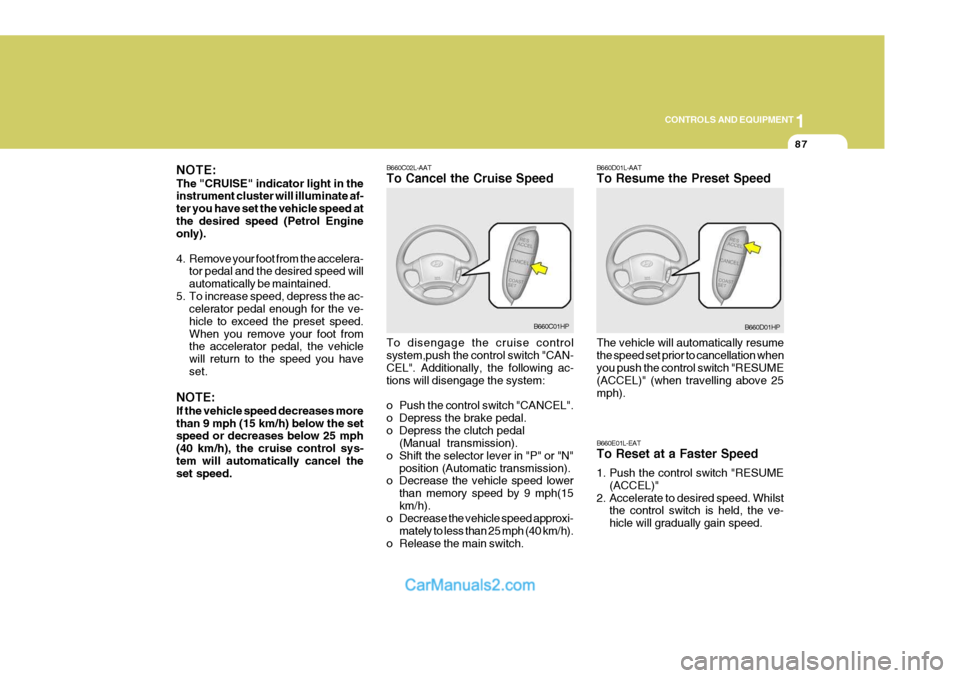
NOTE: If the vehicle speed decreases more than 9 mph (15 km/h) below the set speed or decreases below 25 mph (40 km/h), the cruise control sys-tem will automatically cancel the set speed. B660C02L-AAT To Cancel the Cruise Speed To disengage the cruise control system,push the control switch "CAN- CEL". Additionally, the following ac- tions will disengage the system:
o Push the control switch "CANCEL".
o Depress the brake pedal.
o Depress the clutch pedal
(Manual transmission).
o Shift the selector lever in "P" or "N" position (Automatic transmission).
o Decrease the vehicle speed lower
than memory speed by 9 mph(15km/h).
o Decrease the vehicle speed approxi-
mately to less than 25 mph (40 km/h).
o Release the main switch.
B660C01HP B660D01L-AAT To Resume the Preset Speed The vehicle will automatically resume the speed set prior to cancellation when you push the control switch "RESUME (ACCEL)" (when travelling above 25mph). B660E01L-EAT To Reset at a Faster Speed
1. Push the control switch "RESUME
(ACCEL)"
2. Accelerate to desired speed. Whilst the control switch is held, the ve- hicle will gradually gain speed.B660D01HP
Page 401 of 539
1CONTROLS AND EQUIPMENT
96
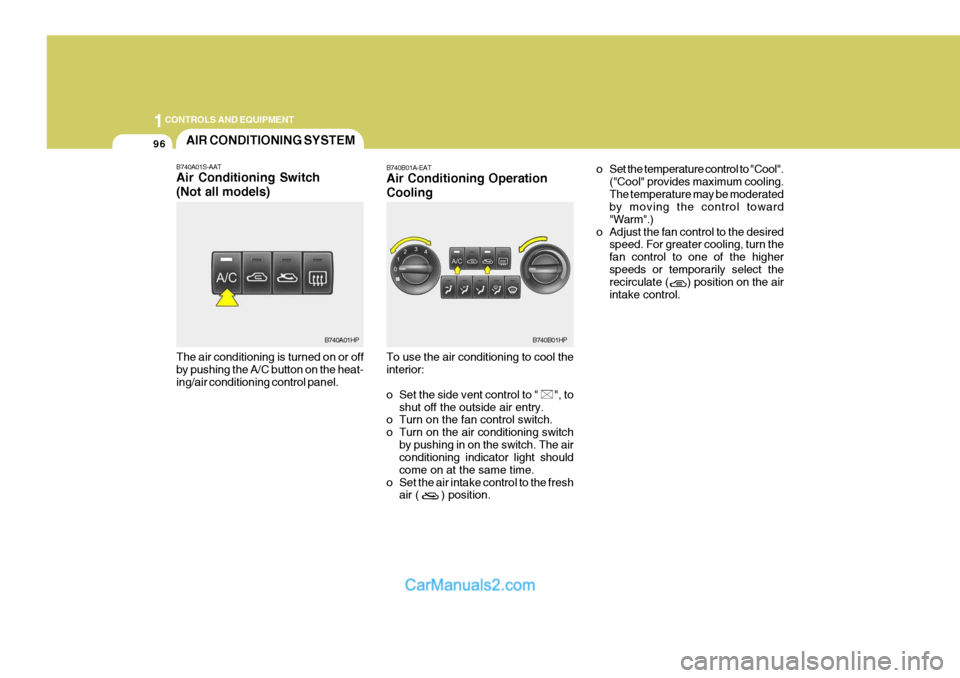
The air conditioning is turned on or off by pushing the A/C button on the heat- ing/air conditioning control panel.AIR CONDITIONING SYSTEM
B740A01S-AAT Air Conditioning Switch (Not all models)
B740A01HP B740B01A-EAT Air Conditioning Operation Cooling To use the air conditioning to cool the interior:
o Set the side vent control to " ", to
shut off the outside air entry.
o Turn on the fan control switch.
o Turn on the air conditioning switch
by pushing in on the switch. The air conditioning indicator light should come on at the same time.
o Set the air intake control to the fresh air ( ) position. o Set the temperature control to "Cool".
("Cool" provides maximum cooling.The temperature may be moderated by moving the control toward "Warm".)
o Adjust the fan control to the desired speed. For greater cooling, turn thefan control to one of the higherspeeds or temporarily select the recirculate ( ) position on the air intake control.B740B01HP
Page 402 of 539
1
CONTROLS AND EQUIPMENT
97
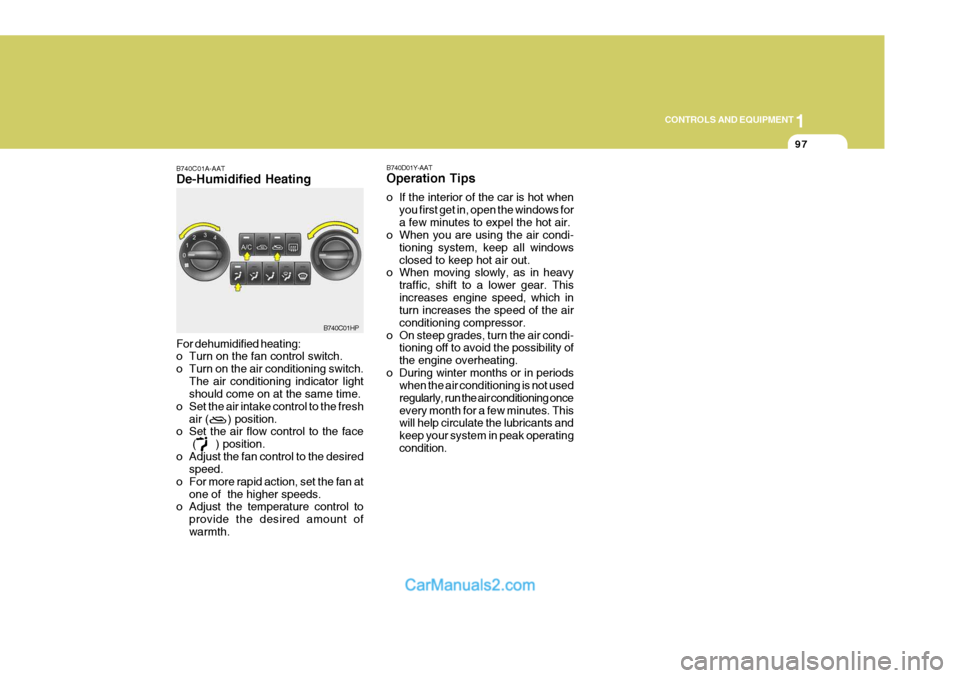
B740C01A-AAT De-Humidified Heating For dehumidified heating:
o Turn on the fan control switch.
o Turn on the air conditioning switch. The air conditioning indicator light should come on at the same time.
o Set the air intake control to the fresh air ( ) position.
o Set the air flow control to the face
( ) position.
o Adjust the fan control to the desired speed.
o For more rapid action, set the fan at one of the higher speeds.
o Adjust the temperature control to
provide the desired amount of warmth.
B740C01HP
B740D01Y-AAT Operation Tips
o If the interior of the car is hot when
you first get in, open the windows for a few minutes to expel the hot air.
o When you are using the air condi-
tioning system, keep all windowsclosed to keep hot air out.
o When moving slowly, as in heavy
traffic, shift to a lower gear. Thisincreases engine speed, which in turn increases the speed of the air conditioning compressor.
o On steep grades, turn the air condi- tioning off to avoid the possibility ofthe engine overheating.
o During winter months or in periods when the air conditioning is not usedregularly, run the air conditioning onceevery month for a few minutes. This will help circulate the lubricants and keep your system in peak operatingcondition.
Page 404 of 539
1
CONTROLS AND EQUIPMENT
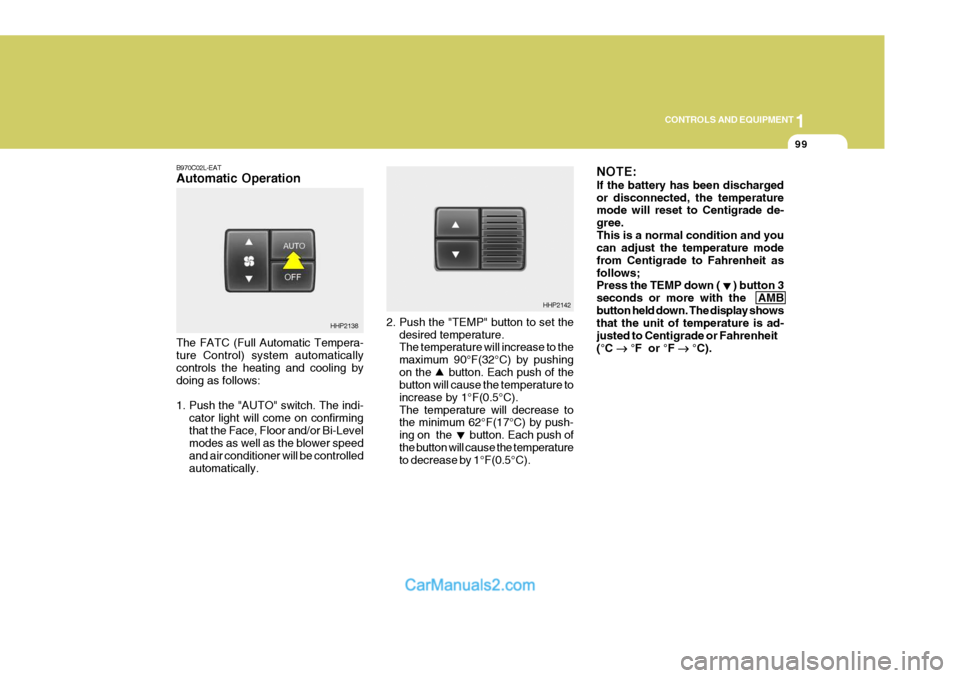
99
2. Push the "TEMP" button to set the desired temperature. The temperature will increase to the maximum 90°F(32°C) by pushingon the button. Each push of the button will cause the temperature to increase by 1°F(0.5°C).The temperature will decrease to the minimum 62°F(17°C) by push- ing on the button. Each push ofthe button will cause the temperature to decrease by 1°F(0.5°C). NOTE: If the battery has been discharged or disconnected, the temperature mode will reset to Centigrade de- gree.This is a normal condition and you can adjust the temperature mode from Centigrade to Fahrenheit asfollows; Press the TEMP down ( ) button 3 seconds or more with the AMBbutton held down. The display shows that the unit of temperature is ad- justed to Centigrade or Fahrenheit(°C
°F or °F
°C).
HHP2142
B970C02L-EAT Automatic Operation The FATC (Full Automatic Tempera- ture Control) system automatically controls the heating and cooling by doing as follows:
1. Push the "AUTO" switch. The indi-
cator light will come on confirming that the Face, Floor and/or Bi-Level modes as well as the blower speed and air conditioner will be controlledautomatically.
HHP2138
Page 406 of 539
1
CONTROLS AND EQUIPMENT
101
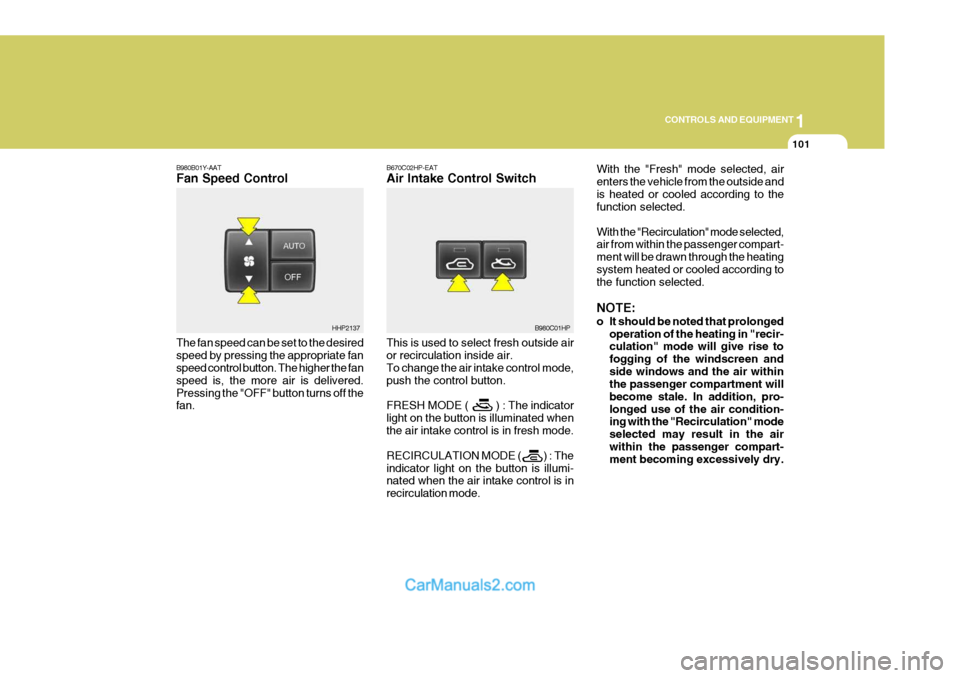
B670C02HP-EAT Air Intake Control Switch This is used to select fresh outside air or recirculation inside air. To change the air intake control mode, push the control button. FRESH MODE ( ) : The indicator light on the button is illuminated whenthe air intake control is in fresh mode. RECIRCULATION MODE ( ) : The indicator light on the button is illumi- nated when the air intake control is in recirculation mode. With the "Fresh" mode selected, airenters the vehicle from the outside andis heated or cooled according to the function selected. With the "Recirculation" mode selected, air from within the passenger compart- ment will be drawn through the heatingsystem heated or cooled according to the function selected. NOTE:
o It should be noted that prolonged
operation of the heating in "recir- culation" mode will give rise to fogging of the windscreen andside windows and the air within the passenger compartment will become stale. In addition, pro-longed use of the air condition- ing with the "Recirculation" mode selected may result in the airwithin the passenger compart- ment becoming excessively dry.
B980C01HP
B980B01Y-AAT Fan Speed Control The fan speed can be set to the desired speed by pressing the appropriate fan speed control button. The higher the fan speed is, the more air is delivered.Pressing the "OFF" button turns off the fan.
HHP2137
Page 407 of 539
1CONTROLS AND EQUIPMENT
102
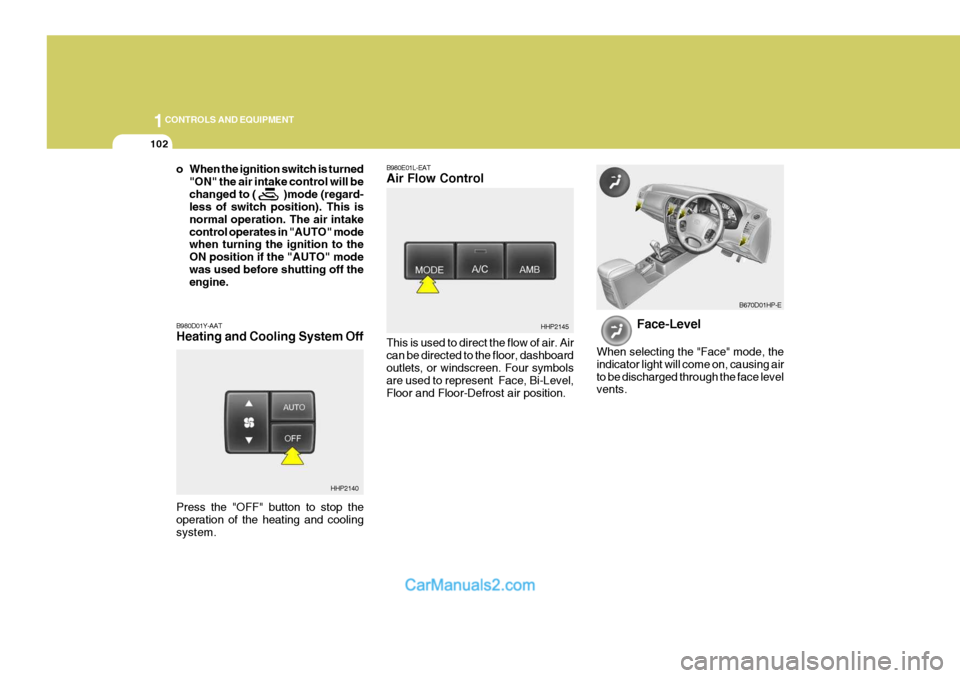
B980E01L-EAT Air Flow Control This is used to direct the flow of air. Air can be directed to the floor, dashboard outlets, or windscreen. Four symbols are used to represent Face, Bi-Level,Floor and Floor-Defrost air position. Face-Level
When selecting the "Face" mode, theindicator light will come on, causing airto be discharged through the face level vents.
HHP2145
B670D01HP-E
o When the ignition switch is turned "ON" the air intake control will be changed to ( )mode (regard- less of switch position). This is normal operation. The air intakecontrol operates in "AUTO" mode when turning the ignition to the ON position if the "AUTO" modewas used before shutting off the engine.
B980D01Y-AAT Heating and Cooling System Off
HHP2140
Press the "OFF" button to stop the operation of the heating and coolingsystem.
Page 408 of 539
1
CONTROLS AND EQUIPMENT
103
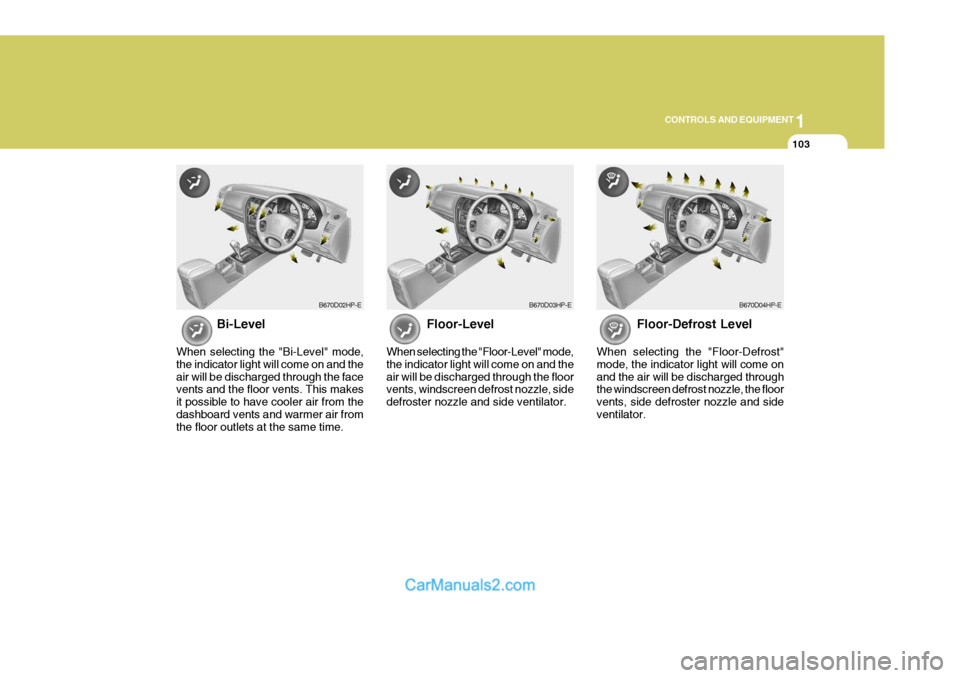
Floor-Level
When selecting the "Floor-Level" mode, the indicator light will come on and theair will be discharged through the floor vents, windscreen defrost nozzle, side defroster nozzle and side ventilator. Floor-Defrost Level
When selecting the "Floor-Defrost"mode, the indicator light will come onand the air will be discharged through the windscreen defrost nozzle, the floor vents, side defroster nozzle and sideventilator.
B670D03HP-EB670D04HP-EB670D02HP-E
Bi-Level
When selecting the "Bi-Level" mode, the indicator light will come on and theair will be discharged through the face vents and the floor vents. This makes it possible to have cooler air from thedashboard vents and warmer air from the floor outlets at the same time.
Page 416 of 539
2
DRIVING YOUR HYUNDAI
3
!WARNING:
Your vehicle is equipped with tyres designed to provide for safe ride and handling capability.Do not use a size and type of tyre and wheel that is different from the one that was originally installed on yourvehicle. It can affect the safety and performance of your vehicle, which could lead to handling failure orrollover and serious injury. When replacing the tyres, be sure to equip all four tyres with the tyre andwheel of the same size, type, tread, brand and load-carrying capacity. If you nevertheless decide to equipyour vehicle with any tyre/wheel com- bination not recommended by Hyundai for off-road driving, youshould not use these tyres for high- way driving.
TO START THE ENGINEBEFORE STARTING THE ENGINE
C020A01A-EAT Before you start the engine, you should always:
1. Look around the vehicle to be sure
there are no flat tyres, puddles of oil or water or other indications of pos- sible trouble.
2. After entering the car, check to be
sure the parking brake is engaged.
3. Check that all windows, and lights
are clean.
4. Check that the interior and exterior mirrors are clean and in position.
5. Check your seat, seatback and headrest to be sure they are in theirproper positions.
6. Close all the doors.
7. Fasten your seat belt and be sure that all other occupants have fas-tened theirs.
8. Turn off all lights and accessories that are not needed.
9. When you turn the ignition switch to "ON" check that all appropriate warning lights are operating and that you have sufficient fuel.
10.Check the operation of warning lights and all bulbs when key is inthe "ON" position. C030A01HP-EAT Cmbination Ignition Switch and Steering Lock
o If your Hyundai is equipped with a
manual transmission, place the shift lever in neutral and depress the clutch pedal fully.
o If your Hyundai has an automatic
transmission, place the shift lever in"P" (park).
o To start the engine, insert the igni- tion key and turn it to the "START"position. Release it as soon as the engine starts. Do not hold the key inthe "START" position for more than 15 seconds.
NOTE: For safety, the engine will not start if the shift lever is not in "P" or "N" position (Automatic Transmission).