fuel JEEP GRAND CHEROKEE 2012 Owner handbook (in English)
[x] Cancel search | Manufacturer: JEEP, Model Year: 2012, Model line: GRAND CHEROKEE, Model: JEEP GRAND CHEROKEE 2012Pages: 380, PDF Size: 3.21 MB
Page 48 of 380
especially applies to children. The side curtain
air bag is only about 3-1/2 in (9 cm) thick when
it is inflated.
Because air bag sensors estimate deceleration
over time, vehicle speed and damage are not
good indicators of whether or not an air bag
should have deployed.
NOTE:
In a rollover the pretensioners, and/or SAB
and SABIC air bags may deploy on both
sides of the vehicle.
Front And Side Impact Sensors
In front and side impacts, impact sensors can
aid the ORC in determining appropriate re-
sponse to impact events.
Enhanced Accident Response System
In the event of an impact causing air bag
deployment, if the communication network re-
mains intact, and the power remains intact,
depending on the nature of the event the ORC
will determine whether to have the Enhanced
Accident Response System perform the follow-
ing functions:
•Cut off fuel to the engine. •
Flash hazard lights as long as the battery
has power or until the ignition key is turned
off.
• Turn on the interior lights, which remain on as
long as the battery has power or until the
ignition key is removed.
• Unlock the doors automatically.
If A Deployment Occurs
The Advanced Front Air Bags are designed to
deflate immediately after deployment.
NOTE:
Front and/or side air bags will not deploy in
all collisions. This does not mean some-
thing is wrong with the air bag system.
If you do have a collision which deploys the air
bags, any or all of the following may occur:
• The nylon air bag material may sometimes
cause abrasions and/or skin reddening to
the driver and front passenger as the air
bags deploy and unfold. The abrasions are
similar to friction rope burns or those you
might get sliding along a carpet or gymna-
sium floor. They are not caused by contact
with chemicals. They are not permanent and normally heal quickly. However, if you
haven’t healed significantly within a few
days, or if you have any blistering, see your
doctor immediately.
• As the air bags deflate, you may see some
smoke-like particles. The particles are a nor-
mal by-product of the process that gener-
ates the non-toxic gas used for air bag
inflation. These airborne particles may irri-
tate the skin, eyes, nose, or throat. If you
have skin or eye irritation, rinse the area with
cool water. For nose or throat irritation, move
to fresh air. If the irritation continues, see your
doctor. If these particles settle on your cloth-
ing, follow the garment manufacturer’s in-
structions for cleaning.
Do not drive your vehicle after the air bags have
deployed. If you are involved in another colli-
sion, the air bags will not be in place to protect
you.
44
Page 62 of 380
Periodic Safety Checks You Should
Make Outside The Vehicle
Tires
Examine tires for excessive tread wear and
uneven wear patterns. Check for stones, nails,
glass, or other objects lodged in the tread or
sidewall. Inspect the tread for cuts and cracks.
Inspect sidewalls for cuts, cracks and bulges.
Check the wheel nuts for tightness. Check the
tires (including spare) for proper cold inflation
pressure.Lights
Have someone observe the operation of exte-
rior lights while you work the controls. Check
turn signal and high beam indicator lights on
the instrument panel.
Door Latches
Check for positive closing, latching, and lock-
ing.
Fluid Leaks
Check area under vehicle after overnight park-
ing for fuel, engine coolant, oil, or other fluid
leaks. Also, if gasoline fumes are detected or if
fuel, power steering fluid, or brake fluid leaks
are suspected, the cause should be located
and corrected immediately.
58
Page 157 of 380
4
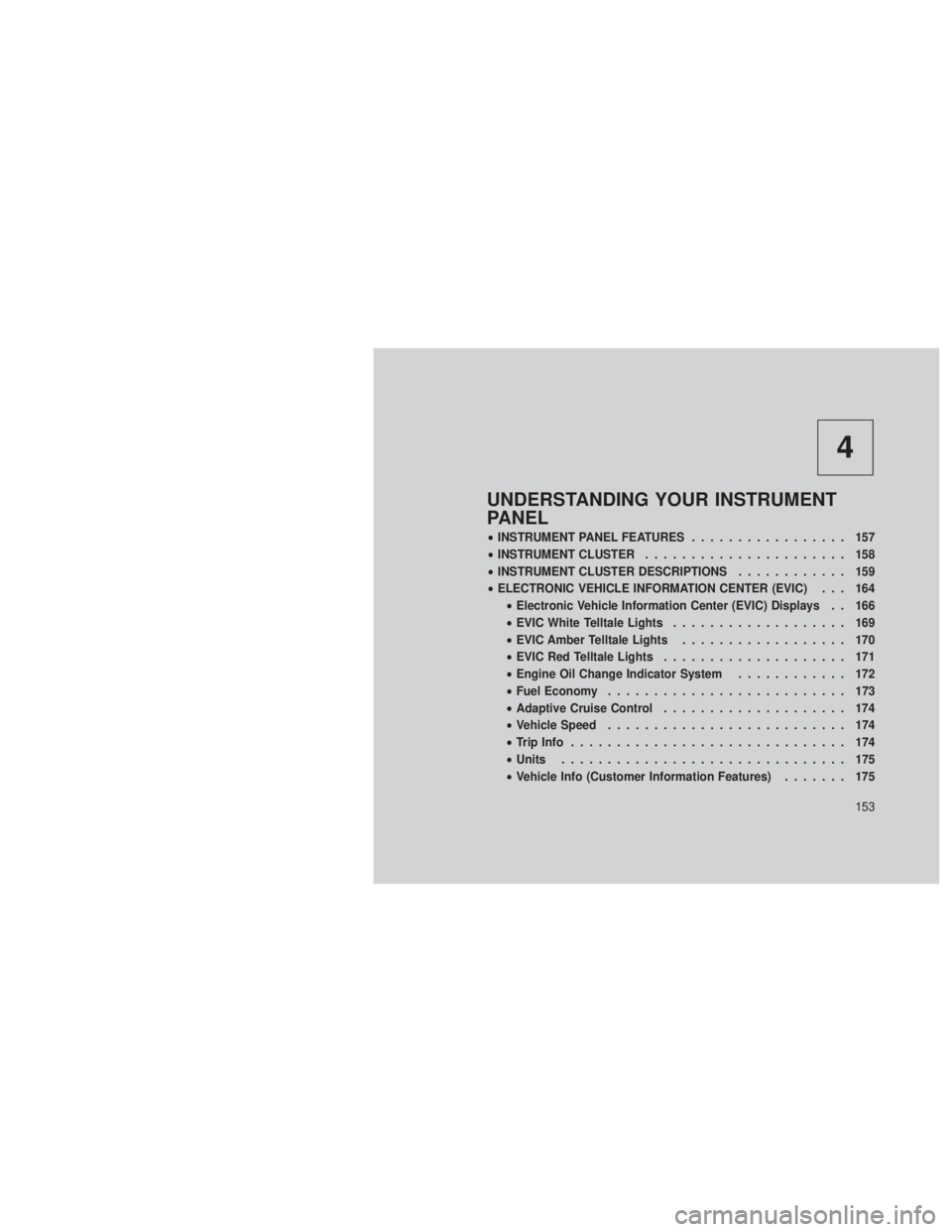
UNDERSTANDING YOUR INSTRUMENT
PANEL
•INSTRUMENT PANEL FEATURES ................. 157
• INSTRUMENT CLUSTER ...................... 158
• INSTRUMENT CLUSTER DESCRIPTIONS ............ 159
• ELECTRONIC VEHICLE INFORMATION CENTER (EVIC) . . . 164
• Electronic Vehicle Information Center (EVIC) Displays . . 166
• EVIC White Telltale Lights ................... 169
• EVIC Amber Telltale Lights .................. 170
• EVIC Red Telltale Lights .................... 171
• Engine Oil Change Indicator System ............ 172
• Fuel Economy .......................... 173
• Adaptive Cruise Control .................... 174
• Vehicle Speed .......................... 174
• Trip Info .............................. 174
• Units ............................... 175
• Vehicle Info (Customer Information Features) ....... 175
153
Page 161 of 380
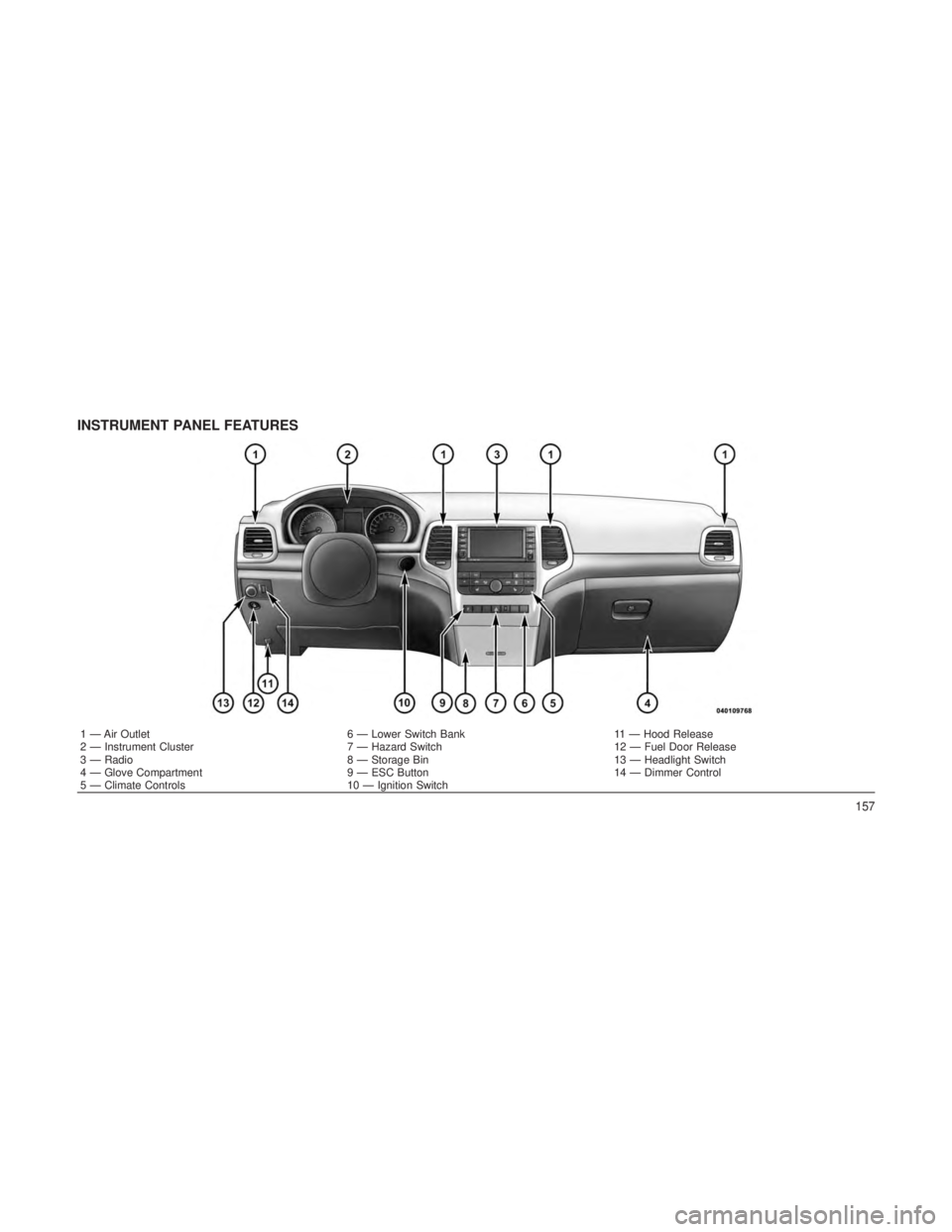
INSTRUMENT PANEL FEATURES
1 — Air Outlet6 — Lower Switch Bank11 — Hood Release
2 — Instrument Cluster 7 — Hazard Switch12 — Fuel Door Release
3 — Radio 8 — Storage Bin13 — Headlight Switch
4 — Glove Compartment 9 — ESC Button14 — Dimmer Control
5 — Climate Controls 10 — Ignition Switch
157
Page 163 of 380
INSTRUMENT CLUSTER
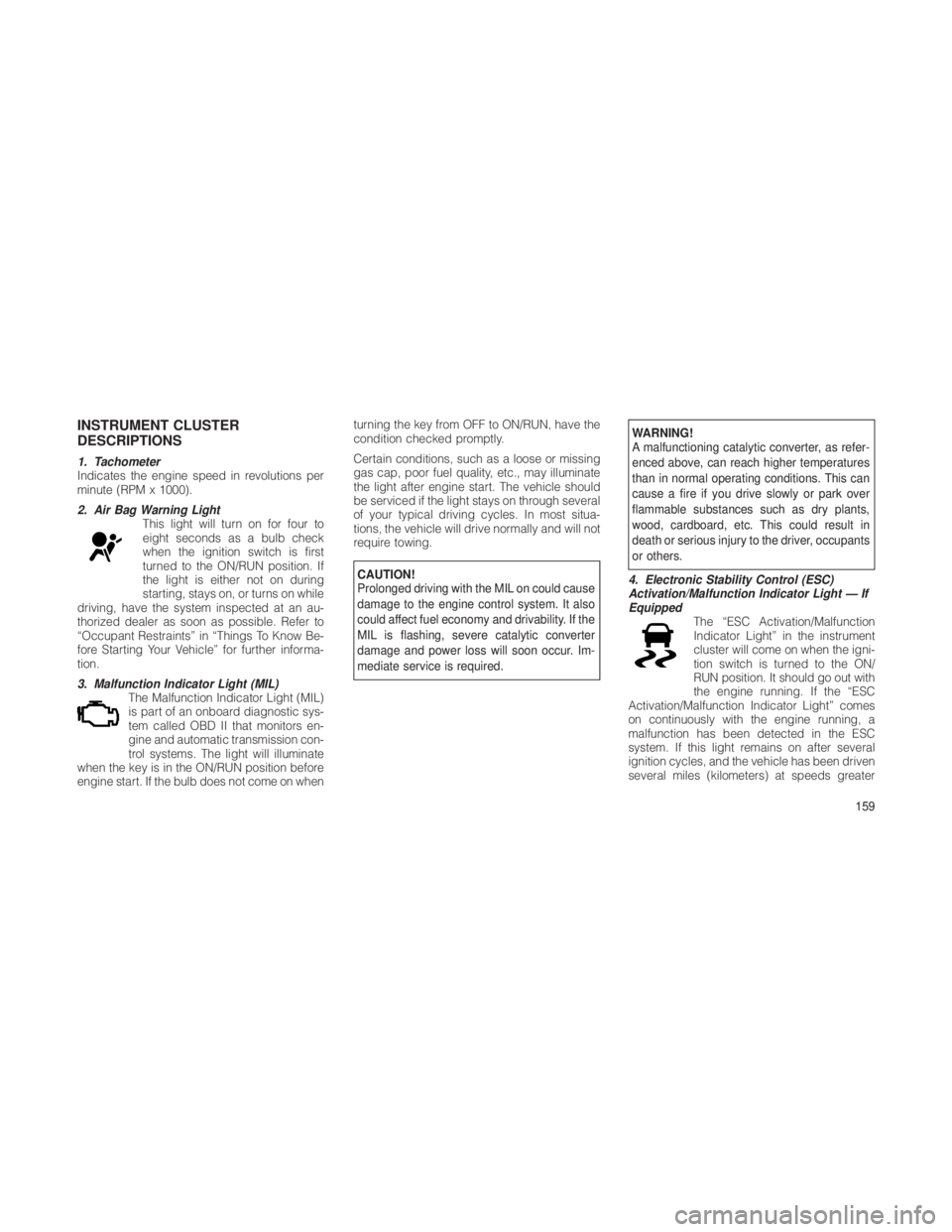
DESCRIPTIONS
1. Tachometer
Indicates the engine speed in revolutions per
minute (RPM x 1000).
2. Air Bag Warning LightThis light will turn on for four to
eight seconds as a bulb check
when the ignition switch is first
turned to the ON/RUN position. If
the light is either not on during
starting, stays on, or turns on while
driving, have the system inspected at an au-
thorized dealer as soon as possible. Refer to
“Occupant Restraints” in “Things To Know Be-
fore Starting Your Vehicle” for further informa-
tion.
3. Malfunction Indicator Light (MIL) The Malfunction Indicator Light (MIL)
is part of an onboard diagnostic sys-
tem called OBD II that monitors en-
gine and automatic transmission con-
trol systems. The light will illuminate
when the key is in the ON/RUN position before
engine start. If the bulb does not come on when turning the key from OFF to ON/RUN, have the
condition checked promptly.
Certain conditions, such as a loose or missing
gas cap, poor fuel quality, etc., may illuminate
the light after engine start. The vehicle should
be serviced if the light stays on through several
of your typical driving cycles. In most situa-
tions, the vehicle will drive normally and will not
require towing.
CAUTION!
Prolonged driving with the MIL on could cause
damage to the engine control system. It also
could affect fuel economy and drivability. If the
MIL is flashing, severe catalytic converter
damage and power loss will soon occur. Im-
mediate service is required.
WARNING!
A malfunctioning catalytic converter, as refer-
enced above, can reach higher temperatures
than in normal operating conditions. This can
cause a fire if you drive slowly or park over
flammable substances such as dry plants,
wood, cardboard, etc. This could result in
death or serious injury to the driver, occupants
or others.
4. Electronic Stability Control (ESC)
Activation/Malfunction Indicator Light — If
Equipped The “ESC Activation/Malfunction
Indicator Light” in the instrument
cluster will come on when the igni-
tion switch is turned to the ON/
RUN position. It should go out with
the engine running. If the “ESC
Activation/Malfunction Indicator Light” comes
on continuously with the engine running, a
malfunction has been detected in the ESC
system. If this light remains on after several
ignition cycles, and the vehicle has been driven
several miles (kilometers) at speeds greater
159
Page 165 of 380
As an added safety feature, your vehicle has
been equipped with a Tire Pressure Monitoring
System (TPMS) that illuminates a low tire pres-
sure telltale when one or more of your tires is
significantly under-inflated. Accordingly, when
the low tire pressure telltale illuminates, you
should stop and check your tires as soon as
possible, and inflate them to the proper pres-
sure. Driving on a significantly under-inflated
tire causes the tire to overheat and can lead to
tire failure. Under-inflation also reduces fuel
efficiency and tire tread life, and may affect the
vehicle’s handling and stopping ability.
Please note that the TPMS is not a substitute for
proper tire maintenance, and it is the driver’s
responsibility to maintain correct tire pressure,
even if under-inflation has not reached the level
to trigger illumination of the TPMS low tire
pressure telltale.Your vehicle has also been equipped with a
TPMS malfunction indicator to indicate when
the system is not operating properly. The TPMS
malfunction indicator is combined with the low
tire pressure telltale. When the system detects
a malfunction, the telltale will flash for approxi-
mately one minute and then remain continu-
ously illuminated. This sequence will continue
upon subsequent vehicle start-ups as long as
the malfunction exists. When the malfunction
indicator is illuminated, the system may not be
able to detect or signal low tire pressure as
intended. TPMS malfunctions may occur for a
variety of reasons, including the installation of
replacement or alternate tires or wheels on the
vehicle that prevent the TPMS from functioning
properly. Always check the TPMS malfunction
telltale after replacing one or more tires or
wheels on your vehicle, to ensure that the
replacement or alternate tires and wheels allow
the TPMS to continue to function properly.CAUTION!
The TPMS has been optimized for the original
equipment tires and wheels. TPMS pressures
and warning have been established for the tire
size equipped on your vehicle. Undesirable
system operation or sensor damage may re-
sult when using replacement equipment that
is not of the same size, type, and/or style.
Aftermarket wheels can cause sensor dam-
age. Do not use tire sealant from a can or
balance beads if your vehicle is equipped with
a TPMS, as damage to the sensors may
result.
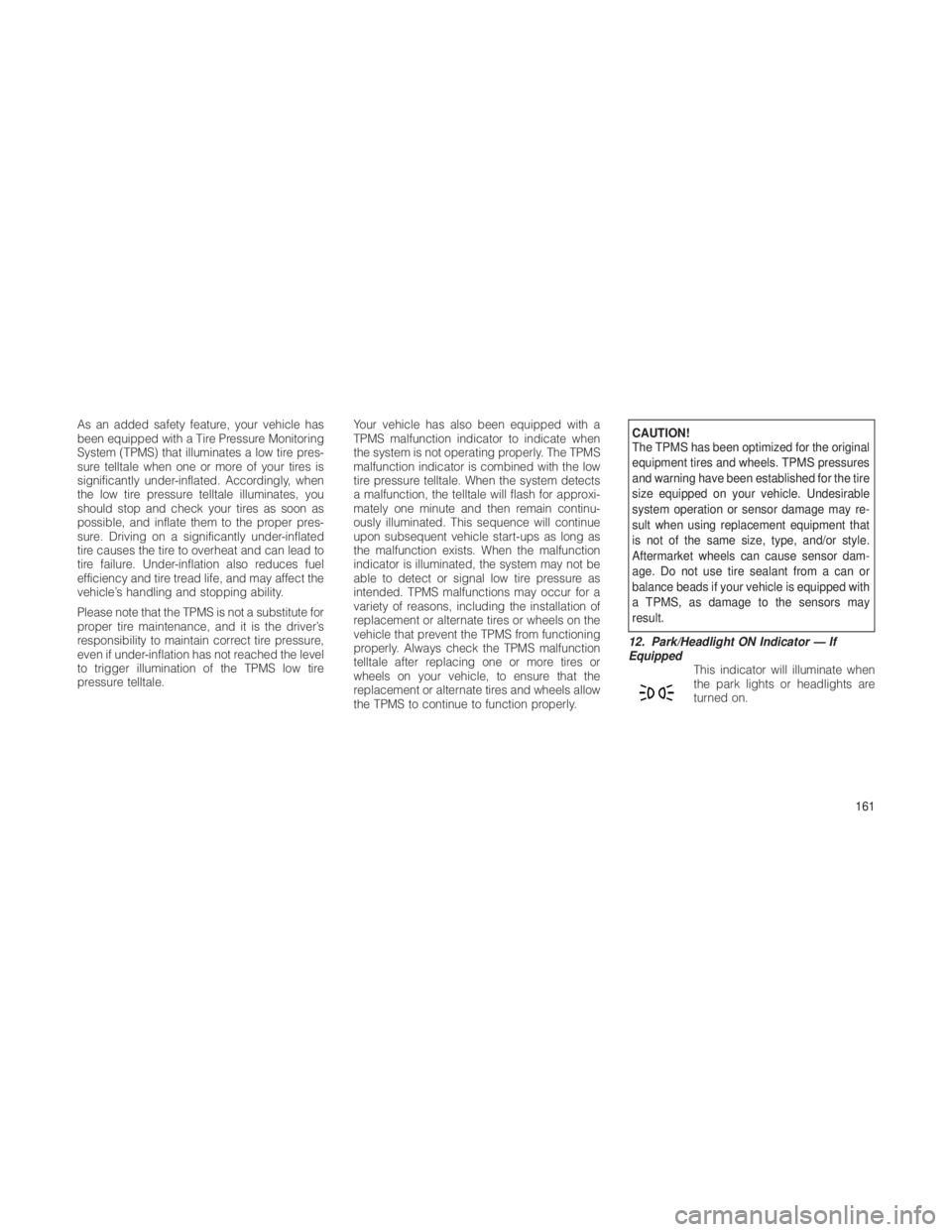
12. Park/Headlight ON Indicator — If
Equipped This indicator will illuminate when
the park lights or headlights are
turned on.
161
Page 167 of 380
The light also will turn on when the parking
brake is applied with the ignition switch in the
ON/RUN position.
NOTE:
This light shows only that the parking brake
is applied. It does not show the degree of
brake application.
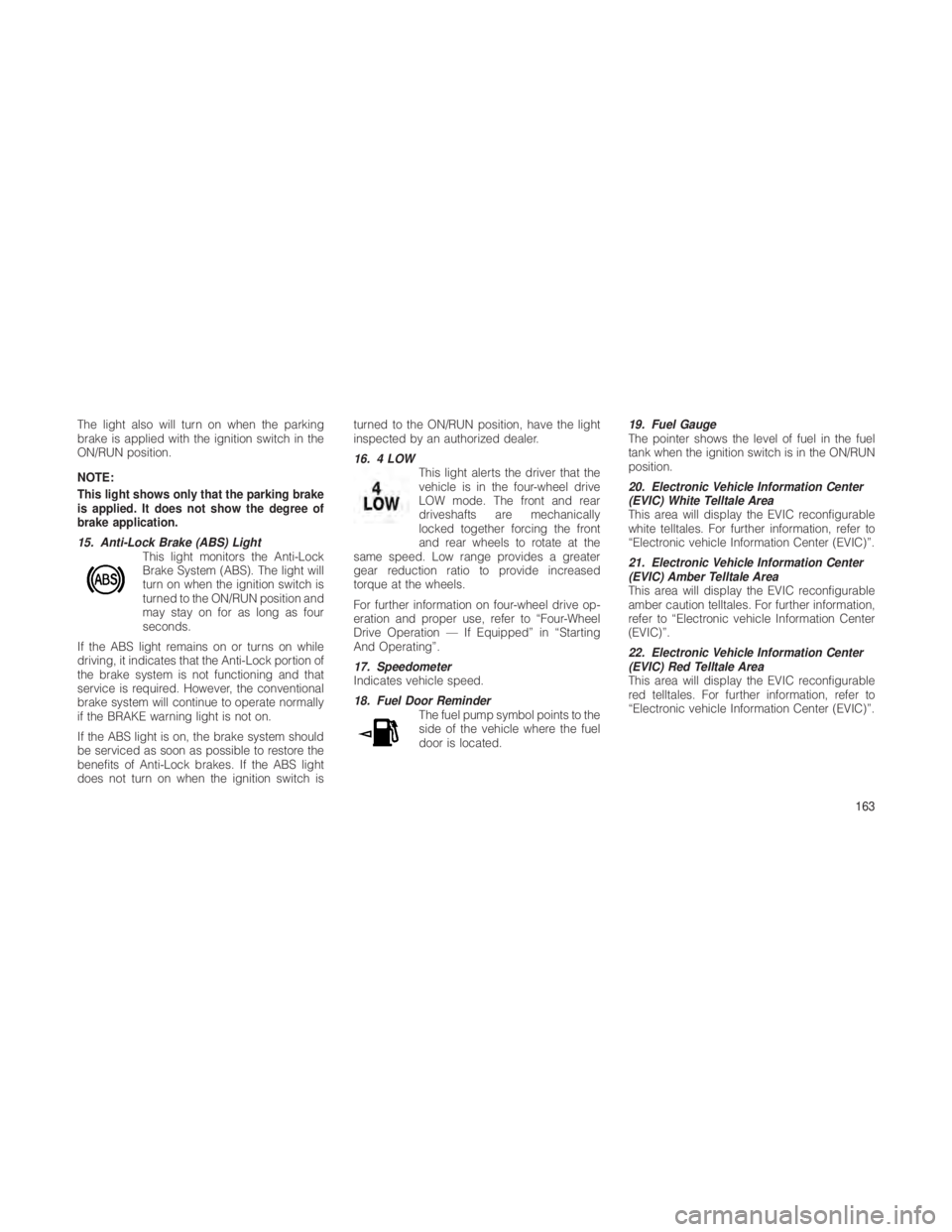
15. Anti-Lock Brake (ABS) LightThis light monitors the Anti-Lock
Brake System (ABS). The light will
turn on when the ignition switch is
turned to the ON/RUN position and
may stay on for as long as four
seconds.
If the ABS light remains on or turns on while
driving, it indicates that the Anti-Lock portion of
the brake system is not functioning and that
service is required. However, the conventional
brake system will continue to operate normally
if the BRAKE warning light is not on.
If the ABS light is on, the brake system should
be serviced as soon as possible to restore the
benefits of Anti-Lock brakes. If the ABS light
does not turn on when the ignition switch is turned to the ON/RUN position, have the light
inspected by an authorized dealer.
16. 4 LOW
This light alerts the driver that the
vehicle is in the four-wheel drive
LOW mode. The front and rear
driveshafts are mechanically
locked together forcing the front
and rear wheels to rotate at the
same speed. Low range provides a greater
gear reduction ratio to provide increased
torque at the wheels.
For further information on four-wheel drive op-
eration and proper use, refer to “Four-Wheel
Drive Operation — If Equipped” in “Starting
And Operating”.
17. Speedometer
Indicates vehicle speed.
18. Fuel Door Reminder The fuel pump symbol points to the
side of the vehicle where the fuel
door is located. 19. Fuel Gauge
The pointer shows the level of fuel in the fuel
tank when the ignition switch is in the ON/RUN
position.
20. Electronic Vehicle Information Center
(EVIC) White Telltale Area
This area will display the EVIC reconfigurable
white telltales. For further information, refer to
“Electronic vehicle Information Center (EVIC)”.
21. Electronic Vehicle Information Center
(EVIC) Amber Telltale Area
This area will display the EVIC reconfigurable
amber caution telltales. For further information,
refer to “Electronic vehicle Information Center
(EVIC)”.
22. Electronic Vehicle Information Center
(EVIC) Red Telltale Area
This area will display the EVIC reconfigurable
red telltales. For further information, refer to
“Electronic vehicle Information Center (EVIC)”.
163
Page 169 of 380
The EVIC consists of the following:
•Fuel Economy
• ACC: (If Equipped)
• Vehicle Speed
• Trip Info
• Terrain: (If Equipped)
• Tire PSI/KPA: (If Equipped)
• Vehicle Info
• Messages
• Units: English/Metric
• System Setup
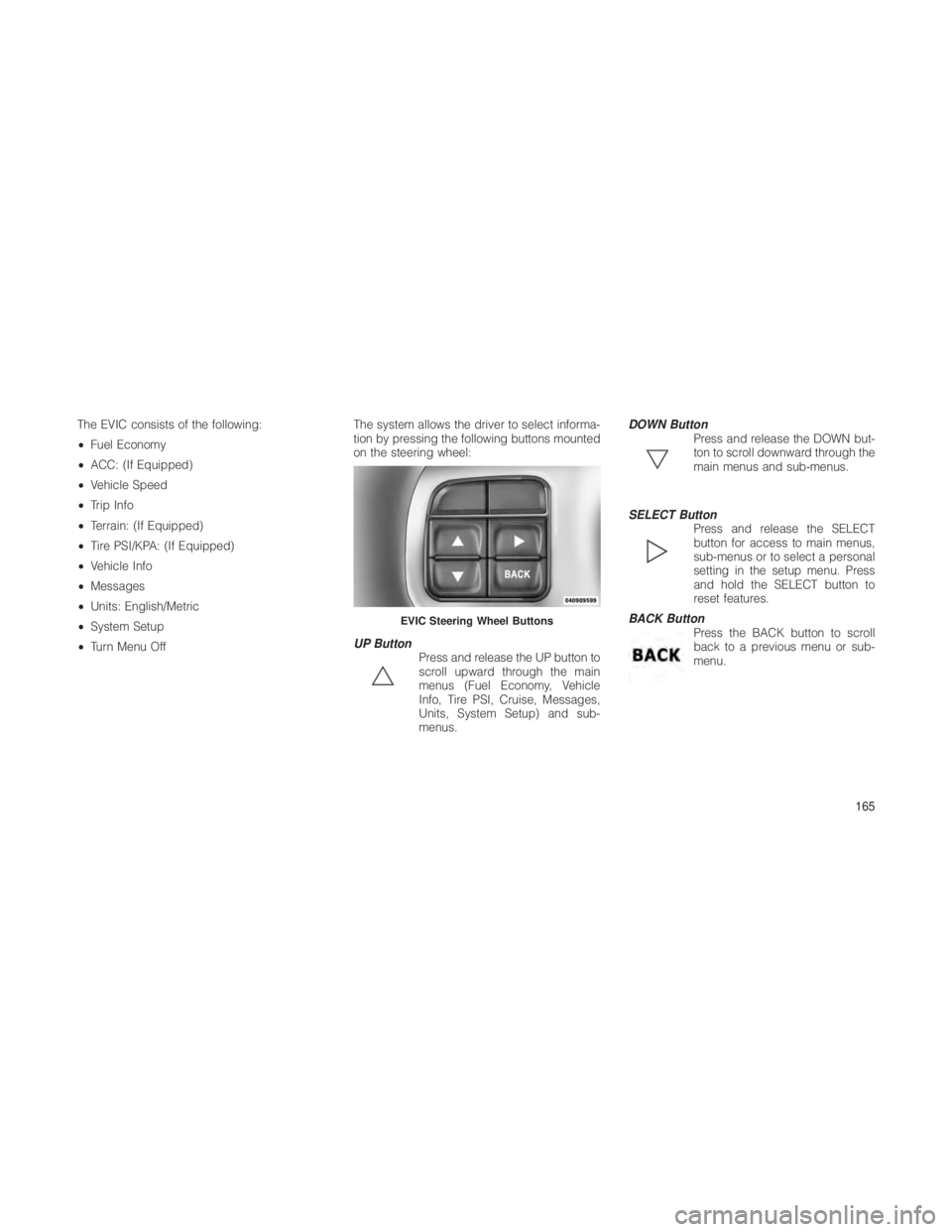
• Turn Menu Off The system allows the driver to select informa-
tion by pressing the following buttons mounted
on the steering wheel:
UP Button
Press and release the UP button to
scroll upward through the main
menus (Fuel Economy, Vehicle
Info, Tire PSI, Cruise, Messages,
Units, System Setup) and sub-
menus. DOWN Button
Press and release the DOWN but-
ton to scroll downward through the
main menus and sub-menus.
SELECT Button Press and release the SELECT
button for access to main menus,
sub-menus or to select a personal
setting in the setup menu. Press
and hold the SELECT button to
reset features.
BACK Button Press the BACK button to scroll
back to a previous menu or sub-
menu.
EVIC Steering Wheel Buttons
165
Page 172 of 380
•Eco — Fuel Saver Indicator
• Terrain Settings — Automatic
• Terrain Settings — Rock
• Terrain Settings — Sand/Mud
• Terrain Settings — Snow
• Terrain Settings — Sport
• Sport Not Available In 4 Low 4 High Is
Required
• Rock Not Available In 4 Low 4 High Is
Required
• To Tow Vehicle Safely, Read Neutral Shift
Procedure In Owners Manual
• For 4x4 Low Slow Below 5 Mph Or 8 Kph Put
Trans In N Press 4 Low
• For 4x4 High Slow Below 5 Mph Or 8 Kph Put
Trans In N Press 4 Low
• Terrain System Settings Not Available
• Raising Vehicle Ride Height (with icon)
• Lowering Vehicle Ride Height (with icon) •
Normal Vehicle Ride Height — This message
is displayed (for five seconds) when the
vehicle has achieved the Normal Vehicle
Ride Height.
• Off Road Ride Height Level 1 — This mes-
sage is displayed (for five seconds) when
the vehicle has achieved the Off Road
Height Level 1.
• Off Road Ride Height Level 2 — This mes-
sage is displayed (for five seconds) when
the vehicle has achieved the Off Road
Height Level 2.
• Vehicle Lowered To Entry/Exit (Park) Height
— This message is displayed (for five sec-
onds) when the vehicle has achieved the
Park Height.
• Entry/Exit (Park) Height in Progress — This
message is displayed (for five seconds)
when the request is made to go into Entry/
Exit Height while the vehicle speed is be-
tween 15 and 25 mph. This shows that the
request has been recognized and will lower
to Entry/Exit height when vehicle is below
15 mph. •
Service Air Suspension System — This is
displayed when a fault has occurred in the
system. The system will have limited opera-
tion at that point.
• Immediate Air Suspension Service/Repair
Required — This is displayed when a fault
has occurred in the system which results in a
complete system shutdown. The system will
be non operational at that point.
• Reduce Speed To Maintain Selected Ride
Height — This message is displayed in ad-
vance warning to the driver that the vehicle
will be moved to the next lower preset posi-
tion unless the speed is reduced.
• Selected Ride Height Not Permitted — The
vehicle speed is too high to enter one of the
preset levels (Entry/Exit Level/Off Road Ride
Height Level 1/Off Road Ride Height Level
2).
• Air Suspension System Cooling Down –
Please Wait — This message is displayed if
the compressor temperature level is too
high. Level control is suspended until the
compressor has cooled down.
168
Page 174 of 380
steering effort, especially at very low ve-
hicle speeds and during parking maneu-
vers.
• If the condition persists, see your autho-
rized dealer for service.
EVIC Amber Telltale LightsThis area will show reconfigurable amber cau-
tion telltales. These telltales include:
•Forward Collision Warning (FCW) OFF
This light warns the driver of a
potential collision with the vehicle
in front and prompts the driver to
take action in order to avoid the
collision. For further information,
refer to “Adaptive Cruise Control
(ACC)” in “Understanding The Features Of Your
Vehicle.”
• Wait To Start Light — Diesel Only
This light will illuminate when the igni-
tion switch is first turned to the RUN
position. Wait until the light turns off
before starting the vehicle. Refer to “Starting
Procedures” in “Starting And Operating”. •
Water In Fuel Indicator — Diesel Only
This light indicates water has col-
lected in the fuel filter and should
be drained immediately. See your
authorized dealer for service.
• Air Suspension Up
The air suspension up telltale will
illuminate when the air suspension
is in use. For further information,
refer to “Starting And Operating”.
• Air Suspension Down
The air suspension down telltale
will illuminate when the air suspen-
sion is in use. For further informa-
tion, refer to “Starting And Operat-
ing”.
• Low Fuel Light
When the fuel level reaches approxi-
mately 3.0 gal (11.0 L) this light will turn
on, and remain on until fuel is added. •
Loose Gascap Indicator
If the vehicle diagnostic system
determines that the fuel filler cap is
loose, improperly installed, or
damaged, a loose gascap indica-
tor will display in the telltale display
area. Tighten the fuel filler cap
properly and press the SELECT button to turn
off the message. If the problem continues, the
message will appear the next time the vehicle is
started.
A loose, improperly installed, or damaged fuel
filler cap may also turn on the Malfunction
Indicator Light (MIL).
• Windshield Washer Fluid Low Indicator
This light will turn on to indicate the
windshield washer fluid is low.
• SERV 4WD
The SERV 4WD light monitors the
electric shift 4WD system. If the
SERV 4WD light stays on or comes
on during driving, it means that the
170