low KIA OPTIMA 2020 Features and Functions Guide
[x] Cancel search | Manufacturer: KIA, Model Year: 2020, Model line: OPTIMA, Model: KIA OPTIMA 2020Pages: 591, PDF Size: 14.1 MB
Page 145 of 591
455
Features of your vehicle
Outside rearview mirror
Be sure to adjust the mirror angles
before driving.
Your vehicle is equipped with both
left-hand and right-hand outside
rearview mirrors. The mirrors can be
adjusted remotely with the remote
switch. The mirror heads can be fold-
ed back to prevent damage during an
automatic vehicle wash or when
passing through a narrow street.
The right outside rearview mirror is
convex. Objects seen in the mirror
are closer than they appear.
Use your interior rearview mirror or
direct observation to determine the
actual distance of following vehicles
when changing lanes.If the mirror is jammed with ice, do
not adjust the mirror by force. Use an
approved spray de-icer (not radiator
antifreeze) to release the frozen
mechanism or move the vehicle to a
warm place and allow the ice to melt.
WARNING- Mirror
adjustment
Do not adjust or fold the outside
rearview mirrors while the vehi-
cle is moving. This could result
in loss of control.
CAUTION - Rearview
mirror
Do not scrape ice off the mirror face; this may damage the sur-face of the glass. If ice shouldrestrict the movement of the mir-ror, do not force the mirror foradjustment. To remove ice, use adeicer spray, a sponge or softcloth with very warm water.
JFa PE USA 4.qxp 5/15/2019 3:19 PM Page 55
Page 146 of 591
Features of your vehicle
56
4
Adjusting outside rearview mirror
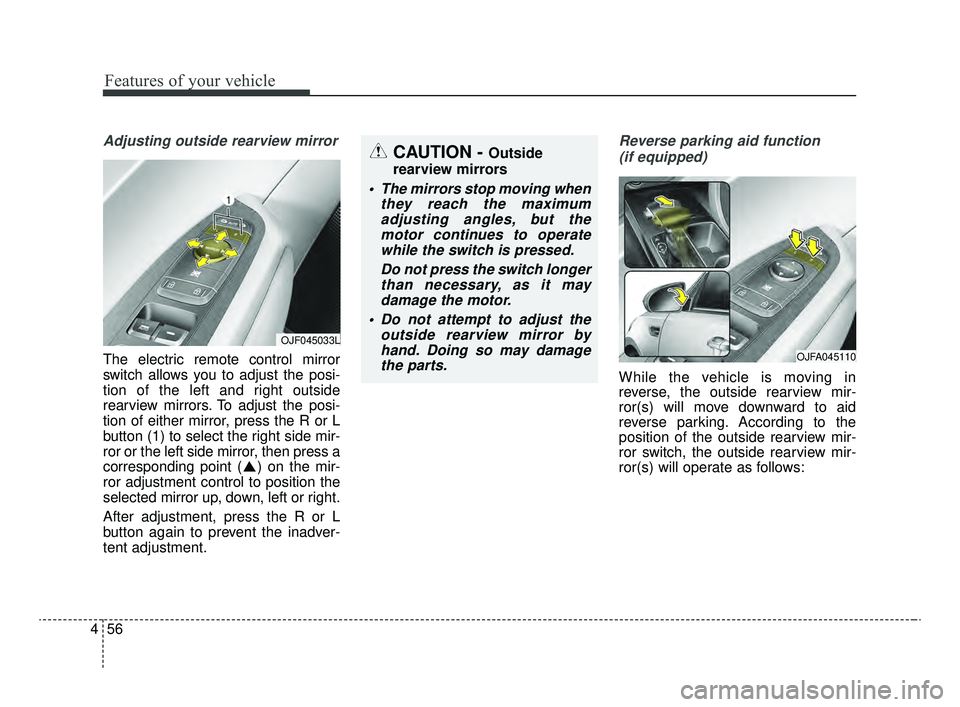
The electric remote control mirror
switch allows you to adjust the posi-
tion of the left and right outside
rearview mirrors. To adjust the posi-
tion of either mirror, press the R or L
button (1) to select the right side mir-
ror or the left side mirror, then press a
corresponding point ( ) on the mir-
ror adjustment control to position the
selected mirror up, down, left or right.
After adjustment, press the R or L
button again to prevent the inadver-
tent adjustment.
Reverse parking aid function
(if equipped)
While the vehicle is moving in
reverse, the outside rearview mir-
ror(s) will move downward to aid
reverse parking. According to the
position of the outside rearview mir-
ror switch, the outside rearview mir-
ror(s) will operate as follows:
CAUTION - Outside
rearview mirrors
The mirrors stop moving when they reach the maximumadjusting angles, but themotor continues to operatewhile the switch is pressed.
Do not press the switch longerthan necessary, as it maydamage the motor.
Do not attempt to adjust the outside rearview mirror byhand. Doing so may damagethe parts.
OJFA045110
OJF045033L
JFa PE USA 4.qxp 5/15/2019 3:19 PM Page 56
Page 147 of 591
457
Features of your vehicle
L/R: When the remote control outside
rearview mirror switch is select-
ed to the L (left) or R (right) posi-
tion, both outside rearview mir-
rors will move downward.
Neutral : When the remote control
outside rearview mirror
switch is placed in the mid-
dle position, the outside
rearview mirrors will not
operate while the vehicle is
moving rearward.
The outside rearview mirrors will auto-
matically revert to their original posi-
tions under the following conditions:
1. The ignition switch is in the OFF position.
2. Shift lever is moved to any position except R (Reverse).
3. Remote control outside rearview mirror switch is placed in the middle
position.Folding the outside rearview mirror
(if equipped)
Electric type
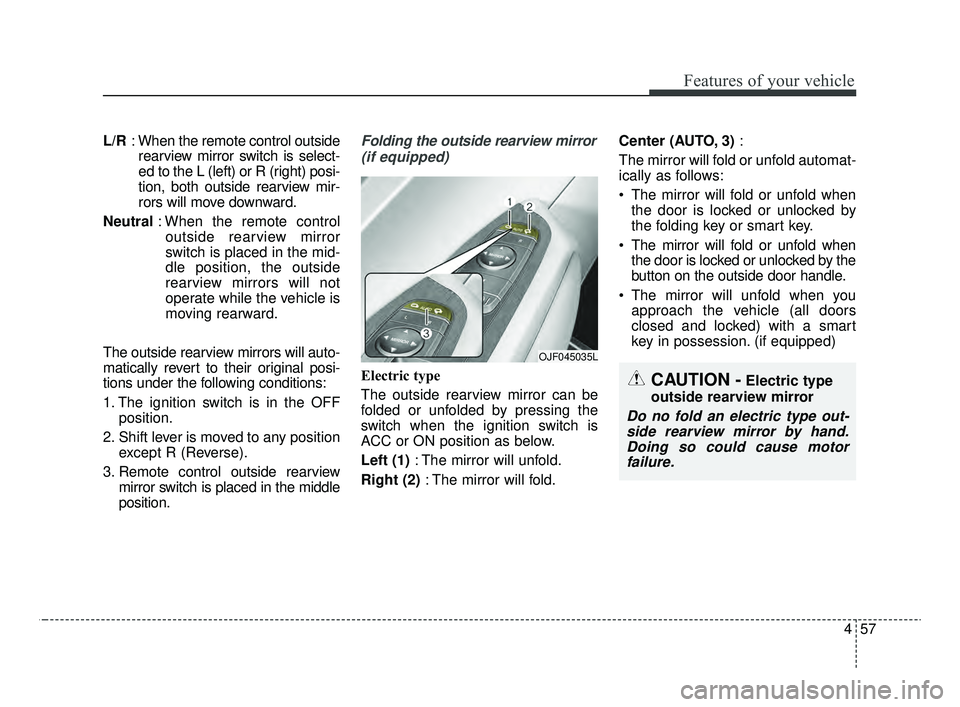
The outside rearview mirror can be
folded or unfolded by pressing the
switch when the ignition switch is
ACC or ON position as below.
Left (1) : The mirror will unfold.
Right (2) : The mirror will fold. Center (AUTO, 3)
:
The mirror will fold or unfold automat-
ically as follows:
The mirror will fold or unfold when the door is locked or unlocked by
the folding key or smart key.
The mirror will fold or unfold when the door is locked or unlocked by the
button on the outside door handle.
The mirror will unfold when you approach the vehicle (all doors
closed and locked) with a smart
key in possession. (if equipped)
OJF045035L
CAUTION -Electric type
outside rearview mirror
Do no fold an electric type out- side rearview mirror by hand.Doing so could cause motorfailure.
JFa PE USA 4.qxp 5/15/2019 3:19 PM Page 57
Page 153 of 591
463
Features of your vehicle
✽ ✽NOTICE
• The fuel tank capacity is given in
chapter 8.
• The fuel gauge is supplemented by a distance to empty mileage,
and/or a low fuel warning light
which will illuminate when the
fuel tank is nearly empty.
• On inclines or curves, the fuel gauge pointer may fluctuate or the
low fuel warning light may come
on earlier than usual due to the
movement of fuel in the tank.
✽ ✽ NOTICE - Fuel gauge
Running out of fuel can expose vehi-
cle occupants to danger. You must
obtain additional fuel as soon as pos-
sible after the warning light comes
on or when the gauge indicator
comes close to the “E (Empty)”
level.
✽ ✽NOTICE
The fuel display may not be accu-
rate if the vehicle is on an incline.
Odometer
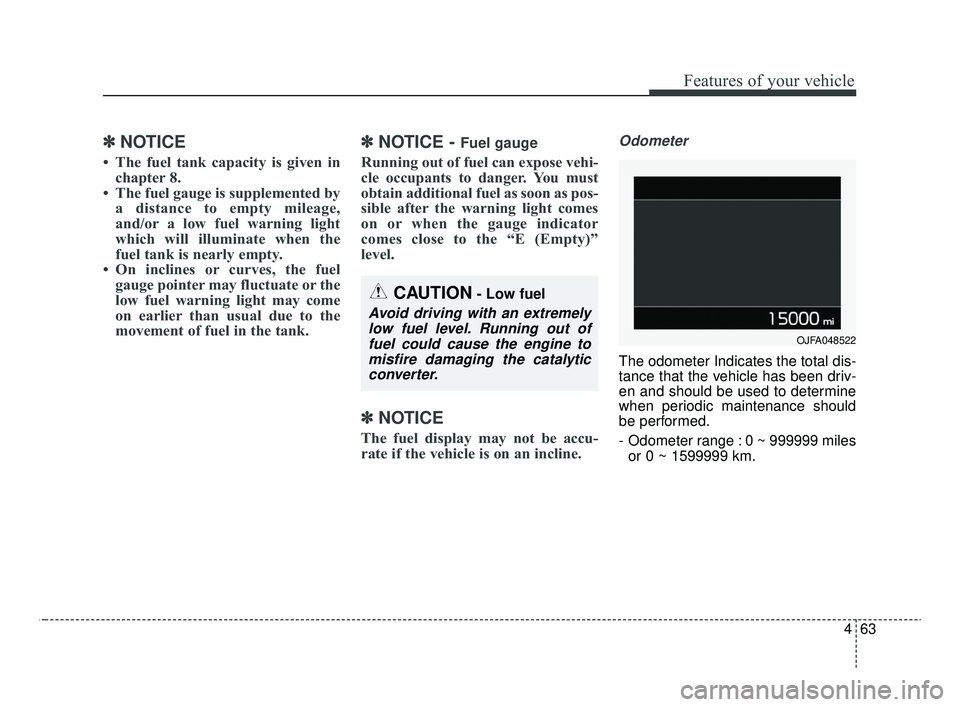
The odometer Indicates the total dis-
tance that the vehicle has been driv-
en and should be used to determine
when periodic maintenance should
be performed.
- Odometer range : 0 ~ 999999 miles
or 0 ~ 1599999 km.
CAUTION- Low fuel
Avoid driving with an extremelylow fuel level. Running out offuel could cause the engine tomisfire damaging the catalyticconverter.
OJFA048522
JFa PE USA 4.qxp 5/15/2019 3:19 PM Page 63
Page 155 of 591

465
Features of your vehicle
LCD DISPLAY
❈For controlling the LCD modes, refer to "LCD Display Control" in this chapter.
LCD Modes
ModesSymbolExplanation
Trip ComputerThis mode displays driving information such as the tripmeter, fuel economy, and so on.
❈For more details, refer to “Trip Computer” in this chapter.
Tu r n b y Tu r n m o d e
(if equipped)This mode displays the state of the navigation.
Assist mode
(if equipped)
This mode displays the state of below systems.
- SCC with S&G (Refer to “Smart Cruise Control with Stop & Go system” in chapter 5)
- Lane Keeping Assist (Refer to “Lane keeping Assist (LKA) system” in chapter 5)
- Driving Attention Warning (Refer to “Driving Attention Warning (DAW) system” in chap- ter 5)
- Tire Pressure(Refer to “Tire Pressure Monitoring System (TPMS)” in chapter 6)
❈ For more details, refer to chapter 5 and 6.
User SettingsOn this mode, you can change settings of the doors, lamps and so on.
Master warning
modeThis mode informs of warning messages related to Low tire pressure or malfunction of
Blind-spot Collision Warning and so on.
JFa PE USA 4.qxp 5/17/2019 4:28 PM Page 65
Page 157 of 591
467
Features of your vehicle
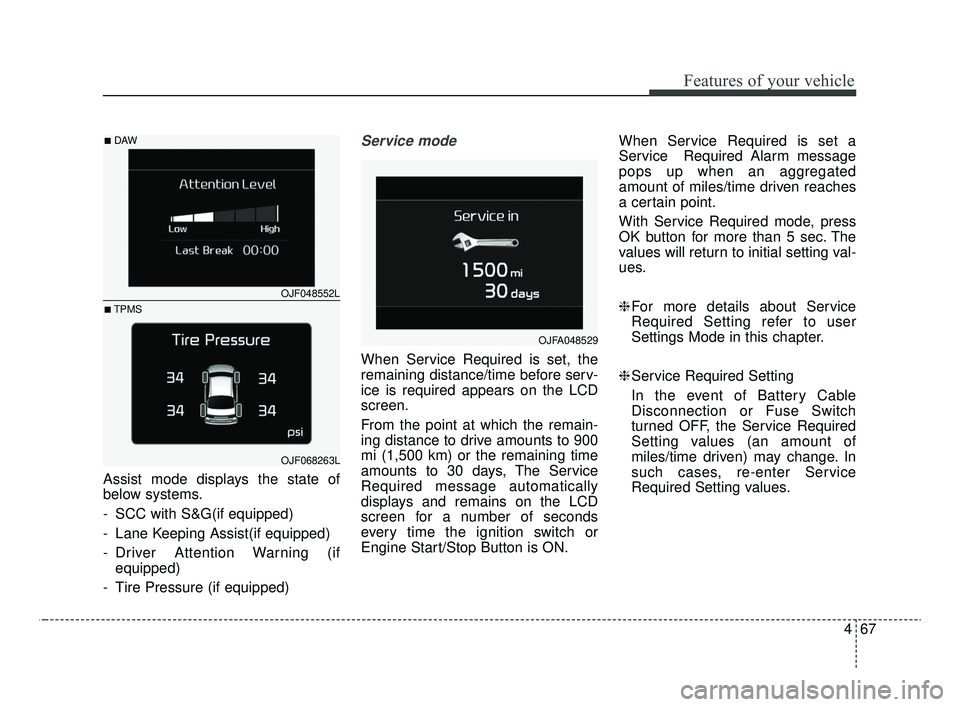
Assist mode displays the state of
below systems.
- SCC with S&G(if equipped)
- Lane Keeping Assist(if equipped)
- Driver Attention Warning (ifequipped)
- Tire Pressure (if equipped)
Service mode
When Service Required is set, the
remaining distance/time before serv-
ice is required appears on the LCD
screen.
From the point at which the remain-
ing distance to drive amounts to 900
mi (1,500 km) or the remaining time
amounts to 30 days, The Service
Required message automatically
displays and remains on the LCD
screen for a number of seconds
every time the ignition switch or
Engine Start/Stop Button is ON. When Service Required is set a
Service Required Alarm message
pops up when an aggregated
amount of miles/time driven reaches
a certain point.
With Service Required mode, press
OK button for more than 5 sec. The
values will return to initial setting val-
ues.
❈
For more details about Service
Required Setting refer to user
Settings Mode in this chapter.
❈ Service Required Setting
In the event of Battery Cable
Disconnection or Fuse Switch
turned OFF, the Service Required
Setting values (an amount of
miles/time driven) may change. In
such cases, re-enter Service
Required Setting values.
OJFA048529
OJF048552L
OJF068263L
■DAW
■TPMS
JFa PE USA 4.qxp 5/15/2019 3:20 PM Page 67
Page 158 of 591

Features of your vehicle
68
4
Master warning mode
(if equipped)
This warning light informs the driv- er of the following situations
- LED head lamp malfunction (if equipped)
- Smart Cruise Control with Stop & Go malfunction (if equipped)
- Smart Cruise Control with Stop & Go radar blind (if equipped)
- Forward Collision-Avoidance Assist malfunction (if equipped)
- Blind-Spot Collision Warning radar blind (if equipped)
- Lamp malfunction
- High Beam Assist malfunction
- Tire Pressure Monitoring System (TPMS) malfunction (if equipped)
- Electronic Control Suspension (ECS) malfunction (if equipped) The Master Warning Light illumi-
nates if one or more of the above
warning situations occur.
If the warning situation is solved, the
master warning light will be turned
off.
User Settings Mode
Description
On this mode, you can change set-
ting of the doors, lamps, and so on.
OJF048553L
WARNING
Do not adjust the User Setting
while driving.
You may lose your steering con-
trol which could cause an acci-
dent and bodily injury.
JFa PE USA 4.qxp 5/15/2019 3:20 PM Page 68
Page 159 of 591
469
Features of your vehicle
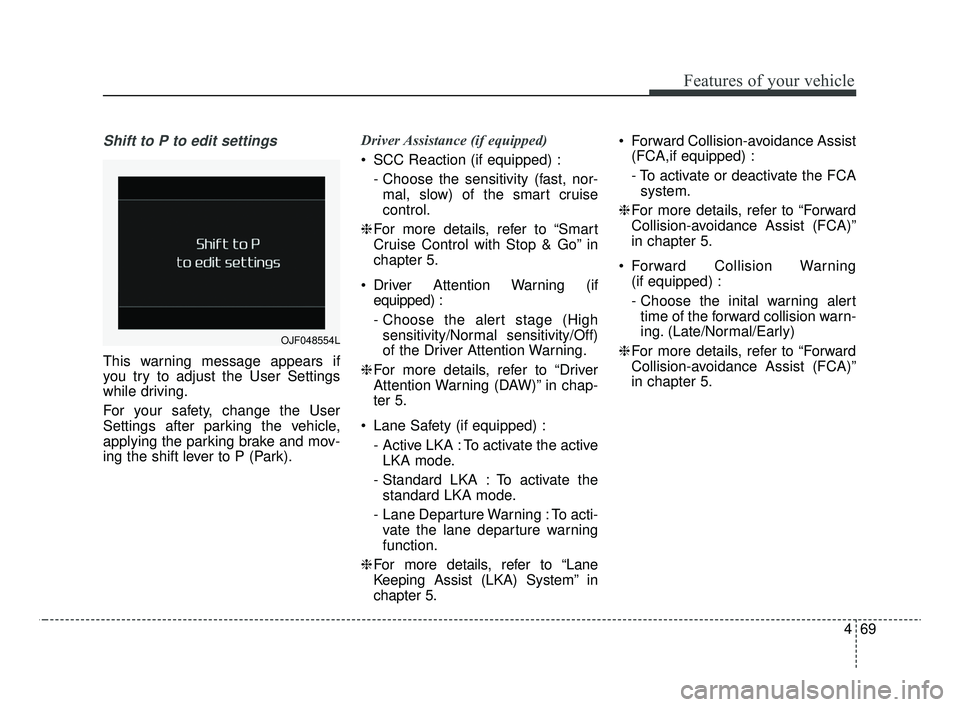
Shift to P to edit settings
This warning message appears if
you try to adjust the User Settings
while driving.
For your safety, change the User
Settings after parking the vehicle,
applying the parking brake and mov-
ing the shift lever to P (Park).Driver Assistance (if equipped)
SCC Reaction (if equipped) :
- Choose the sensitivity (fast, nor-mal, slow) of the smart cruise
control.
❈ For more details, refer to “Smart
Cruise Control with Stop & Go” in
chapter 5.
Driver Attention Warning (if equipped) :
- Choose the alert stage (Highsensitivity/Normal sensitivity/Off)
of the Driver Attention Warning.
❈ For more details, refer to “Driver
Attention Warning (DAW)” in chap-
ter 5.
Lane Safety (if equipped) : - Active LKA : To activate the activeLKA mode.
- Standard LKA : To activate the standard LKA mode.
- Lane Departure Warning : To acti- vate the lane departure warning
function.
❈ For more details, refer to “Lane
Keeping Assist (LKA) System” in
chapter 5. Forward Collision-avoidance Assist
(FCA,if equipped) :
- To activate or deactivate the FCAsystem.
❈ For more details, refer to “Forward
Collision-avoidance Assist (FCA)”
in chapter 5.
Forward Collision Warning (if equipped) :
- Choose the inital warning alerttime of the forward collision warn-
ing. (Late/Normal/Early)
❈ For more details, refer to “Forward
Collision-avoidance Assist (FCA)”
in chapter 5.
OJF048554L
JFa PE USA 4.qxp 5/15/2019 3:20 PM Page 69
Page 168 of 591

Features of your vehicle
78
4
Smart Shift (if equipped)
This mode displays the currently
selected drive mode.
Transmission Temperature
(for dual clutch transmission,if equipped)
This mode displays the temperature
of the dual clutch transmission.
Warning Messages
Shift to P position (for smart key system)
This warning message illuminates if you try to turn off the engine without
the shift lever in P (Park) position.
At this time, the Engine Start/Stop Button turns to the ACC position (If
you press the Engine Start/Stop
Button once more, it will turn to the
ON position).
Low Key Battery
(for smart key system)
This warning message illuminates if the battery of the smart key is
discharged when the Engine
Start/Stop Button changes to the
OFF position.OJF048577L
OJF048558L
JFa PE USA 4.qxp 5/15/2019 3:20 PM Page 78
Page 170 of 591

Features of your vehicle
80
4
Press start button again
(for smart key system)
It means that you could start the engine by pressing the Engine
Start/ Stop Button once more.
If the warning illuminates each time you press the Engine
Start/Stop Button, have your vehi-
cle inspected by an authorized Kia
dealer.
Press start button with key
(for smart key system)
This warning message illuminates if you press the Engine Start/Stop
Button while the warning message
“Key not detected” is illuminating.
At this time, the immobilizer indica- tor light blinks.
Check fuse BRAKE SWITCH
(for smart key system)
This warning message illuminates if the brake switch fuse is blown.
It means that you should replace the fuse with a new one. If that is
not possible, you can start the
engine by pressing the Engine
Start/Stop Button for 10 seconds in
the ACC position.
Shift to P or N to start engine
(for smart key system)
This warning message illuminates if you try to start the engine with
the shift lever not in the P (Park) or
N (Neutral) position.
✽ ✽ NOTICE
You can start the engine with the
shift lever in the N (Neutral) position;
however; we recommend that you
start the engine with the shift lever in
the P (Park) position for your safety.
JFa PE USA 4.qxp 5/15/2019 3:20 PM Page 80