display KIA SOUL 2019 Workshop Manual
[x] Cancel search | Manufacturer: KIA, Model Year: 2019, Model line: SOUL, Model: KIA SOUL 2019Pages: 564, PDF Size: 14.2 MB
Page 310 of 564
Driving your vehicle
20
6
For smooth operation, depress the
brake pedal and the lock release but-ton when shifting from N (Neutral) toa forward or reverse gear.
When stopped on an incline, do not
hold the vehicle with the engine
power. Use the service brake or the
parking brake.
Transaxle ranges
The indicator in the instrument clus-
ter displays the shift lever position
when the ignition switch is in the ON
position.
P (Park)
Always come to a complete stop
before shifting into P (Park). This
position locks the transaxle and pre-
vents the drive wheels from rotating.
Shifting into P (Park) while the vehi-
cle is in motion will cause the drive
wheels to lock which will cause you
to lose control of the vehicle.CAUTION- Transaxle
To avoid damage to yourtransaxle, do not accelerate theengine in R (Reverse) or any for-ward gear position with thebrakes on. The transaxle may bedamaged if you shift into P(Park) while the vehicle is inmotion.
WARNING- Leaving the
Vehicle
To avoid unexpected or sudden
vehicle movement, never leave
your vehicle if the transmission
is not locked in the P (Park)
position and the parking brake
is fully engaged. Before leaving
the driver's seat, always make
sure the shift lever is engaged in
P (Park), set the parking brake
fully and shut the engine off.
Page 319 of 564
629
Driving your vehicle
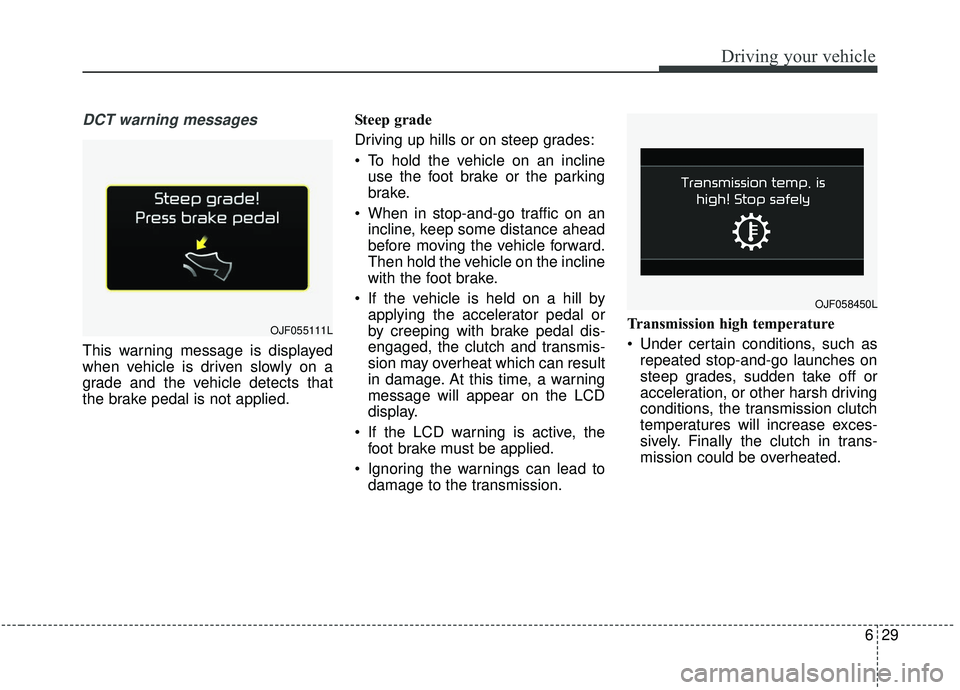
DCT warning messages
This warning message is displayed
when vehicle is driven slowly on a
grade and the vehicle detects that
the brake pedal is not applied.Steep grade
Driving up hills or on steep grades:
To hold the vehicle on an incline
use the foot brake or the parking
brake.
When in stop-and-go traffic on an incline, keep some distance ahead
before moving the vehicle forward.
Then hold the vehicle on the incline
with the foot brake.
If the vehicle is held on a hill by applying the accelerator pedal or
by creeping with brake pedal dis-
engaged, the clutch and transmis-
sion may overheat which can result
in damage. At this time, a warning
message will appear on the LCD
display.
If the LCD warning is active, the foot brake must be applied.
Ignoring the warnings can lead to damage to the transmission. Transmission high temperature
Under certain conditions, such as
repeated stop-and-go launches on
steep grades, sudden take off or
acceleration, or other harsh driving
conditions, the transmission clutch
temperatures will increase exces-
sively. Finally the clutch in trans-
mission could be overheated.
OJF055111L
OJF058450L
Page 320 of 564
Driving your vehicle
30
6
When the clutch is overheated, the
safe protection mode engages and
the gear position indicator on the
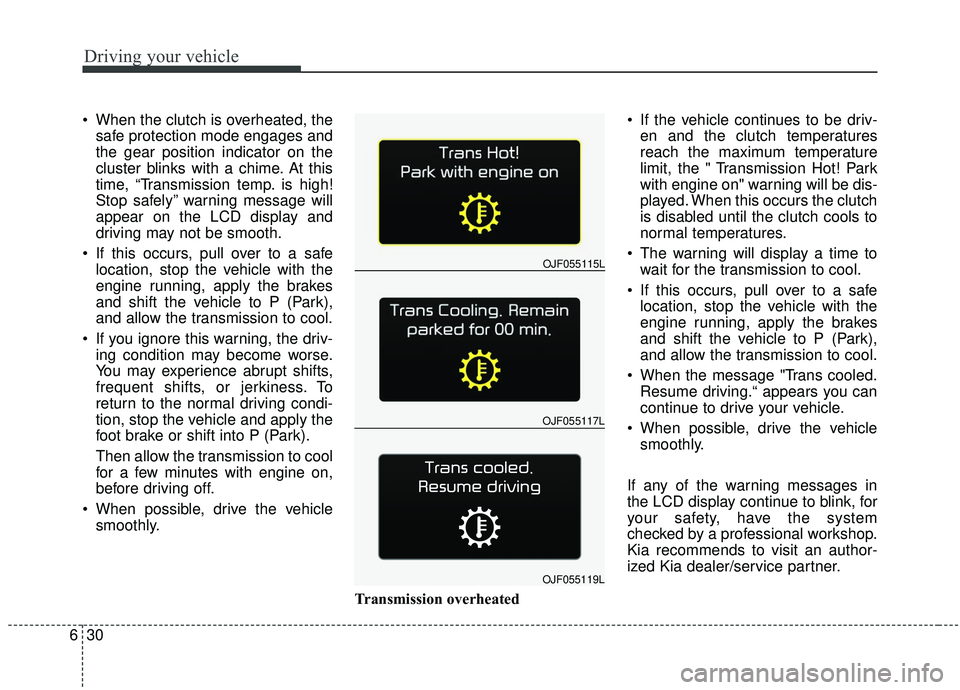
cluster blinks with a chime. At this
time, “Transmission temp. is high!
Stop safely” warning message will
appear on the LCD display and
driving may not be smooth.
If this occurs, pull over to a safe location, stop the vehicle with the
engine running, apply the brakes
and shift the vehicle to P (Park),
and allow the transmission to cool.
If you ignore this warning, the driv- ing condition may become worse.
You may experience abrupt shifts,
frequent shifts, or jerkiness. To
return to the normal driving condi-
tion, stop the vehicle and apply the
foot brake or shift into P (Park).
Then allow the transmission to cool
for a few minutes with engine on,
before driving off.
When possible, drive the vehicle smoothly.
Transmission overheated If the vehicle continues to be driv-
en and the clutch temperatures
reach the maximum temperature
limit, the " Transmission Hot! Park
with engine on" warning will be dis-
played. When this occurs the clutch
is disabled until the clutch cools to
normal temperatures.
The warning will display a time to wait for the transmission to cool.
If this occurs, pull over to a safe location, stop the vehicle with the
engine running, apply the brakes
and shift the vehicle to P (Park),
and allow the transmission to cool.
When the message "Trans cooled. Resume driving.“ appears you can
continue to drive your vehicle.
When possible, drive the vehicle smoothly.
If any of the warning messages in
the LCD display continue to blink, for
your safety, have the system
checked by a professional workshop.
Kia recommends to visit an author-
ized Kia dealer/service partner.
OJF055117L
OJF055115L
OJF055119L
Page 321 of 564
631
Driving your vehicle
Transmission ranges
The indicator in the instrument clus-
ter displays the shift lever position
when the ignition switch is in the ON
position.
P (Park)
If you have done all of the above and
still cannot shift the lever out of P
(Park), see “Shift-Lock Release” in
this chapter.
WARNING
Shifting into P (Park) while thevehicle is in motion may
cause you to lose control of
the vehicle.
After the vehicle has stopped, always make sure the shift
lever is in P (Park), apply the
parking brake, and turn the
engine off.
When parking on an incline, block the wheels to prevent
the vehicle from rolling down.
For safety, always engage the parking brake with the shift
lever in the P (Park) position
except for the case of emer-
gency parking.
Do not use the P (Park) posi- tion in place of the parking
brake.
CAUTION
-
Holding the Vehicle Using
Accelerator Pedal
Do not attempt to hold yourvehicle on a hill by applying theaccelerator pedal. This cancause your clutch and transmis-sion to be damaged as a resultof overheating.
Page 335 of 564
645
Driving your vehicle
ESC off state 1
To cancel ESC operation, press the
ESC OFF button (ESC OFF )
shortly (ESC OFF indicator light
(ESC OFF ) illuminates). At this
state, the engine control function
does not operate. It means the trac-
tion control function does not oper-
ate. Brake control function only oper-
ates.
The message (“Traction Control dis-
abled”) will appear on the LCD dis-
play.
To cancel ESC operation, press the
ESC OFF button (ESC OFF ) for
more than 3 seconds. ESC OFF indi-
cator light (ESC OFF ) illuminates
and ESC OFF warning chime will
sound. At this state, the engine con-
trol function and brake control func-
tion do not operate. It means the car
stability control function does not
operate any more.
The message (“Traction & Stability
Control disabled”) will appear on the
LCD display.Indicator light
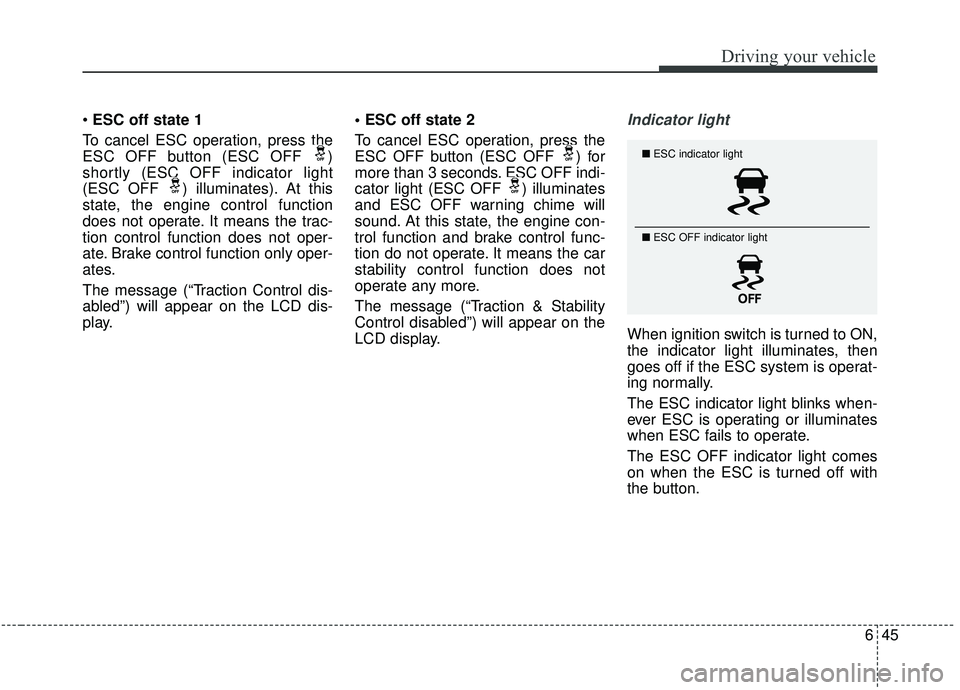
When ignition switch is turned to ON,
the indicator light illuminates, then
goes off if the ESC system is operat-
ing normally.
The ESC indicator light blinks when-
ever ESC is operating or illuminates
when ESC fails to operate.
The ESC OFF indicator light comes
on when the ESC is turned off with
the button.
■
ESC indicator light
■ ESC OFF indicator light
Page 341 of 564
651
Driving your vehicle
The warning light illumi-
nates on the LCD display,
when you cancel the AEB
system. The driver can
monitor the AEB ON/OFF status on
the LCD display. Also, the warning
light illuminates when the
ESC(Electronic Stability Control) is
tuned off (Traction & Stability Control
disabled.) When the warning light
remains ON with the AEB activated,
have your vehicle inspected by an
authorized Kia dealer.
The driver can select the initial warn-
ing activation time in the User
Settings in the instrument cluster
LCD display. The options for the ini-
tial Forward Collision Warning
include the following:
selected, the initial
Forward Collision Warning
is activated earlier than
normal. This setting maxi-
mizes the amount of dis-
tance between the vehicle
or pedestrian ahead before
the initial warning occurs.
selected, the initial
Forward Collision
Warning is activated nor-
mally. This setting allows
for a smaller amount of
distance between the
vehicle or pedestrian
ahead before the initial
warning occurs than
EARLY mode.
selected, the initial Forward
Collision Warning is activat-
ed later than normal. This
setting reduces the amount
of distance between the
vehicle or pedestrian ahead
before the initial warning
occurs. The driver can use it
when the traffic is not busy
on the road and driving
speed is lower.
Page 342 of 564
Driving your vehicle
52
6
Prerequisite for activation
The AEB will activate when the AEB
is selected on the LCD display, and
when the following prerequisites are
satisfied:
- The ESC (Electronic Stability
Control) is activated.
- The driving speed is over 6 mph (10 km/h). (The AEB only works
within a certain range of vehicle
speeds)
- When the AEB recognizes a vehi- cle or the pedestrian in front. (The
AEB may not recognize every
obstacle or provide warnings and
braking in every situation, so do
not rely on the AEB to stop the
vehicle in instances where the driv-
er sees an obstacle and has the
ability to apply the brakes) The AEB automatically activates
when you turn the vehicle on.
The driver can deactivate the AEB
by canceling the in the system set-
ting on the LCD display.
The AEB automatically deactivates when canceling ESC. When the
ESC is canceled, the AEB cannot
be activated on the LCD display.
AEB warning message and
system control
The AEB produces warning mes-
sages, warning alarms, and emer-
gency braking based on the level of
risk of a frontal collision, such as
when a vehicle ahead suddenly
brakes or when it detects a collision
with a pedestrian is imminent.
WARNING
Set or cancel AEB with the con-
trolling switches on the steering
wheel only when the vehicle is
stopped. Do not attempt to set
or cancel the AEB while your
vehicle is moving.
Page 343 of 564
653
Driving your vehicle
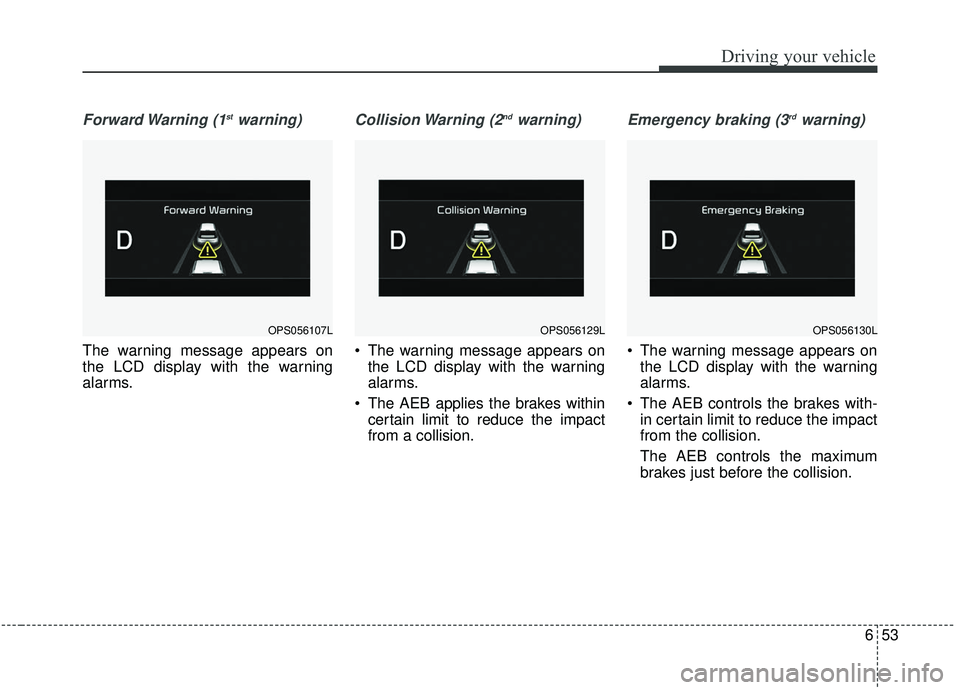
Forward Warning (1stwarning)
The warning message appears on
the LCD display with the warning
alarms.
Collision Warning (2ndwarning)
The warning message appears onthe LCD display with the warning
alarms.
The AEB applies the brakes within certain limit to reduce the impact
from a collision.
Emergency braking (3rdwarning)
The warning message appears onthe LCD display with the warning
alarms.
The AEB controls the brakes with- in certain limit to reduce the impact
from the collision.
The AEB controls the maximum
brakes just before the collision.
OPS056129LOPS056130LOPS056107L
Page 347 of 564
657
Driving your vehicle
✽ ✽NOTICE
• In certain instances and under cer-
tain driving conditions, the AEB
system may activate prematurely.
This initial warning message
appears on the LCD display with a
warning chime.
Also, in certain instances the front
radar sensor or camera recogni-
tion system may not detect the
vehicle or pedestrian ahead. The
AEB system may not activate and
the warning message will not be
displayed.
✽ ✽ NOTICE
• If there is a malfunction with the
AEB system, the automatic emer-
gency braking is not applied even
though it is operating normally.
• The AEB system may not activate if the driver applies the brake
pedal to avoid a collision.WARNING
The AEB is only a supplemental
system for the driver's conven-
ience. It is the driver's responsi-
bility of the driver to control the
vehicle. Do not solely depend
on the AEB system. Rather,
maintain a safe braking dis-
tance, and, if necessary,
depress the brake pedal to
reduce the driving speed.
WARNING
Always maintain a safe dis- tance between your vehicle
and the vehicle in front of you.
If the vehicle in front stops
suddenly, you may have less
control of the brake system.
Always keep loose objects secured. The AEB system
may activate during braking
and the vehicle may stop sud-
denly causing those loose
objects to become dangerous
projectiles within the vehicle
and increase the risk of
injuries to vehicle occupants.
The AEB system cannot detect the driver approaching
the side view of a parked vehi-
cle (for example on a dead
end street.) In these cases,
you must maintain a safe
braking distance, and if nec-
essary, depress the brake
pedal to reduce the driving
speed in order to maintain a
safe distance to avoid an acci-
dent.
Page 363 of 564
673
Driving your vehicle
SCC will be temporarily canceledwhen:
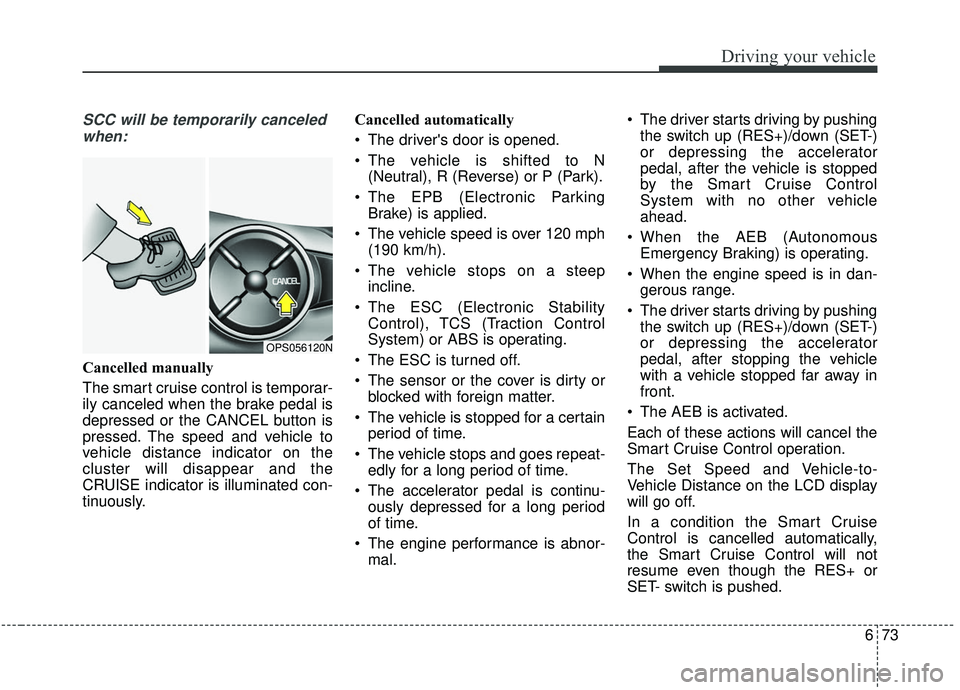
Cancelled manually
The smart cruise control is temporar-
ily canceled when the brake pedal is
depressed or the CANCEL button is
pressed. The speed and vehicle to
vehicle distance indicator on the
cluster will disappear and the
CRUISE indicator is illuminated con-
tinuously. Cancelled automatically
The driver's door is opened.
The vehicle is shifted to N
(Neutral), R (Reverse) or P (Park).
The EPB (Electronic Parking Brake) is applied.
The vehicle speed is over 120 mph (190 km/h).
The vehicle stops on a steep incline.
The ESC (Electronic Stability Control), TCS (Traction Control
System) or ABS is operating.
The ESC is turned off.
The sensor or the cover is dirty or blocked with foreign matter.
The vehicle is stopped for a certain period of time.
The vehicle stops and goes repeat- edly for a long period of time.
The accelerator pedal is continu- ously depressed for a long period
of time.
The engine performance is abnor- mal. The driver starts driving by pushing
the switch up (RES+)/down (SET-)
or depressing the accelerator
pedal, after the vehicle is stopped
by the Smart Cruise Control
System with no other vehicle
ahead.
When the AEB (Autonomous Emergency Braking) is operating.
When the engine speed is in dan- gerous range.
The driver starts driving by pushing the switch up (RES+)/down (SET-)
or depressing the accelerator
pedal, after stopping the vehicle
with a vehicle stopped far away in
front.
The AEB is activated.
Each of these actions will cancel the
Smart Cruise Control operation.
The Set Speed and Vehicle-to-
Vehicle Distance on the LCD display
will go off.
In a condition the Smart Cruise
Control is cancelled automatically,
the Smart Cruise Control will not
resume even though the RES+ or
SET- switch is pushed.
OPS056120N