door lock KIA SPORTAGE 2020 User Guide
[x] Cancel search | Manufacturer: KIA, Model Year: 2020, Model line: SPORTAGE, Model: KIA SPORTAGE 2020Pages: 624, PDF Size: 15.41 MB
Page 104 of 624
Features of your vehicle
14
4
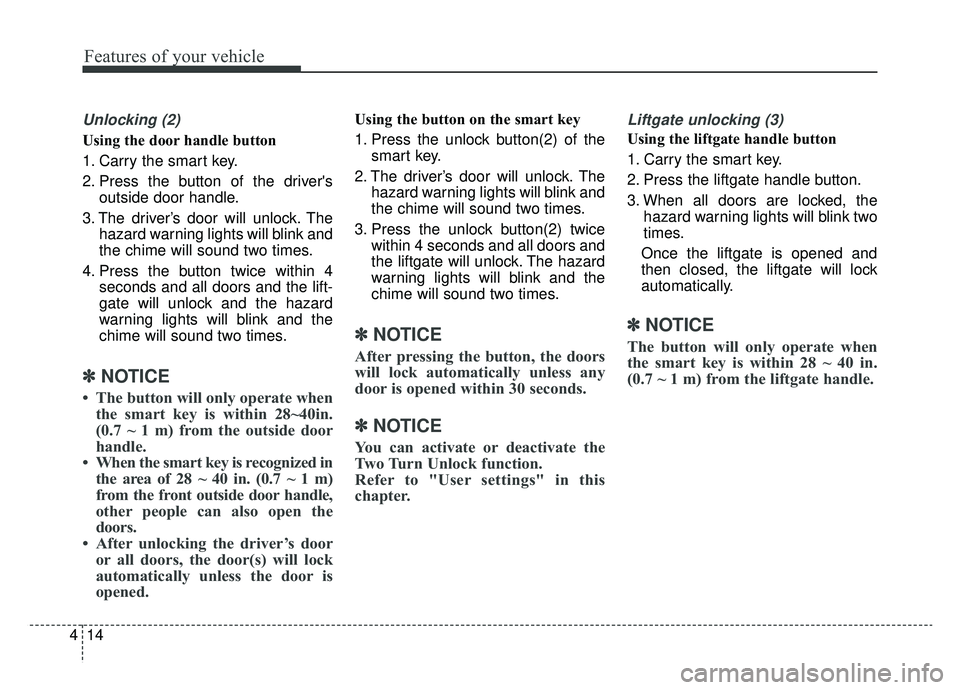
Unlocking (2)
Using the door handle button
1. Carry the smart key.
2. Press the button of the driver's
outside door handle.
3. The driver’s door will unlock. The hazard warning lights will blink and
the chime will sound two times.
4. Press the button twice within 4 seconds and all doors and the lift-
gate will unlock and the hazard
warning lights will blink and the
chime will sound two times.
✽ ✽NOTICE
• The button will only operate when
the smart key is within 28~40in.
(0.7 ~ 1 m) from the outside door
handle.
• When the smart key is recognized in the area of 28 ~ 40 in. (0.7 ~ 1 m)
from the front outside door handle,
other people can also open the
doors.
• After unlocking the driver’s door or all doors, the door(s) will lock
automatically unless the door is
opened.
Using the button on the smart key
1. Press the unlock button(2) of the
smart key.
2. The driver’s door will unlock. The hazard warning lights will blink and
the chime will sound two times.
3. Press the unlock button(2) twice within 4 seconds and all doors and
the liftgate will unlock. The hazard
warning lights will blink and the
chime will sound two times.
✽ ✽NOTICE
After pressing the button, the doors
will lock automatically unless any
door is opened within 30 seconds.
✽ ✽NOTICE
You can activate or deactivate the
Two Turn Unlock function.
Refer to "User settings" in this
chapter.
Liftgate unlocking (3)
Using the liftgate handle button
1. Carry the smart key.
2. Press the liftgate handle button.
3. When all doors are locked, the
hazard warning lights will blink two
times.
Once the liftgate is opened and
then closed, the liftgate will lock
automatically.
✽ ✽ NOTICE
The button will only operate when
the smart key is within 28 ~ 40 in.
(0.7 ~ 1 m) from the liftgate handle.
Page 105 of 624
415
Features of your vehicle
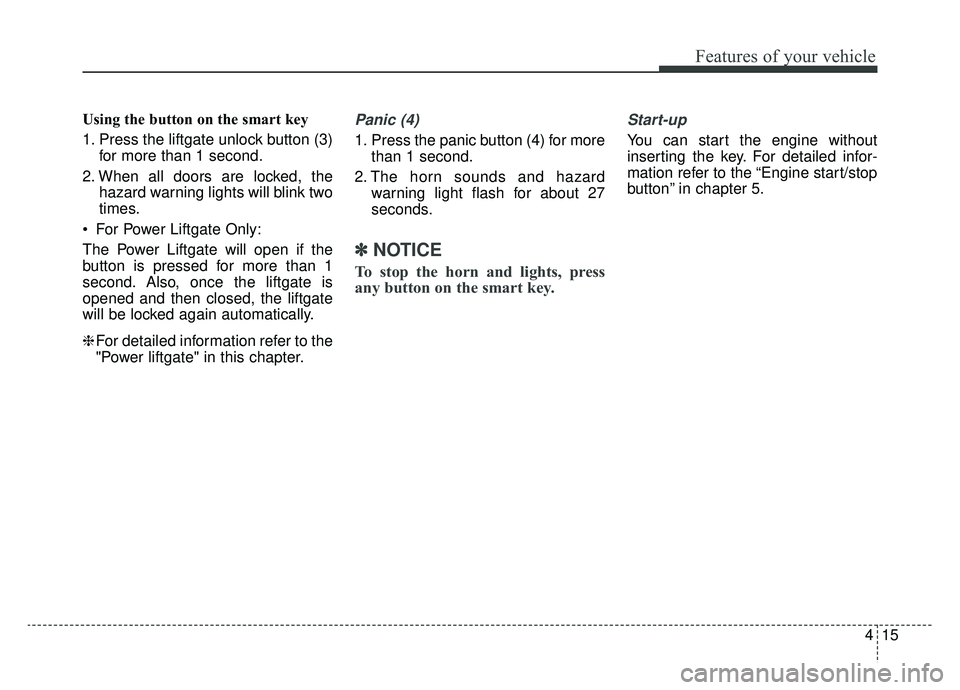
Using the button on the smart key
1. Press the liftgate unlock button (3)for more than 1 second.
2. When all doors are locked, the hazard warning lights will blink two
times.
For Power Liftgate Only:
The Power Liftgate will open if the
button is pressed for more than 1
second. Also, once the liftgate is
opened and then closed, the liftgate
will be locked again automatically.
❈ For detailed information refer to the
"Power liftgate" in this chapter.Panic (4)
1. Press the panic button (4) for more
than 1 second.
2. The horn sounds and hazard warning light flash for about 27
seconds.
✽ ✽NOTICE
To stop the horn and lights, press
any button on the smart key.
Start-up
You can start the engine without
inserting the key. For detailed infor-
mation refer to the “Engine start/stop
button” in chapter 5.
Page 106 of 624
Features of your vehicle
16
4
Loss of the smart key
A maximum of 2 smart keys can be
registered to a single vehicle.
If you happen to lose your smart key,
you will not be able to start the
engine. You should immediately take
the vehicle and remaining key to your
authorized Kia dealer(tow the vehi-
cle, if necessary) to protect it from
potential theft.
Smart key precautions
The smart key will not work if any
of the following occur:
- The smart key is close to a radio transmitter such as a radio sta-
tion or an airport which can inter-
fere with normal operation of the
smart key.
- The smart key is near a mobile two way radio system or a cellu-
lar phone.
- Another vehicle’s smart key is being operated close to your
vehicle.
When the smart key does not work correctly, open and close the door
with the mechanical key and contact
an authorized Kia dealer. If the smart key is in close proximity
to your cellular phone or smart
phone, the signal from the smart
key could be blocked by normal
operation of your cellular phone or
smart phone. This is especially
important when the phone is active
such as making a call, receiving
calls, text messaging, and/or send-
ing/receiving emails. Avoid placing
the smart key and your cellular
phone or smart phone in the same
pants or jacket pocket and maintain
adequate distance between the two
devices.
Do not leave the smart key near metallic objects such as golf bags,
metal cases and so on.
Door Lock/Unlock failure or poor starting can occur when the smart
key is placed near metallic objects.
Always carry your smart key when you leave the car. An unattended
smart key close to the vehicle can
cause the vehicle battery to be dis-
charged.
Page 110 of 624
Features of your vehicle
20
4
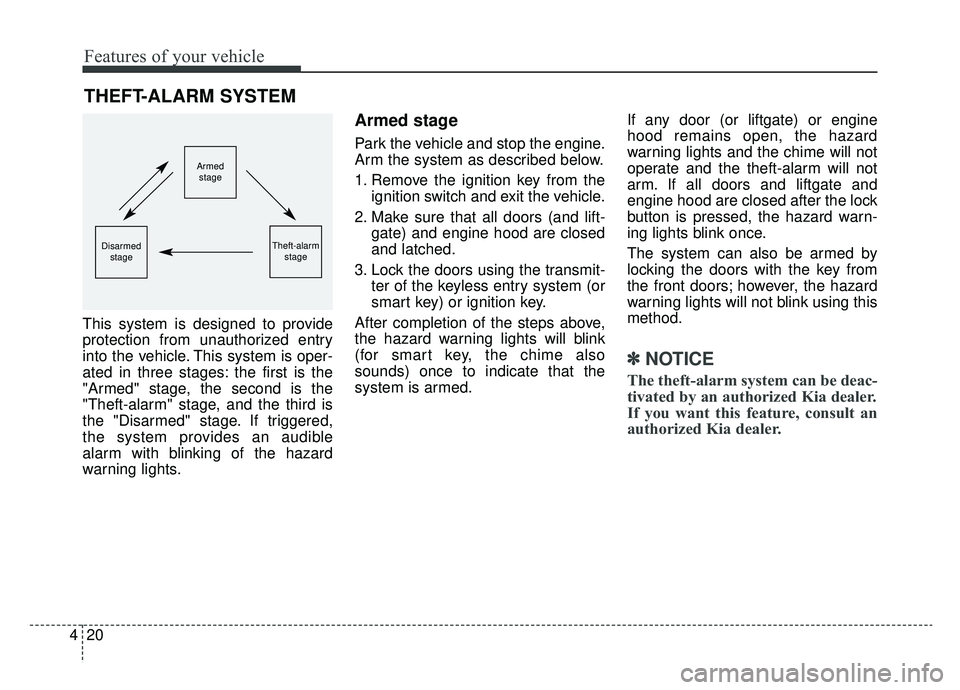
This system is designed to provide
protection from unauthorized entry
into the vehicle. This system is oper-
ated in three stages: the first is the
"Armed" stage, the second is the
"Theft-alarm" stage, and the third is
the "Disarmed" stage. If triggered,
the system provides an audible
alarm with blinking of the hazard
warning lights.
Armed stage
Park the vehicle and stop the engine.
Arm the system as described below.
1. Remove the ignition key from the
ignition switch and exit the vehicle.
2. Make sure that all doors (and lift- gate) and engine hood are closed
and latched.
3. Lock the doors using the transmit- ter of the keyless entry system (or
smart key) or ignition key.
After completion of the steps above,
the hazard warning lights will blink
(for smart key, the chime also
sounds) once to indicate that the
system is armed. If any door (or liftgate) or engine
hood remains open, the hazard
warning lights and the chime will not
operate and the theft-alarm will not
arm. If all doors and liftgate and
engine hood are closed after the lock
button is pressed, the hazard warn-
ing lights blink once.
The system can also be armed by
locking the doors with the key from
the front doors; however, the hazard
warning lights will not blink using this
method.
✽ ✽
NOTICE
The theft-alarm system can be deac-
tivated by an authorized Kia dealer.
If you want this feature, consult an
authorized Kia dealer.
THEFT-ALARM SYSTEM
Armed
stage
Theft-alarm stageDisarmedstage
Page 111 of 624
421
Features of your vehicle
Do not arm the system until all
passengers have left the vehicle. If
the system is armed while a pas-
senger(s) remains in the vehicle,
the alarm may be activated when
the remaining passenger(s) leave
the vehicle. If any door (or liftgate
) or engine hood is opened within
30 seconds after the system
enters the armed stage, the sys-
tem is disarmed to prevent an
unnecessary alarm.Theft-alarm stage
The alarm will be activated if any of
the following occurs while the system
is armed.
A front or rear door is opened with-out using the ignition key or trans-
mitter (or smart key).
The liftgate is opened without using the transmitter (or smart key).
The engine hood is opened.
The horn will sound and the hazard
warning lights will blink continuously
for approximately 27 seconds, and
repeat the horn 3 times unless the
system is disarmed. To turn off the
system, unlock the doors with the igni-
tion key or transmitter (or smart key).
Disarmed stage
The system will be disarmed when
The doors (and liftgate) are unlocked with the transmitter (or
smart key) or the ignition key.
After depressing the unlock button,
the hazard warning lights will blink
and the chime will sound twice (in
smart key) to indicate that the sys-
tem is disarmed.
After depressing the unlock button, if
any door (or liftgate) is not opened
within 30 seconds, the system will be
rearmed.
Page 113 of 624
423
Features of your vehicle
Operating door locks from
outside the vehicle
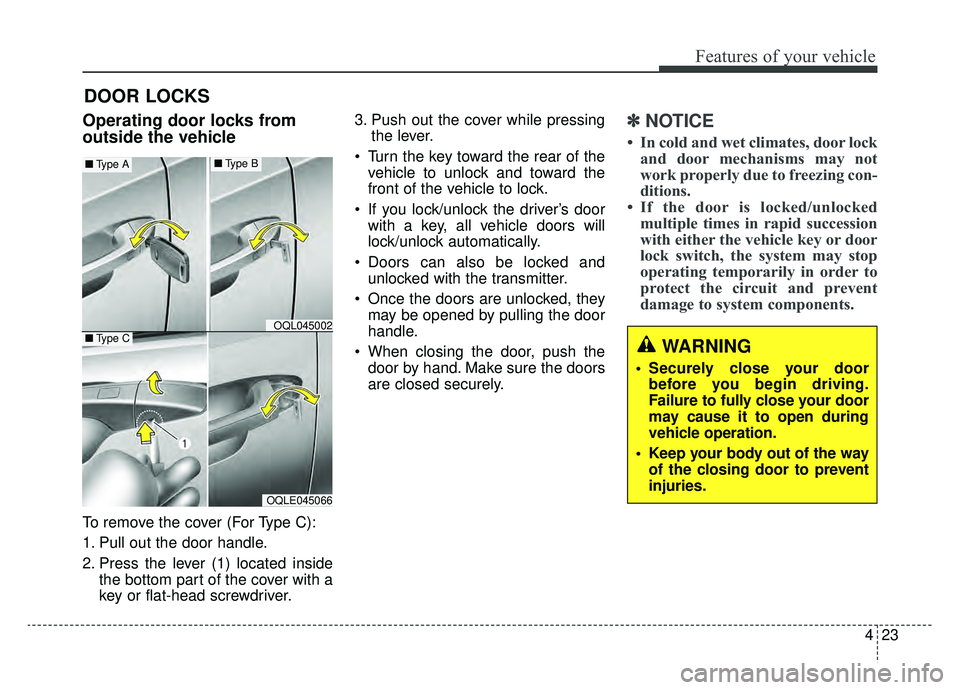
To remove the cover (For Type C):
1. Pull out the door handle.
2. Press the lever (1) located insidethe bottom part of the cover with a
key or flat-head screwdriver. 3. Push out the cover while pressing
the lever.
Turn the key toward the rear of the vehicle to unlock and toward the
front of the vehicle to lock.
If you lock/unlock the driver’s door with a key, all vehicle doors will
lock/unlock automatically.
Doors can also be locked and unlocked with the transmitter.
Once the doors are unlocked, they may be opened by pulling the door
handle.
When closing the door, push the door by hand. Make sure the doors
are closed securely.
✽ ✽ NOTICE
• In cold and wet climates, door lock
and door mechanisms may not
work properly due to freezing con-
ditions.
• If the door is locked/unlocked multiple times in rapid succession
with either the vehicle key or door
lock switch, the system may stop
operating temporarily in order to
protect the circuit and prevent
damage to system components.
DOOR LOCKS
OQLE045066
OQL045002
■ Type A■Type B
■Type CWARNING
• Securely close your door
before you begin driving.
Failure to fully close your door
may cause it to open during
vehicle operation.
Keep your body out of the way of the closing door to prevent
injuries.
Page 114 of 624
Features of your vehicle
24
4
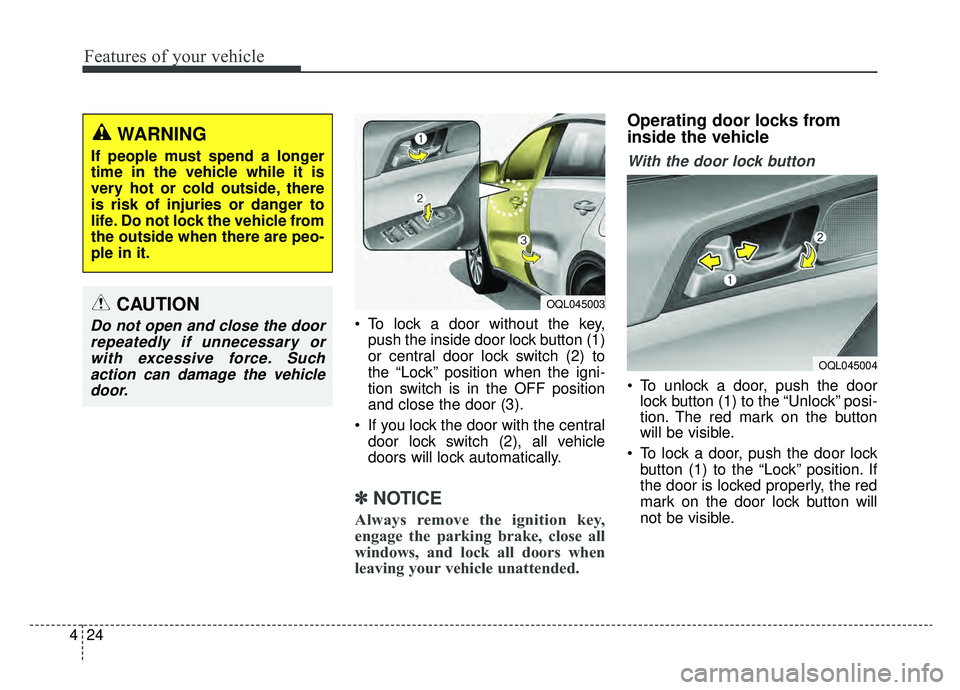
To lock a door without the key,
push the inside door lock button (1)
or central door lock switch (2) to
the “Lock” position when the igni-
tion switch is in the OFF position
and close the door (3).
If you lock the door with the central door lock switch (2), all vehicle
doors will lock automatically.
✽ ✽ NOTICE
Always remove the ignition key,
engage the parking brake, close all
windows, and lock all doors when
leaving your vehicle unattended.
Operating door locks from
inside the vehicle
With the door lock button
To unlock a door, push the door
lock button (1) to the “Unlock” posi-
tion. The red mark on the button
will be visible.
To lock a door, push the door lock button (1) to the “Lock” position. If
the door is locked properly, the red
mark on the door lock button will
not be visible.
WARNING
If people must spend a longer
time in the vehicle while it is
very hot or cold outside, there
is risk of injuries or danger to
life. Do not lock the vehicle from
the outside when there are peo-
ple in it.
CAUTION
Do not open and close the doorrepeatedly if unnecessary orwith excessive force. Suchaction can damage the vehicledoor.
OQL045004
OQL045003
Page 115 of 624
425
Features of your vehicle
To open a door, pull the door handle(2) outward.
If the inner door handle of the dri- ver’s (or front passenger’s) door is
pulled when the door lock button is
in the lock position, the button will
unlock and the door will open. (if
equipped)
Front doors cannot be locked if the ignition key is in the ignition switch
and any front door is opened.
Doors cannot be locked if the smart key is in the vehicle and an
door is open. If a power door lock ever fails to func-
tion while you are in the vehicle, try
one or more of the following tech-
niques to exit:
Operate the door unlock feature
repeatedly (both electronic and
manual) while simultaneously
pulling on the door handle.
Operate the other door locks and handles, front and rear.
Lower a front window and use the key to unlock the door from out-
side.With central door lock switch
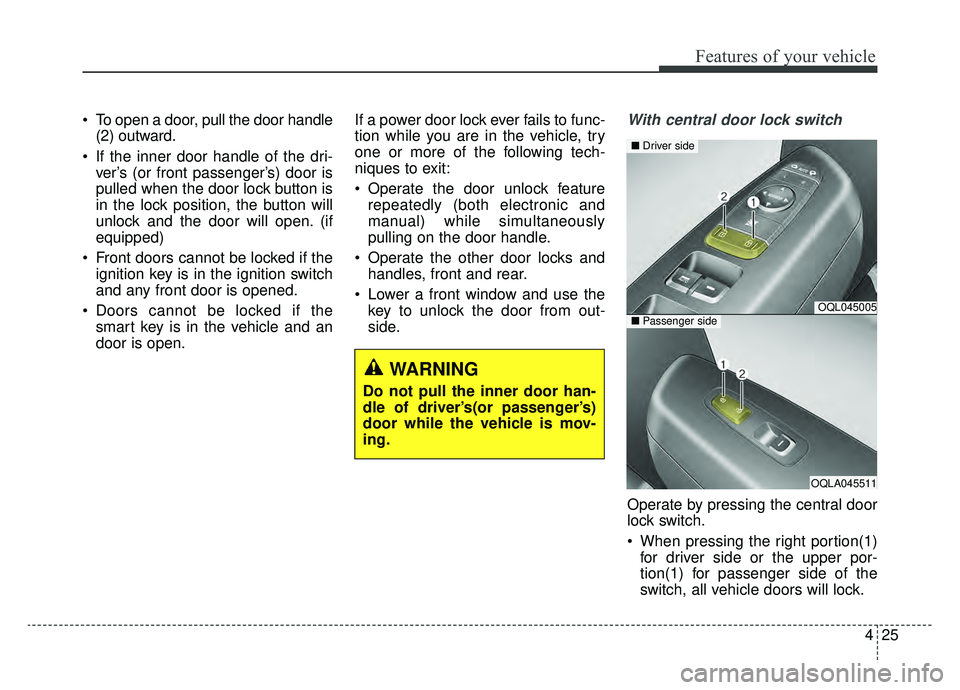
Operate by pressing the central door
lock switch.
When pressing the right portion(1)for driver side or the upper por-
tion(1) for passenger side of the
switch, all vehicle doors will lock.
OQL045005
OQLA045511
■ Driver side
■Passenger side
WARNING
Do not pull the inner door han-
dle of driver’s(or passenger’s)
door while the vehicle is mov-
ing.
Page 116 of 624
Features of your vehicle
26
4
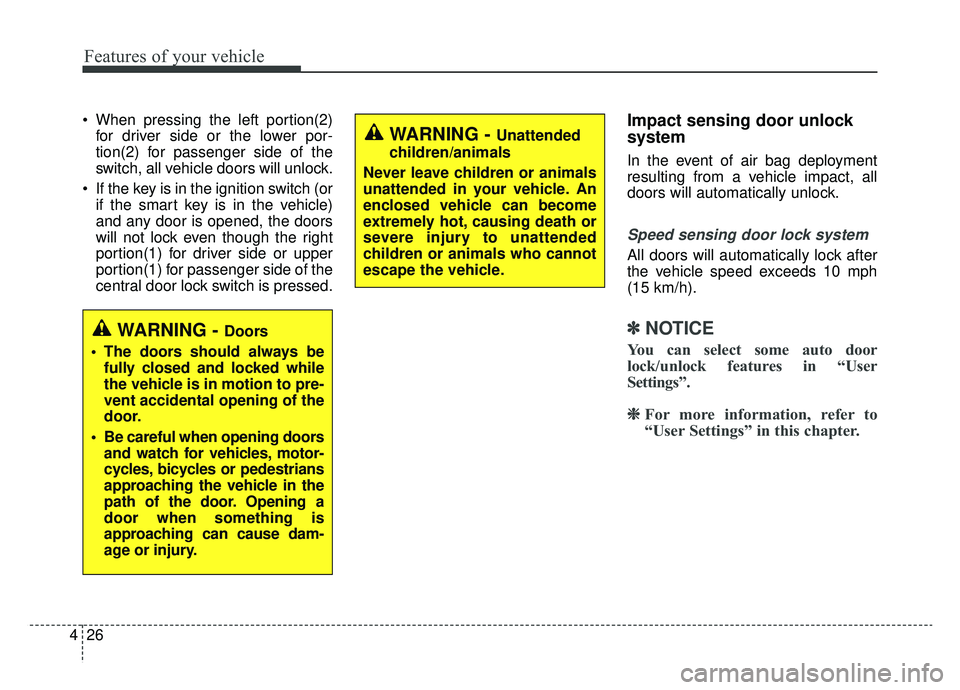
When pressing the left portion(2)
for driver side or the lower por-
tion(2) for passenger side of the
switch, all vehicle doors will unlock.
If the key is in the ignition switch (or if the smart key is in the vehicle)
and any door is opened, the doors
will not lock even though the right
portion(1) for driver side or upper
portion(1) for passenger side of the
central door lock switch is pressed.Impact sensing door unlock
system
In the event of air bag deployment
resulting from a vehicle impact, all
doors will automatically unlock.
Speed sensing door lock system
All doors will automatically lock after
the vehicle speed exceeds 10 mph
(15 km/h).
✽ ✽ NOTICE
You can select some auto door
lock/unlock features in “User
Settings”.
❈ ❈
For more information, refer to
“User Settings” in this chapter.
WARNING - Unattended
children/animals
Never leave children or animals
unattended in your vehicle. An
enclosed vehicle can become
extremely hot, causing death or
severe injury to unattended
children or animals who cannot
escape the vehicle.
WARNING - Doors
The doors should always be fully closed and locked while
the vehicle is in motion to pre-
vent accidental opening of the
door.
Be careful when opening doors and watch for vehicles, motor-
cycles, bicycles or pedestrians
approaching the vehicle in the
path of the door. Opening a
door when something is
approaching can cause dam-
age or injury.
Page 117 of 624
427
Features of your vehicle
Child-protector rear door lock
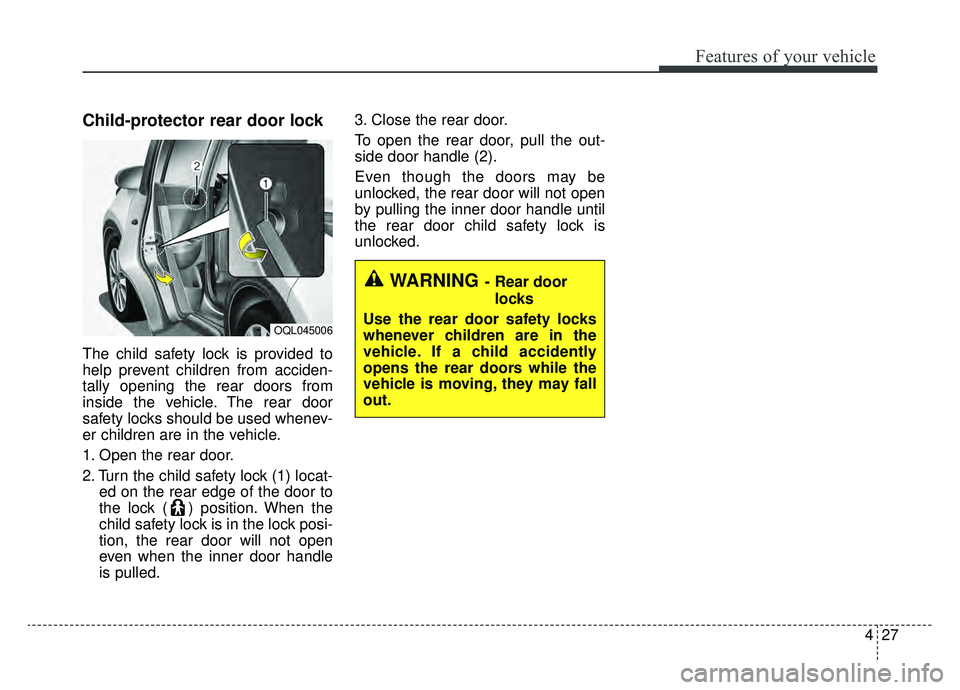
The child safety lock is provided to
help prevent children from acciden-
tally opening the rear doors from
inside the vehicle. The rear door
safety locks should be used whenev-
er children are in the vehicle.
1. Open the rear door.
2. Turn the child safety lock (1) locat-ed on the rear edge of the door to
the lock ( ) position. When the
child safety lock is in the lock posi-
tion, the rear door will not open
even when the inner door handle
is pulled. 3. Close the rear door.
To open the rear door, pull the out-
side door handle (2).
Even though the doors may be
unlocked, the rear door will not open
by pulling the inner door handle until
the rear door child safety lock is
unlocked.
OQL045006
WARNING- Rear door
locks
Use the rear door safety locks
whenever children are in the
vehicle. If a child accidently
opens the rear doors while the
vehicle is moving, they may fall
out.