ESP KIA SPORTAGE 2020 Service Manual
[x] Cancel search | Manufacturer: KIA, Model Year: 2020, Model line: SPORTAGE, Model: KIA SPORTAGE 2020Pages: 624, PDF Size: 15.41 MB
Page 346 of 624
Driving your vehicle
60
5
However, the FCA system may not
properly operate in an area (e.g.
open terrain), where any objects are
not detected after turning ON the
engine.
Although a warning message will not
appear on the LCD display, the FCA
may not properly operate.System malfunction
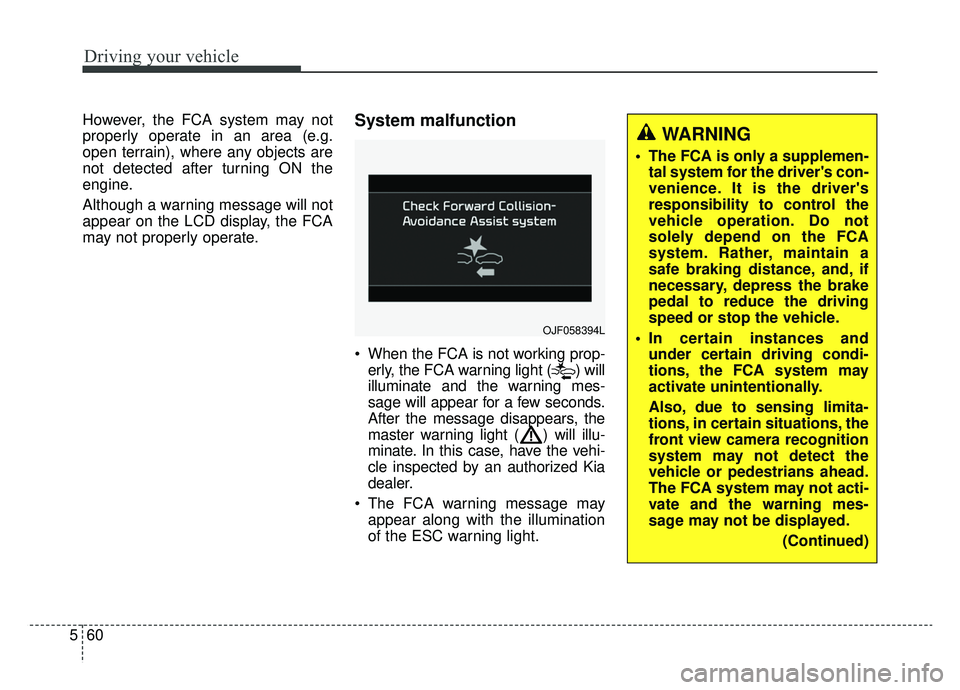
When the FCA is not working prop-
erly, the FCA warning light ( ) will
illuminate and the warning mes-
sage will appear for a few seconds.
After the message disappears, the
master warning light ( ) will illu-
minate. In this case, have the vehi-
cle inspected by an authorized Kia
dealer.
The FCA warning message may appear along with the illumination
of the ESC warning light.
OJF058394L
WARNING
The FCA is only a supplemen-tal system for the driver's con-
venience. It is the driver's
responsibility to control the
vehicle operation. Do not
solely depend on the FCA
system. Rather, maintain a
safe braking distance, and, if
necessary, depress the brake
pedal to reduce the driving
speed or stop the vehicle.
In certain instances and under certain driving condi-
tions, the FCA system may
activate unintentionally.
Also, due to sensing limita-
tions, in certain situations, the
front view camera recognition
system may not detect the
vehicle or pedestrians ahead.
The FCA system may not acti-
vate and the warning mes-
sage may not be displayed.
(Continued)
Page 350 of 624
Driving your vehicle
64
5
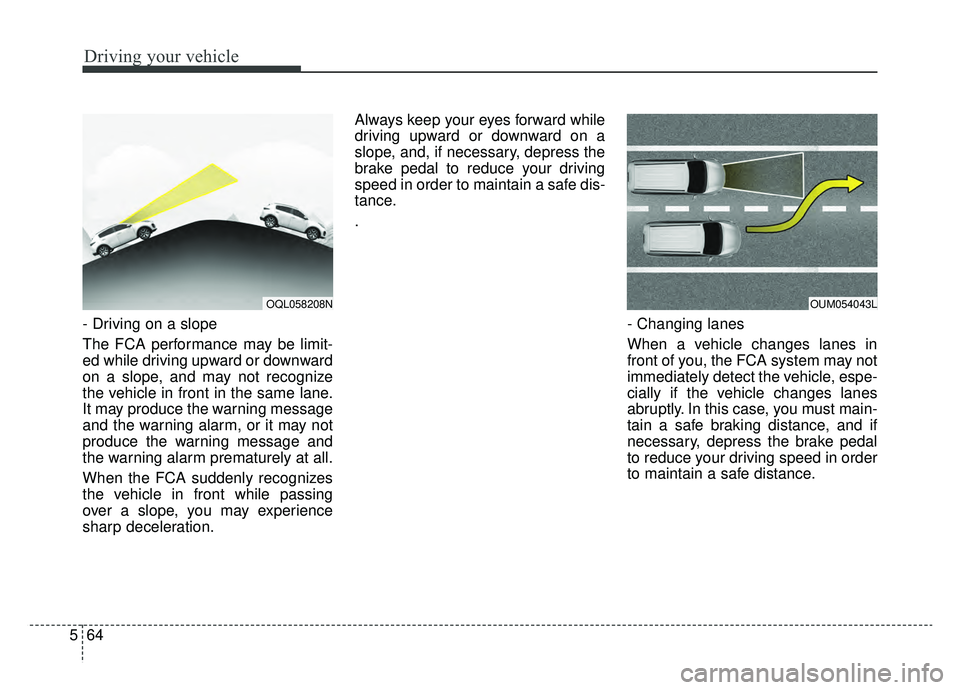
- Driving on a slope
The FCA performance may be limit-
ed while driving upward or downward
on a slope, and may not recognize
the vehicle in front in the same lane.
It may produce the warning message
and the warning alarm, or it may not
produce the warning message and
the warning alarm prematurely at all.
When the FCA suddenly recognizes
the vehicle in front while passing
over a slope, you may experience
sharp deceleration. Always keep your eyes forward while
driving upward or downward on a
slope, and, if necessary, depress the
brake pedal to reduce your driving
speed in order to maintain a safe dis-
tance.
.
- Changing lanes
When a vehicle changes lanes in
front of you, the FCA system may not
immediately detect the vehicle, espe-
cially if the vehicle changes lanes
abruptly. In this case, you must main-
tain a safe braking distance, and if
necessary, depress the brake pedal
to reduce your driving speed in order
to maintain a safe distance.
OQL058208NOUM054043L
Page 357 of 624
571
Driving your vehicle
Brake operation
In an urgent situation, the brakingsystem enters into the ready status
for prompt reaction against the dri-
ver’s depressing the brake pedal.
The FCA provides additional brak- ing power for optimum braking per-
formance, when the driver
depresses the brake pedal.
The braking control is automatical- ly deactivated, when the driver
sharply depresses the accelerator
pedal, or when the driver abruptly
operates the steering wheel.
The FCA brake control is automat- ically canceled, when risk factors
disappear.
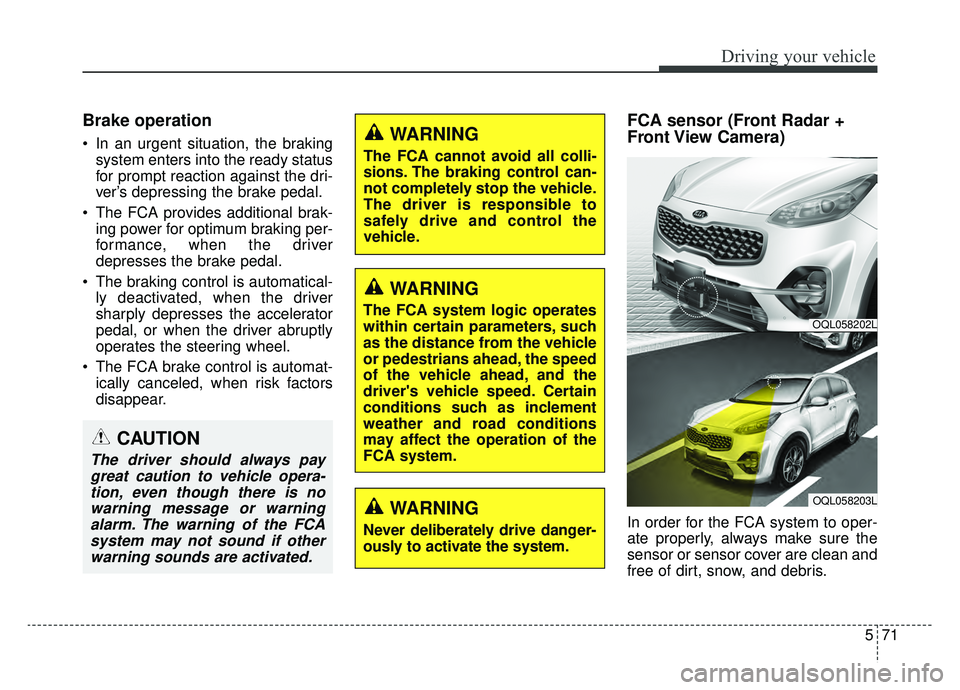
FCA sensor (Front Radar +
Front View Camera)
In order for the FCA system to oper-
ate properly, always make sure the
sensor or sensor cover are clean and
free of dirt, snow, and debris.
CAUTION
The driver should always paygreat caution to vehicle opera-tion, even though there is nowarning message or warningalarm. The warning of the FCAsystem may not sound if otherwarning sounds are activated.
WARNING
The FCA cannot avoid all colli-
sions. The braking control can-
not completely stop the vehicle.
The driver is responsible to
safely drive and control the
vehicle.
WARNING
The FCA system logic operates
within certain parameters, such
as the distance from the vehicle
or pedestrians ahead, the speed
of the vehicle ahead, and the
driver's vehicle speed. Certain
conditions such as inclement
weather and road conditions
may affect the operation of the
FCA system.
WARNING
Never deliberately drive danger-
ously to activate the system.
OQL058202L
OQL058203L
Page 360 of 624
Driving your vehicle
74
5
System malfunction
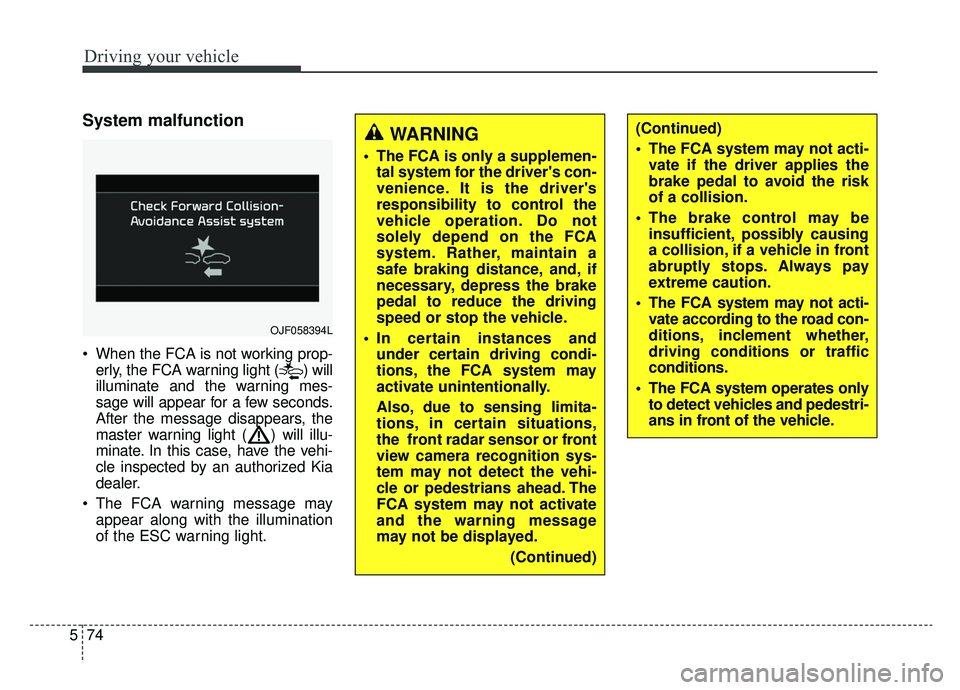
When the FCA is not working prop-
erly, the FCA warning light ( ) will
illuminate and the warning mes-
sage will appear for a few seconds.
After the message disappears, the
master warning light ( ) will illu-
minate. In this case, have the vehi-
cle inspected by an authorized Kia
dealer.
The FCA warning message may appear along with the illumination
of the ESC warning light.
OJF058394L
WARNING
The FCA is only a supplemen-tal system for the driver's con-
venience. It is the driver's
responsibility to control the
vehicle operation. Do not
solely depend on the FCA
system. Rather, maintain a
safe braking distance, and, if
necessary, depress the brake
pedal to reduce the driving
speed or stop the vehicle.
In certain instances and under certain driving condi-
tions, the FCA system may
activate unintentionally.
Also, due to sensing limita-
tions, in certain situations,
the front radar sensor or front
view camera recognition sys-
tem may not detect the vehi-
cle or pedestrians ahead. The
FCA system may not activate
and the warning message
may not be displayed.
(Continued)
(Continued)
The FCA system may not acti-vate if the driver applies the
brake pedal to avoid the risk
of a collision.
The brake control may be insufficient, possibly causing
a collision, if a vehicle in front
abruptly stops. Always pay
extreme caution.
The FCA system may not acti- vate according to the road con-
ditions, inclement whether,
driving conditions or traffic
conditions.
The FCA system operates only to detect vehicles and pedestri-
ans in front of the vehicle.
Page 364 of 624
Driving your vehicle
78
5
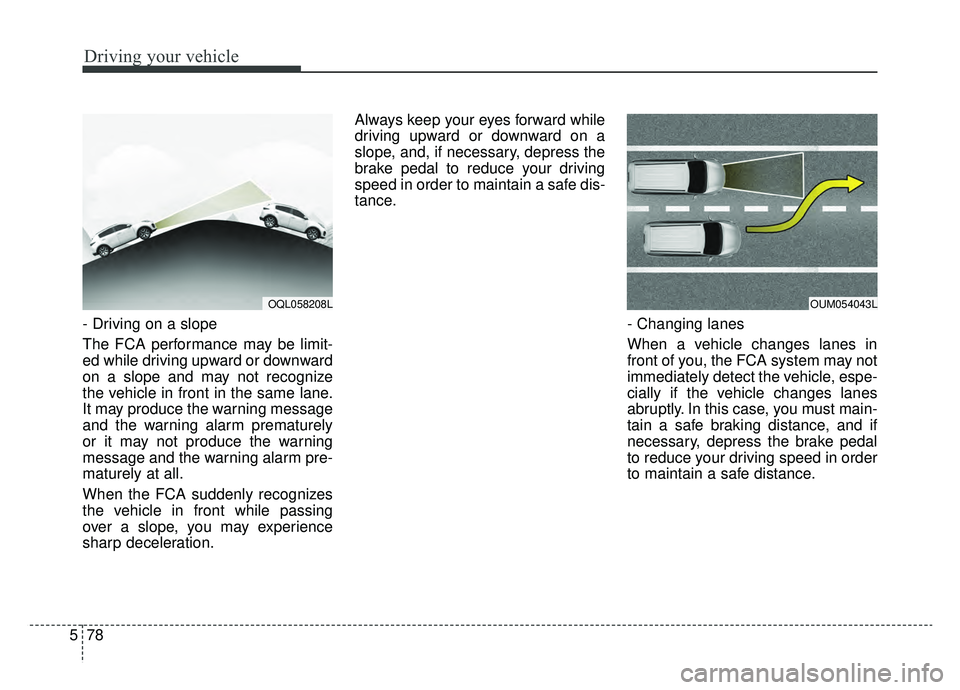
- Driving on a slope
The FCA performance may be limit-
ed while driving upward or downward
on a slope and may not recognize
the vehicle in front in the same lane.
It may produce the warning message
and the warning alarm prematurely
or it may not produce the warning
message and the warning alarm pre-
maturely at all.
When the FCA suddenly recognizes
the vehicle in front while passing
over a slope, you may experience
sharp deceleration. Always keep your eyes forward while
driving upward or downward on a
slope, and, if necessary, depress the
brake pedal to reduce your driving
speed in order to maintain a safe dis-
tance.
- Changing lanes
When a vehicle changes lanes in
front of you, the FCA system may not
immediately detect the vehicle, espe-
cially if the vehicle changes lanes
abruptly. In this case, you must main-
tain a safe braking distance, and if
necessary, depress the brake pedal
to reduce your driving speed in order
to maintain a safe distance.
OQL058208LOUM054043L
Page 374 of 624
Driving your vehicle
88
5
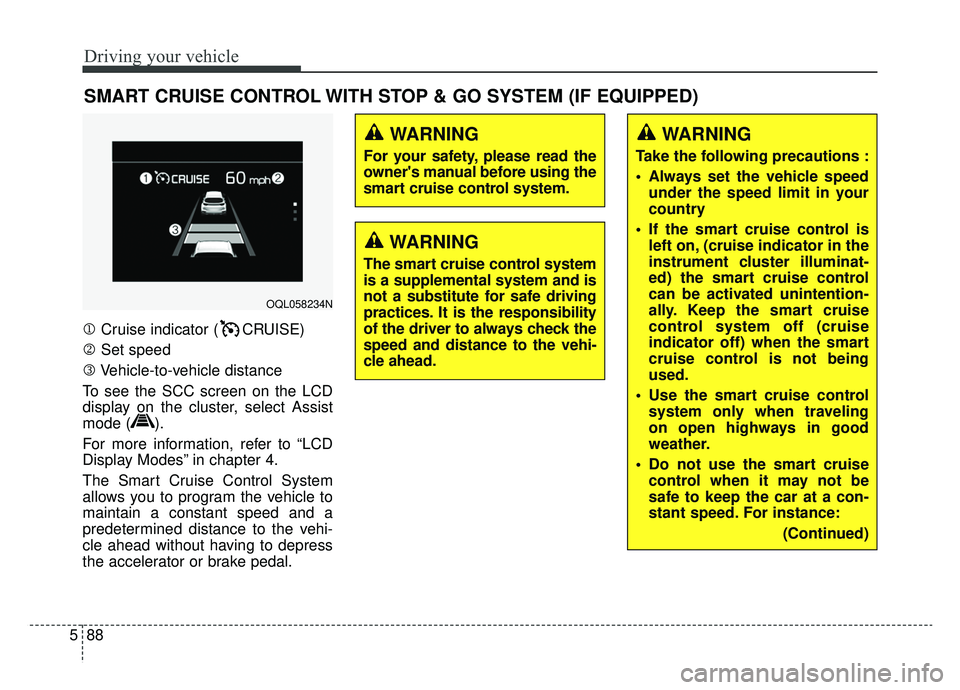
1 Cruise indicator ( CRUISE)
2 Set speed
3 Vehicle-to-vehicle distance
To see the SCC screen on the LCD
display on the cluster, select Assist
mode ( ).
For more information, refer to “LCD
Display Modes” in chapter 4.
The Smart Cruise Control System
allows you to program the vehicle to
maintain a constant speed and a
predetermined distance to the vehi-
cle ahead without having to depress
the accelerator or brake pedal.
SMART CRUISE CONTROL WITH STOP & GO SYSTEM (IF EQUIPPED)
WARNING
For your safety, please read the
owner's manual before using the
smart cruise control system.
WARNING
The smart cruise control system
is a supplemental system and is
not a substitute for safe driving
practices. It is the responsibility
of the driver to always check the
speed and distance to the vehi-
cle ahead.
OQL058234N
WARNING
Take the following precautions :
Always set the vehicle speed under the speed limit in your
country
If the smart cruise control is left on, (cruise indicator in the
instrument cluster illuminat-
ed) the smart cruise control
can be activated unintention-
ally. Keep the smart cruise
control system off (cruise
indicator off) when the smart
cruise control is not being
used.
Use the smart cruise control system only when traveling
on open highways in good
weather.
Do not use the smart cruise control when it may not be
safe to keep the car at a con-
stant speed. For instance:
(Continued)
Page 375 of 624
589
Driving your vehicle
(Continued)- Highway interchange andtollgate
- Road surrounded by multi- ple steel constructions (sub-
way construction, steel tun-
nel, etc)
- Parking lot
- Lanes beside guard rail on a road
- Slippery road with rain, ice, or snow
- Abrupt curved road
- Steep hills
- Windy roads
- Off roads
- Roads under construction
- Rumble strip
- When driving near crash barriers
- When driving on a sharp curve
(Continued)(Continued)- When the vehicle sensingability decreases due to
vehicle modification result-
ing in a level difference
between the vehicle's front
and rear
- When driving in heavy traffic or when traffic conditions
make it difficult to drive at a
constant speed
- Limited visibility (rain, snow, smog, etc.)
Pay particular attention to the driving conditions whenever
using the smart cruise control
system.
Be careful when driving downhill using the SCC.
Cruise function should not be used when the vehicle is
being towed to prevent any
damage.
(Continued)(Continued)
The smart cruise control sys-tem is not a substitute for safe
driving. It is the responsibility
of the driver to always check
the speed and distance of the
vehicle ahead.
Unexpected situations may lead to possible accidents.
Pay attention to road and driv-
ing conditions even when the
smart cruise control system is
being operated.
Page 384 of 624
Driving your vehicle
98
5
OQL058200L
WARNING
When using the Smart Cruise
Control System:
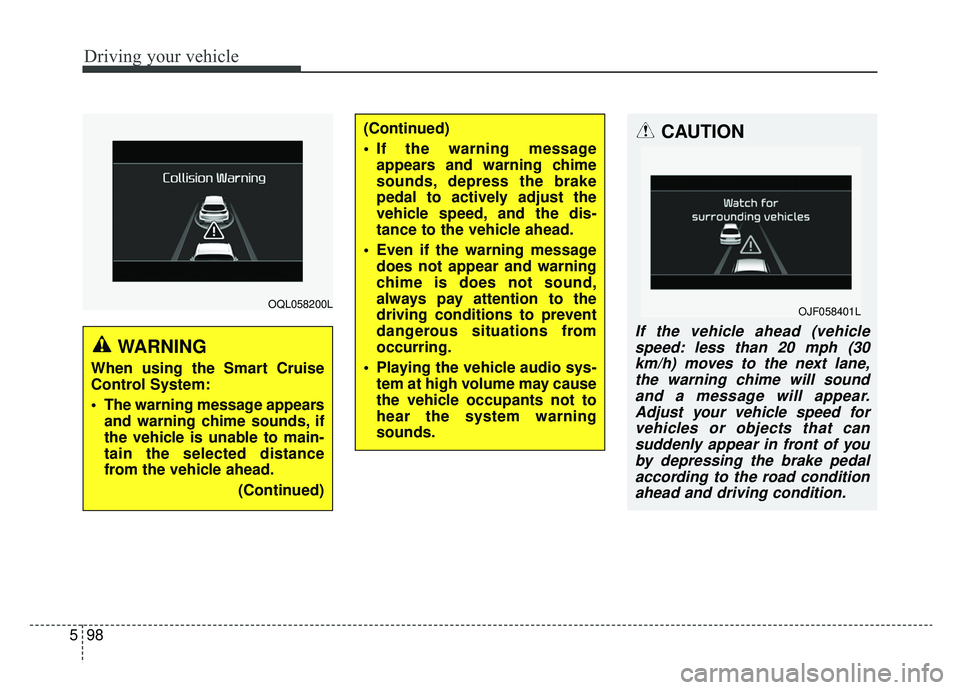
The warning message appears
and warning chime sounds, if
the vehicle is unable to main-
tain the selected distance
from the vehicle ahead.
(Continued)
(Continued)
If the warning messageappears and warning chime
sounds, depress the brake
pedal to actively adjust the
vehicle speed, and the dis-
tance to the vehicle ahead.
Even if the warning message does not appear and warning
chime is does not sound,
always pay attention to the
driving conditions to prevent
dangerous situations from
occurring.
Playing the vehicle audio sys- tem at high volume may cause
the vehicle occupants not to
hear the system warning
sounds.CAUTION
If the vehicle ahead (vehiclespeed: less than 20 mph (30km/h) moves to the next lane,the warning chime will soundand a message will appear.Adjust your vehicle speed forvehicles or objects that cansuddenly appear in front of youby depressing the brake pedalaccording to the road conditionahead and driving condition.
OJF058401L
Page 393 of 624
5107
Driving your vehicle
✽ ✽NOTICE
The Smart Cruise Control System
may not operate temporarily due to:
- Electrical interference
- Modified suspension
- Differences in tire abrasion or tire
pressure
- Installation of different type of tires(Continued)
Always be aware of the select-
ed speed and distance to the
vehicle ahead.
The Smart Cruise Control System may not recognize
complex driving situations,
always pay attention to driv-
ing conditions and control
your vehicle speed.
After an engine start, please stop for several seconds. If
system initialization is not
completed, the SCC does not
normally operate.
After starting the engine, if objects are not detected or
the sensor cover is covered
with foreign substances, the
SCC system may not work.(Continued)
The Smart Cruise Control sys-tem cannot recognize a
stopped vehicle, pedestrians
or an oncoming vehicle.
Always look ahead cautiously
to prevent unexpected and
sudden situations from occur-
ring.
When other vehicles are changing lanes in front of you
frequently, the Smart Cruise
Control system may not oper-
ate appropriately.
Always drive cautiously to
prevent unexpected and sud-
den situations from occurring.
The smart cruise control sys- tem is not a substitute for
safe driving practices but a
convenience function only. It
is the responsibility of the
driver to always check to the
vehicle ahead.
(Continued)
WARNING
For safe operation, carefully
read and follow the instructions
in this manual before use.
Page 394 of 624
Driving your vehicle
108
5
This device complies with Part 15
of the FCC rules.
Operation is subject to the following
three conditions:
1. This device may not cause harm-
ful interference, and
2. This device must accept any inter- ference received, including inter-
ference that may cause undesired
operation.
3. Changes or modifications not expressly approved by the party
responsible for compliance could
void the user’s authority to operate
the device. Radio frequency radiation expo-
sure information:
This equipment complies with FCC
radiation exposure limits set forth for
an uncontrolled environment.
This equipment should be installed
and operated with minimum distance
of 20 cm between the radiator
(antenna) and your body.
This transmitter must not be co-
located or operating in conjunction
with any other antenna or transmit-
ter.