Stop and KIA SPORTAGE 2020 Owner's Manual
[x] Cancel search | Manufacturer: KIA, Model Year: 2020, Model line: SPORTAGE, Model: KIA SPORTAGE 2020Pages: 611, PDF Size: 15.85 MB
Page 110 of 611
Features of your vehicle
22
4
✽ ✽
NOTICE
• Avoid trying to start the engine
while the alarm is activated. The
vehicle starting motor is disabled
during the theft-alarm stage.
- If the system is not disarmed withthe transmitter, insert the key
into the ignition switch, turn the
ignition switch to the ON position
and wait for 30 seconds. Then the
system will be disarmed.
- If the system is not disarmed with the smart key, press the engine
start/stop button with smart key.
The side with the lock button
should contact the engine
start/stop button directly.
• If you lose your keys, consult your authorized Kia dealer.
✽ ✽ NOTICE
Malfunctions caused by improper
alterations, adjustments or modifi-
cations to the theft-alarm system are
not covered by your vehicle manu-
facturer warranty.
CAUTION - Adjusting
alarm system
Do not change, alter or adjust
the theft-alarm system becauseit could cause the theft-alarmsystem to malfunction andshould only be serviced by anauthorized Kia dealer.
Page 111 of 611
423
Features of your vehicle
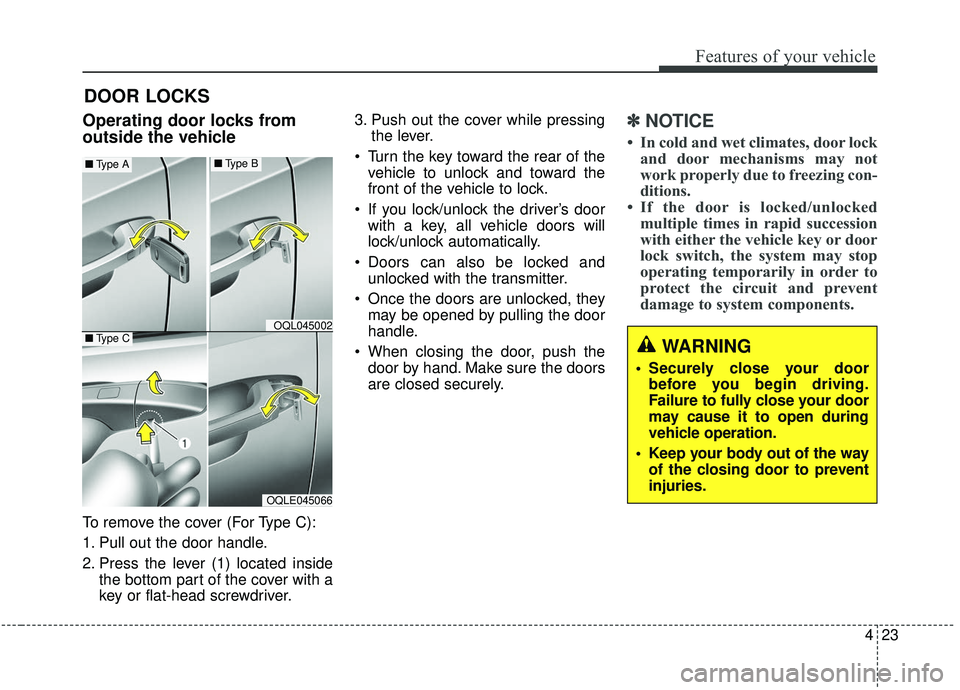
Operating door locks from
outside the vehicle
To remove the cover (For Type C):
1. Pull out the door handle.
2. Press the lever (1) located insidethe bottom part of the cover with a
key or flat-head screwdriver. 3. Push out the cover while pressing
the lever.
Turn the key toward the rear of the vehicle to unlock and toward the
front of the vehicle to lock.
If you lock/unlock the driver’s door with a key, all vehicle doors will
lock/unlock automatically.
Doors can also be locked and unlocked with the transmitter.
Once the doors are unlocked, they may be opened by pulling the door
handle.
When closing the door, push the door by hand. Make sure the doors
are closed securely.
✽ ✽ NOTICE
• In cold and wet climates, door lock
and door mechanisms may not
work properly due to freezing con-
ditions.
• If the door is locked/unlocked multiple times in rapid succession
with either the vehicle key or door
lock switch, the system may stop
operating temporarily in order to
protect the circuit and prevent
damage to system components.
DOOR LOCKS
OQLE045066
OQL045002
■ Type A■Type B
■Type CWARNING
• Securely close your door
before you begin driving.
Failure to fully close your door
may cause it to open during
vehicle operation.
Keep your body out of the way of the closing door to prevent
injuries.
Page 120 of 611
Features of your vehicle
32
4
Opening the liftgate
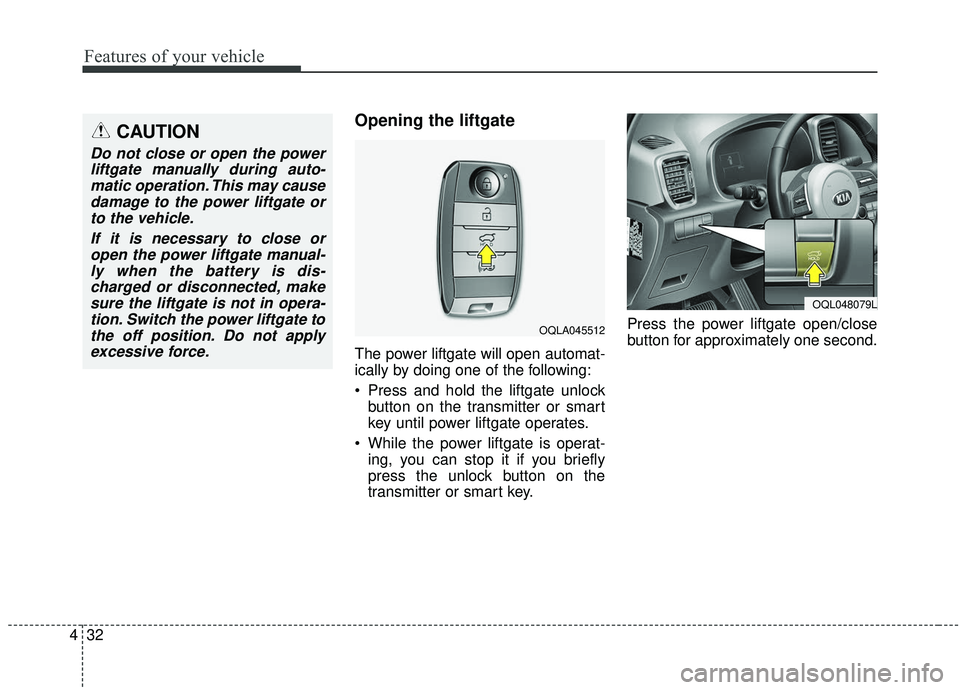
The power liftgate will open automat-
ically by doing one of the following:
Press and hold the liftgate unlock
button on the transmitter or smart
key until power liftgate operates.
While the power liftgate is operat- ing, you can stop it if you briefly
press the unlock button on the
transmitter or smart key. Press the power liftgate open/close
button for approximately one second.
CAUTION
Do not close or open the power
liftgate manually during auto-matic operation. This may causedamage to the power liftgate orto the vehicle.
If it is necessary to close oropen the power liftgate manual-ly when the battery is dis-charged or disconnected, makesure the liftgate is not in opera-tion. Switch the power liftgate tothe off position. Do not applyexcessive force.
OQLA045512
OQL048079L
Page 121 of 611
433
Features of your vehicle
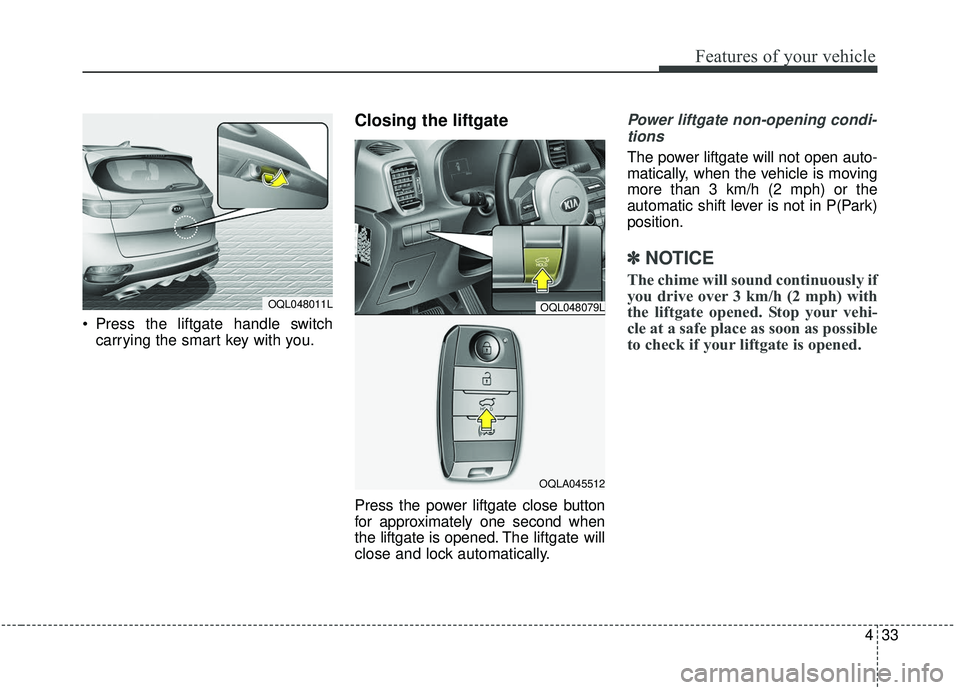
Press the liftgate handle switchcarrying the smart key with you.
Closing the liftgate
Press the power liftgate close button
for approximately one second when
the liftgate is opened. The liftgate will
close and lock automatically.
Power liftgate non-opening condi-
tions
The power liftgate will not open auto-
matically, when the vehicle is moving
more than 3 km/h (2 mph) or the
automatic shift lever is not in P(Park)
position.
✽ ✽ NOTICE
The chime will sound continuously if
you drive over 3 km/h (2 mph) with
the liftgate opened. Stop your vehi-
cle at a safe place as soon as possible
to check if your liftgate is opened.
OQL048011LOQL048079L
OQLA045512
Page 122 of 611
Features of your vehicle
34
4
✽ ✽
NOTICE
• The power liftgate can be operated
when the engine is not running.
However the power liftgate opera-
tion consumes large amounts of
vehicle electric power. To prevent
the battery from being discharged,
do not operate it excessively.
• To prevent the battery from being discharged, do not leave the power
liftgate in the open position for a
long time.
• Do not modify or repair any part of the power liftgate by yourself.
This must be done by an author-
ized Kia dealer.
• When jacking up the vehicle to change a tire or repair the vehicle,
do not operate the power liftgate.
This could cause the power liftgate
to operate improperly. (Continued)(Continued)
• In cold and wet climates, the
power liftgate may not work prop-
erly due to freezing conditions.
• It is recommended to wait until the power liftgate is fully closed
before starting the vehicle. The
power liftgate may not close fully
if the vehicle is started during
automatic closing.
CAUTION
Do not operate the power lift-
gate more than 5 times continu-ously.
It may damage the power liftgatesystem. If you operate the powerliftgate more than 5 times con-tinuously, the chime will sound 3times and the power liftgate willnot operate. At this time, stopoperating the liftgate and leave itfor more than 1 minute.
WARNING
Make sure there are no people
or objects around the liftgate
before opening or closing the
power liftgate. Wait until the lift-
gate is open fully and stopped
before loading or unloading
cargo from the vehicle.
Page 123 of 611
435
Features of your vehicle
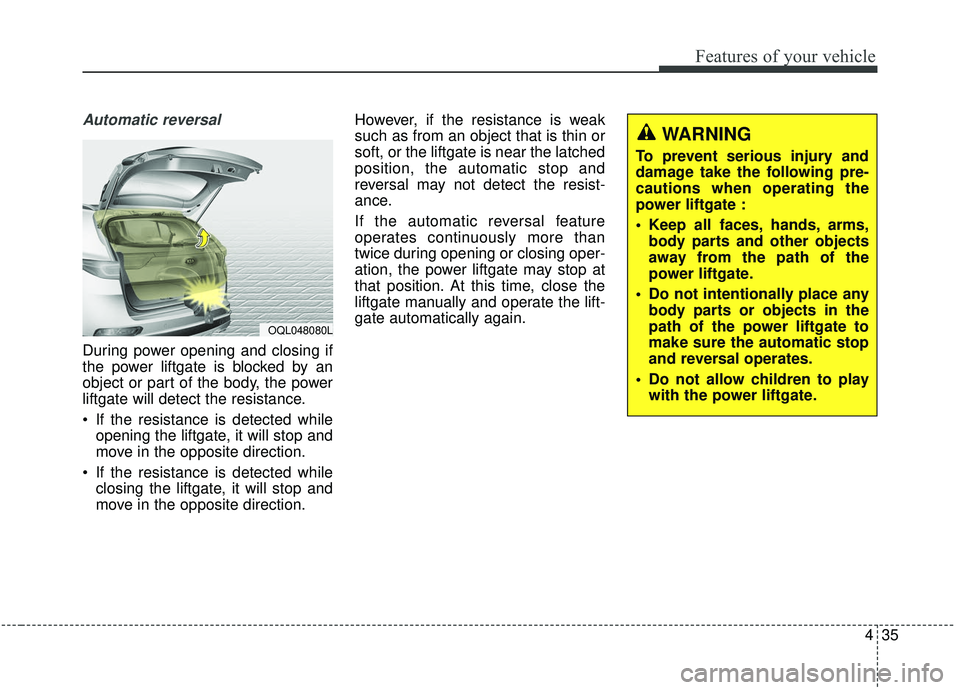
Automatic reversal
During power opening and closing if
the power liftgate is blocked by an
object or part of the body, the power
liftgate will detect the resistance.
If the resistance is detected whileopening the liftgate, it will stop and
move in the opposite direction.
If the resistance is detected while closing the liftgate, it will stop and
move in the opposite direction. However, if the resistance is weak
such as from an object that is thin or
soft, or the liftgate is near the latched
position, the automatic stop and
reversal may not detect the resist-
ance.
If the automatic reversal feature
operates continuously more than
twice during opening or closing oper-
ation, the power liftgate may stop at
that position. At this time, close the
liftgate manually and operate the lift-
gate automatically again.
OQL048080L
WARNING
To prevent serious injury and
damage take the following pre-
cautions when operating the
power liftgate :
Keep all faces, hands, arms,
body parts and other objects
away from the path of the
power liftgate.
Do not intentionally place any body parts or objects in the
path of the power liftgate to
make sure the automatic stop
and reversal operates.
Do not allow children to play with the power liftgate.
Page 128 of 611
Features of your vehicle
40
4
Detecting area
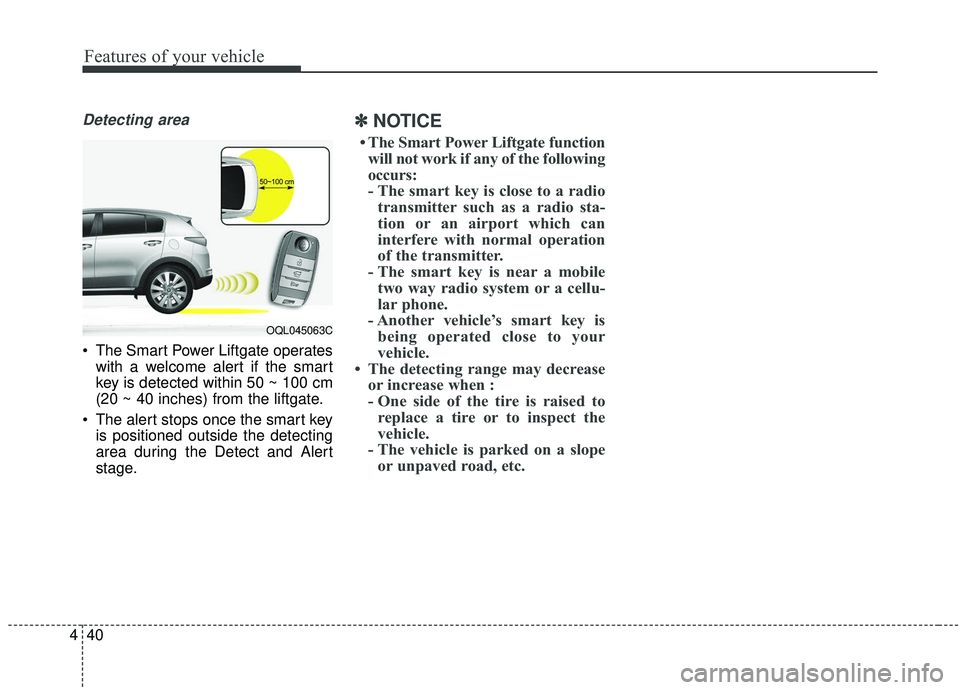
The Smart Power Liftgate operates
with a welcome alert if the smart
key is detected within 50 ~ 100 cm
(20 ~ 40 inches) from the liftgate.
The alert stops once the smart key is positioned outside the detecting
area during the Detect and Alert
stage.
✽ ✽ NOTICE
• The Smart Power Liftgate function
will not work if any of the following
occurs:
- The smart key is close to a radio transmitter such as a radio sta-
tion or an airport which can
interfere with normal operation
of the transmitter.
- The smart key is near a mobile two way radio system or a cellu-
lar phone.
- Another vehicle’s smart key is being operated close to your
vehicle.
• The detecting range may decrease or increase when :
- One side of the tire is raised toreplace a tire or to inspect the
vehicle.
- The vehicle is parked on a slope or unpaved road, etc.
OQL045063C
Page 131 of 611
443
Features of your vehicle
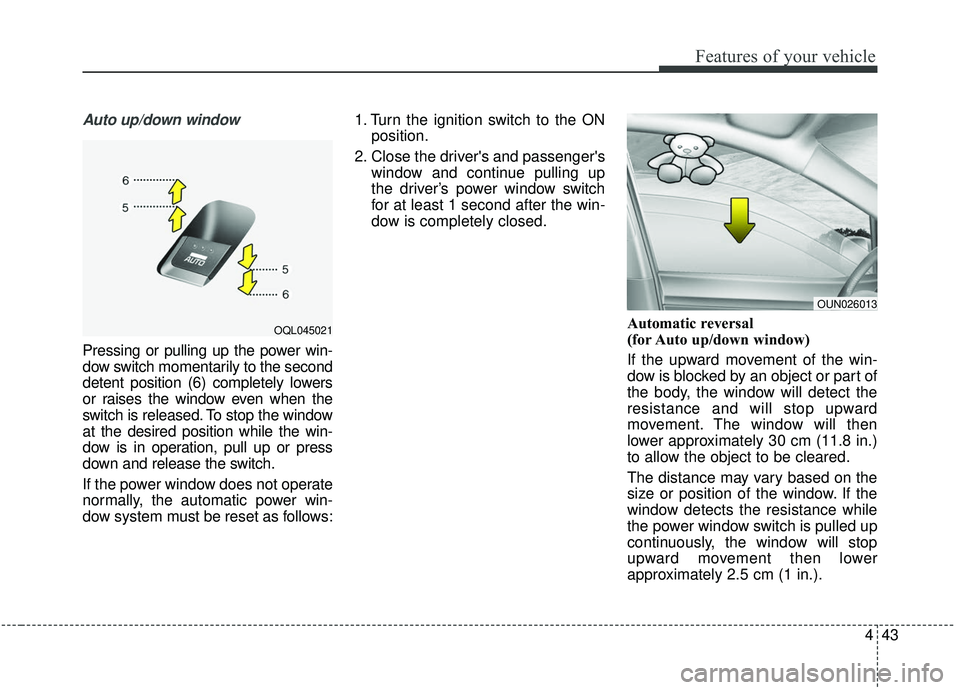
Auto up/down window
Pressing or pulling up the power win-
dow switch momentarily to the second
detent position (6) completely lowers
or raises the window even when the
switch is released. To stop the window
at the desired position while the win-
dow is in operation, pull up or press
down and release the switch.
If the power window does not operate
normally, the automatic power win-
dow system must be reset as follows:1. Turn the ignition switch to the ON
position.
2. Close the driver's and passenger's window and continue pulling up
the driver’s power window switch
for at least 1 second after the win-
dow is completely closed.
Automatic reversal
(for Auto up/down window)
If the upward movement of the win-
dow is blocked by an object or part of
the body, the window will detect the
resistance and will stop upward
movement. The window will then
lower approximately 30 cm (11.8 in.)
to allow the object to be cleared.
The distance may vary based on the
size or position of the window. If the
window detects the resistance while
the power window switch is pulled up
continuously, the window will stop
upward movement then lower
approximately 2.5 cm (1 in.).
OQL045021
OUN026013
Page 132 of 611
Features of your vehicle
44
4
If the power window switch is pulled
up continuously again within 5 sec-
onds after the window is lowered by
the automatic window reversal fea-
ture, the automatic window reversal
will not operate.
The automatic reverse feature for the
driver’s window is only active when
the “auto up” feature is used by fully
pulling up the switch. The automatic
reverse feature will not operate if the
window is raised using the halfway
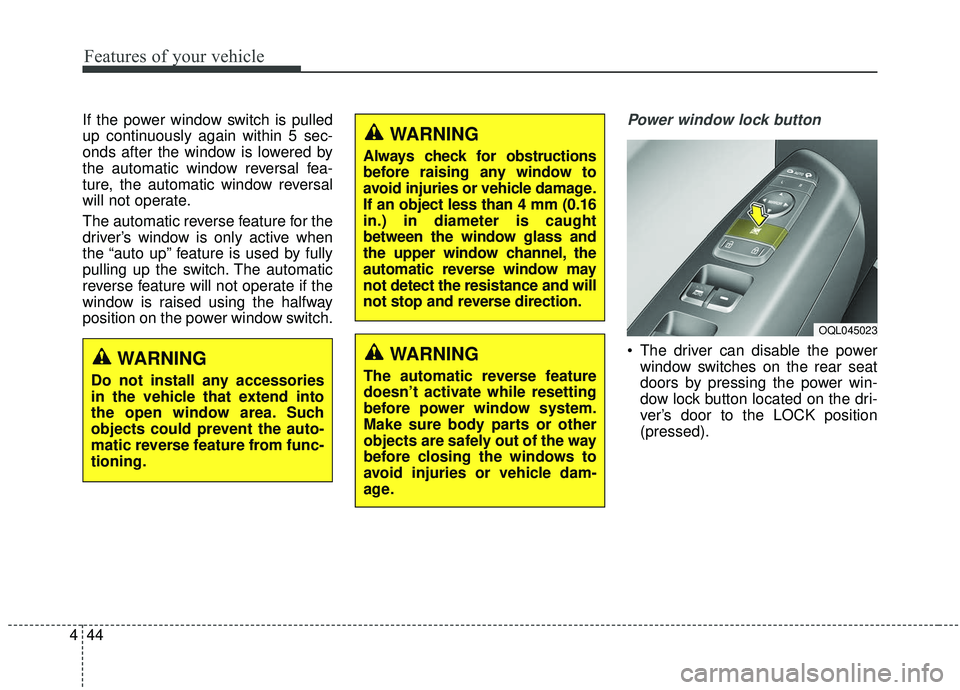
position on the power window switch.Power window lock button
The driver can disable the power
window switches on the rear seat
doors by pressing the power win-
dow lock button located on the dri-
ver’s door to the LOCK position
(pressed).
WARNING
Always check for obstructions
before raising any window to
avoid injuries or vehicle damage.
If an object less than 4 mm (0.16
in.) in diameter is caught
between the window glass and
the upper window channel, the
automatic reverse window may
not detect the resistance and will
not stop and reverse direction.
WARNING
The automatic reverse feature
doesn’t activate while resetting
before power window system.
Make sure body parts or other
objects are safely out of the way
before closing the windows to
avoid injuries or vehicle dam-
age.
WARNING
Do not install any accessories
in the vehicle that extend into
the open window area. Such
objects could prevent the auto-
matic reverse feature from func-
tioning.
OQL045023
Page 137 of 611
449
Features of your vehicle
Closing the fuel filler lid
1. To install the cap, turn it clockwiseuntil it “clicks” once. This indicates
that the cap is securely tightened.
2. Close the fuel filler lid and push it in lightly making sure that it is
securely closed.
✽ ✽NOTICE
There may be an intermittent noise
near the refueling hole while the
engine is idling if the fuel cap is not
closed securely. This occurs normal-
ly with the OBD system.
✽ ✽NOTICE
When refueling on unlevel ground,
the fuel gauge may not point to the F
position.
It is not a malfunction. If you move
your vehicle to a level ground, the fuel
gauge will move to the full position.
Always check that the fuel cap is
installed securely to prevent fuel
spillage in the event of an accident.
✽ ✽NOTICE
Tighten the cap until it clicks once,
otherwise the fuel cap open warning
indicator light will illuminate.
WARNING- Fire/explo-
sion risk
Read and follow all warnings
posted at the gas station facili-
ty. Failure to follow all warnings
may result in severe personal
injury, severe burns or death
due to fire or explosion.WARNING- Refueling
Always remove the fuel cap
carefully and slowly. If the cap
is venting fuel or if you hear a
hissing sound, wait until the
condition stops before com-
pletely removing the cap. If
pressurized fuel sprays out, it
can cover your clothes or skin
and subject you to the risk of
fire and burns.