key KIA SPORTAGE 2020 Owner's Guide
[x] Cancel search | Manufacturer: KIA, Model Year: 2020, Model line: SPORTAGE, Model: KIA SPORTAGE 2020Pages: 611, PDF Size: 15.85 MB
Page 127 of 611
439
Features of your vehicle
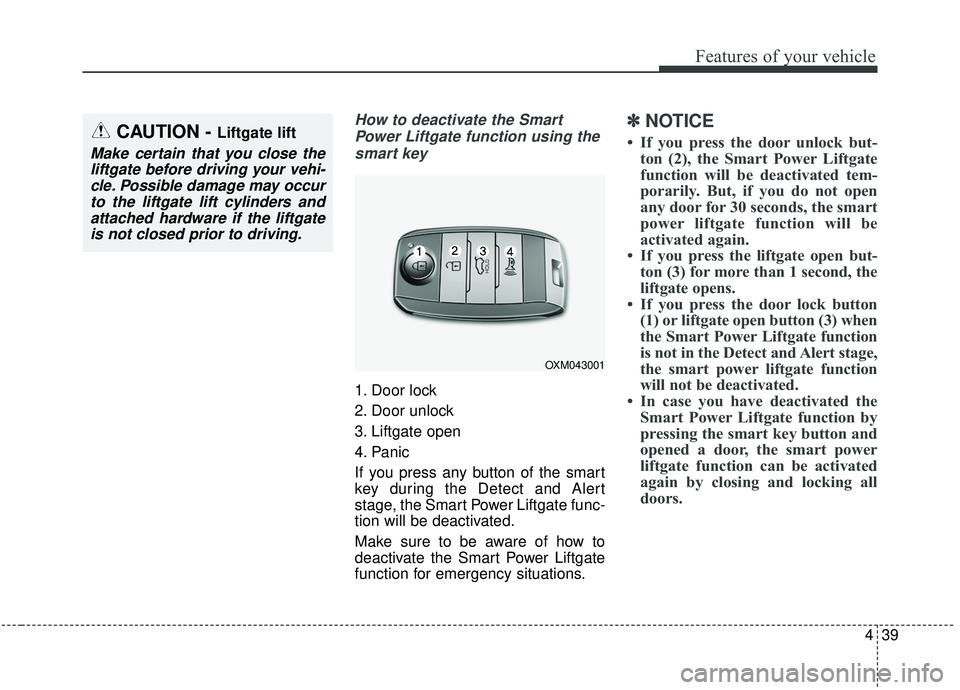
How to deactivate the SmartPower Liftgate function using thesmart key
1. Door lock
2. Door unlock
3. Liftgate open
4. Panic
If you press any button of the smart
key during the Detect and Alert
stage, the Smart Power Liftgate func-
tion will be deactivated.
Make sure to be aware of how to
deactivate the Smart Power Liftgate
function for emergency situations.
✽ ✽ NOTICE
• If you press the door unlock but-
ton (2), the Smart Power Liftgate
function will be deactivated tem-
porarily. But, if you do not open
any door for 30 seconds, the smart
power liftgate function will be
activated again.
• If you press the liftgate open but- ton (3) for more than 1 second, the
liftgate opens.
• If you press the door lock button (1) or liftgate open button (3) when
the Smart Power Liftgate function
is not in the Detect and Alert stage,
the smart power liftgate function
will not be deactivated.
• In case you have deactivated the Smart Power Liftgate function by
pressing the smart key button and
opened a door, the smart power
liftgate function can be activated
again by closing and locking all
doors.CAUTION - Liftgate lift
Make certain that you close the
liftgate before driving your vehi-cle. Possible damage may occurto the liftgate lift cylinders andattached hardware if the liftgateis not closed prior to driving.
OXM043001
Page 128 of 611
Features of your vehicle
40
4
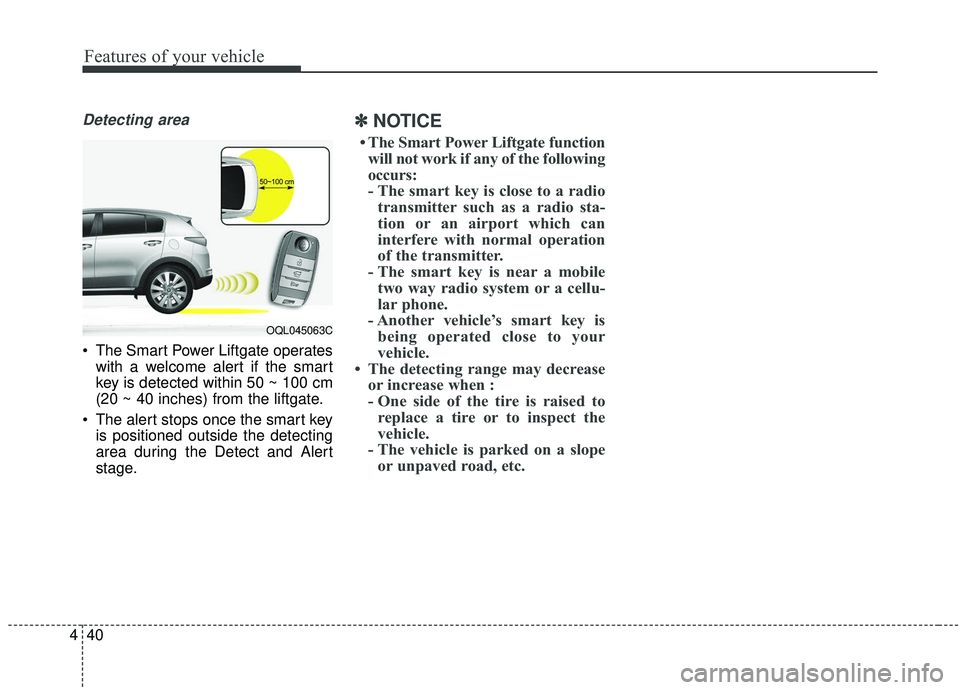
Detecting area
The Smart Power Liftgate operates
with a welcome alert if the smart
key is detected within 50 ~ 100 cm
(20 ~ 40 inches) from the liftgate.
The alert stops once the smart key is positioned outside the detecting
area during the Detect and Alert
stage.
✽ ✽ NOTICE
• The Smart Power Liftgate function
will not work if any of the following
occurs:
- The smart key is close to a radio transmitter such as a radio sta-
tion or an airport which can
interfere with normal operation
of the transmitter.
- The smart key is near a mobile two way radio system or a cellu-
lar phone.
- Another vehicle’s smart key is being operated close to your
vehicle.
• The detecting range may decrease or increase when :
- One side of the tire is raised toreplace a tire or to inspect the
vehicle.
- The vehicle is parked on a slope or unpaved road, etc.
OQL045063C
Page 130 of 611
Features of your vehicle
42
4
Power windows
The ignition switch must be in the ON
position for power windows to operate.
Each door has a power window
switch that controls the door's win-
dow. The driver has a power window
lock button which can block the oper-
ation of rear seat windows. The
power windows can be operated for
approximately 30 seconds after the
ignition key is removed or turned to
the ACC or LOCK (or OFF) position.
If the front doors are opened; howev-
er, the power windows cannot be
operated even within the 30 second
period.
If the window cannot be close
because it is blocked by objects,
remove the objects and close the
window.
✽ ✽
NOTICE
While driving with the rear windows
down or with the sunroof (if
equipped) in an open (or partially
open) position, your vehicle may
demonstrate a wind buffeting or
pulsation noise. This noise is a nor-
mal occurrence and can be reduced
or eliminated by taking the follow-
ing actions. If the noise occurs with
one or both of the rear windows
down, partially lower both front
windows approximately 2.5 cm (1
in.). If you experience the noise with
the sunroof open, slightly reduce the
size of the sunroof opening.
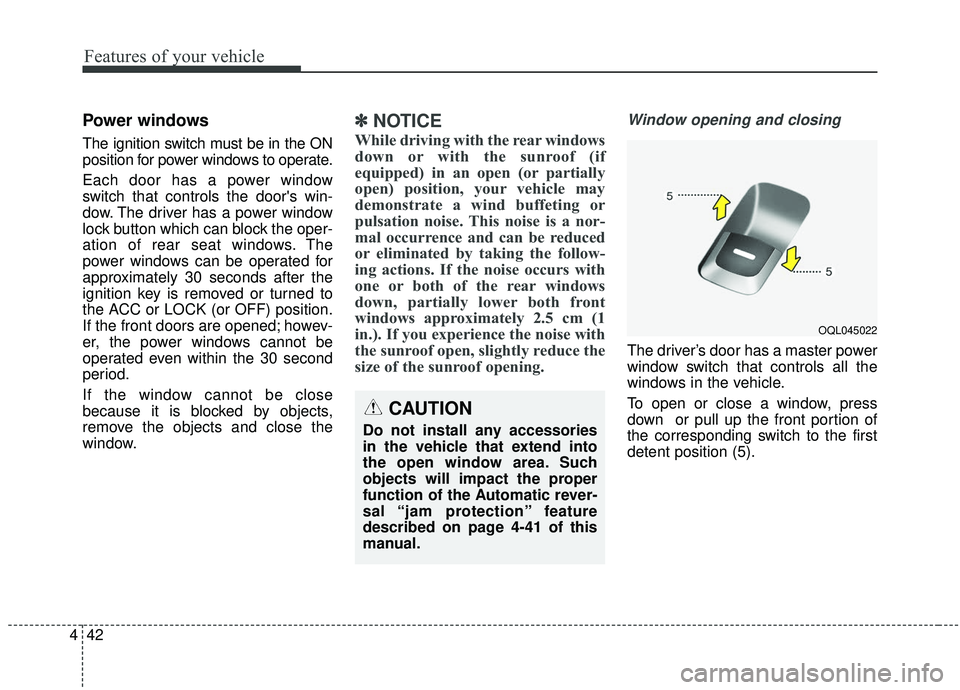
Window opening and closing
The driver’s door has a master power
window switch that controls all the
windows in the vehicle.
To open or close a window, press
down or pull up the front portion of
the corresponding switch to the first
detent position (5).
OQL045022
CAUTION
Do not install any accessories
in the vehicle that extend into
the open window area. Such
objects will impact the proper
function of the Automatic rever-
sal “jam protection” feature
described on page 4-41 of this
manual.
Page 140 of 611
Features of your vehicle
52
4
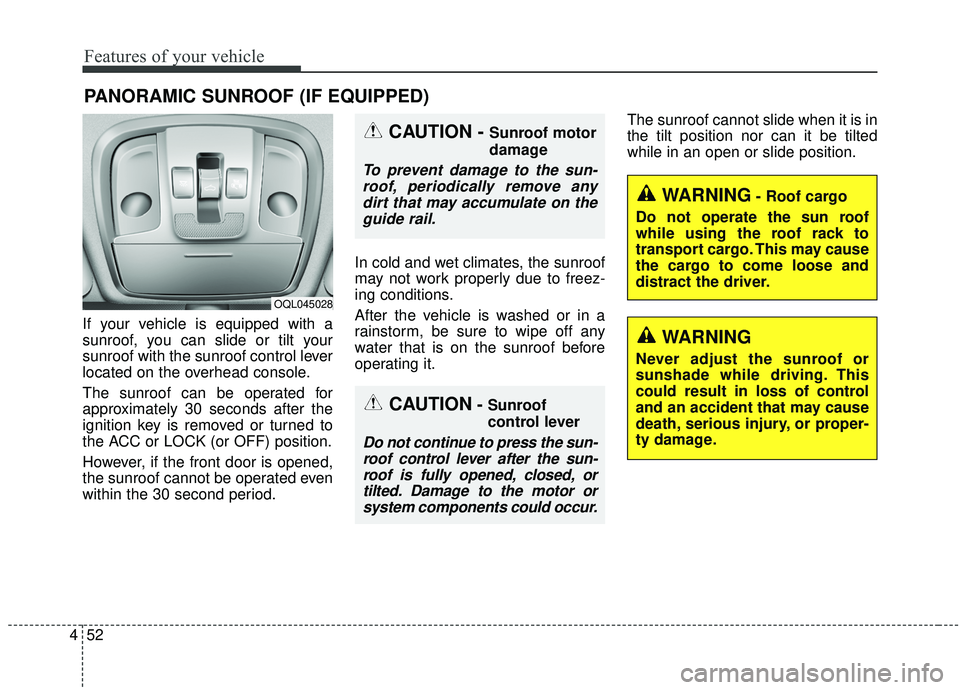
If your vehicle is equipped with a
sunroof, you can slide or tilt your
sunroof with the sunroof control lever
located on the overhead console.
The sunroof can be operated for
approximately 30 seconds after the
ignition key is removed or turned to
the ACC or LOCK (or OFF) position.
However, if the front door is opened,
the sunroof cannot be operated even
within the 30 second period. In cold and wet climates, the sunroof
may not work properly due to freez-
ing conditions.
After the vehicle is washed or in a
rainstorm, be sure to wipe off any
water that is on the sunroof before
operating it.The sunroof cannot slide when it is in
the tilt position nor can it be tilted
while in an open or slide position.
PANORAMIC SUNROOF (IF EQUIPPED)
CAUTION- Sunroof
control lever
Do not continue to press the sun-
roof control lever after the sun-roof is fully opened, closed, ortilted. Damage to the motor orsystem components could occur.
CAUTION - Sunroof motor
damage
To prevent damage to the sun-roof, periodically remove anydirt that may accumulate on theguide rail.
WARNING- Roof cargo
Do not operate the sun roof
while using the roof rack to
transport cargo. This may cause
the cargo to come loose and
distract the driver.
OQL045028
WARNING
Never adjust the sunroof or
sunshade while driving. This
could result in loss of control
and an accident that may cause
death, serious injury, or proper-
ty damage.
Page 141 of 611
453
Features of your vehicle
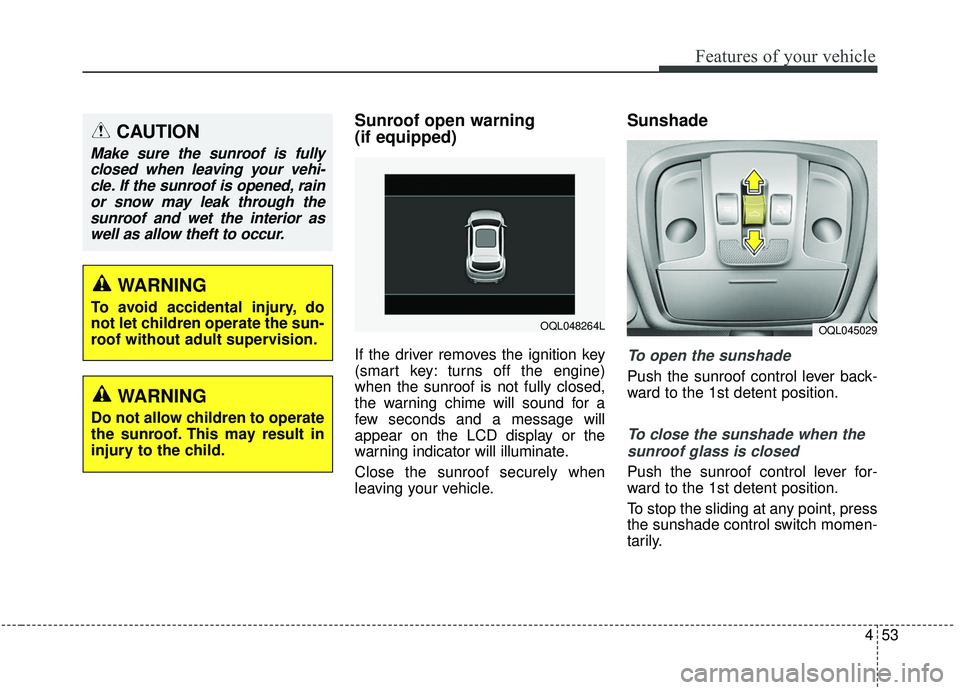
Sunroof open warning
(if equipped)
If the driver removes the ignition key
(smart key: turns off the engine)
when the sunroof is not fully closed,
the warning chime will sound for a
few seconds and a message will
appear on the LCD display or the
warning indicator will illuminate.
Close the sunroof securely when
leaving your vehicle.
Sunshade
To open the sunshade
Push the sunroof control lever back-
ward to the 1st detent position.
To close the sunshade when thesunroof glass is closed
Push the sunroof control lever for-
ward to the 1st detent position.
To stop the sliding at any point, press
the sunshade control switch momen-
tarily.
CAUTION
Make sure the sunroof is fullyclosed when leaving your vehi-cle. If the sunroof is opened, rainor snow may leak through thesunroof and wet the interior aswell as allow theft to occur.
OQL048264LOQL045029
WARNING
To avoid accidental injury, do
not let children operate the sun-
roof without adult supervision.
WARNING
Do not allow children to operate
the sunroof. This may result in
injury to the child.
Page 166 of 611

Features of your vehicle
78
4
Folding the outside rearview mirror
(if equipped)
Electric type
The outside rearview mirror can be
folded or unfolded by pressing the
switch when the ignition switch is
ACC or ON position as below.
Left (1) : The mirror will unfold.
Right (2) : The mirror will fold. Center (AUTO, 3)
:
The mirror will fold or unfold automat-
ically as follows:
The mirror will fold or unfold when the door is locked or unlocked by
the folding key or smart key.
The mirror will fold or unfold when the door is locked or unlocked by the
button on the outside door handle.
The mirror will unfold when you approach the vehicle (all doors
closed and locked) with a smart
key in possession. (if equipped)
OQLA045040
CAUTION -Electric type
outside rearview mirror
The electric type outside rearview mirror operates even though theengine start/stop button is in theOFF position. However, to preventunnecessary battery discharge,do not adjust the mirrors longerthan necessary while the engineis not running.
In case it is an electric type out-side rearview mirror, don’t fold itby hand. It could cause motor fail-ure.
Page 179 of 611
491
Features of your vehicle
Door
Auto Lock :- Enable on Speed : All doors willbe automatically locked when the
vehicle speed exceeds 15 km/h
(9.3 mph).
- Enable on Shift : All doors will be automatically locked if the trans-
mission shift lever is shifted from
the P (Park) position to the R
(Reverse), N (Neutral), or D
(Drive) position.
Auto Unlock : - Disable : The auto door unlockoperation will be canceled.
- Vehicle Off/On key out : All doors will be automatically unlocked
when the ignition key is removed
from the ignition switch or the
Engine Start/Stop button is set to
the OFF position.
- On Shift to P : All doors will be automatically unlocked if the
automatic transmission shift lever
is shifted to the P (Park) position. Two Press Unlock (if equipped) :
- If this item is checked, the twopress unlock will be activated.
Power Liftgate (if equipped) : - If this item is checked, the powerliftgate function will be activated.
❈ For more details, refer to “Power
Liftgate” in this chapter.
Smart Liftgate (if equipped) : - If this item is checked, the smartliftgate function will be activated.
❈ For more details, refer to “Smart
Liftgate” in this chapter. Lights
One Touch Turn Signal :
- Off: The one touch turn signalfunction will be deactivated.
- 3, 5, 7 Flashes : The lane change signals will blink 3, 5 or 7 times
when the turn signal lever is
moved slightly.
❈ For more details, refer to “Lighting”
in this chapter.
Headlight Delay : - If this item is checked, the headlamp delay function will be acti-
vated.
❈ For more details, refer to “Lighting”
in this chapter.
Page 185 of 611
497
Features of your vehicle
- If you press “OK” button for morethan 1 second after the Driving
Information is displayed, the infor-
mation will be reset.
- If the engine is running, even when the vehicle is not in motion, the infor-
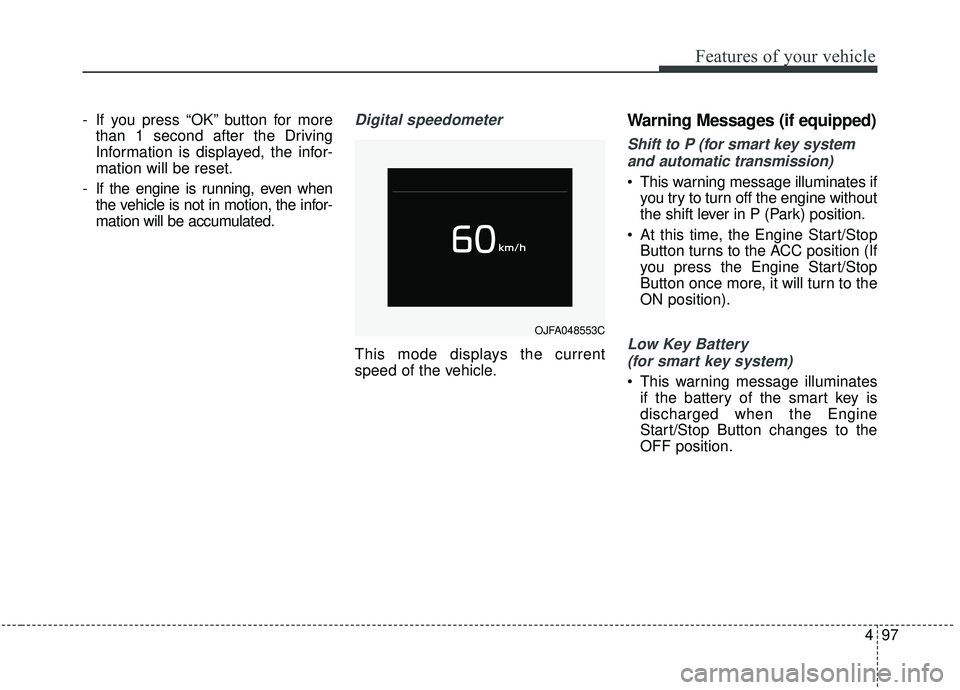
mation will be accumulated.Digital speedometer
This mode displays the current
speed of the vehicle.
Warning Messages (if equipped)
Shift to P (for smart key system
and automatic transmission)
This warning message illuminates if you try to turn off the engine without
the shift lever in P (Park) position.
At this time, the Engine Start/Stop Button turns to the ACC position (If
you press the Engine Start/Stop
Button once more, it will turn to the
ON position).
Low Key Battery
(for smart key system)
This warning message illuminates if the battery of the smart key is
discharged when the Engine
Start/Stop Button changes to the
OFF position.
OJFA048553C
Page 186 of 611
Features of your vehicle
98
4
Press START button while turning
wheel (for smart key system)
This warning message illuminates if the steering wheel does not
unlock normally when the Engine
Start/Stop Button is pressed.
It means that you should press the Engine Start/Stop Button while
turning the steering wheel right
and left.
Steering wheel not locked
(for smart key system)
This warning message illuminates if the steering wheel does not lock
when the Engine Start/Stop Button
changes to the OFF position.
Check Steering Wheel Lock
System (for smart key system)
This warning message illuminates if the steering wheel does not lock
normally when the Engine
Start/Stop Button changes to the
OFF position.
Press brake pedal to start engine
(for smart key system and auto-
matic transmission)
This warning message illuminates if the Engine Start/Stop Button
changes to the ACC position twice
by pressing the button repeatedly
without depressing the brake pedal.
It means that you should depress the brake pedal to start the engine.
Key not detected
(for smart key system)
This warning message illuminates if the smart key is not detected
when you press the Engine
Start/Stop Button.
Remove key (for smart key sys-
tem)
This warning message illuminates if the smart key is remove the hold-
er.
Key not in vehicle
(for smart key system)
If the smart key is not in the vehicle and if any door is opened or closed
with the engine start/stop button in
ACC, ON, or START, the warning
illuminates on the LCD display.
Page 187 of 611
499
Features of your vehicle
Press start button again (for smart key system)
This warning message illuminates if you can not operate the Engine
Start/Stop Button when there is a
problem with the Engine Start/Stop
Button system.
It means that you could start the engine by pressing the Engine
Start/ Stop Button once more.
If the warning illuminates each time you press the Engine Start/Stop
Button, have the vehicle inspected
by a professional workshop. Kia
recommends to visit an authorized
Kia dealer/service partner.
Press start button with key
(for smart key system)
This warning message illuminates if you press the Engine Start/Stop
Button while the warning message
“Key not detected” is illuminating.
At this time, the immobilizer indica- tor light blinks.
Check BRAKE SWITCH fuse
(for smart key system and auto-matic transmission)
This warning message illuminates if the brake switch fuse is discon-
nected.
It means that you should replace the fuse with a new one. If that is
not possible, you can start the
engine by pressing the Engine
Start/Stop Button for 10 seconds in
the ACC position.
Shift to P or N to start engine
(for smart key system and auto-matic transmission)
This warning message illuminates if you try to start the engine with
the shift lever not in the P (Park) or
N (Neutral) position.
✽ ✽ NOTICE
You can start the engine with the
shift lever in the N (Neutral) position.
However, for your safety, we strongly
recommend that you start the engine
with the shift lever in the P (Park)
position.