display KIA SPORTAGE 2020 Workshop Manual
[x] Cancel search | Manufacturer: KIA, Model Year: 2020, Model line: SPORTAGE, Model: KIA SPORTAGE 2020Pages: 611, PDF Size: 15.85 MB
Page 374 of 611

593
Driving your vehicle
Cancelled automatically
The driver's door is opened.
The shift lever is shifted to N(Neutral), R (Reverse) or P (Paking).
The EPB (electronic parking brake) is applied.
The vehicle speed is over 190 km/h (120 mph).
The ESC, ABS or TCS is operating.
The ESC is turned off.
The sensor or the cover is dirty or covered with foreign matter.
The vehicle is stopped for a certain period of time.
The driver starts driving by pushing the toggle switch up (RES+)/down
(SET-) or depressing the accelera-
tor pedal, after stopping the vehicle
with a vehicle stopped far away in
front.
The accelerator pedal is continu- ously depressed for long time.
When engine is stopped by ISG (Idle Stop and Go) mode.
The engine speed is in dangerous range. When the braking control is operat-
ed for Forward Collision-Avoidance
Assist(FCA).
The driver starts driving by pushing the toggle switch up (RES+)/down
(SET-) or depressing the accelera-
tor pedal, after the vehicle is
stopped by the Smart Cruise
Control system with no other vehi-
cle ahead.
The vehicle stops and goes repeat- edly for a long period of time.
The engine performance is abnor- mal. Each of these actions will cancel the
smart cruise control operation. (the
set speed and vehicle to vehicle dis-
tance on the LCD display will go off.)
If the smart cruise control is can-
celled automatically, the smart cruise
control will not resume even though
the RES+ or SET-lever is moved.
✽ ✽
NOTICE
If the smart cruise control is can-
celled, take your vehicle to an
authorized Kia dealer and have the
system checked.
Page 378 of 611
597
Driving your vehicle
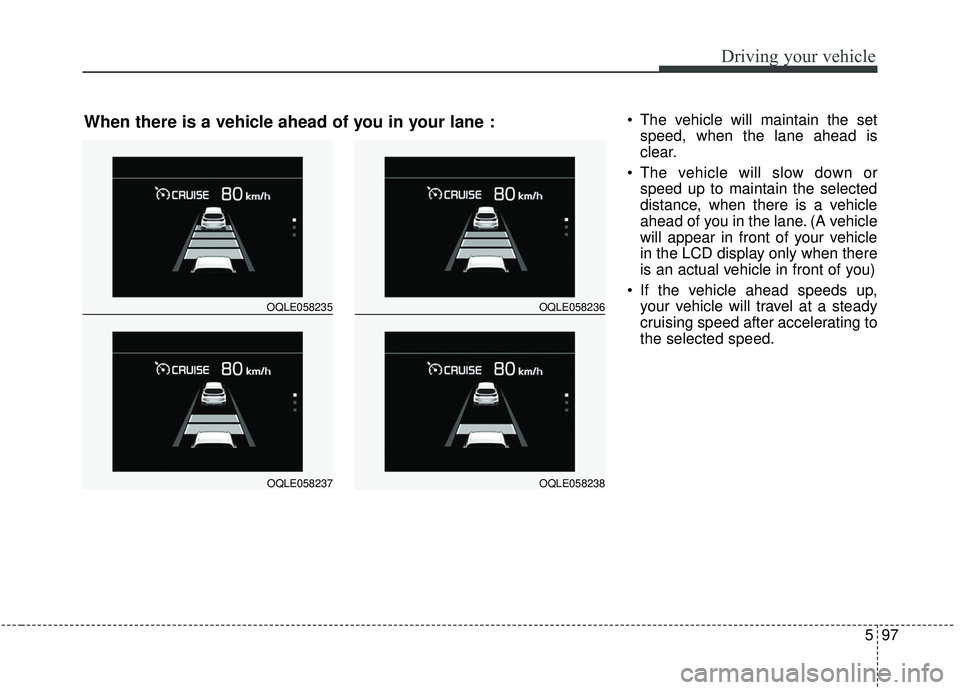
The vehicle will maintain the setspeed, when the lane ahead is
clear.
The vehicle will slow down or speed up to maintain the selected
distance, when there is a vehicle
ahead of you in the lane. (A vehicle
will appear in front of your vehicle
in the LCD display only when there
is an actual vehicle in front of you)
If the vehicle ahead speeds up, your vehicle will travel at a steady
cruising speed after accelerating to
the selected speed.
OQLE058235
OQLE058237
OQLE058236
OQLE058238
When there is a vehicle ahead of you in your lane :
Page 381 of 611
Driving your vehicle
100
5
Warning message
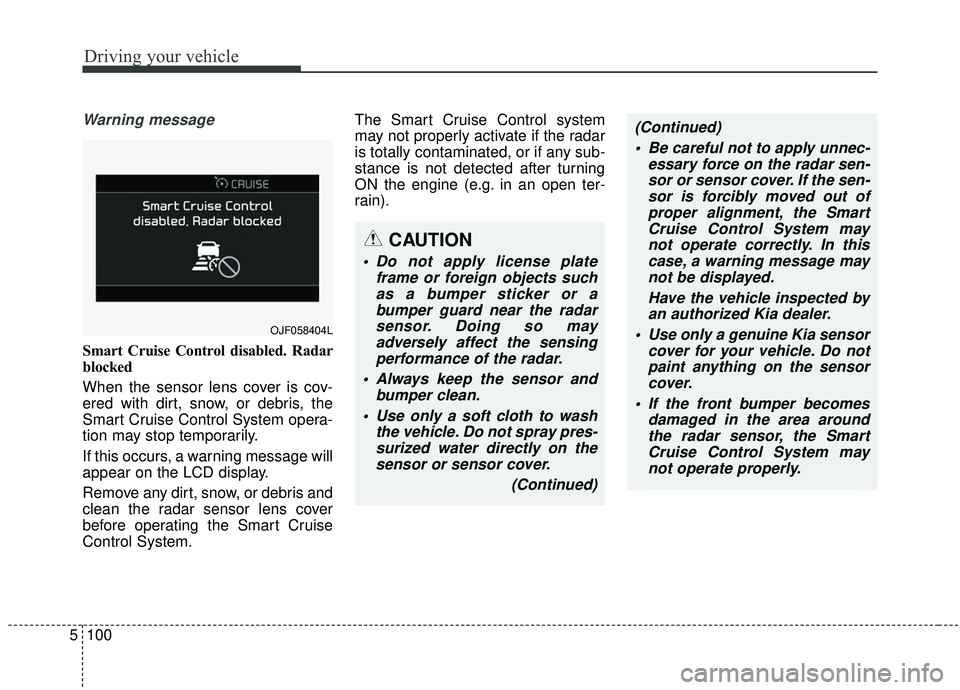
Smart Cruise Control disabled. Radar
blocked
When the sensor lens cover is cov-
ered with dirt, snow, or debris, the
Smart Cruise Control System opera-
tion may stop temporarily.
If this occurs, a warning message will
appear on the LCD display.
Remove any dirt, snow, or debris and
clean the radar sensor lens cover
before operating the Smart Cruise
Control System. The Smart Cruise Control system
may not properly activate if the radar
is totally contaminated, or if any sub-
stance is not detected after turning
ON the engine (e.g. in an open ter-
rain).
OJF058404L
CAUTION
Do not apply license plate
frame or foreign objects suchas a bumper sticker or abumper guard near the radarsensor. Doing so mayadversely affect the sensingperformance of the radar.
Always keep the sensor and bumper clean.
Use only a soft cloth to wash the vehicle. Do not spray pres-surized water directly on thesensor or sensor cover.
(Continued)
(Continued) Be careful not to apply unnec- essary force on the radar sen-sor or sensor cover. If the sen-sor is forcibly moved out ofproper alignment, the SmartCruise Control System maynot operate correctly. In thiscase, a warning message maynot be displayed.
Have the vehicle inspected byan authorized Kia dealer.
Use only a genuine Kia sensor cover for your vehicle. Do notpaint anything on the sensorcover.
If the front bumper becomes damaged in the area aroundthe radar sensor, the SmartCruise Control System maynot operate properly.
Page 390 of 611
5109
Driving your vehicle
DRIVE mode
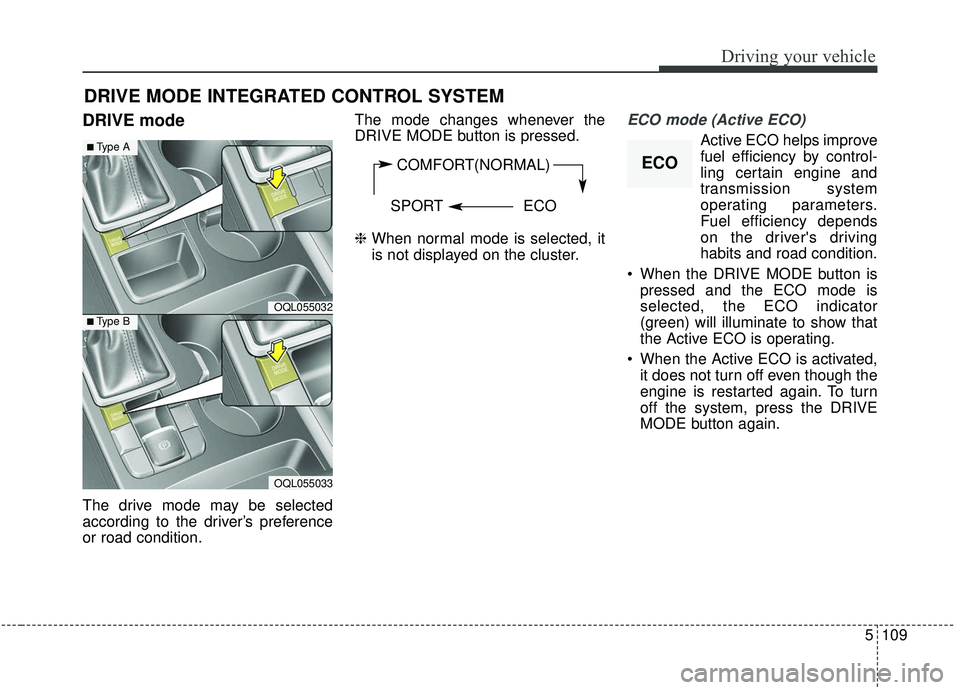
The drive mode may be selected
according to the driver’s preference
or road condition.The mode changes whenever the
DRIVE MODE button is pressed.
❈
When normal mode is selected, it
is not displayed on the cluster.
ECO mode (Active ECO)
Active ECO helps improve
fuel efficiency by control-
ling certain engine and
transmission system
operating parameters.
Fuel efficiency depends
on the driver's driving
habits and road condition.
When the DRIVE MODE button is pressed and the ECO mode is
selected, the ECO indicator
(green) will illuminate to show that
the Active ECO is operating.
When the Active ECO is activated, it does not turn off even though the
engine is restarted again. To turn
off the system, press the DRIVE
MODE button again.
DRIVE MODE INTEGRATED CONTROL SYSTEM
COMFORT(NORMAL)
SPORT ECO
OQL055032
■Type A
■Type B
OQL055033
ECO
Page 394 of 611
5113
Driving your vehicle
LKA operation
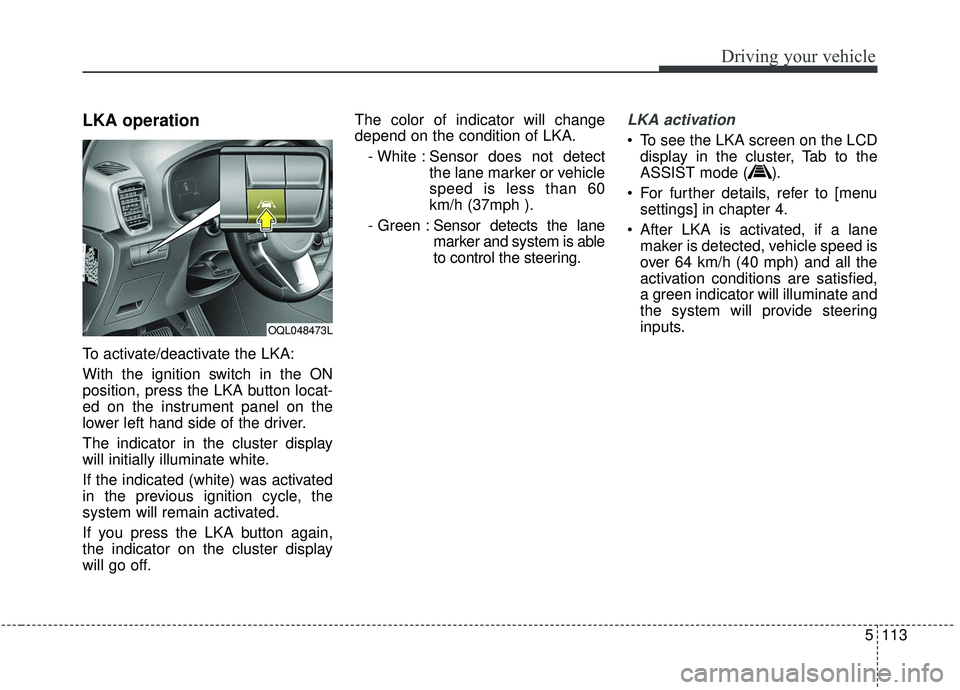
To activate/deactivate the LKA:
With the ignition switch in the ON
position, press the LKA button locat-
ed on the instrument panel on the
lower left hand side of the driver.
The indicator in the cluster display
will initially illuminate white.
If the indicated (white) was activated
in the previous ignition cycle, the
system will remain activated.
If you press the LKA button again,
the indicator on the cluster display
will go off.The color of indicator will change
depend on the condition of LKA.
- White : Sensor does not detect the lane marker or vehicle
speed is less than 60
km/h (37mph ).
- Green : Sensor detects the lane
marker and system is able
to control the steering.
LKA activation
To see the LKA screen on the LCD
display in the cluster, Tab to the
ASSIST mode ( ).
For further details, refer to [menu settings] in chapter 4.
After LKA is activated, if a lane maker is detected, vehicle speed is
over 64 km/h (40 mph) and all the
activation conditions are satisfied,
a green indicator will illuminate and
the system will provide steering
inputs.
OQL048473L
Page 395 of 611
Driving your vehicle
114
5
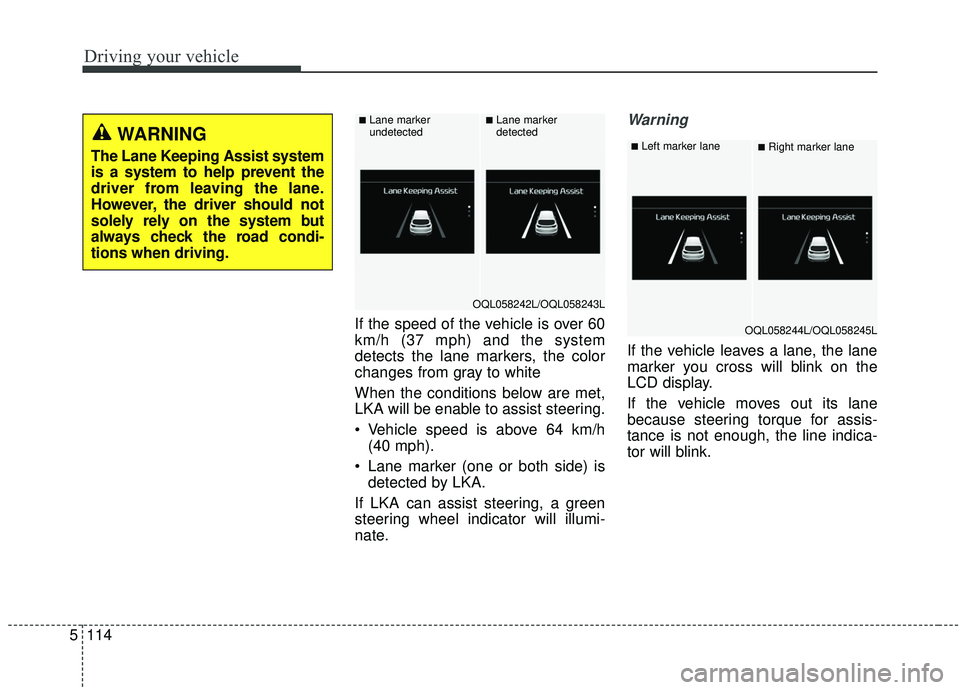
If the speed of the vehicle is over 60
km/h (37 mph) and the system
detects the lane markers, the color
changes from gray to white
When the conditions below are met,
LKA will be enable to assist steering.
Vehicle speed is above 64 km/h
(40 mph).
Lane marker (one or both side) is detected by LKA.
If LKA can assist steering, a green
steering wheel indicator will illumi-
nate.
Warning
If the vehicle leaves a lane, the lane
marker you cross will blink on the
LCD display.
If the vehicle moves out its lane
because steering torque for assis-
tance is not enough, the line indica-
tor will blink.
WARNING
The Lane Keeping Assist system
is a system to help prevent the
driver from leaving the lane.
However, the driver should not
solely rely on the system but
always check the road condi-
tions when driving.
OQL058242L/OQL058243L
■Lane marker
undetected■Lane marker
detected
OQL058244L/OQL058245L
■Left marker lane■Right marker lane
Page 398 of 611
5117
Driving your vehicle
When there is a problem with the sys-
tem do one of the following:
Turn the system on after turningthe engine off and on again.
Check if the ignition switch is in the ON position.
Check if the system is affected by the weather. (ex: fog, heavy rain,
etc.)
Check if there is foreign matter covering the camera lens
If the problem is not solved, take your
vehicle to an authorized Kia dealer
and have the system checked.LKA system Function Change
The driver can change LKA to Lane
Departure Warning System (LDW
system) or change the LKA system
mode between Standard LKA and
Active LKA from the User Settings
Mode on the LCD display.
The driver can choose them by plac-
ing the ignition switch to the ON posi-
tion and by selecting ‘User Settings’,
‘Driver Assistance’, and ‘Lane
Keeping Assist’.
The system is automatically set to
Standard LKA.
Lane Departure
LDW alerts the driver with a visual
and acoustic warning when the sys-
tem detects the vehicle leaving the
lane. In this mode, the system will not
provide steering inputs. When the
vehicle’s front wheel contacts the
inside edge of lane line, LKA issues
the lane departure warning.
Standard LKA
The Standard LKA mode guides the
driver to keep the vehicle within the
lanes. It provides steering inputs
when the vehicle is about to deviate
from the lanes.
Active LKA
The active LKA mode provides more
frequent steering inputs in compari-
son with the Standard LKA mode.
Page 405 of 611
Driving your vehicle
124
5
Rear Cross-Traffic Collision
Warning (RCCW)
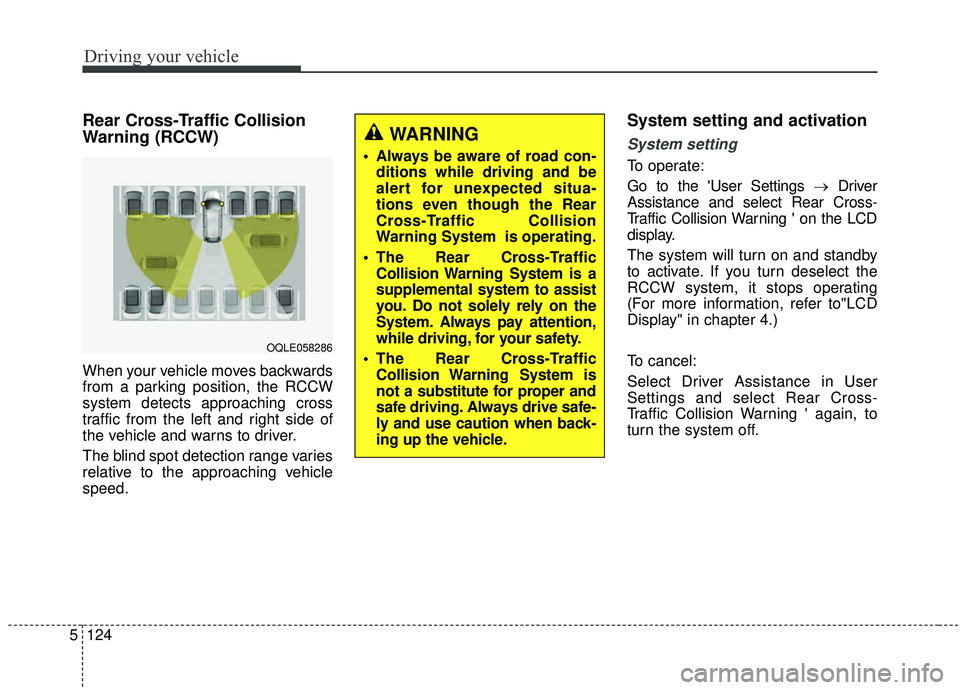
When your vehicle moves backwards
from a parking position, the RCCW
system detects approaching cross
traffic from the left and right side of
the vehicle and warns to driver.
The blind spot detection range varies
relative to the approaching vehicle
speed.
System setting and activation
System setting
To operate:
Go to the 'User Settings → Driver
Assistance and select Rear Cross-
Traffic Collision Warning ' on the LCD
display.
The system will turn on and standby
to activate. If you turn deselect the
RCCW system, it stops operating
(For more information, refer to"LCD
Display" in chapter 4.)
To cancel:
Select Driver Assistance in User
Settings and select Rear Cross-
Traffic Collision Warning ' again, to
turn the system off.
OQLE058286
WARNING
• Always be aware of road con- ditions while driving and be
alert for unexpected situa-
tions even though the Rear
Cross-Traffic Collision
Warning System is operating.
The Rear Cross-Traffic Collision Warning System is a
supplemental system to assist
you. Do not solely rely on the
System. Always pay attention,
while driving, for your safety.
The Rear Cross-Traffic Collision Warning System is
not a substitute for proper and
safe driving. Always drive safe-
ly and use caution when back-
ing up the vehicle.
Page 407 of 611
Driving your vehicle
126
5
If the vehicle detected by the sensors
approaches from the rear left/right
side of your vehicle, the warning
chime will sound, the warning light
on the outside rearview mirror will
blink and a message will appear on
the LCD display.
The warning will stop when:
- The vehicle moving at the rear
left/right side of your vehicle is not
in the detection range.
- The vehicle is right behind your vehicle.
- The vehicle is not driving towards your vehicle.
- The vehicle’s approaching speed is decreased.
WARNING
Drive safely even though thevehicle is equipped with a
Rear Cross-Traffic Collision
Warning (RCCW) System. Do
not solely rely on the system
but check your surrounding
when backing the vehicle up.
The RCCW system may not
detect every object alongside
the vehicle.
The driver is responsible for accurate brake control.
Always pay extreme caution while driving. The Rear Cross-
Traffic Collision Warning
System may not operate prop-
erly or unnecessarily operate
in accordance with your driv-
ing situations.
CAUTION
If the operating conditions of RCCW are satisfied, a warningis issued every time a vehiclecomes to the rear side, even ifyour vehicle is stopped (vehi-cle speed 0 km/h (0 mph)).
The system's warning may not operate properly if theleft/right of your vehicle's rearbumper is blocked by a vehi-cle or obstacle.
The driver should always use extreme caution while operat-ing the vehicle, whether or notthe warning light on the out-side rearview mirror illumi-nates or there is a warningalarm.
Playing the vehicle audio sys- tem at high volume may pre-vent occupants from hearingthe system's warning sounds.
The warning of the Rear Cross- Traffic Collision WarningSystem may not sound if warn-ing sounds from other systemsare activated.
Page 409 of 611
Driving your vehicle
128
5
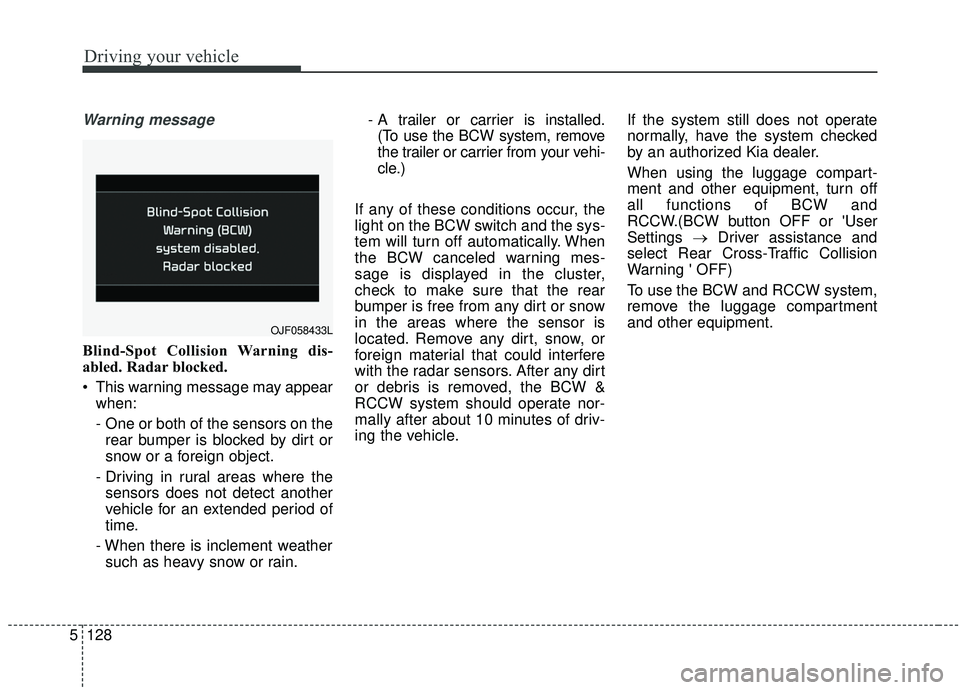
Warning message
Blind-Spot Collision Warning dis-
abled. Radar blocked.
This warning message may appear
when:
- One or both of the sensors on therear bumper is blocked by dirt or
snow or a foreign object.
- Driving in rural areas where the sensors does not detect another
vehicle for an extended period of
time.
- When there is inclement weather such as heavy snow or rain. - A trailer or carrier is installed.
(To use the BCW system, remove
the trailer or carrier from your vehi-
cle.)
If any of these conditions occur, the
light on the BCW switch and the sys-
tem will turn off automatically. When
the BCW canceled warning mes-
sage is displayed in the cluster,
check to make sure that the rear
bumper is free from any dirt or snow
in the areas where the sensor is
located. Remove any dirt, snow, or
foreign material that could interfere
with the radar sensors. After any dirt
or debris is removed, the BCW &
RCCW system should operate nor-
mally after about 10 minutes of driv-
ing the vehicle. If the system still does not operate
normally, have the system checked
by an authorized Kia dealer.
When using the luggage compart-
ment and other equipment, turn off
all functions of BCW and
RCCW.(BCW button OFF or 'User
Settings
→Driver assistance and
select Rear Cross-Traffic Collision
Warning ' OFF)
To use the BCW and RCCW system,
remove the luggage compartment
and other equipment.
OJF058433L