display KIA SPORTAGE 2020 Owner's Manual
[x] Cancel search | Manufacturer: KIA, Model Year: 2020, Model line: SPORTAGE, Model: KIA SPORTAGE 2020Pages: 611, PDF Size: 15.85 MB
Page 185 of 611
497
Features of your vehicle
- If you press “OK” button for morethan 1 second after the Driving
Information is displayed, the infor-
mation will be reset.
- If the engine is running, even when the vehicle is not in motion, the infor-
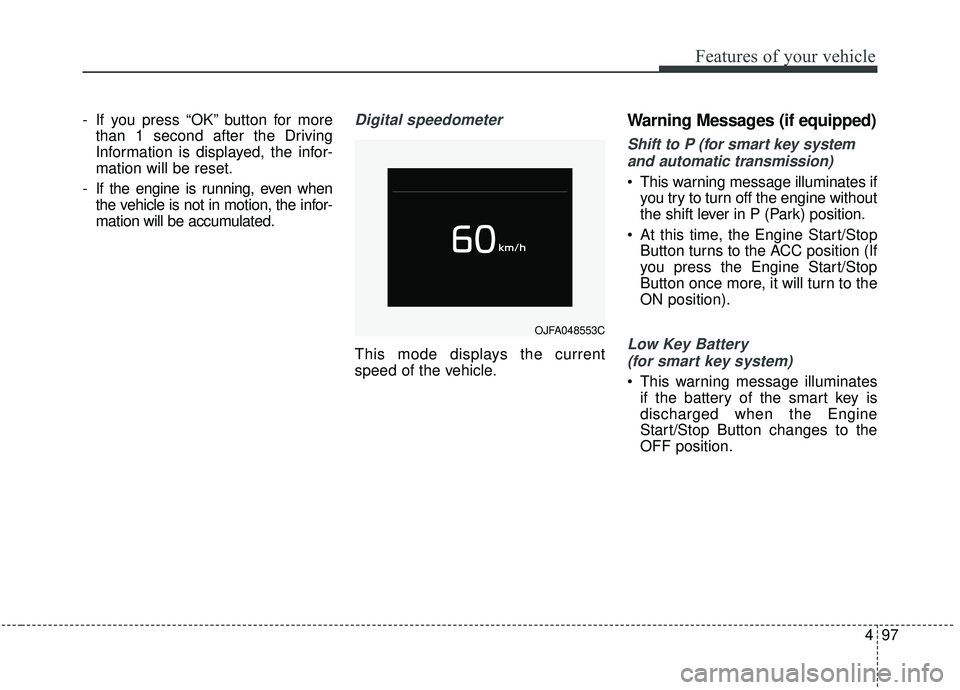
mation will be accumulated.Digital speedometer
This mode displays the current
speed of the vehicle.
Warning Messages (if equipped)
Shift to P (for smart key system
and automatic transmission)
This warning message illuminates if you try to turn off the engine without
the shift lever in P (Park) position.
At this time, the Engine Start/Stop Button turns to the ACC position (If
you press the Engine Start/Stop
Button once more, it will turn to the
ON position).
Low Key Battery
(for smart key system)
This warning message illuminates if the battery of the smart key is
discharged when the Engine
Start/Stop Button changes to the
OFF position.
OJFA048553C
Page 186 of 611
Features of your vehicle
98
4
Press START button while turning
wheel (for smart key system)
This warning message illuminates if the steering wheel does not
unlock normally when the Engine
Start/Stop Button is pressed.
It means that you should press the Engine Start/Stop Button while
turning the steering wheel right
and left.
Steering wheel not locked
(for smart key system)
This warning message illuminates if the steering wheel does not lock
when the Engine Start/Stop Button
changes to the OFF position.
Check Steering Wheel Lock
System (for smart key system)
This warning message illuminates if the steering wheel does not lock
normally when the Engine
Start/Stop Button changes to the
OFF position.
Press brake pedal to start engine
(for smart key system and auto-
matic transmission)
This warning message illuminates if the Engine Start/Stop Button
changes to the ACC position twice
by pressing the button repeatedly
without depressing the brake pedal.
It means that you should depress the brake pedal to start the engine.
Key not detected
(for smart key system)
This warning message illuminates if the smart key is not detected
when you press the Engine
Start/Stop Button.
Remove key (for smart key sys-
tem)
This warning message illuminates if the smart key is remove the hold-
er.
Key not in vehicle
(for smart key system)
If the smart key is not in the vehicle and if any door is opened or closed
with the engine start/stop button in
ACC, ON, or START, the warning
illuminates on the LCD display.
Page 189 of 611
4101
Features of your vehicle
Low Washer Fluid (if equipped)
This warning message illuminateson the service reminder mode if
the washer fluid level in the reser-
voir is nearly empty.
It means that you should refill the washer fluid.
Turn on FUSE SWITCH
(if equipped)
This warning message illuminates if the fuse switch under the steer-
ing wheel is OFF.
It means that you should turn the fuse switch on.
❈ For more details, refer to “Fuses” in
chapter 7.
Check DAW (Driver Attention
Warning) system (if equipped)
This warning message is displayed if
there is a problem with the Driver
Attention Warning system. In this
case, have your vehicle inspected by
an authorized Kia dealer.
❈ For more information, refer to
“Driver Attention Warning (DAW)”
in chapter 5.
Check BCW (Blind-spot Collision
Warning) system (if equipped)
This warning message is displayed if
there is a problem with the Blind-
Spot Collision Warning (BCW) sys-
tem. In this case, have your vehicle
inspected by an authorized Kia deal-
er.
❈ For more information, refer to
“Blind-Spot Collision Warning
(BCW)” in chapter 5.
Check FCA (Forward Collision
Avoidance Asst.) (if equipped)
This warning message illuminates if there is a malfunction with the
Forward Collision Avoidance Assist
(FCA) system. In this case, have
your vehicle inspected by an
authorized Kia dealer.
❈ For more details, refer to “Forward
Collision Avoidance Assist(FCA)
system” in chapter 5.
Page 213 of 611
4125
Features of your vehicle
Self-diagnosis
When you shift the gear to the R
(Reverse) position and if one or more
of the below occurs you may have a
malfunction in the parking distance
warning-reverse.
You don't hear an audible warningsound or if the buzzer sounds inter-
mittently.
If this occurs, we recommend that the
system be checked by an authorized
Kia dealer.
✽ ✽ NOTICE
Your new vehicle warranty does not
cover any accidents or damage to
the vehicle or injuries to its occu-
pants related to a parking distance
warning. Always drive safely and
cautiously.
WARNING
Pay close attention when the
vehicle is driven close to
objects on the road, particularly
pedestrians, and especially
children. Be aware that some
objects may not be detected by
the sensors, due to the objects
distance, size or material, all of
which can limit the effective-
ness of the sensor. Always per-
form a visual inspection to
make sure the vehicle is clear of
all obstructions before moving
the vehicle in any direction.
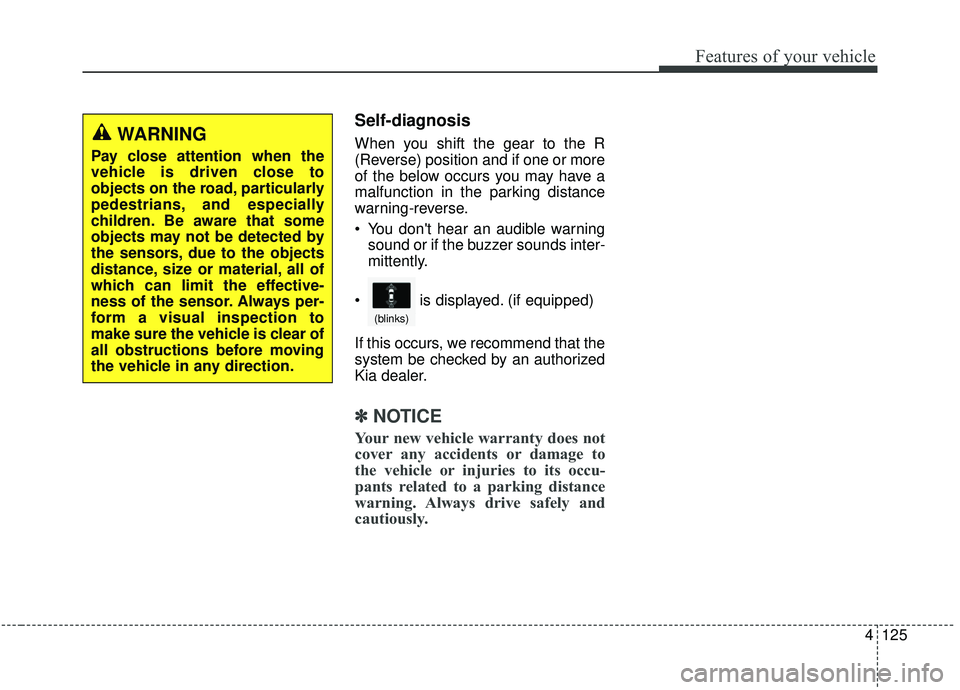
is displayed. (if equipped)
(blinks)
Page 214 of 611
Features of your vehicle
126
4
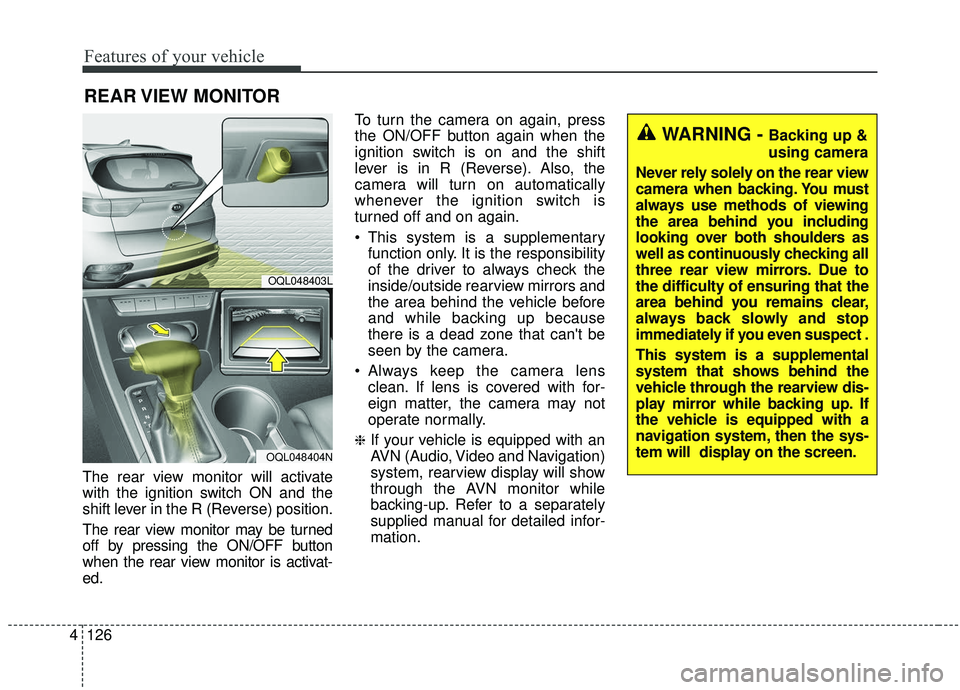
The rear view monitor will activate
with the ignition switch ON and the
shift lever in the R (Reverse) position.
The rear view monitor may be turned
off by pressing the ON/OFF button
when the rear view monitor is activat-
ed. To turn the camera on again, press
the ON/OFF button again when the
ignition switch is on and the shift
lever is in R (Reverse). Also, the
camera will turn on automatically
whenever the ignition switch is
turned off and on again.
This system is a supplementary
function only. It is the responsibility
of the driver to always check the
inside/outside rearview mirrors and
the area behind the vehicle before
and while backing up because
there is a dead zone that can't be
seen by the camera.
Always keep the camera lens clean. If lens is covered with for-
eign matter, the camera may not
operate normally.
❈If your vehicle is equipped with an
AVN (Audio, Video and Navigation)
system, rearview display will show
through the AVN monitor while
backing-up. Refer to a separately
supplied manual for detailed infor-
mation.
REAR VIEW MONITOR
OQL048403L
OQL048404N
WARNING - Backing up &
using camera
Never rely solely on the rear view
camera when backing. You must
always use methods of viewing
the area behind you including
looking over both shoulders as
well as continuously checking all
three rear view mirrors. Due to
the difficulty of ensuring that the
area behind you remains clear,
always back slowly and stop
immediately if you even suspect .
This system is a supplemental
system that shows behind the
vehicle through the rearview dis-
play mirror while backing up. If
the vehicle is equipped with a
navigation system, then the sys-
tem will display on the screen.
Page 221 of 611
4133
Features of your vehicle
If an indicator stays on and does not
flash or if it flashes abnormally, one of
the turn signal bulbs may be burned
out and will require replacement.
✽ ✽NOTICE
If an indicator flash is abnormally
quick or slow, a bulb may be burned
out or have a poor electrical connec-
tion in the circuit.
Front fog light (if equipped)
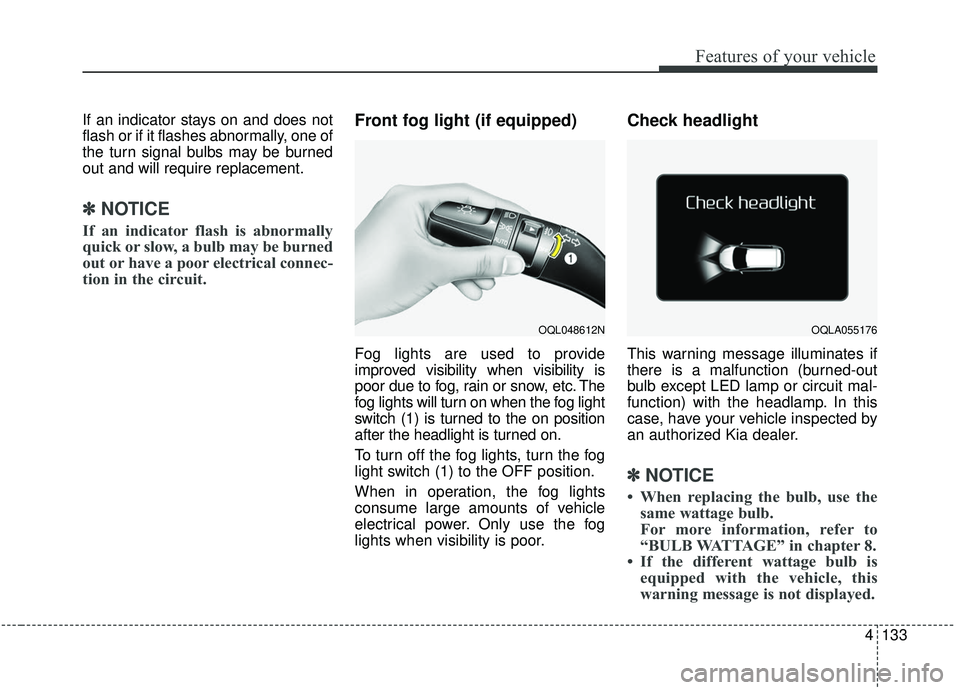
Fog lights are used to provide
improved visibility when visibility is
poor due to fog, rain or snow, etc. The
fog lights will turn on when the fog light
switch (1) is turned to the on position
after the headlight is turned on.
To turn off the fog lights, turn the fog
light switch (1) to the OFF position.
When in operation, the fog lights
consume large amounts of vehicle
electrical power. Only use the fog
lights when visibility is poor.
Check headlight
This warning message illuminates if
there is a malfunction (burned-out
bulb except LED lamp or circuit mal-
function) with the headlamp. In this
case, have your vehicle inspected by
an authorized Kia dealer.
✽ ✽NOTICE
• When replacing the bulb, use the
same wattage bulb.
For more information, refer to
“BULB WATTAGE” in chapter 8.
• If the different wattage bulb is equipped with the vehicle, this
warning message is not displayed.
OQL048612NOQLA055176
Page 242 of 611
Features of your vehicle
154
4
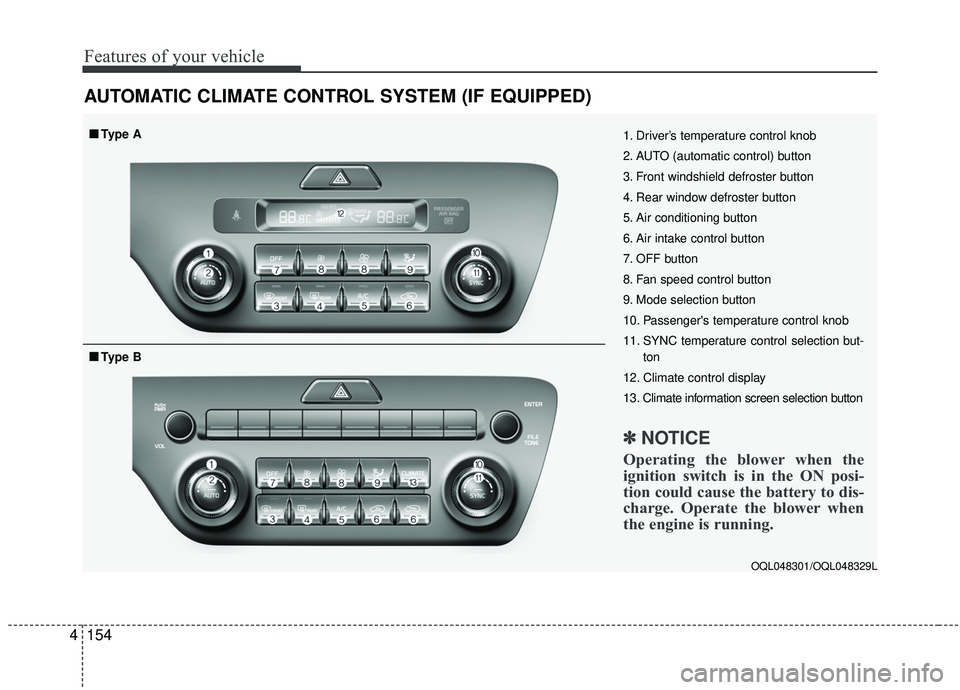
AUTOMATIC CLIMATE CONTROL SYSTEM (IF EQUIPPED)
OQL048301/OQL048329L
1. Driver’s temperature control knob
2. AUTO (automatic control) button
3. Front windshield defroster button
4. Rear window defroster button
5. Air conditioning button
6. Air intake control button
7. OFF button
8. Fan speed control button
9. Mode selection button
10. Passenger's temperature control knob
11. SYNC temperature control selection but-
ton
12. Climate control display
13. Climate information screen selection button
✽ ✽ NOTICE
Operating the blower when the
ignition switch is in the ON posi-
tion could cause the battery to dis-
charge. Operate the blower when
the engine is running.
■ ■Type B
■ ■Type A
Page 243 of 611
4155
Features of your vehicle
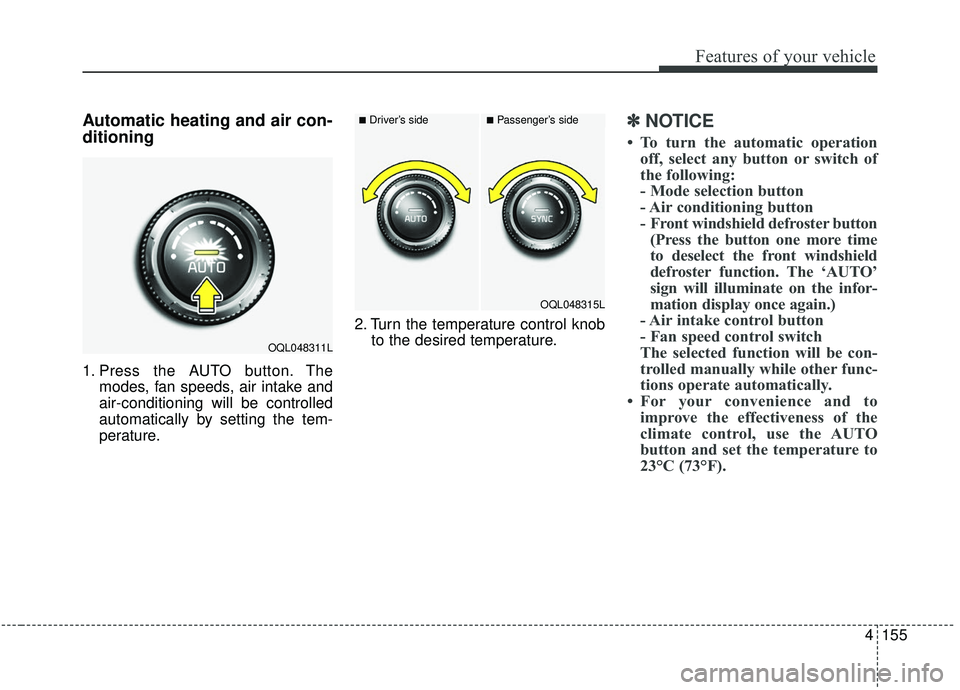
Automatic heating and air con-
ditioning
1. Press the AUTO button. Themodes, fan speeds, air intake and
air-conditioning will be controlled
automatically by setting the tem-
perature. 2. Turn the temperature control knob
to the desired temperature.
✽ ✽NOTICE
• To turn the automatic operation
off, select any button or switch of
the following:
- Mode selection button
- Air conditioning button
- Front windshield defroster button(Press the button one more time
to deselect the front windshield
defroster function. The ‘AUTO’
sign will illuminate on the infor-
mation display once again.)
- Air intake control button
- Fan speed control switch
The selected function will be con-
trolled manually while other func-
tions operate automatically.
• For your convenience and to improve the effectiveness of the
climate control, use the AUTO
button and set the temperature to
23°C (73°F).
OQL048311L
■Driver’s side■Passenger’s side
OQL048315L
Page 246 of 611
Features of your vehicle
158
4
Temperature control
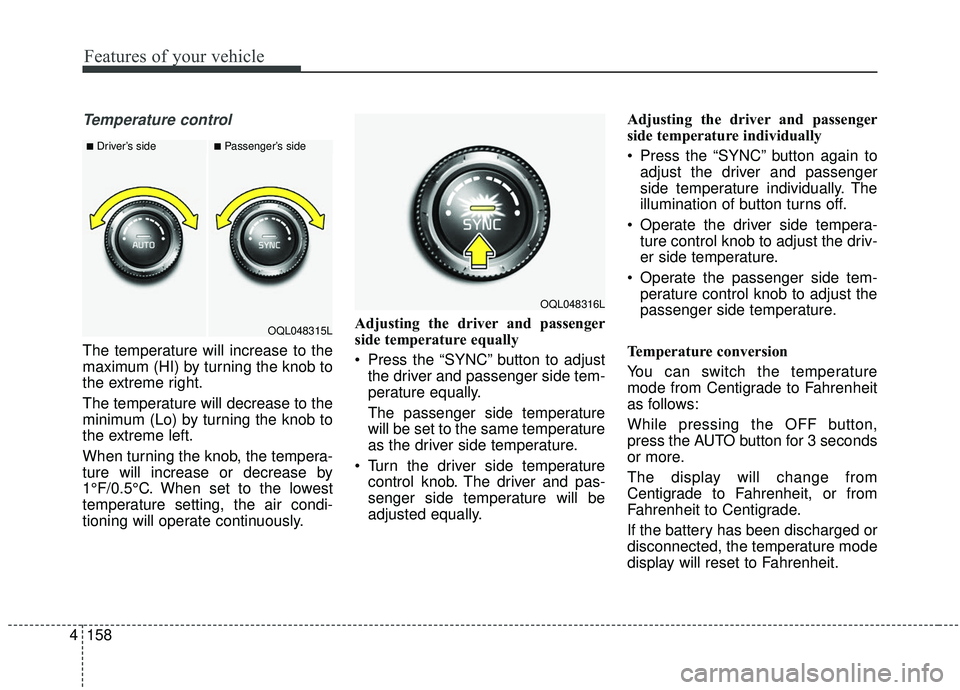
The temperature will increase to the
maximum (HI) by turning the knob to
the extreme right.
The temperature will decrease to the
minimum (Lo) by turning the knob to
the extreme left.
When turning the knob, the tempera-
ture will increase or decrease by
1°F/0.5°C. When set to the lowest
temperature setting, the air condi-
tioning will operate continuously. Adjusting the driver and passenger
side temperature equally
Press the “SYNC” button to adjust
the driver and passenger side tem-
perature equally.
The passenger side temperature
will be set to the same temperature
as the driver side temperature.
Turn the driver side temperature control knob. The driver and pas-
senger side temperature will be
adjusted equally. Adjusting the driver and passenger
side temperature individually
Press the “SYNC” button again to
adjust the driver and passenger
side temperature individually. The
illumination of button turns off.
Operate the driver side tempera- ture control knob to adjust the driv-
er side temperature.
Operate the passenger side tem- perature control knob to adjust the
passenger side temperature.
Temperature conversion
You can switch the temperature
mode from Centigrade to Fahrenheit
as follows:
While pressing the OFF button,
press the AUTO button for 3 seconds
or more.
The display will change from
Centigrade to Fahrenheit, or from
Fahrenheit to Centigrade.
If the battery has been discharged or
disconnected, the temperature mode
display will reset to Fahrenheit.
■Driver’s side■Passenger’s side
OQL048315L
OQL048316L
Page 250 of 611
Features of your vehicle
162
4
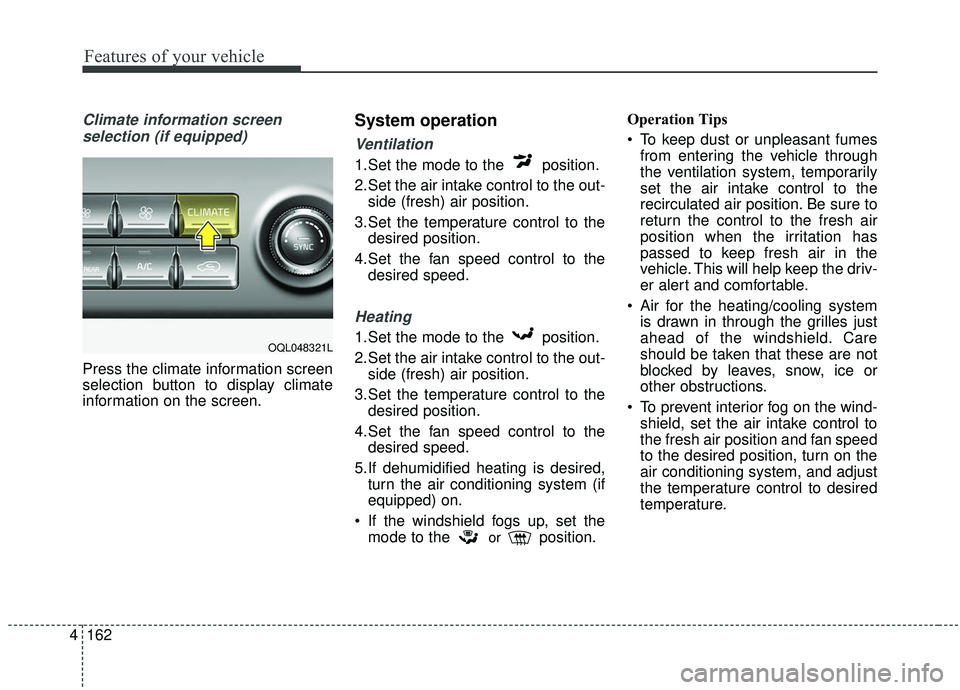
Climate information screen
selection (if equipped)
Press the climate information screen
selection button to display climate
information on the screen.
System operation
Ventilation
1.Set the mode to the position.
2.Set the air intake control to the out- side (fresh) air position.
3.Set the temperature control to the desired position.
4.Set the fan speed control to the desired speed.
Heating
1.Set the mode to the position.
2.Set the air intake control to the out-side (fresh) air position.
3.Set the temperature control to the desired position.
4.Set the fan speed control to the desired speed.
5.If dehumidified heating is desired, turn the air conditioning system (if
equipped) on.
If the windshield fogs up, set the mode to the
orposition. Operation Tips
To keep dust or unpleasant fumes
from entering the vehicle through
the ventilation system, temporarily
set the air intake control to the
recirculated air position. Be sure to
return the control to the fresh air
position when the irritation has
passed to keep fresh air in the
vehicle. This will help keep the driv-
er alert and comfortable.
Air for the heating/cooling system is drawn in through the grilles just
ahead of the windshield. Care
should be taken that these are not
blocked by leaves, snow, ice or
other obstructions.
To prevent interior fog on the wind- shield, set the air intake control to
the fresh air position and fan speed
to the desired position, turn on the
air conditioning system, and adjust
the temperature control to desired
temperature.
OQL048321L