display KIA TELLURIDE 2020 Navigation System Quick Reference Guide
[x] Cancel search | Manufacturer: KIA, Model Year: 2020, Model line: TELLURIDE, Model: KIA TELLURIDE 2020Pages: 219, PDF Size: 9.16 MB
Page 48 of 219
![KIA TELLURIDE 2020 Navigation System Quick Reference Guide 2-10
Using the rear-seat climate
control system
(if equipped)
You can check or set the rear-seat climate status on the system
screen.
1 Perform any of the following methods:
\225Press the [
REAR]](/img/2/54882/w960_54882-47.png "KIA TELLURIDE 2020 Navigation System Quick Reference Guide 2-10
Using the rear-seat climate
control system
(if equipped)
You can check or set the rear-seat climate status on the system
screen.
1 Perform any of the following methods:
\225Press the [
REAR]")
2-10
Using the rear-seat climate
control system
(if equipped)
You can check or set the rear-seat climate status on the system
screen.
1 Perform any of the following methods:
\225Press the [
REAR] button on the climate control system.
\225On the All Menus screen, touch Rear Climate Controls.
2 Select and then change the settings.
\037\036\035
\034\033
\032
\031
For automatic temperature control
Configuring the surround view monitor
settings
1 On the surround view screen, touch .
2 Select and then change the settings.
\225To select the information to appear on the video, touch
Display Contents. (e.g. Top view parking guidance, rear
view parking guidance, parking distance warning).
\225To select the default view for top view monitoring, touch
Top View Default Mode.
\225To select the default view for using the surround view
monitor function while driving, touch
Front View Default
Mode.
Page 49 of 219
2-11
Using the Driver Talk mode in
the rear seat
(if equipped)
When the driver’s voice cannot be delivered well to the rear seat,
you can use the microphone of the driver’s seat for smooth
communication.
1 On the All Menus screen, touch Driver Talk.
The driver talk icon appears at the top right of the system
screen to display its status.
\037\036\035
\034
\033
\032
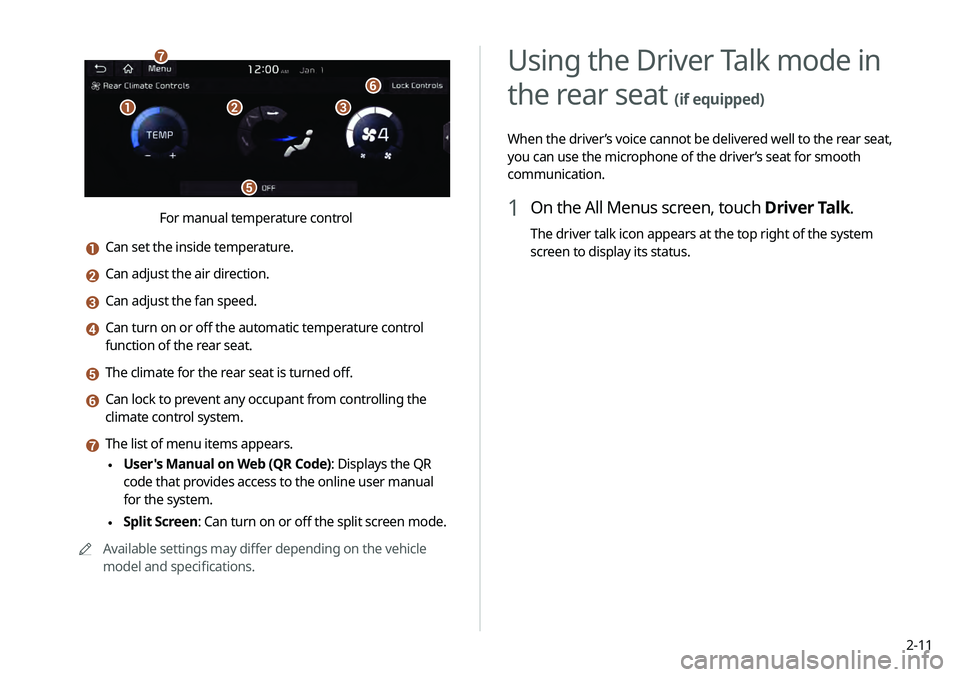
For manual temperature control
a Can set the inside temperature.
b Can adjust the air direction.
c Can adjust the fan speed.
d Can turn on or off the automatic temperature control
function of the rear seat.
e The climate for the rear seat is turned off.
f Can lock to prevent any occupant from controlling the
climate control system.
g The list of menu items appears.
\225User's Manual on Web (QR Code): Displays the QR
code that provides access to the online user manual
for the system.
\225Split Screen: Can turn on or off the split screen mode.
0000
A
Available settings may differ depending on the vehicle
model and specifications.
Page 50 of 219
2-12
Using the Quiet mode in the
rear seat
(if equipped)
To allow occupants in the rear seat to have rest and sleep, you
can set to adjust the system volume.
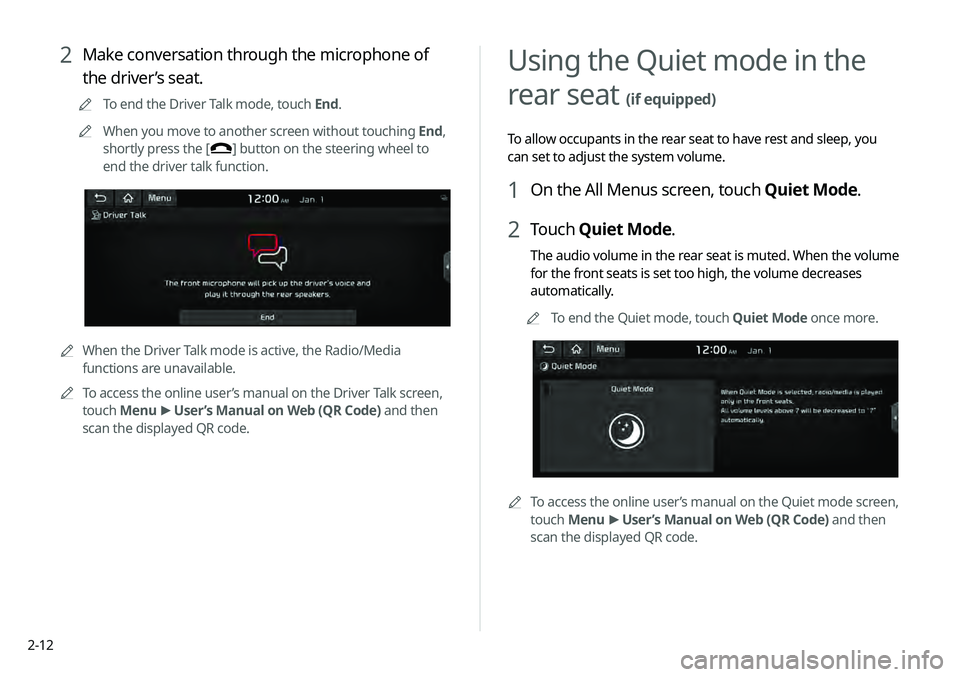
1 On the All Menus screen, touch Quiet Mode.
2 Touch Quiet Mode.
The audio volume in the rear seat is muted. When the volume
for the front seats is set too high, the volume decreases
automatically.
0000
A
To end the Quiet mode, touch Quiet Mode once more.
0000
A
To access the online user’s manual on the Quiet mode screen,
touch Menu >
User’s Manual on Web (QR Code) and then
scan the displayed QR code.
2 Make conversation through the microphone of
the driver’s seat.
0000
A
To end the Driver Talk mode, touch End.
0000
A
When you move to another screen without touching End,
shortly press the [
] button on the steering wheel to
end the driver talk function.
0000
A
When the Driver Talk mode is active, the Radio/Media
functions are unavailable.
0000
A
To access the online user’s manual on the Driver Talk screen,
touch Menu >
User’s Manual on Web (QR Code) and then
scan the displayed QR code.
Page 51 of 219
2-13
Viewing traffic information
1 On the All Menus screen, touch HD Radio Data.
2 Touch Traffic.
3 Select an item from the traffic information list to
see the details.
0000
A
To see traffic information along with your current route or
to see all available traffic information, touch On Route.
0000
A
To select the types of traffic information to see, touch
Category.
Using the HD Radio Data
You can access an array of information with HD radio data such
as HD Radio™.
0000
A
HD radio data are available only in metropolitan areas.
1 On the All Menus screen, touch HD Radio Data.
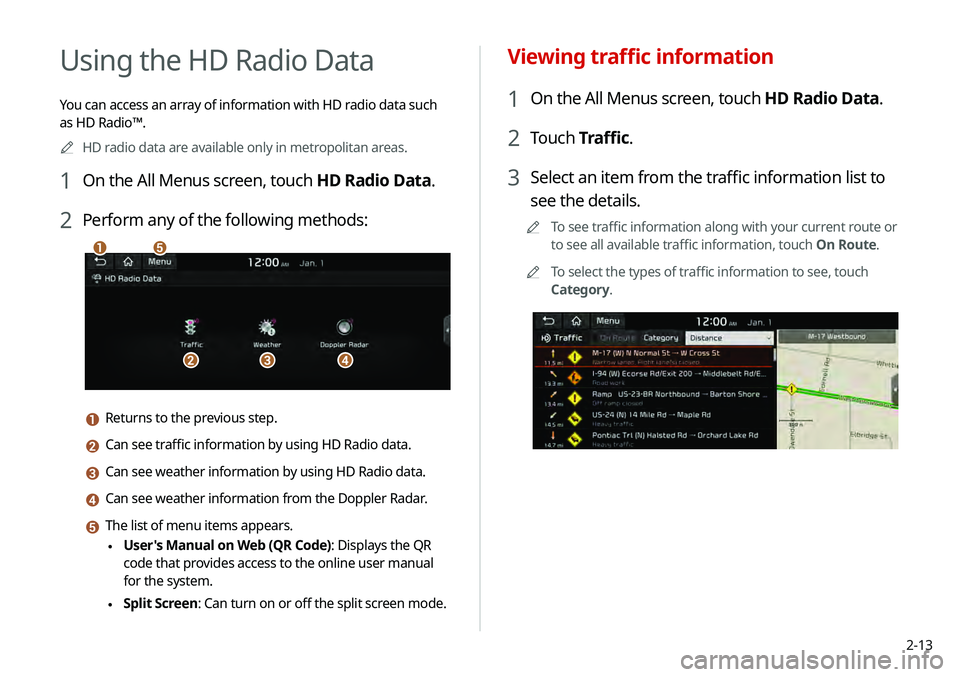
2 Perform any of the following methods:
\037
\036\035\034
\033
a Returns to the previous step.
b Can see traffic information by using HD Radio data.
c Can see weather information by using HD Radio data.
d Can see weather information from the Doppler Radar.
e The list of menu items appears.
\225User's Manual on Web (QR Code): Displays the QR
code that provides access to the online user manual
for the system.
\225Split Screen: Can turn on or off the split screen mode.
Page 54 of 219
2-16
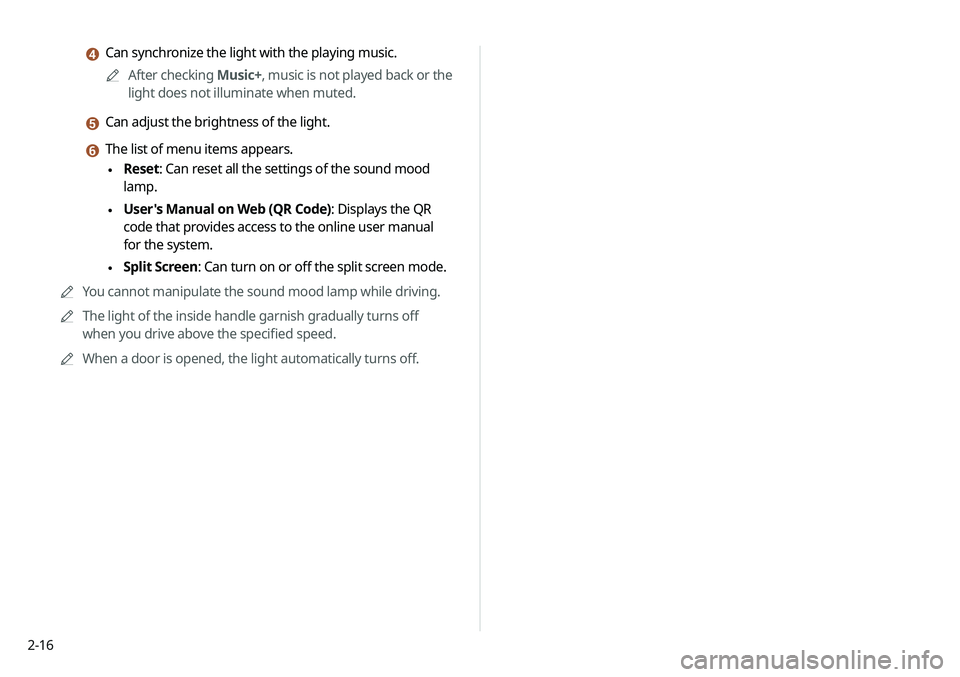
d Can synchronize the light with the playing music.0000
A
After checking Music+, music is not played back or the
light does not illuminate when muted.
e Can adjust the brightness of the light.
f The list of menu items appears.
\225 Reset: Can reset all the settings of the sound mood
lamp.
\225User's Manual on Web (QR Code): Displays the QR
code that provides access to the online user manual
for the system.
\225Split Screen: Can turn on or off the split screen mode.
0000
A
You cannot manipulate the sound mood lamp while driving.
0000
A
The light of the inside handle garnish gradually turns off
when you drive above the specified speed.
0000
A
When a door is opened, the light automatically turns off.
Page 57 of 219
3-3
\335Warning
Driving while distracted can result in a loss of vehicle control
that may lead to an accident, severe bodily injury, or death. The
driver's primary responsibility is the safe and legal operation of
the vehicle, and the use of any vehicle systems, including the
touch screen and steering wheel controls, which take the driver's
eyes, attention, and focus away from the safe operation of the
vehicle, or which are not permissible by law, should never be used
during the operation of the vehicle.
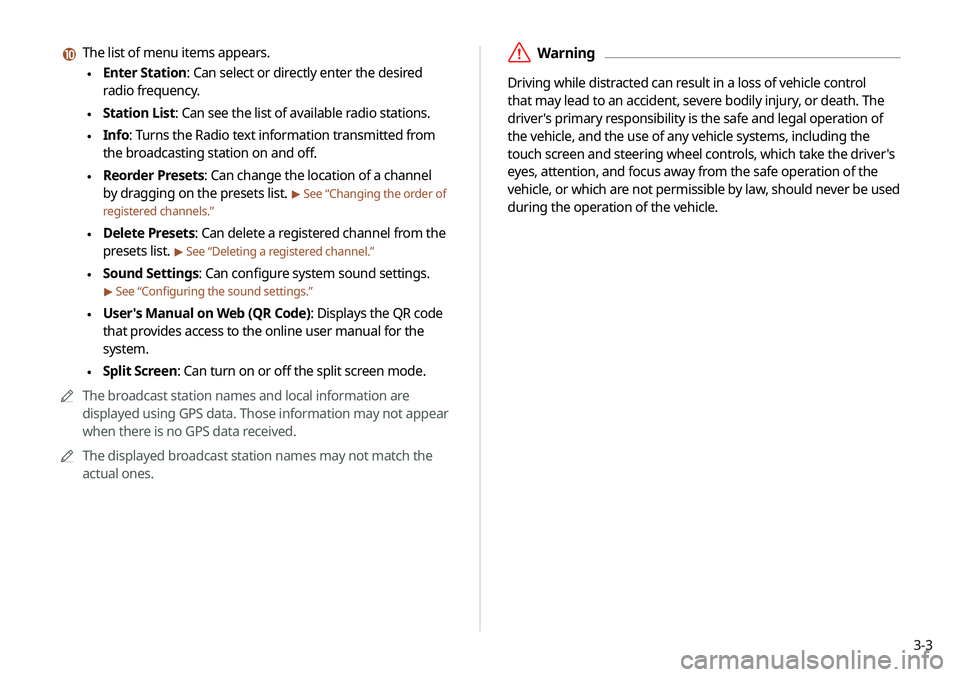
j The list of menu items appears.
\225Enter Station: Can select or directly enter the desired
radio frequency.
\225Station List: Can see the list of available radio stations.
\225Info: Turns the Radio text information transmitted from
the broadcasting station on and off.
\225Reorder Presets: Can change the location of a channel
by dragging on the presets list.
> See “Changing the order of
registered channels.”
\225 Delete Presets: Can delete a registered channel from the
presets list.
> See “Deleting a registered channel.”
\225Sound Settings: Can configure system sound settings.
> See “Configuring the sound settings.”
\225User's Manual on Web (QR Code): Displays the QR code
that provides access to the online user manual for the
system.
\225Split Screen: Can turn on or off the split screen mode.
0000
A
The broadcast station names and local information are
displayed using GPS data. Those information may not appear
when there is no GPS data received.
0000
A
The displayed broadcast station names may not match the
actual ones.
Page 61 of 219
3-7
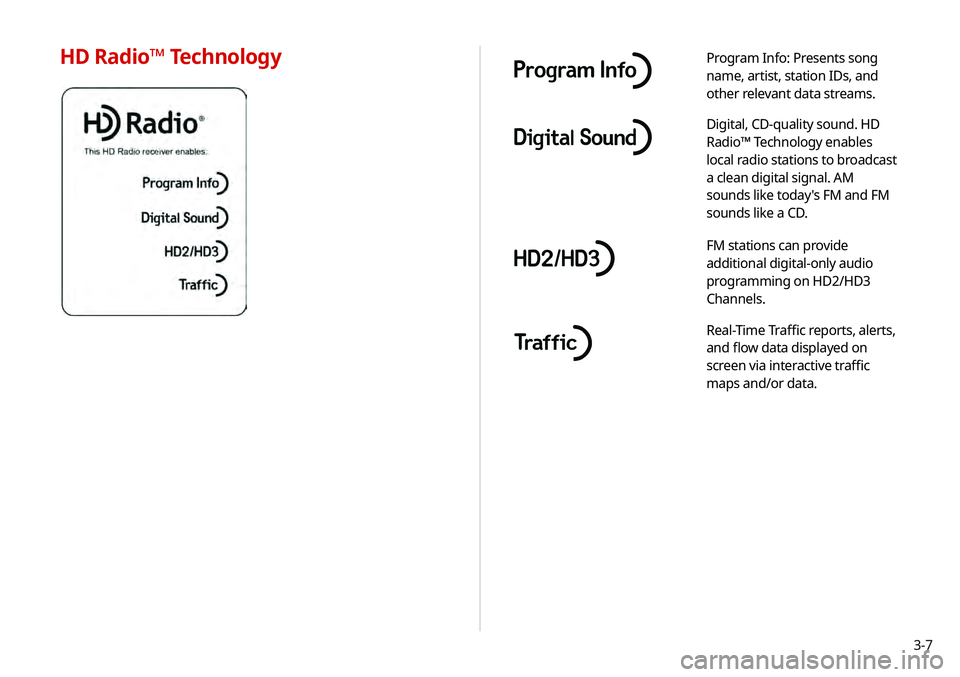
Program Info: Presents song
name, artist, station IDs, and
other relevant data streams.
Digital, CD-quality sound. HD
Radio™ Technology enables
local radio stations to broadcast
a clean digital signal. AM
sounds like today's FM and FM
sounds like a CD.
FM stations can provide
additional digital-only audio
programming on HD2/HD3
Channels.
Real-Time Traffic reports, alerts,
and flow data displayed on
screen via interactive traffic
maps and/or data.
HD Radio™ Technology
Page 63 of 219
3-9
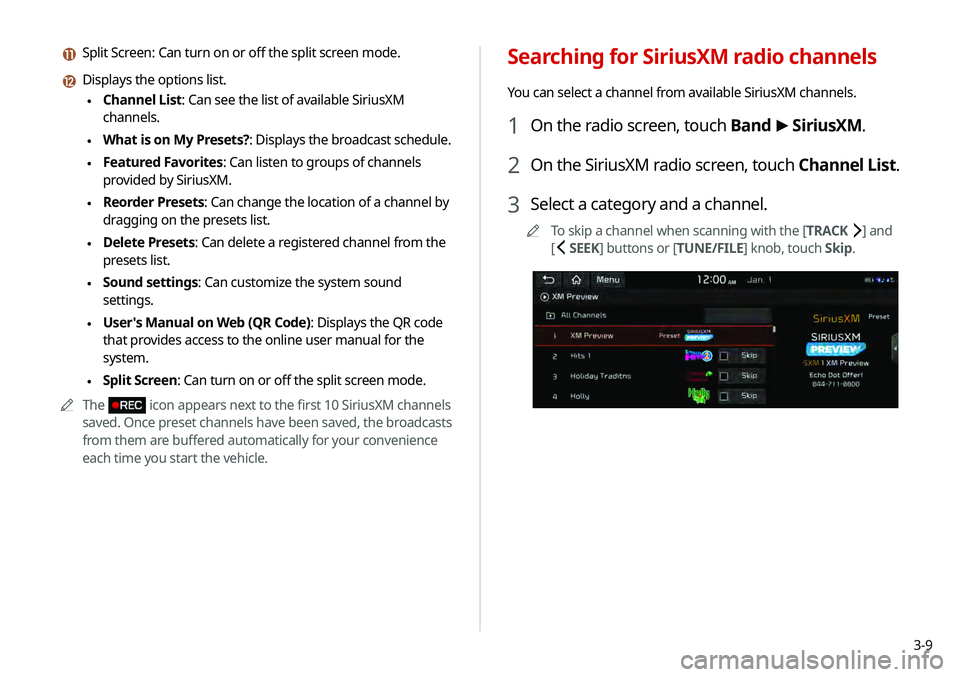
Searching for SiriusXM radio channels
You can select a channel from available SiriusXM channels.
1 On the radio screen, touch Band >
SiriusXM.
2 On the SiriusXM radio screen, touch Channel List.
3 Select a category and a channel.
0000
A
To skip a channel when scanning with the [TRACK ] and
[
SEEK] buttons or [TUNE/FILE] knob, touch Skip.
k Split Screen: Can turn on or off the split screen mode.
l Displays the options list.
\225Channel List: Can see the list of available SiriusXM
channels.
\225What is on My Presets?: Displays the broadcast schedule.
\225Featured Favorites: Can listen to groups of channels
provided by SiriusXM.
\225Reorder Presets: Can change the location of a channel by
dragging on the presets list.
\225Delete Presets: Can delete a registered channel from the
presets list.
\225Sound settings: Can customize the system sound
settings.
\225User's Manual on Web (QR Code): Displays the QR code
that provides access to the online user manual for the
system.
\225Split Screen: Can turn on or off the split screen mode.
0000
A
The
icon appears next to the first 10 SiriusXM channels
saved. Once preset channels have been saved, the broadcasts
from them are buffered automatically for your convenience
each time you start the vehicle.
Page 64 of 219
3-10
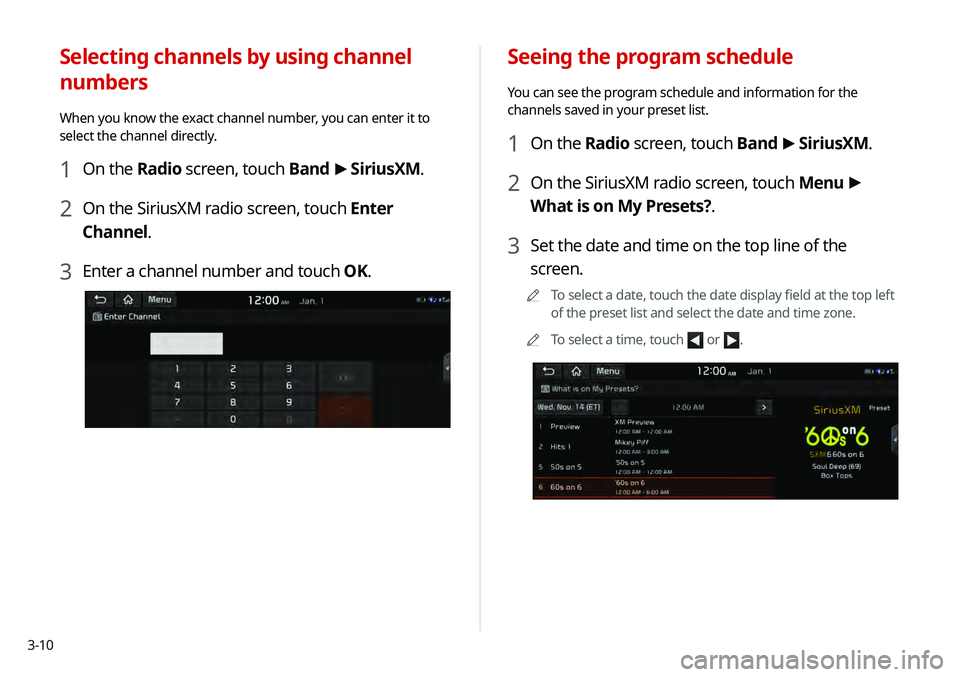
Seeing the program schedule
You can see the program schedule and information for the
channels saved in your preset list.
1 On the Radio screen, touch Band >
SiriusXM.
2 On the SiriusXM radio screen, touch Menu >
What is on My Presets?.
3 Set the date and time on the top line of the
screen.
0000
A
To select a date, touch the date display field at the top left
of the preset list and select the date and time zone.
0000
A
To select a time, touch
or .
Selecting channels by using channel
numbers
When you know the exact channel number, you can enter it to
select the channel directly.
1 On the Radio screen, touch Band >
SiriusXM.
2 On the SiriusXM radio screen, touch Enter
Channel.
3 Enter a channel number and touch OK.
Page 68 of 219
4-2
Using media
You can use the USB mode to play music files on a connected
mobile device, such as USB device and MP3 player. You can also
play Bluetooth music by connecting a Bluetooth device, which
supports a Bluetooth function.
Listening to music from a USB device
1 Connect a media device to play to the USB port on
the vehicle.
0000APlayback may start automatically depending on the media
type.
0000
A
For more information about supportable devices and file
types:
> see “USB mode.”
0000
A
The shapes and arrangement of the buttons and USB
ports may differ depending on the vehicle model and
specifications.
2 Perform any of the following methods:
\225On the Home screen, touch the Radio/Media info widget.
\225On the control panel, press the [
MEDIA] button.
0000
A
When multiple media are connected, press the [MEDIA]
button once more and then press the desired media
source from the media selection window.
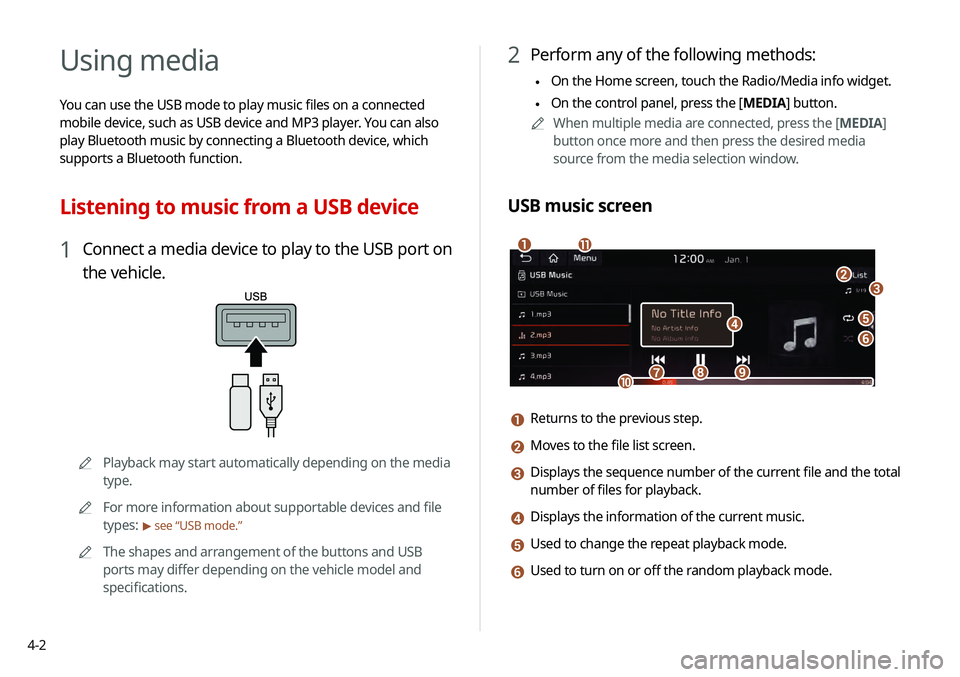
USB music screen
\037
\036
\035\034
\033
\032\031
\030
\027\026
\025
a Returns to the previous step.
b Moves to the file list screen.
c Displays the sequence number of the current file and the total
number of files for playback.
d Displays the information of the current music.
e Used to change the repeat playback mode.
f Used to turn on or off the random playback mode.