Eco Lexus GX460 2010 Manual PDF
[x] Cancel search | Manufacturer: LEXUS, Model Year: 2010, Model line: GX460, Model: Lexus GX460 2010Pages: 830, PDF Size: 17.01 MB
Page 220 of 830
219
2-2. Instrument cluster
2
When driving
GX460_CANADA (OM60F29U)
■When disconnecting and reconnecting battery terminals
The following information data and settings will be reset:
●Average fuel consumption after refueling
●Average fuel consumption
●Average vehicle speed
●Elapsed time
■Customization
Setting of available languages can be changed.
(Customizable features →P. 7 8 3 )
NOTICE
■The multi-information display at low temperatures
Allow the interior of the vehicle to warm up before using the liquid crystal informa-
tion display. At extremely low temperatures, the information display monitor may
respond slowly, and display changes may be delayed.
GX460_CANADA.book Page 219 Thursday, February 4, 2010 11:54 AM
Page 225 of 830
224
2-3. Operating the lights and windshield wipers
GX460_CANADA (OM60F29U)
■Daytime running light system
●To make your vehicle more visible to other drivers, the headlights turn on auto-
matically (at a reduced intensity) whenever the engine is started and the parking
brake is released. Daytime running lights are not designed for use at night.
For the U.S.A.: Daytime running lights can be turned off by operating the switch.
●Compared to the headlights, the daytime running light system offers greater
durability and consumes less electricity, so it can help fuel economy.
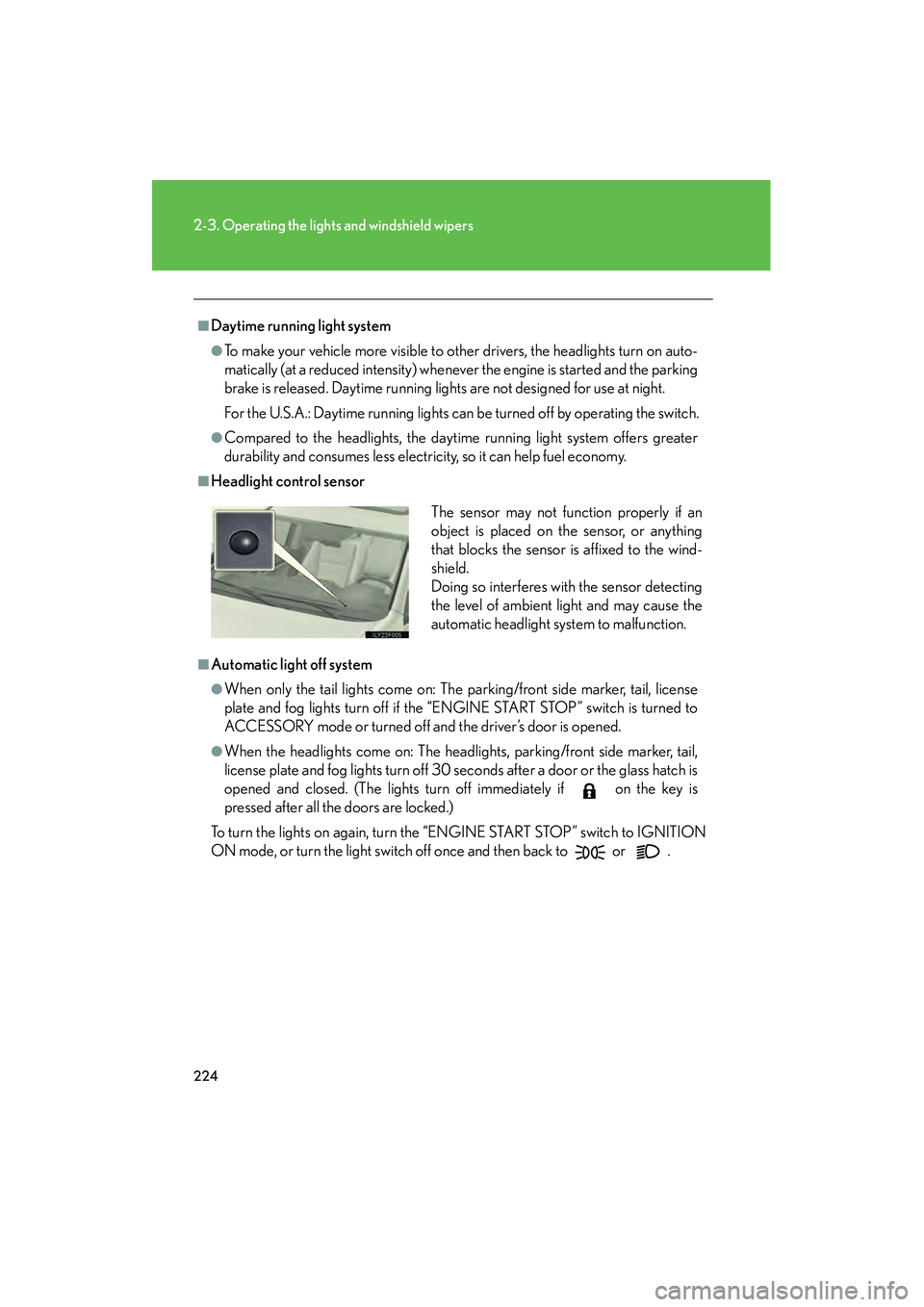
■Headlight control sensor
■Automatic light off system
●When only the tail lights come on: The parking/front side marker, tail, license
plate and fog lights turn off if the “ENGINE START STOP” switch is turned to
ACCESSORY mode or turned off and the driver’s door is opened.
●When the headlights come on: The headlights, parking/front side marker, tail,
license plate and fog lights turn off 30 seconds after a door or the glass hatch is
opened and closed. (The lights turn off immediately if on the key is
pressed after all the doors are locked.)
To turn the lights on again, turn the “ENGINE START STOP” switch to IGNITION
ON mode, or turn the light switch off once and then back to
or .
The sensor may not function properly if an
object is placed on the sensor, or anything
that blocks the sensor is affixed to the wind-
shield.
Doing so interferes with the sensor detecting
the level of ambient light and may cause the
automatic headlight system to malfunction.
GX460_CANADA.book Page 224 Thursday, February 4, 2010 11:54 AM
Page 229 of 830

228
2-3. Operating the lights and windshield wipers
GX460_CANADA (OM60F29U)
■High beam automatic turn ing on or off conditions
When all of the following conditions are fulfilled, high beam will be
automatically turned on (after approximately 1 second):
● Vehicle speed is above approximately 20 mph (32 km/h).
● The area ahead of the vehicle is dark.
● There are no oncoming or preceding vehicles with headlights or
tail lights turned on.
If any of the following conditions are fulfilled, high beam will be auto-
matically turned off:
● Vehicle speed drops below approximately 20 mph (32 km/h).
● The area ahead of the vehicle is not dark.
● Oncoming or preceding vehicles have headlights or tail lights
turned on.
GX460_CANADA.book Page 228 Thursday, February 4, 2010 11:54 AM
Page 232 of 830
231
2-3. Operating the lights and windshield wipers
2
When driving
GX460_CANADA (OM60F29U)
■If the Automatic High Beam indicator flashes...
It may indicate a malfunction in the system. Contact your Lexus dealer.
■Temporary lowering sensor sensitivity
The sensitivity of the sensor can be temporarily lowered.
To lower the sensitivity, push and hold the “AUTO” button on the inside rear view
mirror for 15 to 20 seconds, and release. The indicator light on the inside rear view
mirror will flash to indicate that the sensitivity has been lowered.
When the “ENGINE START STOP” switch is turned off, the sensitivity will be
returned to its normal level.
■Customization that can be configured at your Lexus dealer
The Automatic High Beam can be turned off.
GX460_CANADA.book Page 231 Thursday, February 4, 2010 11:54 AM
Page 239 of 830

238
2-3. Operating the lights and windshield wipers
GX460_CANADA (OM60F29U)
CAUTION
■Caution regarding the use of windshield wipers in “AUTO” mode
The windshield wipers may operate unexpectedly if the sensor is touched or the
windshield is subject to vibration in “AUTO” mode. Take care that your fingers etc.
anything else does not become caught in the windshield wipers.
NOTICE
■When the windshield is dry
Do not use the wipers, as they may damage the windshield.
■When the washer fluid tank is empty
Do not operate the switch continually as the washer fluid pump may overheat.
■When there is no washer fluid spray from the nozzle
Damage to the washer fluid pump may be caused if the lever is pulled toward you
and held continually.
■When a nozzle becomes blocked
Do not try to clear it with a pin or other object. The nozzle will be damaged.
GX460_CANADA.book Page 238 Thursday, February 4, 2010 11:54 AM
Page 245 of 830

244
2-4. Using other driving systems
GX460_CANADA (OM60F29U)
■Cruise control can be set when
●The shift lever is in D or 4, 5 or 6 range of S has been selected.
●Vehicle speed is above approximately 25 mph (40 km/h).
■Accelerating
The vehicle can be accelerated normally. After acceleration, the set speed
resumes.
■Automatic cruise control cancelation
Cruise control will stop maintaining the vehicle speed in any of the following situa-
tions:
●Actual vehicle speed falls more than 10 mph (16 km/h) below the preset vehicle
speed.
At this time, the memorized set speed is not retained.
●Actual vehicle speed is below approximately 25 mph (40 km/h).
●VSC is activated.
●The center differential lock/unlock is not completed within 5 seconds while the
cruise control system is on.
■If the cruise control indicator light flashes
Press the “ON-OFF” button once to deactivate the system, and then press the but-
ton again to reactivate the system.
If the cruise control speed cannot be set or if the cruise control cancels immediately
after being activated, there may be a malfunction in the cruise control system. Have
the vehicle inspected by your Lexus dealer.
GX460_CANADA.book Page 244 Thursday, February 4, 2010 11:54 AM
Page 248 of 830
247
2-4. Using other driving systems
2
When driving
GX460_CANADA (OM60F29U)
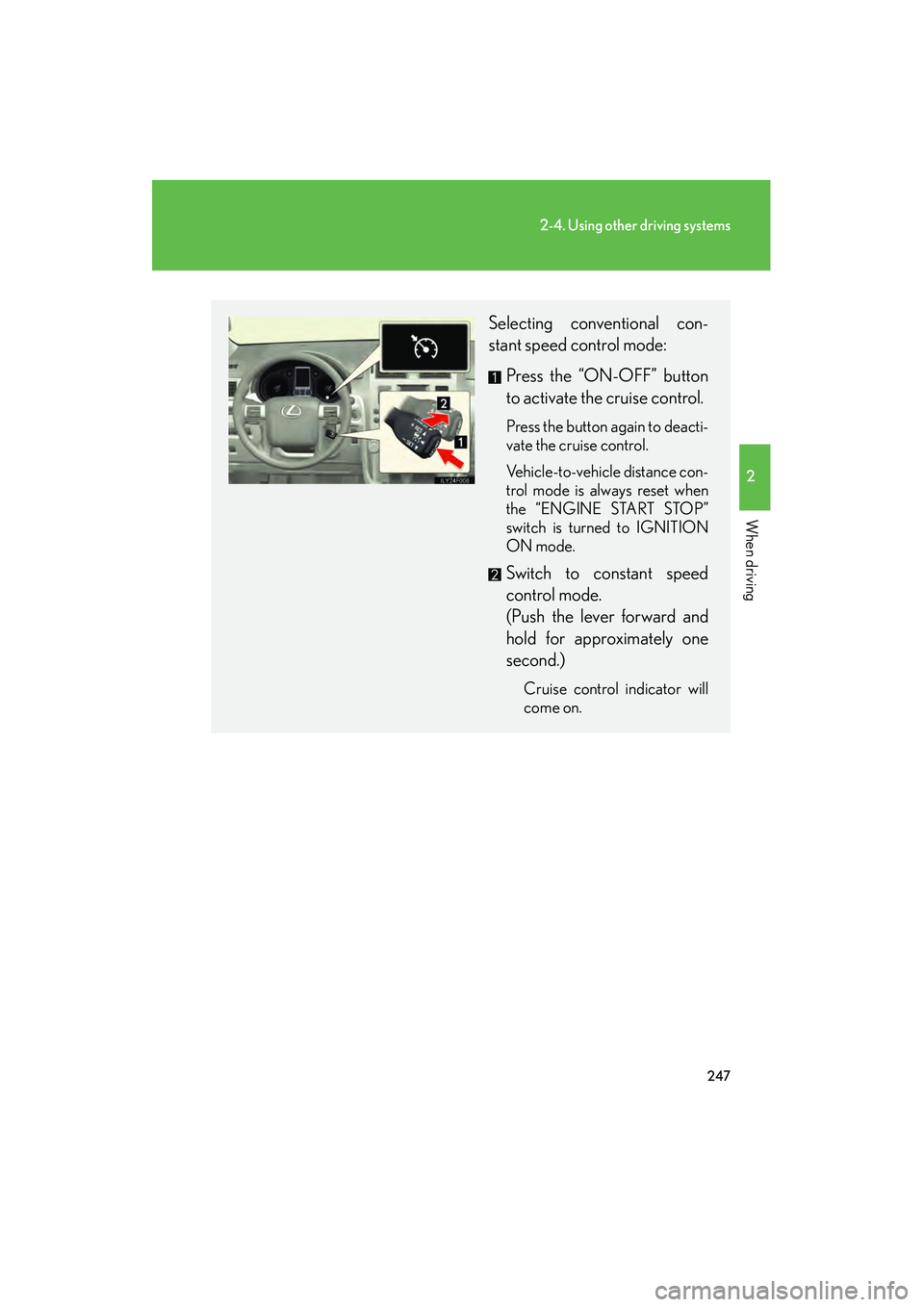
Selecting conventional con-
stant speed control mode: Press the “ON-OFF” button
to activate the cruise control.
Press the button again to deacti-
vate the cruise control.
Vehicle-to-vehicle distance con-
trol mode is always reset when
the “ENGINE START STOP”
switch is turned to IGNITION
ON mode.
Switch to constant speed
control mode.
(Push the lever forward and
hold for approximately one
second.)
Cruise control indicator will
come on.
GX460_CANADA.book Page 247 Thursday, February 4, 2010 11:54 AM
Page 253 of 830

252
2-4. Using other driving systems
GX460_CANADA (OM60F29U)
■Dynamic radar cruise can be set when
●The shift lever is in D. (Recommended)
Dynamic radar cruise control can also be set when the shift lever is in the S posi-
tion and range 4, 5 or 6 has been selected.
●Vehicle speed is above approximately 30 mph (50 km/h).
■Switching modes
The mode cannot be switched to constant speed control mode if vehicle-to-vehicle
distance control mode has been used. The mode also cannot be switched from
constant speed control to vehicle-to-vehicle distance control mode. Turn the sys-
tem off by pressing the “ON-OFF” button, and turn it on again.
■Accelerating
The vehicle can be accelerated normally. However, during vehicle-to-vehicle dis-
tance control mode, the vehicle speed may decrease below the set speed in order
to maintain the distance to the vehicle ahead.
■Automatic cancelation of vehicle-to-vehicle distance control
Vehicle-to-vehicle distance control driving is automatically canceled in the follow-
ing situations:
●Actual vehicle speed falls below approximately 25 mph (40 km/h).
●VSC is activated.
●The sensor cannot operate correctly because it is covered in some way.
●The windshield wipers are operating at high speed.
●The driving mode is set to second start mode.
●Bad weather causes the detection function to become extremely unstable.
●Multi-terrain mode is selected other than OFF.
●The center differential lock/unlock is not completed within 5 seconds while the
dynamic radar cruise control system is on.
If vehicle-to-vehicle distance control driving is automatically canceled for any other
reason, there may be a malfunction in the system. Contact your Lexus dealer.
GX460_CANADA.book Page 252 Thursday, February 4, 2010 11:54 AM
Page 254 of 830
253
2-4. Using other driving systems
2
When driving
GX460_CANADA (OM60F29U)
■Automatic cancelation of constant speed control
The cruise control will stop maintaining the vehicle speed in the following situations:
●Actual vehicle speed is more than approximately 10 mph (16 km/h) below the
set vehicle speed.
At this time, the memorized set speed is not retained.
●Actual vehicle speed falls below approximately 25 mph (40 km/h).
●VSC is activated.
●The center differential lock/unlock is not completed within 5 seconds while the
dynamic radar cruise control system is on.
■Vehicle-to-vehicle distance settings
Select a distance from the table below. Note that the distances shown correspond
to a vehicle speed of 50 mph (80 km/h). Vehicle-to-vehicle distance increases/
decreases in accordance with vehicle speed.
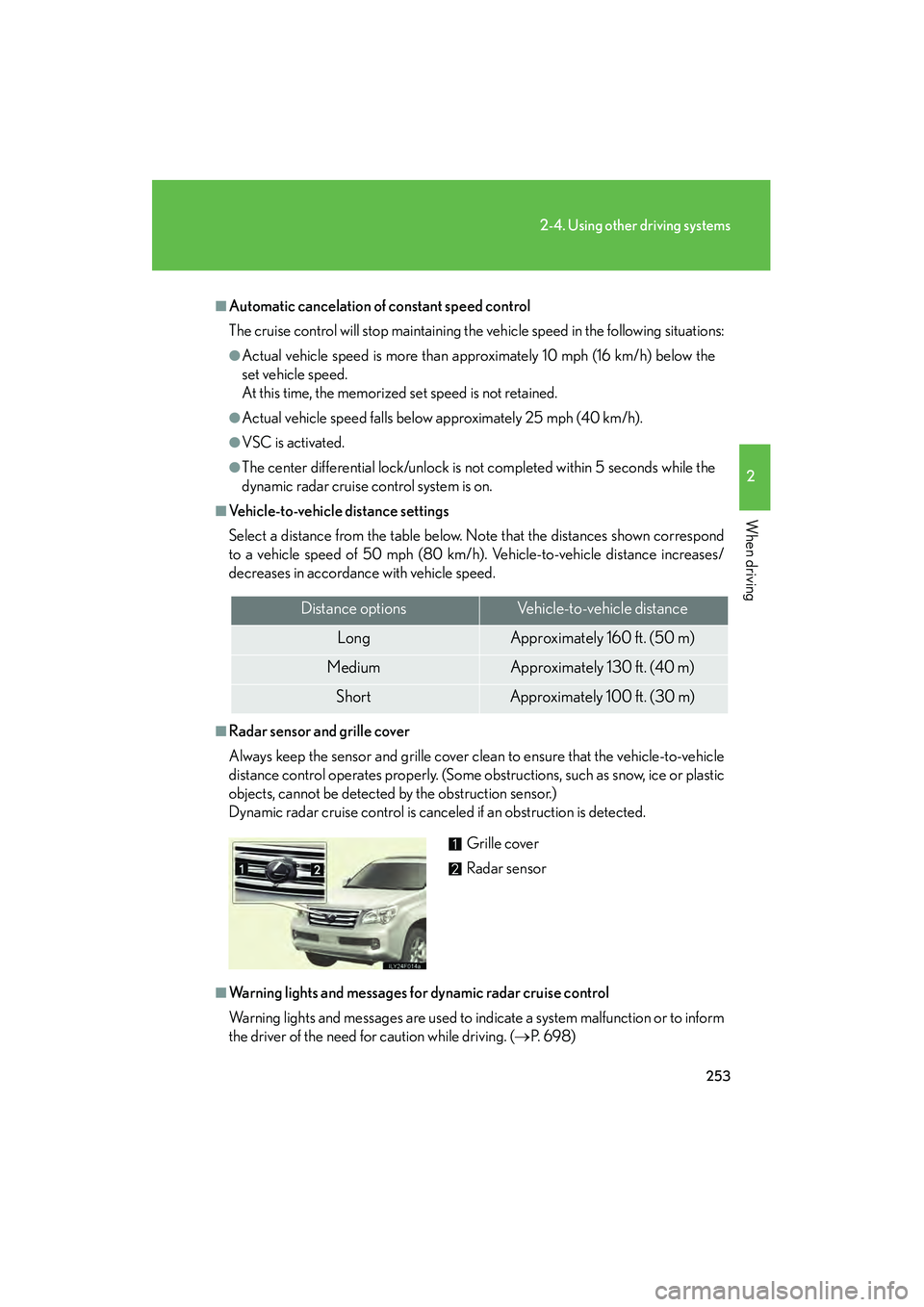
■Radar sensor and grille cover
Always keep the sensor and grille cover clean to ensure that the vehicle-to-vehicle
distance control operates properly. (Some obstructions, such as snow, ice or plastic
objects, cannot be detected by the obstruction sensor.)
Dynamic radar cruise control is canceled if an obstruction is detected.
■Warning lights and messages for dynamic radar cruise control
Warning lights and messages are used to indicate a system malfunction or to inform
the driver of the need for caution while driving. (→P. 6 9 8 )
Distance optionsVehicle-to-vehicle distance
LongApproximately 160 ft. (50 m)
MediumApproximately 130 ft. (40 m)
ShortApproximately 100 ft. (30 m)
Grille cover
Radar sensor
GX460_CANADA.book Page 253 Thursday, February 4, 2010 11:54 AM
Page 269 of 830
268
2-4. Using other driving systems
GX460_CANADA (OM60F29U)
LDA (Lane Departure Alert)∗
∗: If equipped
While driving on a freeway or motor highway that has lane markings, this
system recognizes the lanes using a camera as a sensor to alert the driver
when the vehicle deviates from its lane.
If the system judges that the vehicle may deviate from its lane, it alerts
the driver using rapid beeping and indications on the multi-information
display.
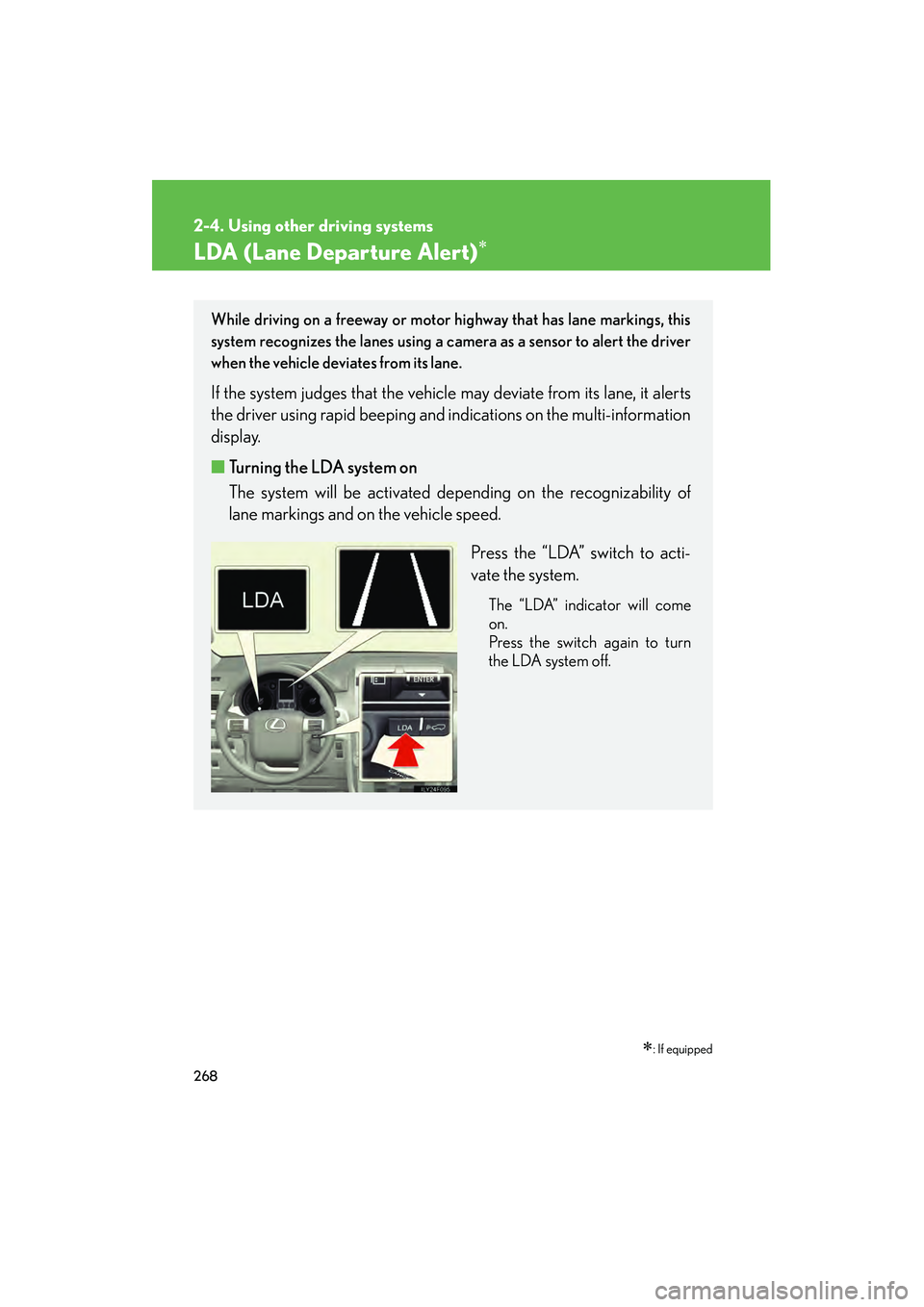
■Turning the LDA system on
The system will be activated depending on the recognizability of
lane markings and on the vehicle speed.
Press the “LDA” switch to acti-
vate the system.
The “LDA” indicator will come
on.
Press the switch again to turn
the LDA system off.
GX460_CANADA.book Page 268 Thursday, February 4, 2010 11:54 AM