Button Lexus IS300h 2013 Service Manual
[x] Cancel search | Manufacturer: LEXUS, Model Year: 2013, Model line: IS300h, Model: Lexus IS300h 2013Pages: 628, PDF Size: 20.23 MB
Page 264 of 628

2624-5. Using the driving support systems
IS300h_EE(OM53B95E)
Before using dynamic radar cruise control
Do not overly rely on vehicle-to-vehicle distance control.
Be aware of the set speed. If automatic deceleration/acceleration is not appro-
priate, adjust the vehicle speed, as well as the distance between your vehicle
and vehicles ahead by applying the brakes etc.
Cautions regarding the driving assist systems
Observe the following precautions.
Failure to do so may cause an accident resulting in death or serious injury.
Assisting the driver to measure following distance
The dynamic radar cruise control is only intended to help the driver in deter-
mining the following distance between the driver’s own vehicle and a desig-
nated vehicle traveling ahead. It is not a mechanism that allows careless or
inattentive driving, and it is not a system that can assist the driver in low-visi-
bility conditions. It is still necessary for driver to pay close attention to the
vehicle’s surroundings.
Assisting the driver to judge proper following distance
The dynamic radar cruise control determines whether the following distance
between the driver’s own vehicle and a designated vehicle traveling ahead is
appropriate or not. It is not capable of making any other type of judgement.
Therefore, it is absolutely necessary for the driver to remain vigilant and to
determine whether or not there is a possibility of danger in any given situa-
tion.
Assisting the driver to operate the vehicle
The dynamic radar cruise control has no capability to prevent or avoid a colli-
sion with a vehicle traveling ahead. Therefore, if there is ever any danger, the
driver must take immediate and direct control of the vehicle and act appropri-
ately in order to ensure the safety of all involved.
To avoid inadvertent cruise control activation
Switch the cruise control off using the “ON/OFF” button when not in use.
Situations unsuitable for dynamic radar cruise control
Do not use dynamic radar cruise control in any of the following situations.
Doing so may result in inappropriate speed control and could cause an accident
resulting in death or serious injury.
In heavy traffic
On roads with sharp bends
On winding roads
On slippery roads, such as those covered with rain, ice or snow
On steep downhills, or where there are sudden changes between sharp up and
down gradients
Vehicle speed may exceed the set speed when driving down a steep hill.
At entrances to expressways
When weather conditions are bad enough that they may prevent the sensors
from functioning correctly (fog, snow, sandstorm, heavy rain, etc.)
When an approach warning buzzer is heard often
When your vehicle is towing a trailer or during emergency towing
Page 277 of 628
2754-5. Using the driving support systems
4
Driving
IS300h_EE(OM53B95E)
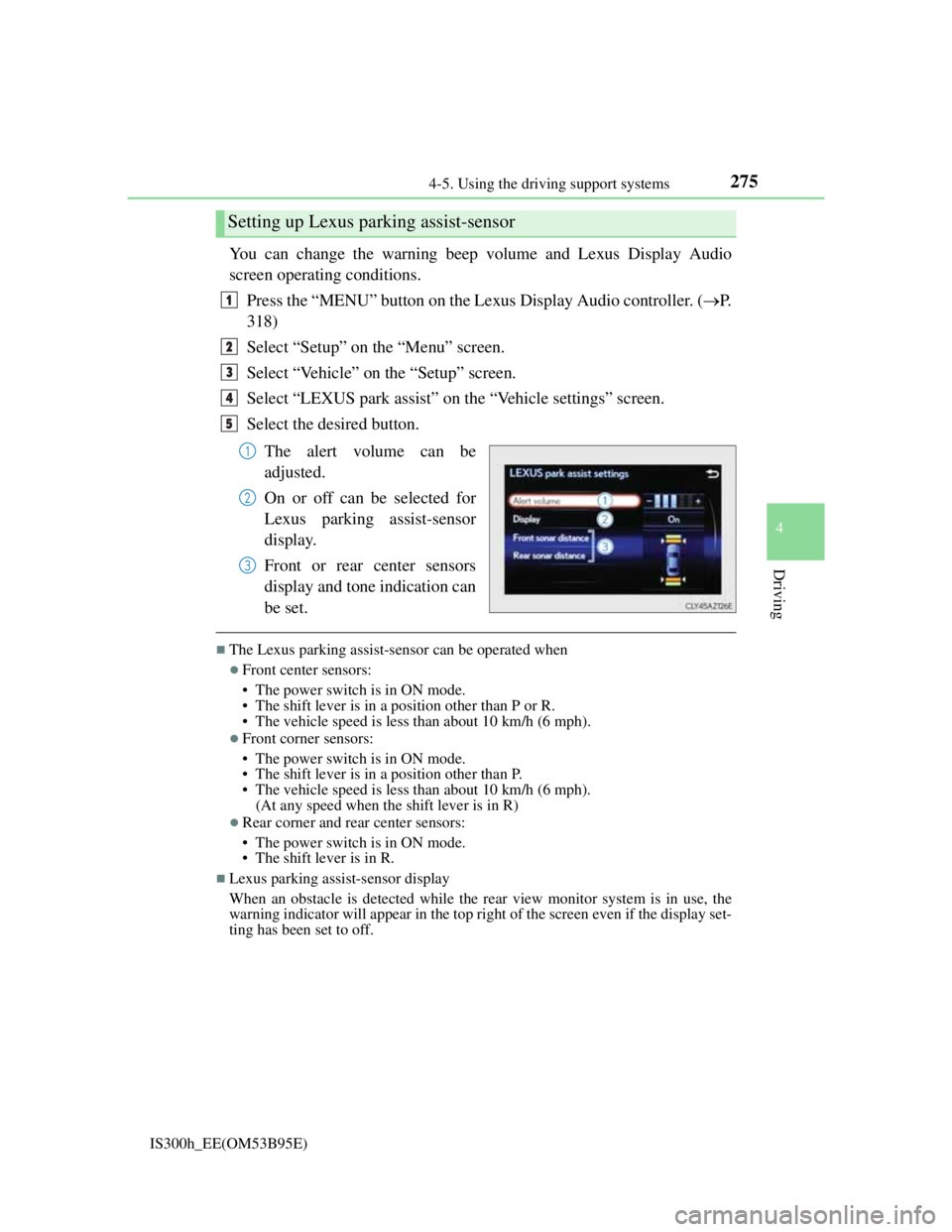
You can change the warning beep volume and Lexus Display Audio
screen operating conditions.
Press the “MENU” button on the Lexus Display Audio controller. (P.
318)
Select “Setup” on the “Menu” screen.
Select “Vehicle” on the “Setup” screen.
Select “LEXUS park assist” on the “Vehicle settings” screen.
Select the desired button.
The alert volume can be
adjusted.
On or off can be selected for
Lexus parking assist-sensor
display.
Front or rear center sensors
display and tone indication can
be set.
The Lexus parking assist-sensor can be operated when
Front center sensors:
• The power switch is in ON mode.
• The shift lever is in a position other than P or R.
• The vehicle speed is less than about 10 km/h (6 mph).
Front corner sensors:
• The power switch is in ON mode.
• The shift lever is in a position other than P.
• The vehicle speed is less than about 10 km/h (6 mph).
(At any speed when the shift lever is in R)
Rear corner and rear center sensors:
• The power switch is in ON mode.
• The shift lever is in R.
Lexus parking assist-sensor display
When an obstacle is detected while the rear view monitor system is in use, the
warning indicator will appear in the top right of the screen even if the display set-
ting has been set to off.
Setting up Lexus parking assist-sensor
1
2
3
4
5
1
2
3
Page 281 of 628
2794-5. Using the driving support systems
4
Driving
IS300h_EE(OM53B95E)
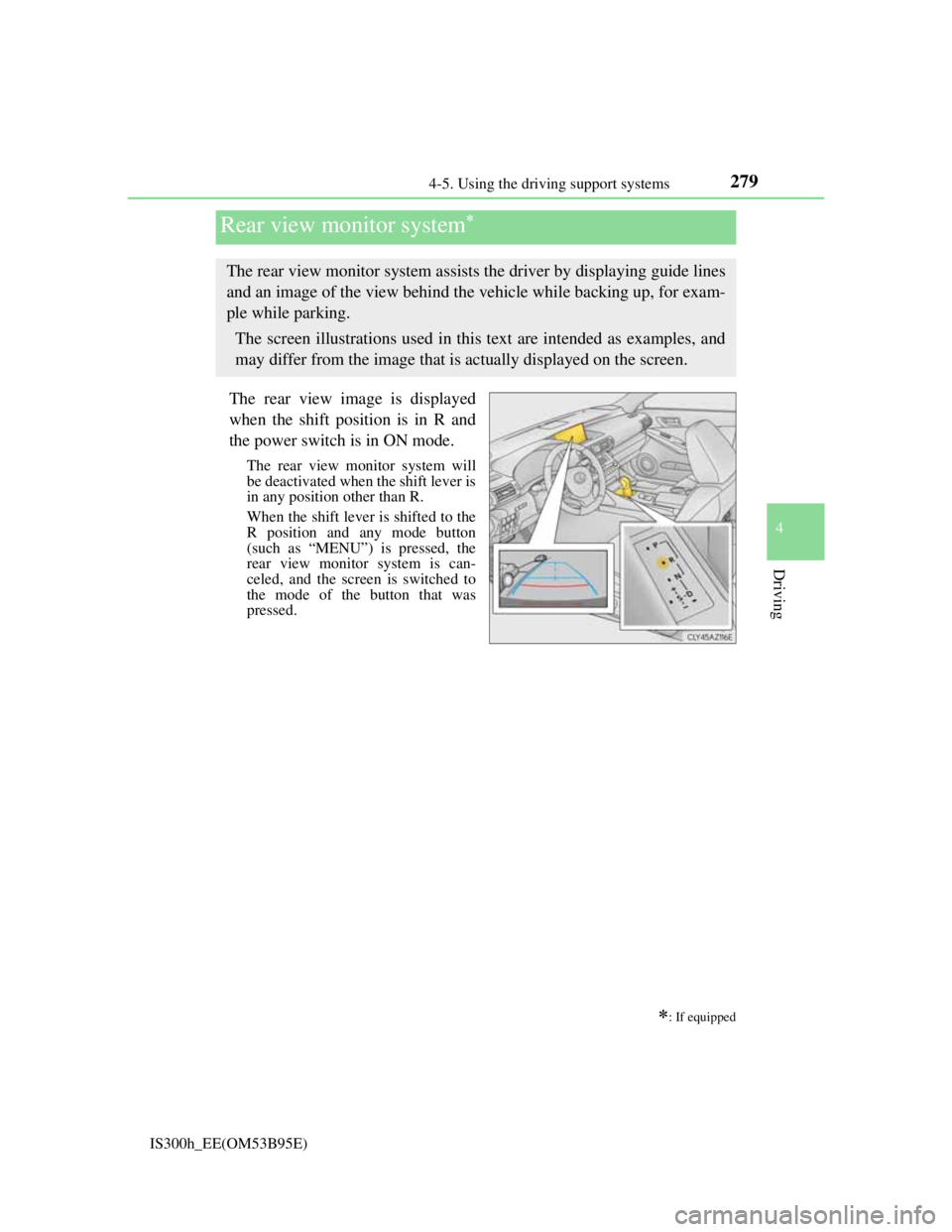
The rear view image is displayed
when the shift position is in R and
the power switch is in ON mode.
The rear view monitor system will
be deactivated when the shift lever is
in any position other than R.
When the shift lever is shifted to the
R position and any mode button
(such as “MENU”) is pressed, the
rear view monitor system is can-
celed, and the screen is switched to
the mode of the button that was
pressed.
Rear view monitor system
: If equipped
The rear view monitor system assists the driver by displaying guide lines
and an image of the view behind the vehicle while backing up, for exam-
ple while parking.
The screen illustrations used in this text are intended as examples, and
may differ from the image that is actually displayed on the screen.
Page 329 of 628
316
IS300h_EE(OM53B95E)5-1. Basic Operations
Lexus Display Audio System
: If equipped
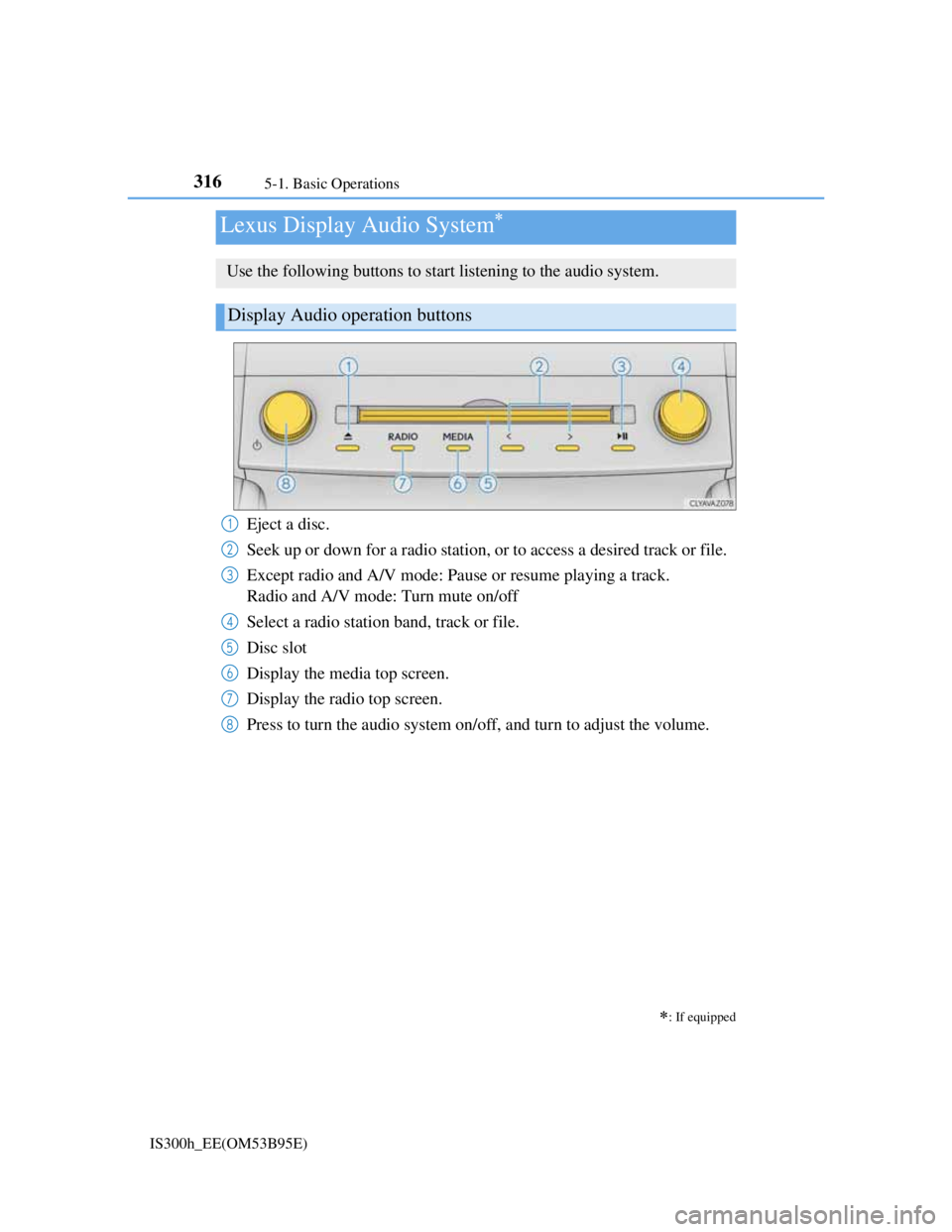
Use the following buttons to start listening to the audio system.
Display Audio operation buttons
Eject a disc.
Seek up or down for a radio station, or to access a desired track or file.
Except radio and A/V mode: Pause or resume playing a track.
Radio and A/V mode: Turn mute on/off
Select a radio station band, track or file.
Disc slot
Display the media top screen.
Display the radio top screen.
Press to turn the audio system on/off, and turn to adjust the volume.1
2
3
4
5
6
7
8
Page 330 of 628
3175-1. Basic Operations
5
Lexus Display Audio system
IS300h_EE(OM53B95E)
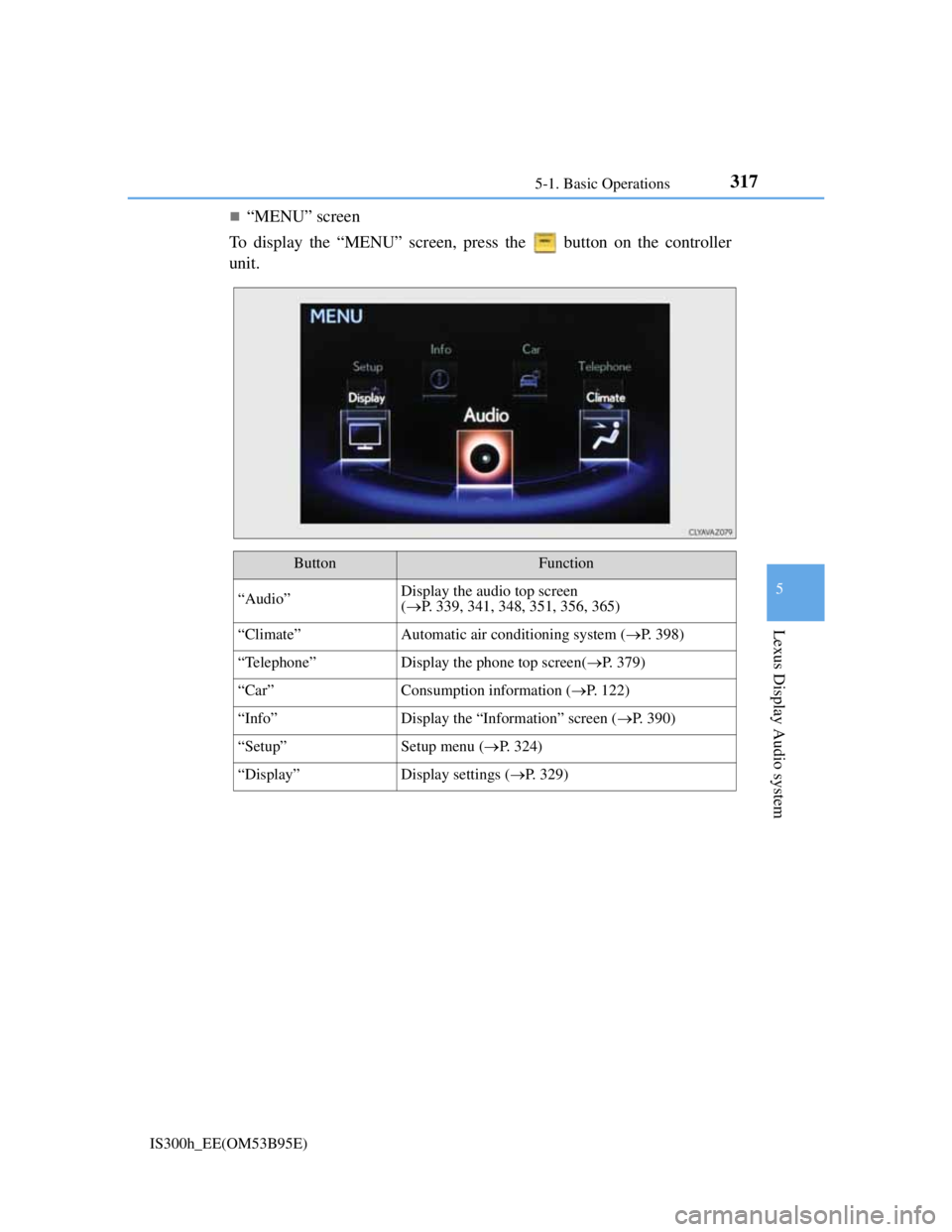
“MENU” screen
To display the “MENU” screen, press the button on the controller
unit.
ButtonFunction
“Audio”Display the audio top screen
(P. 339, 341, 348, 351, 356, 365)
“Climate”Automatic air conditioning system (P. 398)
“Telephone”Display the phone top screen(P. 379)
“Car” Consumption information (P. 122)
“Info”Display the “Information” screen (P. 390)
“Setup”Setup menu (P. 324)
“Display”Display settings (P. 329)
Page 332 of 628
3195-1. Basic Operations
5
Lexus Display Audio system
IS300h_EE(OM53B95E)
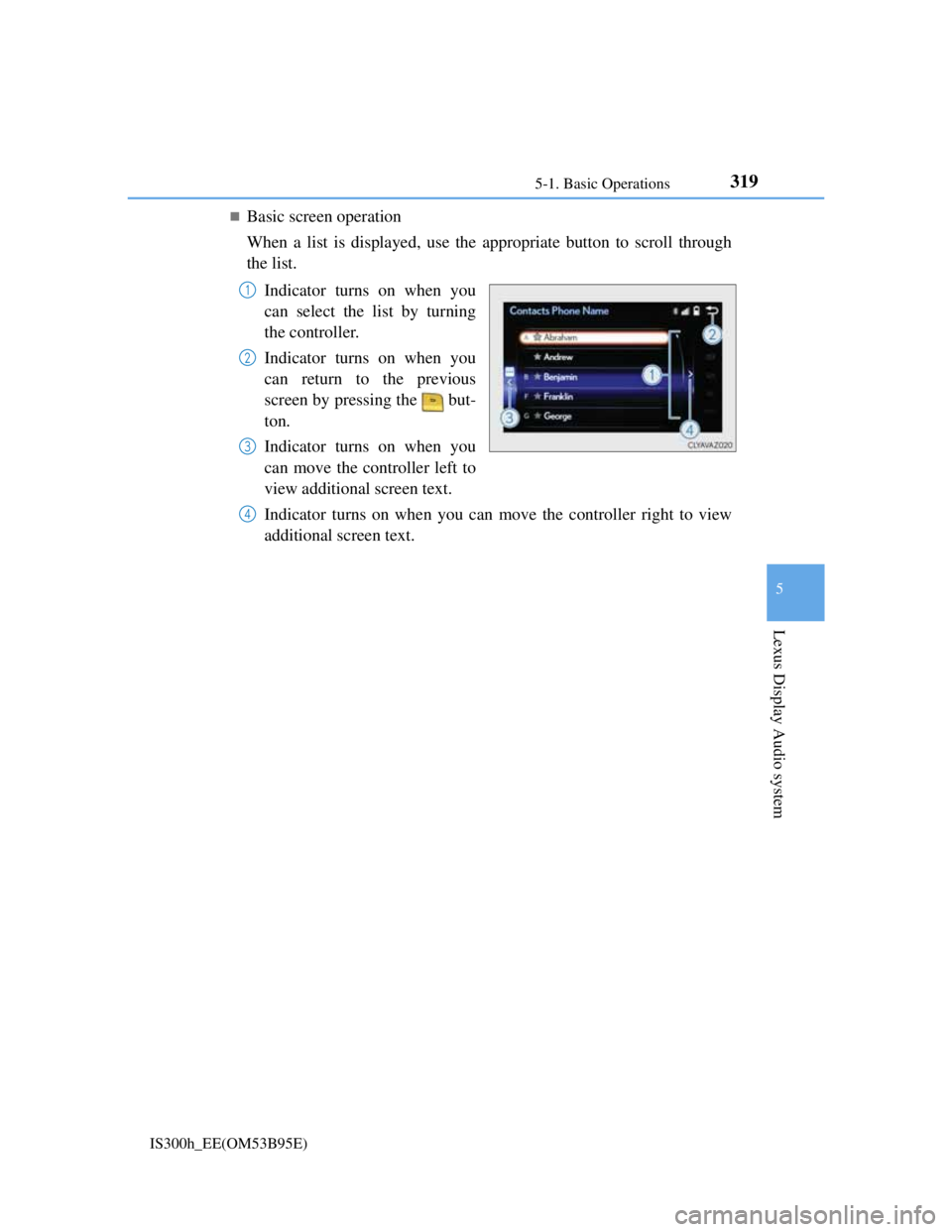
Basic screen operation
When a list is displayed, use the appropriate button to scroll through
the list.
Indicator turns on when you
can select the list by turning
the controller.
Indicator turns on when you
can return to the previous
screen by pressing the but-
ton.
Indicator turns on when you
can move the controller left to
view additional screen text.
Indicator turns on when you can move the controller right to view
additional screen text.
1
2
3
4
Page 338 of 628
3255-2. Setup
5
Lexus Display Audio system
IS300h_EE(OM53B95E)
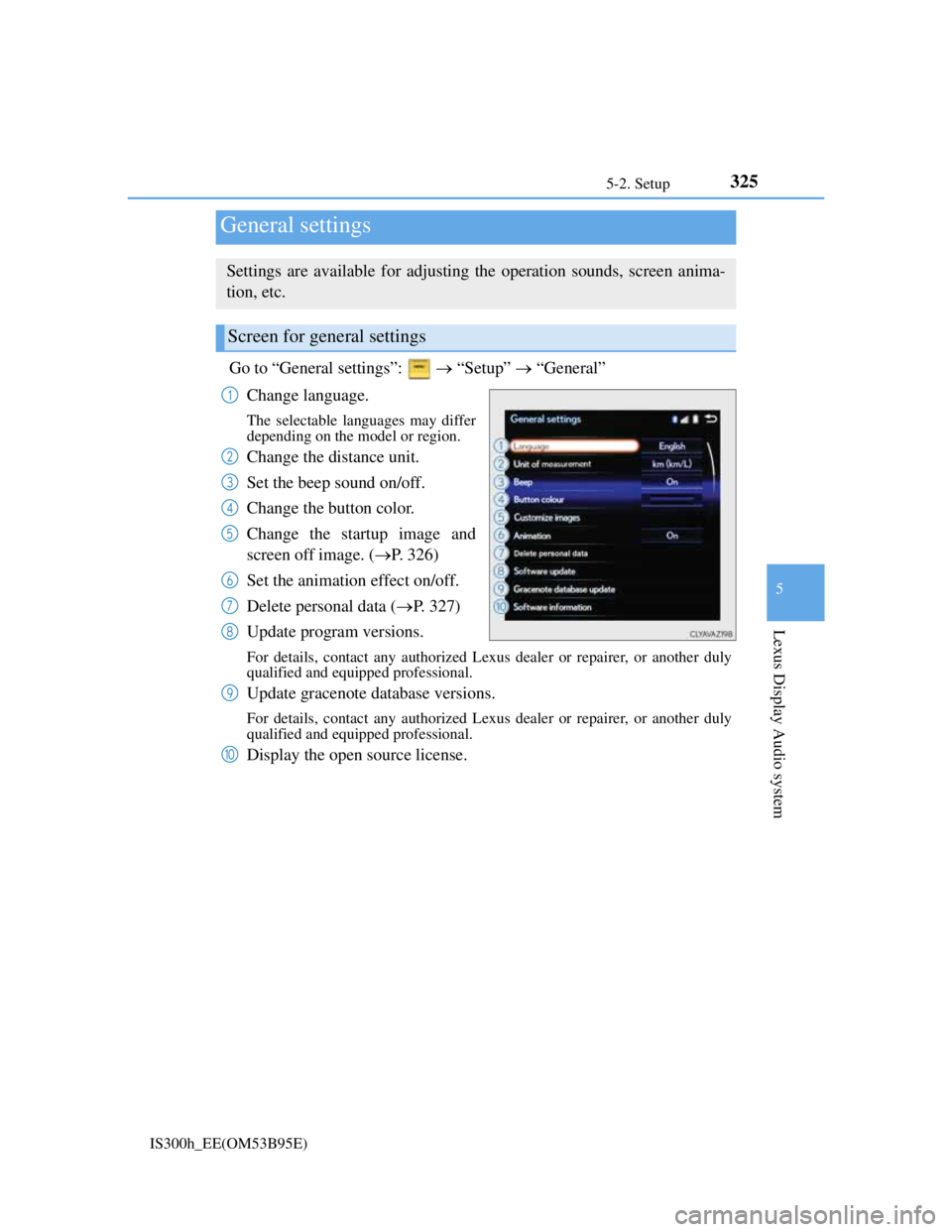
Go to “General settings”: “Setup” “General”
Change language.
The selectable languages may differ
depending on the model or region.
Change the distance unit.
Set the beep sound on/off.
Change the button color.
Change the startup image and
screen off image. (P. 326)
Set the animation effect on/off.
Delete personal data (P. 327)
Update program versions.
For details, contact any authorized Lexus dealer or repairer, or another duly
qualified and equipped professional.
Update gracenote database versions.
For details, contact any authorized Lexus dealer or repairer, or another duly
qualified and equipped professional.
Display the open source license.
General settings
Settings are available for adjusting the operation sounds, screen anima-
tion, etc.
Screen for general settings
1
2
3
4
5
6
7
8
9
10
Page 342 of 628
3295-2. Setup
5
Lexus Display Audio system
IS300h_EE(OM53B95E)
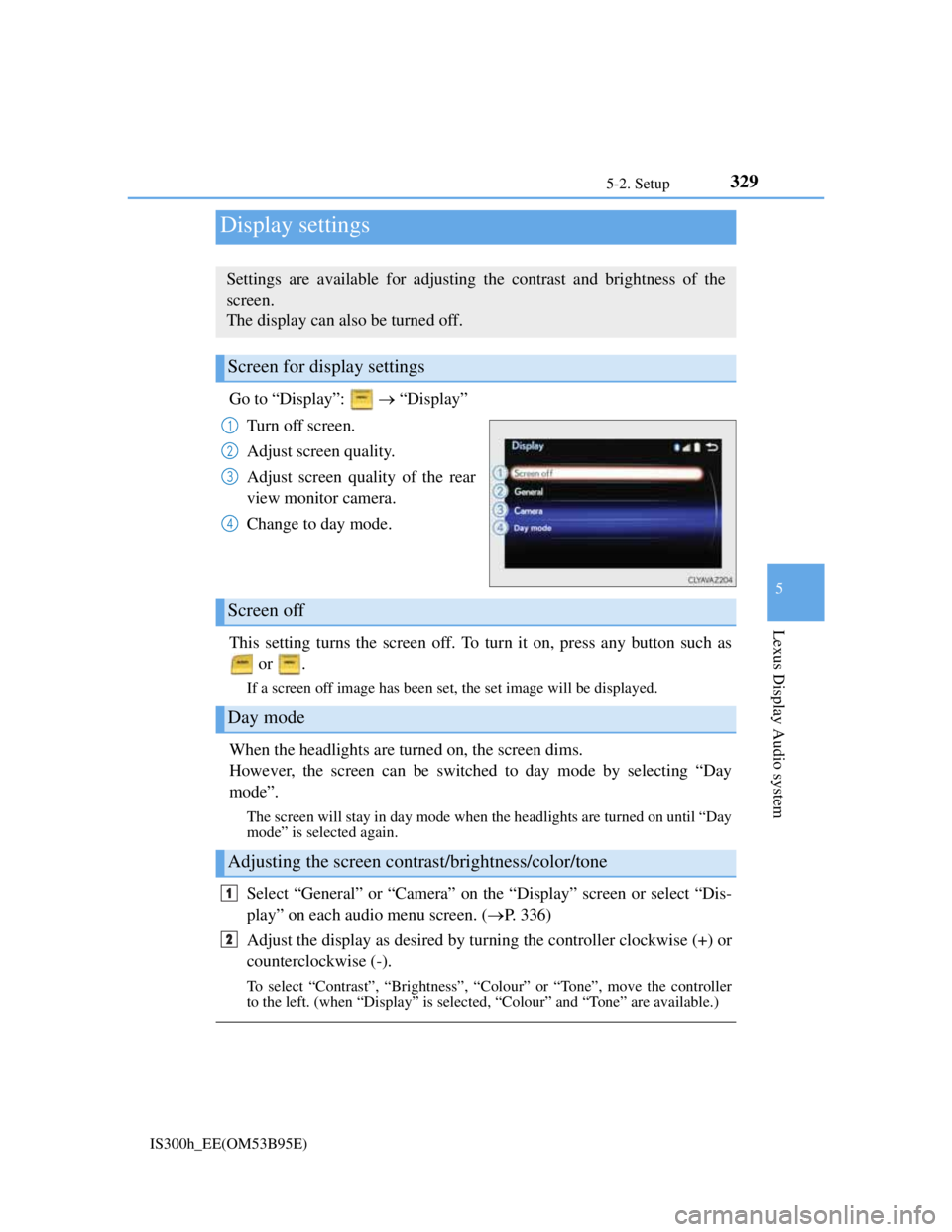
Go to “Display”: “Display”
Turn off screen.
Adjust screen quality.
Adjust screen quality of the rear
view monitor camera.
Change to day mode.
This setting turns the screen off. To turn it on, press any button such as
or .
If a screen off image has been set, the set image will be displayed.
When the headlights are turned on, the screen dims.
However, the screen can be switched to day mode by selecting “Day
mode”.
The screen will stay in day mode when the headlights are turned on until “Day
mode” is selected again.
Select “General” or “Camera” on the “Display” screen or select “Dis-
play” on each audio menu screen. (P. 336)
Adjust the display as desired by turning the controller clockwise (+) or
counterclockwise (-).
To select “Contrast”, “Brightness”, “Colour” or “Tone”, move the controller
to the left. (when “Display” is selected, “Colour” and “Tone” are available.)
Display settings
Settings are available for adjusting the contrast and brightness of the
screen.
The display can also be turned off.
Screen for display settings
1
2
3
4
Screen off
Day mode
Adjusting the screen contrast/brightness/color/tone
1
2
Page 344 of 628
330
IS300h_EE(OM53B95E)5-3. Using the audio system
Press the button to display the “Source” screen.
If the “Source” screen is not displayed, press the button again.
Select the desired audio source.
The audio source can be selected by pressing the “RADIO” or “MEDIA” but-
ton.
Press the “MODE” switch when the audio system is turned on. The audio
source changes each time the “MODE” switch is pressed.
Rearranging the list
The listing order of the source list can be rearranged.
Move the controller to the left while on the “Source” screen.
Select “Audio source select”.
Select an item you wish to move and then select where to move the item to.
Selecting the audio source
Switching between audio sources such as radio and CD are explained in
this section.
Changing audio source
Using the steering wheel switches to change audio sources
1
2
1
2
3
Page 353 of 628
339
5
Lexus Display Audio system
IS300h_EE(OM53B95E)5-4. Using the radio
Pressing the “RADIO” button displays the radio top screen from any
screen of the selected source.
Menu screen
P. 3 3 6
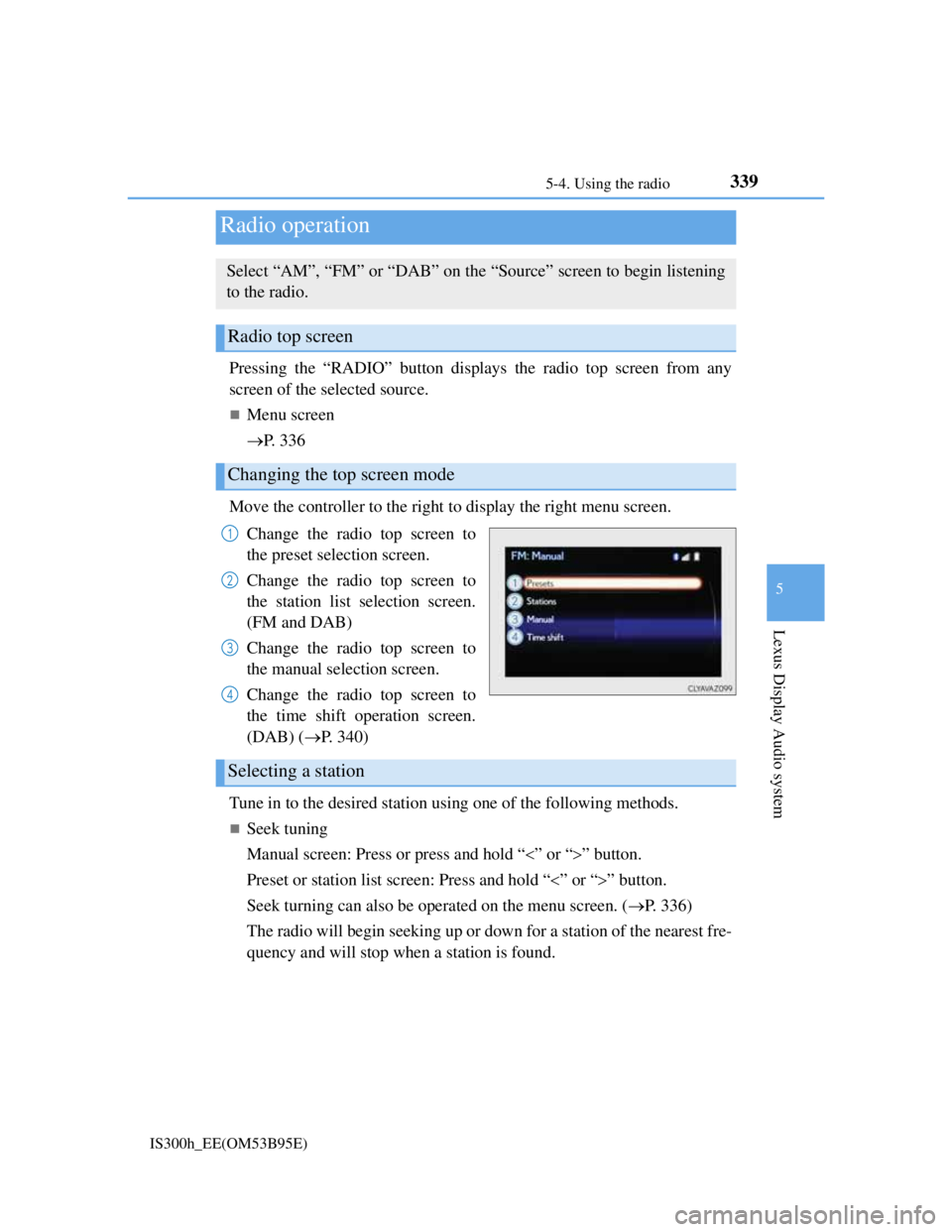
Move the controller to the right to display the right menu screen.
Change the radio top screen to
the preset selection screen.
Change the radio top screen to
the station list selection screen.
(FM and DAB)
Change the radio top screen to
the manual selection screen.
Change the radio top screen to
the time shift operation screen.
(DAB) (P. 340)
Tune in to the desired station using one of the following methods.
Seek tuning
Manual screen: Press or press and hold “” or “” button.
Preset or station list screen: Press and hold “” or “” button.
Seek turning can also be operated on the menu screen. (P. 336)
The radio will begin seeking up or down for a station of the nearest fre-
quency and will stop when a station is found.
Radio operation
Select “AM”, “FM” or “DAB” on the “Source” screen to begin listening
to the radio.
Radio top screen
Changing the top screen mode
1
2
3
4
Selecting a station