ECO mode LEXUS LS430 2003 Factory Owner's Manual
[x] Cancel search | Manufacturer: LEXUS, Model Year: 2003, Model line: LS430, Model: LEXUS LS430 2003Pages: 4500, PDF Size: 87.45 MB
Page 1750 of 4500
INSPECTION ).
b. Computer area
The items from "Range Over ***/Range Approx ***" to "BLANK" can be changed with the
DISP1 (switch) of the steering pad switch.
c. Graphic area
Open Door Display:
<0037004b004800030047004c00560053004f0044005c0003004c005600030056004b0052005a00510003005a004b00480051000300440051005c00030052004900030057004b00480003004700520052005500560003004400550048000300520053004800
51005600110003[
HINT:
If the warning item other than the door warning is detected at the same time, the master warning
comes on/blinks in accordance to direction from the displayed item in the warning area.
Park Sonar Display:
See HOW TO PROCEED WITH TROUBLESHOOTING for details on the park sonar display.
The display blinks when the clearance is the closest.
Others:
The items "COMPASS", "OUTSIDE TEMPERATURE" and "BLANK" can be changed with the
DISP2 (switch) of the steering pad switch.
While +B is connected, the mode that was on when the ignition switch was turned off the last time
is displayed.
When the display is changed from radar cruise, it is displayed for only 6 seconds and then returns
to the radar cruise display.
While the radar cruise is on, "RADAR CRUISE READY" is displayed in the warning area if the
park sonar and door open displays are in the graphic area.
Radar Cruise Display:
See HOW TO PROCEED WITH TROUBLESHOOTING for details on the radar cruise
display.
The radar cruise set display is interrupted for only 6 seconds while the park sonar and/or open door
(displays) are on.
<0037004b004800030047004c00560053004f0044005c000300450055004c0051004e00560003005a004b004800510003005a004400550051004c0051004a00030057004b0048000300470055004c00590048005500030057004b0044005700030057004b00
4800030047004c0056005700440051004600480003005a004c[th other vehicles is getting to be too
close. This warning has priority over all.
1.VEHICLE BROUGHT TO WORKSHOP
2.(SEE CUSTOMER PROBLEM ANALYSIS CHECK
)
3.PROBLEM SYMPTOM CONFIRMATION (SEE PROBLEM SYMPTOMS TABLE
)
4.CHECK MULTIPLEX COMMUNICATION SYSTEM (SEE HOW TO PROCEED WITH
TROUBLESHOOTING )
a. Check for DTC outputs
Page 1753 of 4500
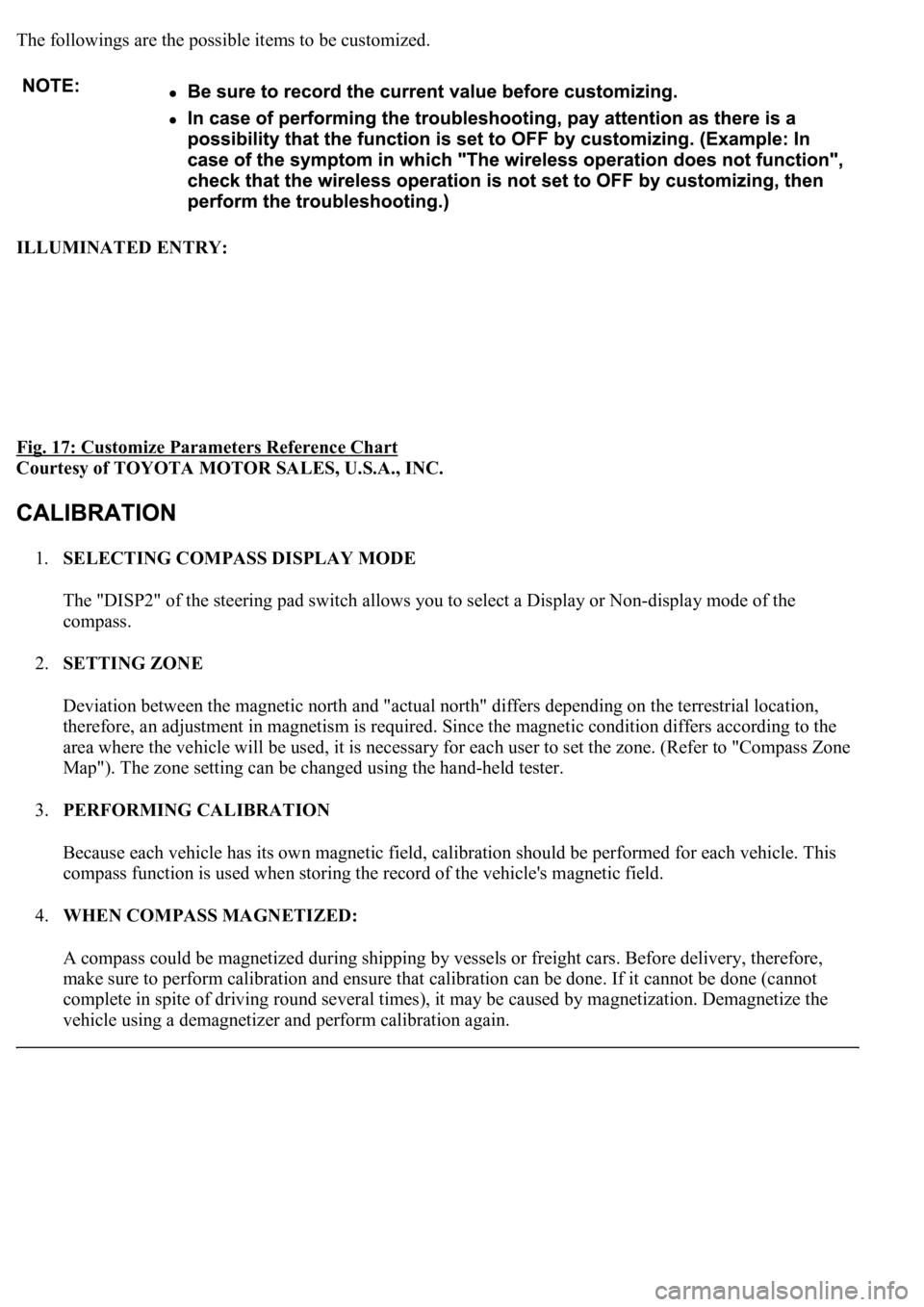
The followings are the possible items to be customized.
ILLUMINATED ENTRY:
Fig. 17: Customize Parameters Reference Chart
Courtesy of TOYOTA MOTOR SALES, U.S.A., INC.
1.SELECTING COMPASS DISPLAY MODE
The "DISP2" of the steering pad switch allows you to select a Display or Non-display mode of the
compass.
2.SETTING ZONE
Deviation between the magnetic north and "actual north" differs depending on the terrestrial location,
therefore, an adjustment in magnetism is required. Since the magnetic condition differs according to the
area where the vehicle will be used, it is necessary for each user to set the zone. (Refer to "Compass Zone
Map"). The zone setting can be changed using the hand-held tester.
3.PERFORMING CALIBRATION
Because each vehicle has its own magnetic field, calibration should be performed for each vehicle. This
compass function is used when storing the record of the vehicle's magnetic field.
4.WHEN COMPASS MAGNETIZED:
A compass could be magnetized during shipping by vessels or freight cars. Before delivery, therefore,
make sure to perform calibration and ensure that calibration can be done. If it cannot be done (cannot
complete in spite of driving round several times), it may be caused by magnetization. Demagnetize the
vehicle usin
g a demagnetizer and perform calibration again.
Page 1776 of 4500
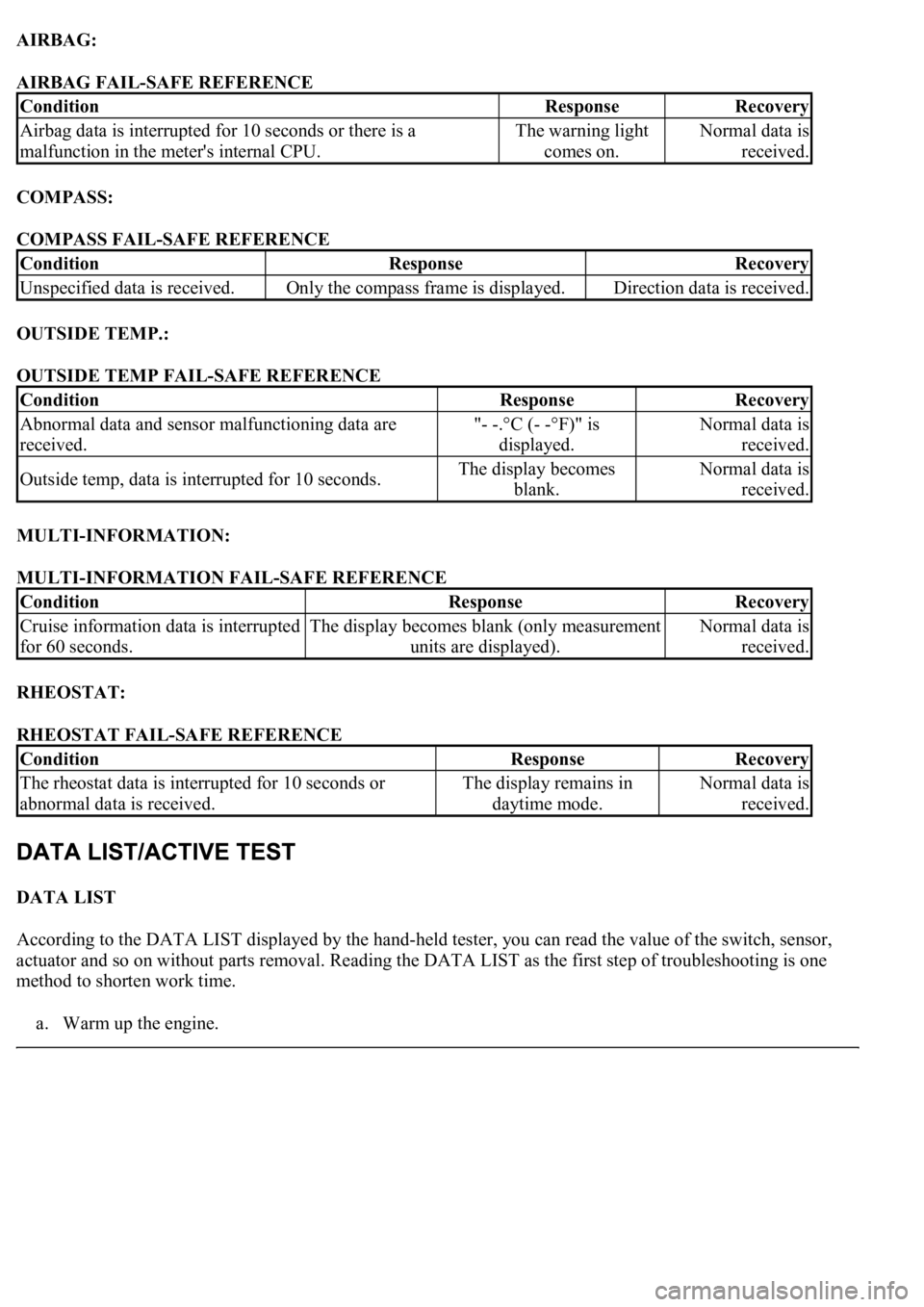
AIRBAG:
AIRBAG FAIL-SAFE REFERENCE
COMPASS:
COMPASS FAIL-SAFE REFERENCE
OUTSIDE TEMP.:
OUTSIDE TEMP FAIL-SAFE REFERENCE
MULTI-INFORMATION:
MULTI-INFORMATION FAIL-SAFE REFERENCE
RHEOSTAT:
RHEOSTAT FAIL-SAFE REFERENCE
DATA LIST
According to the DATA LIST displayed by the hand-held tester, you can read the value of the switch, sensor,
actuator and so on without parts removal. Reading the DATA LIST as the first step of troubleshooting is one
method to shorten work time.
a. Warm up the en
gine.
ConditionResponseRecovery
Airbag data is interrupted for 10 seconds or there is a
malfunction in the meter's internal CPU.The warning light
comes on.Normal data is
received.
ConditionResponseRecovery
Unspecified data is received.Only the compass frame is displayed.Direction data is received.
ConditionResponseRecovery
Abnormal data and sensor malfunctioning data are
received."- -.°C (- -°F)" is
displayed.Normal data is
received.
Outside temp, data is interrupted for 10 seconds.The display becomes
blank.Normal data is
received.
ConditionResponseRecovery
Cruise information data is interrupted
for 60 seconds.The display becomes blank (only measurement
units are displayed).Normal data is
received.
ConditionResponseRecovery
<0037004b004800030055004b004800520056005700440057000300470044005700440003004c00560003004c005100570048005500550058005300570048004700030049005200550003001400130003005600480046005200510047005600030052005500
03[
abnormal data is received.The display remains in
daytime mode.Normal data is
received.
Page 1848 of 4500
Standard:
Float down (switch on): Below 1 ohms
f. Pour the fluid back in the reservoir tank.
9.INSPECT WASHER LEVEL WARNING SWITCH
a. Disconnect the connector from the washer level warning switch.
b. Turn the ignition switch to the ON position.
c. Ground the terminal of the wire harness side connector, then check the washer level warning light.
OK:
Washer level warning light comes on.
10.MAINTENANCE LIQUID RESETTING PROCEDURE
a. Check that the display for ODO/TRIP shows no value (BLANK).
b. Turn the ignition switch off.
c. Pressing the reset switch, turn the ignition switch to the ON (keep pressing at least for 5 seconds).
d. The reset procedure is completed.
HINT:
During reset procedure:
"Mileage Reset" is displayed and the master warning light comes on with a buzzer sound.
Completion of reset procedure:
"Mileage Reset" and the master warning light go off.
If the ignition switch is turned off during reset procedure, reset mode is canceled.
If the reset switch is turned off during the reset procedure, reset mode is canceled and the display
shows the condition prior to the reset procedure.
If "Maint Reqd Soon" is displayed, it goes off 15 seconds after turning the ignition switch to the
ON position.
Page 1956 of 4500
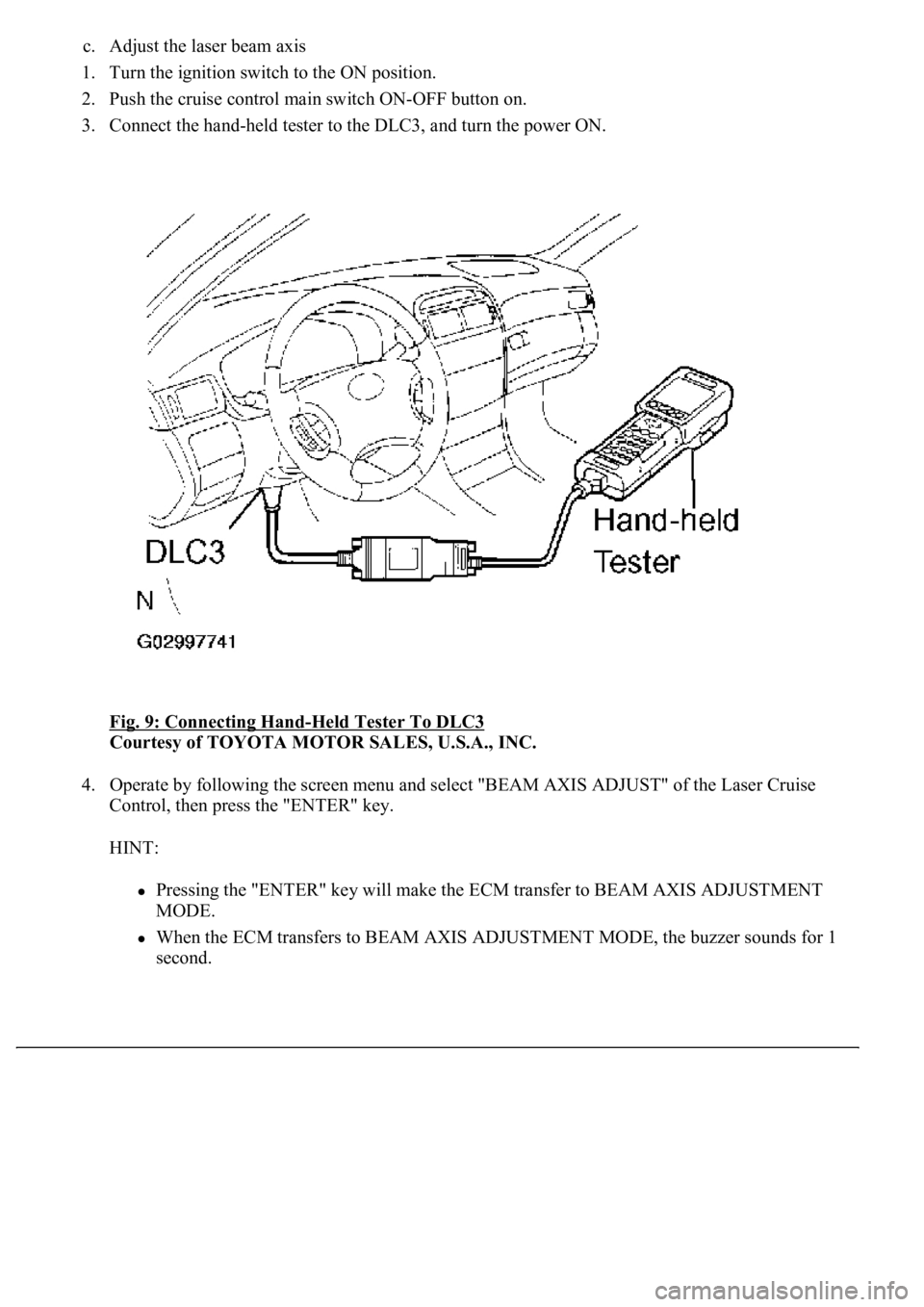
c. Adjust the laser beam axis
1. Turn the ignition switch to the ON position.
2. Push the cruise control main switch ON-OFF button on.
3. Connect the hand-held tester to the DLC3, and turn the power ON.
Fig. 9: Connecting Hand
-Held Tester To DLC3
Courtesy of TOYOTA MOTOR SALES, U.S.A., INC.
4. Operate by following the screen menu and select "BEAM AXIS ADJUST" of the Laser Cruise
Control, then press the "ENTER" key.
HINT:
Pressing the "ENTER" key will make the ECM transfer to BEAM AXIS ADJUSTMENT
MODE.
When the ECM transfers to BEAM AXIS ADJUSTMENT MODE, the buzzer sounds for 1
second.
Page 1974 of 4500
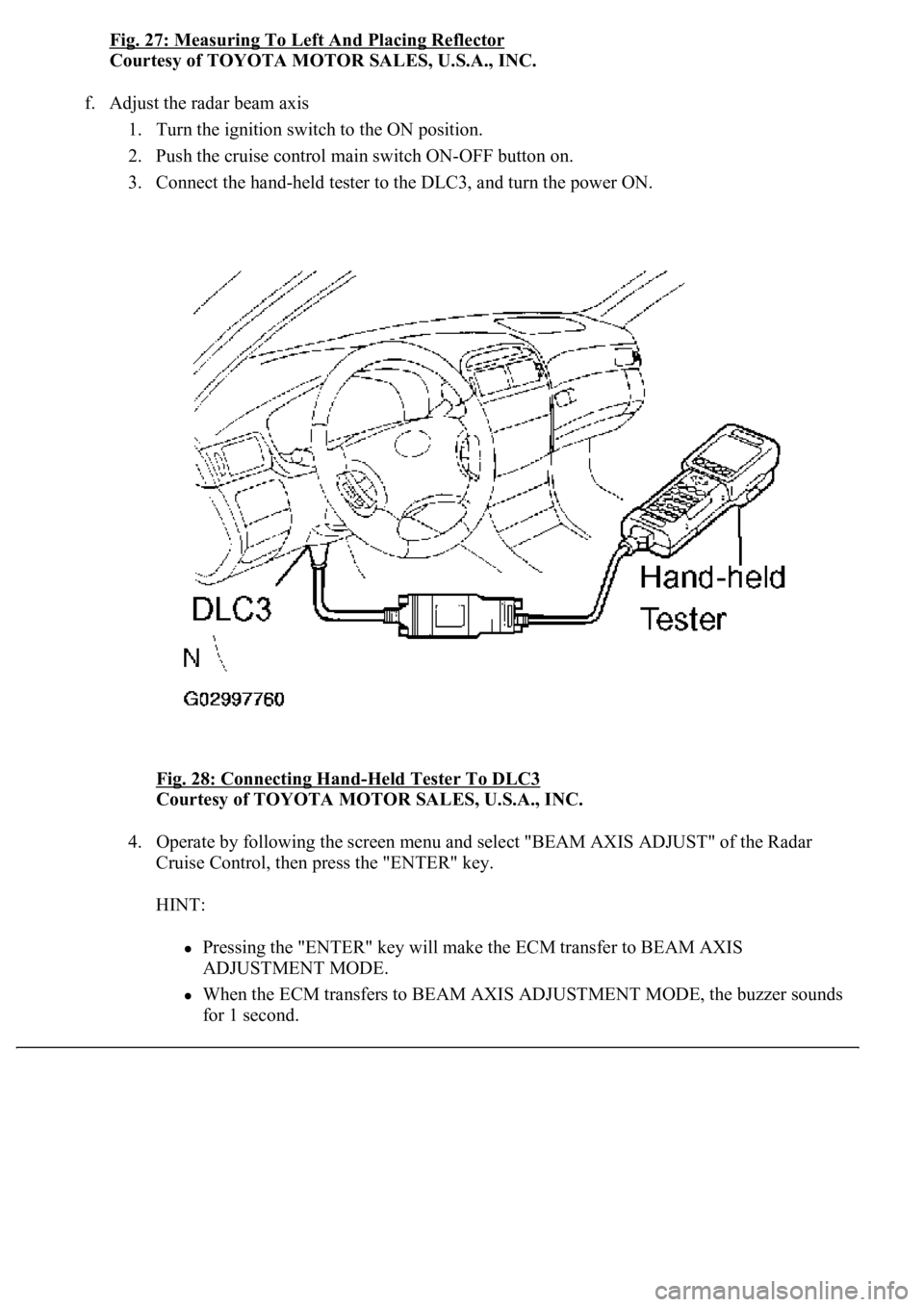
Fig. 27: Measuring To Left And Placing Reflector
Courtesy of TOYOTA MOTOR SALES, U.S.A., INC.
f. Adjust the radar beam axis
1. Turn the ignition switch to the ON position.
2. Push the cruise control main switch ON-OFF button on.
3. Connect the hand-held tester to the DLC3, and turn the power ON.
Fig. 28: Connecting Hand
-Held Tester To DLC3
Courtesy of TOYOTA MOTOR SALES, U.S.A., INC.
4. Operate by following the screen menu and select "BEAM AXIS ADJUST" of the Radar
Cruise Control, then press the "ENTER" key.
HINT:
Pressing the "ENTER" key will make the ECM transfer to BEAM AXIS
ADJUSTMENT MODE.
When the ECM transfers to BEAM AXIS ADJUSTMENT MODE, the buzzer sounds
for 1 second.
Page 2436 of 4500
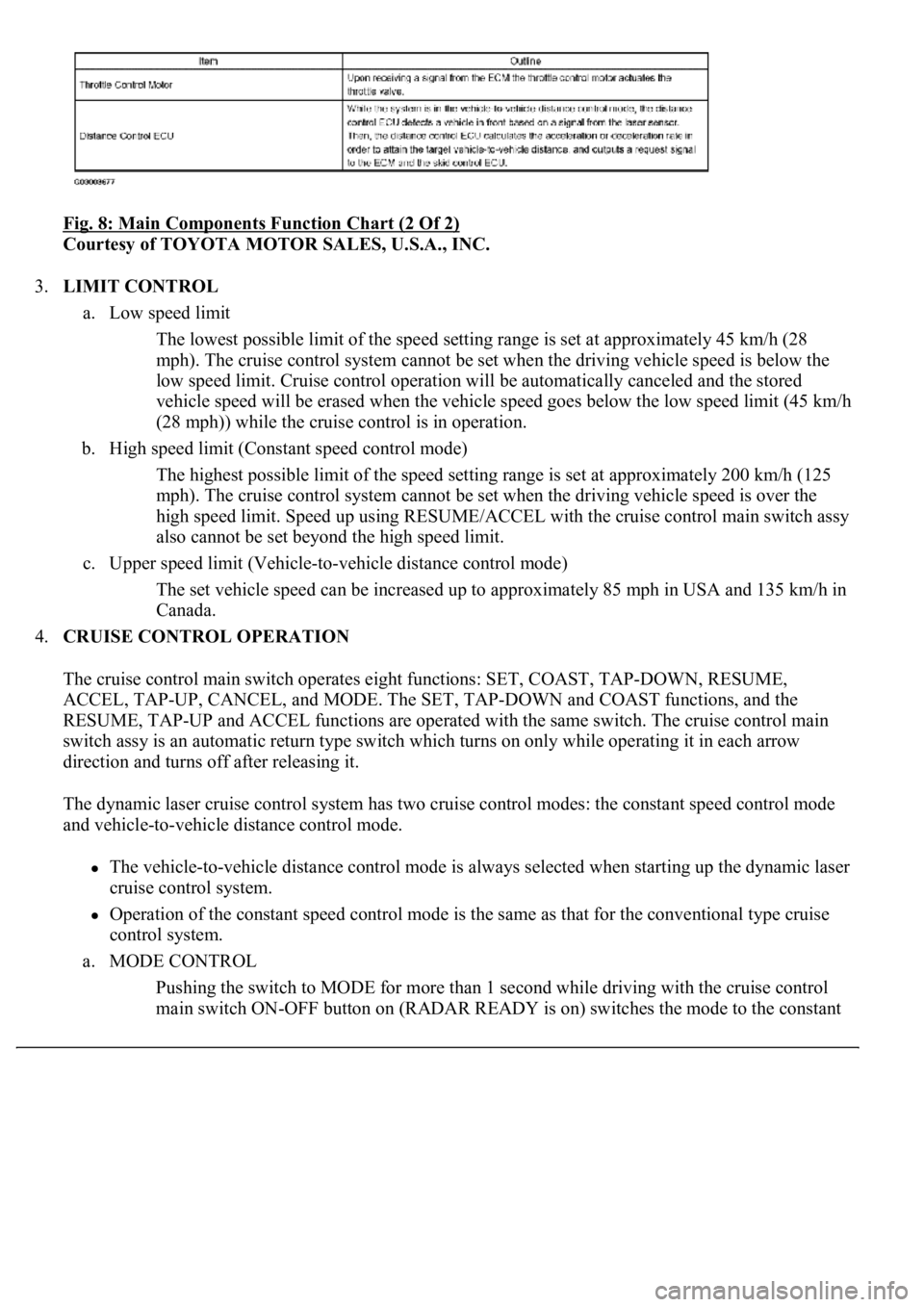
Fig. 8: Main Components Function Chart (2 Of 2)
Courtesy of TOYOTA MOTOR SALES, U.S.A., INC.
3.LIMIT CONTROL
a. Low speed limit
The lowest possible limit of the speed setting range is set at approximately 45 km/h (28
mph). The cruise control system cannot be set when the driving vehicle speed is below the
low speed limit. Cruise control operation will be automatically canceled and the stored
vehicle speed will be erased when the vehicle speed goes below the low speed limit (45 km/h
(28 mph)) while the cruise control is in operation.
b. High speed limit (Constant speed control mode)
The highest possible limit of the speed setting range is set at approximately 200 km/h (125
mph). The cruise control system cannot be set when the driving vehicle speed is over the
high speed limit. Speed up using RESUME/ACCEL with the cruise control main switch assy
also cannot be set beyond the high speed limit.
c. Upper speed limit (Vehicle-to-vehicle distance control mode)
The set vehicle speed can be increased up to approximately 85 mph in USA and 135 km/h in
Canada.
4.CRUISE CONTROL OPERATION
The cruise control main switch operates eight functions: SET, COAST, TAP-DOWN, RESUME,
ACCEL, TAP-UP, CANCEL, and MODE. The SET, TAP-DOWN and COAST functions, and the
RESUME, TAP-UP and ACCEL functions are operated with the same switch. The cruise control main
switch assy is an automatic return type switch which turns on only while operating it in each arrow
direction and turns off after releasing it.
The dynamic laser cruise control system has two cruise control modes: the constant speed control mode
and vehicle-to-vehicle distance control mode.
The vehicle-to-vehicle distance control mode is always selected when starting up the dynamic laser
cruise control system.
Operation of the constant speed control mode is the same as that for the conventional type cruise
control system.
a. MODE CONTROL
Pushing the switch to MODE for more than 1 second while driving with the cruise control
main switch ON-OFF button on (RADAR READY is on) switches the mode to the constant
Page 2437 of 4500
speed control mode.
b. SET CONTROL (Constant speed control mode)
Vehicle speed is stored and constant speed control is maintained when pushing the switch to
SET/COAST while driving with the vehicle speed within the set speed range (between the
low and high speed limits) after pushing the cruise control main switch ON-OFF button on
(RADAR READY is on), and entering the constant speed control mode.
c. SET CONTROL (Vehicle-to-vehicle distance control mode)
Vehicle speed is stored and vehicle-to-vehicle control is maintained when pushing the switch
to SET/COAST while driving with the cruise control main switch ON-OFF button on
(RADAR READY is on), and vehicle speed is within the set speed range (between the low
and high speed limits).
d. COAST CONTROL (Constant speed control mode)
The ECM makes the cruise control demanding throttle opening angle zero degrees and
decelerates the vehicle (the throttle valve is not fully closed due to the idle speed control,
etc.) when SET/COAST on the cruise control main switch is pressed and held while the
constant speed control mode is in operation. Vehicle speed, when the cruise control main
switch is released from SET/COAST, is stored and constant speed control is maintained.
e. COAST CONTROL (Vehicle-to-vehicle distance control mode)
When SET/COAST on the cruise control main switch is pressed and held while the vehicle-
to-vehicle distance control mode is in operation, the stored vehicle speed decreases by
approximately 5 km/h (CANADA) or 5 mph (USA) per second.
f. TAP-DOWN CONTROL (Constant speed control mode)
When tapping down on the cruise control main switch to SET/COAST (for approximately
0.5 second) while the constant speed control mode is in operation, the stored vehicle speed
decreases each time by approximately 1.6 km/h (1 mph). However, when the difference
between the driving and the stored vehicle speeds is more than 5 km/h (3 mph), the vehicle
speed, when the cruise control main switch is released from SET/COAST, will be stored and
constant speed control is maintained.
g. TAP-DOWN CONTROL (Vehicle-to-vehicle distance control mode)
When tapping down on the cruise control main switch to SET/COAST (for approximately
0.5 second) while the vehicle-to-vehicle distance control mode is in operation, the stored
vehicle speed decreases each time by approximately 5 km/h (CANADA) or 5 mph (USA).
h. ACCELERATOR CONTROL (Constant speed control mode)
The throttle valve motor of the throttle position sensor and motor is instructed by the ECM to
open the valve when RESUME/ACCEL on the cruise control main switch is pressed and held
while the constant speed control mode is in operation. Vehicle speed, when the cruise control
main switch is released from RESUME/ACCEL, is stored and constant speed control is
maintained.
i. ACCELERATION CONTROL (Vehicle-to-vehicle distance control mode)
When RESUME/ACCEL on the cruise control main switch is pressed and held while the
vehicle-to-vehicle distance control mode is in operation, the s
tored vehicle speed increases
by approximately 5 km/h (CANADA) or 5 mph (USA) per second.
Pushin
g the cruise control main switch to RESUME/ACCEL while following the vehicle in
Page 2438 of 4500
front with the vehicle-to-vehicle distance control mode does not increase the actual vehicle
speed, but changes only the set vehicle speed.
j. TAP-UP CONTROL (Constant speed control mode)
When tapping up on the cruise control main switch to RESUME/ACCEL (for approximately
0.5 second) while the constant speed control mode is in operation, the stored vehicle speed
increases each time by approximately 1.6 km/h (1 mph). However, when the difference
between the driving and the stored vehicle speeds is more than 5 km/h (3 mph), the stored
vehicle speed will not be changed.
k. TAP-UP CONTROL (Vehicle-to-vehicle distance control mode)
When tapping up on the cruise control main switch to RESUME/ACCEL (for approximately
0.5 second) while the vehicle-to-vehicle distance control mode is in operation, the stored
vehicle speed increases each time by approximately 5 km/h (CANADA) or 5 mph (USA).
l. MANUAL CANCEL CONTROL
<00270052004c0051004a000300440051005c00030052004900030057004b0048000300490052004f004f0052005a004c0051004a000300460044005100460048004f005600030057004b00480003004600550058004c005600480003004600520051005700
550052004f00030056005c00560057004800500003005a004b[ile in operation. (The stored
vehicle speed in the ECM is maintained.)
Depressing the brake pedal
<003000520059004c0051004a00030057004b004800030056004b004c004900570003004f0048005900480055000300570052000300440051005c0003005300520056004c0057004c0052005100030048005b0046004800530057000300270003000b001900
57004b000f000300180057004b000f00030044005100470003[4th gears)
Pushing the cruise control main switch to CANCEL
Pushing the cruise control main switch ON-OFF button off (The stored vehicle speed
in the ECM is not maintained.)
m. RESUME CONTROL
If the cruise control operation was cancelled with the stop lamp switch or the CANCEL
switch, and if driving speed is within the limit range, pushing the cruise control main switch
to RESUME/ACCEL restores vehicle speed memorized at the time of cancellation, and
maintains constant speed control. In constant speed mode, once vehicle speed goes below the
low speed limit, RESUME operation is not possible even if accelerating up to the low speed
limit, or more, again.
5.LASER BEAM AXIS ADJUSTMENT
The dynamic laser cruise control system has an automatic adjustment function of the optical axis. Perform
the adjustment of the laser sensor optical axis with the hand-held tester (see ADJUSTMENT
for the
optical axis adjustment).
6.BRAKE CONTROL
The distance control ECU (cruise control ECU) determines the distance between a vehicle in front and
your own, relative speed, target decreasing speed and deceleration rate to transmit a brake demand signal
to the skid control ECU via ECM.
7.DOWNSHIFT CONTROL
While the cruise control system is in operation, the gear may downshift from overdrive (6th) to 5th on an
uphill road. After the gear is shifted down to 5th, if the system determines that the uphill inclination has
become smaller based on throttle opening, the gear automatically returns to overdrive (6th).
Page 2447 of 4500
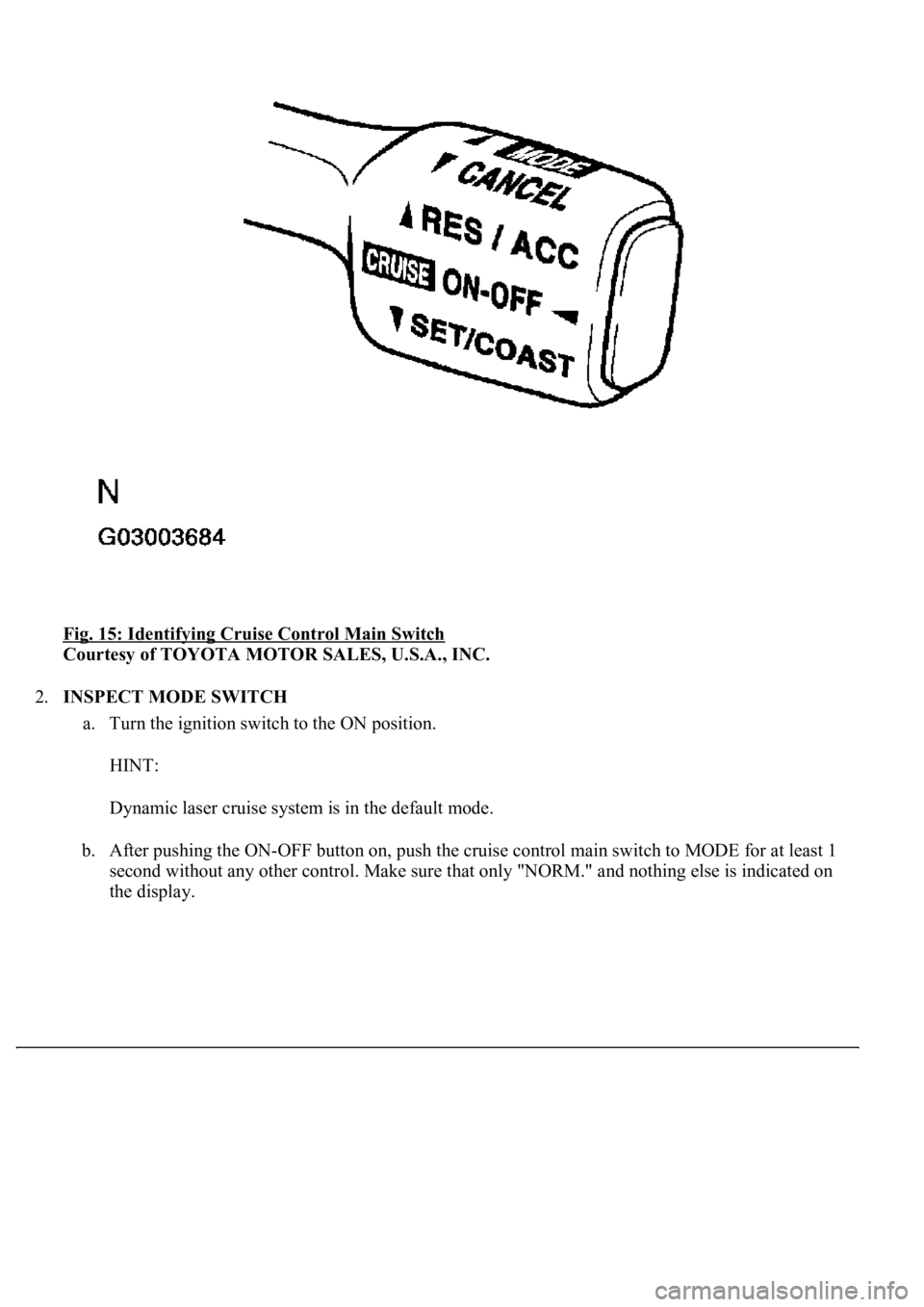
Fig. 15: Identifying Cruise Control Main Switch
Courtesy of TOYOTA MOTOR SALES, U.S.A., INC.
2.INSPECT MODE SWITCH
a. Turn the ignition switch to the ON position.
HINT:
Dynamic laser cruise system is in the default mode.
b. After pushing the ON-OFF button on, push the cruise control main switch to MODE for at least 1
second without any other control. Make sure that only "NORM." and nothing else is indicated on
the display.