ECO LEXUS RX200T 2017 Owners Manual
[x] Cancel search | Manufacturer: LEXUS, Model Year: 2017, Model line: RX200T, Model: LEXUS RX200T 2017Pages: 776, PDF Size: 44.51 MB
Page 465 of 776
4655-4. Using the radio
5
Lexus Display Audio system
RX350/RX200t_EE_OM48F32E
■Manual tuning (manual screen)
Turn the “TUNE•SCROLL” knob or turn the controller.
■Station list (preset or station list screen)
Select the desired station by pressi ng the “<” or “>” button, turn the
“TUNE•SCROLL” knob, or turning and pressing the controller.
Radio stations can be preset.
Search for desired stations.
Turn the controller to select one of the stations and then press the controller
until you hear a beep while on the preset selection screen.
The broadcast you are currently listening to can be re-listened to at any time.
Move the controller to the right and then select “Time shift”.
Turn the “TUNE•SCROLL” knob to set the desired offset.
An offset playback time can also be set on the menu screen. ( P. 461)
To cancel the time shift operation while in time shift mode, move the controller to the
left and select “Time shift off”. If the time shift display is left showing “-0’ 00”” for 6 seconds without any operation, the time shift operation will be canceled.
■Reception sensitivity
●Maintaining perfect radio recept ion at all times is difficult due to the continually chang- ing position of the antenna, differences in signal strength and surrounding objects, such
as trains, transmitters, etc.
●The radio antenna is mounted inside the rear window. To maintain clear radio reception, do not attach metallic window tinting or other metallic objects to the antenna wire
mounted inside the rear window.
■Traffic announcement operation
When traffic announcement is set to on, “TP” will appear on the screen and the radio will
begin seeking a TP station. If the radio seeks out a TP station, a pop-up massage is dis- played. To listen the program, select “Continue”. When the program ends, the initial
operation will resume.
Setting station presets (preset screen)
Time shift operation (DAB) (if equipped)
1
2
1
2
Page 467 of 776

4675-5. Playing an audio CD and MP3/WMA/AAC discs
5
Lexus Display Audio system
RX350/RX200t_EE_OM48F32E
■Error messages
If the following error messages appear on the screen, refer to the table and take the appropriate measures. If the problem is not rectified, take the vehicle to any authorizedLexus dealer or repairer, or another duly qualified and equipped professional.
■Discs that can be used
Discs with the marks shown below can be used. Playback may not be possible depending on re cording format or disc features, or due to scratches, dirt or deterioration.
CDs with copy-protection features may not play correctly.
■Music disc player protection feature
To protect the internal components, playback is automatically stopped when a problem is detected.
■If a disc is left inside the Music disc player or in the ejected position for extended peri-ods
Disc may be damaged and may not play properly.
■Lens cleaners
Do not use lens cleaners. Doing so may damage the Music disc player.
■MP3, WMA and AAC files
MP3 (MPEG Audio LAYER3) is a standard audio compression format.
Files can be compressed to approximately 1/10 of their original size by using MP3 com- pression.
WMA (Windows Media Audio) is a Mi crosoft audio compression format.
This format compresses audio data to a size smaller than that of the MP3 format.
AAC is short for Advanced Audio Coding an d refers to an audio compression technol-
ogy standard used with MPEG2 and MPEG4.
MP3, WMA and AAC file and media/ formats compatibility are limited.
MessageCauseCorrection procedures
“Check disc”
• The disc is dirty or dam- aged.
• The disc is inserted upside down.• The disc is not playable
with the player.
•Clean the disc.
• Insert the disc correctly. • Confirm the disc is play-able with the player.
“DISC error”There is a malfunctionwithin the system.Eject the disc.
“No music files found.”No playable data isincluded on the disc.Eject the disc.
Page 469 of 776
4695-5. Playing an audio CD and MP3/WMA/AAC discs
5
Lexus Display Audio system
RX350/RX200t_EE_OM48F32E
●File names
The only files that can be recognized as MP3/WMA/AAC and played are those with the extension .mp3, .wma or .m4a.
●Discs containing multi-session recordings
As the audio system is compatible with multi session discs, it is possible to play discs that contain MP3, WMA and AAC files. However, only the first session can be played.
●ID3, WMA and AAC tags
ID3 tags can be added to MP3 files, making it possible to record the track title, artist name, etc.
The system is compatible with ID3 Ver. 1.0, 1.1, and Ver. 2.2, 2.3 ID3 tags. (The number of characters is based on ID3 Ver. 1.0 and 1.1.)
WMA tags can be added to WMA files, making it possible to record the track title and
artist name in the same way as with ID3 tags.
AAC tags can be added to AAC files, making it possible to record the track title and artist name in the same way as with ID3 tags.
●MP3, WMA and AAC playback
When a disc containing MP3, WMA or AAC f iles is inserted, all files on the disc are first checked. Once the file check is fi nished, the first MP3, WMA or AAC file is
played. To make the file check finish more quickly, we recommend you do not write any files to the disc other than MP3, WMA or AAC files or create any unnecessary fold- ers.
Discs that contain a mixture of music data and MP3, WMA or AAC format data can- not be played.
●Extensions
If the file extensions .mp3, .wma and .m4a are used for files other than MP3, WMA and AAC files, they may be mistakenly recognized and played as MP3, WMA and
AAC files. This may result in large amount s of interference and damage to the speak- ers.
●Playback
• To play MP3 files with steady sound quality, we recommend a fixed bit rate of at least 128 kbps and a sampling frequency of 44.1 kHz.• CD-R or CD-RW playback may not be possible in some instances, depending on
the characteristics of the disc. • There is a wide variety of freeware and other encoding software for MP3, WMAand AAC files on the market, and depending on the status of the encoding and the
file format, poor sound quality or noise at the start of playback may result. In some cases, playback may not be possible at all.• When files other than MP3, WMA or AAC f iles are recorded on a disc, it may take
more time to recognize the disc and in some cases, playback may not be possible at all.• Microsoft, Windows, and Windows Medi a are the registered trademarks of
Microsoft Corporation in the U.S.A. and other countries.
Page 471 of 776
4715-5. Playing an audio CD and MP3/WMA/AAC discs
5
Lexus Display Audio system
RX350/RX200t_EE_OM48F32E
NOTICE
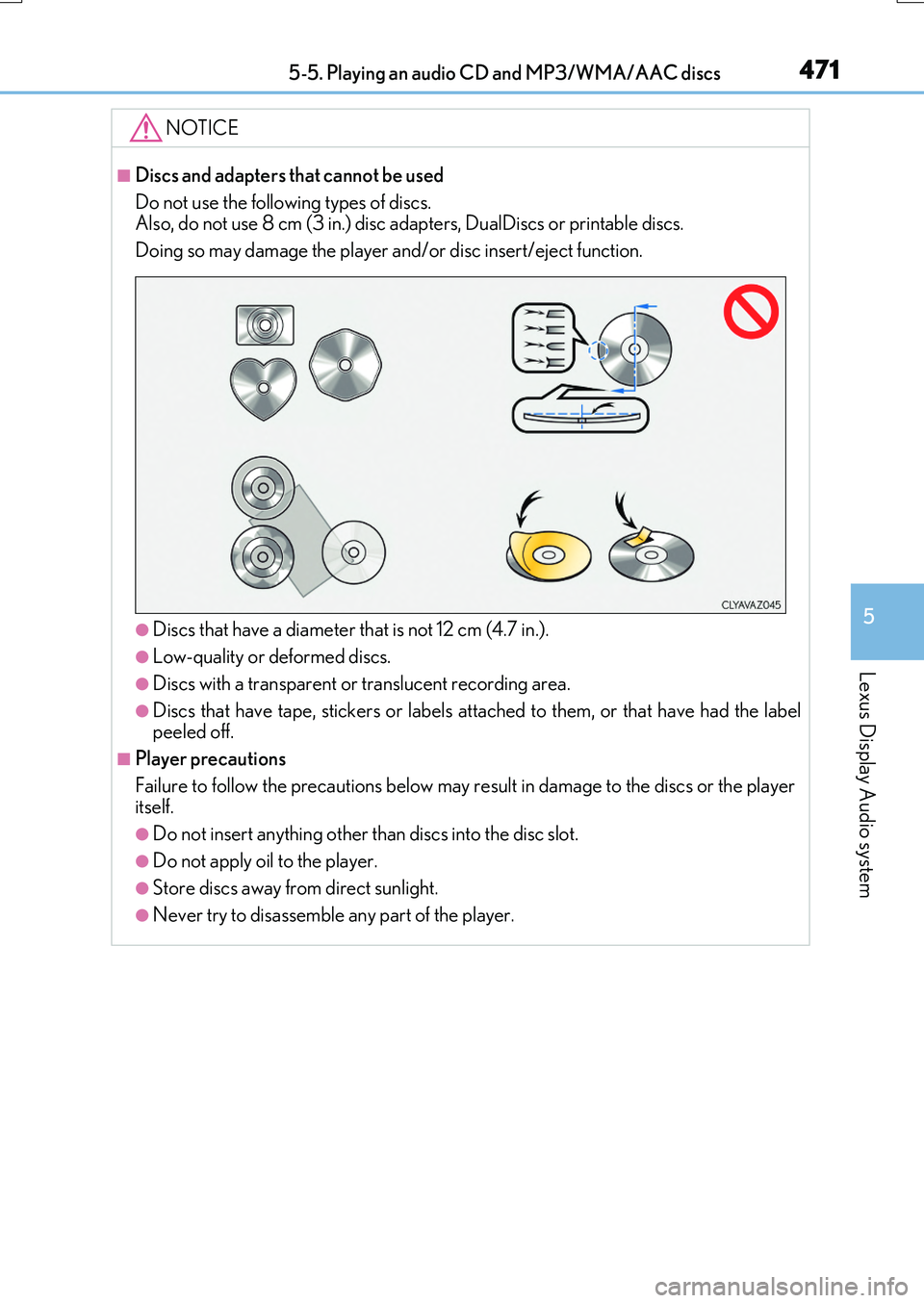
■Discs and adapters that cannot be used
Do not use the following types of discs. Also, do not use 8 cm (3 in.) disc adapters, DualDiscs or printable discs.
Doing so may damage the player and/or disc insert/eject function.
●Discs that have a diameter that is not 12 cm (4.7 in.).
●Low-quality or deformed discs.
●Discs with a transparent or translucent recording area.
●Discs that have tape, stickers or labels attached to them, or that have had the label peeled off.
■Player precautions
Failure to follow the precautions below may re sult in damage to the discs or the player itself.
●Do not insert anything other than discs into the disc slot.
●Do not apply oil to the player.
●Store discs away from direct sunlight.
●Never try to disassemble any part of the player.
Page 473 of 776
4735-6. Using an external device
5
Lexus Display Audio system
RX350/RX200t_EE_OM48F32E
■About iPod
●“Made for iPod” and “Made for iPhone” mean that an electronic accessory has been designed to connect specifically to an iPod , or iPhone, respectively, and has been certi-
fied by the developer to meet Apple performance standards.
●Apple is not responsible for the operation of this device or its compliance with safety and regulatory standards. Please note that th e use of this accessory with iPod or iPhone
may affect wireless performance.
●iPhone, iPod, iPod classic, iPod nano and iPod touch are trademarks of Apple Inc., reg- istered in the U.S. and other countries.
■iPod cover art
●Depending on the iPod and songs in the iPod, iPod cover art may be displayed.
●This function can be changed to on/off. (P. 460)
●It may take time to display iPod cover art, and the iPod may not be operated while the cover art display is in process.
■iPod functions
●When an iPod is connected and the audio sour ce is changed to iPod mode, the iPod will resume play from the same poin t in which it was last used.
●Depending on the iPod that is connected to the system, certain functions may not be
available. If a function is unavailable due to a malfunction (as opposed to a system spec- ification), disconnecting the device and reconnecting it may resolve the problem.
●Depending on the iPod, while connected to the system, the iPod cannot be operated
with its own controls. It is necessary to use the controls of the vehicle’s audio system instead.
●When the battery level of an iPod is very low, the iPod may not operate. If so, charge the
iPod before use.
●Compatible models ( P. 475)
Page 474 of 776
4745-6. Using an external device
RX350/RX200t_EE_OM48F32E
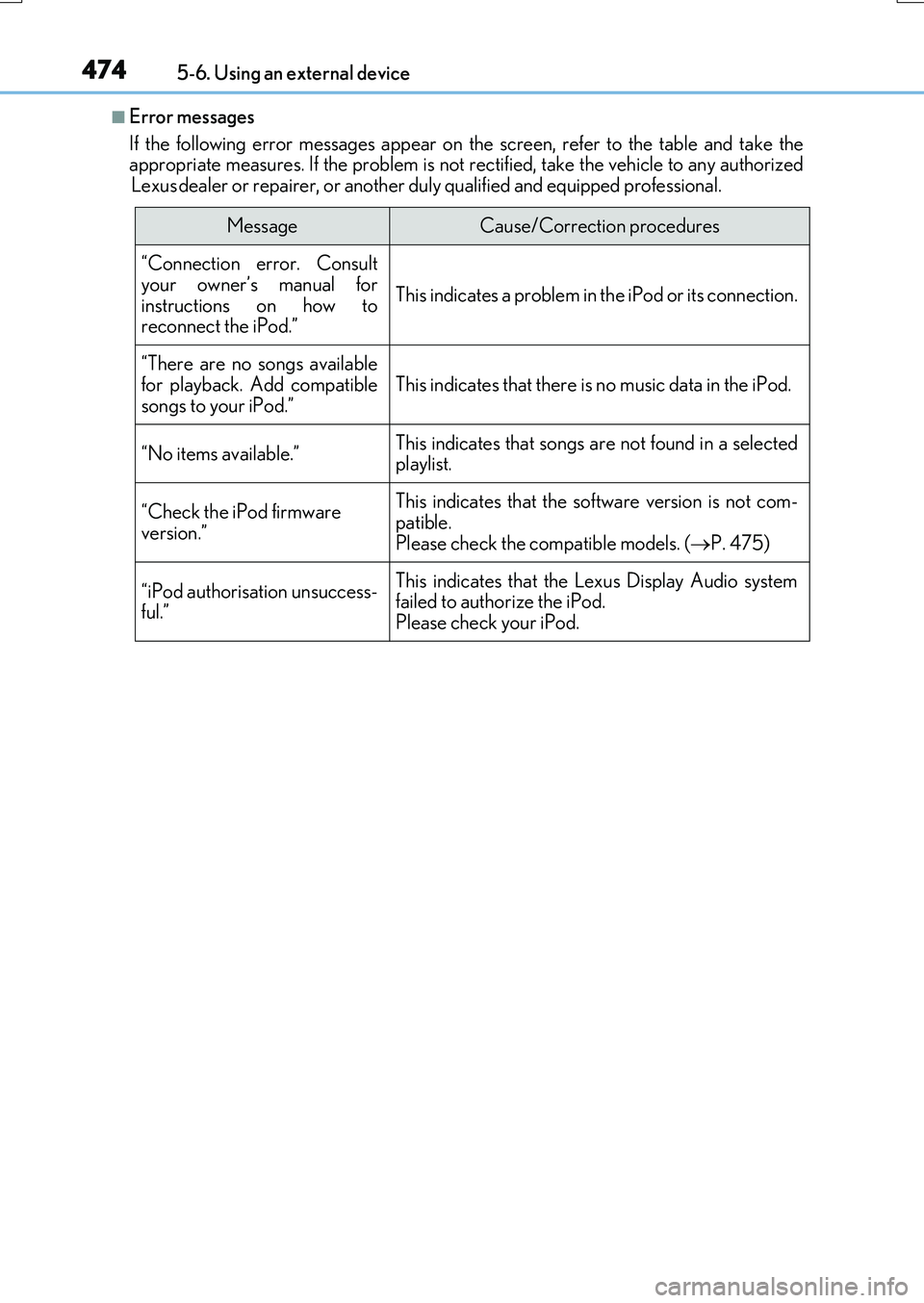
■Error messages
If the following error messages appear on the screen, refer to the table and take the appropriate measures. If the problem is not rectified, take the vehicle to any authorized
Lexus dealer or repairer, or another duly qualified and equipped professional.
MessageCause/Correction procedures
“Connection error. Consult
your owner’s manual for instructions on how toreconnect the iPod.”
This indicates a problem in the iPod or its connection.
“There are no songs available
for playback. Add compatible songs to your iPod.”This indicates that there is no music data in the iPod.
“No items available.”This indicates that songs are not found in a selected playlist.
“Check the iPod firmware version.”
This indicates that the software version is not com-
patible. Please check the compatible models. ( P. 475)
“iPod authorisation unsuccess- ful.”
This indicates that the Lexus Display Audio system failed to authorize the iPod.
Please check your iPod.
Page 475 of 776
4755-6. Using an external device
5
Lexus Display Audio system
RX350/RX200t_EE_OM48F32E
■iPod problems
To resolve most problems encountered when us ing your iPod, disconnect your iPod from the vehicle iPod connection and reset it. For instructions on how to reset your iPod, refer
to your iPod Owner’s Manual.
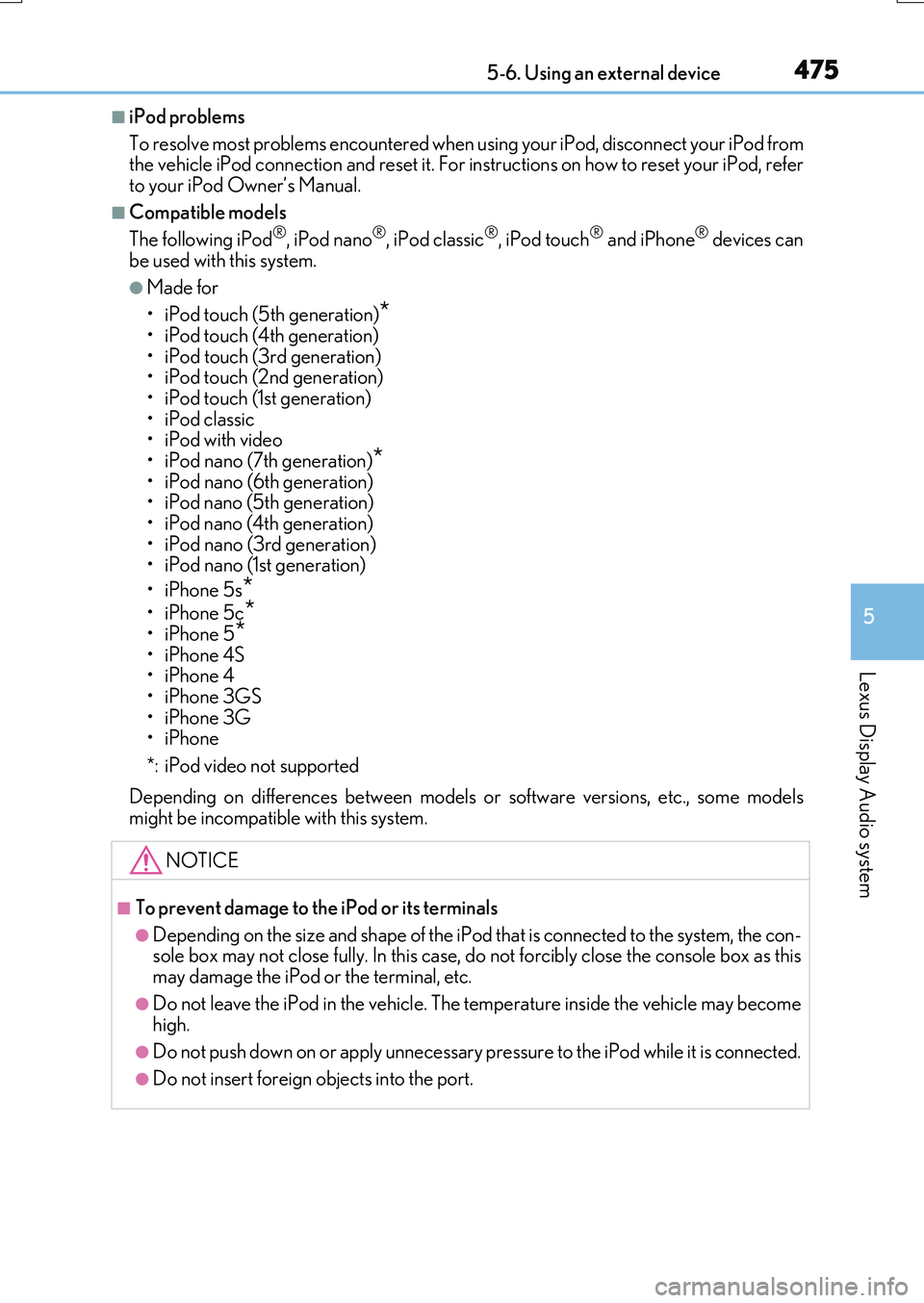
■Compatible models
The following iPod®, iPod nano®, iPod classic®, iPod touch® and iPhone® devices can
be used with this system.
●Made for
• iPod touch (5th generation)*
• iPod touch (4th generation) • iPod touch (3rd generation)• iPod touch (2nd generation)
•iPod touch (1st generation) • iPod classic•iPod with video
• iPod nano (7th generation)*• iPod nano (6th generation) • iPod nano (5th generation)
• iPod nano (4th generation) • iPod nano (3rd generation)• iPod nano (1st generation)
•iPhone 5s*
•iPhone 5c*•iPhone 5*
•iPhone 4S •iPhone 4•iPhone 3GS
•iPhone 3G •iPhone
*: iPod video not supported
Depending on differences between models or software versions, etc., some models might be incompatible with this system.
NOTICE
■To prevent damage to the iPod or its terminals
●Depending on the size and shape of the iPod that is connected to the system, the con-sole box may not close fully. In this case, do not forcibly close the console box as this
may damage the iPod or the terminal, etc.
●Do not leave the iPod in the vehicle. The temperature inside the vehicle may become high.
●Do not push down on or apply unnecessary pr essure to the iPod while it is connected.
●Do not insert foreign objects into the port.
Page 477 of 776
4775-6. Using an external device
5
Lexus Display Audio system
RX350/RX200t_EE_OM48F32E
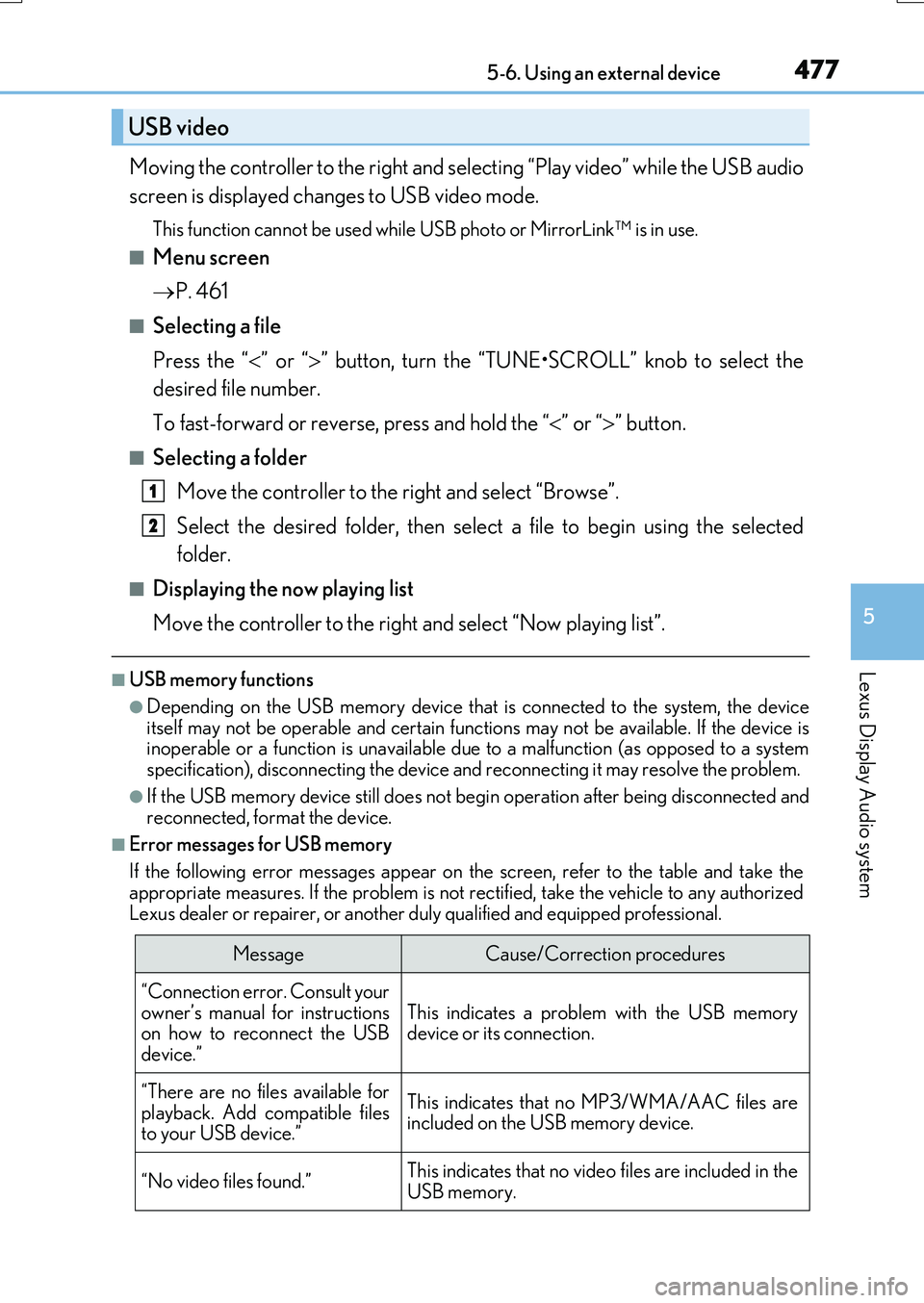
Moving the controller to the right and selecting “Play video” while the USB audio
screen is displayed changes to USB video mode.
This function cannot be used while USB photo or MirrorLink™ is in use.
■Menu screen
P. 461
■Selecting a file
Press the “ ” or “” button, turn the “TUNE•SCROLL” knob to select the
desired file number.
To fast-forward or reverse, press and hold the “ ” or “” button.
■Selecting a folder
Move the controller to the right and select “Browse”.
Select the desired folder, then select a file to begin using the selected
folder.
■Displaying the now playing list
Move the controller to the right and select “Now playing list”.
■USB memory functions
●Depending on the USB memory device that is connected to the system, the device itself may not be operable and certain functions may not be available. If the device isinoperable or a function is unavailable du e to a malfunction (as opposed to a system
specification), disconnecting the device and reconnecting it may resolve the problem.
●If the USB memory device still does not begin operation after being disconnected and reconnected, format the device.
■Error messages for USB memory
If the following error messages appear on the screen, refer to the table and take the appropriate measures. If the problem is not rectified, take the vehicle to any authorized
Lexus dealer or repairer, or another duly qualified and equipped professional.
USB video
MessageCause/Correction procedures
“Connection error. Consult your
owner’s manual for instructions on how to reconnect the USBdevice.”
This indicates a problem with the USB memorydevice or its connection.
“There are no files available for
playback. Add compatible files to your USB device.”
This indicates that no MP3/WMA/AAC files areincluded on the USB memory device.
“No video files found.”This indicates that no vide o files are included in the USB memory.
1
2
Page 479 of 776
4795-6. Using an external device
5
Lexus Display Audio system
RX350/RX200t_EE_OM48F32E
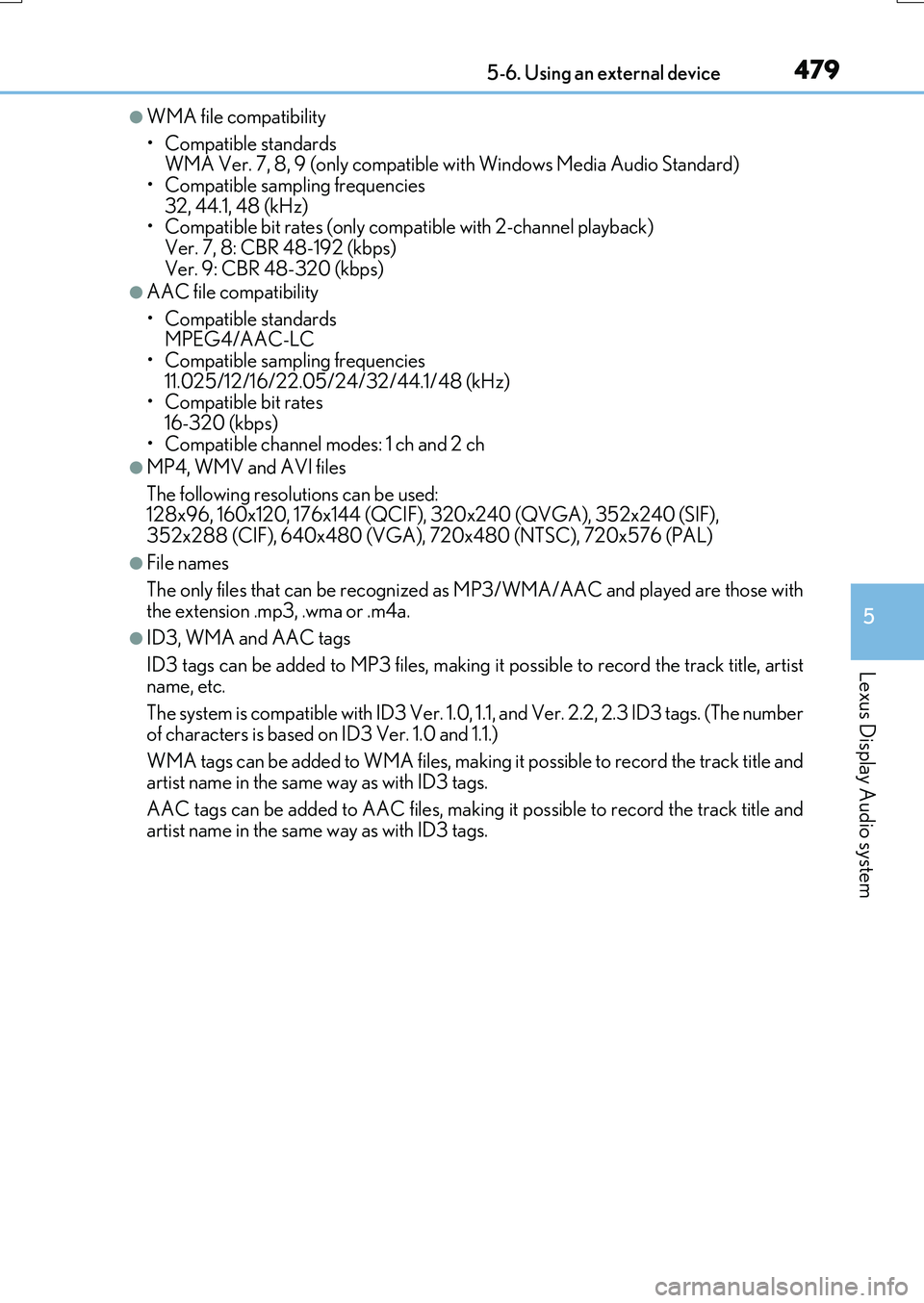
●WMA file compatibility
• Compatible standards WMA Ver. 7, 8, 9 (only compatible with Windows Media Audio Standard)
• Compatible sampling frequencies 32, 44.1, 48 (kHz)• Compatible bit rates (only compatible with 2-channel playback)
Ver. 7, 8: CBR 48-192 (kbps) Ver. 9: CBR 48-320 (kbps)
●AAC file compatibility
• Compatible standards MPEG4/AAC-LC
• Compatible sampling frequencies 11.025/12/16/22.05/24/32/44.1/48 (kHz)• Compatible bit rates
16-320 (kbps) • Compatible channel modes: 1 ch and 2 ch
●MP4, WMV and AVI files
The following resolutions can be used: 128x96, 160x120, 176x144 (QCIF), 320x240 (QVGA), 352x240 (SIF),
352x288 (CIF), 640x480 (VGA), 720x480 (NTSC), 720x576 (PAL)
●File names
The only files that can be recognized as MP3/WMA/AAC and played are those with
the extension .mp3, .wma or .m4a.
●ID3, WMA and AAC tags
ID3 tags can be added to MP3 files, making it possible to record the track title, artist
name, etc.
The system is compatible with ID3 Ver. 1.0, 1.1, and Ver. 2.2, 2.3 ID3 tags. (The number
of characters is based on ID3 Ver. 1.0 and 1.1.)
WMA tags can be added to WMA files, making it possible to record the track title and artist name in the same way as with ID3 tags.
AAC tags can be added to AAC files, making it possible to record the track title and artist name in the same way as with ID3 tags.
Page 480 of 776
4805-6. Using an external device
RX350/RX200t_EE_OM48F32E
●MP3, WMA and AAC playback
• When a device containing MP3, WMA or AA C files is connected, all files in the USB memory device are checked. Once the file check is finished, the first MP3,
WMA or AAC file is played. To make the file check finish more quickly, we recom- mend that you do not include any files other than MP3, WMA or AAC files or cre-ate any unnecessary folders.
• When a USB memory device is connected and the audio source is changed to USB memory mode, the USB memory device will start playing the first file in the firstfolder. If the same device is removed and reconnected (and the contents have not
been changed), the USB memory device will resume play from the same point in which it was last used.
●Extensions
If the file extensions .mp3, .wma and .m4a are used for files other than MP3, WMA and AAC files, they will be skipped (not played).
●Playback
• To play MP3 files with steady sound quality, we recommend a fixed bit rate of at least 128 kbps and a sampling frequency of 44.1 kHz.
• There is a wide variety of freeware and other encoding software for MP3, WMA and AAC files on the market, and depending on the status of the encoding and thefile format, poor sound quality or noise at the start of playback may result. In some
cases, playback may not be possible at all. • Microsoft, Windows, and Windows Medi a are the registered trademarks of Microsoft Corporation in the U.S.A. and other countries.
NOTICE
■To prevent damage to the USB memory device or its terminals
●Depending on the size and shape of the USB memory that is connected to the sys-tem, the console box may not close fully. In this case, do not forcibly close the consolebox as this may damage the USB memory or the terminal, etc.
●Do not leave the USB memory device in the vehicle. The temperature inside the vehi-cle may become high.
●Do not push down on or apply unnecessary pressure to the USB memory device
while it is connected.
●Do not insert foreign objects into the port.