ECO LEXUS RX200T 2017 Owners Manual
[x] Cancel search | Manufacturer: LEXUS, Model Year: 2017, Model line: RX200T, Model: LEXUS RX200T 2017Pages: 776, PDF Size: 44.51 MB
Page 481 of 776
4815-6. Using an external device
5
Lexus Display Audio system
RX350/RX200t_EE_OM48F32E
P. 445
Pressing the “MEDIA” button displays th e top screen from any screen of the
selected source.
■Menu screen
P. 461
■Operating portable players connected to the audio system
Volume can be adjusted using the vehicle’s audio controls. All other adjustments must be made on the portable player itself.
■When using a portable player connected to the power outlet
Noise may occur during playback. Use the power source of the portable player.
Using the AUX port
To use the AUX port, connect a portable player, press the “MEDIA” button or
select “AUX” or “A/V” on the “Source” screen.
Connecting a portable player
Top screen
NOTICE
■To prevent damage to the portable player or its terminal
●Depending on the size and shape of the portable player that is connected to the sys-
tem, the console box may not close fully. In this case, do not forcibly close the console box as this may damage the portable player or the terminal, etc.
●Do not leave portable player in the vehicle. The temperature inside the vehicle may
become high.
●Do not push down on or apply unnecessary pr essure to the portable player while it is connected.
●Do not insert foreign objects into the port.
Page 487 of 776
4875-7. Connecting Bluetooth®
5
Lexus Display Audio system
RX350/RX200t_EE_OM48F32E
When you register a phone, auto connection will be activated. It is recom-
mended to have the system set to this mode and leave the Bluetooth® phone in a
place where a good connection can be established.
When the engine switch is turned to ACCESSORY or IGNITION ON mode,
the system will search for a nearby cellular phone you have registered.
The system automatically connects with the most recent phone that was con-
nected. The connected result is displayed.
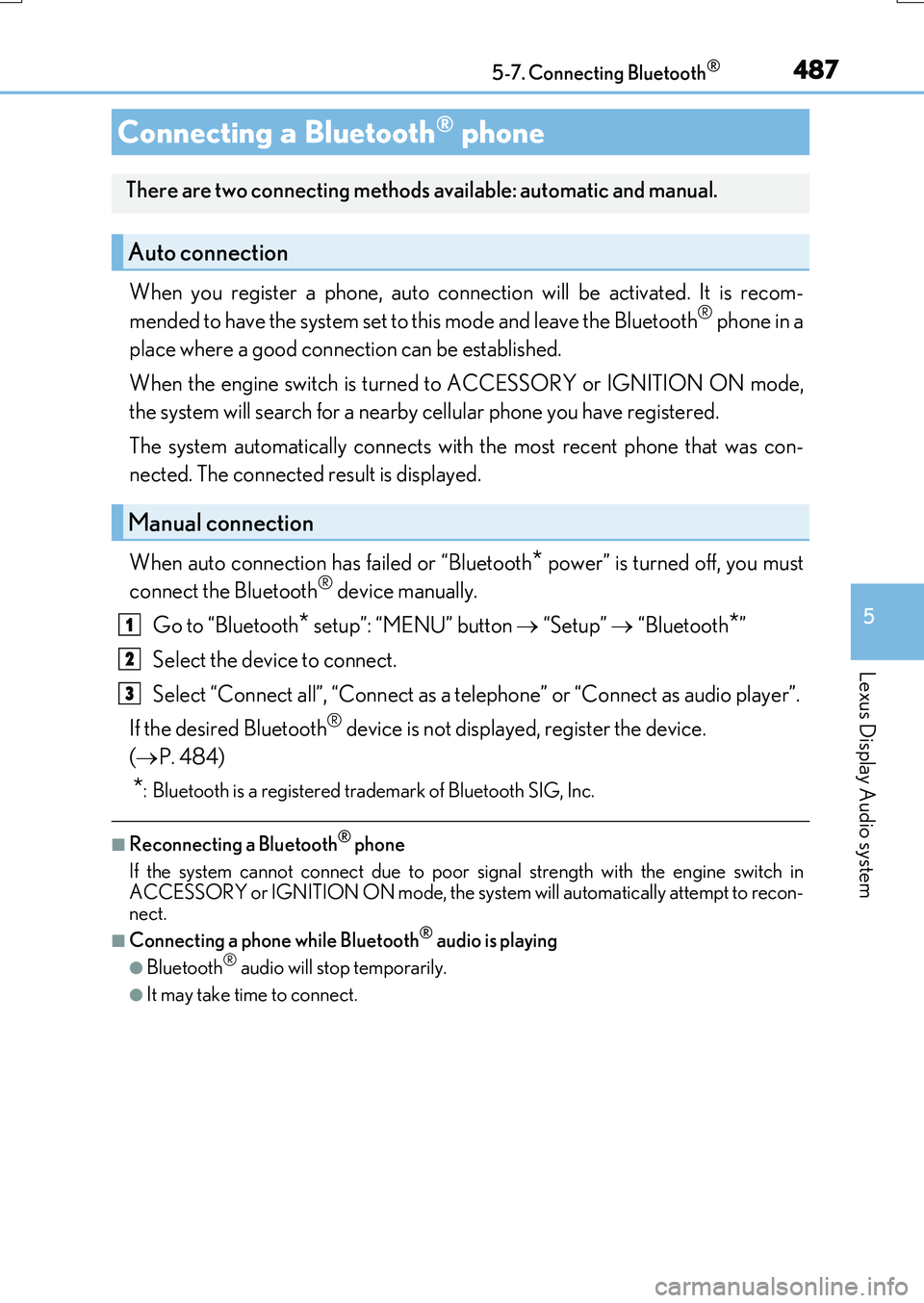
When auto connection has failed or “Bluetooth* power” is turned off, you must
connect the Bluetooth® device manually.
Go to “Bluetooth* setup”: “MENU” button “Setup” “Bluetooth*”
Select the device to connect.
Select “Connect all”, “Connect as a telephone” or “Connect as audio player”.
If the desired Bluetooth® device is not displayed, register the device.
( P. 484)
*: Bluetooth is a registered trademark of Bluetooth SIG, Inc.
■Reconnecting a Bluetooth® phone
If the system cannot connect due to poor signal strength with the engine switch in ACCESSORY or IGNITION ON mode, the syst em will automatically attempt to recon-
nect.
■Connecting a phone while Bluetooth® audio is playing
●Bluetooth® audio will stop temporarily.
●It may take time to connect.
Connecting a Bluetooth® phone
There are two connecting methods available: automatic and manual.
Auto connection
Manual connection
1
2
3
Page 490 of 776
490
RX350/RX200t_EE_OM48F32E
5-8. Bluetooth® Audio
When a Bluetooth® device cannot be connected, check the connection status
on the “Bluetooth* audio” screen. If the device is not connected, either register
or reconnect the device. ( P. 484, 486)
*: Bluetooth is a registered trademark of Bluetooth SIG, Inc.
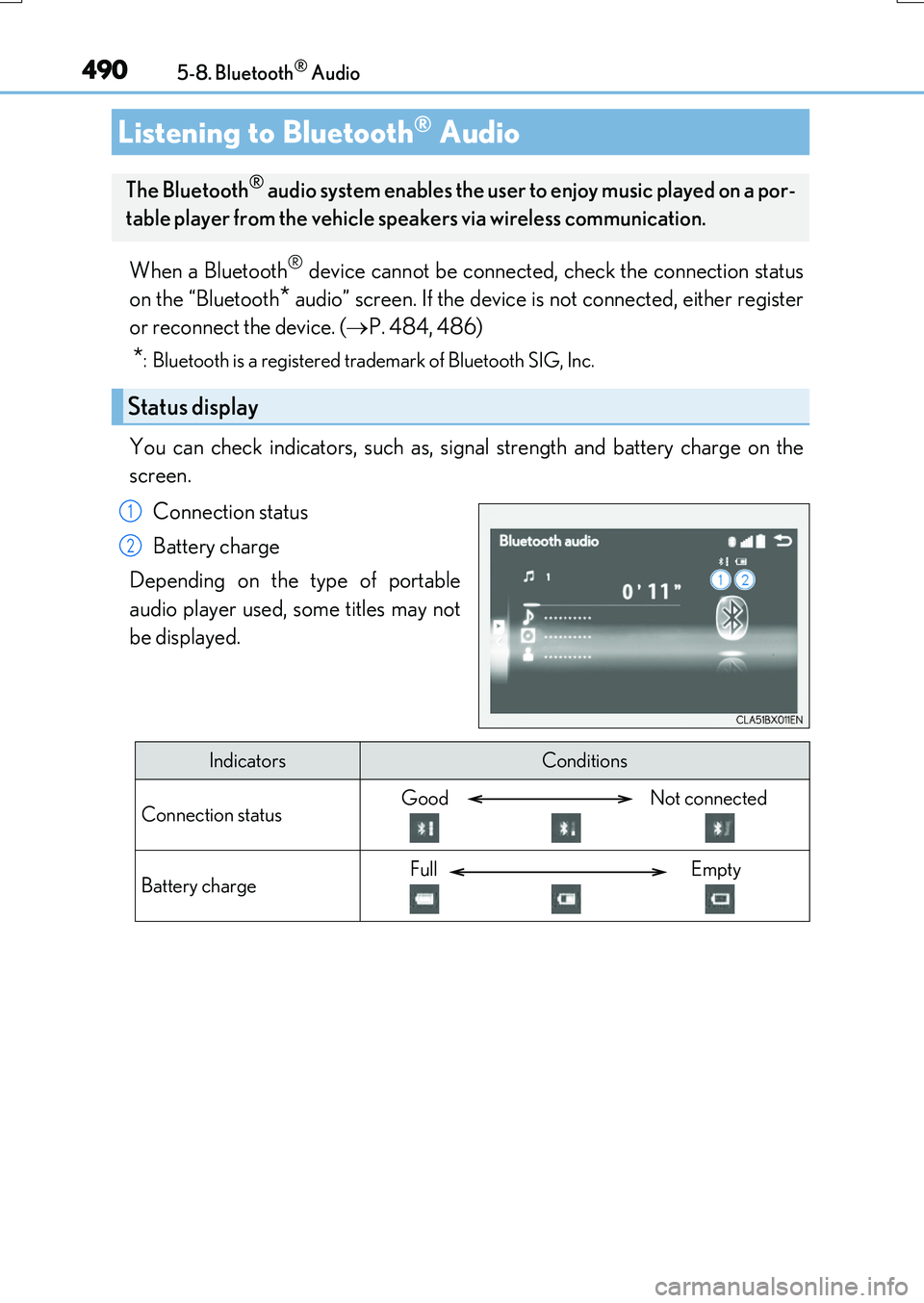
You can check indicators, such as, signal strength and battery charge on the
screen.
Connection status
Battery charge
Depending on the type of portable
audio player used, some titles may not
be displayed.
Listening to Bluetooth® Audio
The Bluetooth® audio system enables the user to enjoy music played on a por-
table player from the vehicle speakers via wireless communication.
Status display
1
2
IndicatorsConditions
Connection statusGood Not connected
Battery chargeFull Empty
Page 492 of 776
492
RX350/RX200t_EE_OM48F32E
5-9. Bluetooth® Phone
Before making a phone call, check the connection status, battery charge, call
area and signal strength. (P. 493)
If a Bluetooth® device cannot be connected, check the connection status. If the
device is not connected, either register or reconnect it. (P. 484, 487)
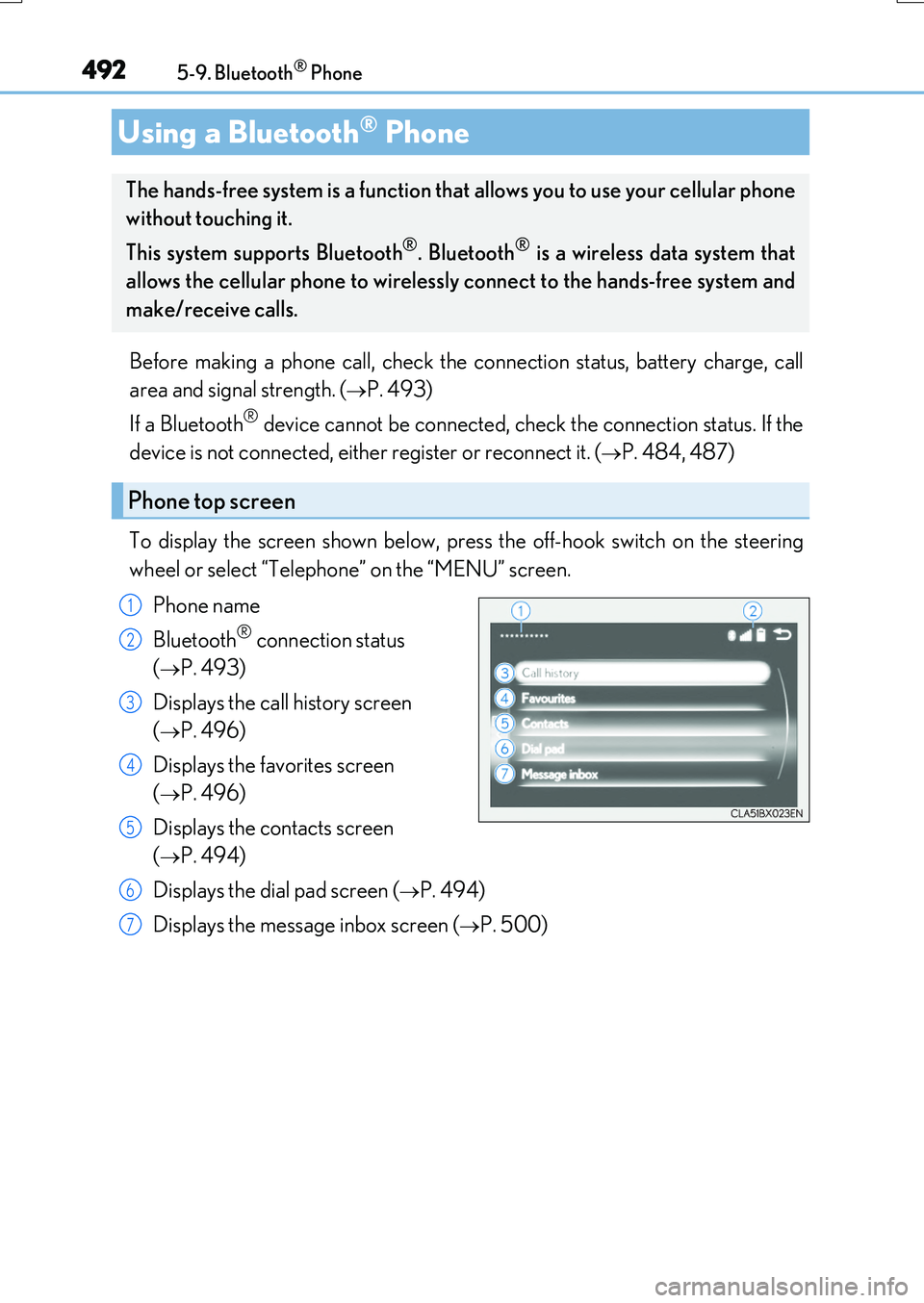
To display the screen shown below, press the off-hook switch on the steering
wheel or select “Telephone” on the “MENU” screen.
Phone name
Bluetooth® connection status
(P. 493)
Displays the call history screen
(P. 496)
Displays the favorites screen
(P. 496)
Displays the contacts screen
(P. 494)
Displays the dial pad screen (P. 494)
Displays the message inbox screen (P. 500)
Using a Bluetooth® Phone
The hands-free system is a function that allows you to use your cellular phone
without touching it.
This system supports Bluetooth®. Bluetooth® is a wireless data system that
allows the cellular phone to wirelessly connect to the hands-free system and
make/receive calls.
Phone top screen
1
2
3
4
5
6
7
Page 508 of 776
5085-10. Phonebook
RX350/RX200t_EE_OM48F32E
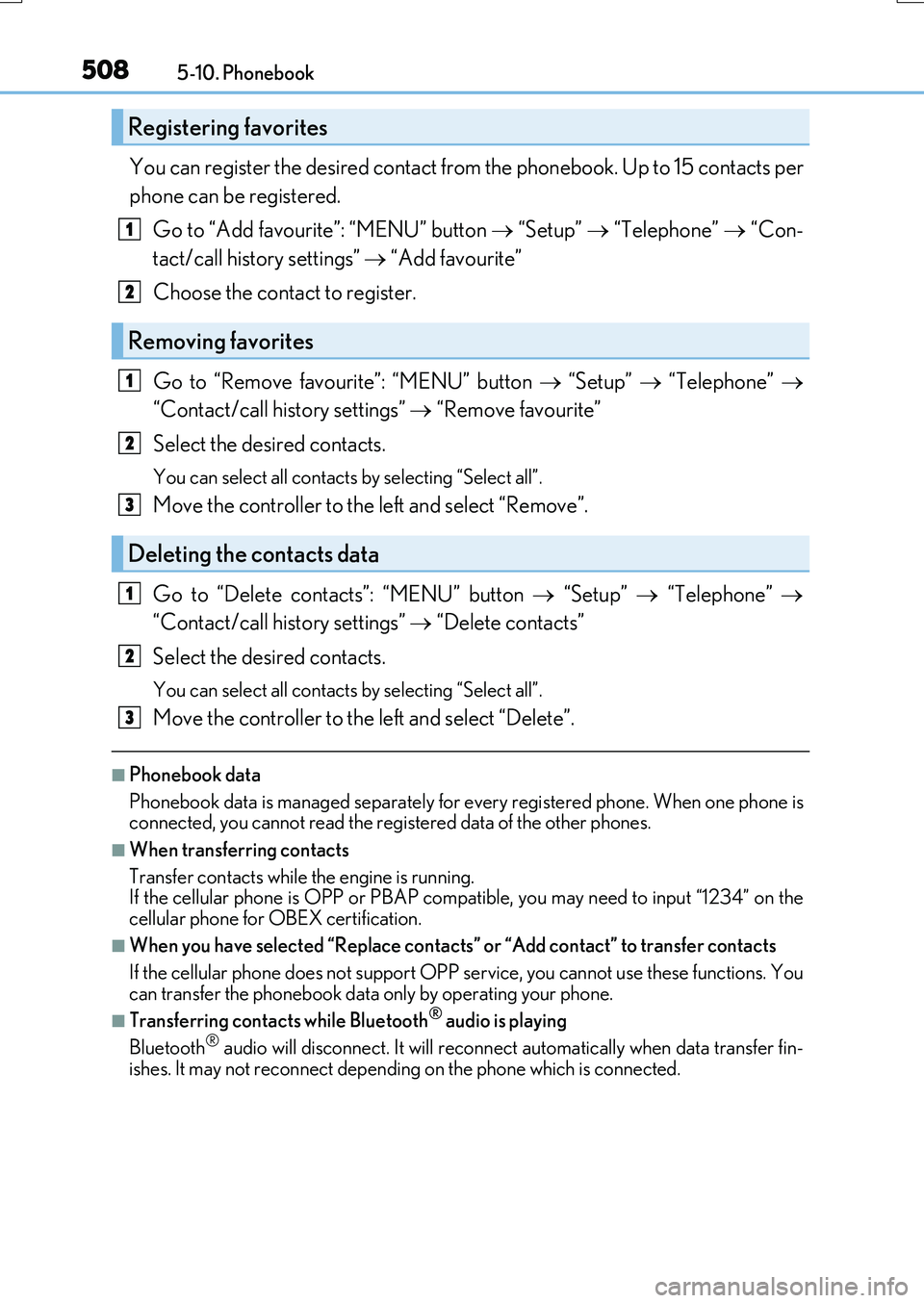
You can register the desired contact from the phonebook. Up to 15 contacts per
phone can be registered.
Go to “Add favourite”: “MENU” button “Setup” “Telephone” “Con-
tact/call history settings” “Add favourite”
Choose the contact to register.
Go to “Remove favourite”: “MENU” button “Setup” “Telephone”
“Contact/call history settings” “Remove favourite”
Select the desired contacts.
You can select all contacts by selecting “Select all”.
Move the controller to the left and select “Remove”.
Go to “Delete contacts”: “MENU” button “Setup” “Telephone”
“Contact/call history settings” “Delete contacts”
Select the desired contacts.
You can select all contacts by selecting “Select all”.
Move the controller to the left and select “Delete”.
■Phonebook data
Phonebook data is managed separately for every registered phone. When one phone is connected, you cannot read the registered data of the other phones.
■When transferring contacts
Transfer contacts while the engine is running. If the cellular phone is OPP or PBAP compat ible, you may need to input “1234” on the
cellular phone for OBEX certification.
■When you have selected “Replace contacts” or “Add contact” to transfer contacts
If the cellular phone does not support OPP se rvice, you cannot use these functions. You
can transfer the phonebook data only by operating your phone.
■Transferring contacts while Bluetooth® audio is playing
Bluetooth® audio will disconnect. It will reconnect automatically when data transfer fin-
ishes. It may not reconnect dependin g on the phone which is connected.
Registering favorites
Removing favorites
Deleting the contacts data
1
2
1
2
3
1
2
3
Page 510 of 776
510
RX350/RX200t_EE_OM48F32E
5-11. Bluetooth®
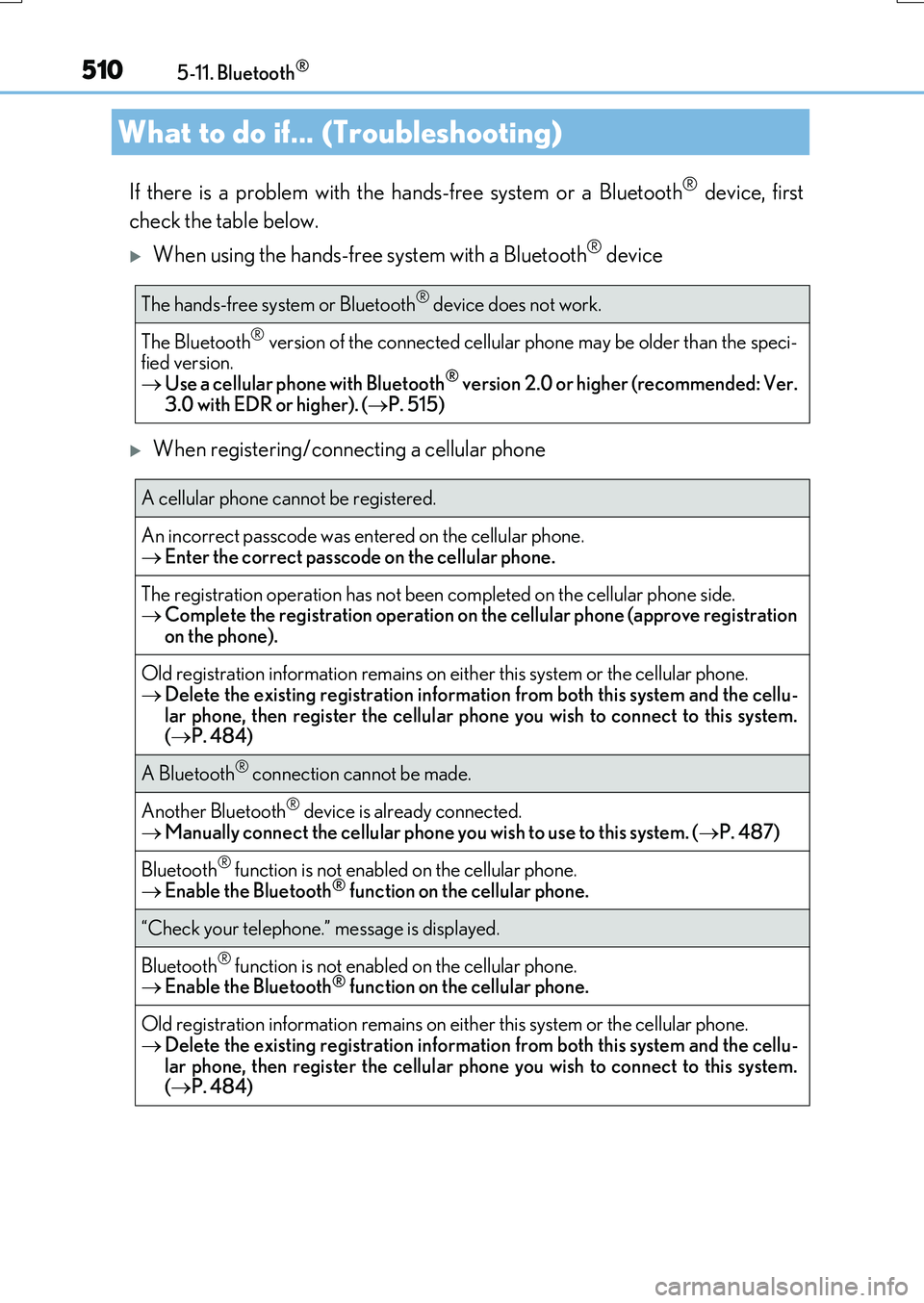
If there is a problem with the hands-free system or a Bluetooth® device, first
check the table below.
When using the hands-free system with a Bluetooth® device
When registering/connecting a cellular phone
What to do if... (Troubleshooting)
The hands-free system or Bluetooth® device does not work.
The Bluetooth® version of the connected cellular phone may be older than the speci- fied version. Use a cellular phone with Bluetooth® version 2.0 or higher (recommended: Ver.
3.0 with EDR or higher). ( P. 515)
A cellular phone cannot be registered.
An incorrect passcode was entered on the cellular phone. Enter the correct passcode on the cellular phone.
The registration operation has not been completed on the cellular phone side. Complete the registration operation on the cellular phone (approve registration
on the phone).
Old registration information remains on ei ther this system or the cellular phone. Delete the existing registration information from both this system and the cellu-
lar phone, then register the cellular phone you wish to connect to this system. ( P. 484)
A Bluetooth® connection cannot be made.
Another Bluetooth® device is already connected. Manually connect the cellular phone you wish to use to this system. (P. 487)
Bluetooth® function is not enabled on the cellular phone.
Enable the Bluetooth® function on the cellular phone.
“Check your telephone.” message is displayed.
Bluetooth® function is not enabled on the cellular phone. Enable the Bluetooth® function on the cellular phone.
Old registration information remains on either this system or the cellular phone. Delete the existing registration information from both this system and the cellu-
lar phone, then register the cellular phone you wish to connect to this system. ( P. 484)
Page 515 of 776
5155-11. Bluetooth®
5
Lexus Display Audio system
RX350/RX200t_EE_OM48F32E
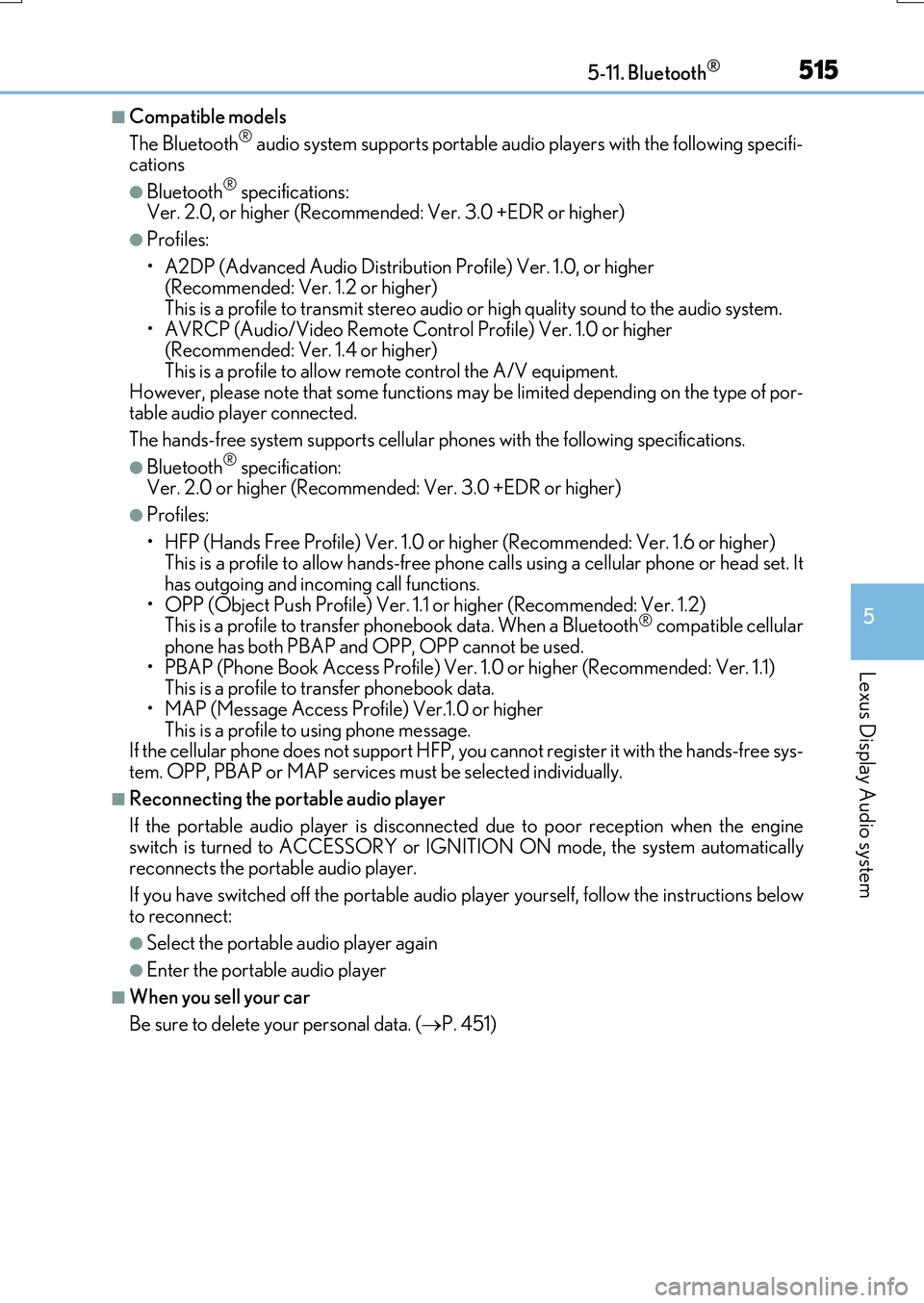
■Compatible models
The Bluetooth® audio system supports portable audio players with the following specifi- cations
●Bluetooth® specifications: Ver. 2.0, or higher (Recommend ed: Ver. 3.0 +EDR or higher)
●Profiles:
• A2DP (Advanced Audio Distribution Profile) Ver. 1.0, or higher (Recommended: Ver. 1.2 or higher) This is a profile to transmit stereo audio or high quality sound to the audio system.
• AVRCP (Audio/Video Remote Control Profile) Ver. 1.0 or higher (Recommended: Ver. 1.4 or higher) This is a profile to allow remote control the A/V equipment.
However, please note that some functions may be limited depending on the type of por- table audio player connected.
The hands-free system supports cellular ph ones with the following specifications.
●Bluetooth® specification: Ver. 2.0 or higher (Recommended : Ver. 3.0 +EDR or higher)
●Profiles:
• HFP (Hands Free Profile) Ver. 1.0 or higher (Recommended: Ver. 1.6 or higher) This is a profile to allow hands-free phone calls using a cellular phone or head set. It has outgoing and incoming call functions.
• OPP (Object Push Profile) Ver. 1.1 or higher (Recommended: Ver. 1.2) This is a profile to transfer phonebook data. When a Bluetooth® compatible cellular phone has both PBAP and OPP, OPP cannot be used.
• PBAP (Phone Book Access Profile) Ver. 1.0 or higher (Recommended: Ver. 1.1) This is a profile to tr ansfer phonebook data.
• MAP (Message Access Profile) Ver.1.0 or higher This is a profile to using phone message.If the cellular phone does not support HFP, you cannot register it with the hands-free sys-
tem. OPP, PBAP or MAP services must be selected individually.
■Reconnecting the portable audio player
If the portable audio player is disconnect ed due to poor reception when the engine
switch is turned to ACCESSORY or IGNITION ON mode, the system automatically reconnects the portable audio player.
If you have switched off the portable audio player yourself, follow the instructions below
to reconnect:
●Select the portable audio player again
●Enter the portable audio player
■When you sell your car
Be sure to delete your personal data. ( P. 451)
Page 518 of 776
5185-11. Bluetooth®
RX350/RX200t_EE_OM48F32E
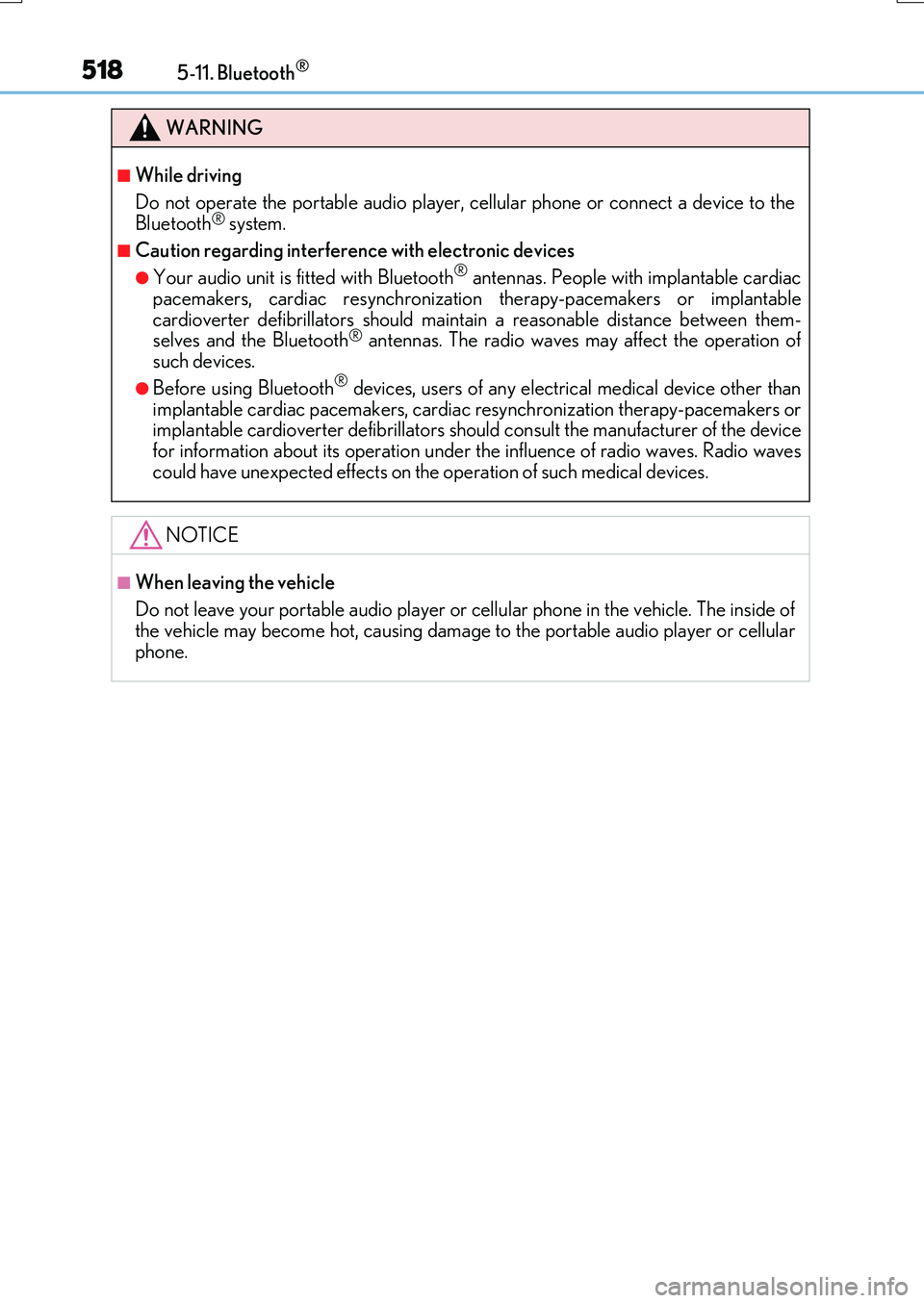
WARNING
■While driving
Do not operate the portable audio player, cellular phone or connect a device to the Bluetooth® system.
■Caution regarding interference with electronic devices
●Your audio unit is fitted with Bluetooth® antennas. People with implantable cardiacpacemakers, cardiac resynchronization therapy-pacemakers or implantable
cardioverter defibrillators should maintain a reasonable distance between them- selves and the Bluetooth® antennas. The radio waves may affect the operation ofsuch devices.
●Before using Bluetooth® devices, users of any electrical medical device other thanimplantable cardiac pacemakers, cardiac resynchronization therapy-pacemakers orimplantable cardioverter defibrillators should consult the manufacturer of the device
for information about its operation under th e influence of radio waves. Radio waves could have unexpected effects on the operation of such medical devices.
NOTICE
■When leaving the vehicle
Do not leave your portable audio player or cellular phone in the vehicle. The inside of
the vehicle may become hot, causing damage to the portable audio player or cellular phone.
Page 522 of 776
5225-12. Other function
RX350/RX200t_EE_OM48F32E
■Operational conditions
●When MirrorLink™ is activated, previous applications, run with a USB, are closed, and vice versa.
●Compatible devices
Smartphones, which passed the Car Connectivity Consortium certification program ver1.1 or later. Confirm with the smartphone manufacture or the distributor for theMirrorLink™ compatibility.
●Compatible applications Applications, which are certified by Car Connectivity Consortium as MirrorLink™Base-Certified or Drive-Certified applications.
■About MirrorLink™
MirrorLink is a registered trademark of Car Connectivity Consortium, Inc.
■When using MirrorLink™
●Check that the smartphone screen is unlo cked. Unlock the smartphone screen before connecting it to the Lexus Display Audio system. (Some smartphones may not be able to be connected via MirrorLink™ if the screen is locked.)
●Make sure that the smartphone has been connected via Bluetooth®. (Some smart-phones may not be able to perform hands-free calls using the MirrorLink™ function if it has not been connected to the vehicle via Bluetooth®.
●If a MirrorLink™ application cannot be started, check that the MirrorLink™ applica-tion certificate has not expired. The certificates of MirrorLink™ applications have an expiration date. (An internet connection is required to automatically update the certifi-
cate.) If a MirrorLink™ application becomes unavailable, it may be due to the certifi- cate expiring. In this case, the certificat e must be updated manually. Check with the smartphone manufacturer or application developer for how to update the certificate.
●Make sure the volume of the smartphone is set to an appropriate level. If the Mirror-Link™ application volume is excessively low even when the volume of the Lexus Dis- play Audio system is increased, check the vo lume of the smartphone and increase it as
necessary.
WARNING
■While driving
Do not connect smartphone or operate the controls.
Page 527 of 776
5275-12. Other function
5
Lexus Display Audio system
RX350/RX200t_EE_OM48F32E
■Microphone
P. 493
■Speech commands may not be recognized if:
●Spoken too quickly
●Spoken at a low or high volume
●Passengers are talking while speech commands are spoken