display LEXUS RX270 2014 Manual Online
[x] Cancel search | Manufacturer: LEXUS, Model Year: 2014, Model line: RX270, Model: LEXUS RX270 2014Pages: 652, PDF Size: 48.98 MB
Page 377 of 652
377
3-2. Using the audio system
3
Interior features
RX350/270_EE
Optimal use of the audio system
Adjusting sound quality and volume balance
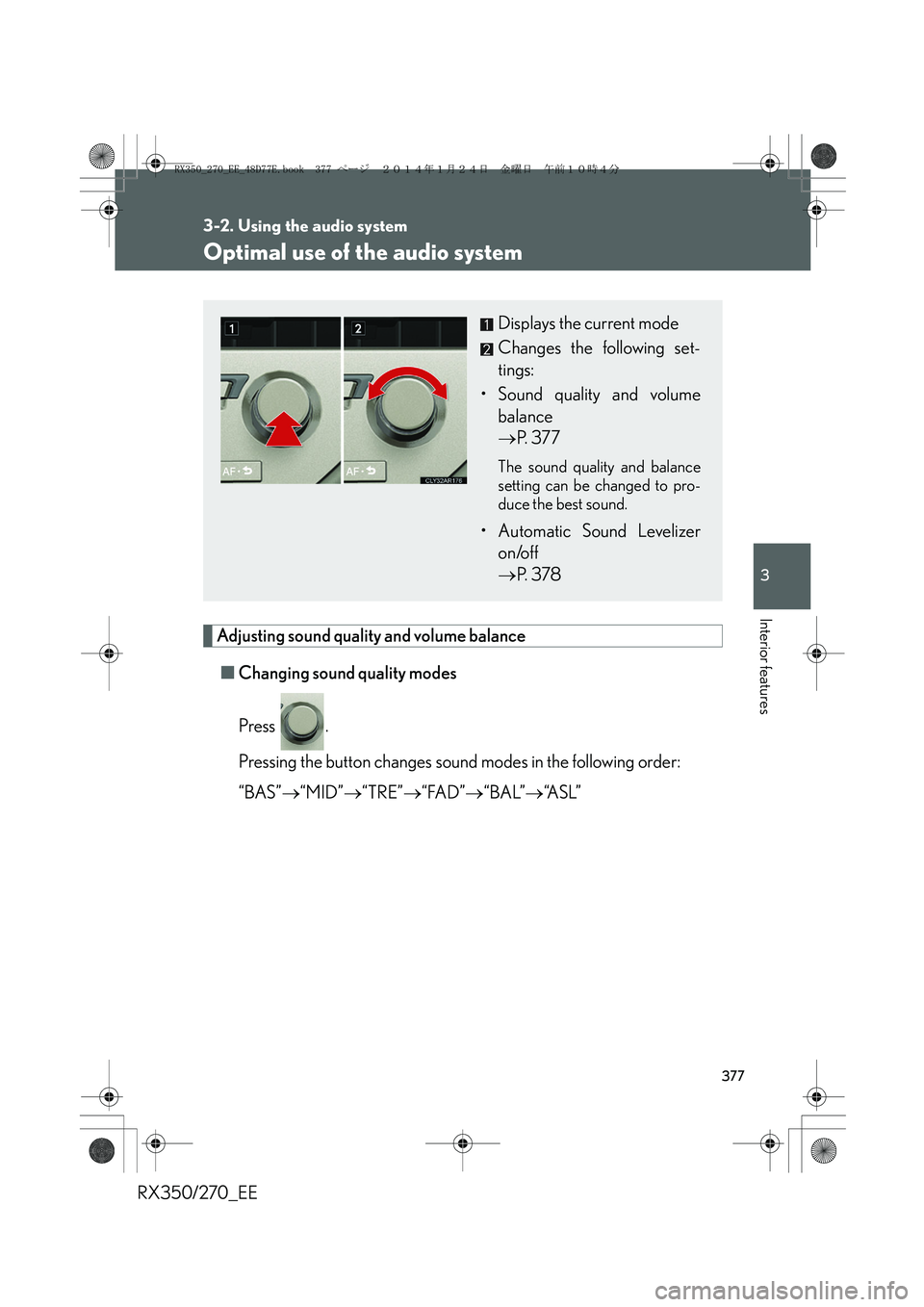
■Changing sound quality modes
Press .
Pressing the button changes sound modes in the following order:
“BAS”→“MID”→“TRE”→“FAD”→“BAL”→“A S L ”
Displays the current mode
Changes the following set-
tings:
• Sound quality and volume
balance
→P. 3 7 7
The sound quality and balance
setting can be changed to pro-
duce the best sound.
• Automatic Sound Levelizer
on/off
→P. 3 7 8
RX350_270_EE_48D77E.book 377 ページ 2014年1月24日 金曜日 午前10時4分
Page 378 of 652
378
3-2. Using the audio system
RX350/270_EE■Adjusting sound quality
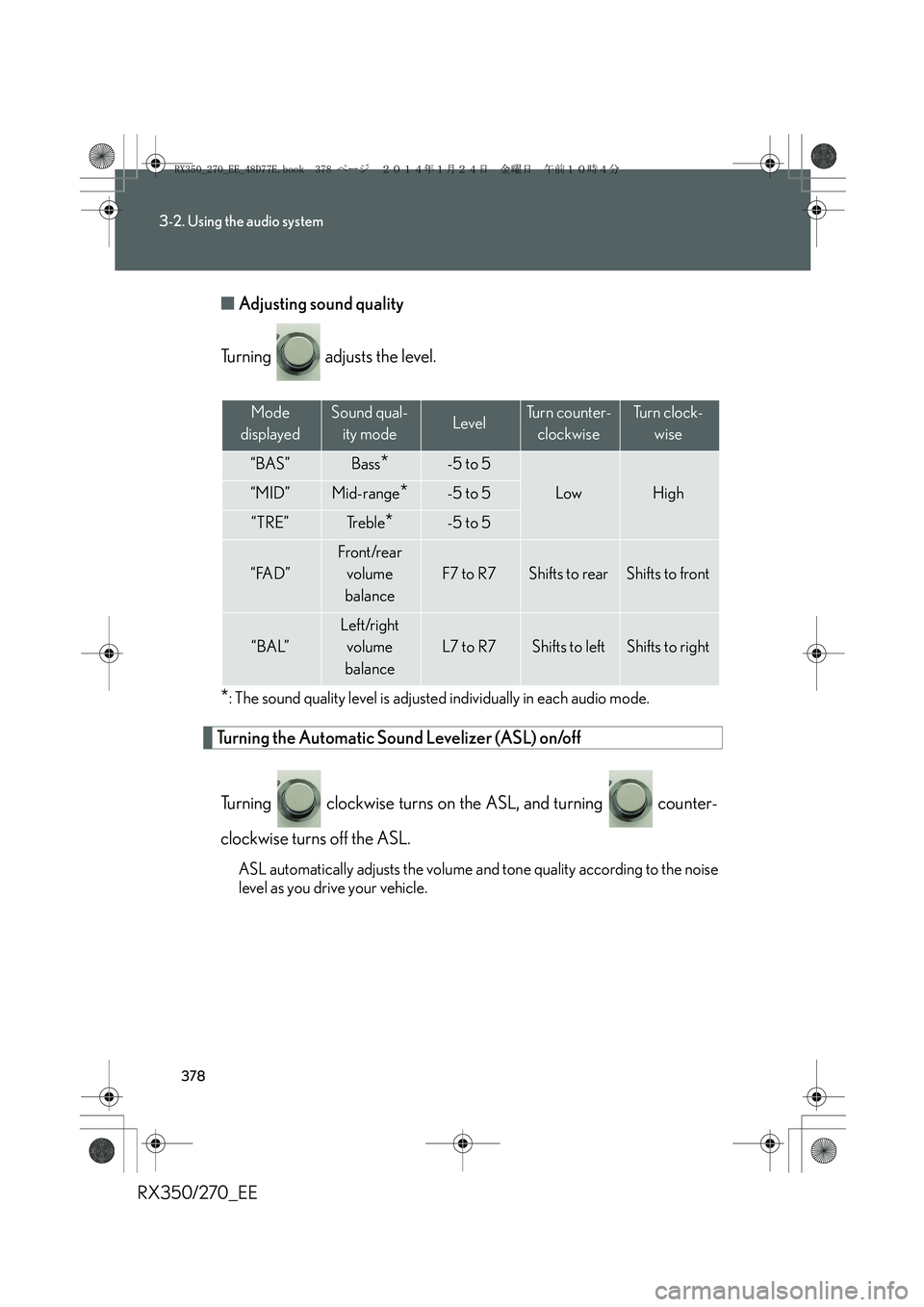
Turning adjusts the level.
*: The sound quality level is adjusted individually in each audio mode.
Turning the Automatic Sound Levelizer (ASL) on/off
Turning clockwise turns on the ASL, and turning counter-
clockwise turns off the ASL.
ASL automatically adjusts the volume and tone quality according to the noise
level as you drive your vehicle.
Mode
displayedSound qual-
ity modeLevelTurn counter-
clockwiseTu r n c l o c k -
wise
“BAS”Bass*-5 to 5
LowHigh“MID”Mid-range*-5 to 5
“TRE”Tr e b l e*-5 to 5
“FAD”
Front/rear
volume
balance
F7 to R7Shifts to rearShifts to front
“BAL”
Left/right
volume
balance
L7 to R7Shifts to leftShifts to right
RX350_270_EE_48D77E.book 378 ページ 2014年1月24日 金曜日 午前10時4分
Page 391 of 652
391
3-2. Using the audio system
3
Interior features
RX350/270_EE
Using the hands-free system (for mobile phones)
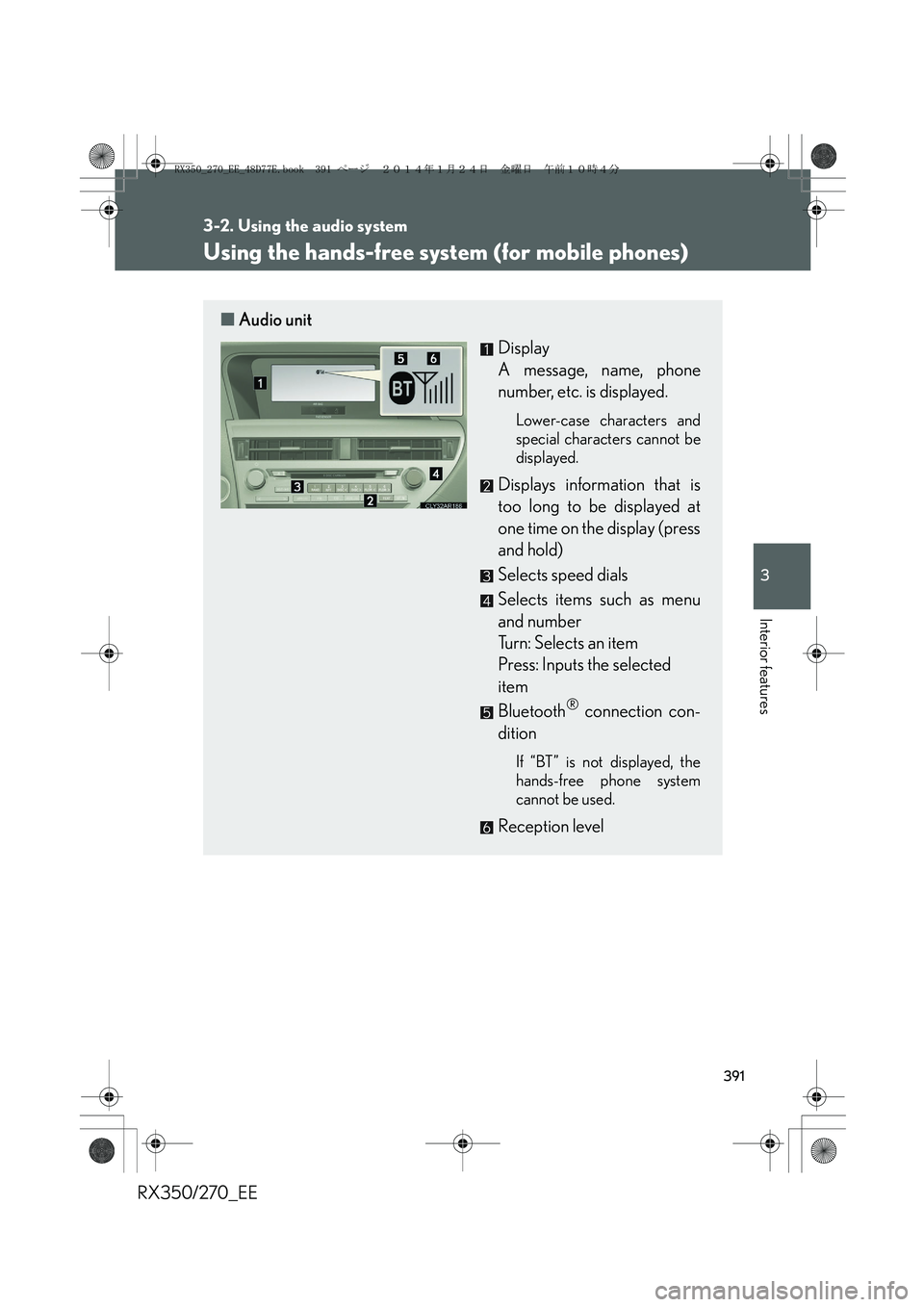
■Audio unit
Display
A message, name, phone
number, etc. is displayed.
Lower-case characters and
special characters cannot be
displayed.
Displays information that is
too long to be displayed at
one time on the display (press
and hold)
Selects speed dials
Selects items such as menu
and number
Turn: Selects an item
Press: Inputs the selected
item
Bluetooth
® connection con-
dition
If “BT” is not displayed, the
hands-free phone system
cannot be used.
Reception level
RX350_270_EE_48D77E.book 391 ページ 2014年1月24日 金曜日 午前10時4分
Page 393 of 652
393
3-2. Using the audio system
3
Interior features
RX350/270_EE
Using the hands-free phone system for the first time
Before using the hands-free phone system, it is necessary to register a
mobile phone in the system. The system will enter phone registration
mode automatically when starting the system with no mobile phone reg-
istered. Follow the procedure below to register (pair) a mobile phone:
Press the off-hook switch or the talk switch, and select “Pair
Phone” using .
Select “Record Name” using , and say the name to be reg-
istered after the beep.
The name to be registered will be repeated aloud.
Select “Confirm” using .
A passkey will be displayed.
Input the passkey into the mobile phone.
Refer to the manual that comes with the mobile phone for the operation
of the phone.
If the mobile phone has a Bluetooth® audio player, the audio player can
be registered at the same time.
When “Pair Audio?” is displayed, select “Yes” or “No” using
. (Bluetooth
® audio player →P. 362)
STEP1
STEP2
STEP3
STEP4
STEP5
RX350_270_EE_48D77E.book 393 ページ 2014年1月24日 金曜日 午前10時4分
Page 395 of 652
395
3-2. Using the audio system
3
Interior features
RX350/270_EE
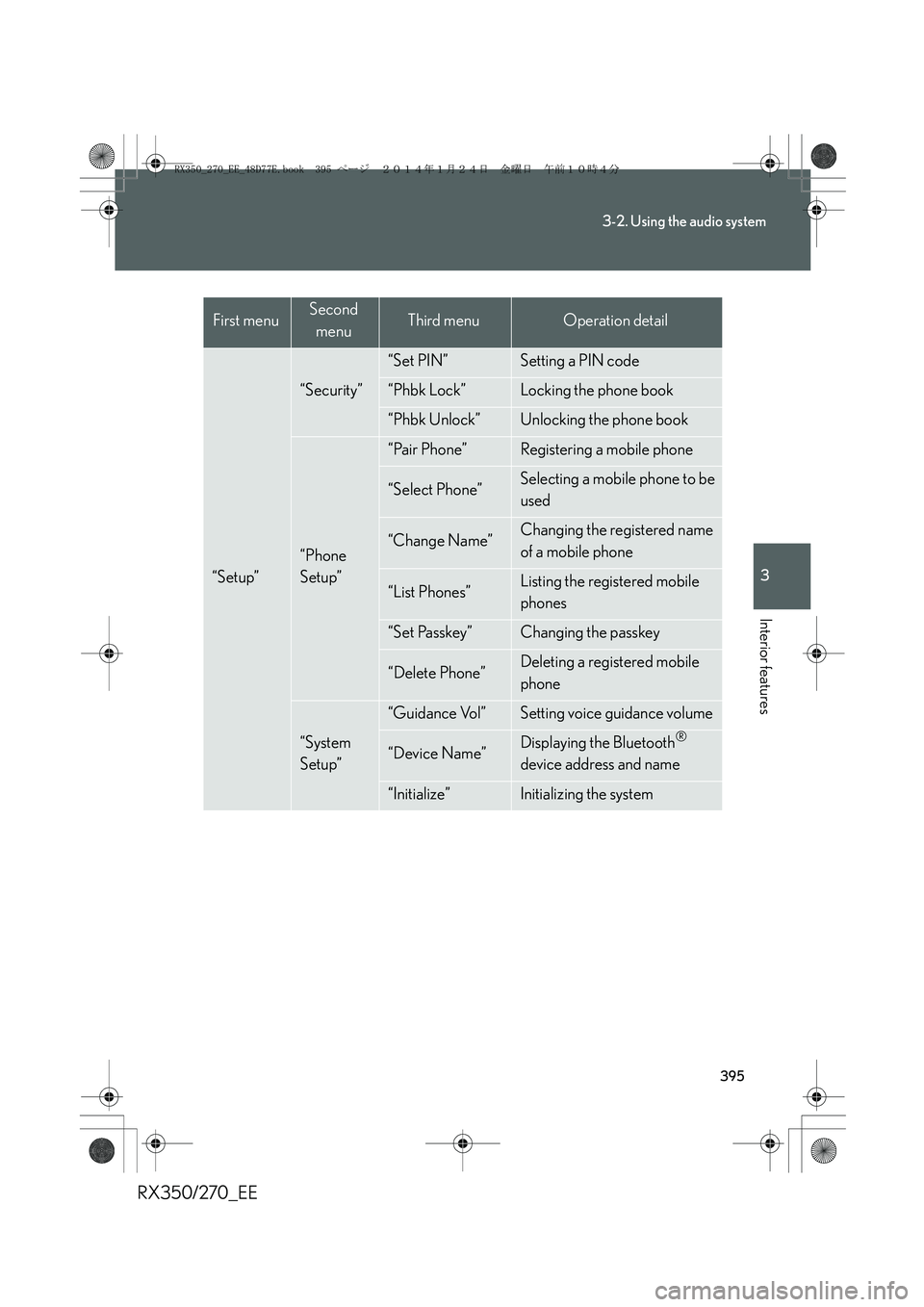
“Setup”
“Security”
“Set PIN”Setting a PIN code
“Phbk Lock”Locking the phone book
“Phbk Unlock”Unlocking the phone book
“Phone
Setup”
“Pair Phone”Registering a mobile phone
“Select Phone”Selecting a mobile phone to be
used
“Change Name”Changing the registered name
of a mobile phone
“List Phones”Listing the registered mobile
phones
“Set Passkey”Changing the passkey
“Delete Phone”Deleting a registered mobile
phone
“System
Setup”
“Guidance Vol”Setting voice guidance volume
“Device Name”Displaying the Bluetooth®
device address and name
“Initialize”Initializing the system
First menuSecond
menuThird menuOperation detail
RX350_270_EE_48D77E.book 395 ページ 2014年1月24日 金曜日 午前10時4分
Page 398 of 652
398
3-2. Using the audio system
RX350/270_EE
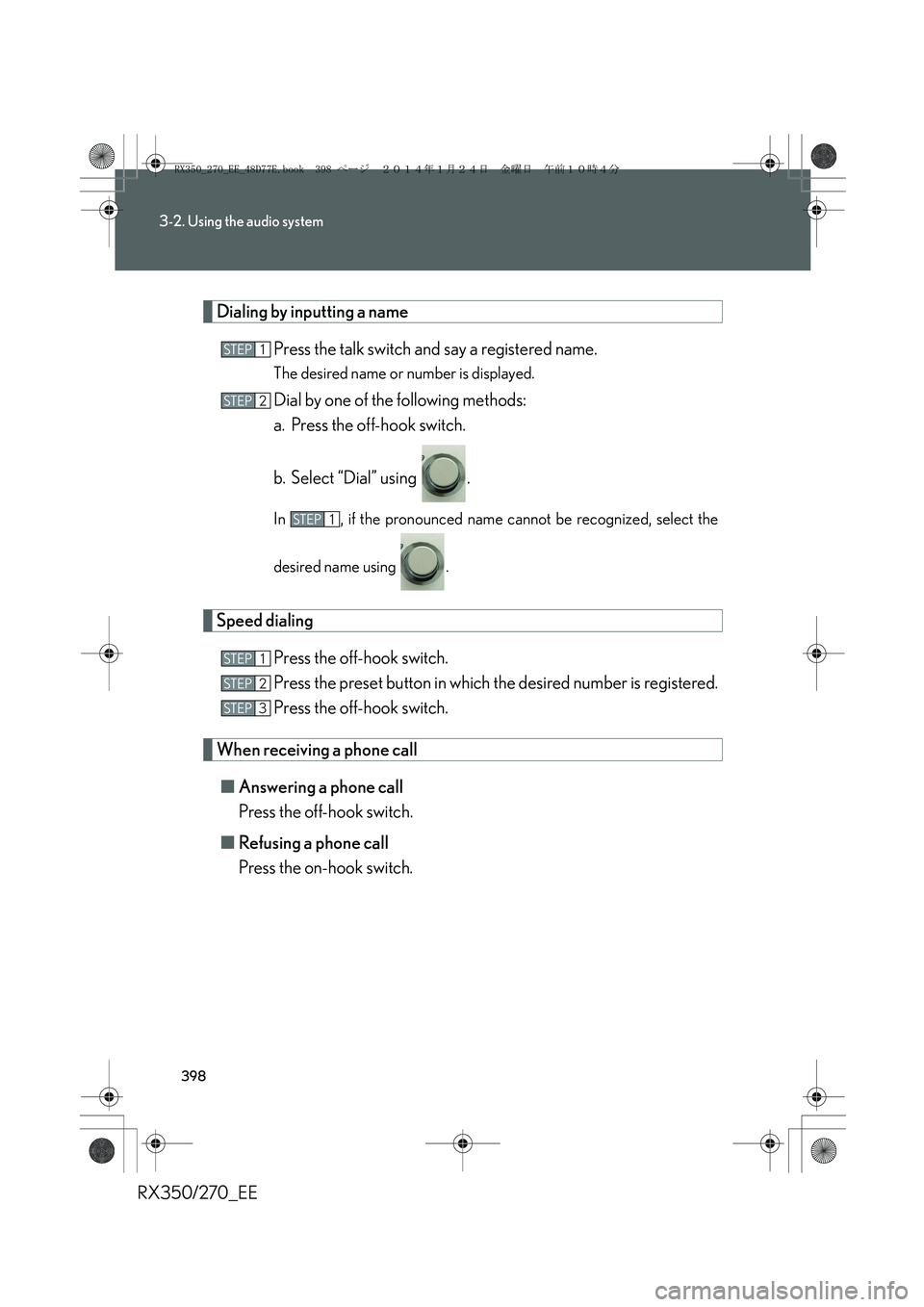
Dialing by inputting a name
Press the talk switch and say a registered name.
The desired name or number is displayed.
Dial by one of the following methods:
a. Press the off-hook switch.
b. Select “Dial” using .
In , if the pronounced name cannot be recognized, select the
desired name using .
Speed dialing
Press the off-hook switch.
Press the preset button in which the desired number is registered.
Press the off-hook switch.
When receiving a phone call
■Answering a phone call
Press the off-hook switch.
■Refusing a phone call
Press the on-hook switch.
STEP1
STEP2
STEP1
STEP1
STEP2
STEP3
RX350_270_EE_48D77E.book 398 ページ 2014年1月24日 金曜日 午前10時4分
Page 404 of 652
404
3-2. Using the audio system
RX350/270_EE
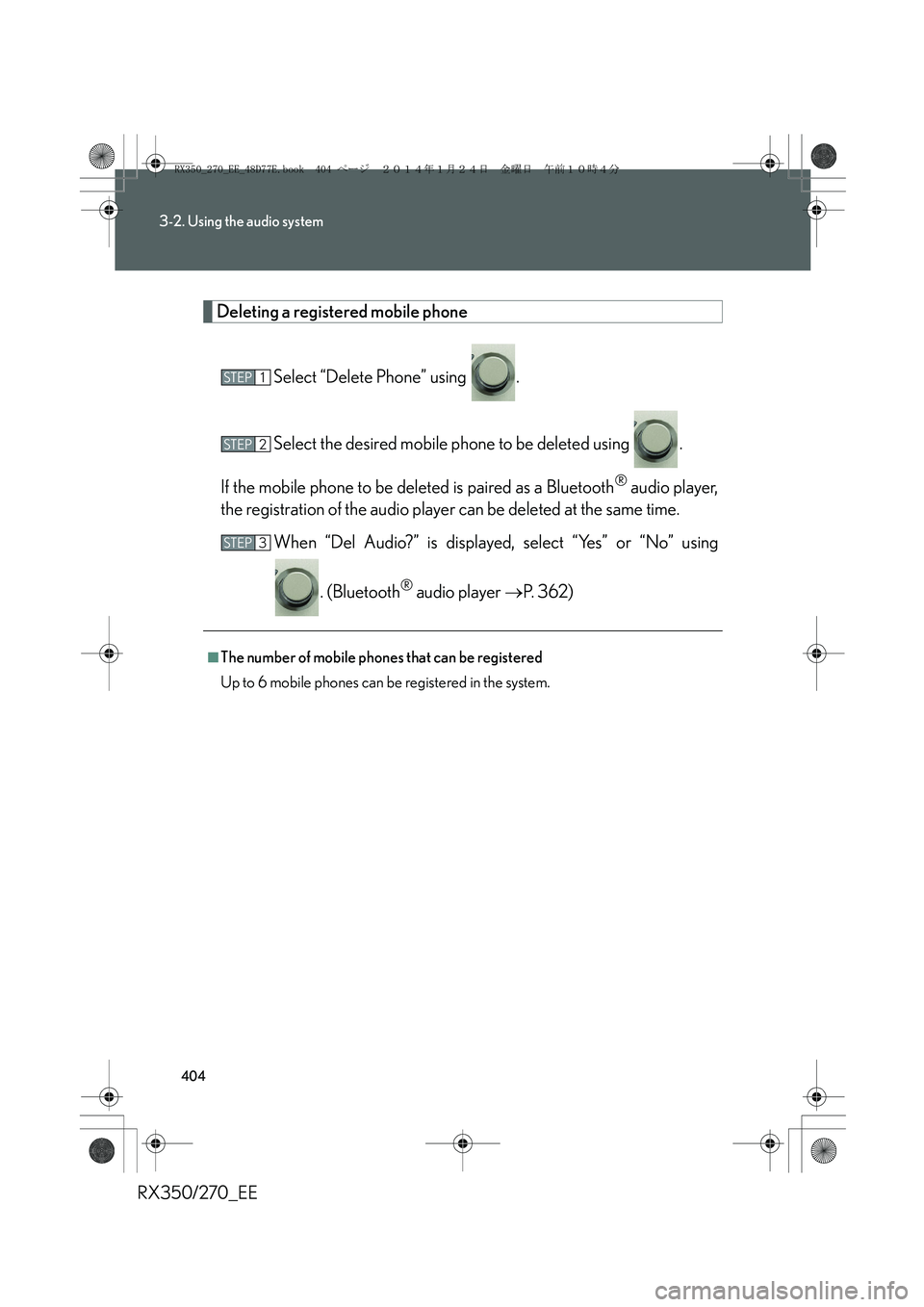
Deleting a registered mobile phone
Select “Delete Phone” using .
Select the desired mobile phone to be deleted using .
If the mobile phone to be deleted is paired as a Bluetooth
® audio player,
the registration of the audio player can be deleted at the same time.
When “Del Audio?” is displayed, select “Yes” or “No” using
. (Bluetooth
® audio player →P. 362)
■The number of mobile phones that can be registered
Up to 6 mobile phones can be registered in the system.
STEP1
STEP2
STEP3
RX350_270_EE_48D77E.book 404 ページ 2014年1月24日 金曜日 午前10時4分
Page 406 of 652
406
3-2. Using the audio system
RX350/270_EE
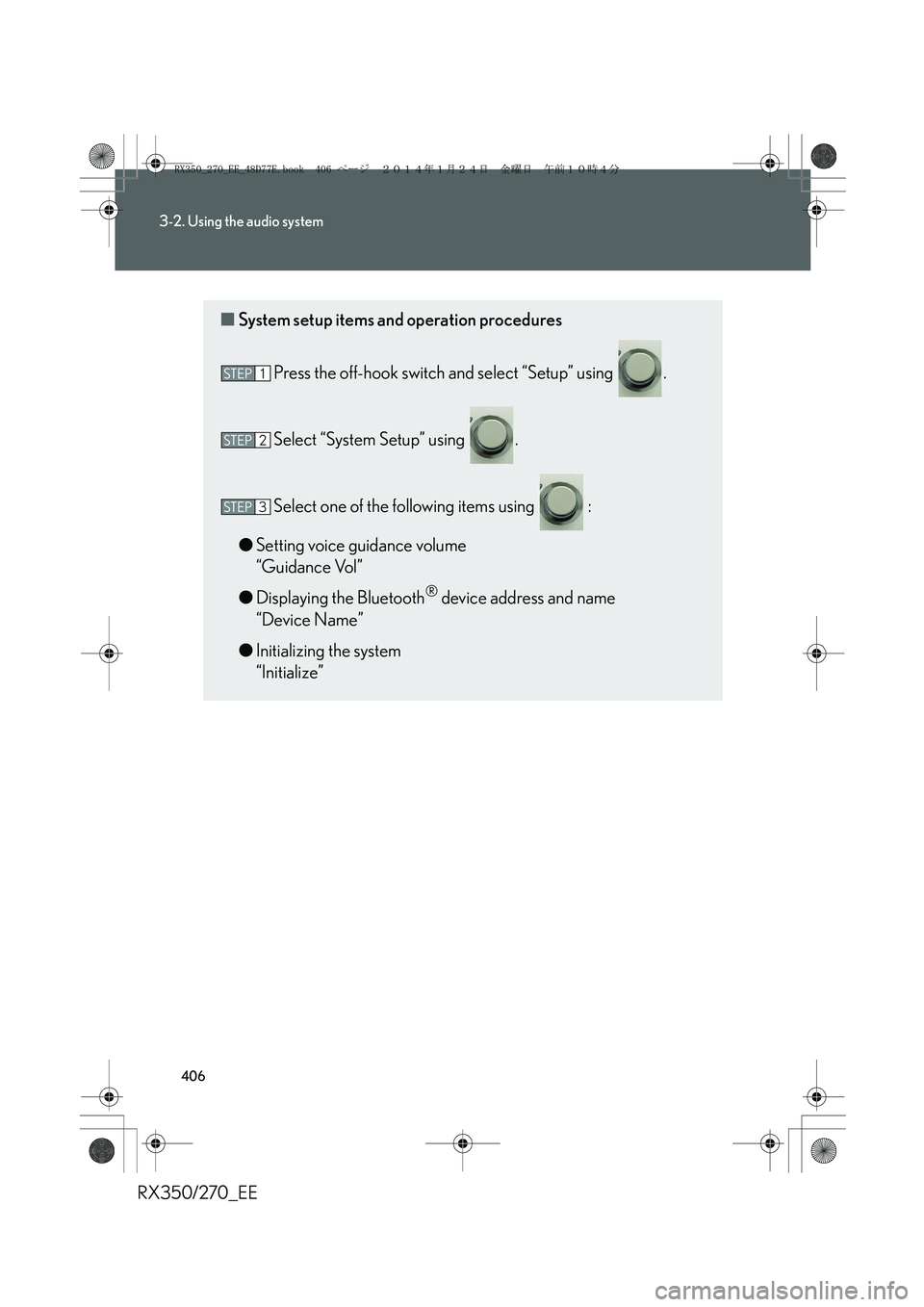
■System setup items and operation procedures
Press the off-hook switch and select “Setup” using .
Select “System Setup” using .
Select one of the following items using :
●Setting voice guidance volume
“Guidance Vol”
●Displaying the Bluetooth
® device address and name
“Device Name”
●Initializing the system
“Initialize”
STEP1
STEP2
STEP3
RX350_270_EE_48D77E.book 406 ページ 2014年1月24日 金曜日 午前10時4分
Page 409 of 652
409
3-2. Using the audio system
3
Interior features
RX350/270_EE
Displaying the Bluetooth® device address and name
Select “Device Name” using .
Turn to display the Bluetooth
® device address and name.
Select “Go Back” using to return to “System Setup”.
Initializing the system
Select “Initialize” and then “Confirm” using .
Select “Confirm” again using .
STEP1
STEP2
STEP3
STEP1
STEP2
RX350_270_EE_48D77E.book 409 ページ 2014年1月24日 金曜日 午前10時4分
Page 412 of 652
412
3-2. Using the audio system
RX350/270_EE■Adding procedure
Select “Add Entry” using .
Use one of the following methods to input a telephone number:
Transferring data from the mobile phone:
STEP2-1 Select “By Phone” and then “Confirm” using .
STEP2-2 When “Transfer” appears in the display, transfer the
data from the mobile phone.
Refer to the manual that comes with the mobile phone for
details on transferring data.
STEP2-3 Select the desired data using .
Inputting a phone number using :
STEP2-1 Select “Manual Input” using .
STEP2-2 Input a phone number using , and press
again.
Input the phone number 1 digit at a time.
STEP1
STEP2
RX350_270_EE_48D77E.book 412 ページ 2014年1月24日 金曜日 午前10時4分