bluetooth LEXUS RX350 2011 User Guide
[x] Cancel search | Manufacturer: LEXUS, Model Year: 2011, Model line: RX350, Model: LEXUS RX350 2011Pages: 821, PDF Size: 13.27 MB
Page 411 of 821
341
3-2. Using the audio system
3
Interior features
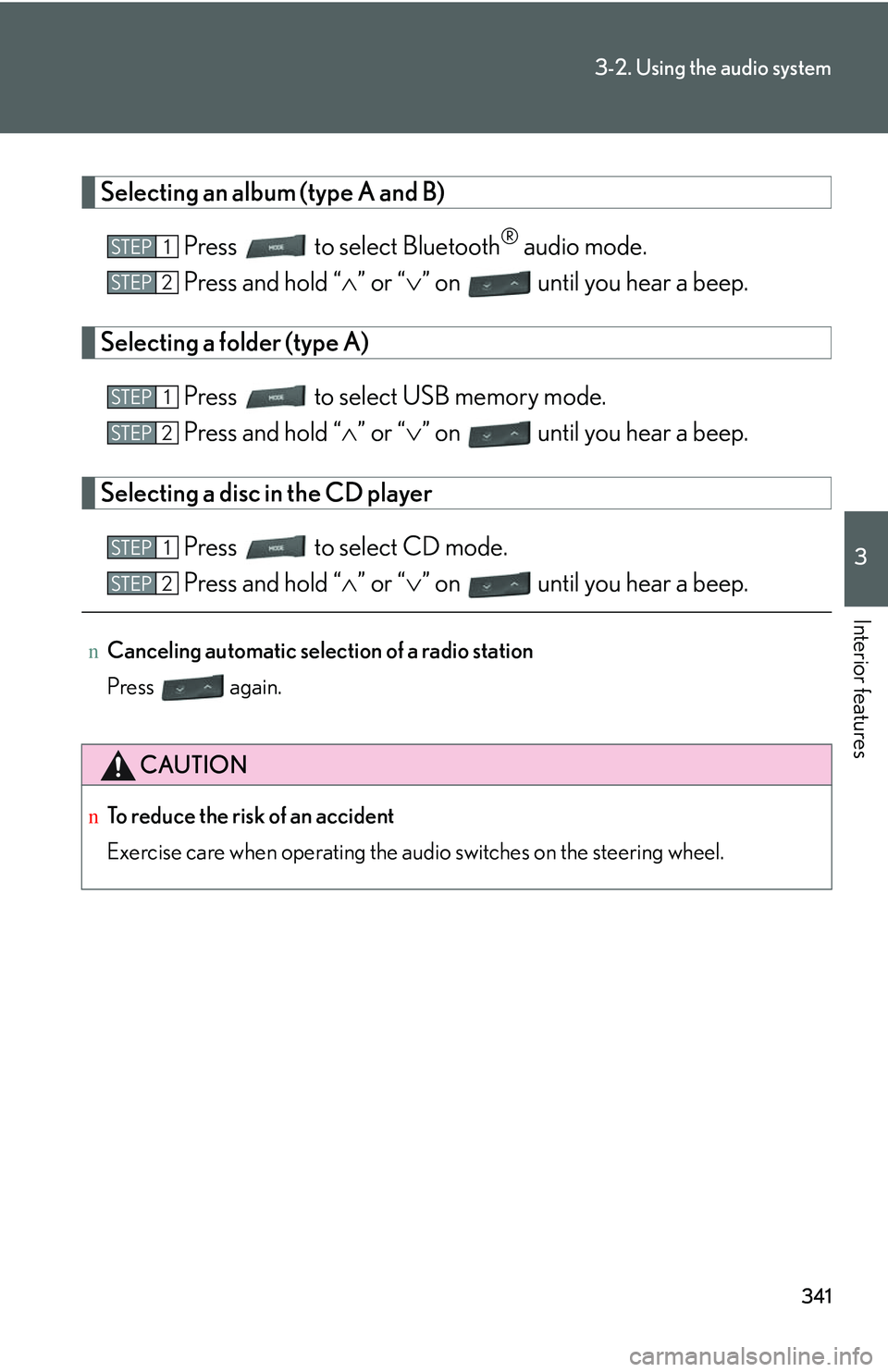
Selecting an album (type A and B)
Press to select Bluetooth® audio mode.
Press and hold “∧” or “∨” on until you hear a beep.
Selecting a folder (type A)
Press to select USB memory mode.
Press and hold “∧” or “∨” on until you hear a beep.
Selecting a disc in the CD player
Press to select CD mode.
Press and hold “∧” or “∨” on until you hear a beep.
nCanceling automatic selection of a radio station
Press again.
CAUTION
nTo reduce the risk of an accident
Exercise care when operating the audio switches on the steering wheel.
STEP1
STEP2
STEP1
STEP2
STEP1
STEP2
Page 412 of 821
342
3-3. Using the Bluetooth® audio system
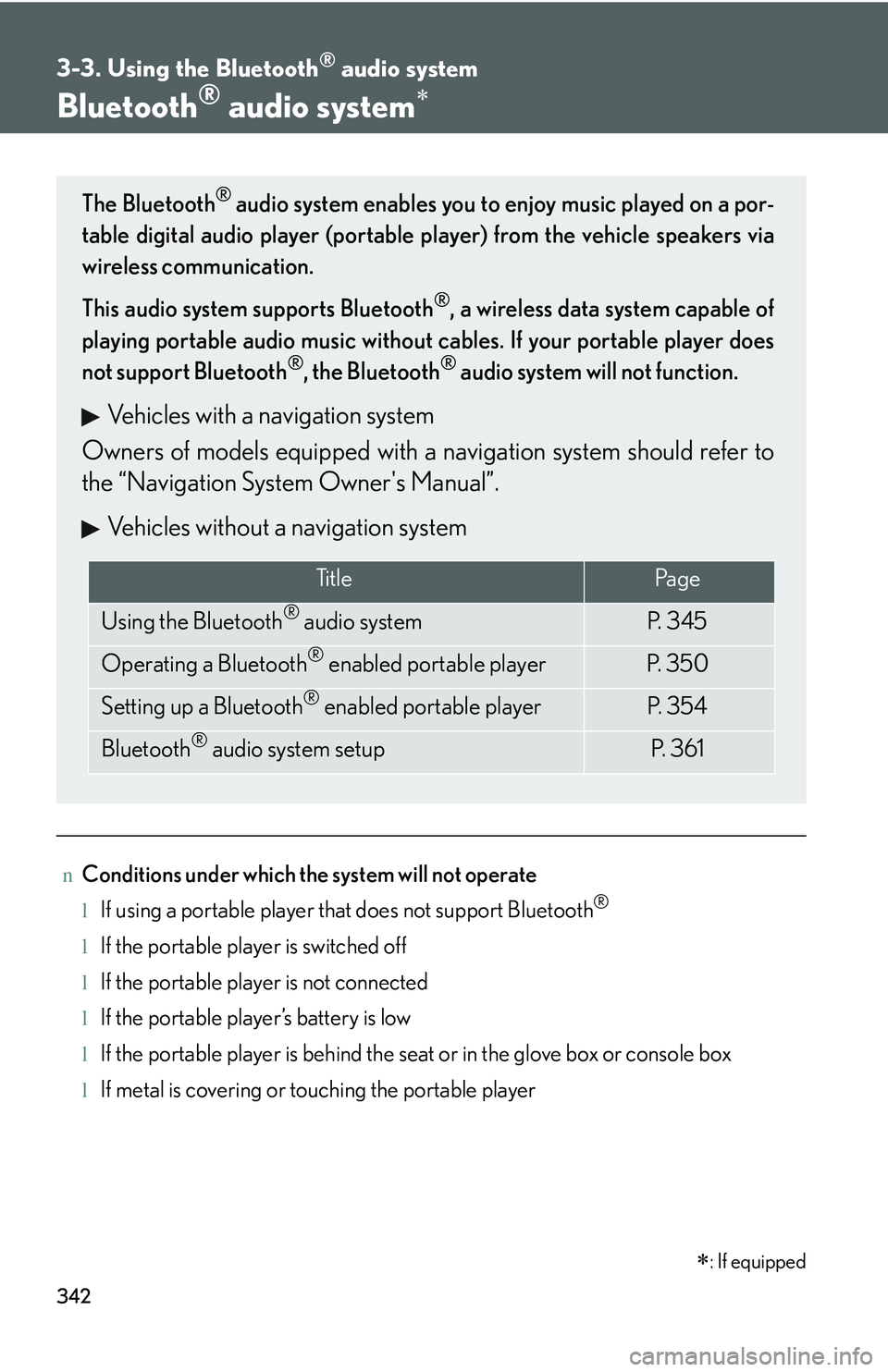
Bluetooth® audio system∗
nConditions under which the system will not operate
lIf using a portable player that does not support Bluetooth®
lIf the portable player is switched off
lIf the portable player is not connected
lIf the portable player’s battery is low
lIf the portable player is behind the seat or in the glove box or console box
lIf metal is covering or touching the portable player
The Bluetooth® audio system enables you to enjoy music played on a por-
table digital audio player (portable player) from the vehicle speakers via
wireless communication.
This audio system supports Bluetooth®, a wireless data system capable of
playing portable audio music without cables. If your portable player does
not support Bluetooth®, the Bluetooth® audio system will not function.
Vehicles with a navigation system
Owners of models equipped with a navigation system should refer to
the “Navigation System Owner's Manual”.
Vehicles without a navigation system
Ti t l ePa g e
Using the Bluetooth® audio systemP. 3 4 5
Operating a Bluetooth® enabled portable playerP. 3 5 0
Setting up a Bluetooth® enabled portable playerP. 3 5 4
Bluetooth® audio system setupP. 3 6 1
∗: If equipped
Page 413 of 821
343
3-3. Using the Bluetooth® audio system
3
Interior features
nWhen transferring ownership of the vehicle
Be sure to initialize the system to prevent personal data from being improperly
accessed. (→P. 388)
nAbout Bluetooth®
nCompatible models
lBluetooth® specifications:
Ver. 1.2, or higher (Recommended: Ver. 2.0+EDR or higher)
lFollowing Profiles:
Page 414 of 821
344
3-3. Using the Bluetooth® audio system
CAUTION
nFCC WARNING
Changes or modifications not expressly approved by the party responsible for
compliance could void the user's authority to operate the equipment.
Radio Frequency Radiation Exposure. This equipment complies with FCC radiation
exposure limits set forth for uncontrolled equipment and meets the FCC radio fre-
quency (RF) Exposure Guidelines in Supplement C to OET65. This equipment has
very low levels of RF energy that it deemed to comply without maximum permissive
exposure evaluation (MPE). But it is desirable that it should be installed and oper-
ated with at least 7.9 in. (20 cm) and more between the radiator and person’s body
(excluding extremities: hands, wrists, feet and legs).
This transmitter must not be co-located or operated in conjunction with any other
antenna or transmitter.
nCaution while driving
Do not connect portable players or operate the controls.
NOTICE
nTo prevent damage to portable players
Do not leave portable players in the vehicle. The temperature inside the vehicle
may become high, resulting in damage to the player.
Page 415 of 821
345
3-3. Using the Bluetooth® audio system
3
Interior features
Using the Bluetooth® audio system
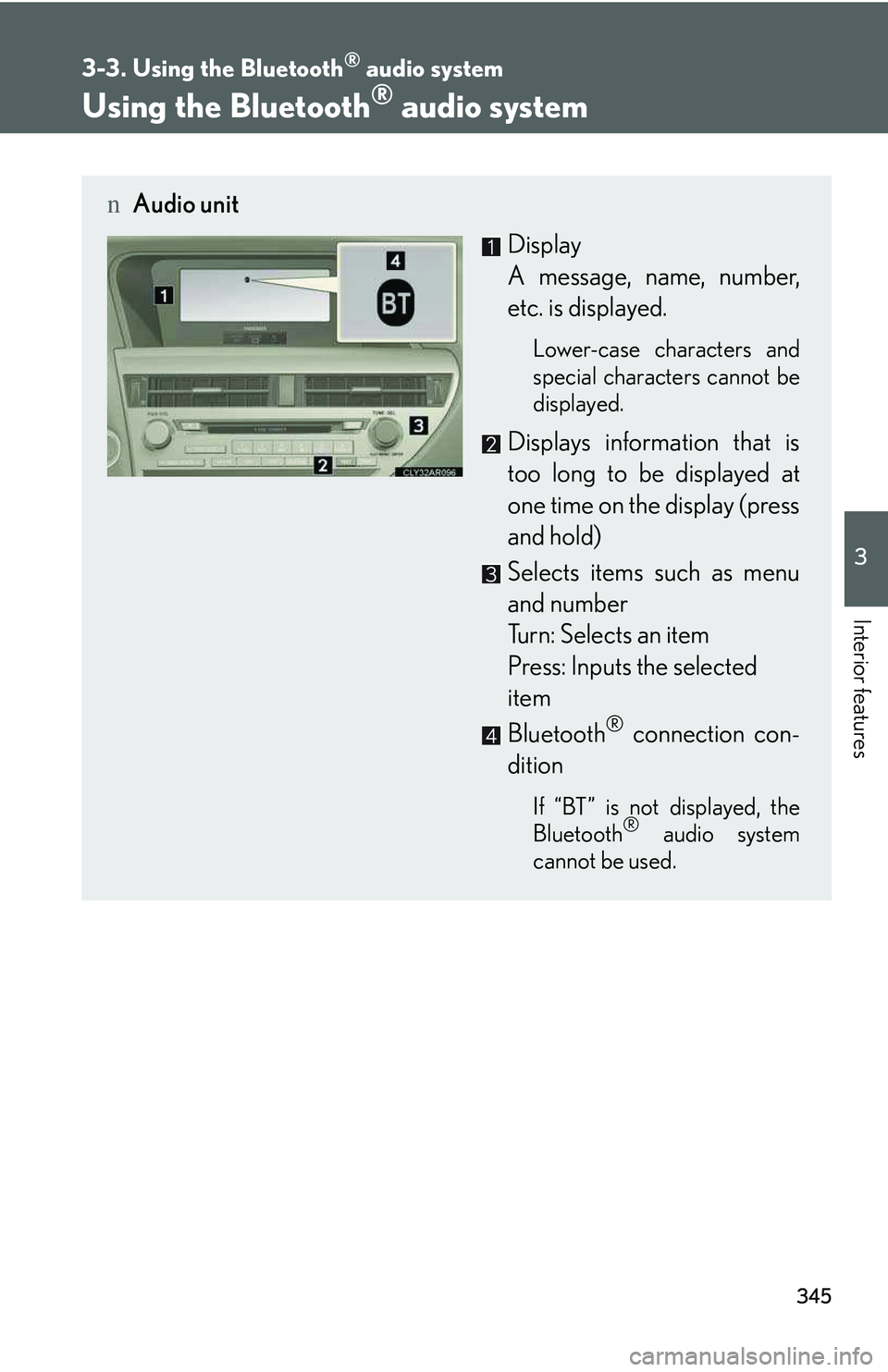
nAudio unit
Display
A message, name, number,
etc. is displayed.
Lower-case characters and
special characters cannot be
displayed.
Displays information that is
too long to be displayed at
one time on the display (press
and hold)
Selects items such as menu
and number
Turn: Selects an item
Press: Inputs the selected
item
Bluetooth® connection con-
dition
If “BT” is not displayed, the
Bluetooth® audio system
cannot be used.
Page 416 of 821
346
3-3. Using the Bluetooth® audio system
Operating the system using voice commands
By following voice guidance instructions output from the speaker, voice
commands enable to the operation of the Bluetooth® audio system with-
out the need to check the display or operate .
nOperation procedure when using voice commands
Press the talk switch and follow voice guidance instructions.
nAuxiliary commands when using voice commands
The following auxiliary commands can be used when operating the
system using a voice command:
“Cancel”: Exits the Bluetooth® audio system
“Repeat”: Repeats the previous voice guidance instruction
“Go back”: Returns to the previous procedure
“Help”: Reads aloud the function summary if a help comment is regis-
tered for the selected function
Page 417 of 821
347
3-3. Using the Bluetooth® audio system
3
Interior features
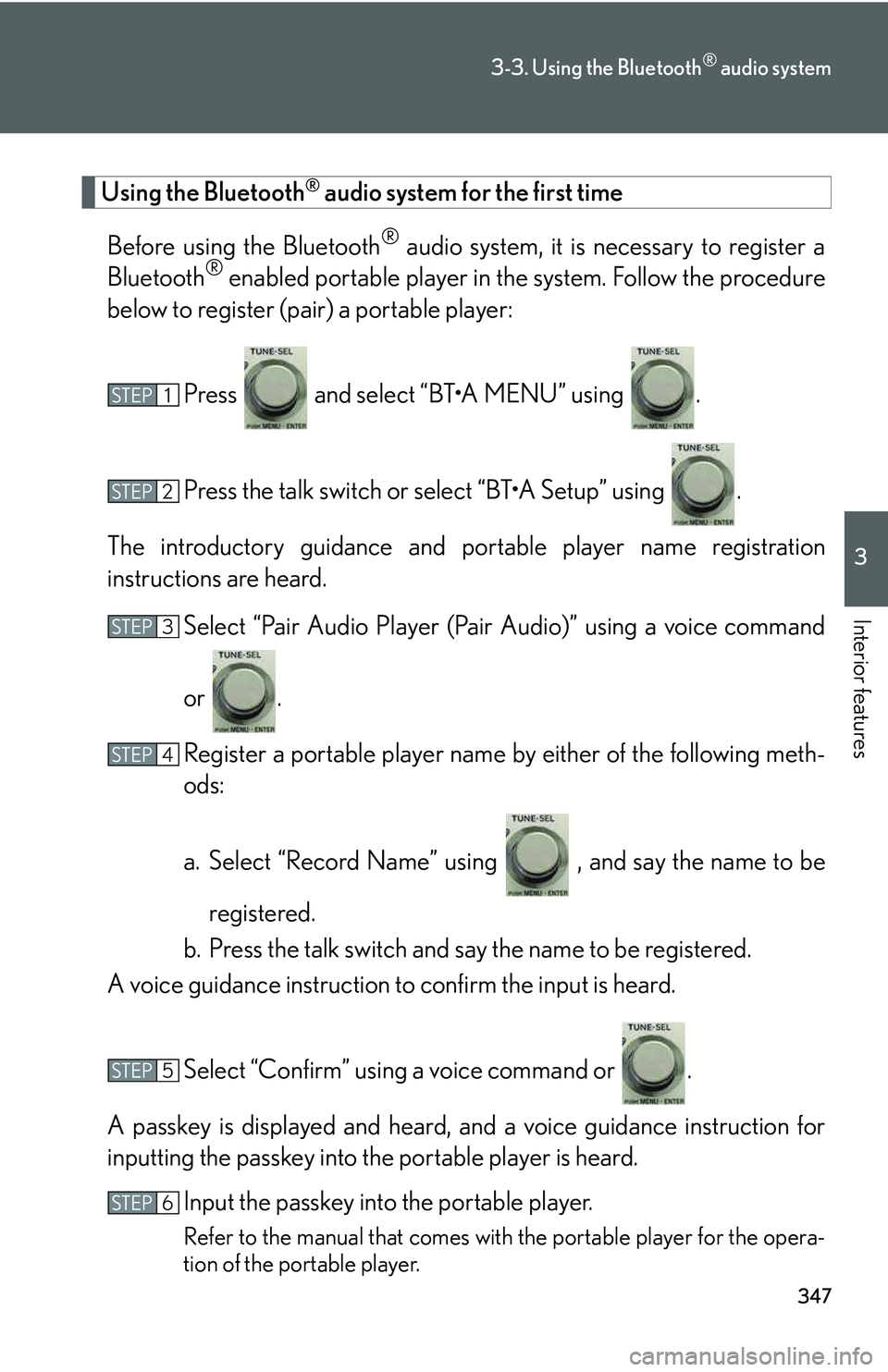
Using the Bluetooth® audio system for the first time
Before using the Bluetooth® audio system, it is necessary to register a
Bluetooth® enabled portable player in the system. Follow the procedure
below to register (pair) a portable player:
Press and select “BT
Page 418 of 821
348
3-3. Using the Bluetooth® audio system
Guidance for registration completion is heard.
If the portable player has a Bluetooth® phone, the phone can be regis-
tered at the same time. A voice guidance instruction to register a Blue-
tooth® phone is heard.
Select “Yes” or “No” using a voice command or .
(Bluetooth® phone →P. 364)
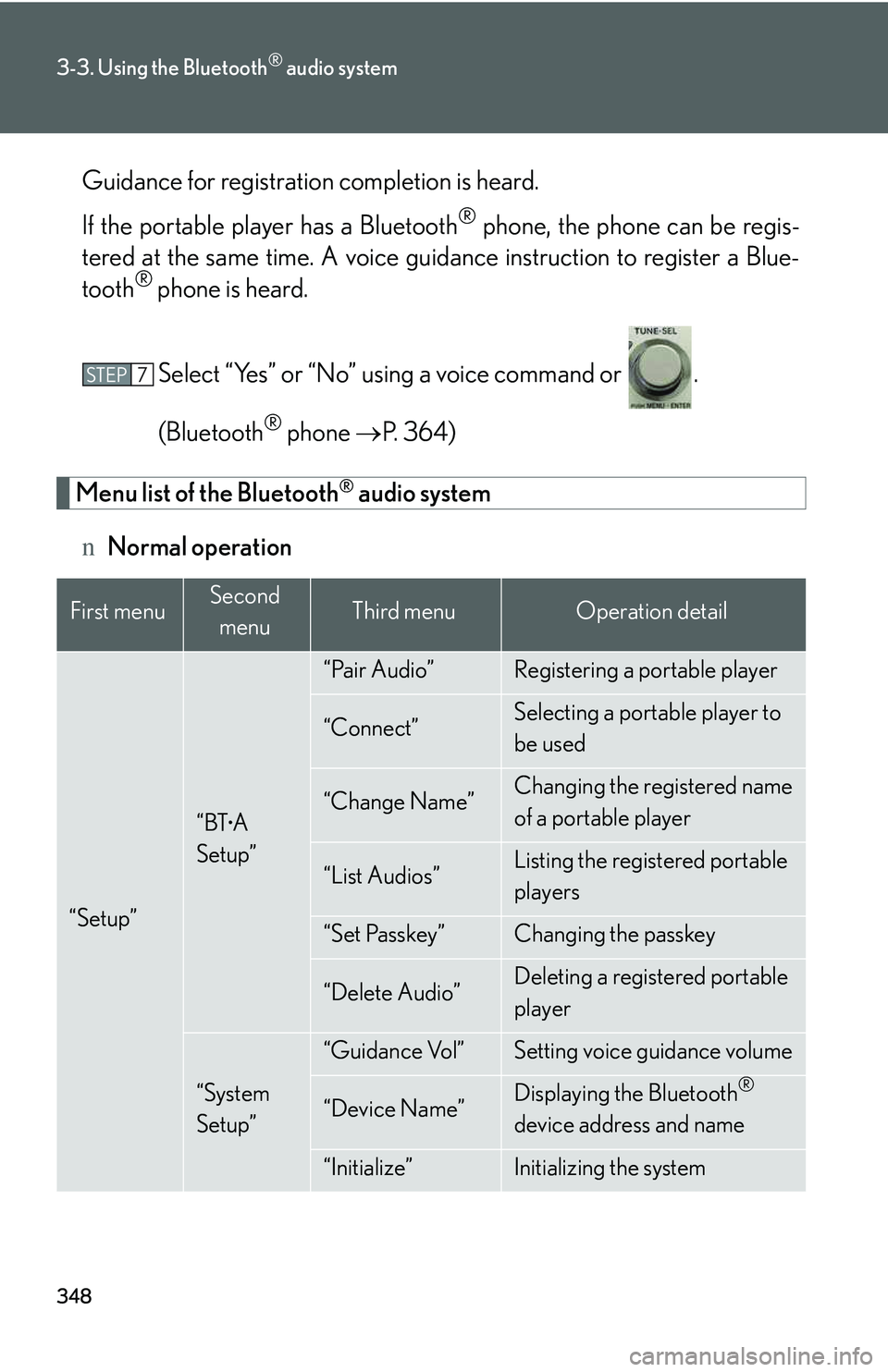
Menu list of the Bluetooth® audio system
nNormal operation
First menuSecond
menuThird menuOperation detail
“Setup”
“BTA
Setup”
“Pair Audio”Registering a portable player
“Connect”Selecting a portable player to
be used
“Change Name”Changing the registered name
of a portable player
“List Audios”Listing the registered portable
players
“Set Passkey”Changing the passkey
“Delete Audio”Deleting a registered portable
player
“System
Setup”
“Guidance Vol”Setting voice guidance volume
“Device Name”Displaying the Bluetooth®
device address and name
“Initialize”Initializing the system
STEP7
Page 419 of 821
349
3-3. Using the Bluetooth® audio system
3
Interior features
nWhen using a voice command
For numbers, say a combination of single digits from zero to nine.
Say the command correctly and clearly.
nSituations that the system may not recognize your voice
lWhen driving on rough roads
lWhen driving at high speeds
lWhen air is blowing out of the vents onto the microphone
lWhen the air conditioning fan emits a loud noise
nOperations that cannot be performed while driving
lOperating the system with
lRegistering a portable player to the system
nChanging the passkey
→P. 3 5 9
Page 420 of 821
350
3-3. Using the Bluetooth® audio system
Operating a Bluetooth ®
enabled portable player
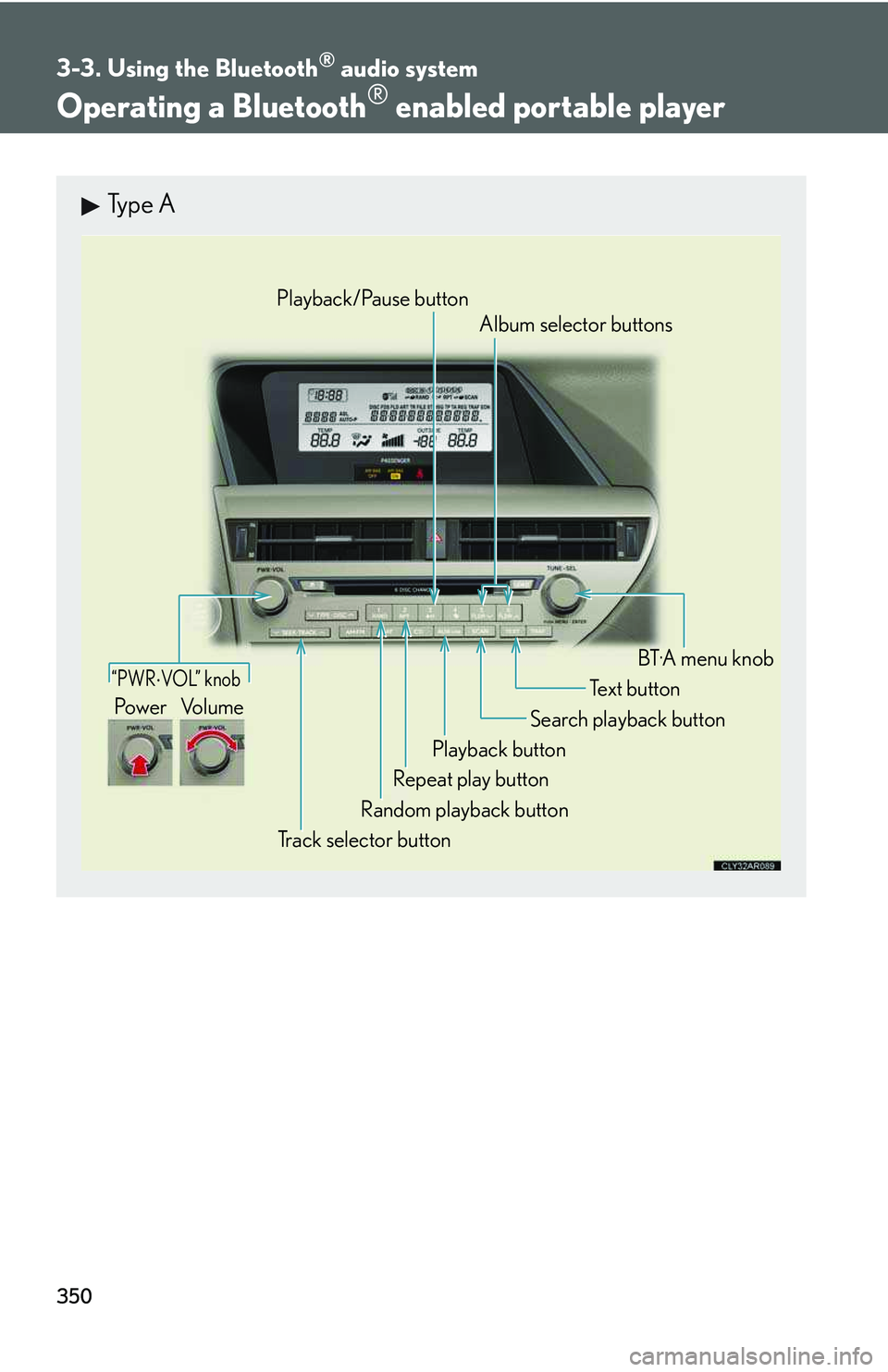
Type A
“PWR ⋅ VOL” knob
Track selector button
Playback button
Search playback button
Random playback button
Repeat play button
Te x t b u t t o nPow e r Vo l u m e
Playback/Pause button
Album selector buttons
BT