service LINCOLN MKZ 2013 Manual Online
[x] Cancel search | Manufacturer: LINCOLN, Model Year: 2013, Model line: MKZ, Model: LINCOLN MKZ 2013Pages: 474, PDF Size: 3.79 MB
Page 398 of 474
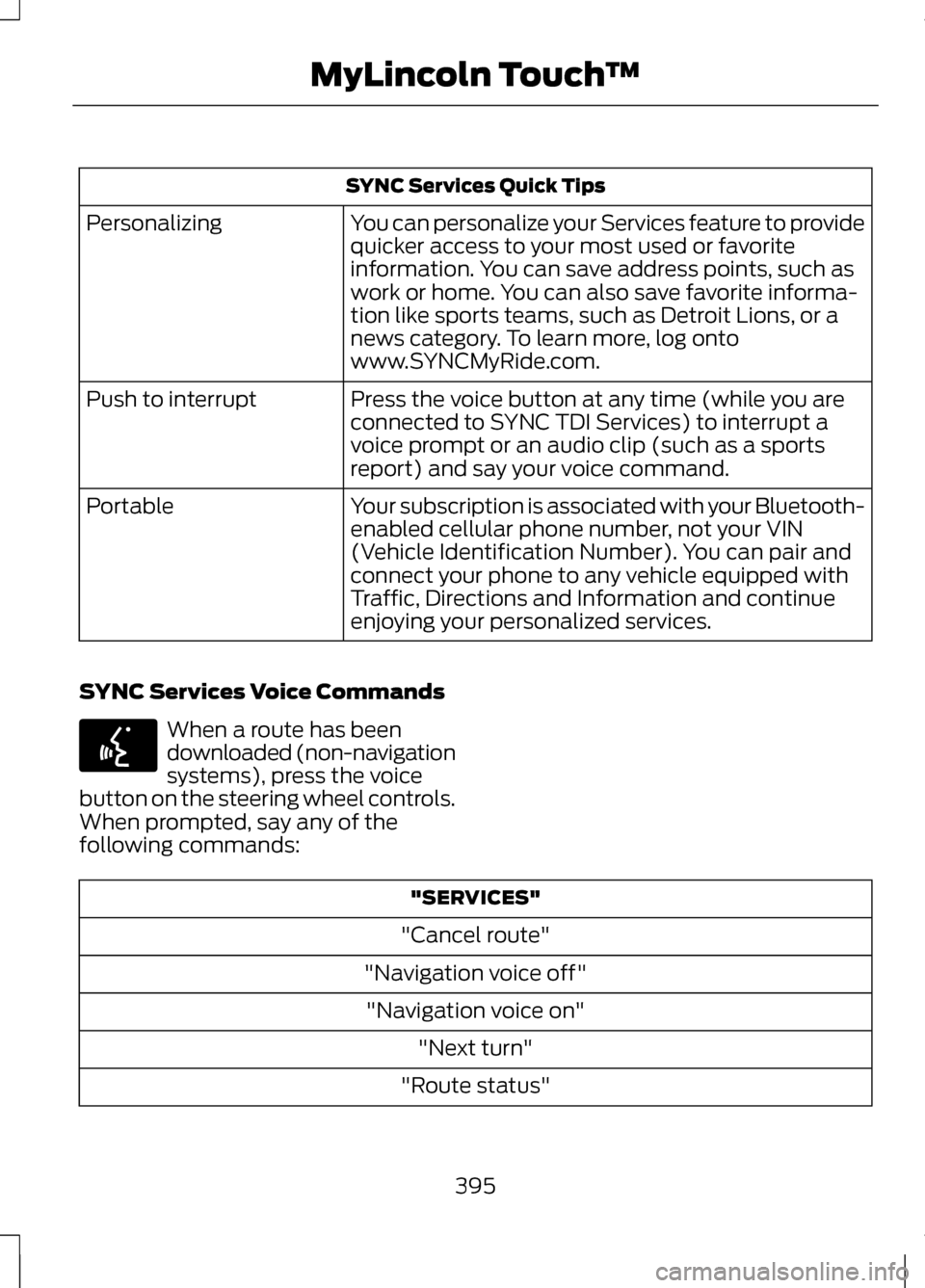
SYNC Services Quick Tips
You can personalize your Services feature to provide
quicker access to your most used or favorite
information. You can save address points, such as
work or home. You can also save favorite informa-
tion like sports teams, such as Detroit Lions, or a
news category. To learn more, log onto
www.SYNCMyRide.com.
Personalizing
Press the voice button at any time (while you are
connected to SYNC TDI Services) to interrupt a
voice prompt or an audio clip (such as a sports
report) and say your voice command.
Push to interrupt
Your subscription is associated with your Bluetooth-
enabled cellular phone number, not your VIN
(Vehicle Identification Number). You can pair and
connect your phone to any vehicle equipped with
Traffic, Directions and Information and continue
enjoying your personalized services.
Portable
SYNC Services Voice Commands When a route has been
downloaded (non-navigation
systems), press the voice
button on the steering wheel controls.
When prompted, say any of the
following commands: "SERVICES"
"Cancel route"
"Navigation voice off" "Navigation voice on" "Next turn"
"Route status"
395
MyLincoln Touch
™E142599
Page 399 of 474
"SERVICES"
"Route summary" "Services"
"Update route" "Help"
SIRIUS Travel Link (If Equipped) WARNING
Driving while distracted can
result in loss of vehicle control,
accident and injury. Ford strongly
recommends that drivers use extreme
caution when using any device or
feature that may take their focus off
the road. Your primary responsibility
is the safe operation of the vehicle.
We recommend against the use of any
handheld device while driving,
encourage the use of voice-operated
systems when possible and that you
become aware of applicable state
and local laws that may affect use of
electronic devices while driving. Note:
In order to use SIRIUS Travel
Link, your vehicle must be equipped
with navigation and your navigation SD
card must be in the SD card slot. Note:
A paid subscription is required
to access and use these features. Go
to www.siriusxm.com/travellink for
more information.
Note: Visit www.siriusxm.com/traffic#
and click on Coverage map and details
for a complete listing of all traffic areas
covered by SIRIUS Travel Link.
Note: Neither SIRIUS nor Ford is
responsible for any errors or
inaccuracies in the SIRIUS Travel Link
services or its use in vehicles.
SIRIUS Travel Link (if activated) can
help you locate the best gas prices,
find movie listings, get current traffic
alerts, access the current weather
map, get accurate ski conditions and
scores to current sports games.
Press the Information button, select
Sirius Travel Link, then choose from
any of the following services: You Can
When You Select
Identify traffic incidents on your route, nearby your
vehicle's current location or near any of your favorite
places (if programmed).
Traffic On Route
Traffic Nearby
View fuel prices at stations close to your vehicle's
location or on an active navigation route.
Fuel Prices
396
MyLincoln Touch
™
Page 403 of 474
WARNINGS
Do not wait for 911 Assist to
make an emergency call if you
can do it yourself. Dial emergency
services immediately to avoid delayed
response time which could increase
the risk of serious injury or death after
a crash. If you do not hear 911 Assist
within five seconds of the crash, the
system or phone may be damaged or
non-functional. Always place your phone in a
secure location in the vehicle so
it does not become a projectile or get
damaged in a collision. Failure to do
so may cause serious injury to
someone or damage the phone which
could prevent 911 Assist from working
properly. Note:
The SYNC 911 Assist feature
must be set on prior to the incident.
Note: Before setting this feature on,
ensure that you read the 911 Assist
privacy notice later in this section for
important information.
Note: If 911 Assist is turned on or off by
any user, that setting applies for all
paired phones. If 911 Assist is turned
off, either a voice message plays or a
display message/icon comes on (or
both) when the vehicle is started after
a previously paired phone connects.
Note: Every phone operates differently.
While SYNC 911 Assist works with most
cellular phones, some may have
trouble using this feature. If a crash deploys an airbag or
activates the fuel pump shut-off, your
SYNC-equipped vehicle may be able
to contact emergency services by
dialing 911 through a paired and
connected Bluetooth-enabled phone.
For more information about 911 Assist,
visit www.SYNCMyRide.com,
www.SYNCMyRide.ca or
www.syncmaroute.ca.
See Supplementary Restraints
System (page 42). Important
information regarding airbag
deployment is in this chapter.
See
Roadside Emergencies (page
238). Important information regarding
the fuel pump shut-off is in this
chapter.
Setting 911 Assist On
Press the Information button, Apps,
911 Assist, then On.
You can also access 911 Assist by:
• Pressing the Settings icon,
Settings, Phone, then 911 Assist
• Pressing the Settings icon, Help,
911 Assist
To make sure that 911 Assist works
properly:
• SYNC must be powered and
working properly at the time of the
incident and throughout feature
activation and use.
• The 911 Assist feature must be set
on prior to the incident.
• A Bluetooth-enabled and
compatible phone has to be paired
and connected to SYNC.
400
MyLincoln Touch
™
Page 404 of 474
•
A connected Bluetooth-enabled
phone must have the ability to
make and maintain an outgoing
call at the time of the incident.
• A connected Bluetooth-enabled
phone must have adequate
network coverage, battery power
and signal strength.
• The vehicle must have battery
power and be located in the U.S.,
Canada or in a territory in which 911
is the emergency number.
In the Event of a Crash
Not all crashes deploy an airbag or
activate the fuel pump shut-off
(which would activate 911 Assist);
however, if 911 Assist is triggered,
SYNC tries to contact emergency
services. If a connected phone is
damaged or loses connection to
SYNC, SYNC searches for, and tries
to connect to, any available previously
paired phone and tries to make the
call to 911.
Before making the call:
• SYNC provides a short window of
time (about 10 seconds) to cancel
the call. Failure to cancel the call
results in SYNC attempting to dial
911.
• SYNC says the following, or a
similar message: "SYNC will
attempt to call 911, to cancel the
call, press Cancel on your screen
or press and hold the phone button
on your steering wheel." If the call is not cancelled and a
successful call is made, a
pre-recorded message is played for
the 911 operator, then the occupant(s)
in the vehicle is able to talk with the
operator. Be prepared to provide your
name, phone number and location
immediately, because not all 911
systems are capable of receiving this
information electronically.
911 Assist May Not Work If
•
Your cellular phone or 911 Assist
hardware was damaged in a crash.
• The vehicle's battery or the SYNC
system has no power.
• The phone(s) paired and
connected to the system was
thrown from the vehicle.
911 Assist Privacy Notice
Once 911 Assist is set on, it may
disclose to emergency services that
the vehicle has been in a crash
involving the deployment of an airbag
or activation of the fuel pump
shut-off. Certain versions or updates
to 911 Assist may also be capable of
electronically or verbally disclosing to
911 operators the vehicle location or
other details about the vehicle or
crash to assist 911 operators to
provide the most appropriate
emergency services. If you do not
want to disclose this information, do
not turn the feature on.
401
MyLincoln Touch
™
Page 405 of 474
Vehicle Health Report (If Equipped)
WARNING
Always follow scheduled
maintenance instructions,
regularly inspect your vehicle, and
seek repair for any damage or problem
you suspect. Vehicle Health Report
supplements, but cannot replace,
normal maintenance and vehicle
inspection. Vehicle Health Report only
monitors certain systems that are
electronically monitored by the
vehicle and will not monitor or report
the status of any other system, (i.e.,
brake lining wear). Failure to perform
scheduled maintenance and regularly
inspect your vehicle may result in
vehicle damage and serious injury. Note:
This feature is only available in
the United States.
Note: Your Vehicle Health Report
feature requires activation prior to use.
Visit www.SYNCMyRide.com to
register. There is no fee or subscription
associated with Vehicle Health Report,
but you must register to use this feature
Note: This feature may not function
properly if you have enabled caller ID
blocking on your cellular phone. Before
running a report, review the Vehicle
Health Report Privacy Notice.
Note: In order to allow a break-in
period for your vehicle, you may not be
able to create a Vehicle Health Report
until your vehicle odometer has
reached 200 miles.
Note: Cellular phone and SMS charges
may apply when making a report. Register for Vehicle Health Report and
set your report preferences at
www.SYNCMyRide.com. After
registering, you can request a Vehicle
Health Report (inside your vehicle).
Return to your account at
www.SYNCMyRide.com to view your
report. You can also choose for SYNC
to automatically remind you to run
reports at specific mileage intervals.
Cellular phone airtime usage may
apply when reporting.
The system allows you to check your
vehicle's overall health in the form of
diagnostic report card. The Vehicle
Health Report contains valuable
information such as:
•
Vehicle diagnostic information
• Scheduled maintenance
• Open recalls and Field Service
Actions
• Unserviced items from vehicle
inspections by your authorized
dealer.
Making a Report
To run a report by touchscreen, touch
the Information button, Apps, then
Vehicle Health Report. To run a report by voice
command, press the voice
button on the steering wheel
and, when prompted, say "Vehicle
health report".
402
MyLincoln Touch
™E142599
Page 412 of 474
Main Categories
Recreation & Sports
Emergency
Government
Community
Domestic Services
Health & Medicine Subcategories
Restaurant Golf
Parking
Home & Garden
Personal Care Services Auto DealershipGovt Office
Public Transit Education
To expand these listings, press the +
in front of the POI listing.
The system also allows you to sort the
POIs alphabetically, by distance or by
cityseekr listings (if available).
cityseekr
Note: cityseekr point of interest (POI)
information is limited to approximately
154 cities (132 in the U.S., 13 in Canada
and 9 in Mexico). cityseekr, when available, is a service
which provides additional information
about certain POIs such as
restaurants, hotels and attractions.
409
MyLincoln Touch
™E142634
Page 413 of 474
When you have selected a POI, the
location and information appear, such
as address and phone number. If the
POI is listed with cityseekr, you also
see information such as a brief
description, check-in and check-out
times, when the restaurant is open,
etc.
Press More Information for a longer
review, a list of services and facilities,
the average room or meal price as
well as the website. This screen
displays the POI icon such as:
Hotel
Coffeehouse
Food & Drink
Nightlife Attraction
This icon appears when your
selection exists in multiple
categories within the
system.
When you are viewing additional
information for hotels, cityseekr will
also tell you if the hotel has certain
services and facilities using icons.
For restaurants, cityseekr can provide
information such as star rating,
average cost, review, handicap
access, hours of operation, and
website address.
For hotels, cityseekr can provide
information such as star rating, price
category, review, check in/out times,
hotel service icons and website
address.
Setting Your Navigation
Preferences
Select settings for the system to take
into account when planning your
route. Press the Settings icon >
Settings > Navigation.
You Can
When You Select
· Turn breadcrumbs on and off.
Map Preferences
· Choose how you want to view the turn list (top-to-
bottom or bottom-to-top).
410
MyLincoln Touch
™E143884 E142636 E142637 E142638 E142639 E142640 E142607
Page 422 of 474
END USER LICENSE
AGREEMENT
SYNC® End User License
Agreement (EULA)
•
You have acquired a device
("DEVICE") that includes software
licensed by FORD MOTOR
COMPANY from an affiliate of
Microsoft Corporation ("MS") .
Those installed software products
of MS origin, as well as associated
media, printed materials, and
"online" or electronic
documentation ("MS
SOFTWARE") are protected by
international intellectual property
laws and treaties. The MS
SOFTWARE is licensed, not sold.
All rights reserved.
• The MS SOFTWARE may interface
with and/or communicate with, or
may be later upgraded to interface
with and/or communicate with
additional software and/or
systems provided by FORD
MOTOR COMPANY. The additional
software and systems of FORD
MOTOR COMPANY origin, as well
as associated media, printed
materials, and "online" or
electronic documentation ("FORD
SOFTWARE") are protected by
international intellectual property
laws and treaties. The FORD
SOFTWARE is licensed, not sold.
All rights reserved. •
The MS SOFTWARE and/or FORD
SOFTWARE may interface with
and/or communicate with, or may
be later upgraded to interface with
and/or communicate with
additional software and/or
systems provided by third party
software and service suppliers. The
additional software and services
of third party origin, as well as
associated media, printed
materials, and "online" or
electronic documentation ("THIRD
PARTY SOFTWARE") are
protected by international
intellectual property laws and
treaties. The THIRD PARTY
SOFTWARE is licensed, not sold.
All rights reserved.
• The MS SOFTWARE, FORD
SOFTWARE and THIRD PARTY
SOFTWARE hereinafter
collectively and individually will be
referred to as "SOFTWARE".
IF YOU DO NOT AGREE TO THIS
END USER LICENSE AGREEMENT
("EULA") DO NOT USE THE
DEVICE OR COPY THE
SOFTWARE. ANY USE OF THE
SOFTWARE, INCLUDING BUT NOT
LIMITED TO USE ON THE DEVICE,
WILL CONSTITUTE YOUR
AGREEMENT TO THIS EULA (OR
RATIFICATION OF ANY PREVIOUS
CONSENT).
GRANT OF SOFTWARE LICENSE:
This EULA grants you the following
license:
419
Appendices
Page 423 of 474
•
You may use the SOFTWARE as
installed on the DEVICE and as
otherwise interfacing with systems
and/or services provide by or
through FORD MOTOR COMPANY
or its third party software and
service providers.
Description of Other Rights and
Limitations
• Speech Recognition: If the
SOFTWARE includes speech
recognition component(s), you
should understand that speech
recognition is an inherently
statistical process and that
recognition errors are inherent in
the process. Neither FORD MOTOR
COMPANY nor its suppliers shall
be liable for any damages arising
out of errors in the speech
recognition process.
• Limitations on Reverse
Engineering, Decompilation and
Disassembly:
You may not
reverse engineer, decompile, or
disassemble nor permit others to
reverse engineer, decompile or
disassemble the SOFTWARE,
except and only to the extent that
such activity is expressly permitted
by applicable law notwithstanding
this limitation. •
Limitations on Distributing,
Copying, Modifying and
Creating Derivative Works:
You
may not distribute, copy, make
modifications to or create
derivative works based on the
SOFTWARE, except and only to
the extent that such activity is
expressly permitted by applicable
law notwithstanding this
limitation.
• Single EULA:
The end user
documentation for the DEVICE and
related systems and services may
contain multiple EULAs, such as
multiple translations and/or
multiple media versions (e.g., in
the user documentation and in the
software). Even if you receive
multiple EULAs, you are licensed
to use only one (1) copy of the
SOFTWARE.
• SOFTWARE Transfer:
You may
permanently transfer your rights
under this EULA only as part of a
sale or transfer of the DEVICE,
provided you retain no copies, you
transfer all of the SOFTWARE
(including all component parts, the
media and printed materials, any
upgrades, and, if applicable, the
Certificate(s) of Authenticity), and
the recipient agrees to the terms
of this EULA. If the SOFTWARE is
an upgrade, any transfer must
include all prior versions of the
SOFTWARE.
420
Appendices
Page 424 of 474
•
Termination: Without prejudice
to any other rights, FORD MOTOR
COMPANY or MS may terminate
this EULA if you fail to comply with
the terms and conditions of this
EULA.
• Security Updates/Digital
Rights Management:
Content
owners use the WMDRM
technology included in your
DEVICE to protect their intellectual
property, included copyrighted
content. Portions of the
SOFTWARE on your DEVICE use
WMDRM software to access
WMDRM-protected content. If the
WMDRM software fails to protect
the content, content owners may
ask Microsoft to revoke the
SOFTWARE's ability to use
WMDRM to play or copy protected
content. This action does not
affect unprotected content. When
your DEVICE downloads licenses
for protected content, you agree
that Microsoft may include a
revocation list with the licenses.
Content owners may require you
to upgrade the SOFTWARE on
your DEVICE to access their
content. If you decline an upgrade,
you will not be able to access
content that requires the upgrade.
• Consent to Use of Data:
You
agree that MS, Microsoft
Corporation, FORD MOTOR
COMPANY, third party software
and systems suppliers, their
affiliates and/or their designated
agent may collect and use
technical information gathered in
any manner as part of product support services related to the
SOFTWARE or related services.
MS, Microsoft Corporation, FORD
MOTOR COMPANY, third party
software and services suppliers,
their affiliates and/or their
designated agent may use this
information solely to improve their
products or to provide customized
services or technologies to you.
MS, Microsoft Corporation, FORD
MOTOR COMPANY, third party
software and systems suppliers,
their affiliates and/or their
designated agent may disclose this
information to others, but not in a
form that personally identifies you.
• Internet-Based Services
Components:
The SOFTWARE
may contain components that
enable and facilitate the use of
certain Internet-based services.
You acknowledge and agree that
MS, Microsoft Corporation, FORD
MOTOR COMPANY, third party
software and service suppliers,
their affiliates and/or their
designated agent may
automatically check the version of
the SOFTWARE and/or its
components that you are utilizing
and may provide upgrades or
supplements to the SOFTWARE
that may be automatically
downloaded to your DEVICE.
• Additional Software/Services:
The SOFTWARE may permit FORD
MOTOR COMPANY, third party
software and service suppliers, MS,
Microsoft Corporation, their
affiliates and/or their designated
agent to provide or make available
421
Appendices