tow LINCOLN MKZ 2014 Owner's Guide
[x] Cancel search | Manufacturer: LINCOLN, Model Year: 2014, Model line: MKZ, Model: LINCOLN MKZ 2014Pages: 468, PDF Size: 4.49 MB
Page 193 of 468
Note:The sensors may not detect
objects with surfaces that absorb
ultrasonic waves.
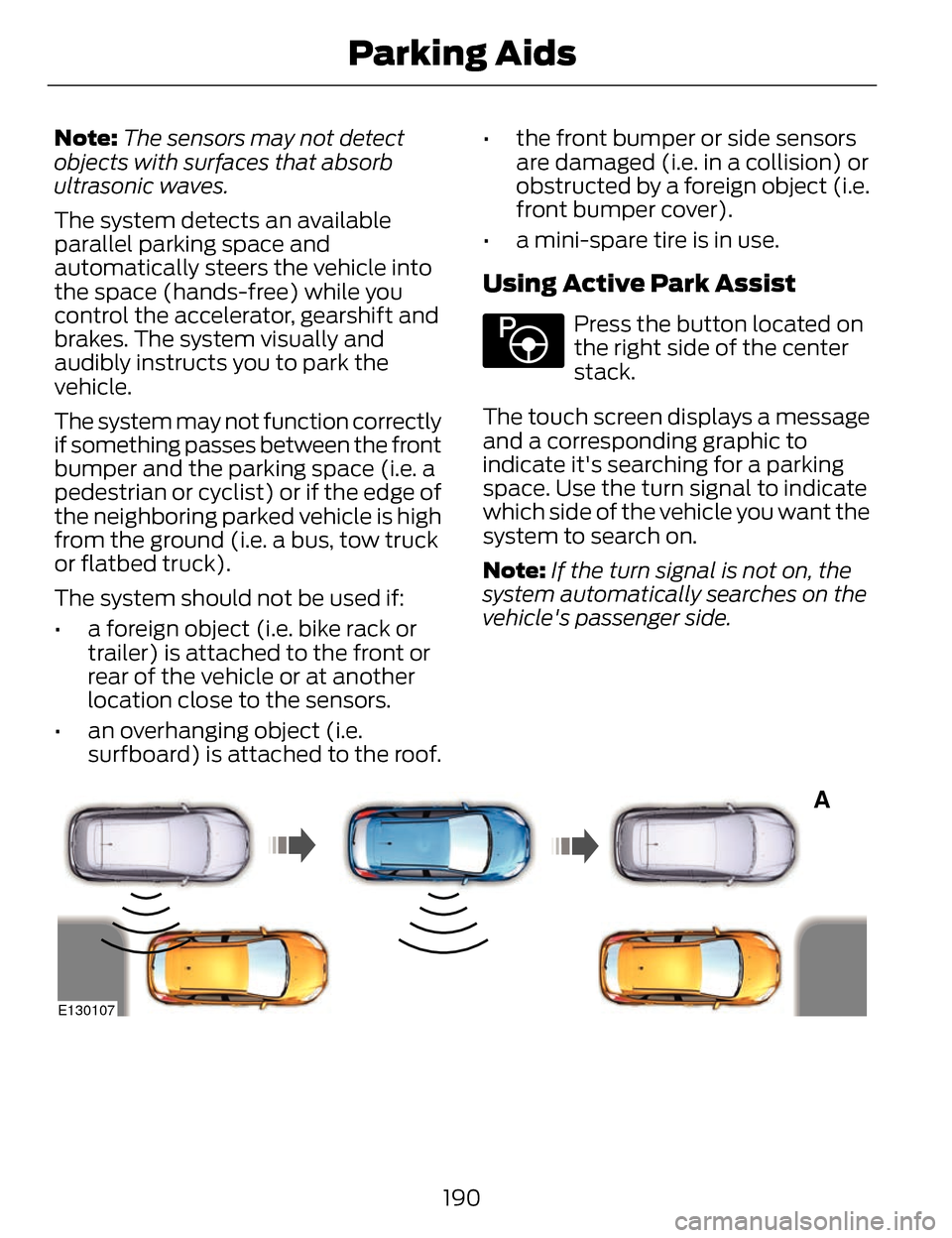
The system detects an available
parallel parking space and
automatically steers the vehicle into
the space (hands-free) while you
control the accelerator, gearshift and
brakes. The system visually and
audibly instructs you to park the
vehicle.
The system may not function correctly
if something passes between the front
bumper and the parking space (i.e. a
pedestrian or cyclist) or if the edge of
the neighboring parked vehicle is high
from the ground (i.e. a bus, tow truck
or flatbed truck).
The system should not be used if:
• a foreign object (i.e. bike rack or trailer) is attached to the front or
rear of the vehicle or at another
location close to the sensors.
• an overhanging object (i.e. surfboard) is attached to the roof. • the front bumper or side sensors
are damaged (i.e. in a collision) or
obstructed by a foreign object (i.e.
front bumper cover).
• a mini-spare tire is in use.
Using Active Park Assist
E146186
Press the button located on
the right side of the center
stack.
The touch screen displays a message
and a corresponding graphic to
indicate it's searching for a parking
space. Use the turn signal to indicate
which side of the vehicle you want the
system to search on.
Note: If the turn signal is not on, the
system automatically searches on the
vehicle's passenger side.
A
E130107
190
Parking Aids
Page 198 of 468
Note:If the transmission is in R
(Reverse) and the luggage
compartment is ajar, no rear view
camera features are displayed.
Note: If the image comes on while the
transmission is not in R (Reverse), have
the system inspected by your
authorized dealer.
Note: When towing, the camera only
sees what is being towed behind your
vehicle. This might not provide
adequate coverage as it usually
provides in normal operation and some
objects might not be seen. In some
vehicles, the guidelines may disappear
once the trailer tow connector is
engaged.
Note: The camera may not operate
correctly under the following
conditions:
• Nighttime or dark areas if one or both reverse lamps are not
operating.
• The camera's view is obstructed by mud, water or debris. Clean the
lens with a soft, lint-free cloth and
non-abrasive cleaner.
• The rear of the vehicle is hit or damaged, causing the camera to
become misaligned.
To access any of the rear view camera
system settings, make the following
selections in the touch screen when
the transmission is not in R (Reverse):
• Menu > Vehicle > Rear View Camera
After changing a system setting, the
touch screen shows a preview of the
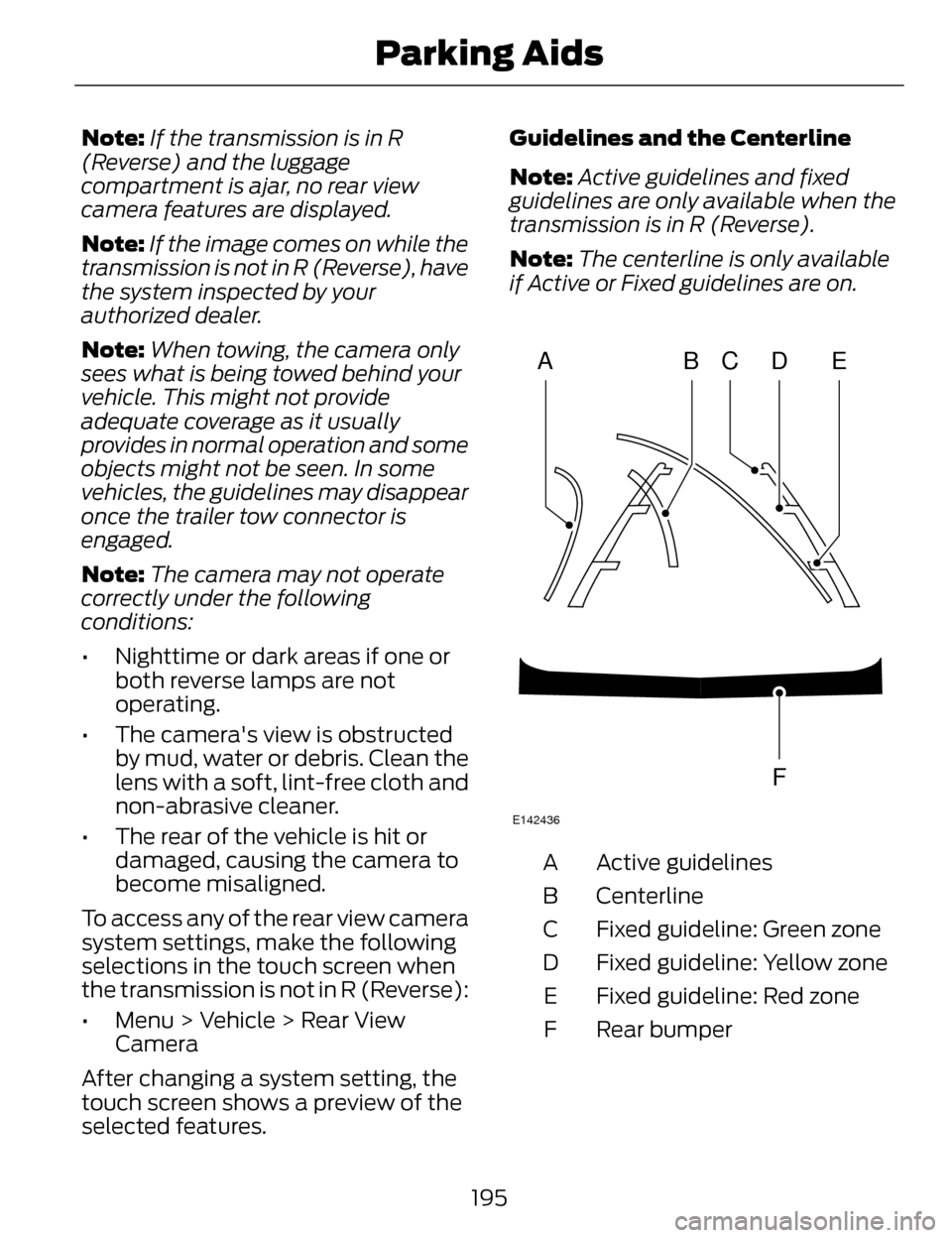
selected features. Guidelines and the Centerline
Note:
Active guidelines and fixed
guidelines are only available when the
transmission is in R (Reverse).
Note: The centerline is only available
if Active or Fixed guidelines are on.
ABCD
F
E
E142436
Active guidelines
A
Centerline
B
Fixed guideline: Green zone
C
Fixed guideline: Yellow zone
D
Fixed guideline: Red zone
E
Rear bumper
F
195
Parking Aids
Page 199 of 468
Active guidelines are only shown with
fixed guidelines. To use active
guidelines, turn the steering wheel to
point the guidelines toward an
intended path. If the steering wheel
position is changed while reversing,
the vehicle might deviate from the
original intended path.
The fixed and active guidelines fade
in and out depending on the steering
wheel position. The active guidelines
are not shown when the steering
wheel position is straight.
Always use caution while reversing.
Objects in the red zone are closest to
your vehicle and objects in the green
zone are farther away. Objects are
getting closer to your vehicle as they
move from the green zone to the
yellow or red zones. Use the side view
mirrors and rear view mirror to get
better coverage on both sides and rear
of the vehicle.
Selectable settings for this feature are
ACTIVE + FIXED, FIXED and OFF.
Visual Park Aid Alert
Note: Visual park alert is only available
when the transmission is in R
(Reverse).
Note: The reverse sensing system is
not effective at speeds above 3 mph
(5 km/h) and may not detect certain
angular or moving objects. The system uses red, yellow and green
highlights which appear on top of the
video image when an object is
detected by the reverse sensing
system. The alert highlights the
closest object detected. The reverse
sensing alert can be disabled and if
visual park aid alert is enabled,
highlighted areas are still displayed.
Selectable settings for this feature are
ON and OFF.
Manual Zoom
WARNING
When manual zoom is on, the
full area behind the vehicle is not
shown. Be aware of your surroundings
when using the manual zoom feature.
Note: Manual zoom is only available
when the transmission is in R
(Reverse).
Note: When manual zoom is enabled,
only the centerline is shown.
This allows you to get a closer view of
an object behind the vehicle. The
zoomed image keeps the bumper in
the image to provide a reference. The
zoom is only active while the
transmission is in R (Reverse). When
the transmission is shifted out of R
(Reverse), the feature automatically
turns off and must be reset when it is
used again.
Selectable settings for this feature are
ON and OFF.
196
Parking Aids
Page 207 of 468
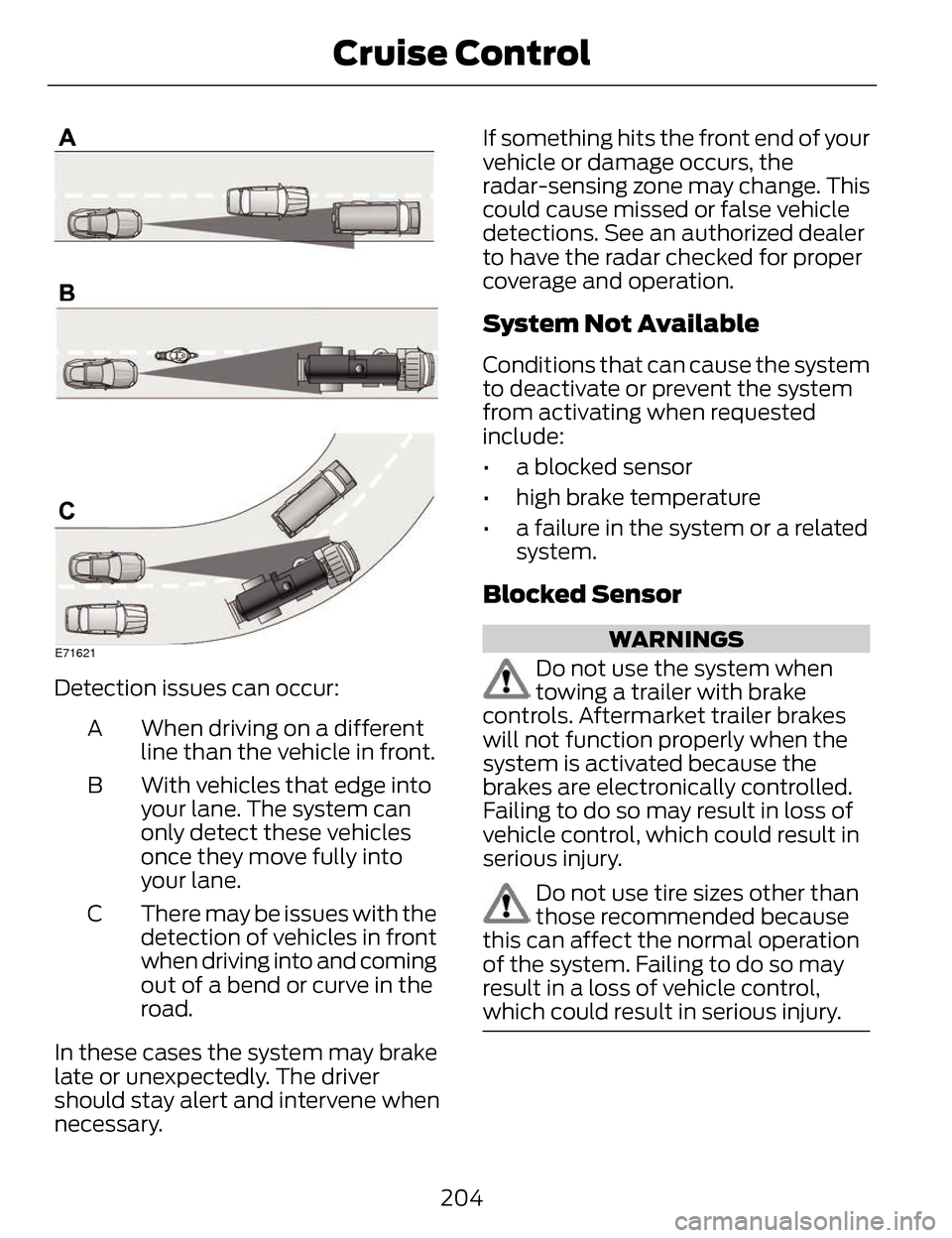
E71621
Detection issues can occur:When driving on a different
line than the vehicle in front.
A
With vehicles that edge into
your lane. The system can
only detect these vehicles
once they move fully into
your lane.
B
There may be issues with the
detection of vehicles in front
when driving into and coming
out of a bend or curve in the
road.
C
In these cases the system may brake
late or unexpectedly. The driver
should stay alert and intervene when
necessary. If something hits the front end of your
vehicle or damage occurs, the
radar-sensing zone may change. This
could cause missed or false vehicle
detections. See an authorized dealer
to have the radar checked for proper
coverage
and operation.
System Not Available
Conditions that can cause the system
to deactivate or prevent the system
from activating when requested
include:
• a blocked sensor
• high brake temperature
• a failure in the system or a related
system.
Blocked Sensor
WARNINGS
Do not use the system when
towing a trailer with brake
controls. Aftermarket trailer brakes
will not function properly when the
system is activated because the
brakes are electronically controlled.
Failing to do so may result in loss of
vehicle control, which could result in
serious injury.
Do not use tire sizes other than
those recommended because
this can affect the normal operation
of the system. Failing to do so may
result in a loss of vehicle control,
which could result in serious injury.
204
Cruise Control
Page 212 of 468
The system detects unintentional
drifting toward the outside of the lane
and alerts and/or aids the driver to
stay in the lane through the steering
system and instrument cluster display.
The system automatically detects and
tracks the road lane markings using a
camera that is mounted behind the
interior rear view mirror.
Switching the System On and
Off
Note:The system on or off setting is
stored until it is manually changed,
unless a MyKey® is detected. If a
MyKey® is detected, the system is
defaulted to on and the mode is set to
Alert.
Note: If a MyKey® is detected,
pressing the button will not affect the
on or off status of the system. Only the
Mode and Intensity settings can be
changed when a MyKey® is present.
E144813
Press the button located on
the left steering wheel stalk
to switch the system on or
off.
System Settings
The system has two optional setting
menus available. To view or adjust
them, select Settings > Driver Assist
> Lane Keeping Sys in the information
display using the OK button on the
steering wheel. The last-known
selection for each of these settings is
stored by the system. You do not need
to readjust your settings each time
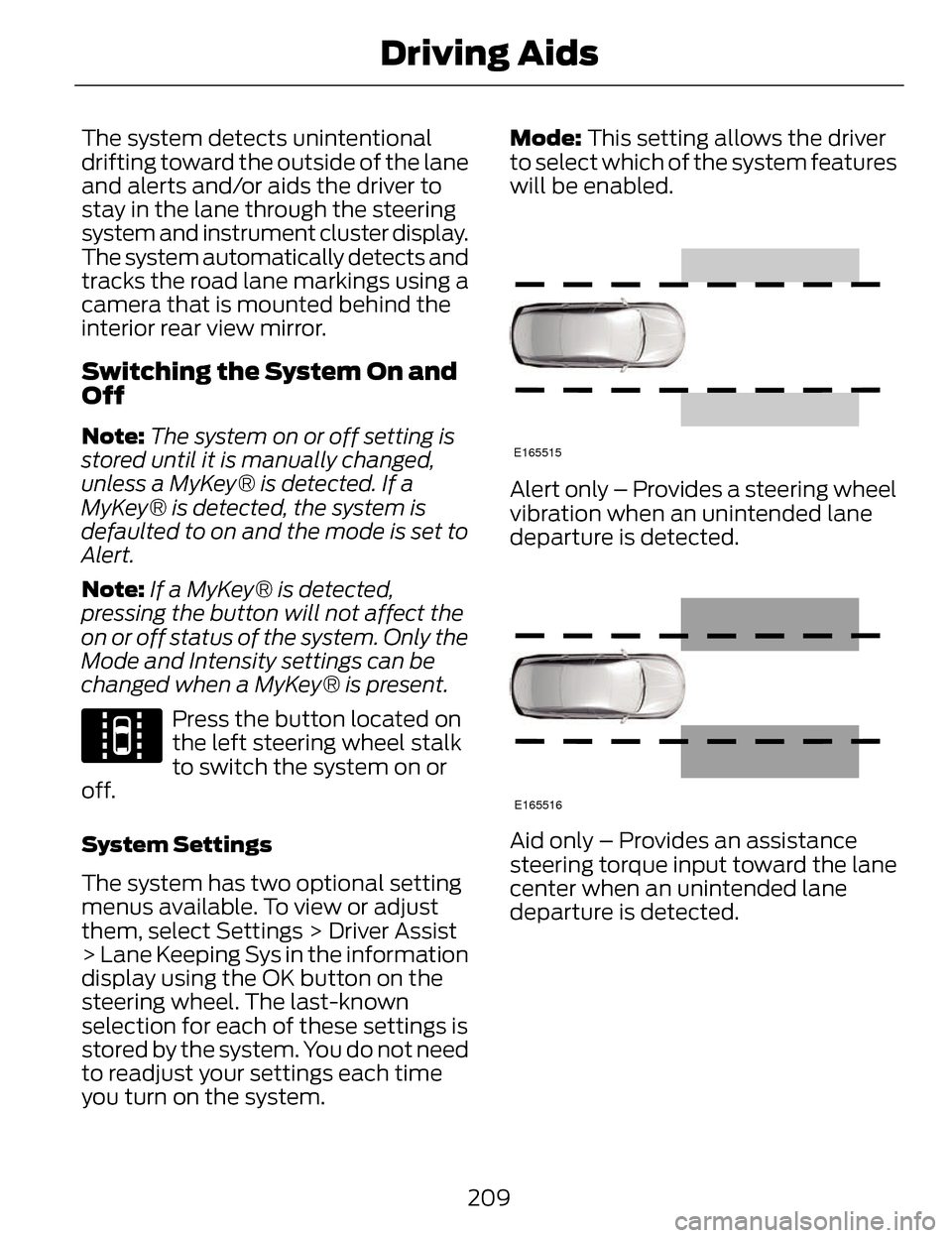
you turn on the system. Mode: This setting allows the driver
to select which of the system features
will be enabled.
E165515
Alert only – Provides a steering wheel
vibration when an unintended lane
departure is detected.
E165516
Aid only – Provides an assistance
steering torque input toward the lane
center when an unintended lane
departure is detected.
209
Driving Aids
Page 213 of 468
A
B
A
B
E165517
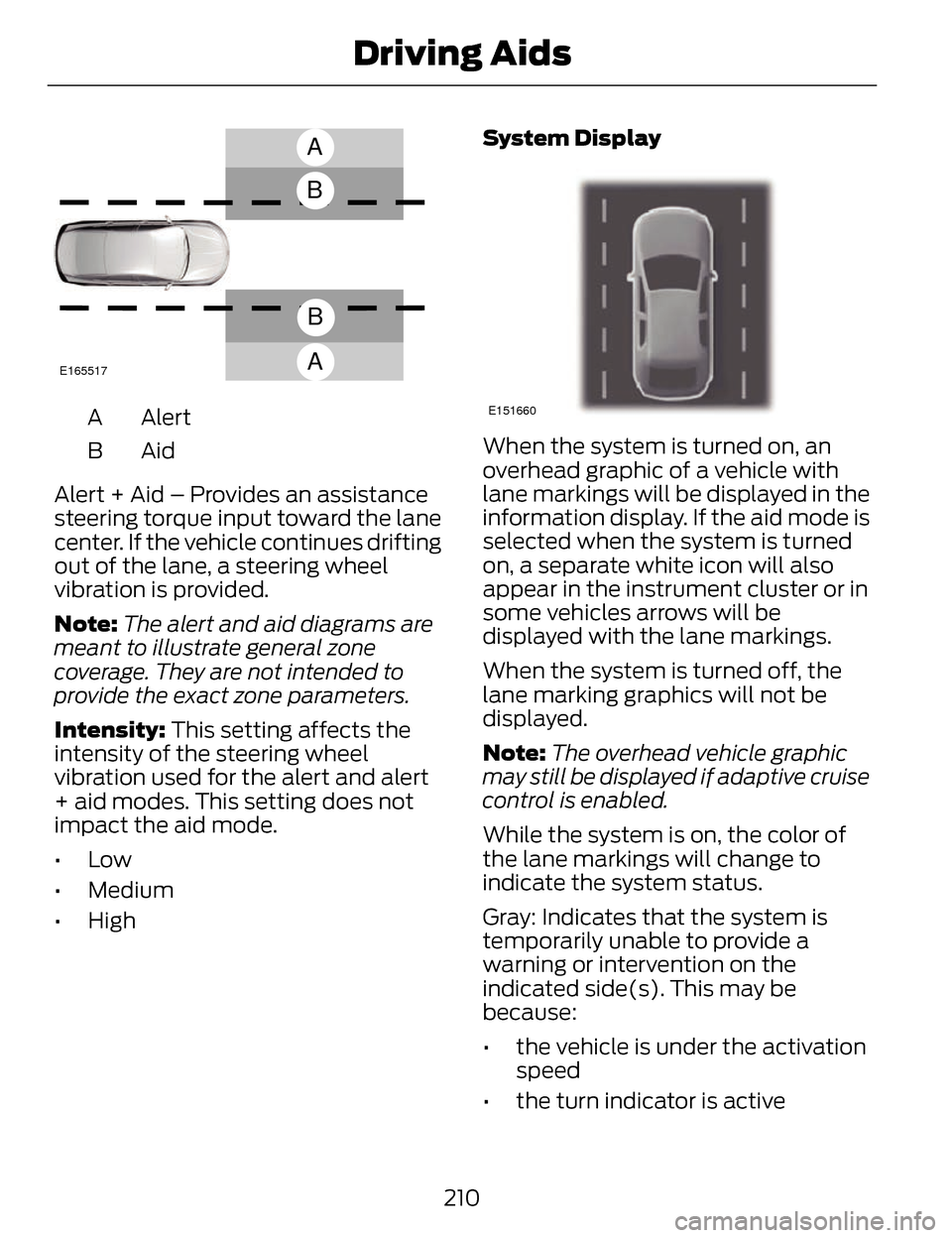
Alert
A
AidB
Alert + Aid – Provides an assistance
steering torque input toward the lane
center. If the vehicle continues drifting
out of the lane, a steering wheel
vibration is provided.
Note: The alert and aid diagrams are
meant to illustrate general zone
coverage. They are not intended to
provide the exact zone parameters.
Intensity: This setting affects the
intensity of the steering wheel
vibration used for the alert and alert
+ aid modes. This setting does not
impact the aid mode.
•Low
• Medium
• High System DisplayE151660
When the system is turned on, an
overhead graphic of a vehicle with
lane markings will be displayed in the
information display. If the aid mode is
selected when the system is turned
on, a separate white icon will also
appear in the instrument cluster or in
some vehicles arrows will be
displayed with the lane markings.
When the system is turned off, the
lane marking graphics will not be
displayed.
Note:
The overhead vehicle graphic
may still be displayed if adaptive cruise
control is enabled.
While the system is on, the color of
the lane markings will change to
indicate the system status.
Gray: Indicates that the system is
temporarily unable to provide a
warning or intervention on the
indicated side(s). This may be
because:
• the vehicle is under the activation speed
• the turn indicator is active
210
Driving Aids
Page 229 of 468
E142517
E143817
CARGO
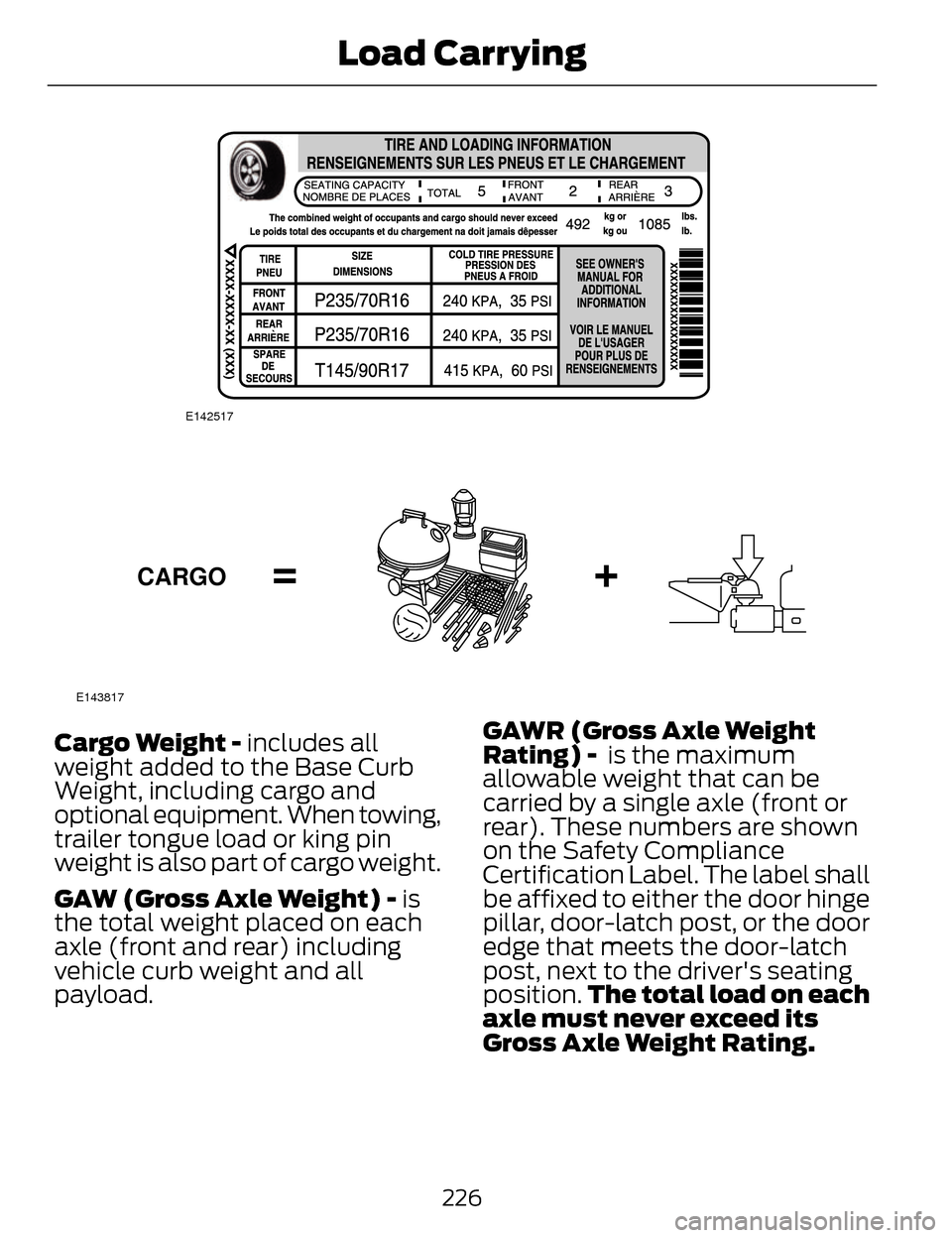
Cargo Weight - includes all
weight added to the Base Curb
Weight, including cargo and
optional equipment. When towing,
trailer tongue load or king pin
weight is also part of cargo weight.
GAW (Gross Axle Weight) - is
the total weight placed on each
axle (front and rear) including
vehicle curb weight and all
payload.GAWR (Gross Axle Weight
Rating) - is the maximum
allowable weight that can be
carried by a single axle (front or
rear). These numbers are shown
on the Safety Compliance
Certification Label. The label shall
be affixed to either the door hinge
pillar, door-latch post, or the door
edge that meets the door-latch
post, next to the driver's seating
position.
The total load on each
axle must never exceed its
Gross Axle Weight Rating.
226
Load Carrying
Page 230 of 468
Note: For trailer towing
information refer to the RV and
Trailer Towing Guide available at
an authorized dealer.
E143818
GVW
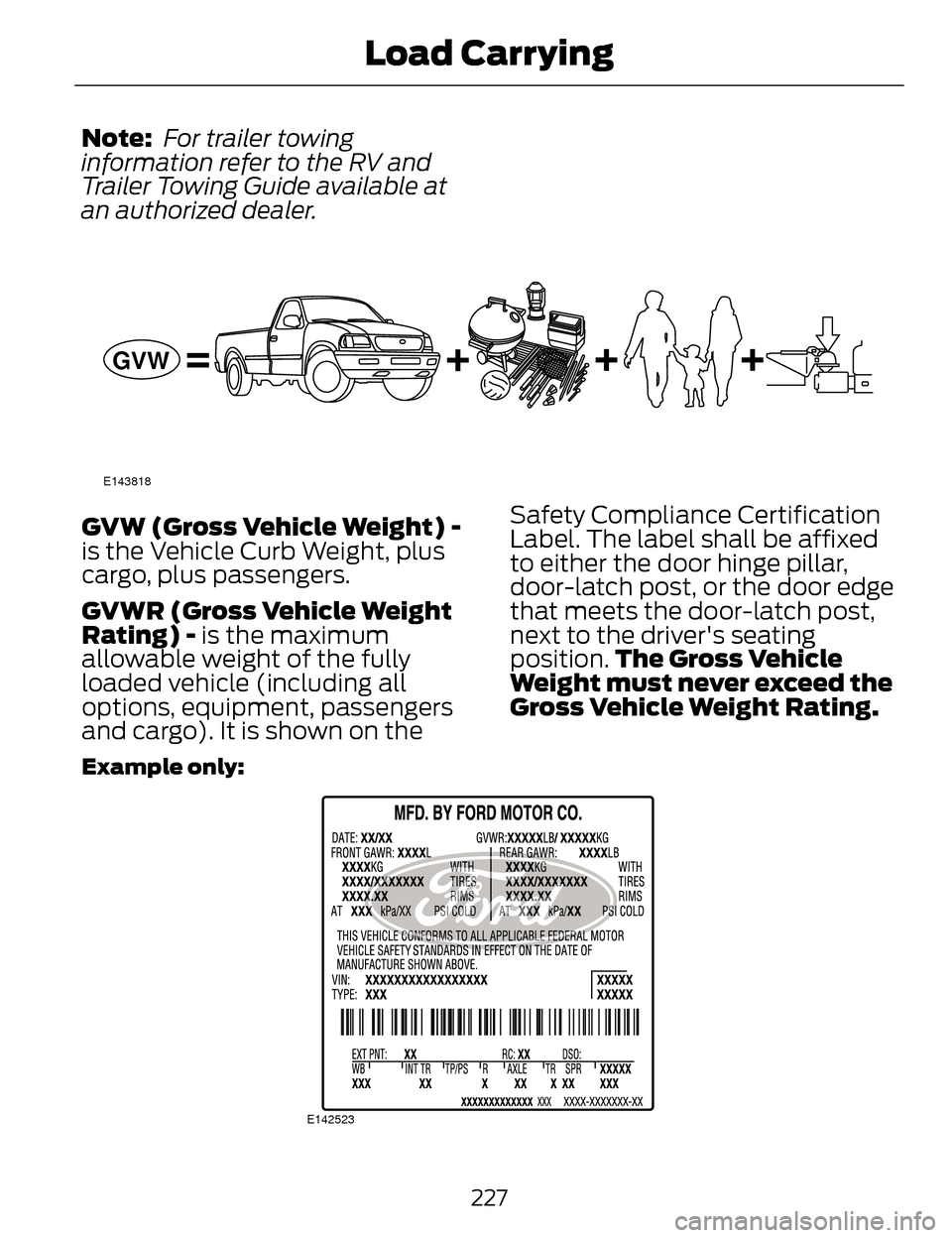
GVW (Gross Vehicle Weight) -
is the Vehicle Curb Weight, plus
cargo, plus passengers.
GVWR (Gross Vehicle Weight
Rating) - is the maximum
allowable weight of the fully
loaded vehicle (including all
options, equipment, passengers
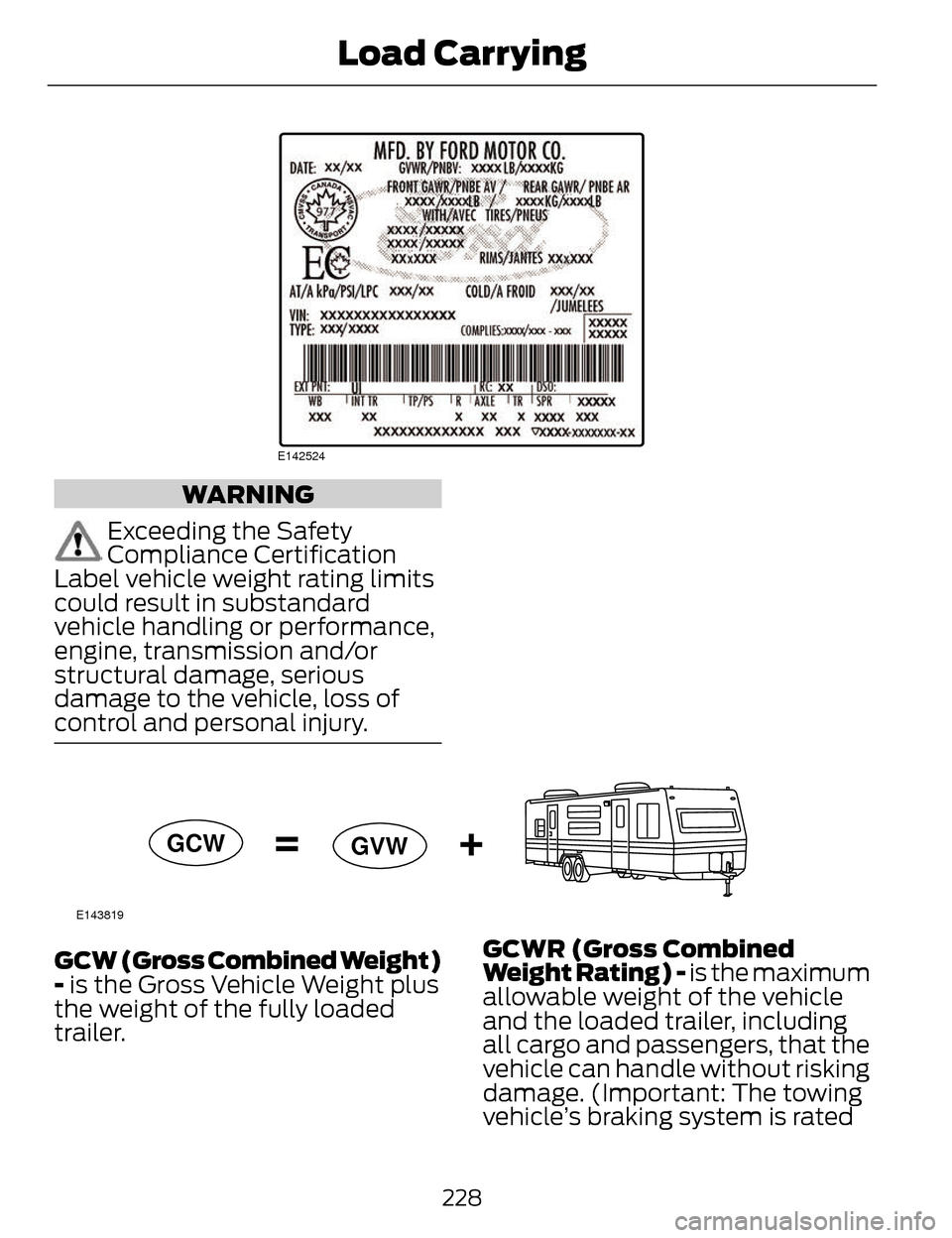
and cargo). It is shown on the Safety Compliance Certification
Label. The label shall be affixed
to either the door hinge pillar,
door-latch post, or the door edge
that meets the door-latch post,
next to the driver's seating
position.
The Gross Vehicle
Weight must never exceed the
Gross Vehicle Weight Rating.
Example only:
E142523
227
Load Carrying
Page 231 of 468
E142524
WARNING
Exceeding the Safety
Compliance Certification
Label vehicle weight rating limits
could result in substandard
vehicle handling or performance,
engine, transmission and/or
structural damage, serious
damage to the vehicle, loss of
control and personal injury.
E143819
GCW GVW
GCW (Gross Combined Weight)
- is the Gross Vehicle Weight plus
the weight of the fully loaded
trailer. GCWR (Gross Combined
Weight Rating) - is the maximum
allowable weight of the vehicle
and the loaded trailer, including
all cargo and passengers, that the
vehicle can handle without risking
damage. (Important: The towing
vehicle’s braking system is rated
228
Load Carrying
Page 232 of 468
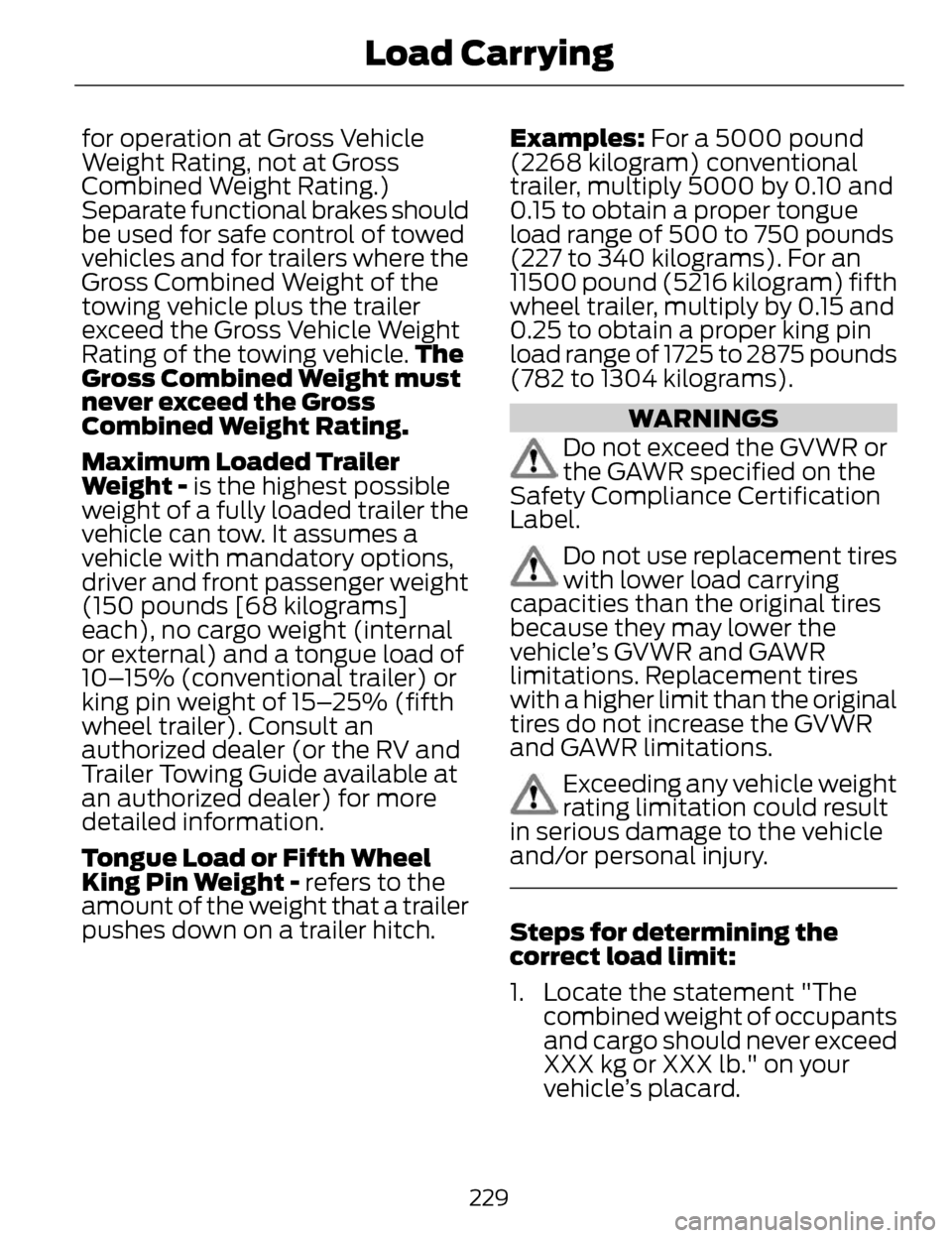
for operation at Gross Vehicle
Weight Rating, not at Gross
Combined Weight Rating.)
Separate functional brakes should
be used for safe control of towed
vehicles and for trailers where the
Gross Combined Weight of the
towing vehicle plus the trailer
exceed the Gross Vehicle Weight
Rating of the towing vehicle.The
Gross Combined Weight must
never exceed the Gross
Combined Weight Rating.
Maximum Loaded Trailer
Weight - is the highest possible
weight of a fully loaded trailer the
vehicle can tow. It assumes a
vehicle with mandatory options,
driver and front passenger weight
(150 pounds [68 kilograms]
each), no cargo weight (internal
or external) and a tongue load of
10–15% (conventional trailer) or
king pin weight of 15–25% (fifth
wheel trailer). Consult an
authorized dealer (or the RV and
Trailer Towing Guide available at
an authorized dealer) for more
detailed information.
Tongue Load or Fifth Wheel
King Pin Weight - refers to the
amount of the weight that a trailer
pushes down on a trailer hitch. Examples: For a 5000 pound
(2268 kilogram) conventional
trailer, multiply 5000 by 0.10 and
0.15 to obtain a proper tongue
load range of 500 to 750 pounds
(227 to 340 kilograms). For an
11500 pound (5216 kilogram) fifth
wheel trailer, multiply by 0.15 and
0.25 to obtain a proper king pin
load range of 1725 to 2875 pounds
(782 to 1304 kilograms).
WARNINGS
Do not exceed the GVWR or
the GAWR specified on the
Safety Compliance Certification
Label.
Do not use replacement tires
with lower load carrying
capacities than the original tires
because they may lower the
vehicle’s GVWR and GAWR
limitations. Replacement tires
with a higher limit than the original
tires do not increase the GVWR
and GAWR limitations.
Exceeding any vehicle weight
rating limitation could result
in serious damage to the vehicle
and/or personal injury.
Steps for determining the
correct load limit:
1. Locate the statement "The combined weight of occupants
and cargo should never exceed
XXX kg or XXX lb." on your
vehicle’s placard.
229
Load Carrying