ignition LINCOLN NAVIGATOR 2015 Owner's Manual
[x] Cancel search | Manufacturer: LINCOLN, Model Year: 2015, Model line: NAVIGATOR, Model: LINCOLN NAVIGATOR 2015Pages: 475, PDF Size: 5.13 MB
Page 90 of 475
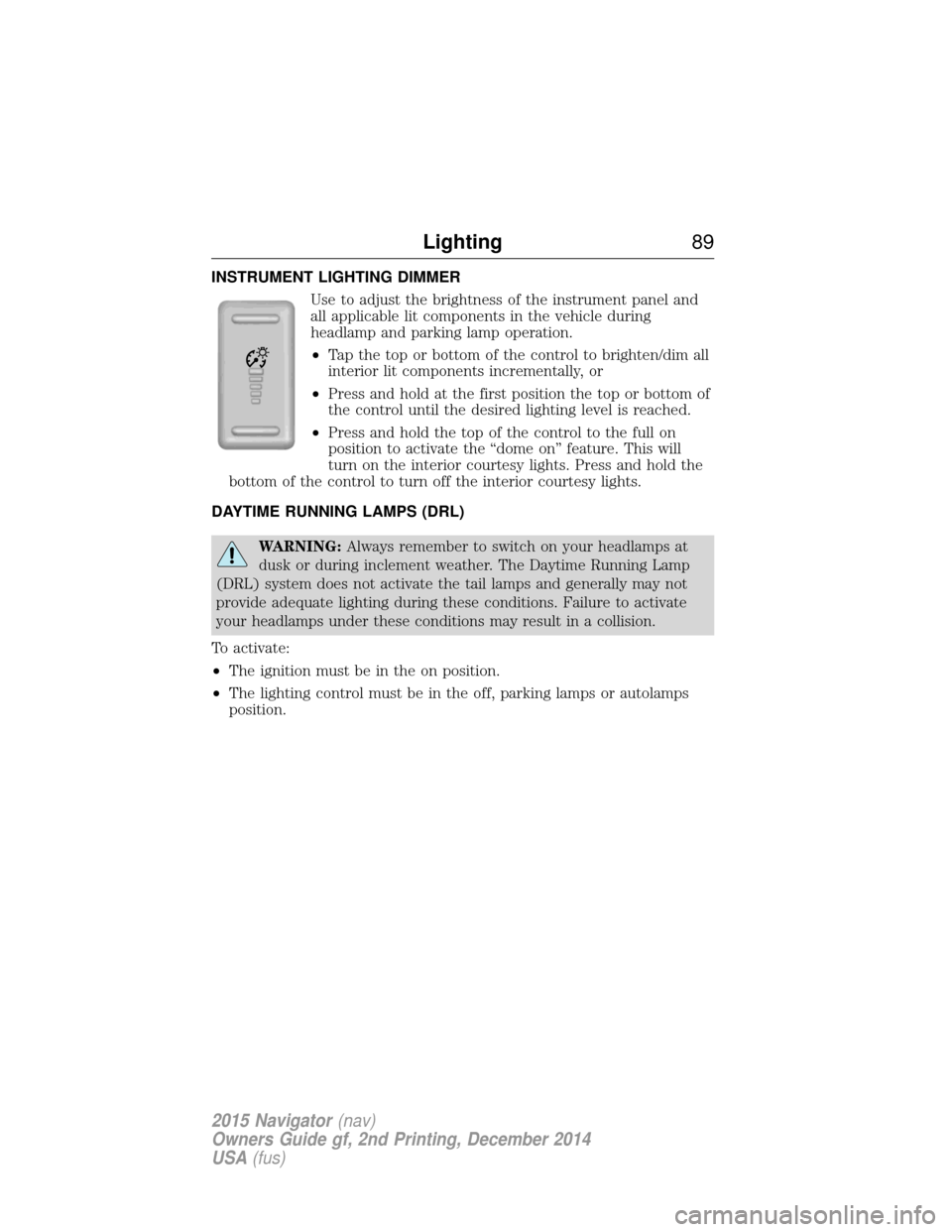
INSTRUMENT LIGHTING DIMMERUse to adjust the brightness of the instrument panel and
all applicable lit components in the vehicle during
headlamp and parking lamp operation.
•Tap the top or bottom of the control to brighten/dim all
interior lit components incrementally, or
• Press and hold at the first position the top or bottom of
the control until the desired lighting level is reached.
• Press and hold the top of the control to the full on
position to activate the “dome on” feature. This will
turn on the interior courtesy lights. Press and hold the
bottom of the control to turn off the interior courtesy lights.
DAYTIME RUNNING LAMPS (DRL)
WARNING: Always remember to switch on your headlamps at
dusk or during inclement weather. The Daytime Running Lamp
(DRL) system does not activate the tail lamps and generally may not
provide adequate lighting during these conditions. Failure to activate
your headlamps under these conditions may result in a collision.
To activate:
• The ignition must be in the on position.
• The lighting control must be in the off, parking lamps or autolamps
position.
Lighting 89
2015 Navigator(nav)
Owners Guide gf, 2nd Printing, December 2014
USA (fus)
Page 92 of 475
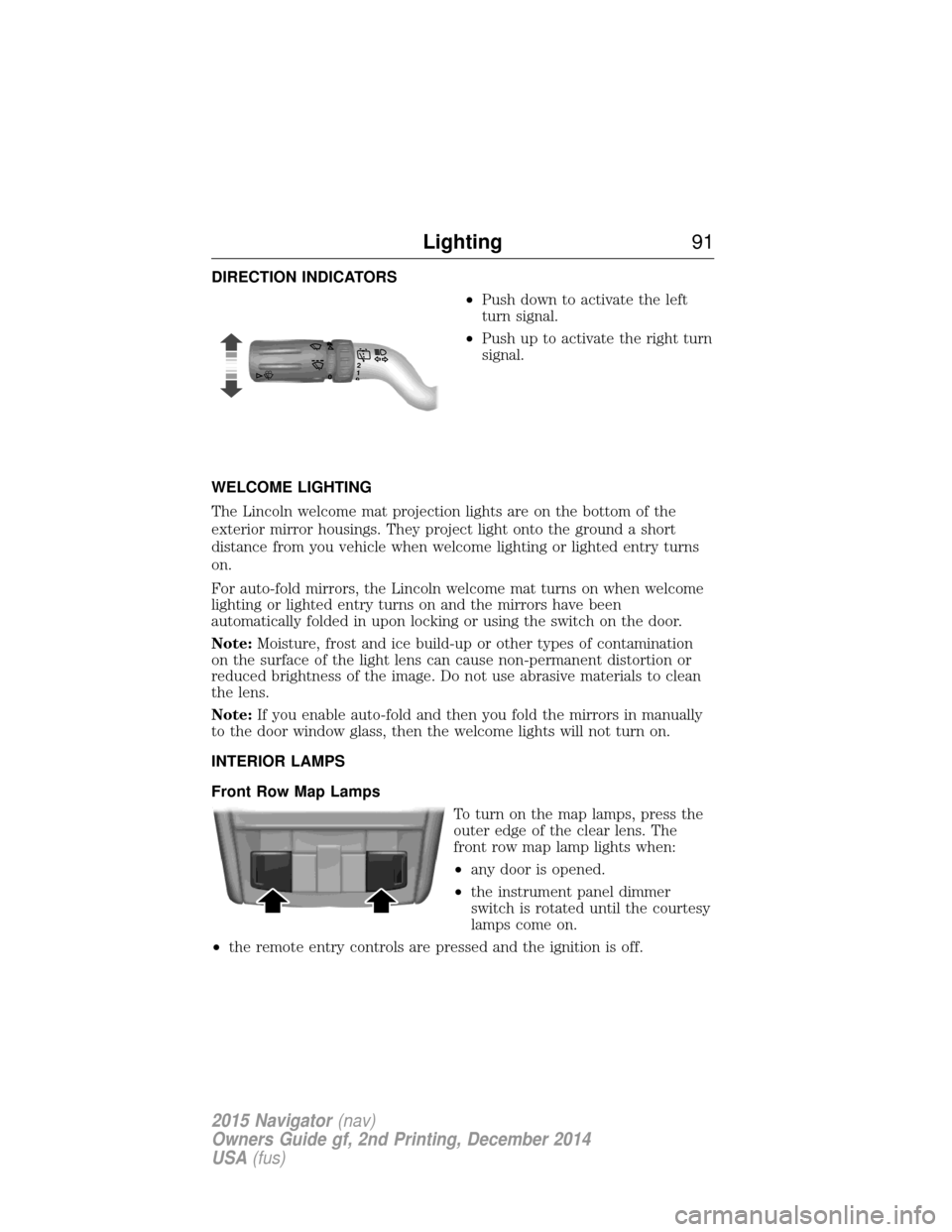
DIRECTION INDICATORS•Push down to activate the left
turn signal.
• Push up to activate the right turn
signal.
WELCOME LIGHTING
The Lincoln welcome mat projection lights are on the bottom of the
exterior mirror housings. They project light onto the ground a short
distance from you vehicle when welcome lighting or lighted entry turns
on.
For auto-fold mirrors, the Lincoln welcome mat turns on when welcome
lighting or lighted entry turns on and the mirrors have been
automatically folded in upon locking or using the switch on the door.
Note: Moisture, frost and ice build-up or other types of contamination
on the surface of the light lens can cause non-permanent distortion or
reduced brightness of the image. Do not use abrasive materials to clean
the lens.
Note: If you enable auto-fold and then you fold the mirrors in manually
to the door window glass, then the welcome lights will not turn on.
INTERIOR LAMPS
Front Row Map Lamps
To turn on the map lamps, press the
outer edge of the clear lens. The
front row map lamp lights when:
•any door is opened.
• the instrument panel dimmer
switch is rotated until the courtesy
lamps come on.
• the remote entry controls are pressed and the ignition is off.
120
Lighting 91
2015 Navigator(nav)
Owners Guide gf, 2nd Printing, December 2014
USA (fus)
Page 93 of 475
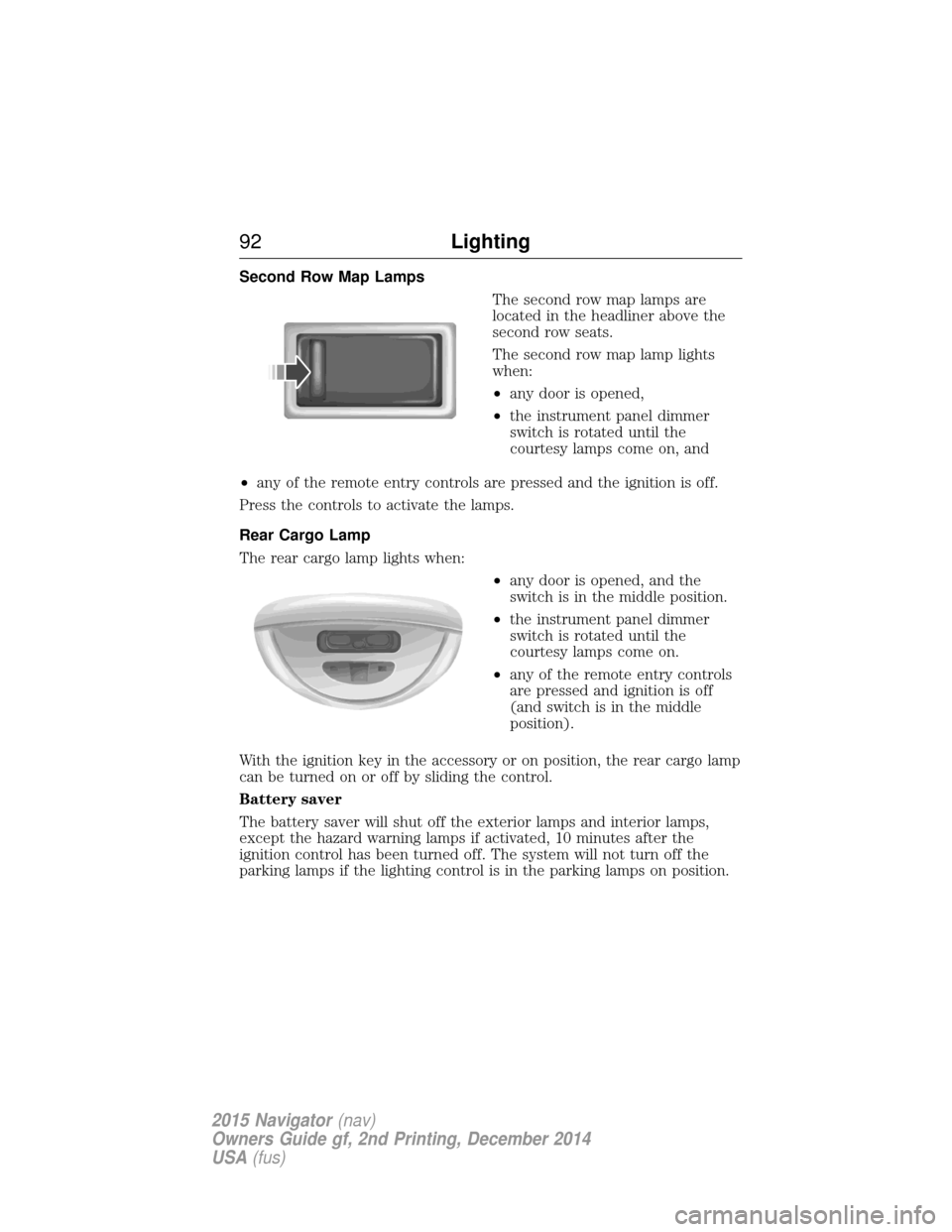
Second Row Map LampsThe second row map lamps are
located in the headliner above the
second row seats.
The second row map lamp lights
when:
•any door is opened,
• the instrument panel dimmer
switch is rotated until the
courtesy lamps come on, and
• any of the remote entry controls are pressed and the ignition is off.
Press the controls to activate the lamps.
Rear Cargo Lamp
The rear cargo lamp lights when: •any door is opened, and the
switch is in the middle position.
• the instrument panel dimmer
switch is rotated until the
courtesy lamps come on.
• any of the remote entry controls
are pressed and ignition is off
(and switch is in the middle
position).
With the ignition key in the accessory or on position, the rear cargo lamp
can be turned on or off by sliding the control.
Battery saver
The battery saver will shut off the exterior lamps and interior lamps,
except the hazard warning lamps if activated, 10 minutes after the
ignition control has been turned off. The system will not turn off the
parking lamps if the lighting control is in the parking lamps on position.
92 Lighting
2015 Navigator(nav)
Owners Guide gf, 2nd Printing, December 2014
USA (fus)
Page 95 of 475
Pull up the window switch and hold within two seconds of the window
reaching the bounce-back position. The window will travel up with no
bounce-back protection. The window will stop if your release the switch
before the window is fully closed.
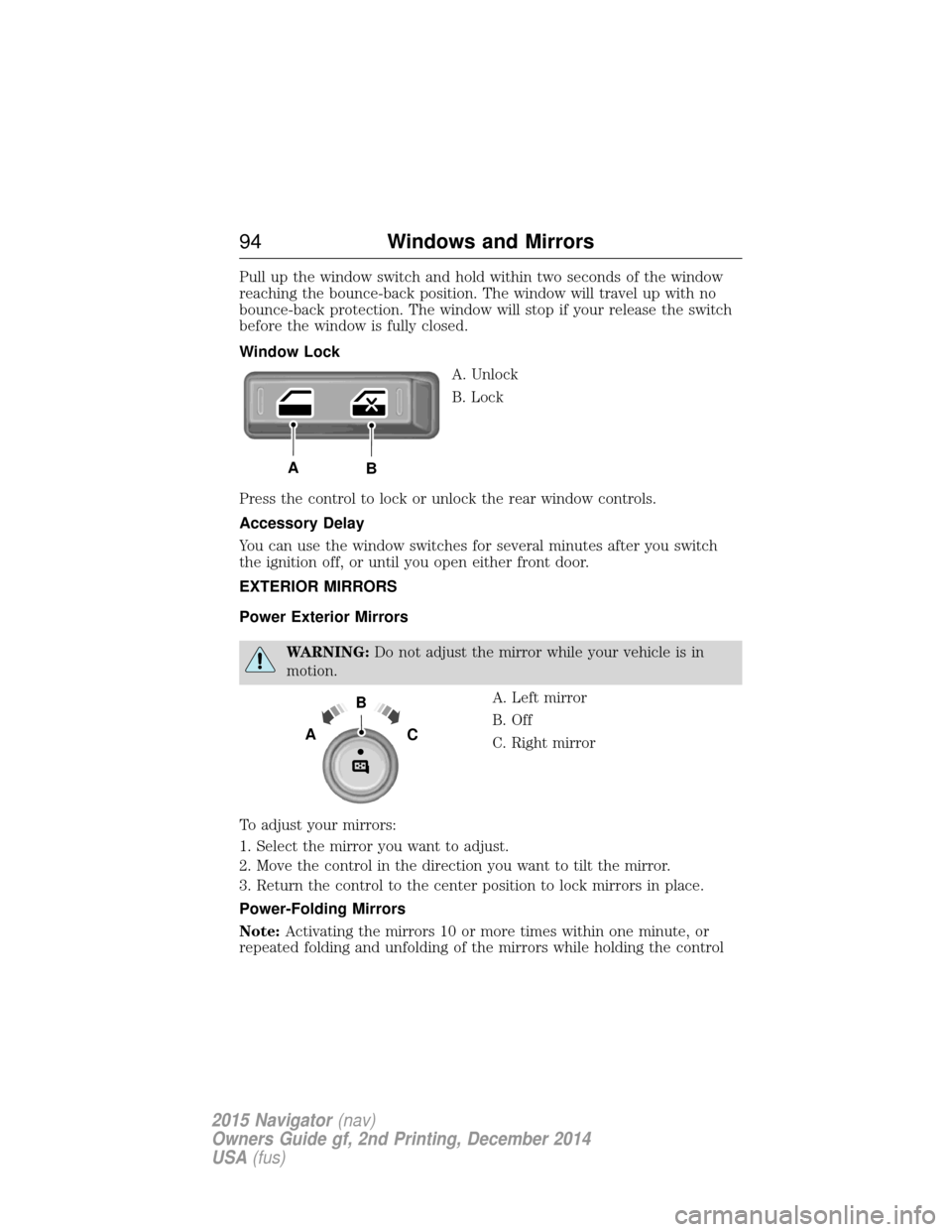
Window LockA. Unlock
B. Lock
Press the control to lock or unlock the rear window controls.
Accessory Delay
You can use the window switches for several minutes after you switch
the ignition off, or until you open either front door.
EXTERIOR MIRRORS
Power Exterior Mirrors
WARNING: Do not adjust the mirror while your vehicle is in
motion.
A. Left mirror
B. Off
C. Right mirror
To adjust your mirrors:
1. Select the mirror you want to adjust.
2. Move the control in the direction you want to tilt the mirror.
3. Return the control to the center position to lock mirrors in place.
Power-Folding Mirrors
Note: Activating the mirrors 10 or more times within one minute, or
repeated folding and unfolding of the mirrors while holding the control
AB
B
AC
94 Windows and Mirrors
2015 Navigator (nav)
Owners Guide gf, 2nd Printing, December 2014
USA (fus)
Page 102 of 475
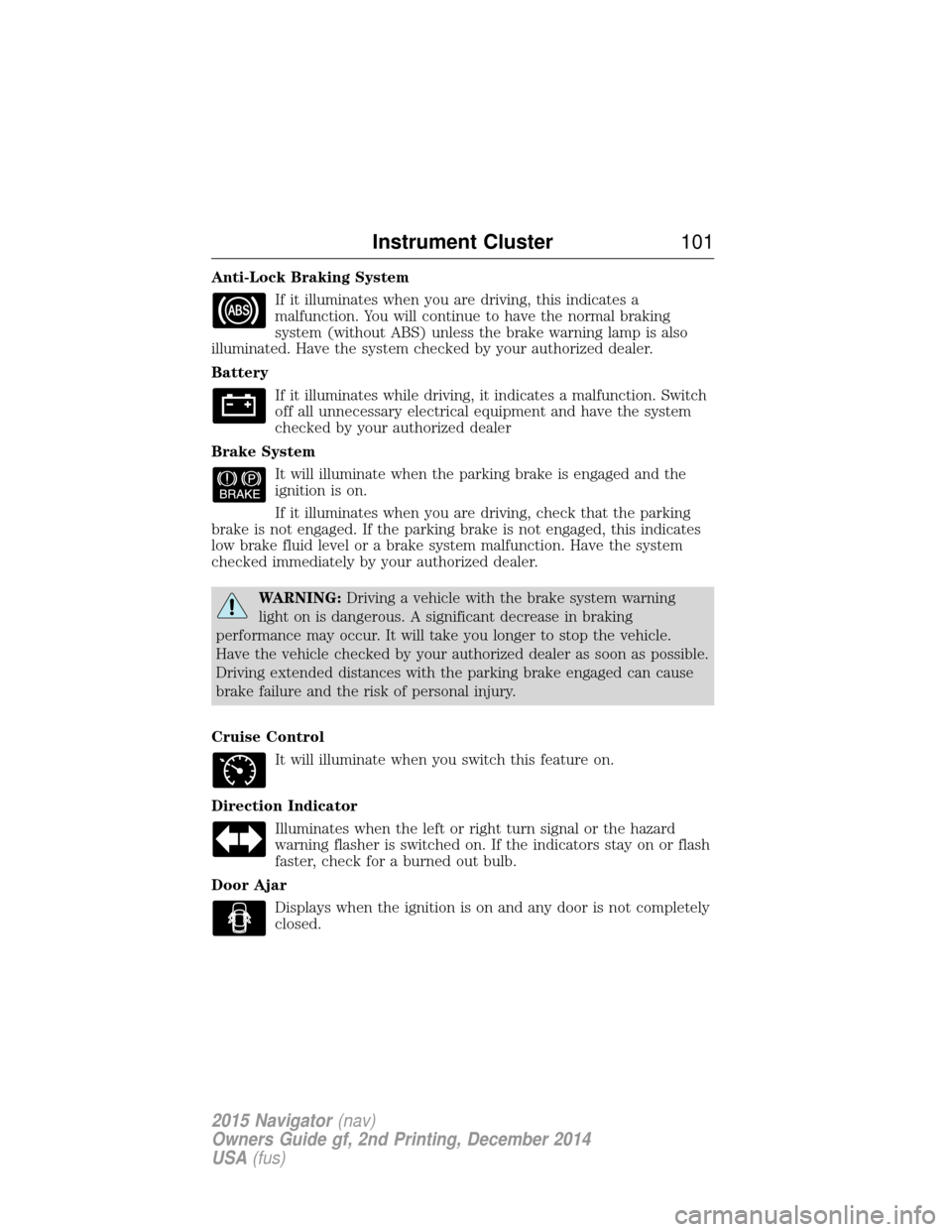
Anti-Lock Braking SystemIf it illuminates when you are driving, this indicates a
malfunction. You will continue to have the normal braking
system (without ABS) unless the brake warning lamp is also
illuminated. Have the system checked by your authorized dealer.
Battery
If it illuminates while driving, it indicates a malfunction. Switch
off all unnecessary electrical equipment and have the system
checked by your authorized dealer
Brake System It will illuminate when the parking brake is engaged and the
ignition is on.
If it illuminates when you are driving, check that the parking
brake is not engaged. If the parking brake is not engaged, this indicates
low brake fluid level or a brake system malfunction. Have the system
checked immediately by your authorized dealer.
WARNING: Driving a vehicle with the brake system warning
light on is dangerous. A significant decrease in braking
performance may occur. It will take you longer to stop the vehicle.
Have the vehicle checked by your authorized dealer as soon as possible.
Driving extended distances with the parking brake engaged can cause
brake failure and the risk of personal injury.
Cruise Control It will illuminate when you switch this feature on.
Direction Indicator Illuminates when the left or right turn signal or the hazard
warning flasher is switched on. If the indicators stay on or flash
faster, check for a burned out bulb.
Door Ajar Displays when the ignition is on and any door is not completely
closed.
Instrument Cluster 101
2015 Navigator(nav)
Owners Guide gf, 2nd Printing, December 2014
USA (fus)
Page 103 of 475
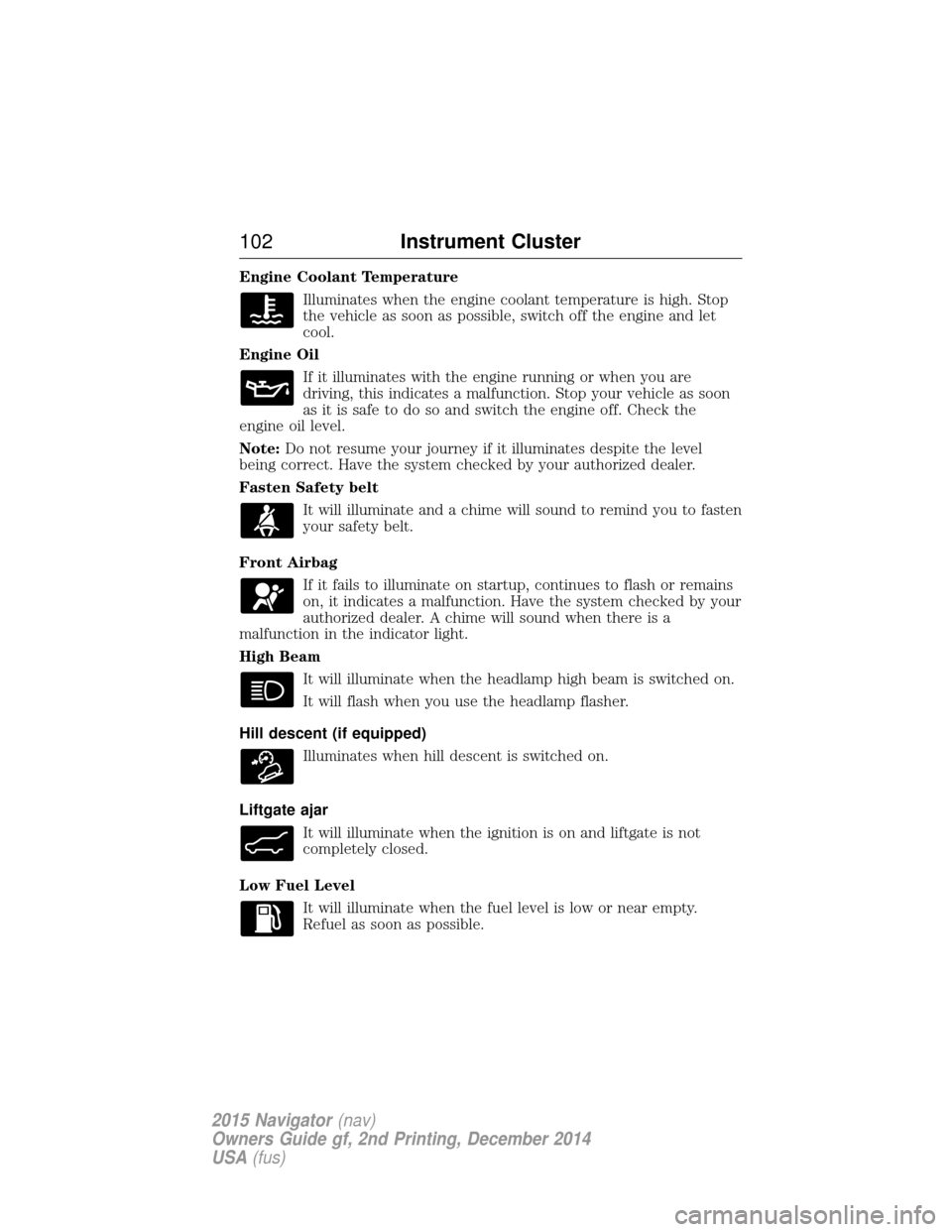
Engine Coolant TemperatureIlluminates when the engine coolant temperature is high. Stop
the vehicle as soon as possible, switch off the engine and let
cool.
Engine Oil If it illuminates with the engine running or when you are
driving, this indicates a malfunction. Stop your vehicle as soon
as it is safe to do so and switch the engine off. Check the
engine oil level.
Note: Do not resume your journey if it illuminates despite the level
being correct. Have the system checked by your authorized dealer.
Fasten Safety belt
It will illuminate and a chime will sound to remind you to fasten
your safety belt.
Front Airbag If it fails to illuminate on startup, continues to flash or remains
on, it indicates a malfunction. Have the system checked by your
authorized dealer. A chime will sound when there is a
malfunction in the indicator light.
High Beam
It will illuminate when the headlamp high beam is switched on.
It will flash when you use the headlamp flasher.
Hill descent (if equipped) Illuminates when hill descent is switched on.
Liftgate ajar It will illuminate when the ignition is on and liftgate is not
completely closed.
Low Fuel Level It will illuminate when the fuel level is low or near empty.
Refuel as soon as possible.
102 Instrument Cluster
2015 Navigator(nav)
Owners Guide gf, 2nd Printing, December 2014
USA (fus)
Page 104 of 475
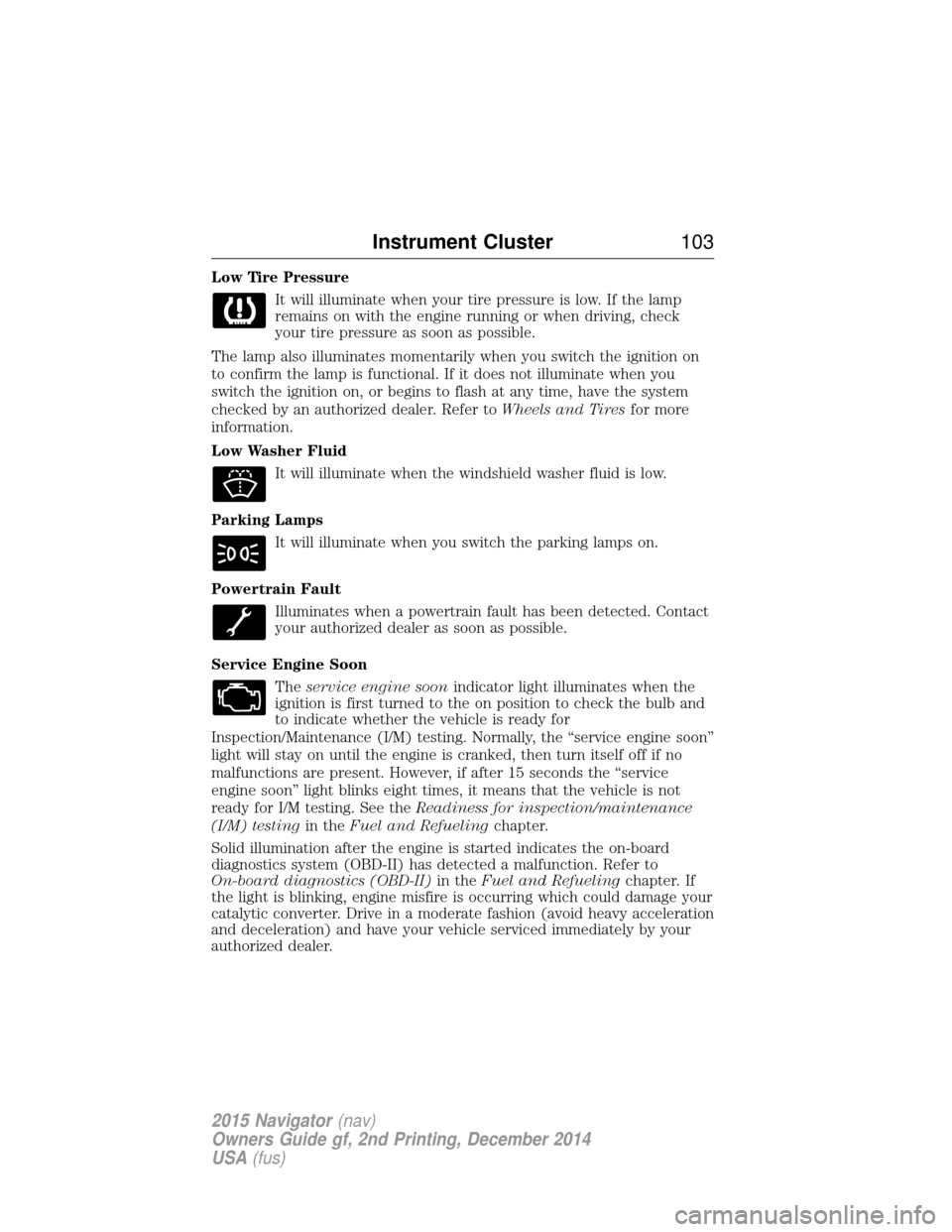
Low Tire PressureIt will illuminate when your tire pressure is low. If the lamp
remains on with the engine running or when driving, check
your tire pressure as soon as possible.
The lamp also illuminates momentarily when you switch the ignition on
to confirm the lamp is functional. If it does not illuminate when you
switch the ignition on, or begins to flash at any time, have the system
checked by an authorized dealer. Refer to Wheels and Tiresfor more
information.
Low Washer Fluid
It will illuminate when the windshield washer fluid is low.
Parking Lamps It will illuminate when you switch the parking lamps on.
Powertrain Fault Illuminates when a powertrain fault has been detected. Contact
your authorized dealer as soon as possible.
Service Engine Soon Theservice engine soon indicator light illuminates when the
ignition is first turned to the on position to check the bulb and
to indicate whether the vehicle is ready for
Inspection/Maintenance (I/M) testing. Normally, the “service engine soon”
light will stay on until the engine is cranked, then turn itself off if no
malfunctions are present. However, if after 15 seconds the “service
engine soon” light blinks eight times, it means that the vehicle is not
ready for I/M testing. See the Readiness for inspection/maintenance
(I/M) testing in theFuel and Refueling chapter.
Solid illumination after the engine is started indicates the on-board
diagnostics system (OBD-II) has detected a malfunction. Refer to
On-board diagnostics (OBD-II) in theFuel and Refueling chapter. If
the light is blinking, engine misfire is occurring which could damage your
catalytic converter. Drive in a moderate fashion (avoid heavy acceleration
and deceleration) and have your vehicle serviced immediately by your
authorized dealer.
Instrument Cluster 103
2015 Navigator(nav)
Owners Guide gf, 2nd Printing, December 2014
USA (fus)
Page 106 of 475
AUDIBLE WARNINGS AND INDICATORS
Key In Ignition Warning Chime
Sounds when the key is left in the ignition and the driver’s door is
opened.
Headlamps On Warning Chime
Sounds when the headlamps or parking lamps are on, the ignition is off
(the key is not in the ignition) and the driver’s door is opened.
Parking Brake On Warning Chime
Sounds when you have left the parking brake on and drive your vehicle.
If the warning chime remains on after you have released the parking
brake, have the system checked by your authorized dealer immediately.
Turn Signal Chime
Sounds when the direction indicator has been activated to signal a turn
and not turned off after the vehicle is driven more than 1.5 miles
(2.4 km).
Instrument Cluster105
2015 Navigator(nav)
Owners Guide gf, 2nd Printing, December 2014
USA (fus)
Page 112 of 475
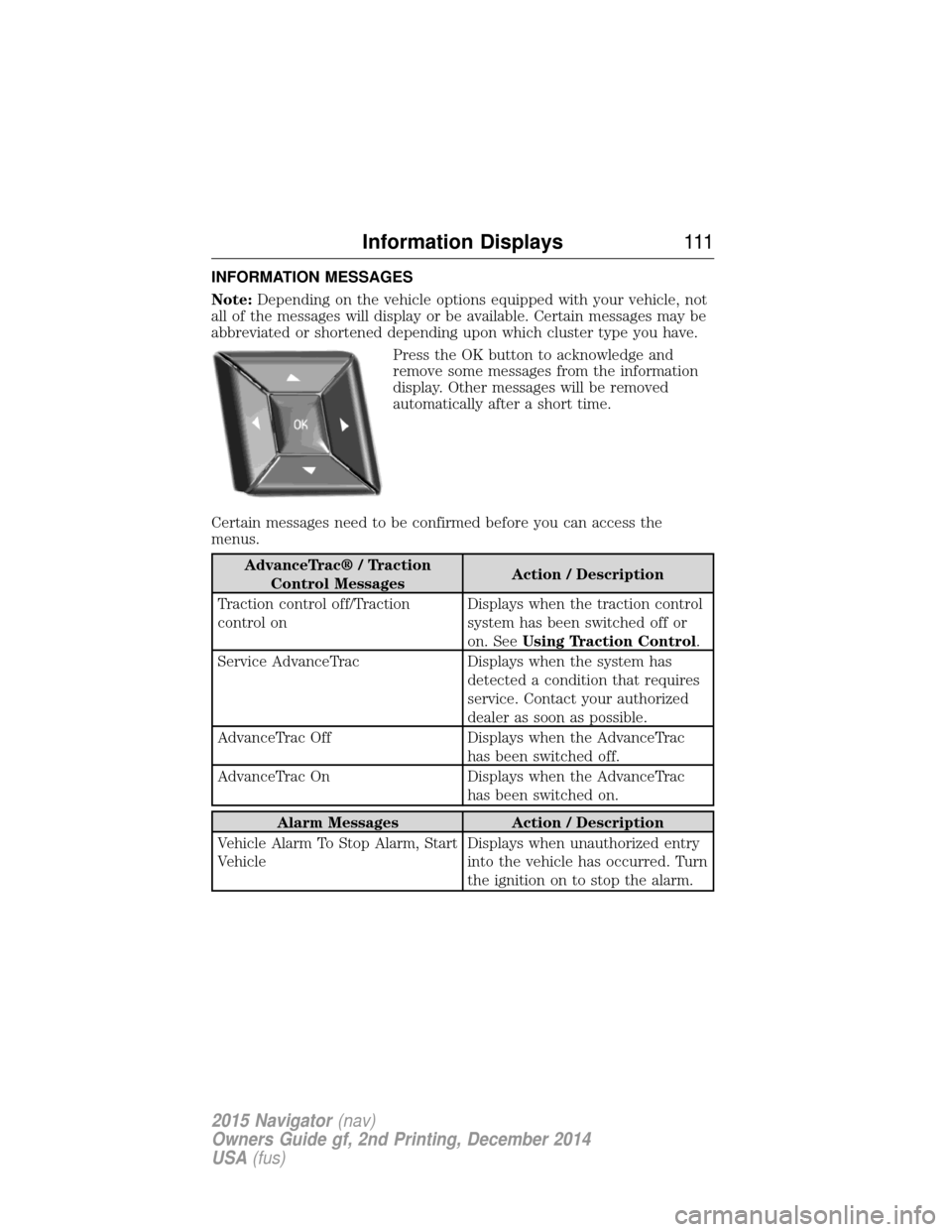
INFORMATION MESSAGES
Note:Depending on the vehicle options equipped with your vehicle, not
all of the messages will display or be available. Certain messages may be
abbreviated or shortened depending upon which cluster type you have.
Press the OK button to acknowledge and
remove some messages from the information
display. Other messages will be removed
automatically after a short time.
Certain messages need to be confirmed before you can access the
menus.
AdvanceTrac® / Traction Control Messages Action / Description
Traction control off/Traction
control on Displays when the traction control
system has been switched off or
on. See
Using Traction Control .
Service AdvanceTrac Displays when the system has detected a condition that requires
service. Contact your authorized
dealer as soon as possible.
AdvanceTrac Off Displays when the AdvanceTrac has been switched off.
AdvanceTrac On Displays when the AdvanceTrac has been switched on.
Alarm MessagesAction / Description
Vehicle Alarm To Stop Alarm, Start
Vehicle Displays when unauthorized entry
into the vehicle has occurred. Turn
the ignition on to stop the alarm.
Information Displays
111
2015 Navigator(nav)
Owners Guide gf, 2nd Printing, December 2014
USA (fus)
Page 113 of 475
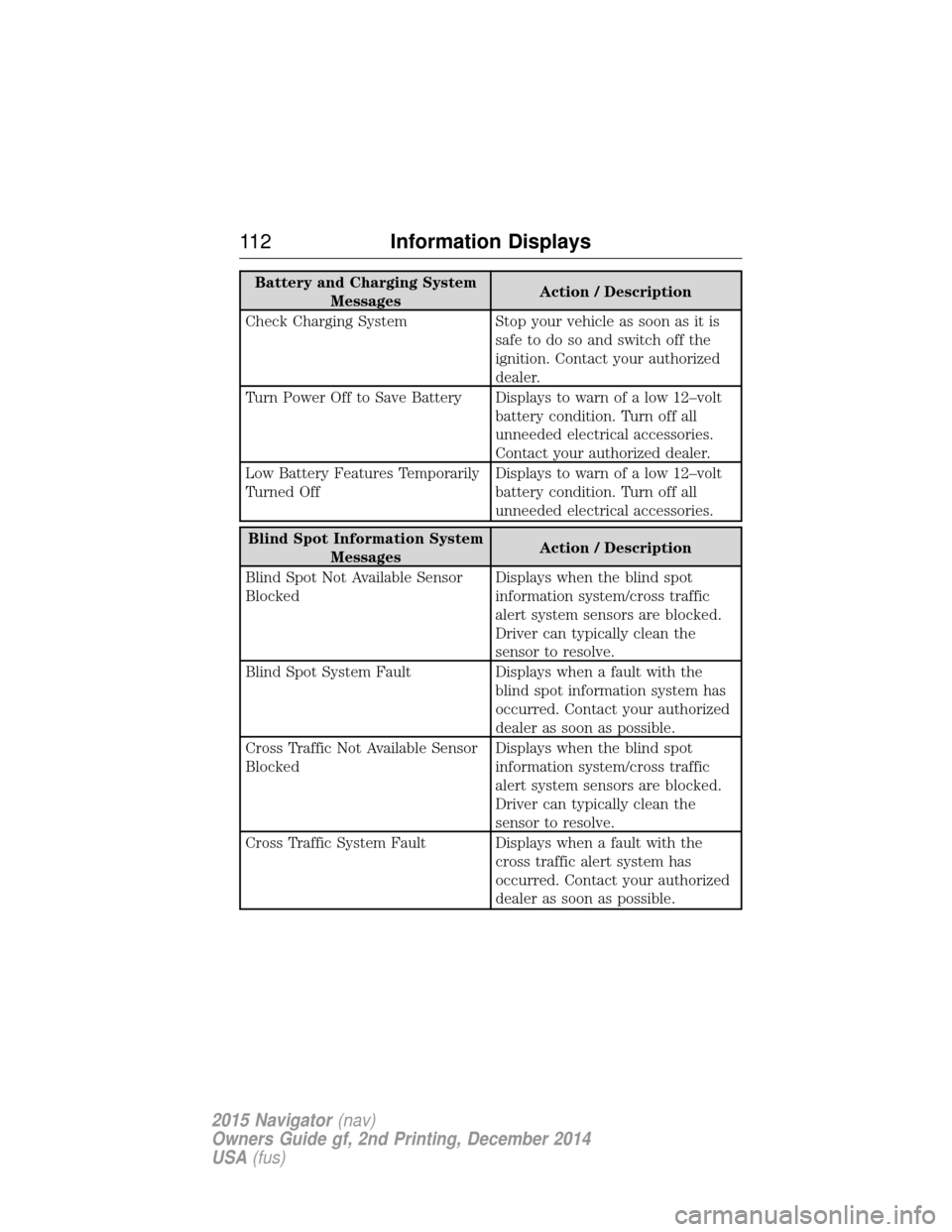
Battery and Charging SystemMessages Action / Description
Check Charging System Stop your vehicle as soon as it is safetodosoandswitchoffthe
ignition. Contact your authorized
dealer.
Turn Power Off to Save Battery Displays to warn of a low 12–volt battery condition. Turn off all
unneeded electrical accessories.
Contact your authorized dealer.
Low Battery Features Temporarily
Turned Off Displays to warn of a low 12–volt
battery condition. Turn off all
unneeded electrical accessories.
Blind Spot Information System
Messages Action / Description
Blind Spot Not Available Sensor
Blocked Displays when the blind spot
information system/cross traffic
alert system sensors are blocked.
Driver can typically clean the
sensor to resolve.
Blind Spot System Fault Displays when a fault with the blind spot information system has
occurred. Contact your authorized
dealer as soon as possible.
Cross Traffic Not Available Sensor
Blocked Displays when the blind spot
information system/cross traffic
alert system sensors are blocked.
Driver can typically clean the
sensor to resolve.
Cross Traffic System Fault Displays when a fault with the cross traffic alert system has
occurred. Contact your authorized
dealer as soon as possible.
11 2Information Displays
2015 Navigator (nav)
Owners Guide gf, 2nd Printing, December 2014
USA (fus)