lock LINCOLN NAVIGATOR 2018 Owner's Guide
[x] Cancel search | Manufacturer: LINCOLN, Model Year: 2018, Model line: NAVIGATOR, Model: LINCOLN NAVIGATOR 2018Pages: 649, PDF Size: 4.96 MB
Page 88 of 649
ANTI-THEFT ALARM - VEHICLES
WITH: INTERIOR SENSOR
Alarm System
Perimeter Alarm
The perimeter alarm is a deterrent againstunauthorized access to your vehicle throughthe doors and the hood.
Interior Sensors
Note:Do not cover up the interior lamp unitsensors.
The interior lamp unit sensors are in theoverhead console. The sensors act as adeterrent against unauthorized intrusion bysensing any movement inside your vehicle.
Inclination Sensors
When you lock your vehicle and arm thealarm, the sensors are designed to detectan attempt to raise your vehicle, for exampleto remove a wheel or to tow it away.
Alarm Settings
ALL SENSORS ACTIVE is the standardsetting. In this mode, the interior sensors areon when you arm the alarm.
In PERIMETER SENSING mode, the interiorsensors are off when you arm the alarm.
You can change the setting through theinformation display. See General Information(page 119).
Ask on Exit (If Equipped)
You can set the information display to askyou each time which level of guard you wishto set.
Triggering the Alarm
Once armed, the alarm triggers in any of thefollowing ways:
•If someone opens a door, the liftgate orthe hood without a valid key or remotecontrol.
•If you switch your vehicle on without acorrectly coded key.
•If the interior sensors detect movementwithin your vehicle.
If the alarm triggers, the alarm horn soundsfor 30 seconds and the hazard flashers turnon for five minutes.
Any further attempts to perform one of theabove triggers the alarm again.
Arming the Alarm
To arm the alarm, lock your vehicle. SeeDoors and Locks (page 72).
85
Navigator (TB9) Canada/United States of America, enUSA, Edition date: 201708, Third-Printing-
Security
Page 89 of 649
Disarming the Alarm
Vehicles Without Keyless Entry
Disarm and silence the alarm by unlockingthe doors with the key and switching yourvehicle on with a correctly coded key, or byunlocking the doors with the remote control.
Vehicles with Keyless Entry
Note:A valid remote control must be locatedwithin the detection range of that door forkeyless entry. See Keyless Entry (page 76).
Disarm and silence the alarm by unlockingthe doors and switching your vehicle on, orby unlocking the doors with the remotecontrol.
ANTI-THEFT ALARM - VEHICLES
WITH: ANTI-THEFT ALARM
SYSTEM
The system will warn you of an unauthorizedentry to your vehicle. It will be triggered ifany door, the luggage compartment or thehood is opened without using the key,remote control or keyless entry keypad.
The direction indicators will flash and thehorn will sound if unauthorized entry isattempted while the alarm is armed.
Take all remote controls to an authorizeddealer if there is any potential alarm problemwith your vehicle.
Arming the Alarm
The alarm is ready to arm when there is nota key in your vehicle. Electronically lock yourvehicle to arm the alarm.
Disarming the Alarm
Disarm the alarm by any of the followingactions:
•Unlock the doors or luggagecompartment with the remote control orkeyless entry keypad.
•Switch your vehicle on or start yourvehicle.
•Use a key in the driver door to unlockyour vehicle, then switch your vehicle onwithin 12 seconds.
Note:Pressing the panic button on theremote control will stop the horn and signalindicators, but will not disarm the system.
86
Navigator (TB9) Canada/United States of America, enUSA, Edition date: 201708, Third-Printing-
Security
Page 90 of 649
USING POWER RUNNING BOARDS
WARNING: In extreme climates,excessive ice buildup may occur, causingthe running boards not to deploy. Makesure that the running boards havedeployed, and have finished moving beforeattempting to step on them. The runningboards will resume normal function oncethe blockage is cleared.
WARNING: Switch off the runningboards before jacking or placing any objectunder your vehicle. Never place your handbetween the extended running board andyour vehicle. A moving running board maycause injury.
Note:Do not use the running boards, frontand rear hinge assemblies, running boardmotors, or the running board underbodymounts to lift your vehicle when jacking.Always use proper jacking points.
Note:The running boards may operate moreslowly in cool temperatures.
Note:The running board mechanism maytrap debris such as mud, dirt, snow, ice andsalt. This may cause unwanted noise. If thishappens, manually set the running boardsto the deployed position. Then, wash thesystem, in particular the front and rear hingearms, with a high-pressure car wash wand.
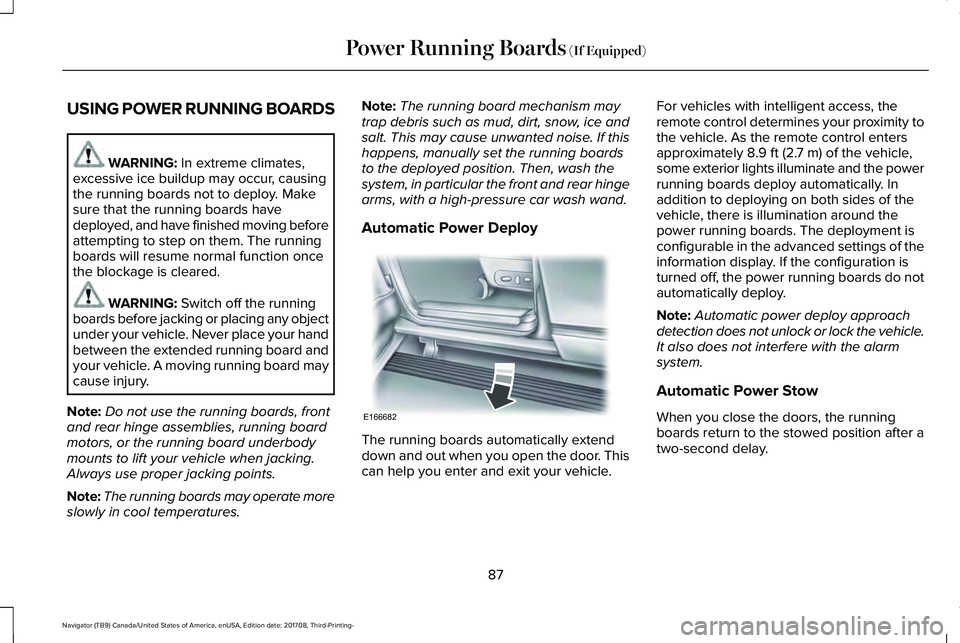
Automatic Power Deploy
The running boards automatically extenddown and out when you open the door. Thiscan help you enter and exit your vehicle.
For vehicles with intelligent access, theremote control determines your proximity tothe vehicle. As the remote control entersapproximately 8.9 ft (2.7 m) of the vehicle,some exterior lights illuminate and the powerrunning boards deploy automatically. Inaddition to deploying on both sides of thevehicle, there is illumination around thepower running boards. The deployment isconfigurable in the advanced settings of theinformation display. If the configuration isturned off, the power running boards do notautomatically deploy.
Note:Automatic power deploy approachdetection does not unlock or lock the vehicle.It also does not interfere with the alarmsystem.
Automatic Power Stow
When you close the doors, the runningboards return to the stowed position after atwo-second delay.
87
Navigator (TB9) Canada/United States of America, enUSA, Edition date: 201708, Third-Printing-
Power Running Boards (If Equipped)E166682
Page 102 of 649
Type Two - Configurable
Switch the daytime running lamps on or offusing the information display. SeeInformation Displays (page 119).
The daytime running lamps turn on when:
1. The lamps are on in the informationdisplay.
2. Switching the ignition on.
3. The transmission is not in park (P) forvehicles with automatic transmissions, orreleasing the parking brake for vehicleswith manual transmissions.
4. The lighting control is in the autolampsposition.
5. The headlamps are off.
The other lighting control switch positionsdo not turn on the daytime running lamps.
If the daytime running lamps are off in theinformation display, the lamps stay off in allswitch positions.
AUTOMATIC HIGH BEAM
CONTROL (IF EQUIPPED)
WARNING: The system does notrelieve you of your responsibility to drivewith due care and attention. You may needto override the system if it does not turnthe high beams on or off.
The system turns on high beams if it is darkenough and no other traffic is present. If itdetects an approaching vehicle’s headlampsor tail lamps, or street lighting ahead, thesystem turns off high beams before they candistract other road users. Low beams remainon.
Note:The system may not operate properlyif the sensor is blocked. Keep the windshieldfree from obstruction or damage.
Note:The system may not operate properlyin cold or inclement conditions. You canswitch on the high beams by overriding thesystem.
Note:If the system detects a blockage, forexample bird droppings, bug splatter, snowor ice, the system goes into low beam modeuntil you clear the blockage. A message mayappear in the information display if thecamera is blocked.
Note:Using much larger tires or equippingvehicle accessories such as snowplows canmodify your vehicle's ride height anddegrade automatic high beam controlperformance.
A camera sensor, centrally mounted behindthe windshield of your vehicle, continuouslymonitors conditions to turn the high beamson and off.
Once the system is active, the high beamsturn on if:
•The ambient light level is low enough.
•There is no traffic in front of your vehicle.
•The vehicle speed is greater thanapproximately 32 mph (51 km/h).
99
Navigator (TB9) Canada/United States of America, enUSA, Edition date: 201708, Third-Printing-
Lighting
Page 103 of 649
The high beams turn off if:
•The ambient light level is high enoughthat high beams are not required.
•The system detects an approachingvehicle's headlamps or tail lamps.
•The vehicle speed falls belowapproximately 27 mph (44 km/h).
•The system detects severe rain, snow orfog.
•The camera is blocked.
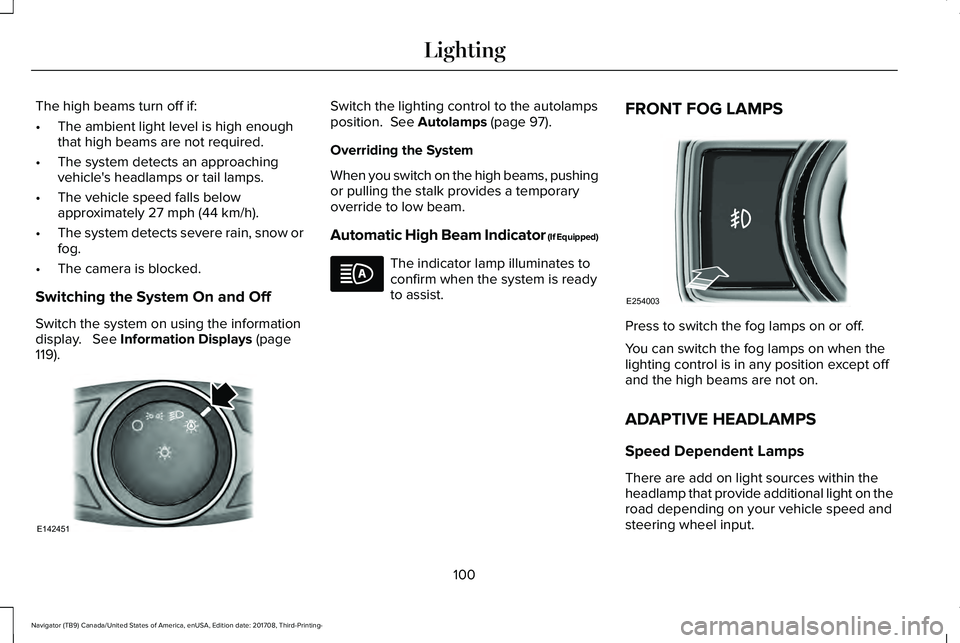
Switching the System On and Off
Switch the system on using the informationdisplay. See Information Displays (page119).
Switch the lighting control to the autolampsposition. See Autolamps (page 97).
Overriding the System
When you switch on the high beams, pushingor pulling the stalk provides a temporaryoverride to low beam.
Automatic High Beam Indicator (If Equipped)
The indicator lamp illuminates toconfirm when the system is readyto assist.
FRONT FOG LAMPS
Press to switch the fog lamps on or off.
You can switch the fog lamps on when thelighting control is in any position except offand the high beams are not on.
ADAPTIVE HEADLAMPS
Speed Dependent Lamps
There are add on light sources within theheadlamp that provide additional light on theroad depending on your vehicle speed andsteering wheel input.
100
Navigator (TB9) Canada/United States of America, enUSA, Edition date: 201708, Third-Printing-
LightingE142451 E254003
Page 104 of 649
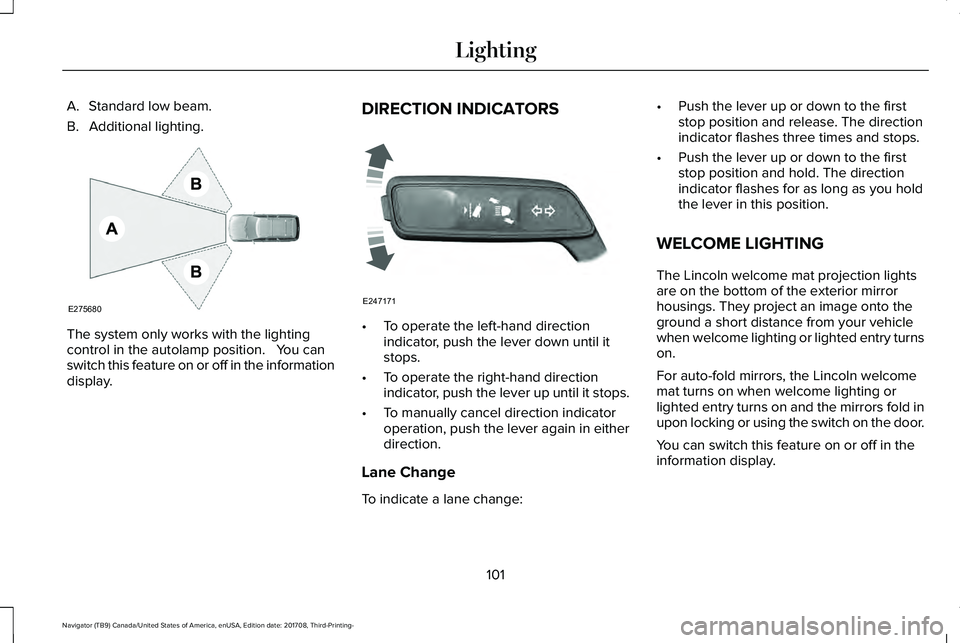
A. Standard low beam.
B. Additional lighting.
The system only works with the lightingcontrol in the autolamp position. You canswitch this feature on or off in the informationdisplay.
DIRECTION INDICATORS
•To operate the left-hand directionindicator, push the lever down until itstops.
•To operate the right-hand directionindicator, push the lever up until it stops.
•To manually cancel direction indicatoroperation, push the lever again in eitherdirection.
Lane Change
To indicate a lane change:
•Push the lever up or down to the firststop position and release. The directionindicator flashes three times and stops.
•Push the lever up or down to the firststop position and hold. The directionindicator flashes for as long as you holdthe lever in this position.
WELCOME LIGHTING
The Lincoln welcome mat projection lightsare on the bottom of the exterior mirrorhousings. They project an image onto theground a short distance from your vehiclewhen welcome lighting or lighted entry turnson.
For auto-fold mirrors, the Lincoln welcomemat turns on when welcome lighting orlighted entry turns on and the mirrors fold inupon locking or using the switch on the door.
You can switch this feature on or off in theinformation display.
101
Navigator (TB9) Canada/United States of America, enUSA, Edition date: 201708, Third-Printing-
LightingE275680 E247171
Page 108 of 649
Window Lock
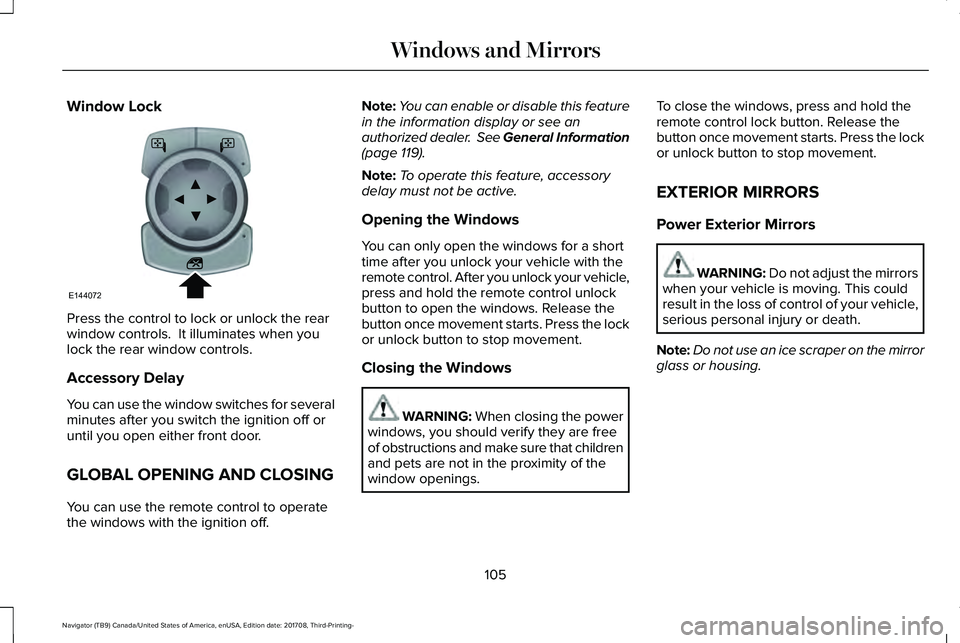
Press the control to lock or unlock the rearwindow controls. It illuminates when youlock the rear window controls.
Accessory Delay
You can use the window switches for severalminutes after you switch the ignition off oruntil you open either front door.
GLOBAL OPENING AND CLOSING
You can use the remote control to operatethe windows with the ignition off.
Note:You can enable or disable this featurein the information display or see anauthorized dealer. See General Information(page 119).
Note:To operate this feature, accessorydelay must not be active.
Opening the Windows
You can only open the windows for a shorttime after you unlock your vehicle with theremote control. After you unlock your vehicle,press and hold the remote control unlockbutton to open the windows. Release thebutton once movement starts. Press the lockor unlock button to stop movement.
Closing the Windows
WARNING: When closing the powerwindows, you should verify they are freeof obstructions and make sure that childrenand pets are not in the proximity of thewindow openings.
To close the windows, press and hold theremote control lock button. Release thebutton once movement starts. Press the lockor unlock button to stop movement.
EXTERIOR MIRRORS
Power Exterior Mirrors
WARNING: Do not adjust the mirrorswhen your vehicle is moving. This couldresult in the loss of control of your vehicle,serious personal injury or death.
Note:Do not use an ice scraper on the mirrorglass or housing.
105
Navigator (TB9) Canada/United States of America, enUSA, Edition date: 201708, Third-Printing-
Windows and MirrorsE144072
Page 109 of 649
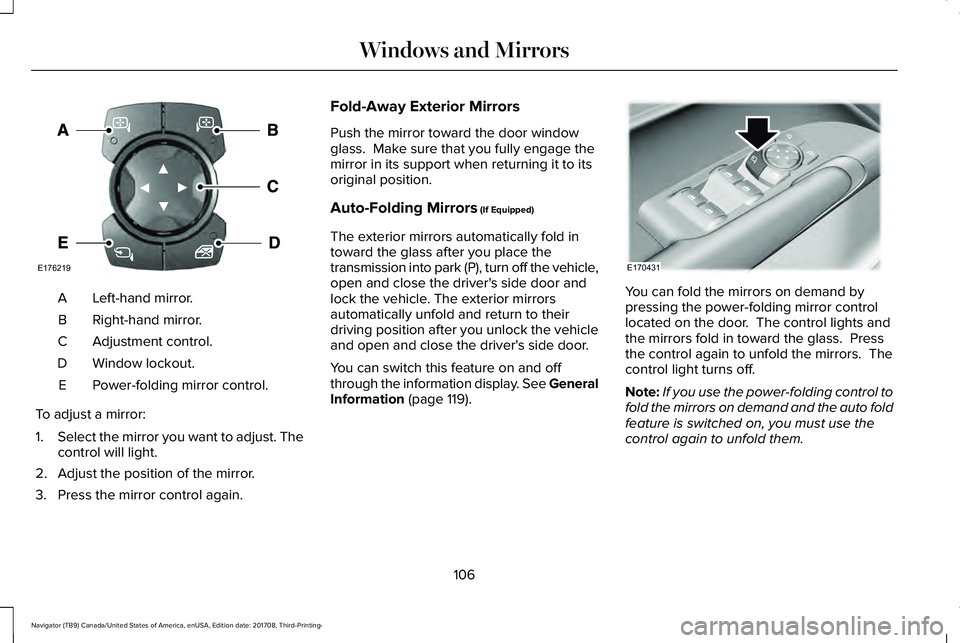
Left-hand mirror.A
Right-hand mirror.B
Adjustment control.C
Window lockout.D
Power-folding mirror control.E
To adjust a mirror:
1.Select the mirror you want to adjust. Thecontrol will light.
2. Adjust the position of the mirror.
3. Press the mirror control again.
Fold-Away Exterior Mirrors
Push the mirror toward the door windowglass. Make sure that you fully engage themirror in its support when returning it to itsoriginal position.
Auto-Folding Mirrors (If Equipped)
The exterior mirrors automatically fold intoward the glass after you place thetransmission into park (P), turn off the vehicle,open and close the driver's side door andlock the vehicle. The exterior mirrorsautomatically unfold and return to theirdriving position after you unlock the vehicleand open and close the driver's side door.
You can switch this feature on and offthrough the information display. See GeneralInformation (page 119).
You can fold the mirrors on demand bypressing the power-folding mirror controllocated on the door. The control lights andthe mirrors fold in toward the glass. Pressthe control again to unfold the mirrors. Thecontrol light turns off.
Note:If you use the power-folding control tofold the mirrors on demand and the auto foldfeature is switched on, you must use thecontrol again to unfold them.
106
Navigator (TB9) Canada/United States of America, enUSA, Edition date: 201708, Third-Printing-
Windows and MirrorsE176219 E170431
Page 110 of 649
Loose Mirror
If your power-folding mirrors are manuallyfolded, they may not work properly evenafter you re-position them. You need to resetthem if:
•The mirrors vibrate when you drive.
•The mirrors feel loose.
•The mirrors do not stay in the folded orunfolded position.
•One of the mirrors is not in its normaldriving position.
To reset the power-fold feature, use thepower-folding mirror control to fold andunfold the mirrors. You may hear a loud noiseas you reset the power-folding mirrors. Thissound is normal. Repeat this process asneeded each time the mirrors are manuallyfolded.
Heated Exterior Mirrors
See Heated Windows and Mirrors (page156).
Memory Mirrors
You can save and recall the mirror positionsthrough the memory function. See MemoryFunction (page 167).
Auto-Dimming Feature
The driver’s exterior mirror automaticallydims when the interior auto-dimming mirrorturns on.
Signal Indicator Mirrors (If Equipped)
The outer portion of the appropriate mirrorhousing blinks when you switch on thedirection indicator.
Lincoln Welcome Mat
Projection lights, on the bottom of the mirrorhousings, project an image onto the grounda short distance from the vehicle.
360-Degree Camera (If Equipped)
See 360 Degree Camera (page 253).
Blind Spot Monitor
See Blind Spot Information System (page272).
INTERIOR MIRROR
WARNING: Do not adjust the mirrorwhen your vehicle is moving.
Note:Do not clean the housing or glass ofany mirror with harsh abrasives, fuel or otherpetroleum or ammonia-based cleaningproducts.
You can adjust the interior mirror to yourpreference. Some mirrors also have a secondpivot point. This lets you move the mirrorhead up or down and from side to side.
Auto-Dimming Mirror
Note:Do not block the sensors on the frontand back of the mirror. Mirror performancemay be affected. A rear center passengeror raised rear center head restraint may alsoblock light from reaching the sensor.
107
Navigator (TB9) Canada/United States of America, enUSA, Edition date: 201708, Third-Printing-
Windows and Mirrors
Page 117 of 649
Adaptive Cruise Control Indicator (If
Equipped)
It illuminates when you switch thesystem on.
It illuminates white when thesystem is in standby mode. It illuminatesgreen when you set the adaptive cruisespeed.
See Using Adaptive Cruise Control (page257).
Anti-Lock Brake System Warning Lamp
If it illuminates when you aredriving, this indicates amalfunction. Your vehiclecontinues to have normal braking withoutthe anti-lock brake system function. Haveyour vehicle checked as soon as possible.
Auto Hold Active
Illuminates when the system holdsyour vehicle stationary.
Auto Hold Unavailable
Illuminates when the system is on,but unavailable to hold yourvehicle stationary.
Auto-Start-Stop Indicator
It illuminates when the engine hasautomatically stopped. It flashesto inform you when the engineneeds to restart. The indicator is shown witha strikethrough if the system is not available.
See Auto-Start-Stop (page 196).
Automatic Headlamp High BeamIndicator (If Equipped)
It illuminates when the systemautomatically turns the headlamphigh beam on.
See Automatic High Beam Control (page99).
Battery
It illuminates when you switch theignition on.
If it illuminates when the engine isrunning this indicates a malfunction. Haveyour vehicle checked as soon as possible.
Blind Spot Monitor
It illuminates when you switch thesystem off.
See Blind Spot InformationSystem (page 272).
114
Navigator (TB9) Canada/United States of America, enUSA, Edition date: 201708, Third-Printing-
Instrument ClusterE144524 E197933 E197934 E151262