lock LINCOLN NAVIGATOR 2018 User Guide
[x] Cancel search | Manufacturer: LINCOLN, Model Year: 2018, Model line: NAVIGATOR, Model: LINCOLN NAVIGATOR 2018Pages: 649, PDF Size: 4.96 MB
Page 43 of 649
PRINCIPLE OF OPERATION
WARNING: Always drive and ridewith your seatback upright and the lap beltsnug and low across the hips.
WARNING: Children must always beproperly restrained.
WARNING: Never let a passengerhold a child on his or her lap while thevehicle is moving. The passenger cannotprotect the child from injury in a crash.
WARNING: All occupants of yourvehicle, including the driver, should alwaysproperly wear their seatbelts, even whenan airbag supplemental restraint system isprovided. Failure to properly wear yourseatbelt could seriously increase the riskof injury or death.
WARNING: It is extremely dangerousto ride in a cargo area, inside or outside ofa vehicle. In a crash, people riding in theseareas are more likely to be seriouslyinjured or killed. Do not allow people toride in any area of your vehicle that is notequipped with seats and seatbelts. Makesure everyone in your vehicle is in a seatand properly using a seatbelt. Failure tofollow this warning could result in seriouspersonal injury or death.
WARNING: In a rollover crash, anunbelted person is significantly more likelyto die than a person wearing a seatbelt.
WARNING: Each seating position inyour vehicle has a specific seatbeltassembly made up of one buckle and onetongue designed to be used as a pair. Usethe shoulder belt on the outside shoulderonly. Never wear the shoulder belt underthe arm. Never use a single seatbelt formore than one person.
WARNING: Even with advancedrestraints systems, properly restrainchildren 12 and under in a rear seatingposition. Failure to follow this couldseriously increase the risk of injury ordeath.
WARNING: Seatbelts and seats maybe hot in a vehicle that is in the sunshine.The hot seatbelts or seats may burn a smallchild. Check seat covers and bucklesbefore you place a child anywhere nearthem.
All seating positions in your vehicle have lapand shoulder seatbelts. All occupants of thevehicle should always properly wear theirseatbelts, even when an airbag supplementalrestraint system is provided.
The seatbelt system consists of:
•Lap and shoulder seatbelts.
•Shoulder seatbelt with automatic lockingmode, (except driver seatbelt and rearinflatable seatbelt).
40
Navigator (TB9) Canada/United States of America, enUSA, Edition date: 201708, Third-Printing-
Seatbelts
Page 45 of 649

The retractor for the third row center seatbeltis in the roof.
To fasten the seatbelt:
1. Pull the belt out steadily. It may lock ifyou pull it sharply or if the vehicle is ona slope.
2.Insert the smaller tongue into the smallerbuckle to the left of the center seat.
42
Navigator (TB9) Canada/United States of America, enUSA, Edition date: 201708, Third-Printing-
SeatbeltsE275033
Page 46 of 649
3.Pull the larger tongue across the lap andinsert it into the buckle to the right of thecenter seat.
Note:If in constant use, you can leave thebelt buckled in the smaller buckle. When itis not in use, or when you fold or move therear seats, you should release the belt fromthe smaller buckle. Using the tongue of theadjacent seatbelt, press the red button onthe smaller buckle.
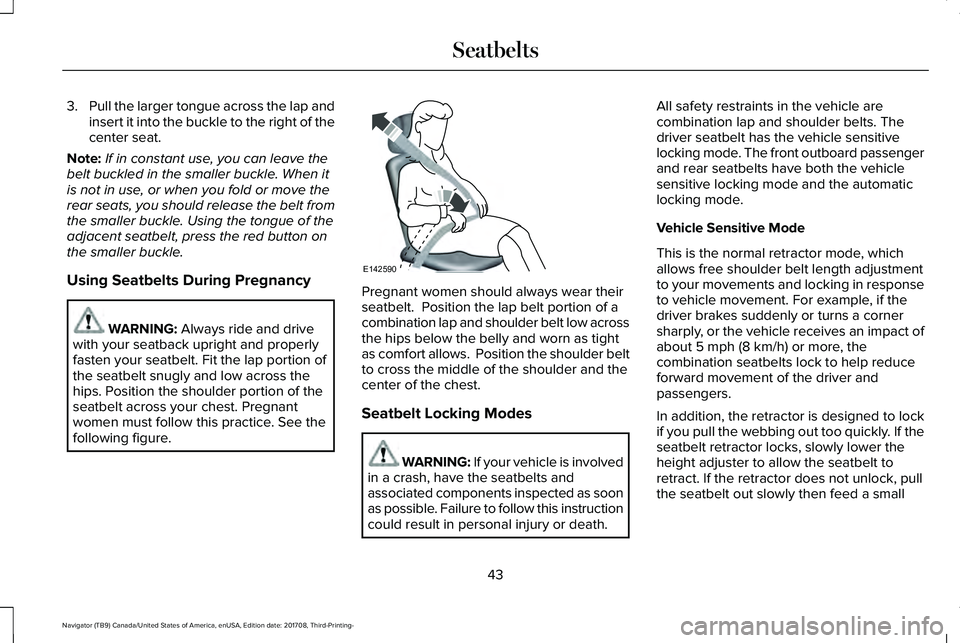
Using Seatbelts During Pregnancy
WARNING: Always ride and drivewith your seatback upright and properlyfasten your seatbelt. Fit the lap portion ofthe seatbelt snugly and low across thehips. Position the shoulder portion of theseatbelt across your chest. Pregnantwomen must follow this practice. See thefollowing figure.
Pregnant women should always wear theirseatbelt. Position the lap belt portion of acombination lap and shoulder belt low acrossthe hips below the belly and worn as tightas comfort allows. Position the shoulder beltto cross the middle of the shoulder and thecenter of the chest.
Seatbelt Locking Modes
WARNING: If your vehicle is involvedin a crash, have the seatbelts andassociated components inspected as soonas possible. Failure to follow this instructioncould result in personal injury or death.
All safety restraints in the vehicle arecombination lap and shoulder belts. Thedriver seatbelt has the vehicle sensitivelocking mode. The front outboard passengerand rear seatbelts have both the vehiclesensitive locking mode and the automaticlocking mode.
Vehicle Sensitive Mode
This is the normal retractor mode, whichallows free shoulder belt length adjustmentto your movements and locking in responseto vehicle movement. For example, if thedriver brakes suddenly or turns a cornersharply, or the vehicle receives an impact ofabout 5 mph (8 km/h) or more, thecombination seatbelts lock to help reduceforward movement of the driver andpassengers.
In addition, the retractor is designed to lockif you pull the webbing out too quickly. If theseatbelt retractor locks, slowly lower theheight adjuster to allow the seatbelt toretract. If the retractor does not unlock, pullthe seatbelt out slowly then feed a small
43
Navigator (TB9) Canada/United States of America, enUSA, Edition date: 201708, Third-Printing-
SeatbeltsE142590
Page 47 of 649

length of webbing back toward the stowedposition. For rear seatbelts, recline the rearseat backrest or push the seat backrestcushion away from the seatbelt. Feed a smalllength of webbing back toward the stowedposition.
Automatic Locking Mode
In this mode, the shoulder belt automaticallypre-locks. The belt still retracts to removeany slack in the shoulder belt. The automaticlocking mode is not available on the driverseatbelt.
When to Use the Automatic Locking Mode
Use this mode when you install a child safetyseat, except a booster, in the passenger frontor rear seating positions. Properly restrainchildren 12 years old and under in a rearseating position whenever possible. SeeChild Safety (page 19).
How to Use the Automatic Locking Mode
Non-Inflatable Seatbelts
1.Buckle the combination lap and shoulderbelt.
2. Grasp the shoulder portion and pulldownward until you pull the entire beltout. As the belt retracts, you will hear aclicking sound. This indicates the seatbeltis now in the automatic locking mode.
Rear Outermost Inflatable Seatbelts (SecondRow Only–If Equipped)
1.Buckle the combination lap and shoulderbelt.
2.Grasp the lap portion of the belt and pullupward until you pull the entire belt out.
3. Allow the belt to retract. As the beltretracts, you will hear a clicking sound.This indicates the seatbelt is now in theautomatic locking mode.
44
Navigator (TB9) Canada/United States of America, enUSA, Edition date: 201708, Third-Printing-
SeatbeltsE142591 E146363
Page 48 of 649
How to Disengage the Automatic LockingMode
Unbuckle the combination lap and shoulderbelt and allow it to retract completely todisengage the automatic locking mode andactivate the vehicle sensitive (emergency)locking mode.
Rear Inflatable Seatbelt (If Equipped)
WARNING: Do not attempt to service,repair, or modify the supplementaryrestraint system or associated components.Failure to follow this instruction could resultin personal injury or death.
The rear inflatable seatbelts are in theshoulder portion of the seatbelts of thesecond-row outermost seating positions.
Note:The rear inflatable seatbelts arecompatible with most infant and child safetycar seats and belt positioning booster seatswhen you properly install them. This isbecause they are designed to fill with acooled gas at a lower pressure and at aslower rate than traditional airbags. Afterinflation, the shoulder portion of the seatbeltremains cool to the touch.
The rear inflatable seatbelt consists of thefollowing:
•An inflatable bag in the shoulder seatbeltwebbing.
•Lap seatbelt webbing with automaticlocking mode.
•The same warning light, electroniccontrol and diagnostic unit as used forthe front seatbelts.
•Impact sensors in various parts of thevehicle.
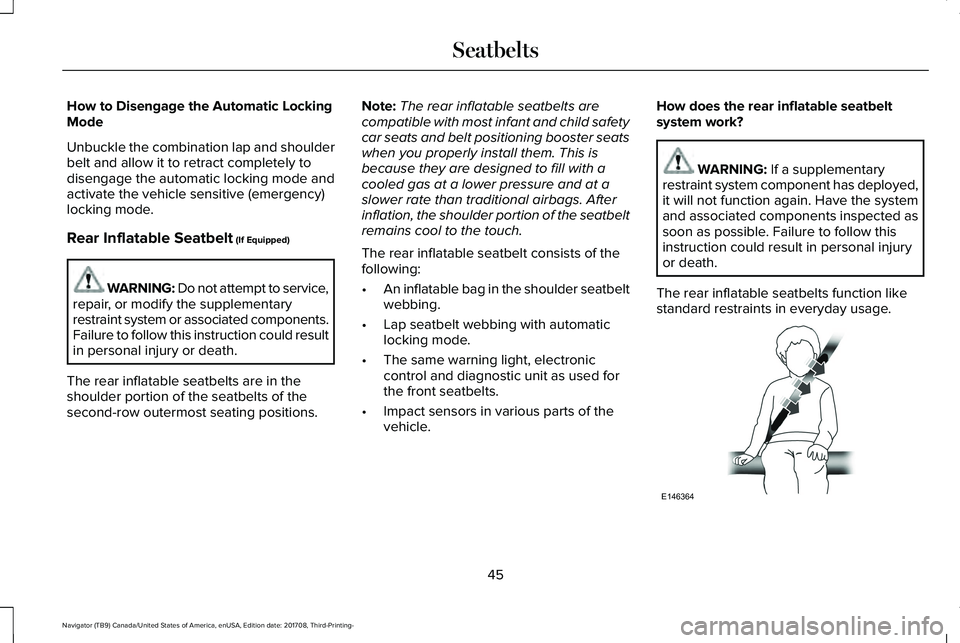
How does the rear inflatable seatbeltsystem work?
WARNING: If a supplementaryrestraint system component has deployed,it will not function again. Have the systemand associated components inspected assoon as possible. Failure to follow thisinstruction could result in personal injuryor death.
The rear inflatable seatbelts function likestandard restraints in everyday usage.
45
Navigator (TB9) Canada/United States of America, enUSA, Edition date: 201708, Third-Printing-
SeatbeltsE146364
Page 49 of 649

During a crash of sufficient force, theinflatable belt inflates from inside thewebbing.
The fully inflated seatbelt's increaseddiameter more effectively holds the occupantin the appropriate seating position, andspreads crash forces over more area of thebody than regular seatbelts. This helpsreduce pressure on the chest and helpscontrol head and neck motion forpassengers.
The rear inflatable seatbelts are designed toinflate in frontal or near-frontal crashes, sideimpact crashes and rollovers. The fact thatthe rear inflatable seatbelt did not inflate ina crash does not mean that something iswrong with the system. Rather, it means theforces were not of the type sufficient tocause activation.
SEATBELT HEIGHT ADJUSTMENT
WARNING: Position the seatbeltheight adjuster so that the belt rests acrossthe middle of your shoulder. Failure toadjust the seatbelt properly could reducethe effectiveness of the seatbelt andincrease the risk of injury in a crash.
To adjust the shoulder belt height, squeezethe button and slide the height adjuster upor down. Release the button and pull downon the height adjuster to make sure it islocked in place.
SEATBELT WARNING LAMP AND
INDICATOR CHIME
This lamp illuminates and anindicator chime will sound if thedriver seatbelt has not beenfastened when the vehicle's ignition is turnedon.
46
Navigator (TB9) Canada/United States of America, enUSA, Edition date: 201708, Third-Printing-
SeatbeltsE146365 E146191 E71880
Page 65 of 649
GENERAL INFORMATION ON
RADIO FREQUENCIES
This device complies with Part 15 of the FCCRules and with Licence exempt RSSStandards of Industry Canada. Operation issubject to the following two conditions:
•This device may not cause harmfulinterference, and
•This device must accept any interferencereceived, including interference that maycause undesired operation.
Note:Changes or modifications notexpressively approved by the partyresponsible for compliance could void theuser's authority to operate the equipment.The term "IC:" before the radio certificationnumber only signifies that Industry Canadatechnical specifications were met.
The typical operating range for yourtransmitter is approximately 33 ft (10 m).Vehicles with the remote start feature willhave a greater range. One of the followingcould cause a decrease in operating range:
•Weather conditions.
•Nearby radio towers.
•Structures around the vehicle.
•Other vehicles parked next to yourvehicle.
The radio frequency used by your remotecontrol can also be used by other radiotransmitters, for example amateur radios,medical equipment, wireless headphones,wireless remote controls, cell phones, batterychargers and alarm systems. If thefrequencies are jammed, you will not be ableto use your remote control. You can lockand unlock the doors with the key.
Note:Make sure you lock your vehiclebefore leaving it unattended.
Note:If you are within range of your vehicle,the remote control will operate if youunintentionally press any button.
Intelligent Access
The system uses a radio frequency signal tocommunicate with your vehicle andauthorizes your vehicle to unlock when oneof the following conditions are met:
•You touch the unlock sensor on the backof the door handle with the intelligentaccess key within 3 ft (1 m) of yourvehicle.
•You press the luggage compartmentbutton.
•You press the unlock button on thetransmitter.
If excessive radio frequency interference ispresent in the area or if the transmitterbattery is low, you may need to mechanicallyunlock your door. You can use themechanical key blade in your intelligentaccess key to open the driver door in thissituation. See Remote Control (page 63).
62
Navigator (TB9) Canada/United States of America, enUSA, Edition date: 201708, Third-Printing-
Keys and Remote Controls
Page 66 of 649
REMOTE CONTROL
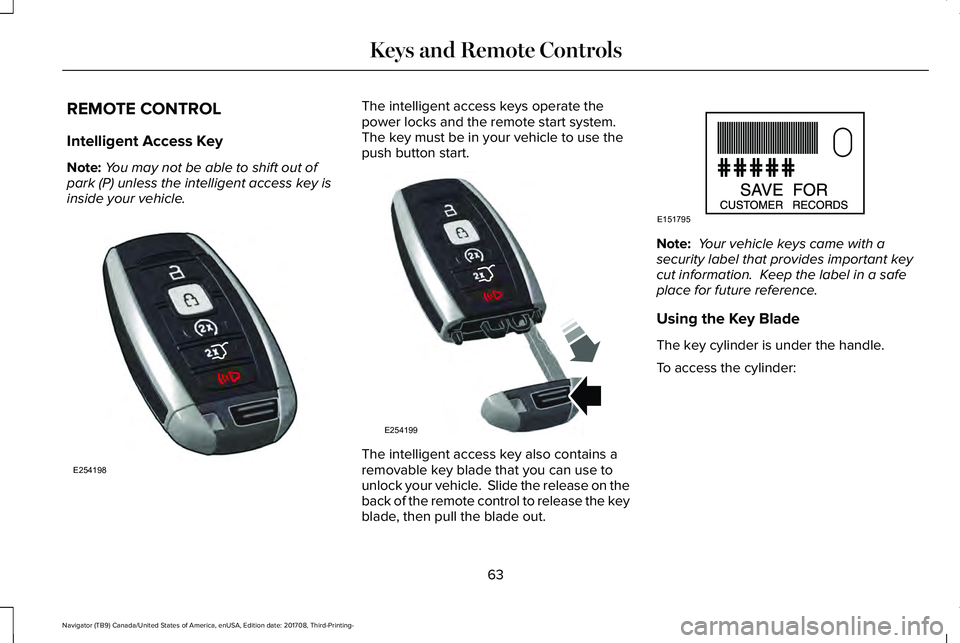
Intelligent Access Key
Note:You may not be able to shift out ofpark (P) unless the intelligent access key isinside your vehicle.
The intelligent access keys operate thepower locks and the remote start system. The key must be in your vehicle to use thepush button start.
The intelligent access key also contains aremovable key blade that you can use tounlock your vehicle. Slide the release on theback of the remote control to release the keyblade, then pull the blade out.
Note: Your vehicle keys came with asecurity label that provides important keycut information. Keep the label in a safeplace for future reference.
Using the Key Blade
The key cylinder is under the handle.
To access the cylinder:
63
Navigator (TB9) Canada/United States of America, enUSA, Edition date: 201708, Third-Printing-
Keys and Remote ControlsE254198 E254199 E151795
Page 67 of 649
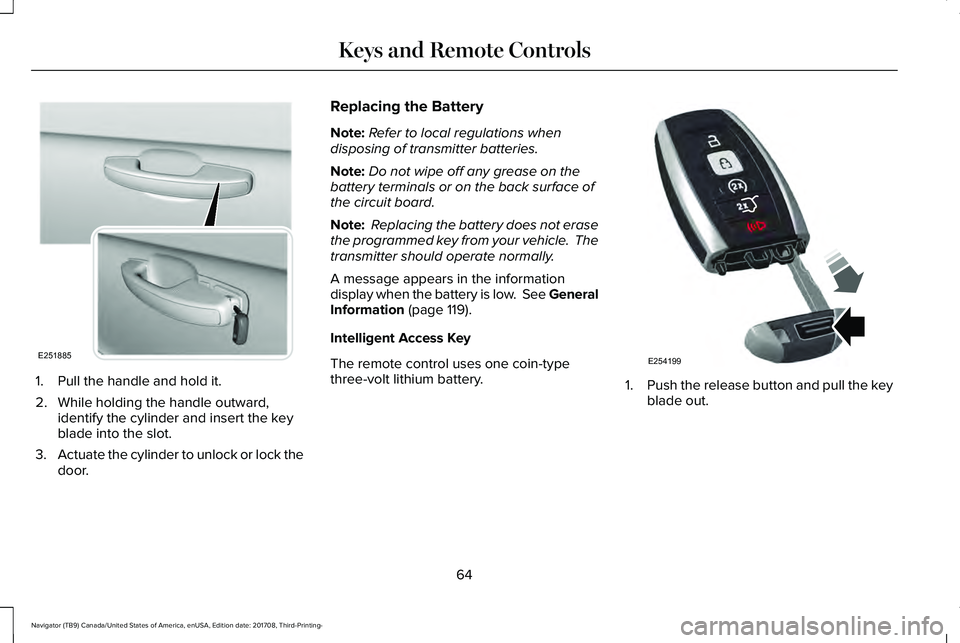
1. Pull the handle and hold it.
2. While holding the handle outward,identify the cylinder and insert the keyblade into the slot.
3.Actuate the cylinder to unlock or lock thedoor.
Replacing the Battery
Note:Refer to local regulations whendisposing of transmitter batteries.
Note:Do not wipe off any grease on thebattery terminals or on the back surface ofthe circuit board.
Note: Replacing the battery does not erasethe programmed key from your vehicle. Thetransmitter should operate normally.
A message appears in the informationdisplay when the battery is low. See GeneralInformation (page 119).
Intelligent Access Key
The remote control uses one coin-typethree-volt lithium battery.1.Push the release button and pull the keyblade out.
64
Navigator (TB9) Canada/United States of America, enUSA, Edition date: 201708, Third-Printing-
Keys and Remote ControlsE251885 E254199
Page 69 of 649
Remote Start
WARNING: To avoid exhaust fumes,do not use remote start if your vehicle isparked indoors or in areas that are not wellventilated.
Note:Do not use remote start if your fuellevel is low.
The remote start button is on thetransmitter.
This feature allows you to start your vehiclefrom outside the vehicle. The transmitter hasan extended operating range.
Vehicles with automatic climate control canbe configured to operate when the vehicleis remote started. See Automatic ClimateControl (page 151).
Many states and provinces have restrictionsfor the use of remote start. Check your localand state or provincial laws for specificrequirements regarding remote startsystems.
The system does not work if:
•The ignition is on.
•The anti-theft alarm triggers.
•You switch off the feature in theinformation display. See GeneralInformation (page 119).
•The hood is open.
•The transmission is not in park (P).
•The battery voltage is below theminimum operating voltage.
Remote Starting your Vehicle
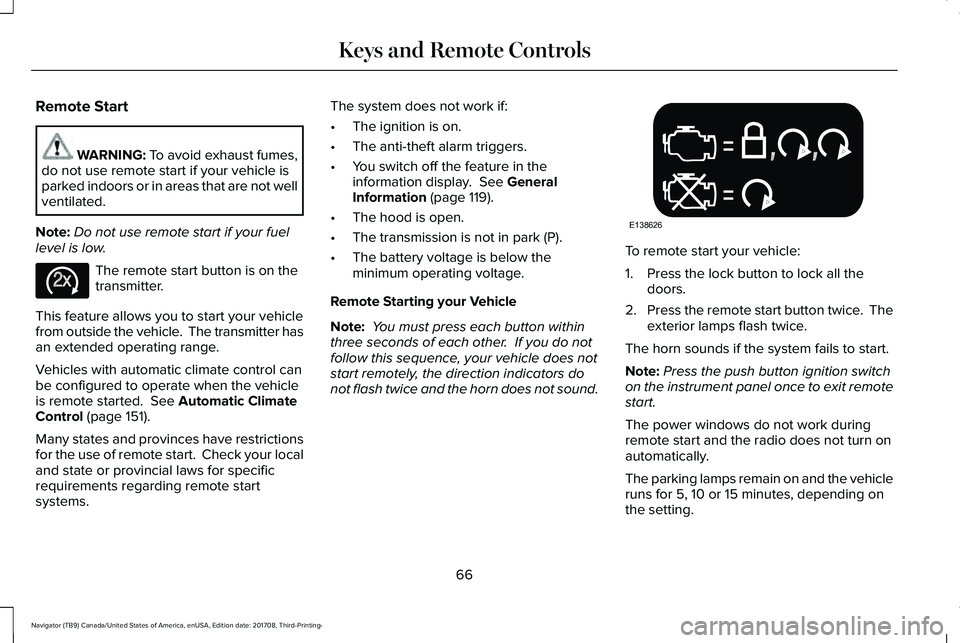
Note: You must press each button withinthree seconds of each other. If you do notfollow this sequence, your vehicle does notstart remotely, the direction indicators donot flash twice and the horn does not sound.
To remote start your vehicle:
1. Press the lock button to lock all thedoors.
2.Press the remote start button twice. Theexterior lamps flash twice.
The horn sounds if the system fails to start.
Note:Press the push button ignition switchon the instrument panel once to exit remotestart.
The power windows do not work duringremote start and the radio does not turn onautomatically.
The parking lamps remain on and the vehicleruns for 5, 10 or 15 minutes, depending onthe setting.
66
Navigator (TB9) Canada/United States of America, enUSA, Edition date: 201708, Third-Printing-
Keys and Remote ControlsE138625 E138626