lock LINCOLN NAVIGATOR 2018 Workshop Manual
[x] Cancel search | Manufacturer: LINCOLN, Model Year: 2018, Model line: NAVIGATOR, Model: LINCOLN NAVIGATOR 2018Pages: 649, PDF Size: 4.96 MB
Page 164 of 649
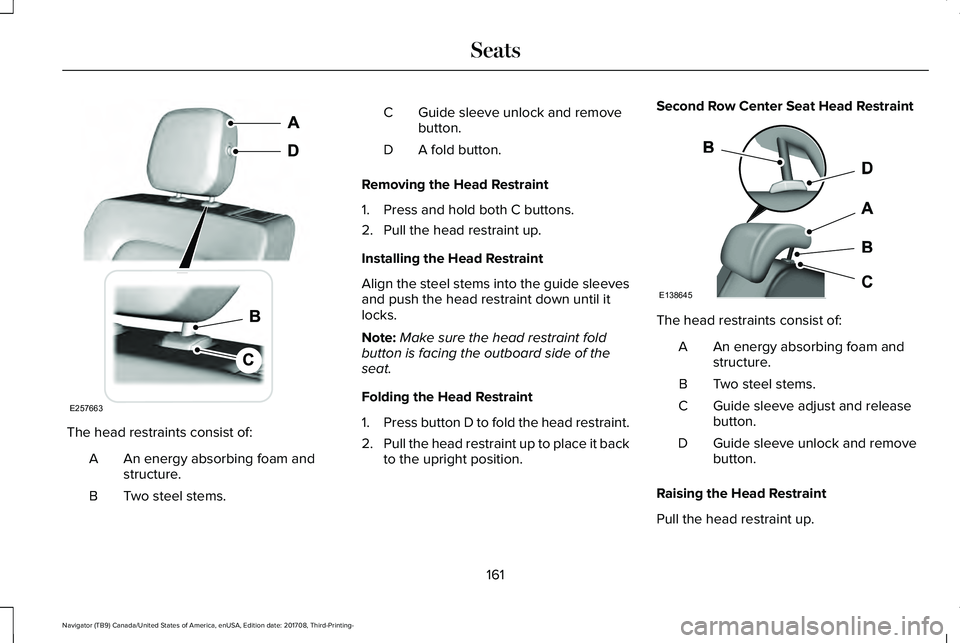
The head restraints consist of:
An energy absorbing foam andstructure.A
Two steel stems.B
Guide sleeve unlock and removebutton.C
A fold button.D
Removing the Head Restraint
1. Press and hold both C buttons.
2. Pull the head restraint up.
Installing the Head Restraint
Align the steel stems into the guide sleevesand push the head restraint down until itlocks.
Note:Make sure the head restraint foldbutton is facing the outboard side of theseat.
Folding the Head Restraint
1.Press button D to fold the head restraint.
2.Pull the head restraint up to place it backto the upright position.
Second Row Center Seat Head Restraint
The head restraints consist of:
An energy absorbing foam andstructure.A
Two steel stems.B
Guide sleeve adjust and releasebutton.C
Guide sleeve unlock and removebutton.D
Raising the Head Restraint
Pull the head restraint up.
161
Navigator (TB9) Canada/United States of America, enUSA, Edition date: 201708, Third-Printing-
SeatsE257663 E138645
Page 165 of 649
Lowering the Head Restraint
1. Press and hold button C.
2. Push the head restraint down.
Removing the Head Restraint
1.Pull the head restraint up until it reachesits highest position.
2. Press and hold buttons C and D.
3. Pull the head restraint up.
Installing the Head Restraint
Align the steel stems into the guide sleevesand push the head restraint down until itlocks.
Third Row Head Restraints
The third row head restraints arenon-adjustable, but you can fold them.
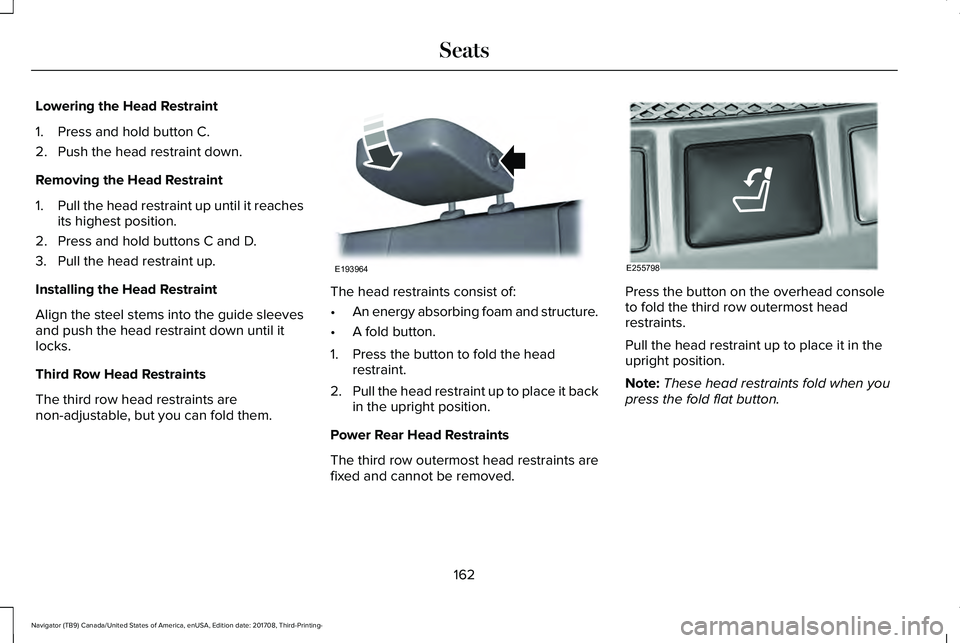
The head restraints consist of:
•An energy absorbing foam and structure.
•A fold button.
1. Press the button to fold the headrestraint.
2.Pull the head restraint up to place it backin the upright position.
Power Rear Head Restraints
The third row outermost head restraints arefixed and cannot be removed.
Press the button on the overhead consoleto fold the third row outermost headrestraints.
Pull the head restraint up to place it in theupright position.
Note:These head restraints fold when youpress the fold flat button.
162
Navigator (TB9) Canada/United States of America, enUSA, Edition date: 201708, Third-Printing-
SeatsE193964 E255798
Page 171 of 649
You can save up to three preset memorypositions. You can save a memory preset atany time.
Recalling a PreSet Position
Press and release the preset buttonassociated with your desired driving position.The memory features move to the positionstored for that preset.
Note:You can only recall a driver seat presetmemory position when the ignition is off, orwhen the transmission is in park (P) orneutral (N) (and your vehicle is not moving)if the ignition is on.
You can also recall a preset memory positionby:
•Pressing the unlock button on yourintelligent access key fob if it is linked toa preset position.
•Unlocking the intelligent driver doorhandle if a linked key fob is present.
•Recalling a personal profile in your SYNC3 menu.
Note:Using a linked keyfob to recall yourmemory position when the ignition is offmoves the seat to the Easy Entry position.
Note:Pressing any active memory featureadjustment control (or any memory button)during a memory recall cancels theoperation.
Easy Entry and Exit Feature
If you enable the easy entry and exit feature,it automatically moves the driver seatposition rearward up to 2 in (5 cm) when youswitch the ignition off.
The driver seat returns to its previousposition when you switch the ignition on.
You can switch this feature on or off in theinformation display. See InformationDisplays (page 119).
Passenger Seat Memory
This feature automatically recalls the positionof the passenger seat. The memory controlis on the passenger door.
Saving a PreSet Position
1. Adjust the passenger seat to yourdesired position.
2.Press and hold the desired preset buttonuntil you hear a single tone.
You can save up to three preset memorypositions. You can save a memory preset atany time.
Recalling a PreSet Position
Press and release the preset buttonassociated with your desired position. Thepassenger seat features move to the positionstored for that preset. You can recall apassenger seat preset memory at any time.
168
Navigator (TB9) Canada/United States of America, enUSA, Edition date: 201708, Third-Printing-
Seats
Page 173 of 649
Recalling and Changing a Profile
You can recall a profile by:
•Using a keyfob that has been linked to adriver profile to access the remote startfeature, press an unlock button or openthe door with the exterior door handle.
•Pressing a memory seat button that hasbeen linked to a driver profile.
•Using the Personal Profiles menu on theSYNC touchscreen.
Note:The recalled profile replaces thepreviously active profile. If the active profileis not your desired profile, you can changeit using any of the three methods listed.
When you switch on the personal profilesfeature:
•Unlocking a door with a keyfob that isnot linked to a driver profile recallsnon-positional settings from the guestprofile. It will not change the positionalsettings.
•Pressing a memory seat button that isnot linked to a driver profile or has notbeen saved to a preset setting recallsnon-positional settings from the guestprofile. It will not change the positionalsettings.
•Pressing a memory seat button that isnot linked to a driver profile but has beensaved to a preset setting recallsnon-positional settings from the guestprofile. It recalls the positional settingsthat you saved to that memory seatbutton.
See SYNC™ 3 Troubleshooting (page 530).
When you switch off the personal profilesfeature:
•Unlocking a door with a keyfob recallsnon-positional settings from the guestprofile and still recalls positional settingsfrom the driver profile which the keyfobhad been linked to.
•Pressing a memory seat button that hasnot been linked to a driver profile or hasnot been saved to a preset setting recallsnon-positional settings from the guestprofile. It will not change the positionalsettings.
•Pressing a memory seat button that hasbeen linked to a driver profile or hassaved to a preset setting recallsnon-positional settings from the guestprofile. It recalls the positional settingsthat you saved to that memory seatbutton.
170
Navigator (TB9) Canada/United States of America, enUSA, Edition date: 201708, Third-Printing-
Seats
Page 174 of 649
REAR SEATS
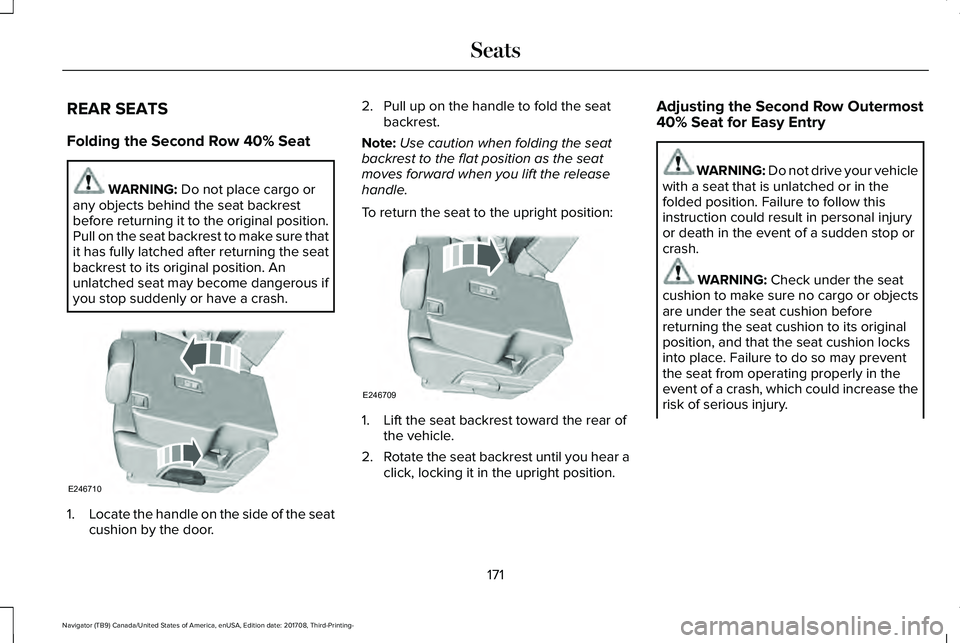
Folding the Second Row 40% Seat
WARNING: Do not place cargo orany objects behind the seat backrestbefore returning it to the original position.Pull on the seat backrest to make sure thatit has fully latched after returning the seatbackrest to its original position. Anunlatched seat may become dangerous ifyou stop suddenly or have a crash.
1.Locate the handle on the side of the seatcushion by the door.
2. Pull up on the handle to fold the seatbackrest.
Note:Use caution when folding the seatbackrest to the flat position as the seatmoves forward when you lift the releasehandle.
To return the seat to the upright position:
1. Lift the seat backrest toward the rear ofthe vehicle.
2.Rotate the seat backrest until you hear aclick, locking it in the upright position.
Adjusting the Second Row Outermost40% Seat for Easy Entry
WARNING: Do not drive your vehiclewith a seat that is unlatched or in thefolded position. Failure to follow thisinstruction could result in personal injuryor death in the event of a sudden stop orcrash.
WARNING: Check under the seatcushion to make sure no cargo or objectsare under the seat cushion beforereturning the seat cushion to its originalposition, and that the seat cushion locksinto place. Failure to do so may preventthe seat from operating properly in theevent of a crash, which could increase therisk of serious injury.
171
Navigator (TB9) Canada/United States of America, enUSA, Edition date: 201708, Third-Printing-
SeatsE246710 E246709
Page 177 of 649
WARNING: Check under the seatcushion to make sure no cargo or objectsare under the seat cushion beforereturning the seat cushion to its originalposition, and that the seat cushion locksinto place. Failure to do so may preventthe seat from operating properly in theevent of a crash, which could increase therisk of serious injury.
WARNING: Do not place cargo orany objects behind the seat backrestbefore returning it to the original position.Pull on the seat backrest to make sure thatit has fully latched after returning the seatbackrest to its original position. Anunlatched seat may become dangerous ifyou stop suddenly or have a crash.
The easy entry seat allows for easier entryand exit to and from the third row seat.
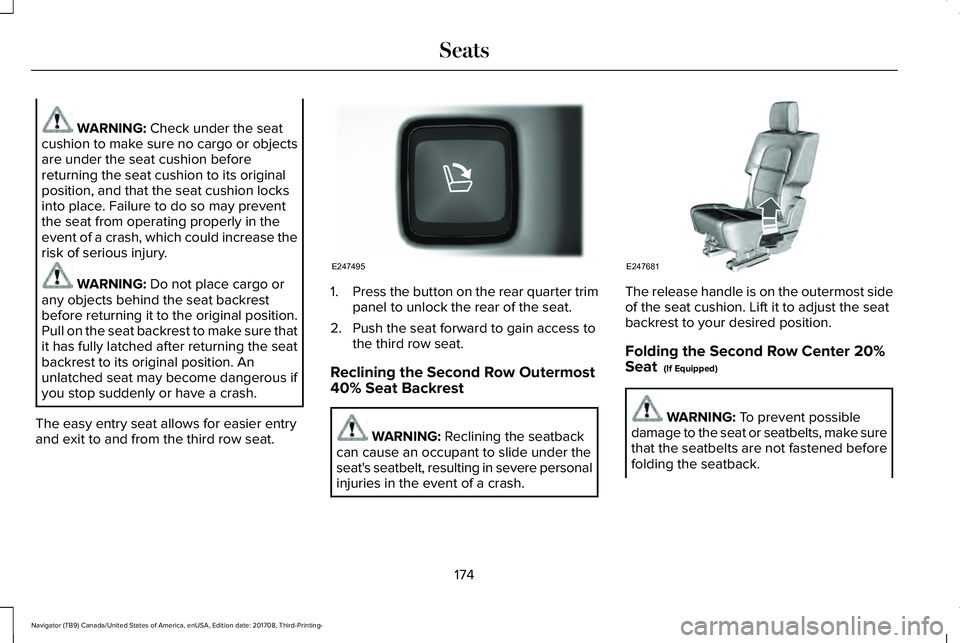
1.Press the button on the rear quarter trimpanel to unlock the rear of the seat.
2. Push the seat forward to gain access tothe third row seat.
Reclining the Second Row Outermost40% Seat Backrest
WARNING: Reclining the seatbackcan cause an occupant to slide under theseat's seatbelt, resulting in severe personalinjuries in the event of a crash.
The release handle is on the outermost sideof the seat cushion. Lift it to adjust the seatbackrest to your desired position.
Folding the Second Row Center 20%Seat (If Equipped)
WARNING: To prevent possibledamage to the seat or seatbelts, make surethat the seatbelts are not fastened beforefolding the seatback.
174
Navigator (TB9) Canada/United States of America, enUSA, Edition date: 201708, Third-Printing-
SeatsE247495 E247681
Page 178 of 649
WARNING: Do not place cargo orany objects behind the seat backrestbefore returning it to the original position.Pull on the seat backrest to make sure thatit has fully latched after returning the seatbackrest to its original position. Anunlatched seat may become dangerous ifyou stop suddenly or have a crash.
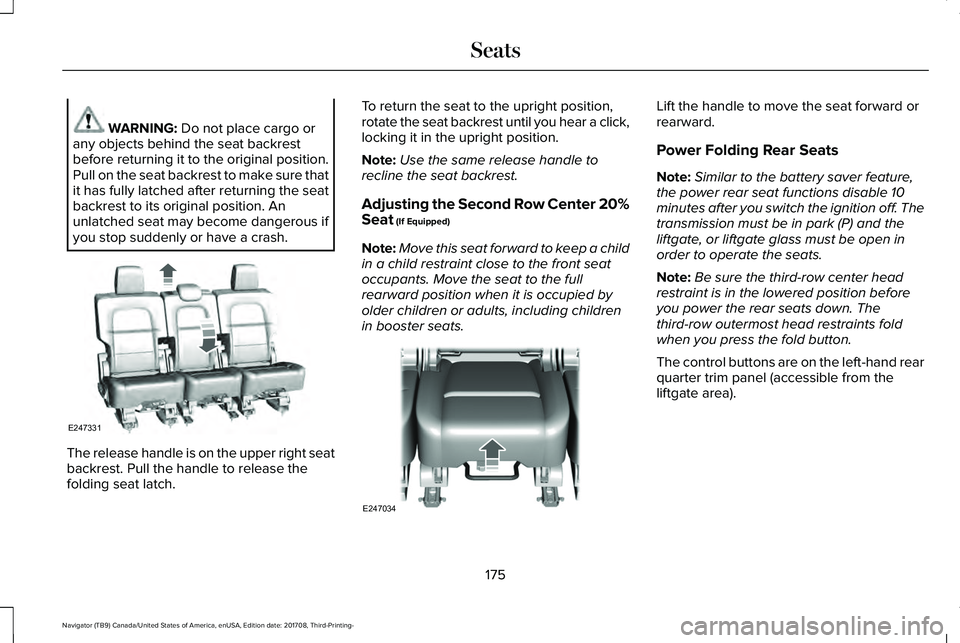
The release handle is on the upper right seatbackrest. Pull the handle to release thefolding seat latch.
To return the seat to the upright position,rotate the seat backrest until you hear a click,locking it in the upright position.
Note:Use the same release handle torecline the seat backrest.
Adjusting the Second Row Center 20%Seat (If Equipped)
Note:Move this seat forward to keep a childin a child restraint close to the front seatoccupants. Move the seat to the fullrearward position when it is occupied byolder children or adults, including childrenin booster seats.
Lift the handle to move the seat forward orrearward.
Power Folding Rear Seats
Note:Similar to the battery saver feature,the power rear seat functions disable 10minutes after you switch the ignition off. Thetransmission must be in park (P) and theliftgate, or liftgate glass must be open inorder to operate the seats.
Note:Be sure the third-row center headrestraint is in the lowered position beforeyou power the rear seats down. Thethird-row outermost head restraints foldwhen you press the fold button.
The control buttons are on the left-hand rearquarter trim panel (accessible from theliftgate area).
175
Navigator (TB9) Canada/United States of America, enUSA, Edition date: 201708, Third-Printing-
SeatsE247331 E247034
Page 179 of 649
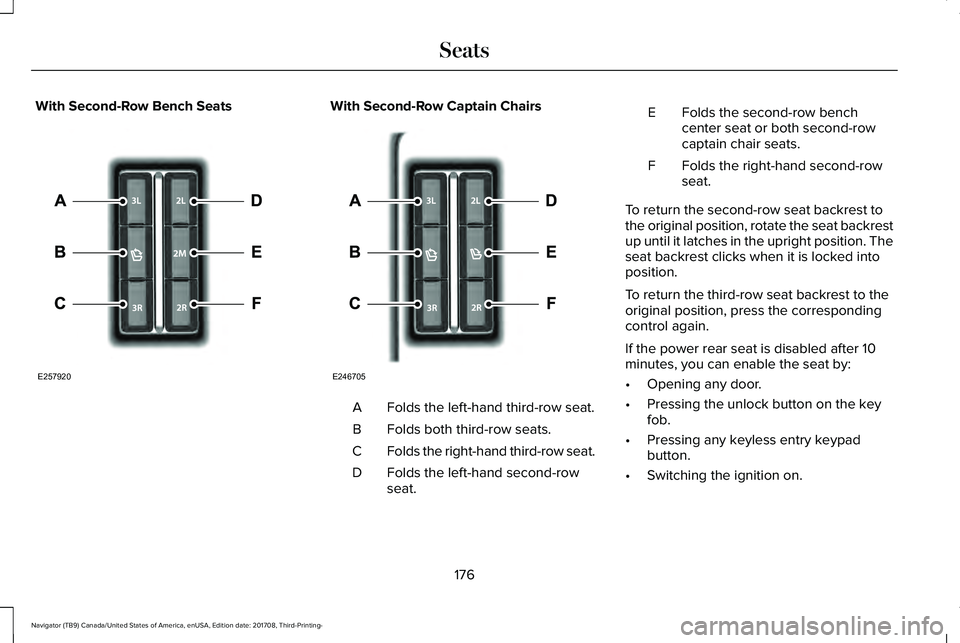
With Second-Row Bench SeatsWith Second-Row Captain Chairs
Folds the left-hand third-row seat.A
Folds both third-row seats.B
Folds the right-hand third-row seat.C
Folds the left-hand second-rowseat.D
Folds the second-row benchcenter seat or both second-rowcaptain chair seats.
E
Folds the right-hand second-rowseat.F
To return the second-row seat backrest tothe original position, rotate the seat backrestup until it latches in the upright position. Theseat backrest clicks when it is locked intoposition.
To return the third-row seat backrest to theoriginal position, press the correspondingcontrol again.
If the power rear seat is disabled after 10minutes, you can enable the seat by:
•Opening any door.
•Pressing the unlock button on the keyfob.
•Pressing any keyless entry keypadbutton.
•Switching the ignition on.
176
Navigator (TB9) Canada/United States of America, enUSA, Edition date: 201708, Third-Printing-
SeatsE257920 E246705
Page 182 of 649
The heated seat module resets at everyignition run cycle. While the ignition is on,press the high or low heated seat switch toenable heating mode. When activated, theywill turn off automatically when you turn theengine off.
CLIMATE CONTROLLED SEATS (IF
EQUIPPED)
Heated Seats
WARNING: People who are unableto feel pain to their skin because ofadvanced age, chronic illness, diabetes,spinal cord injury, medication, alcohol use,exhaustion or other physical conditions,must use caution when using the heatedseat. The heated seat may cause burnseven at low temperatures, especially ifused for long periods of time. Do not placeanything on the seat that may block theheat, such as a blanket or cushion. This
can cause the heated seat to overheat. Donot puncture the seat with pins, needlesor other pointed objects. This damages theheating element and can cause the heatedseat to overheat. An overheated seat maycause serious personal injury.
Note:The heated seats switch on during aremote start if they are enabled through theinformation displays. See GeneralInformation (page 119).
Note:The heated seats may also switch onwhen you start your vehicle if they were onwhen you previously switched your vehicleoff.
Note:Do not do the following:
•Place heavy objects on the seat.
•Operate the seat heater if water or anyother liquid spills on the seat. Allow theseat to dry thoroughly.
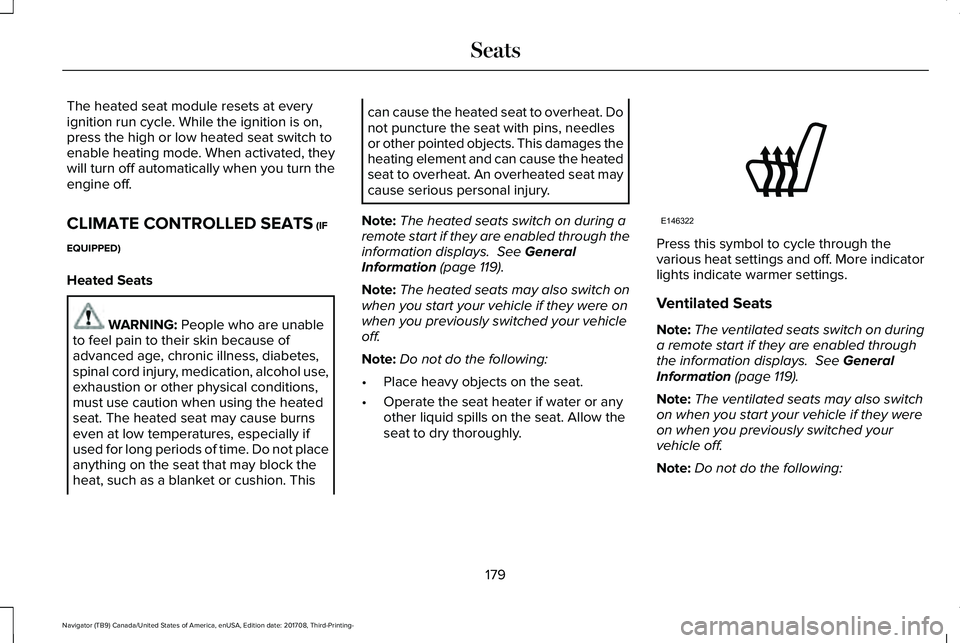
Press this symbol to cycle through thevarious heat settings and off. More indicatorlights indicate warmer settings.
Ventilated Seats
Note:The ventilated seats switch on duringa remote start if they are enabled throughthe information displays. See GeneralInformation (page 119).
Note:The ventilated seats may also switchon when you start your vehicle if they wereon when you previously switched yourvehicle off.
Note:Do not do the following:
179
Navigator (TB9) Canada/United States of America, enUSA, Edition date: 201708, Third-Printing-
SeatsE146322
Page 183 of 649
•Spill liquid on the front seats. This maycause the air vent holes to becomeblocked and not work properly.
•Place cargo or objects under the seats.They may block the air intake causingthe air vents to not work properly.
The ventilated seats only function when theengine is running.
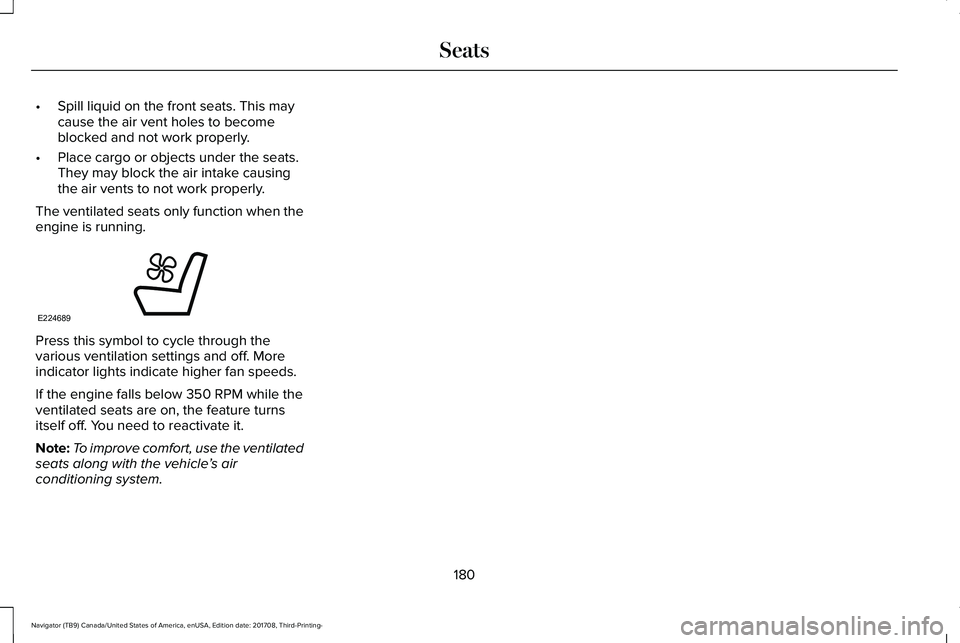
Press this symbol to cycle through thevarious ventilation settings and off. Moreindicator lights indicate higher fan speeds.
If the engine falls below 350 RPM while theventilated seats are on, the feature turnsitself off. You need to reactivate it.
Note:To improve comfort, use the ventilatedseats along with the vehicle’s airconditioning system.
180
Navigator (TB9) Canada/United States of America, enUSA, Edition date: 201708, Third-Printing-
SeatsE224689