brake LINCOLN NAVIGATOR 2023 User Guide
[x] Cancel search | Manufacturer: LINCOLN, Model Year: 2023, Model line: NAVIGATOR, Model: LINCOLN NAVIGATOR 2023Pages: 660, PDF Size: 14.04 MB
Page 62 of 660
Read Steps 1-4 before proceeding with theprogramming procedure.
Make sure that:
•You set the parking brake.
•The transmission is in park (P).
•The ignition is off.
•You close all vehicle doors.
•You unfasten the driver and frontpassenger seatbelts.
1.Switch the ignition on. Do not start theengine.
2.Immediately start the deactivation orreactivation procedure in Step 3. Onceyou start Step 3, you must complete theprocedure within 30 seconds.
3.For the seating position you are switchingoff or on, fasten then unfasten theseatbelt four times at a moderate speed,ending in the unfastened state. Theseatbelt warning light flashes forconfirmation.
This switches the feature off for that seatingposition if it is currently on.
This switches the feature on for that seatingposition if it is currently off.
CHECKING THE SEATBELTS
Check the seatbelts and child restraintsperiodically to make sure they work properlyand are not damaged. Make sure there areno nicks, tears or cuts. Replace if necessary.
Check the following seatbelt assemblies aftera crash.
•Retractors.
•Buckles.
•Front seatbelt buckle assemblies.
•Shoulder belt height adjusters.
•Shoulder belt guide on seat backrest.
•Child restraint LATCH and tether anchors.
•Attaching hardware.
Read the child restraint manufacturer'sinstructions for additional inspection andmaintenance information specific to the childrestraint.
We recommend that all seatbelt assembliesin use in vehicles involved in a crash bereplaced. However, if the crash was minorand an authorized dealer finds that the beltsdo not show damage and continue tooperate properly, they do not need to bereplaced. Seatbelt assemblies not in useduring a crash should also be checked andreplaced if either damage or improperoperation is noted.
Properly care for seatbelts. See CleaningSeatbelts (page 434).
SEATBELT EXTENSIONS
WARNING: Persons who fit into thevehicle's seatbelt should not use anextension. Unnecessary use could resultin serious personal injury in the event of acrash.
58
2023 Navigator (TB9) Canada/United States of America, enUSA, Edition date: 202207, DOMSeatbelts
Page 80 of 660
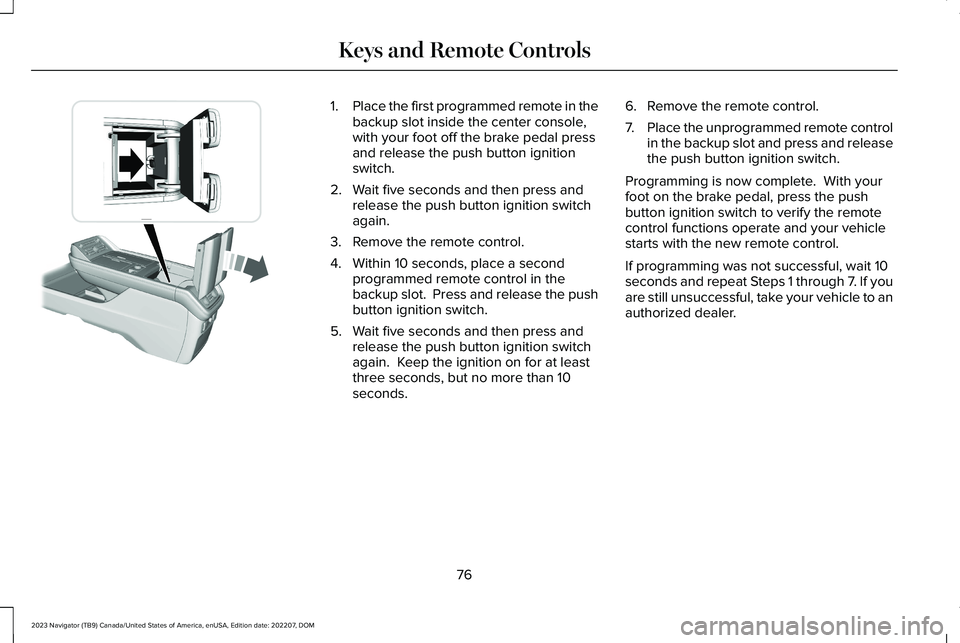
1.Place the first programmed remote in thebackup slot inside the center console,with your foot off the brake pedal pressand release the push button ignitionswitch.
2.Wait five seconds and then press andrelease the push button ignition switchagain.
3.Remove the remote control.
4.Within 10 seconds, place a secondprogrammed remote control in thebackup slot. Press and release the pushbutton ignition switch.
5.Wait five seconds and then press andrelease the push button ignition switchagain. Keep the ignition on for at leastthree seconds, but no more than 10seconds.
6.Remove the remote control.
7.Place the unprogrammed remote controlin the backup slot and press and releasethe push button ignition switch.
Programming is now complete. With yourfoot on the brake pedal, press the pushbutton ignition switch to verify the remotecontrol functions operate and your vehiclestarts with the new remote control.
If programming was not successful, wait 10seconds and repeat Steps 1 through 7. If youare still unsuccessful, take your vehicle to anauthorized dealer.
76
2023 Navigator (TB9) Canada/United States of America, enUSA, Edition date: 202207, DOMKeys and Remote ControlsE354712
Page 84 of 660
1.Press the brake pedal and the pushbutton ignition switch. If the system doesnot detect a valid phone as a key orremote control, a message appears onthe touchscreen and the system promptsyou for your backup start passcode.
Note:The touchscreen times out after 30seconds with no interaction.
Note:If the backup start passcode screendoes not appear, press the brake pedal andpush button ignition switch again.
2.Use the touchscreen to enter yourbackup start passcode.
3.After entering your backup startpasscode, press Enter within 30 seconds.
4.Once the system validates the backupstart passcode, a message alerts you tostart your vehicle.
5.Press the brake pedal and the pushbutton ignition switch within 20 secondsto start the vehicle.
6.If your vehicle does not start, repeatsteps 1-5.
System Lockout
The system locks after five combinedincorrect attempts of the following:
•Entering a backup start passcode.
•Resetting a current passcode.
•Entering a valet mode passcode.
Note:The system remains locked for fiveminutes. After five minutes the system allowscodes to be entered again.
PHONE AS A KEY –
TROUBLESHOOTING
PHONE AS A KEY – FREQUENTLYASKED QUESTIONS
How can I tell if my vehicle has phoneas a key?
•The touchscreen shows the phone as akey reset option.
•A control button appears on the homescreen of the Lincoln Way app if you haveregistered your vehicle through theLincoln Way app.
What happens if I cannot unlock thevehicle with phone as a key?
•Attempt to move your phone closer tothe vehicle.
•Check that the Lincoln Way app is stillrunning and that the phone as a keycontrol screen shows connected. If thephone is connected, attempt to press theremote unlock button in the Lincoln Wayapp. If the phone is not connected or theremote unlock button does not work inthe Lincoln Way app, attempt to forceclose and restart the app.
80
2023 Navigator (TB9) Canada/United States of America, enUSA, Edition date: 202207, DOMPhone as a Key
Page 126 of 660
2.Press Vehicle Settings.
3.Press Lighting.
4.Press Autolamp Delay.
5.Press a setting.
EXTERIOR LAMPS
USING THE TURN SIGNAL LAMPS
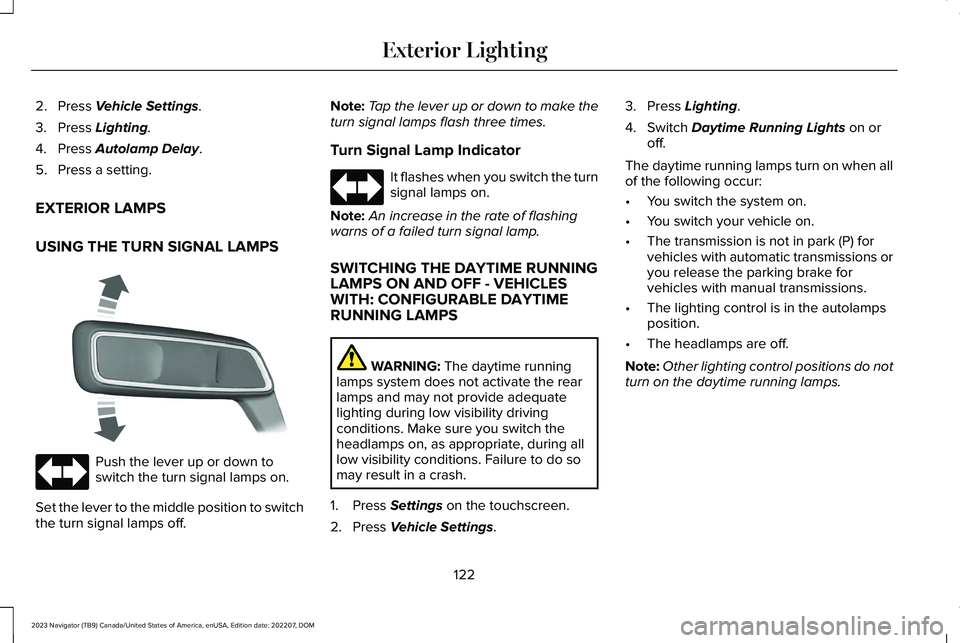
Push the lever up or down toswitch the turn signal lamps on.
Set the lever to the middle position to switchthe turn signal lamps off.
Note:Tap the lever up or down to make theturn signal lamps flash three times.
Turn Signal Lamp Indicator
It flashes when you switch the turnsignal lamps on.
Note:An increase in the rate of flashingwarns of a failed turn signal lamp.
SWITCHING THE DAYTIME RUNNINGLAMPS ON AND OFF - VEHICLESWITH: CONFIGURABLE DAYTIMERUNNING LAMPS
WARNING: The daytime runninglamps system does not activate the rearlamps and may not provide adequatelighting during low visibility drivingconditions. Make sure you switch theheadlamps on, as appropriate, during alllow visibility conditions. Failure to do somay result in a crash.
1.Press Settings on the touchscreen.
2.Press Vehicle Settings.
3.Press Lighting.
4.Switch Daytime Running Lights on oroff.
The daytime running lamps turn on when allof the following occur:
•You switch the system on.
•You switch your vehicle on.
•The transmission is not in park (P) forvehicles with automatic transmissions oryou release the parking brake forvehicles with manual transmissions.
•The lighting control is in the autolampsposition.
•The headlamps are off.
Note:Other lighting control positions do notturn on the daytime running lamps.
122
2023 Navigator (TB9) Canada/United States of America, enUSA, Edition date: 202207, DOMExterior Lighting E273180 E67018 E67018
Page 148 of 660
WHAT IS DISTANCE TO EMPTY
Indicates the approximate distance yourvehicle can travel on the fuel remaining inthe tank. Changes in driving pattern cancause the value to not only decrease but alsoincrease or stay constant for periods of time.
ENGINE COOLANT TEMPERATURE
GAUGE
Indicates the engine coolant temperature.
ENGINE OIL PRESSURE GAUGE
Indicates the engine oil pressure.
Note:This is a configurable gauge.
TRANSMISSION FLUID
TEMPERATURE GAUGE
Indicates the transmission fluid temperature.
Special operating conditions can causehigher than normal operating temperatures.See Special Operating ConditionsScheduled Maintenance (page 537).
Note:This is a configurable gauge.
WHAT ARE THE INSTRUMENT
CLUSTER WARNING LAMPS
Warning lamps alert you to a vehiclecondition that could become serious. Somelamps illuminate when you start your vehicleto make sure they work. If any lamps remainon after starting your vehicle, refer to therespective system warning lamp for furtherinformation.
INSTRUMENT CLUSTER WARNING
LAMPS
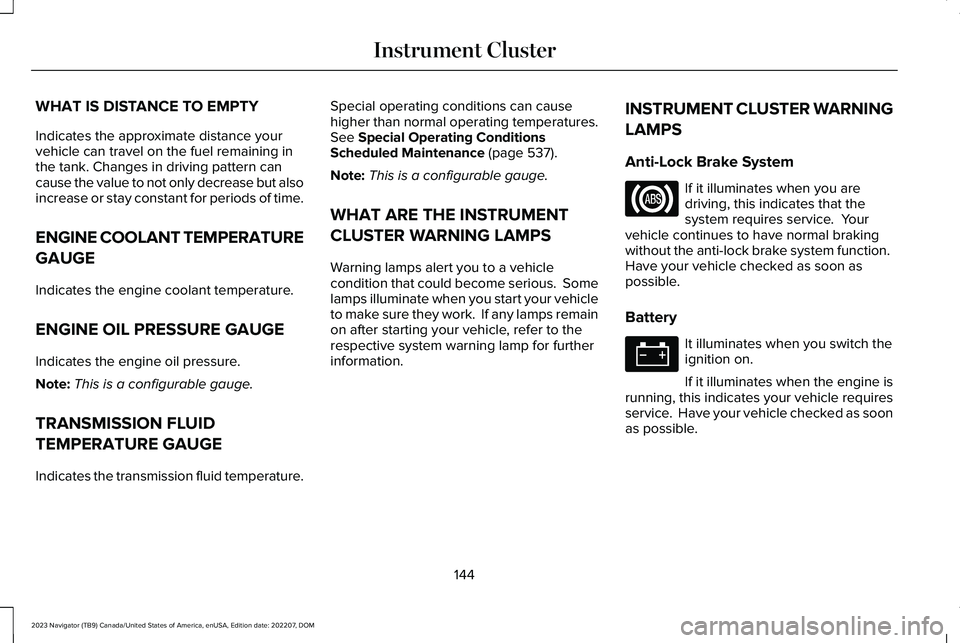
Anti-Lock Brake System
If it illuminates when you aredriving, this indicates that thesystem requires service. Yourvehicle continues to have normal brakingwithout the anti-lock brake system function. Have your vehicle checked as soon aspossible.
Battery
It illuminates when you switch theignition on.
If it illuminates when the engine isrunning, this indicates your vehicle requiresservice. Have your vehicle checked as soonas possible.
144
2023 Navigator (TB9) Canada/United States of America, enUSA, Edition date: 202207, DOMInstrument ClusterE67020 E67021
Page 149 of 660
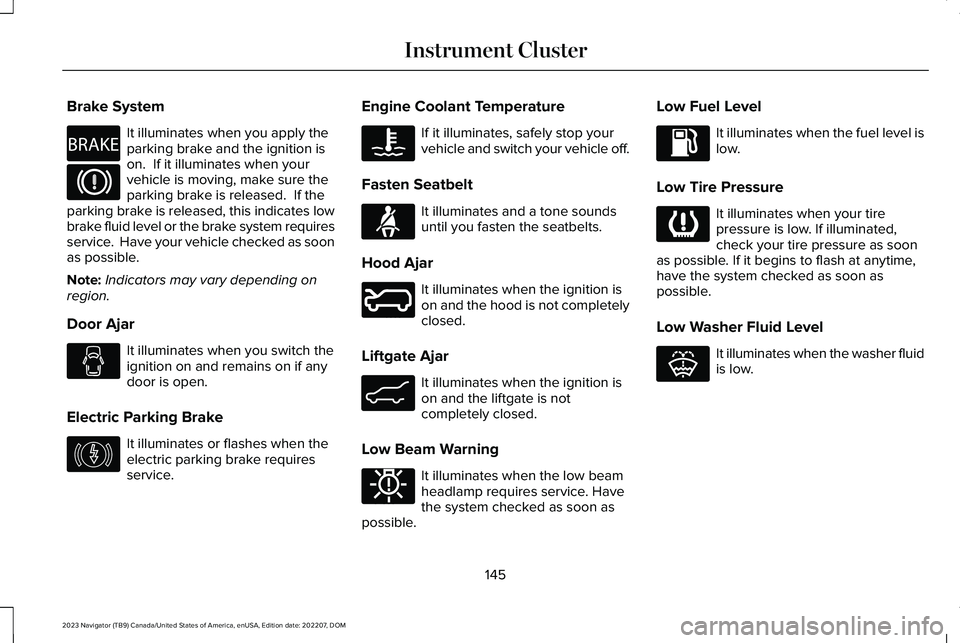
Brake System
It illuminates when you apply theparking brake and the ignition ison. If it illuminates when yourvehicle is moving, make sure theparking brake is released. If theparking brake is released, this indicates lowbrake fluid level or the brake system requiresservice. Have your vehicle checked as soonas possible.
Note:Indicators may vary depending onregion.
Door Ajar
It illuminates when you switch theignition on and remains on if anydoor is open.
Electric Parking Brake
It illuminates or flashes when theelectric parking brake requiresservice.
Engine Coolant Temperature
If it illuminates, safely stop yourvehicle and switch your vehicle off.
Fasten Seatbelt
It illuminates and a tone soundsuntil you fasten the seatbelts.
Hood Ajar
It illuminates when the ignition ison and the hood is not completelyclosed.
Liftgate Ajar
It illuminates when the ignition ison and the liftgate is notcompletely closed.
Low Beam Warning
It illuminates when the low beamheadlamp requires service. Havethe system checked as soon aspossible.
Low Fuel Level
It illuminates when the fuel level islow.
Low Tire Pressure
It illuminates when your tirepressure is low. If illuminated,check your tire pressure as soonas possible. If it begins to flash at anytime,have the system checked as soon aspossible.
Low Washer Fluid Level
It illuminates when the washer fluidis low.
145
2023 Navigator (TB9) Canada/United States of America, enUSA, Edition date: 202207, DOMInstrument ClusterE270480 E67024 E146190 E103308 E71880 E246598 E162453 E181350 E139232 E132353
Page 205 of 660
STARTING AND STOPPING THE
ENGINE – PRECAUTIONS
WARNING: Extended idling at highengine speeds can produce very hightemperatures in the engine and exhaustsystem, creating the risk of fire or otherdamage.
WARNING: Do not park, idle or driveyour vehicle on dry grass or other dryground cover. The emission system heatsup the engine compartment and exhaustsystem, creating the risk of fire.
WARNING: Do not start the enginein a closed garage or in other enclosedareas. Exhaust fumes are toxic. Alwaysopen the garage door before you start theengine. Failure to follow this instructioncould result in personal injury or death.
WARNING: Do not use starting fluid,for example ether, in the air intake system.Such fluid could cause immediateexplosive damage to the engine andpossible personal injury.
WARNING: Exhaust leaks may resultin entry of harmful and potentially lethalfumes into the passenger compartment. Ifyou smell exhaust fumes inside yourvehicle, have your vehicle inspectedimmediately. Do not drive if you smellexhaust fumes.
The powertrain control system meets allCanadian interference-causing equipmentstandard requirements regulating theimpulse electrical field or radio noise.
Note:If you use your vehicle regularly abovethe altitude of 7,500 ft (2,286 m) and underthe temperature of -4.0°F (-20°C), it isrecommended to use the alternative engineoil. See Capacities and Specifications(page 467).
If you stop your vehicle and leave the engineidling for long periods, we recommend thatyou do one of the following:
•Open the windows at least 1 in (2.5 cm).
•Set your climate control to outside air.
PUSH BUTTON IGNITION SWITCH
Switching the Ignition Off
When the ignition is on or in accessory mode,press the push button ignition switch oncewithout your foot on the brake pedal.
Switching the Ignition to AccessoryMode
When the ignition is off, press the pushbutton ignition switch once without your footon the brake pedal.
201
2023 Navigator (TB9) Canada/United States of America, enUSA, Edition date: 202207, DOMStarting and Stopping the EngineE321258
Page 206 of 660
All electrical circuits and accessories areoperational and the warning lamps andindicators illuminate.
Note:Your vehicle has a battery saverfeature that shuts your vehicle off when itdetects a certain amount of battery drain, orafter approximately 30 minutes of inactivityin accessory mode.
Note:The system may not function if theremote control is close to metal objects orelectronic devices, for example keys or acell phone.
Note:You need a valid key inside yourvehicle to switch the ignition on and start theengine.
STARTING THE ENGINE
STARTING A GASOLINE ENGINE
Before starting your vehicle, check thefollowing:
•Make sure that the headlamps andelectrical accessories are off.
•Make sure that the parking brake is on.
•Make sure that the transmission is in park(P).
1.Fully press the brake pedal.
Note:Do not touch the accelerator pedal.
2.Press the push button ignition switch.
Note:The engine may continue cranking forup to 15 seconds or until it starts.
Note:The engine takes longer to start atlower temperatures. It may crank for severalseconds when very cold.
RESTARTING THE ENGINE AFTERSTOPPING IT
The system allows you to start the enginewithin 10 seconds of switching it off, even ifit does not detect a valid passive key.
Within 10 seconds of switching the engineoff, fully press the brake pedal and press thepush button ignition switch. After 10 seconds,you can no longer start the engine if thesystem does not detect a valid passive key.
When you start the engine, it remains runninguntil you press the push button ignitionswitch, even if your vehicle does not detecta valid passive key. If you open and close adoor when the engine is running, the systemsearches for a valid passive key.
202
2023 Navigator (TB9) Canada/United States of America, enUSA, Edition date: 202207, DOMStarting and Stopping the EngineE357998
Page 208 of 660
Note:The engine block heater is mosteffective when outdoor temperatures arebelow 0°F (-18°C).
USING THE ENGINE BLOCK HEATER
Make sure the receptacle terminals are cleanand dry prior to use. Clean them with a drycloth if necessary.
The heater uses 0.4 to 1.0 kilowatt-hours ofenergy per hour of use. The system does nothave a thermostat. It achieves maximumtemperature after approximately three hoursof operation. Using the engine block heaterlonger than three hours does not improvesystem performance and unnecessarily useselectricity.
STOPPING THE ENGINE
STOPPING THE ENGINE WHEN YOURVEHICLE IS STATIONARY
1.Shift into park (P).
2.Apply the parking brake.
3.Wait until the engine reaches idle speed.
4.Press the push button ignition switch.
STOPPING THE ENGINE WHEN YOURVEHICLE IS MOVING
WARNING: Switching off the enginewhen your vehicle is still moving results ina significant decrease in brakingassistance. Higher effort is required toapply the brakes and to stop your vehicle.A significant decrease in steeringassistance could also occur. The steeringdoes not lock, but higher effort could berequired to steer your vehicle. When youswitch the ignition off, some electricalcircuits, for example airbags, also turn off.If you unintentionally switch the ignitionoff, shift into neutral (N) and restart theengine.
1.Press and hold the push button ignitionswitch until the engine stops, or press itthree times within two seconds.
2.Shift into neutral and use the brakes tobring your vehicle to a safe stop.
3.Shift into park (P).
4.Apply the parking brake.
AUTOMATIC ENGINE STOP
WHAT IS AUTOMATIC ENGINE STOP
Automatic engine stop is a feature thatswitches the engine off if it has been idlingfor an extended period to help you save fuel.
204
2023 Navigator (TB9) Canada/United States of America, enUSA, Edition date: 202207, DOMStarting and Stopping the EngineE357998 E357998
Page 209 of 660
HOW DOES AUTOMATIC ENGINESTOP WORK
Automatic engine stop turns the engine off.The ignition also turns off in order to savebattery power. Before the engine shutsdown, a message appears in the informationdisplay showing a timer counting down. Ifyou do not intervene within 30 seconds, theengine shuts down. Another messageappears in the information display to informyou that the engine has shut down in orderto save fuel. Start your vehicle as younormally do.
SWITCHING AUTOMATIC ENGINESTOP ON AND OFF
1.Press Settings on the touchscreen.
2.Press Vehicle Settings.
3.Switch 30min Max Idle on or off.
Note:You cannot permanently switch off theautomatic shutdown. If you switch it off, itturns on each time you switch the ignitionon.
OVERRIDING AUTOMATIC ENGINESTOP
You can stop the engine shutdown, or resetthe timer, at any point before the 30-secondcountdown has expired by doing any of thefollowing:
•Pressing the brake pedal or acceleratorpedal.
•Pressing the OK or RESET button duringthe countdown.
Note: You cannot permanently switch offthe automatic engine shutdown feature. When you switch it off temporarily, it turnson at the next ignition cycle.
ACCESSING THE PASSIVE KEY
BACKUP POSITION
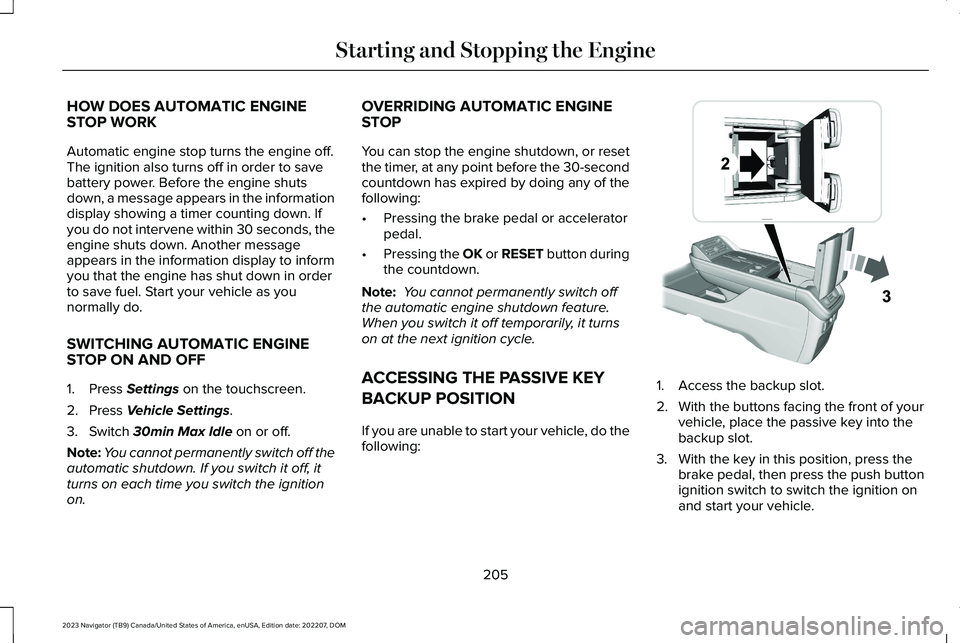
If you are unable to start your vehicle, do thefollowing:
1.Access the backup slot.
2.With the buttons facing the front of yourvehicle, place the passive key into thebackup slot.
3.With the key in this position, press thebrake pedal, then press the push buttonignition switch to switch the ignition onand start your vehicle.
205
2023 Navigator (TB9) Canada/United States of America, enUSA, Edition date: 202207, DOMStarting and Stopping the EngineE247437