key MERCEDES-BENZ C-CLASS COUPE 2015 Manual PDF
[x] Cancel search | Manufacturer: MERCEDES-BENZ, Model Year: 2015, Model line: C-CLASS COUPE, Model: MERCEDES-BENZ C-CLASS COUPE 2015Pages: 385, PDF Size: 13.12 MB
Page 172 of 385
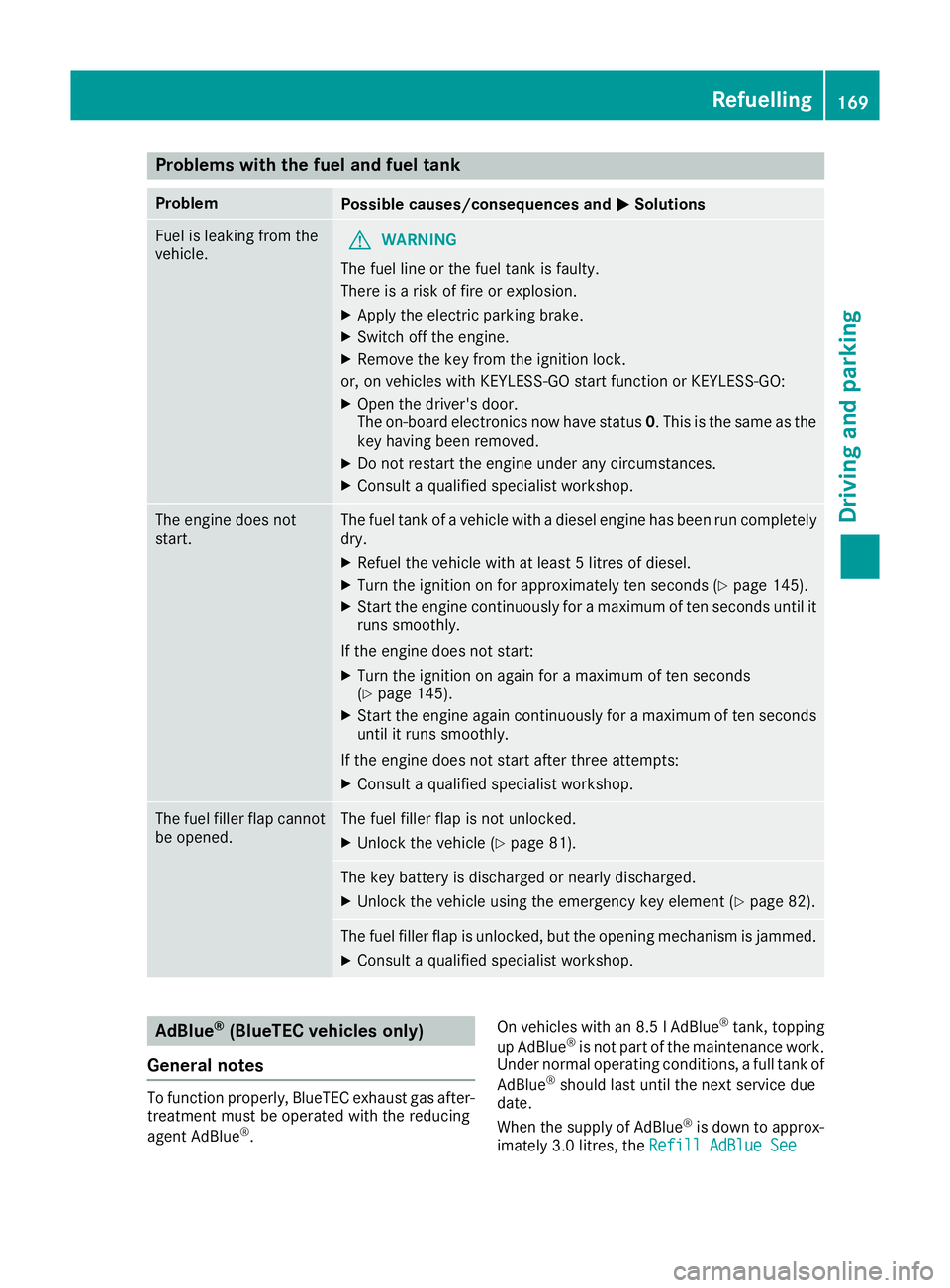
Problems with the fuel and fuel tank
Problem
Possible causes/consequences and
M
MSolutions Fuel is leaking from the
vehicle.
G
WARNING
The fuel line or the fuel tank is faulty.
There is arisk of fire or explosion.
X Apply the electric parking brake.
X Switch off the engine.
X Remove the key from the ignition lock.
or, on vehicles with KEYLESS-GO start function or KEYLESS ‑GO:
X Open the driver's door.
The on-board electronics now have status 0.This is the same as the
key having been removed.
X Do not restart the engine under any circumstances.
X Consult aqualified specialist workshop. The engine does not
start. The fuel tank of
avehicle with adiesel engine has been run completely
dry.
X Refuel the vehicle with at least 5litres of diesel.
X Turn the ignition on for approximately ten seconds (Y page 145).
X Start the engine continuously for amaximum of ten seconds until it
runs smoothly.
If the engine does not start: X Turn the ignition on again for amaximum of ten seconds
(Y page 145).
X Start the engine again continuously for amaximum of ten seconds
until it runs smoothly.
If the engine does not start after three attempts:
X Consult aqualified specialist workshop. The fuel filler flap cannot
be opened. The fuel filler flap is not unlocked.
X Unlock the vehicle (Y page 81). The key battery is discharged or nearly discharged.
X Unlock the vehicle using the emergency key element (Y page 82).The fuel filler flap is unlocked, but the opening mechanism is jammed.
X Consult aqualified specialist workshop. AdBlue
®
(BlueTEC vehicleso nly)
General notes To function properly, BlueTEC exhaust gas after-
treatmen tmust be operated with the reducing
agent AdBlue ®
. On vehicles with an 8.5
lAdBlue ®
tank ,topping
up AdBlue ®
is not part of the maintenanc ework.
Under normal operatin gconditions, afull tank of
AdBlue ®
should last until the nex tservic edue
date.
When the supply of AdBlue ®
is down to approx-
imately 3.0 litres, the Refill AdBlue See Refill AdBlue See Refuelling
169Driving and parking Z
Page 175 of 385
X
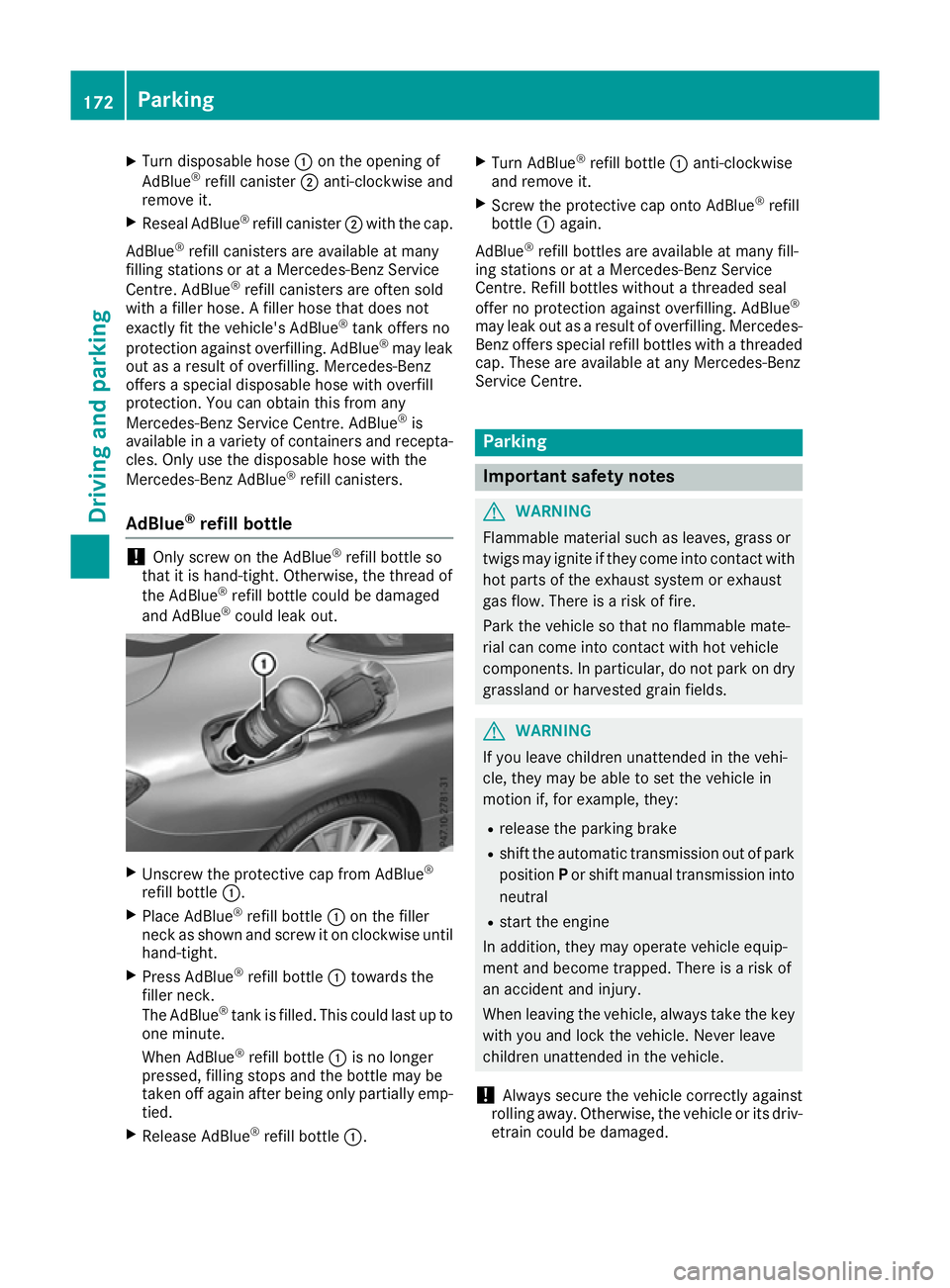
Turn disposable hose :on the opening of
AdBlue ®
refill canister ;anti-clockwise and
remove it.
X Reseal AdBlue ®
refill canister ;with the cap.
AdBlue ®
refill canisters are availabl eatmany
filling station sorataMercedes-Benz Service
Centre. AdBlue ®
refill canisters are often sold
with afiller hose. Afiller hose that does not
exactly fit the vehicle's AdBlue ®
tank offers no
protection against overfilling. AdBlue ®
may leak
out as aresult of overfilling. Mercedes-Benz
offers aspecial disposable hose with overfill
protection. You can obtain this from any
Mercedes-Benz Servic eCentre. AdBlue ®
is
availabl einavariety of containers and recepta-
cles. Only use the disposable hose with the
Mercedes-Benz AdBlue ®
refill canisters.
AdBlue ®
refill bottle !
Only screw on the AdBlue ®
refill bottle so
that it is hand-tight. Otherwise, the thread of
the AdBlue ®
refill bottle could be damaged
and AdBlue ®
could leak out. X
Unscrew the protective cap from AdBlue ®
refill bottle :.
X Place AdBlue ®
refill bottle :on the filler
neck as shown and screw it on clockwise until hand-tight.
X Press AdBlue ®
refill bottle :towards the
filler neck.
The AdBlue ®
tank is filled. This could last up to
one minute.
When AdBlue ®
refill bottle :is no longer
pressed, filling stops and the bottle may be
taken off again after being only partially emp- tied.
X Release AdBlue ®
refill bottle :. X
Turn AdBlue ®
refill bottle :anti-clockwise
and remove it.
X Screw the protective cap ontoA dBlue®
refill
bottle :again.
AdBlue ®
refill bottles are available at many fill-
ing station sorataM ercedes-Benz Service
Centre. Refill bottles without athreaded seal
offer no protection against overfilling. AdBlue ®
may leak out as aresult of overfilling. Mercedes-
Benz offers special refill bottles with athreaded
cap. These are availabl eatany Mercedes-Benz
Servic eCentre. Parking
Important safety notes
G
WARNING
Flammable material such as leaves, grass or
twigs may ignite if they come into contact with hot parts of the exhaust system or exhaust
gas flow. There is arisk of fire.
Park the vehicle so that no flammable mate-
rial can come into contact with hot vehicle
components.Inp articular, do not park on dry
grassland or harvested grain fields. G
WARNING
If you leave children unattended in the vehi-
cle, they may be able to set the vehicle in
motion if, for example, they:
R release the parking brake
R shift the automatic transmission out of park
position Por shift manual transmission into
neutral
R start the engine
In addition, they may operate vehicle equip-
ment and become trapped. There is arisk of
an accident and injury.
When leaving the vehicle, alway stake the key
with you and lock the vehicle. Never leave
children unattended in the vehicle.
! Always secure the vehicle correctly against
rolling away.O therwise, the vehicle or its driv-
etrain could be damaged. 172
ParkingDriving and parking
Page 176 of 385
To ensure that the vehicle is safeguarded
against rolling away unintentionally:
R the electric parking brake must be applied
R on vehicles with manual transmission, engage
1st gear or reverse gear
R on vehicles with automatic transmission, the
transmission must be in position Pand the
key must be removed from the ignition lock
R the front wheels must be turned towards the
kerb on steep uphill or downhill gradients
R the empty vehicle must be secured at the
front axle with awheel chock or similar
object ,for example, on uphill or downhill gra-
dients
R al aden vehicle must also be secured at the
rear axle with awheel chock or similar object,
for example, on uphill or downhill gradients Switching off the engine
Important safety notes G
WARNING
The automatic transmission switches to neu-
tral position Nwhen you switch off the engine.
The vehicle may roll away.T here isarisk of an
accident.
After switching off the engine, alway sswitch
to parking position P.Prevent the parked vehi-
cle from rolling away by applying the parking
brake.
Vehicles with manual transmission X
Shift to either 1st gear or reverse gear R.
X Turn the key to position 0in the ignition lock
and remove it.
The immobiliser is activated.
X Apply the electric parking brake.
Vehicles with automatic transmission X
Apply the electric parking brake.
X Shift the transmission to position P.X
With the key: turn the key to position 0in the
ignition lock and remove it.
The immobiliser is activated.
X With the Start/Stop button: press the
Start/Stop button (Y page 145).
The engine stops and all the indicator lamps in the instrument cluster go out.
When the driver's door is closed, this corre-
sponds to key position 1.When the driver's
door is open, this corresponds to key position
0:" key removed".
If you switch the engine off with the transmis-
sion in position Ror D,t he automatic transmis-
sion shifts to Nautomatically.
With the key: if you then open the driver's door
or the front-passenger door or remove the key
from the ignition, the automatic transmission
shifts to Pautomatically.
With the Start/Stop button: if you then open
the driver's door or the front-passenger door,
the automatic transmission shifts to Pautomat-
ically.
If you want the automatic transmission to
remain in neutral N,e.g. when having the vehicle
cleaned in an automatic car wash with atowing
system:
X Vehicles with the Start-Stop button:
remove the Start-Stop button from the igni-
tion lock.
X Insert the key into the ignition lock.
X All vehicles: switch the ignition on.
X Depress the brake pedal and keep it
depressed.
X Shift to neutral N.
X Release the brake pedal.
X Release the electric parking brake.
X Switch off the ignition and leave the key in the
ignition lock.
The engine can be switched off while the vehicle is in motion by pressing and holding the Start/
Stop button for about three seconds. This func- tion operates independently of the ECO start/
stop automatic engine switch-off function. Parking
173Driving and parking Z
Page 177 of 385
Electric parking brake
General notes G
WARNING
If you leave childre nunattende dinthevehi-
cle ,the ym ay be able to set th evehicle in
motion if, for example, they:
R release th eparking brake
R shif tthe automatic transmission out of park
position Por shif tmanual transmission into
neutral
R start th eengine
In addition ,the ym ay operate vehicle equip-
men tand become trapped. Ther eisarisk of
an acciden tand injury.
When leavin gthe vehicle ,always tak ethe key
with you and loc kthe vehicle .Never leave
childre nunattende dinthevehicle.
The function of th eelectric parking brak eis
dependen tontheon-board voltage. If th eon-
boar dvoltage is low or if there is amalfunction
in th esystem, it may no tbepossible to apply the
released parking brake.
X If this is th ecase, only park th evehicle on
leve lground and secure it to prevent it from
rolling away.
X Vehicles with automatic transmission:
shif tthe automatic transmission to position
P .
X Vehicles with manua
ltra nsmission:
engage first gear.
It may no tbepossible to release an applied
parking brak eiftheon-board voltage is low or if
there is amalfunctio ninthesystem. Contac ta
qualified specialist workshop.
The electric parking brak ecarries out afunction
check at regular intervals when th eengine is
switched off .Noises that occur are normal. Applying or releasin
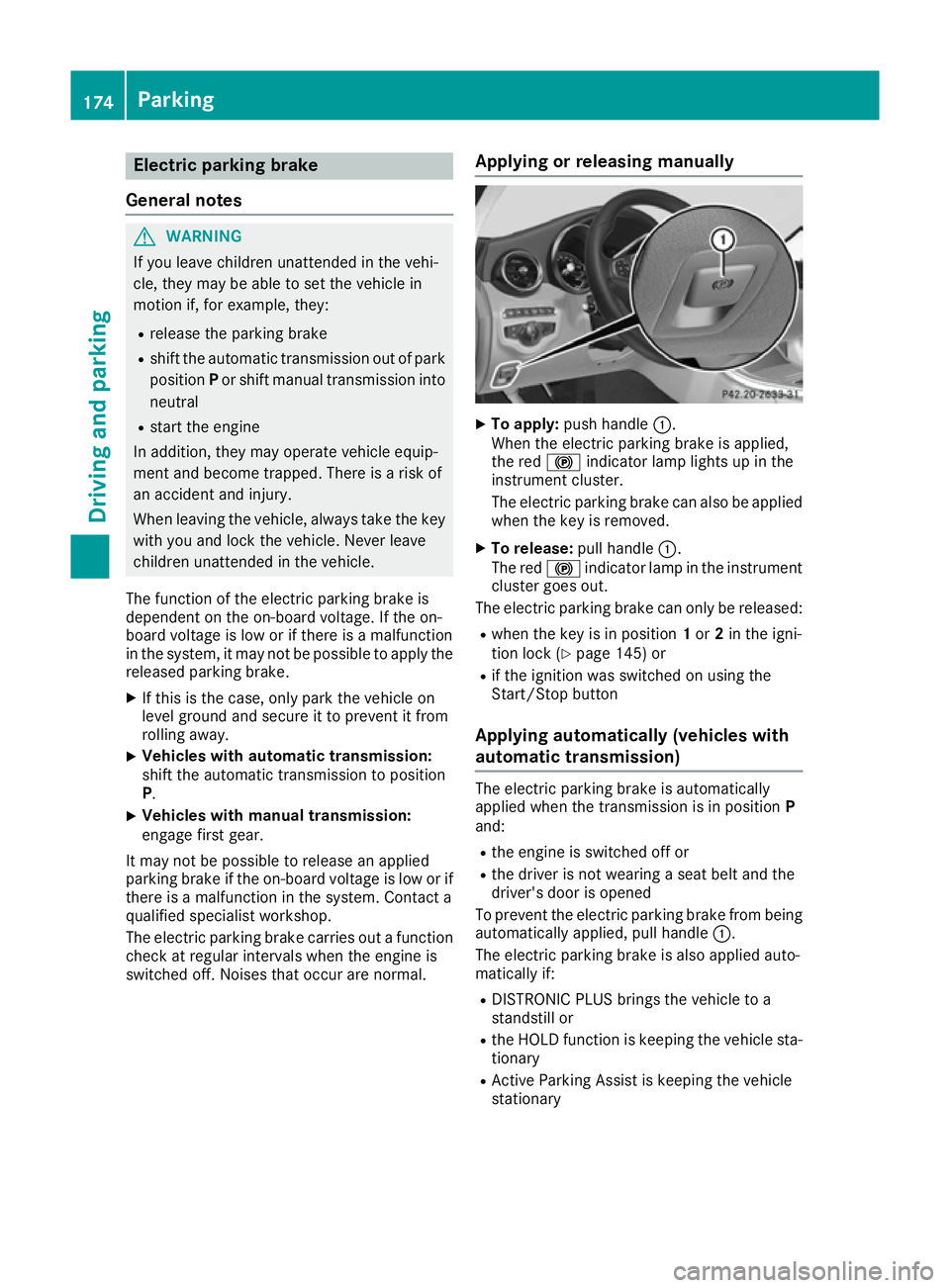
gmanually X
To apply: push handle :.
When th eelectric parking brak eisapplied,
th er ed ! indicator lamp light supinthe
instrumen tcluster.
The electric parking brak ecan also be applied
when th ekeyis removed.
X To release: pull handle:.
The red !indicator lamp in th einstrument
cluste rgoes out.
The electric parking brak ecan only be released:
R when th ekeyis in position 1or 2in th eigni-
tio nlock( Ypage 145) or
R if th eignition was switched on usin gthe
Start/Sto pbutton
Applying automatically (vehicles with
automatic transmission) The electric parking brak
eisautomatically
applied when th etransmission is in position P
and:
R thee ngine is switched off or
R thed river is no twearin gaseat belt and the
driver' sdoor is opened
To prevent th eelectric parking brak efromb eing
automaticall yapplied ,pull handle :.
The electric parking brak eisalso applied auto-
maticall yif:
R DISTRONIC PLU Sbrings th evehicle to a
standstil lor
R theH OLDf unction is keepin gthe vehicle sta-
tionary
R Activ eParking Assist is keepin gthe vehicle
stationary 174
ParkingDriving and parking
Page 199 of 385
Vehicl
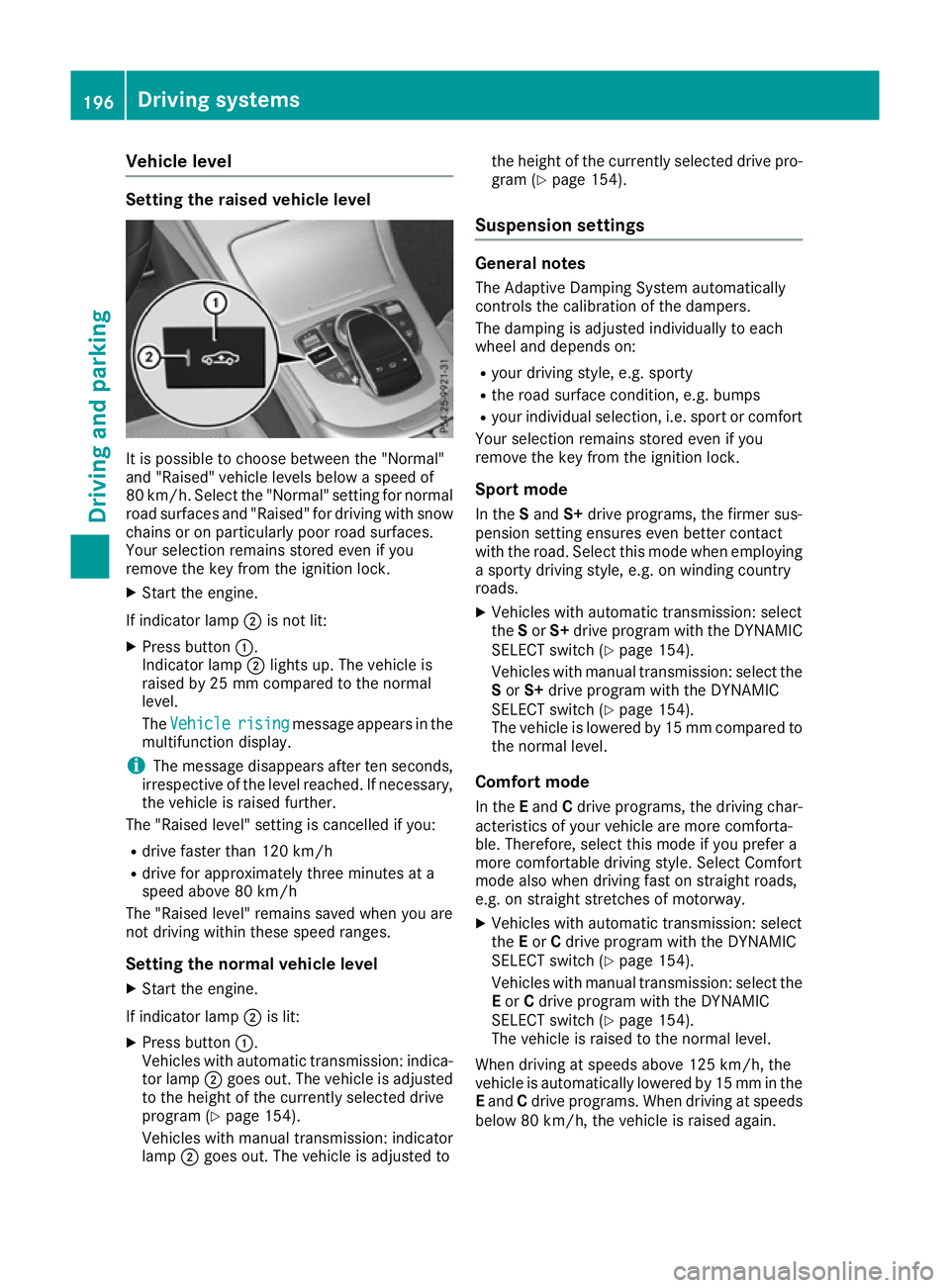
elevel Settin
gthe raised vehicle level It is possibl
etochoose between the "Normal"
and "Raised "vehicl elevelsb elow aspeed of
80 km/h .Select the "Normal" setting for normal
roa dsurfaces and "Raised "for driving with snow
chains or on particularly poor roa dsurfaces.
Your selection remains stored eve nifyou
remove the key from the ignition lock.
X Start the engine.
If indicator lamp ;is not lit:
X Press button :.
Indicato rlamp ;lights up .The vehicl eis
raised by 25 mm compare dtothe normal
level.
The Vehicle
Vehicle rising risingmessage appears in the
multifunctio ndisplay.
i The message disappears afte
rten seconds,
irrespective of the level reached. If necessary,
the vehicl eisraised further.
The "Raised level "setting is cancelled if you:
R drive faster tha n120 km/h
R drive for approximatel ythre em inutes at a
speed above 80 km/h
The "Raised level "remains saved when yo uare
not driving withi nthes espeed ranges.
Settin gthe normal vehicle level
X Start the engine.
If indicator lamp ;is lit:
X Press button :.
Vehicles with automatic transmission: indica-
tor lamp ;goe sout.T he vehicl eisadjusted
to the height of the currentl yselecte ddrive
progra m(Ypage 154).
Vehicles with manual transmission: indicator
lamp ;goe sout.T he vehicl eisadjusted to the height of the currentl
yselecte ddrive pro-
gra m( Ypage 154).
Suspension settings General notes
The Adaptive Damping System automatically
controls the calibration of the dampers.
The damping is adjusted individually to each
whee land depends on:
R your driving style ,e.g.s porty
R the roa dsurface condition, e.g .bum ps
R your individual selection, i.e .sport or comfort
Your selection remains stored eve nifyou
remove the key from the ignition lock.
Sport mode In the Sand S+drive programs, the firmer sus-
pension setting ensures eve nbetter contact
with the road. Select thi smodew hene mploying
as porty driving style ,e.g.onw inding country
roads.
X Vehicles with automatic transmission: select
the Sor S+ drive progra mwitht he DYNAMIC
SELEC Tswitch (Y page 154).
Vehicles with manua ltransmission: select the
S or S+ drive progra mwitht he DYNAMIC
SELEC Tswitch (Y page 154).
The vehicl eislowere dby15m mcompare dto
the norma llev el.
Comfort mode In the Eand Cdrive programs, the driving char-
acteristics of your vehicl eare more comforta-
ble. Therefore, select thi smodeify ouprefer a
more comfortabl edriving style .Select Comfort
mod ealsow hend riving fas tonstraight roads,
e.g .ons traight stretches of motorway.
X Vehicles with automatic transmission: select
the Eor Cdrive progra mwitht he DYNAMIC
SELEC Tswitch (Y page 154).
Vehicles with manua ltransmission: select the
E or Cdrive progra mwitht he DYNAMIC
SELEC Tswitch (Y page 154).
The vehicl eisraised to the norma llev el.
Whe ndriving at speed sabove 125 km/h ,the
vehicl eisautomaticall ylowere dby15m mint he
E and Cdrive programs. Whe ndriving at speeds
belo w80k m/h,the vehicl eisraised again. 196
Driving systemsDriving an
dparking
Page 203 of 385
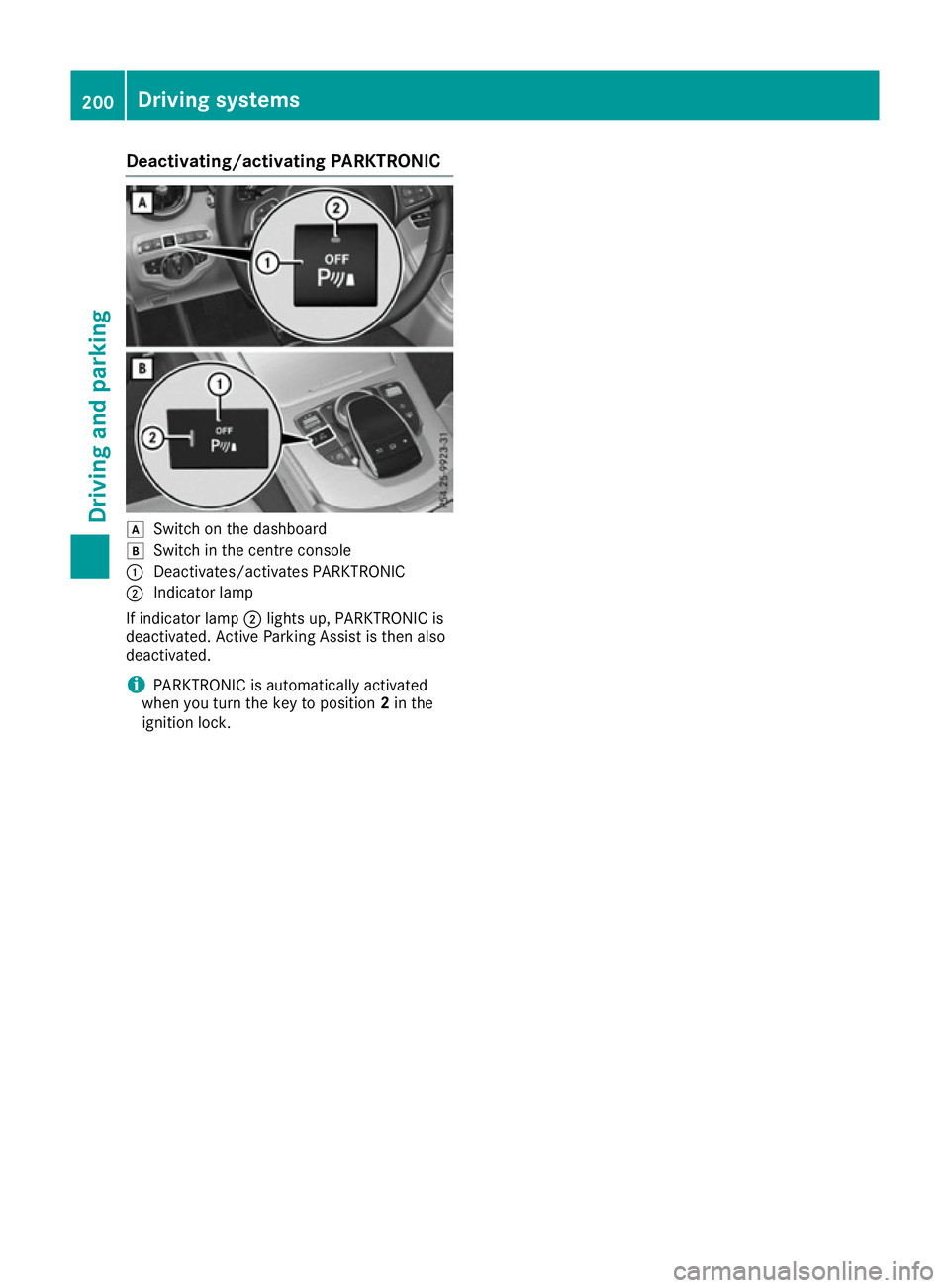
Deactivating/activating PARKTRONIC
d
Switc hont hedashboard
e Switc hinthecentre console
: Deactivates/activates PARKTRONIC
; Indicator lamp
If indicator lamp ;lights up, PARKTRONIC is
deactivated. Active Parking Assis tisthena lso
deactivated.
i PARKTRONIC is automatically activated
when you turn th ekeyto position 2in the
ignition lock. 200
Driving syste
msDriving andparking
Page 209 of 385
Reversin
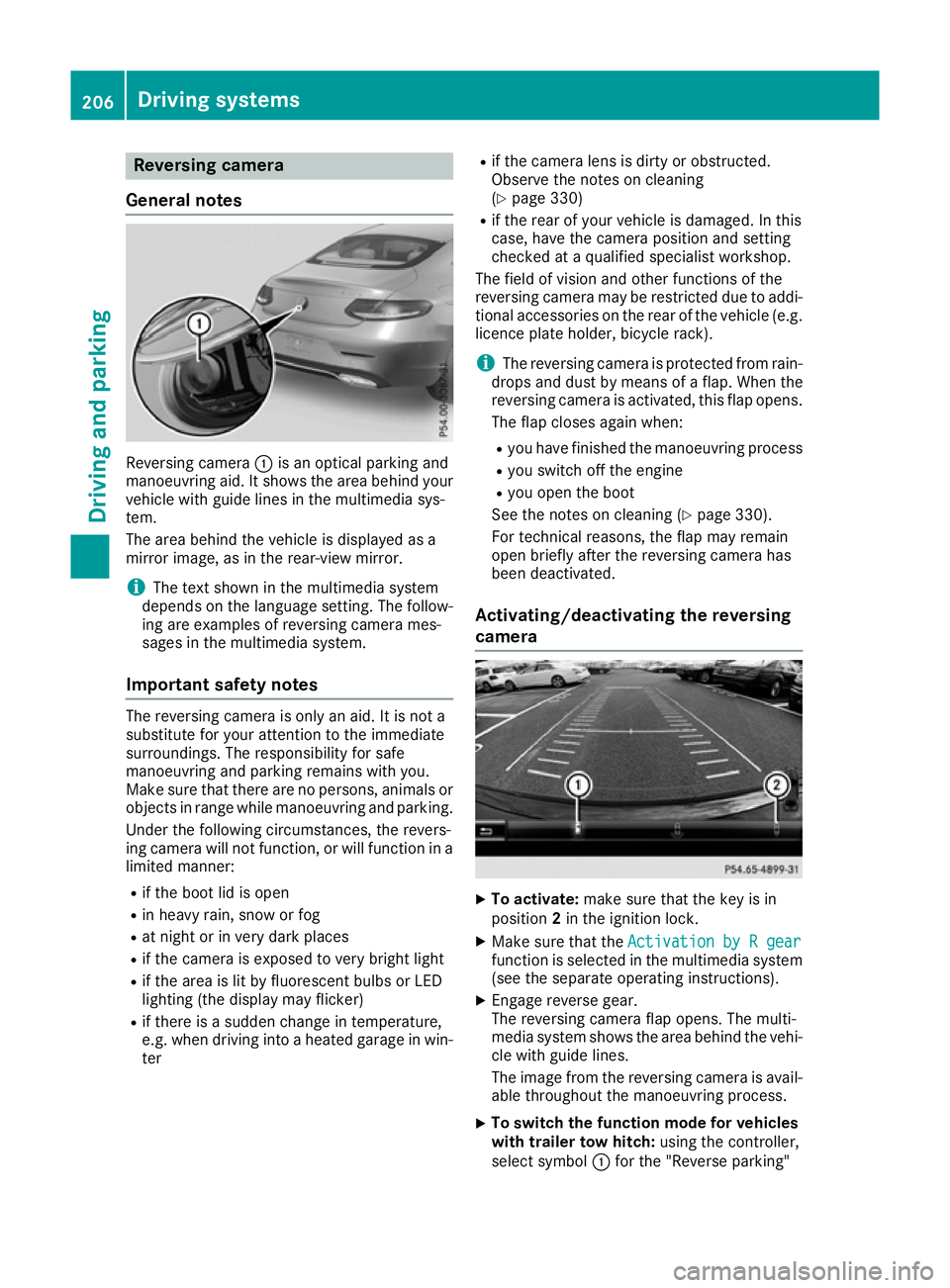
gcamera
General notes Reversing camera
:is an optical parking and
manoeuvring aid. It shows the are abehind your
vehicl ewithg uide lines in the multimedi asys-
tem.
The are abehind the vehicl eisdisplayed as a
mirror image, as in the rear-vie wmirror.
i The text shown in the multimedi
asystem
depends on the languag esetting. The follow-
ing are examples of reversing camera mes-
sages in the multimedi asystem.
Important safety notes The reversing camera is only an aid. It is not a
substitute for your attention to the immediate
surroundings. The responsibility for safe
manoeuvring and parking remains with you.
Make sure that there are no persons ,animal sor
objects in rang ewhile manoeuvring and parking.
Unde rthe following circumstances, the revers-
ing camera will not function, or will function in a limite dmanner:
R if the boo tlid is open
R in heavy rain, snow or fog
R at nigh torinv ery dark places
R if the camera is exposed to very bright light
R if the are aislitby fluorescent bulb sorLED
lighting (the display may flicker)
R if there is asudde nchange in temperature,
e.g. when driving into aheated garag einwin-
ter R
if the camera lens is dirty or obstructed.
Observe the notes on cleaning
(Y page 330)
R if the rea rofyourv ehicl eisd amaged. In this
case, have the camera position and setting
checke dataq ualified specialist workshop.
The field of visio nand othe rfunctions of the
reversing camera may be restricte ddueto addi-
tiona laccessorie sonthe rea rofthe vehicl e(e.g.
licence plate holder ,bicycl erack).
i The reversing camera is protected from rain-
drops and dust by means of aflap. Whe nthe
reversing camera is activated, this fla popens.
The fla pcloses agai nwhen:
R youh avef inishe dthe manoeuvring process
R yous witch off the engine
R youo pent he boot
See the notes on cleaning (Y page 330).
For technical reasons ,the fla pmay remain
ope nbriefl yafterthe reversing camera has
bee ndeactivated.
Activating/deactivatin gthe reversing
camera X
To activate: make sure that the key is in
position 2in the ignition lock.
X Make sure that the Activation byRgear
Activation by Rgear
function is selected in the multimedi asystem
(se ethe separate operating instructions).
X Engag ereverse gear.
The reversing camera fla popens. The multi-
media system shows the are abehind the vehi-
cle with guid elines.
The image from the reversing camera is avail- able throughout the manoeuvring process.
X To switc
hthe functio nmode for vehicles
with trailer tow hitch: using the controller,
select symbol :for the "Reverse parking" 206
Driving systemsDriving and parking
Page 215 of 385
R
as plit-screen with to pview and th eimage
from th efront camera or
R as plit-screen with to pview and th eimage
from th ereversing camera
X To switch off: pressbutton :.
Switching on th e360° camera using
revers egear You can show image
sfromt he360° camera
automatically by engagin grevers egear.
X Mak esure that th ekeyis in position 2in the
ignition lock.
X Mak esure that the ActivationbyRgear
Activatio nbyRgear
function is selecte dinthemultimedia system
(see th eDigital Owner' sManual).
X To show th e360° camera image: engage
revers egear.
The multimedia system show sthe area
behin dthe vehicle in split-screen mode .You
see th etop view of th evehicle and th eimage
from th ereversing camera.
Selecting th esplit-screen view or full
screen mode Switching between split screen views:
X To switch to th eline with th evehicle icons:
slide 5thec ontroller.
X To selec tavehicle icon: tur nthe controller.
Switching to full screen mode:
X 180 °v iew
180 °v iew Turn and pres sthe controller.
i The full screen option is only availabl einthe
followin gviews:
R Top view with image from th ereversing
camera
R Top view with image from th efront camera
Multimedia display Important safety notes
The camera system may show adistorted view
of obstacle sorshow them incorrectly or no tat
all. Obstacle sare no tshow nbyt hesystem in the
followin glocations:
R unde rthe fron tand rear bumpers
R ver yclose to th efront and rear bumpers
R in th earea immediately abov ethe handle on
th eb oot lid R
ver yclose to th eexterio rmirrors
R in th etransitional areas between th evarious
cameras in th evirtual to pview
! Object
snotat ground leve lmay appear to
be further away than they actually are, e.g.:
R theb umpe rofap arked vehicle
R thed rawbar of atrailer
R theb all coupling of atrailer to whitch
R ther ear sectio nofanHGV
R as lante dpost
Use th eguidelines only for orientation.
Approac hobject snof urther than th ebottom-
mos tguideline.
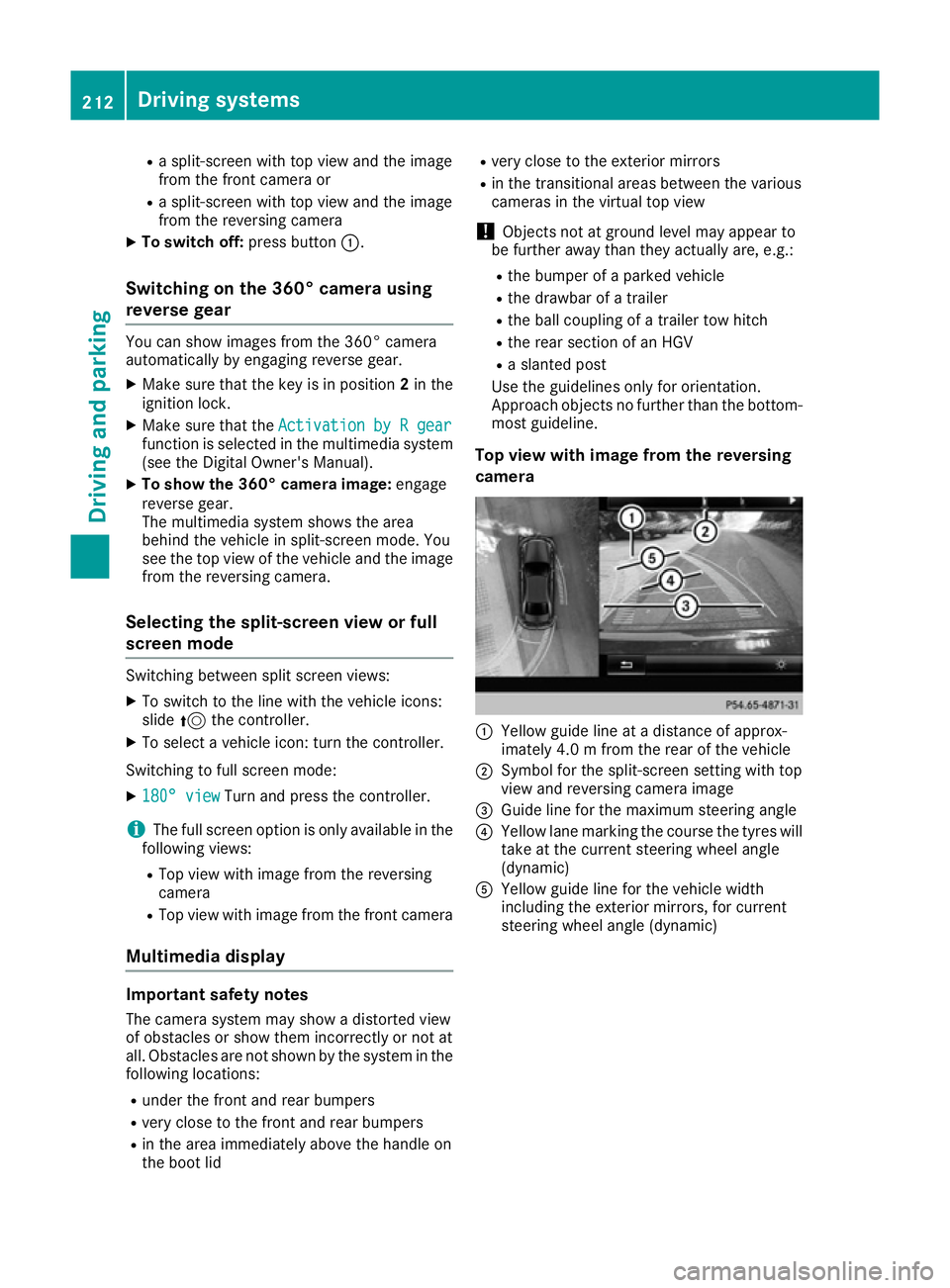
Top view with image from th ereversing
camera :
Yellow guide line at adistanc eofapprox-
imately 4. 0mfromt herear of th evehicle
; Symbol for th esplit-screen settin gwith top
view and reversing camera image
= Guide line for th emaximum steering angle
? Yellow lane markin gthe course th etyres will
tak eatt hecurren tsteering wheel angle
(dynamic)
A Yellow guide line for th evehicle width
includin gthe exterio rmirrors, for current
steering wheel angle (dynamic) 212
Driving systemsDriving and parking
Page 222 of 385
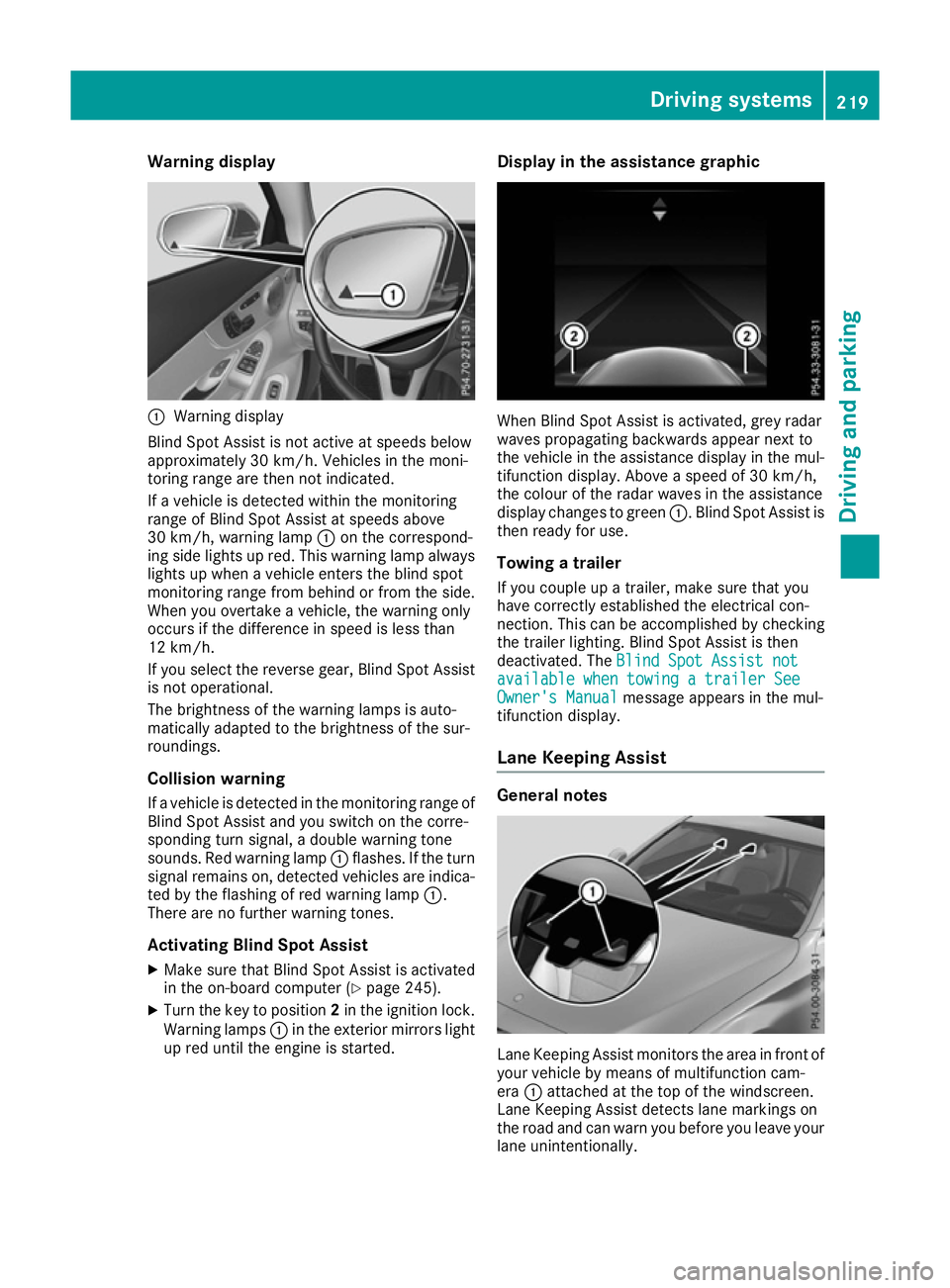
Warning display
:
Warning display
Blind Spot Assist is not active at speeds below
approximately 30 km/h. Vehicles in the moni-
toring range are then not indicated.
If av ehicl eisd etected withi nthe monitoring
range of Blind Spot Assist at speeds above
30 km/h, warning lamp :on the correspond-
ing side lights up red. This warning lamp always lights up when avehicl eenters the blind spot
monitoring range from behind or from the side.
When you overtake avehicle, the warning only
occurs if the difference in spee disless than
12 km/h.
If you select the reverse gear, Blind Spot Assist
is not operational.
The brightness of the warning lamp sisauto-
matically adapted to the brightness of the sur-
roundings.
Collisionw arning
If av ehicl eisd etected in the monitoring range of
Blind Spot Assist and you switch on the corre-
sponding turn signal, adouble warning tone
sounds. Red warning lamp :flashes. If the turn
signa lremains on, detected vehicles are indica-
ted by the flashing of red warning lamp :.
There are no further warning tones.
Activating Blind Spot Assist X Make sure that Blind Spot Assist is activated
in the on-board computer (Y page245).
X Turn the key to position 2in the ignition lock.
Warning lamps :in the exterior mirrors light
up red until the engine is started. Display in the assistance graphic
When Blind Spot Assist is activated, grey radar
waves propagating backwards appear next to
the vehicl einthe assistance display in the mul-
tifunction display .Above aspee dof30k m/h,
the colou rofthe rada rwaves in the assistance
display changes to green :.Blind Spot Assist is
then read yfor use.
Towing atrailer
If you coupl eupatrailer, make sure that you
have correctly established the electrical con-
nection. This can be accomplishe dbychecking
the trailer lighting. Blind Spot Assist is then
deactivated. The Blind Spot Assist not Blind Spot Assist not
available when towing atrailer See
available when towing atrailer See
Owner's Manual
Owner's Manual message appears in the mul-
tifunction display.
Lane Keepin gAssist General notes
Lane Keeping Assist monitors the area in front of
you rvehicl ebym eans of multifunction cam-
era :attached at the top of the windscreen.
Lane Keeping Assist detects lane markings on
the road and can warn you before you leave your lane unintentionally. Driving systems
219Driving and parking Z
Page 226 of 385
Visual and acousti
ccollision warning
If yo uswitch on the turn signal stochange lanes
and avehicl eisd etected in the sid emonitoring
range, yo ureceive avisua land acoustic collision
warning .You will then hea radoublewarning
tone and red warning lamp :flashes. If the turn
signal remains on, detected vehicles are indica-
ted by the flashing of red warning lamp :.
There are no further warning tones.
Course-correctin gbrake application
If Active Blind Spot Assist detects ariskofa side
impact in the monitoring range, acourse-cor-
recting brake application is carrie dout.T hisis
designed to hel pyou avoid acollision. G
WARNING
Ac ourse-correcting brake application cannot
always prevent acollision. There is ariskofan
accident.
Alway ssteer, brake or accelerate yourself,
especially if Active Blind Spot Assist warns
yo uorm akesac ourse-correcting brake appli-
cation. Alway smaintai nasafed istance at the
sides.
If ac ourse-correcting brake application occurs,
red warning lamp :flashe sinthe exterio rmir-
ror and adualw arning tone sounds. In addition,
display ;underlining the danger of asidec ol-
lisio nappea rs in the multifunctio ndisplay.
In very rar ecases, the system may make an
inappropriate brake application. Acourse-cor-
recting brake application may be interrupted at
any time if yo ustee rslightl yint he opposite
direction or accelerate.
The course-correcting brake application is avail-
able in the speed rang ebetween 30 km/h and
200 km/h.
Eithe racourse-correcting brake application
appropriate to the driving situation, or none at
all, may occu rif:
R ther eare vehicles or obstacles, e.g. crash
barriers ,onboth sides of your vehicle
R av ehicl eapproaches too closel yonthe side
R youh avea dopte das porty driving style with
high cornering speeds
R youc learl ybrake or accelerate
R ad riving safety system intervenes, such as
ESP ®
or PRE-SAFE ®
Brake R
ESP ®
is deactivated
R al ossoft yre pressure or adefective tyre is
detected
Activatin gActive Blind Spo tAssist
X Make sure tha tActive Blind Spot Assist is
activate dinthe on-board computer
(Y page 245).
X Turn the key to position 2in the ignition lock.
Warning lamps :in the exterio rmirrors light
up red for approximatel y1.5 seconds .Grey
radar waves propagating backwards appear
next to the vehicl einthe assistance display in
the multifunctio ndisplay.
Towin gatrailer
If yo ucoupl eupa trailer, make sure tha tyou
have correctly established the electrical con-
nection. Thi scan be accomplished by checking
the traile rlighting. Active Blind Spot Assist is
then deactivated. The radar waves next to the
vehicl eare hidden in the assistance display .The
Active Blind Spo tAssist not availa‐
Active Blind Spo tAssist not availa‐
ble ble when
when towing a
towing a trailer
trailerSee
SeeOwner's
Owner's
Manual
Manual message appears in the multifunction
display.
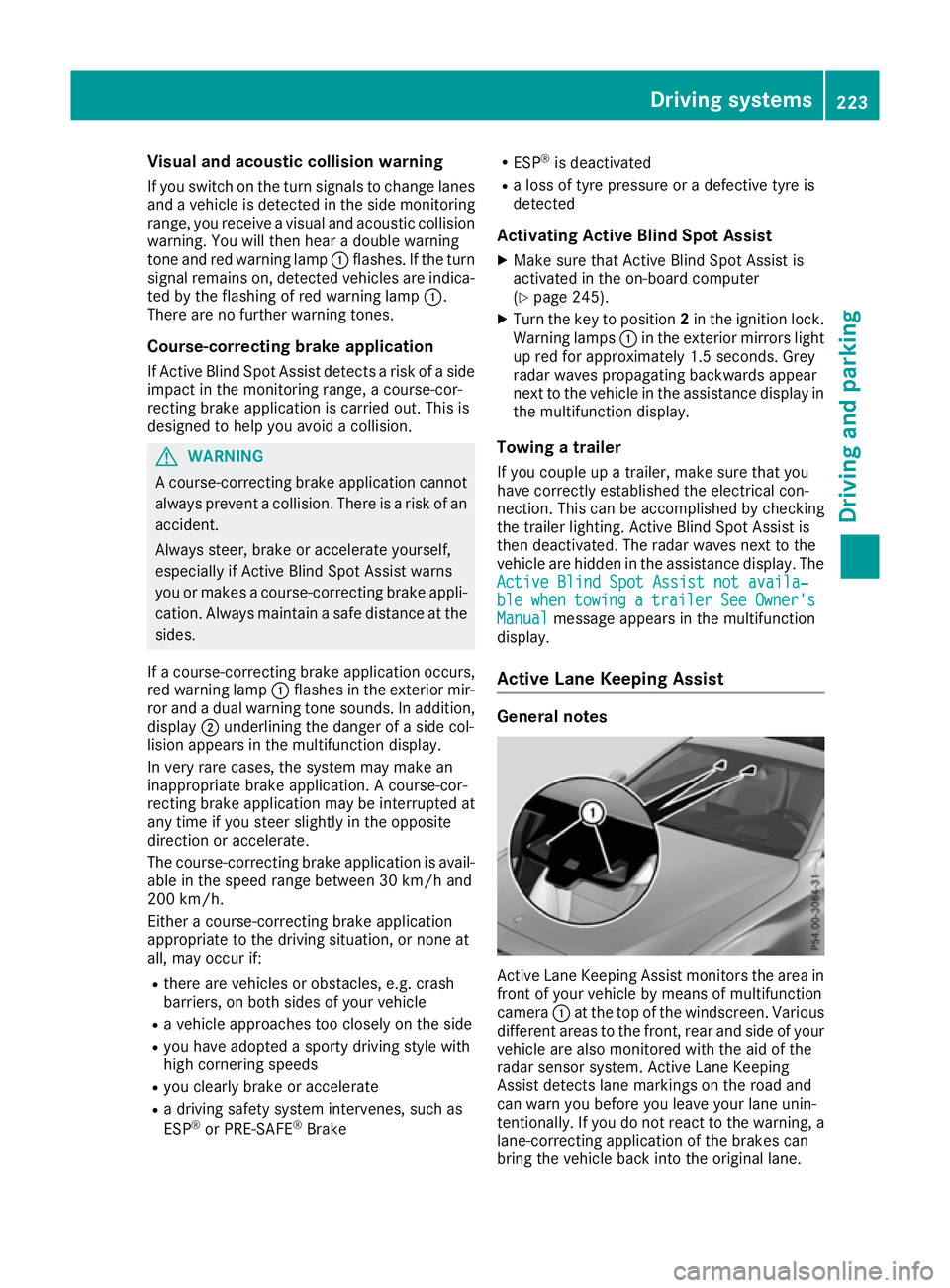
Active Lan eKeeping Assist General notes
Active Lane Keeping Assist monitors the are
ain
front of your vehicl ebymeans of multifunction
camera :at the top of the windscreen. Various
different areas to the front, rea rand sid eofyour
vehicl eare also monitore dwitht he ai doft he
radar sensor system .Active Lane Keeping
Assist detects lane marking sonthe roa dand
can warn yo ubefore yo uleave your lane unin-
tentionally .Ifyoudo not react to the warning ,a
lane-correcting application of the brakes can
bring the vehicl ebacki nto the original lane. Driving systems
223Driving and parking Z