light MERCEDES-BENZ METRIS 2020 MY20 Operator’s Manual
[x] Cancel search | Manufacturer: MERCEDES-BENZ, Model Year: 2020, Model line: METRIS, Model: MERCEDES-BENZ METRIS 2020Pages: 320, PDF Size: 26.38 MB
Page 182 of 320
Further information can be found under "ESP
®
(Electronic Stability Program)" ( Y page
69).
The vehicle must be stationary and the engine
must be running. Use the buttons in the instru-
ment cluster.
X Press È to select the Settings menu.
X Press 3 to select the ESP submenu.
The display shows the current status.
If the display shows the Oper. Only
Poss. With Engine On message, confirm
the message with 3 and start the engine.
The display then shows the ESP submenu
and the ESP ®
status.
If the ESP Inoperative message is shown
in the display, ESP is not available due to a
malfunction and is deactivated. If you con-
firm the message with 3, the display shows
the next submenu.
X Press f or g to activate or deactivate
ESP.
X Press 3 to confirm.
The next submenu is shown in the display.
If the å warning lamp in the instrument
cluster lights up when the vehicle is ready to
drive, ESP ®
is deactivated.
Observe the information on warning lamps
( Y page
230) and display messages
( Y page 200).
Setting the sensitivity of the rain sen-
sor The vehicle must be stationary. Use the but-
tons in the instrument cluster.
X Press È to select the Settings menu.
X Press 3 to select the Rain Sensor sub-
menu.
The display shows the current sensitivity
setting.
X Press f or g to select the Low, Standard
or Sensitive setting. This setting controls
the rain sensor's sensitivity to precipitation.
The windshield wiper will then wipe more or
less frequently at the same precipitation
intensity.
X Press 3 to confirm.
The next submenu is shown in the display.
You can find further information under "Wind-
shield wiper"
(Y page 109). Activating/deactivating ATTENTION
ASSIST The vehicle must be stationary. Use the but-
tons in the instrument cluster.
X Press È to select the Settings menu.
X Press 3 to select the Attention Assist
submenu.
The display shows the current status.
If the Attention Assist Inoperative
message is shown in the display, ATTEN-
TION ASSIST is not available due to a mal-
function and is deactivated. If you confirm
the message with 3, the display shows the
next submenu.
X Press f or g to activate or deactivate
ATTENTION ASSIST.
X Press 3 to confirm.
The next submenu is shown in the display.
Further information can be found under
"ATTENTION ASSIST"
(Y page 155).
Selecting the permanent display func-
tion With the Permanent Display: function, you
can switch the display in the header between
outside temperature and speed.
If the display shows the speed in the header,
the outside temperature is shown with the
odometers (Y page
177).
The additional speedometer unit in the header
is always inverse to the speedometer unit.
The vehicle must be stationary. Use the but-
tons in the instrument cluster.
X Using È select the Settings menu.
X Using 3 select the Permanent Display:
submenu.
The display indicates the selected setting of
Outside Temp. or Speedometer.
X Change the setting by pressing f or g.
X Press 3 to confirm.
The next submenu is shown in the display.
Selecting the unit for the distance In the
Distance Unit: submenu, you can
select whether the display shows certain infor-
mation in kilometers or miles. 180
On-board computer (vehicles without steering wheel buttons)
On-board computer and displays
Page 192 of 320
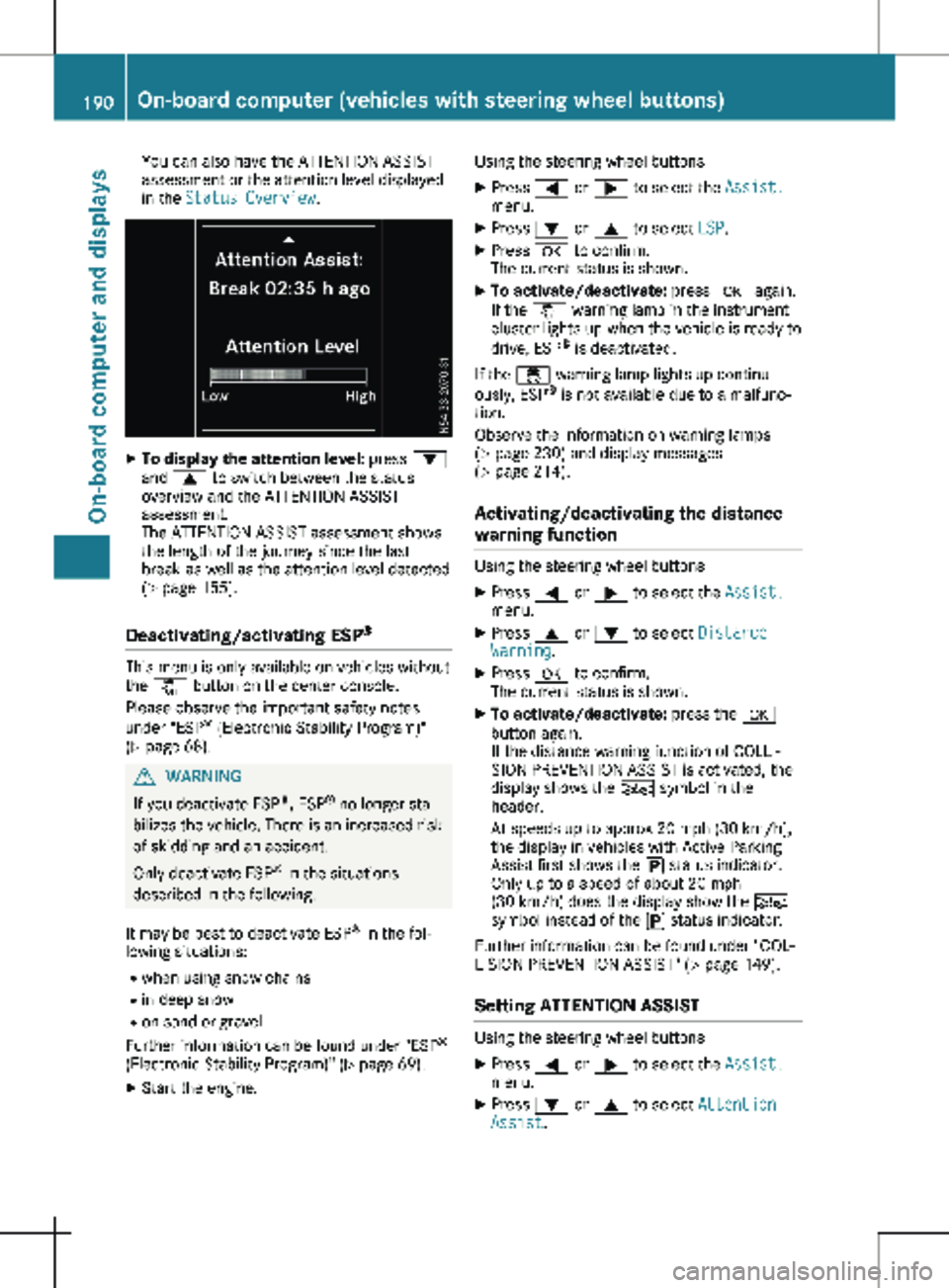
You can also have the ATTENTION ASSIST
assessment or the attention level displayed
in the Status Overview.
X
To display the attention level: press :
and 9 to switch between the status
overview and the ATTENTION ASSIST
assessment.
The ATTENTION ASSIST assessment shows
the length of the journey since the last
break as well as the attention level detected
(Y page
155).
Deactivating/activating ESP ®This menu is only available on vehicles without
the å button on the center console.
Please observe the important safety notes
under "ESP ®
(Electronic Stability Program)"
(Y page
68). G
WARNING
If you deactivate ESP ®
, ESP ®
no longer sta-
bilizes the vehicle. There is an increased risk
of skidding and an accident.
Only deactivate ESP ®
in the situations
described in the following.
It may be best to deactivate ESP ®
in the fol-
lowing situations:
R when using snow chains
R in deep snow
R on sand or gravel
Further information can be found under "ESP ®
(Electronic Stability Program)"
(Y page 69).
X Start the engine. Using the steering wheel buttons
X Press = or ; to select the Assist.
menu.
X Press : or 9 to select ESP.
X Press a to confirm.
The current status is shown.
X To activate/deactivate: press a again.
If the å warning lamp in the instrument
cluster lights up when the vehicle is ready to
drive, ESP ®
is deactivated.
If the ÷ warning lamp lights up continu-
ously, ESP ®
is not available due to a malfunc-
tion.
Observe the information on warning lamps
(Y page
230) and display messages
(Y page 214).
Activating/deactivating the distance
warning function Using the steering wheel buttons
X Press = or ; to select the Assist.
menu.
X Press 9 or : to select Distance
Warning.
X Press a to confirm.
The current status is shown.
X To activate/deactivate: press the a
button again.
If the distance warning function of COLLI-
SION PREVENTION ASSIST is activated, the
display shows the Ä symbol in the
header.
At speeds up to approx 20 mph (30 km/h
),
the display in vehicles with Active Parking
Assist first shows the í status indicator.
Only up to a speed of about 20 mph
(30 km/h) does the display show the Ä
symbol instead of the í status indicator.
Further information can be found under "COL-
LISION PREVENTION ASSIST"
(Y page 149).
Setting ATTENTION ASSIST Using the steering wheel buttons
X Press = or ; to select the Assist.
menu.
X Press : or 9 to select Attention
Assist. 190
On-board computer (vehicles with steering wheel buttons)
On-board computer and displays
Page 193 of 320
X
Press a to confirm.
The current setting is displayed.
X To change the setting: press a again.
X Press : or 9 to set Deactivated,
Standard or Sensitive.
X Press a to confirm the choice.
If ATTENTION ASSIST is activated, the À
symbol is shown in the status area of the
display. The selection Standard
or Sensi‐
tive sets the sensitivity with which the sys-
tem determines the attention level.
Further information can be found under
"ATTENTION ASSIST"
(Y page 155).
Activating/deactivating Blind Spot
Assist Using the steering wheel buttons
X Press = or ; to select the Assist.
menu.
X Press : or 9 to select Blind Spot
Assist.
X Press a to confirm.
The current status is shown.
X To activate/deactivate: press the a
button again.
Further information can be found under "Blind
Spot Assist"
(Y page 151).
Setting Lane Keeping Assist Using the steering wheel buttons
X Press = or ; to select the Assist.
menu.
X Press : or 9 to select Lane Keep‐
ing Assist.
X Press a to confirm.
The current selection Standard or Adap‐
tive is displayed.
X To change the setting: press a again.
Further information can be found under "Lane
Keeping Assist" (Y page
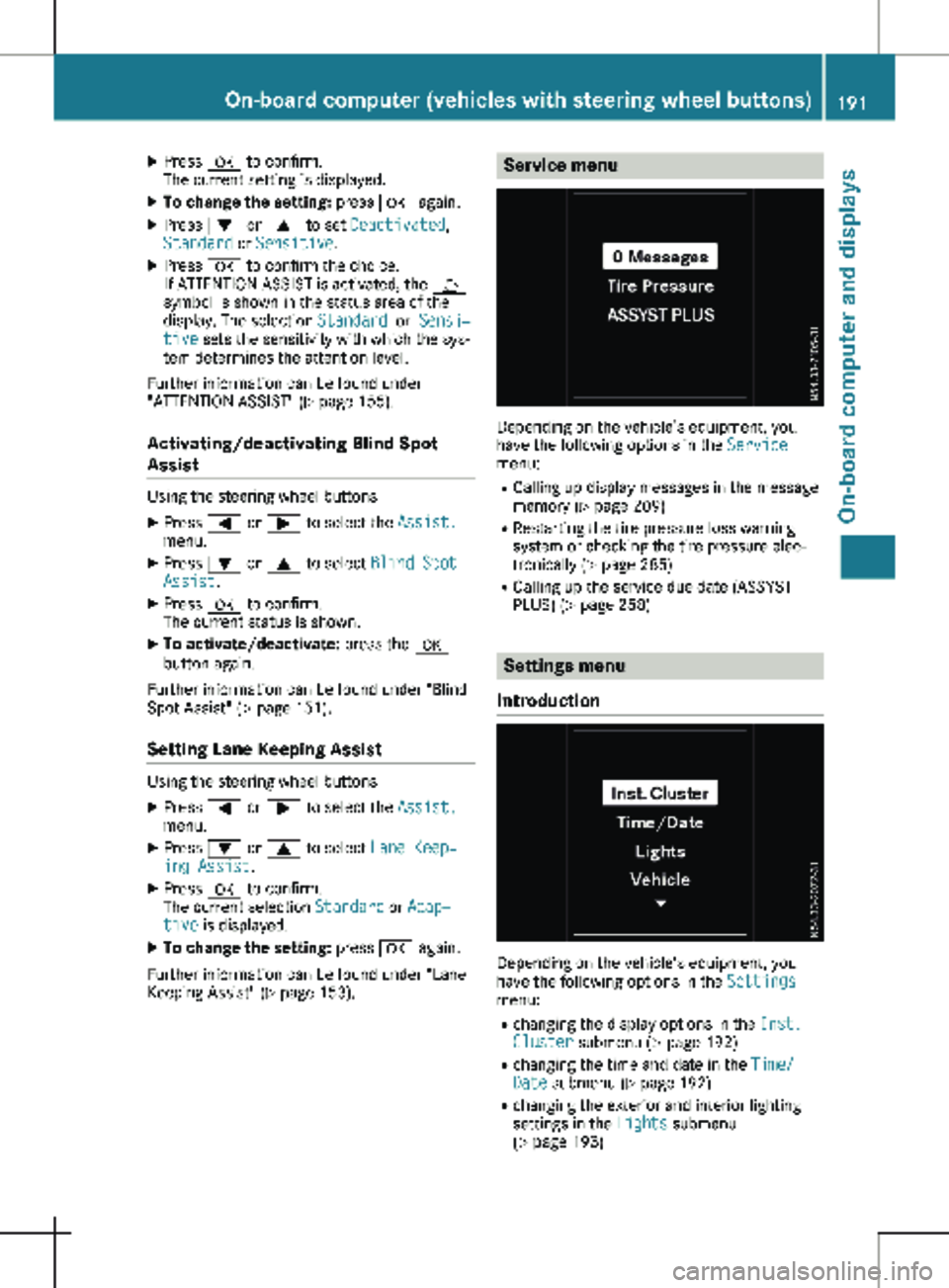
153). Service menu
Depending on the vehicle’s equipment, you
have the following options in the
Service
menu:
R Calling up display messages in the message
memory ( Y page
209)
R Restarting the tire pressure loss warning
system or checking the tire pressure elec-
tronically ( Y page 285)
R Calling up the service due date (ASSYST
PLUS) (Y page 258) Settings menu
Introduction Depending on the vehicle’s equipment, you
have the following options in the
Settings
menu:
R changing the display options in the Inst.
Cluster submenu
(Y page 192)
R changing the time and date in the Time/
Date submenu (Y page 192)
R changing the exterior and interior lighting
settings in the Lights submenu
(Y page 193) On-board computer (vehicles with steering wheel buttons)
191
On-board computer and displays Z
Page 195 of 320

X
Press : or 9 to select the Date:
function.
The display shows the current date.
X To set the date: press a again.
X Press = or ; to switch between day,
month and year.
X Press : or 9 to set the day, month or
year.
X Then press a to confirm.
The display shows the updated date.
Lights submenu Activating/deactivating the surround
lighting and exterior lighting delayed
switch-off
If you activate the Locator Lighting func-
tion and the light switch is turned to the Ã
position, the following functions are activated
when it is dark:
R surround lighting: the exterior lighting
remains on for
40 seconds after the doors
are unlocked. When you start the engine,
the surround lighting is deactivated and the
automatic headlamp feature is activated
(Y page 100).
R exterior lighting delayed switch-off: the
exterior lighting remains lit for 60 seconds
after the engine is switched off. When you
close all the doors and the tailgate/rear
doors, the exterior lighting switches off after
15 seconds.
Using the steering wheel buttons
X Use the = or ; button to select the
Settings. menu.
X Use : or 9 to select Lights.
X Press a to confirm.
X Use : or 9 to select the Locator
Lighting function.
The current status appears.
X To switch on/off: press a again.
If you change the setting, conversion does
not take place until the next time the vehicle
is stationary. Deactivating exterior lighting delayed switch-
off temporarily:
X Before leaving the vehicle, turn the key to
position g in the ignition lock.
X Turn the key to position 2 in the ignition
lock.
The exterior lighting delayed switch-off is
deactivated until the next time the engine is
started.
With surround lighting and exterior lighting
delayed switch-off, the following light up
depending on the vehicle's equipment:
R Parking lamps
R Fog lamps
R Low-beam headlamps
R Daytime running lamps
Activating/deactivating interior lighting
delayed switch-off If you activate the Interior Lighting
Delay: function, the interior lighting remains
lit for a further 20 seconds.
Using the steering wheel buttons
X Use the = or ; button to select the
Settings. menu.
X Use : or 9 to select Lights.
X Press a to confirm.
X Use : or 9 to select the Interior
Lighting Delay function.
The current status appears.
X To switch on/off: press a again.
Vehicle submenu Setting the sensitivity of the rain sensor
Using the steering wheel buttons
X Press = or ; to select the Settings
menu.
X Press : or 9 to select Vehicle.
X Press a to confirm.
X Press : or 9 to select the Rain
Sensor Sensitivity function.
The display shows the current setting.
X Press a to change the setting.
X Press : or 9 to select the High,
Standard or Low setting. This setting con-
trols the rain sensor's sensitivity to precipi-
tation. The windshield wiper then wipes On-board computer (vehicles with steering wheel buttons)
193
On-board computer and displays Z
Page 198 of 320
Safety systems
Display messages
Possible causes/consequences and
M SolutionsABS, ESP Inopera‐
tive
+
ABS, BAS, hill start assist, and ESP
®
as well as its driving safety sys-
tems are unavailable due to a malfunction.
ATTENTION ASSIST is deactivated and other driving systems could
be automatically deactivated.
G WARNING
The brake system continues to function normally, but without the
functions listed above. The wheels could therefore lock if you brake
hard, for example.
This causes steerability and braking to be greatly impaired. The
braking distance can increase in emergency braking situations.
If ESP ®
is not operational, ESP ®
will not stabilize the vehicle.
There is an increased risk of skidding and accidents.
X Switch the engine off, wait briefly and start the engine again.
X Check if the display message has disappeared and ESP ®
is opera-
tional.
X If the display message continues to be displayed:
R Drive on with care.
R Visit a qualified specialist workshop immediately. ABS, ESP Curr.
Unavail.
+
ABS, BAS, hill start assist, and ESP
®
as well as its driving safety sys-
tems are temporarily unavailable.
ATTENTION ASSIST is deactivated and other driving systems could
be automatically deactivated.
For example, the on-board voltage may be insufficient.
G WARNING
The brake system continues to function normally, but without the
functions listed above. The wheels could therefore lock if you brake
hard, for example.
This causes steerability and braking to be greatly impaired. The
braking distance can increase in emergency braking situations.
If ESP ®
is not operational, ESP ®
will not stabilize the vehicle.
There is an increased risk of skidding and accidents.
X Drive on with care and on a suitable stretch of road make slight
steering movements at a speed above 12 mph (20 km/h ).
X Switch the engine off, wait briefly and start the engine again.
X Check if the display message has disappeared and ESP ®
is opera-
tional.
X If the display message continues to be displayed:
R Drive on with care.
R Visit a qualified specialist workshop immediately.196
Display messages (vehicles without steering wheel buttons)
On-board computer and displays
Page 199 of 320
Display messages
Possible causes/consequences and
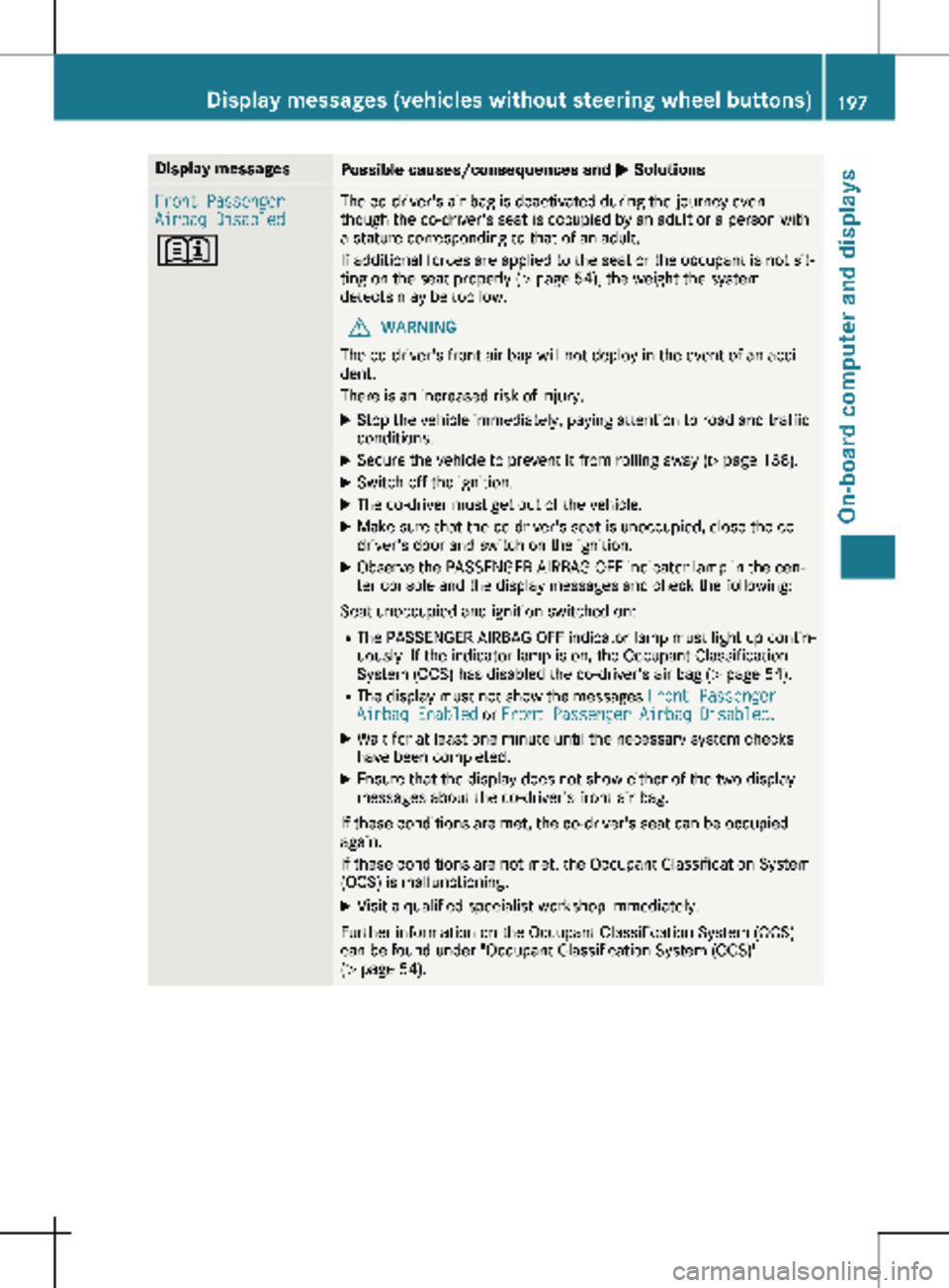
M SolutionsFront Passenger
Airbag Disabled
+ The co-driver's air bag is deactivated during the journey even
though the co-driver's seat is occupied by an adult or a person with
a stature corresponding to that of an adult.
If additional forces are applied to the seat or the occupant is not sit-
ting on the seat properly (Y page
54), the weight the system
detects may be too low.
G WARNING
The co-driver's front air bag will not deploy in the event of an acci-
dent.
There is an increased risk of injury.
X Stop the vehicle immediately, paying attention to road and traffic
conditions.
X Secure the vehicle to prevent it from rolling away ( Y page
138).
X Switch off the ignition.
X The co-driver must get out of the vehicle.
X Make sure that the co-driver's seat is unoccupied, close the co-
driver's door and switch on the ignition.
X Observe the PASSENGER AIRBAG OFF indicator lamp in the cen-
ter console and the display messages and check the following:
Seat unoccupied and ignition switched on: R The PASSENGER AIRBAG OFF indicator lamp must light up contin-
uously. If the indicator lamp is on, the Occupant Classification
System (OCS) has disabled the co-driver's air bag
(Y page 54).
R The display must not show the messages Front Passenger
Airbag Enabled or Front Passenger Airbag Disabled.
X Wait for at least one minute until the necessary system checks
have been completed.
X Ensure that the display does not show either of the two display
messages about the co-driver's front air bag.
If these conditions are met, the co-driver's seat can be occupied
again.
If these conditions are not met, the Occupant Classification System
(OCS) is malfunctioning.
X Visit a qualified specialist workshop immediately.
Further information on the Occupant Classification System (OCS)
can be found under "Occupant Classification System (OCS)"
(Y page
54). Display messages (vehicles without steering wheel buttons)
197
On-board computer and displays Z
Page 200 of 320
Display messages
Possible causes/consequences and
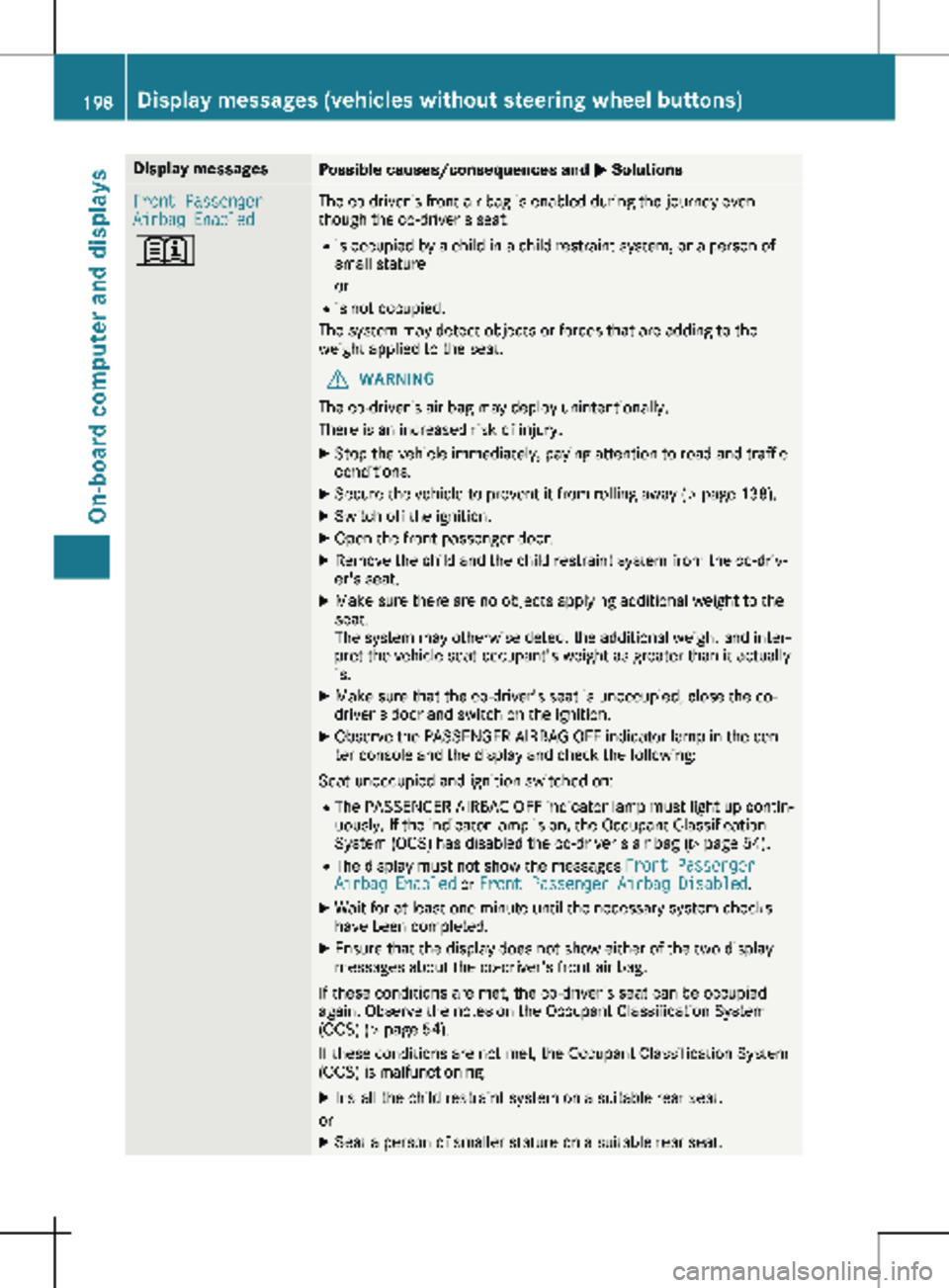
M SolutionsFront Passenger
Airbag Enabled
+ The co-driver's front air bag is enabled during the journey even
though the co-driver's seat:
R is occupied by a child in a child restraint system, or a person of
small stature
or
R is not occupied.
The system may detect objects or forces that are adding to the
weight applied to the seat.
G WARNING
The co-driver's air bag may deploy unintentionally.
There is an increased risk of injury.
X Stop the vehicle immediately, paying attention to road and traffic
conditions.
X Secure the vehicle to prevent it from rolling away ( Y page 138).
X Switch off the ignition.
X Open the front-passenger door.
X Remove the child and the child restraint system from the co-driv-
er's seat.
X Make sure there are no objects applying additional weight to the
seat.
The system may otherwise detect the additional weight and inter-
pret the vehicle seat occupant's weight as greater than it actually
is.
X Make sure that the co-driver's seat is unoccupied, close the co-
driver's door and switch on the ignition.
X Observe the PASSENGER AIRBAG OFF indicator lamp in the cen-
ter console and the display and check the following:
Seat unoccupied and ignition switched on:
R The PASSENGER AIRBAG OFF indicator lamp must light up contin-
uously. If the indicator lamp is on, the Occupant Classification
System (OCS) has disabled the co-driver's air bag
(Y page 54).
R The display must not show the messages Front Passenger
Airbag Enabled or Front Passenger Airbag Disabled.
X Wait for at least one minute until the necessary system checks
have been completed.
X Ensure that the display does not show either of the two display
messages about the co-driver's front air bag.
If these conditions are met, the co-driver's seat can be occupied
again. Observe the notes on the Occupant Classification System
(OCS)
(Y page 54).
If these conditions are not met, the Occupant Classification System
(OCS) is malfunctioning.
X Install the child restraint system on a suitable rear seat.
or X Seat a person of smaller stature on a suitable rear seat.198
Display messages (vehicles without steering wheel buttons)
On-board computer and displays
Page 202 of 320
Display messages
Possible causes/consequences and
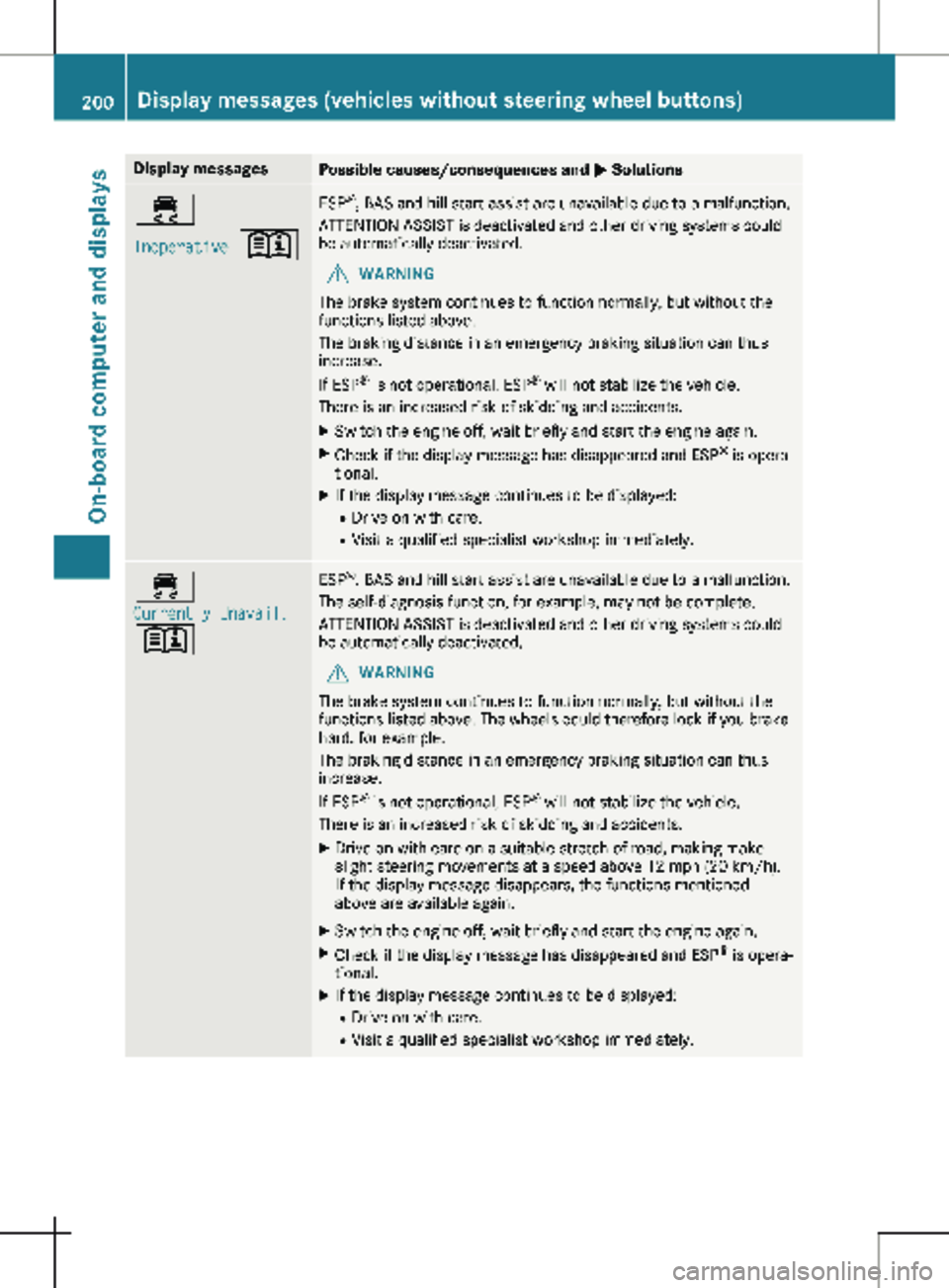
M Solutions÷
Inoperative
+ ESP
®
, BAS and hill start assist are unavailable due to a malfunction.
ATTENTION ASSIST is deactivated and other driving systems could
be automatically deactivated.
G WARNING
The brake system continues to function normally, but without the
functions listed above.
The braking distance in an emergency braking situation can thus
increase.
If ESP ®
is not operational, ESP ®
will not stabilize the vehicle.
There is an increased risk of skidding and accidents.
X Switch the engine off, wait briefly and start the engine again.
X Check if the display message has disappeared and ESP ®
is opera-
tional.
X If the display message continues to be displayed:
R Drive on with care.
R Visit a qualified specialist workshop immediately. ÷
Currently Unavail.
+ ESP
®
, BAS and hill start assist are unavailable due to a malfunction.
The self-diagnosis function, for example, may not be complete.
ATTENTION ASSIST is deactivated and other driving systems could
be automatically deactivated.
G WARNING
The brake system continues to function normally, but without the
functions listed above. The wheels could therefore lock if you brake
hard, for example.
The braking distance in an emergency braking situation can thus
increase.
If ESP ®
is not operational, ESP ®
will not stabilize the vehicle.
There is an increased risk of skidding and accidents.
X Drive on with care on a suitable stretch of road, making make
slight steering movements at a speed above
12 mph (20 km/h).
If the display message disappears, the functions mentioned
above are available again.
X Switch the engine off, wait briefly and start the engine again.
X Check if the display message has disappeared and ESP ®
is opera-
tional.
X If the display message continues to be displayed:
R Drive on with care.
R Visit a qualified specialist workshop immediately.200
Display messages (vehicles without steering wheel buttons)
On-board computer and displays
Page 203 of 320
Display messages
Possible causes/consequences and
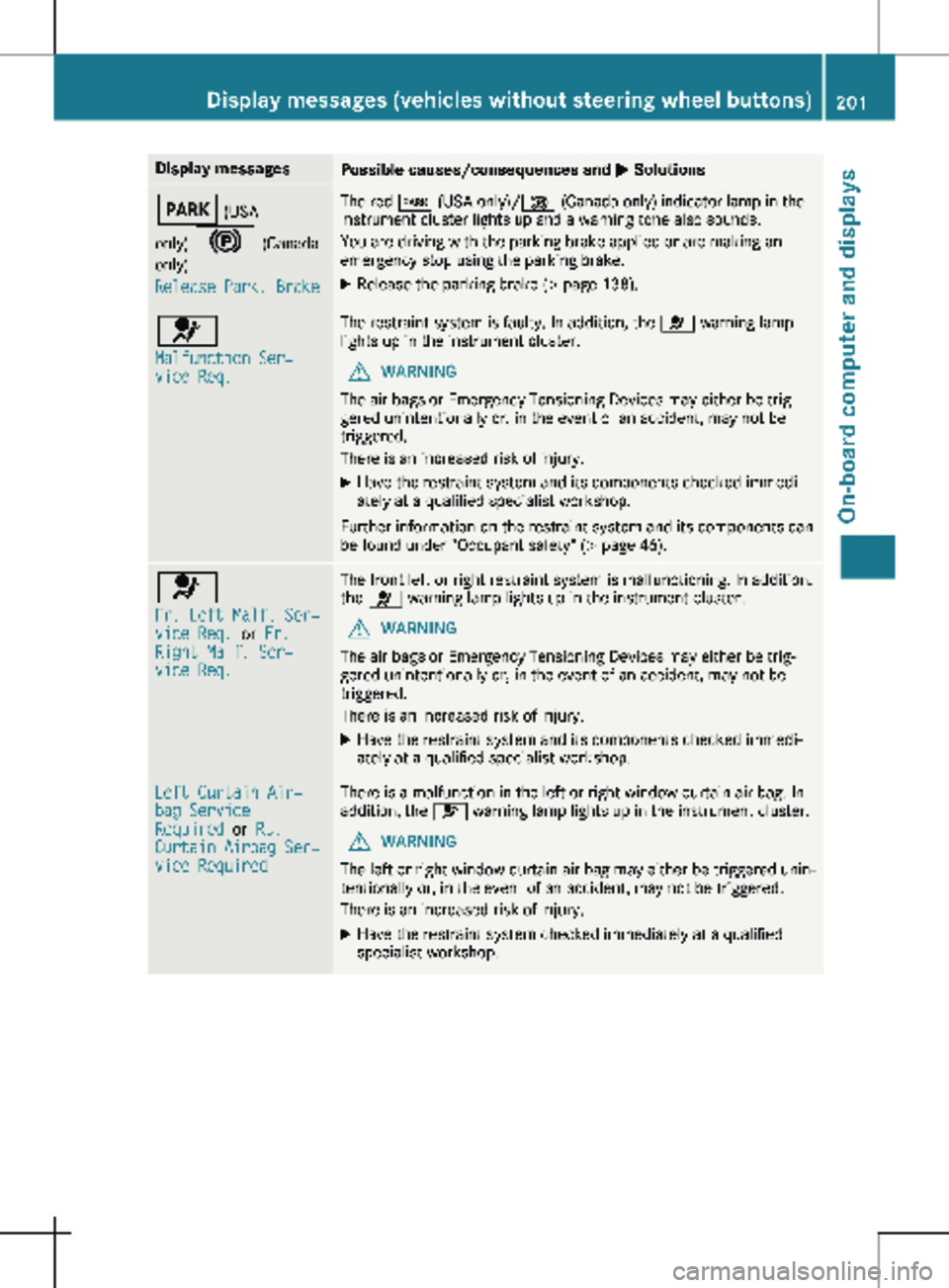
M SolutionsF (USA
only) ! (Canada only)
Release Park. Brake The red
F (USA only)/ ! (Canada only) indicator lamp in the
instrument cluster lights up and a warning tone also sounds.
You are driving with the parking brake applied or are making an
emergency stop using the parking brake.
X Release the parking brake (Y page 138).6
Malfunction Ser‐
vice Req. The restraint system is faulty. In addition, the
6 warning lamp
lights up in the instrument cluster.
G WARNING
The air bags or Emergency Tensioning Devices may either be trig-
gered unintentionally or, in the event of an accident, may not be
triggered.
There is an increased risk of injury.
X Have the restraint system and its components checked immedi-
ately at a qualified specialist workshop.
Further information on the restraint system and its components can
be found under "Occupant safety"
(Y page 46). 6
Fr. Left Malf. Ser‐
vice Req.
or Fr.
Right Malf. Ser‐
vice Req. The front left or right restraint system is malfunctioning. In addition,
the 6 warning lamp lights up in the instrument cluster.
G WARNING
The air bags or Emergency Tensioning Devices may either be trig-
gered unintentionally or, in the event of an accident, may not be
triggered.
There is an increased risk of injury.
X Have the restraint system and its components checked immedi-
ately at a qualified specialist workshop. Left Curtain Air‐
bag Service
Required
or Rt.
Curtain Airbag Ser‐
vice Required There is a malfunction in the left or right window curtain air bag. In
addition, the 6 warning lamp lights up in the instrument cluster.
G WARNING
The left or right window curtain air bag may either be triggered unin-
tentionally or, in the event of an accident, may not be triggered.
There is an increased risk of injury.
X Have the restraint system checked immediately at a qualified
specialist workshop. Display messages (vehicles without steering wheel buttons)
201
On-board computer and displays Z
Page 204 of 320
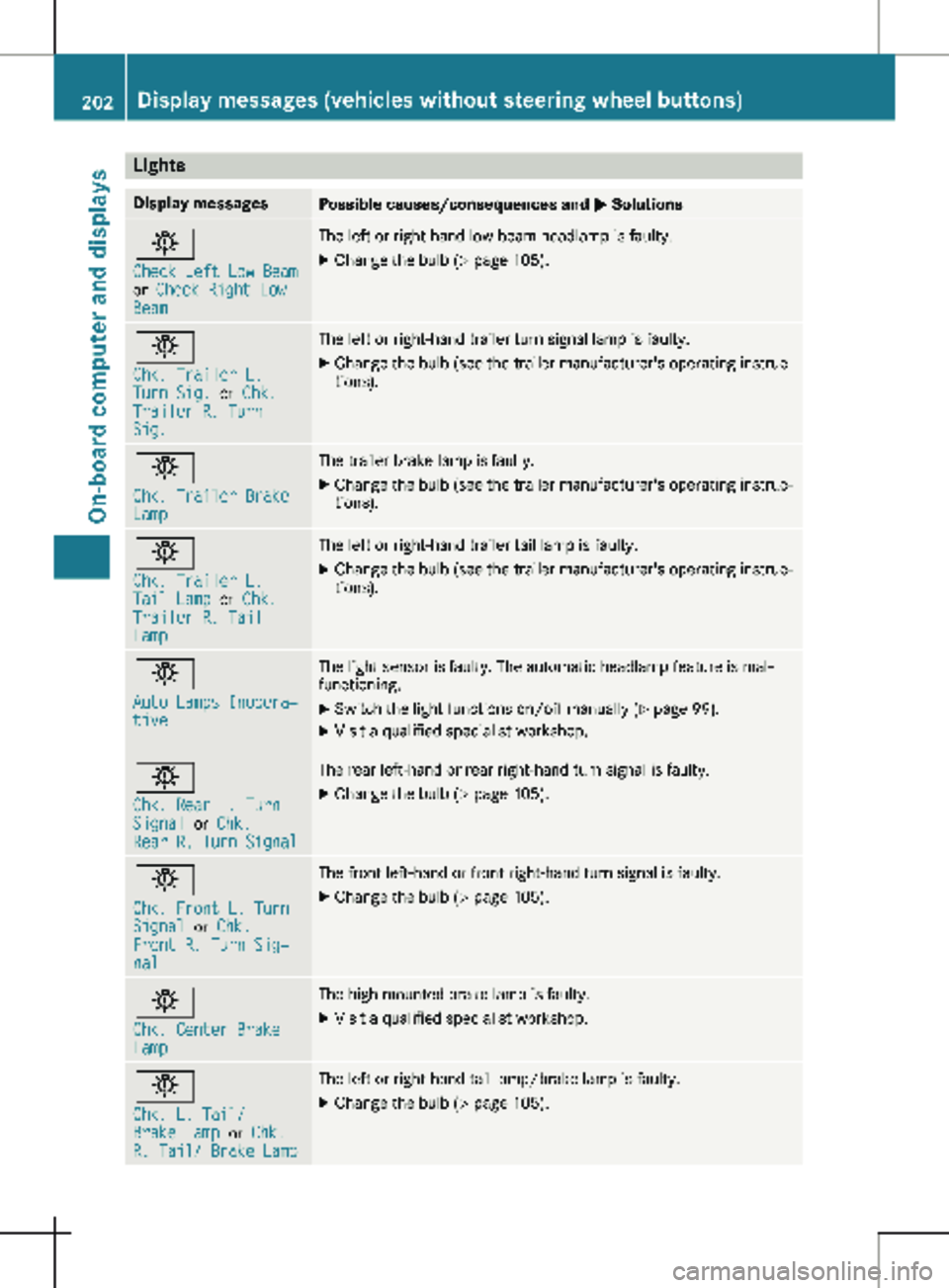
Lights
Display messages
Possible causes/consequences and
M Solutionsb
Check Left Low Beam
or
Check Right Low
Beam The left or right-hand low-beam headlamp is faulty.
X
Change the bulb ( Y page 105).b
Chk. Trailer L.
Turn Sig.
or Chk.
Trailer R. Turn
Sig. The left or right-hand trailer turn signal lamp is faulty.
X
Change the bulb (see the trailer manufacturer's operating instruc-
tions). b
Chk. Trailer Brake
Lamp The trailer brake lamp is faulty.
X Change the bulb (see the trailer manufacturer's operating instruc-
tions). b
Chk. Trailer L.
Tail Lamp
or Chk.
Trailer R. Tail
Lamp The left or right-hand trailer tail lamp is faulty.
X Change the bulb (see the trailer manufacturer's operating instruc-
tions). b
Auto Lamps Inopera‐
tive The light sensor is faulty. The automatic headlamp feature is mal-
functioning.
X
Switch the light functions on/off manually (Y page
99).
X Visit a qualified specialist workshop. b
Chk. Rear L. Turn
Signal
or Chk.
Rear R. Turn Signal The rear left-hand or rear right-hand turn signal is faulty.
X Change the bulb (Y page 105).b
Chk. Front L. Turn
Signal
or Chk.
Front R. Turn Sig‐
nal The front left-hand or front right-hand turn signal is faulty.
X Change the bulb (Y page 105).b
Chk. Center Brake
Lamp The high-mounted brake lamp is faulty.
X
Visit a qualified specialist workshop. b
Chk. L. Tail/
Brake Lamp
or Chk.
R. Tail/ Brake Lamp The left or right-hand tail lamp/brake lamp is faulty.
X Change the bulb (Y page 105).202
Display messages (vehicles without steering wheel buttons)
On-board computer and displays