tow MERCEDES-BENZ METRIS 2020 MY20 Operator’s Manual
[x] Cancel search | Manufacturer: MERCEDES-BENZ, Model Year: 2020, Model line: METRIS, Model: MERCEDES-BENZ METRIS 2020Pages: 320, PDF Size: 26.38 MB
Page 175 of 320
and the noseweight of the trailer drawbar
(TWR).
Trailer power supply
! Incorrect wiring of the connector plug
could, under certain circumstances, cause
malfunctions in the vehicle's other elec-
tronic systems. We therefore recommend
having the connector plug wired at a quali-
fied specialist workshop.
! You can connect accessories with a maxi-
mum power consumption of 240 W
to the
permanent power supply.
You must not charge a trailer battery using
the power supply.
Your vehicle may be equipped with various
electrical installations for trailer towing.
Depending on your trailer, you may need an
adapter to connect the electrical system of the
trailer with that of the vehicle.
The trailer socket of your vehicle is equipped
at the factory with a permanent power supply.
The permanent power supply is on the trailer
socket pin assignment 4.
Note that the permanent power supply of the
trailer is not switched off when the on-board
voltage is low. This can completely discharge
the starter battery of your vehicle.
Further information on the electrical equip-
ment currently installed on your vehicle and on
installing trailer electrics can be obtained at
any qualified specialist workshop. Towing a trailer
173
Driving and parking Z
Page 188 of 320
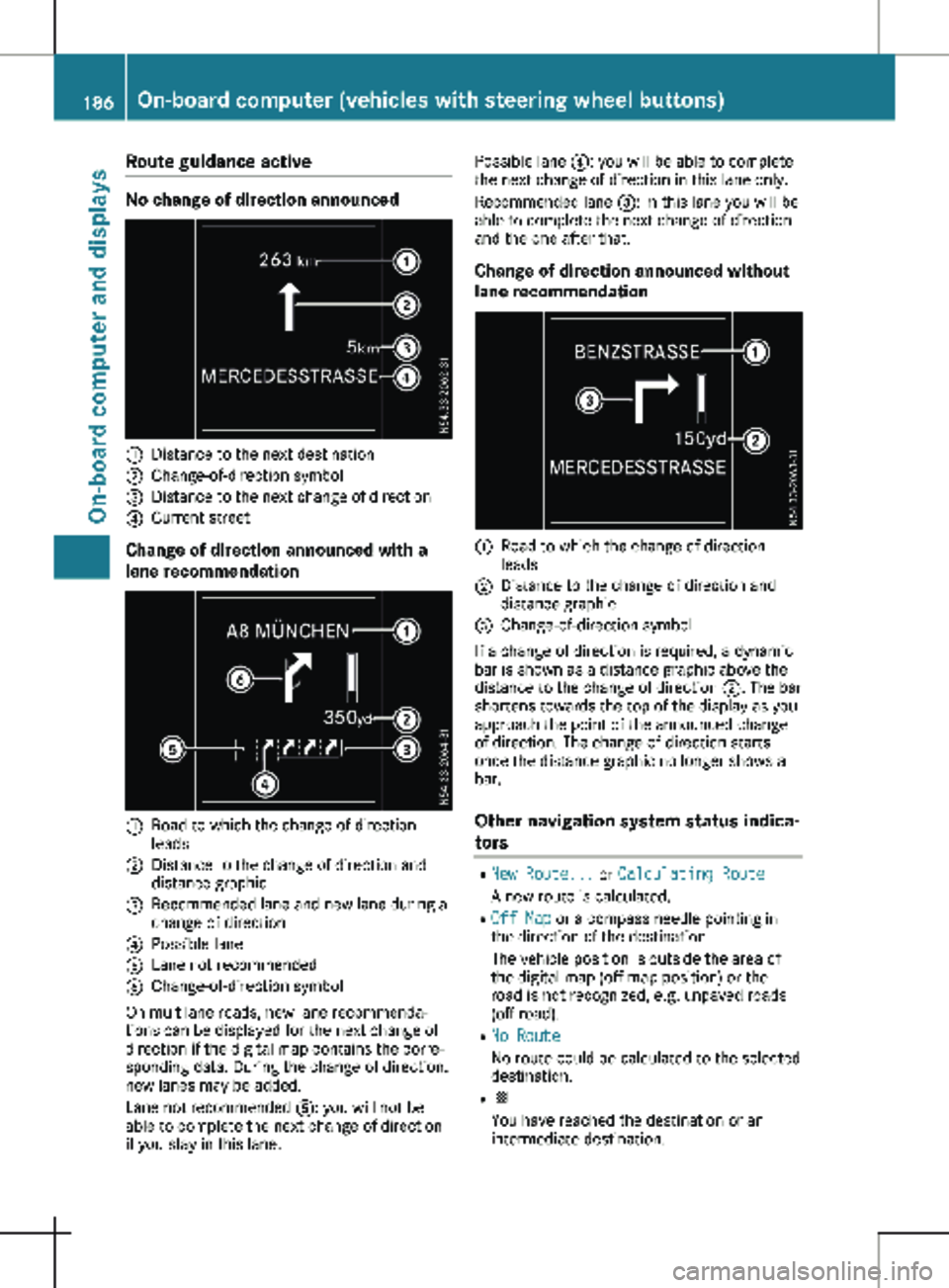
Route guidance active
No change of direction announced
:
Distance to the next destination
; Change-of-direction symbol
= Distance to the next change of direction
? Current street
Change of direction announced with a
lane recommendation :
Road to which the change of direction
leads
; Distance to the change of direction and
distance graphic
= Recommended lane and new lane during a
change of direction
? Possible lane
A Lane not recommended
B Change-of-direction symbol
On multilane roads, new lane recommenda-
tions can be displayed for the next change of
direction if the digital map contains the corre-
sponding data. During the change of direction,
new lanes may be added.
Lane not recommended A: you will not be
able to complete the next change of direction
if you stay in this lane. Possible lane
?: you will be able to complete
the next change of direction in this lane only.
Recommended lane =: in this lane you will be
able to complete the next change of direction
and the one after that.
Change of direction announced without
lane recommendation :
Road to which the change of direction
leads
; Distance to the change of direction and
distance graphic
= Change-of-direction symbol
If a change of direction is required, a dynamic
bar is shown as a distance graphic above the
distance to the change of direction ;. The bar
shortens towards the top of the display as you
approach the point of the announced change
of direction. The change of direction starts
once the distance graphic no longer shows a
bar.
Other navigation system status indica-
tors R
New Route... or Calculating Route
A new route is calculated.
R Off Map or a compass needle pointing in
the direction of the destination
The vehicle position is outside the area of
the digital map (off-map position) or the
road is not recognized, e.g. unpaved roads
(off-road).
R No Route
No route could be calculated to the selected
destination.
R O
You have reached the destination or an
intermediate destination.186
On-board computer (vehicles with steering wheel buttons)On-board computer and displays
Page 205 of 320
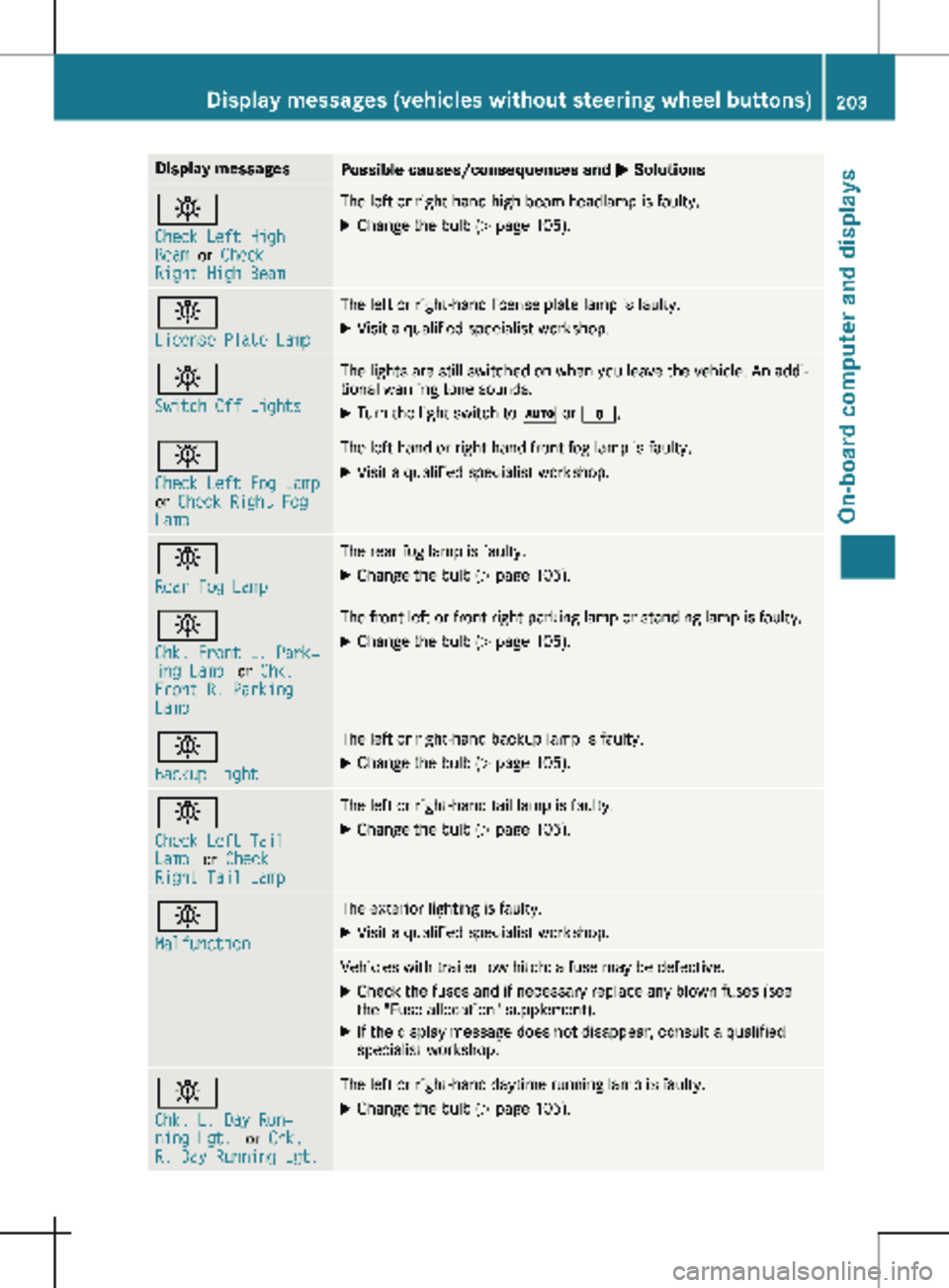
Display messages
Possible causes/consequences and
M Solutionsb
Check Left High
Beam
or Check
Right High Beam The left or right-hand high-beam headlamp is faulty.
X
Change the bulb ( Y page 105).b
License Plate Lamp The left or right-hand license plate lamp is faulty.
X Visit a qualified specialist workshop. b
Switch Off Lights The lights are still switched on when you leave the vehicle. An addi-
tional warning tone sounds.
X Turn the light switch to à or $.b
Check Left Fog Lamp
or
Check Right Fog
Lamp The left-hand or right-hand front fog lamp is faulty.
X Visit a qualified specialist workshop. b
Rear Fog Lamp The rear fog lamp is faulty.
X Change the bulb (Y page
105).b
Chk. Front L. Park‐
ing Lamp
or Chk.
Front R. Parking
Lamp The front left or front right parking lamp or standing lamp is faulty.
X Change the bulb ( Y page 105).b
Backup Light The left or right-hand backup lamp is faulty.
X Change the bulb (Y page
105).b
Check Left Tail
Lamp
or Check
Right Tail Lamp The left or right-hand tail lamp is faulty.
X Change the bulb (Y page 105).b
Malfunction The exterior lighting is faulty.
X Visit a qualified specialist workshop. Vehicles with trailer tow hitch: a fuse may be defective.
X Check the fuses and if necessary replace any blown fuses (see
the "Fuse allocation" supplement).
X If the display message does not disappear, consult a qualified
specialist workshop. b
Chk. L. Day Run‐
ning Lgt.
or Chk.
R. Day Running Lgt. The left or right-hand daytime running lamp is faulty.
X Change the bulb (Y page 105).Display messages (vehicles without steering wheel buttons)
203
On-board computer and displays Z
Page 220 of 320
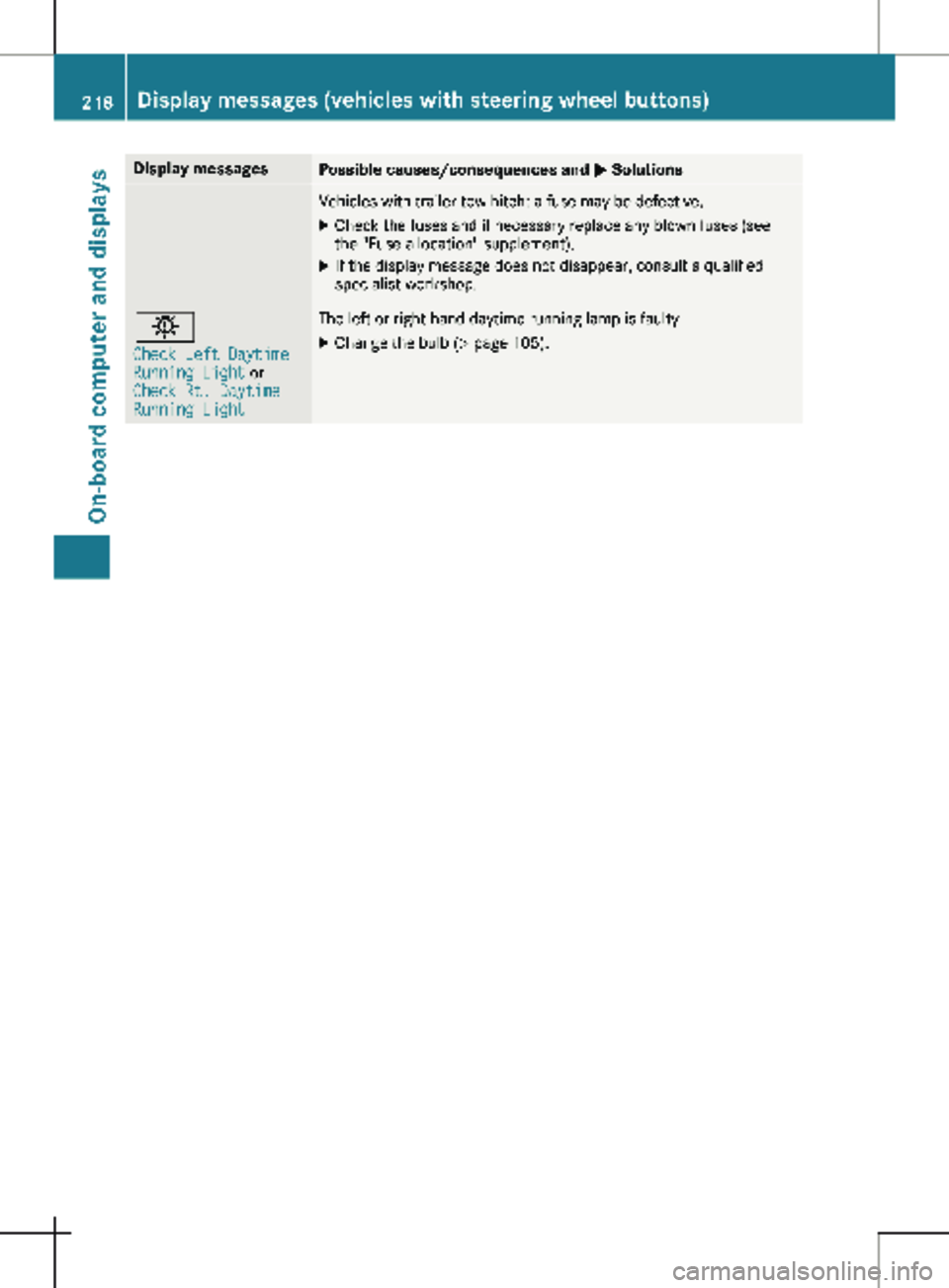
Display messages
Possible causes/consequences and
M SolutionsVehicles with trailer tow hitch: a fuse may be defective.
X Check the fuses and if necessary replace any blown fuses (see
the "Fuse allocation" supplement).
X If the display message does not disappear, consult a qualified
specialist workshop. b
Check Left Daytime
Running Light or
Check Rt. Daytime
Running Light The left or right-hand daytime running lamp is faulty.
X Change the bulb (Y page 105).218
Display messages (vehicles with steering wheel buttons)
On-board computer and displays
Page 240 of 320
Useful information
This Operator's Manual describes all models
as well as standard and optional equipment of
your vehicle that were available at the time of
going to print. Country-specific variations are
possible. Note that your vehicle may not be
equipped with all of the described functions.
This also applies to systems and functions rel-
evant to safety.
Read the information on qualified specialist
workshops (Y page
32).Stowage spaces and stowage com-
partments
Important safety notes
G
WARNING
If you transport objects in the vehicle inte-
rior and these are not adequately secured,
they could slip or be flung around and
thereby strike vehicle occupants. In addi-
tion, cup holders, open stowage spaces and
mobile phone brackets may not always be
able to hold the objects placed in them in
the event of an accident. There is a risk of
injury, particularly in the event of sharp
braking or sudden changes of direction.
R Always stow objects in such a way that
they cannot be tossed about in these or
similar situations.
R Always make sure that objects do not pro-
trude out of the stowage spaces, luggage
nets or stowage nets.
R Ensure that closable stowage spaces are
shut before beginning your journey.
R Always stow and secure heavy, hard, poin-
ted, sharp-edged, fragile or large objects
in the cargo compartment.
Observe the "Loading guidelines"
(Y page
242). Glove box
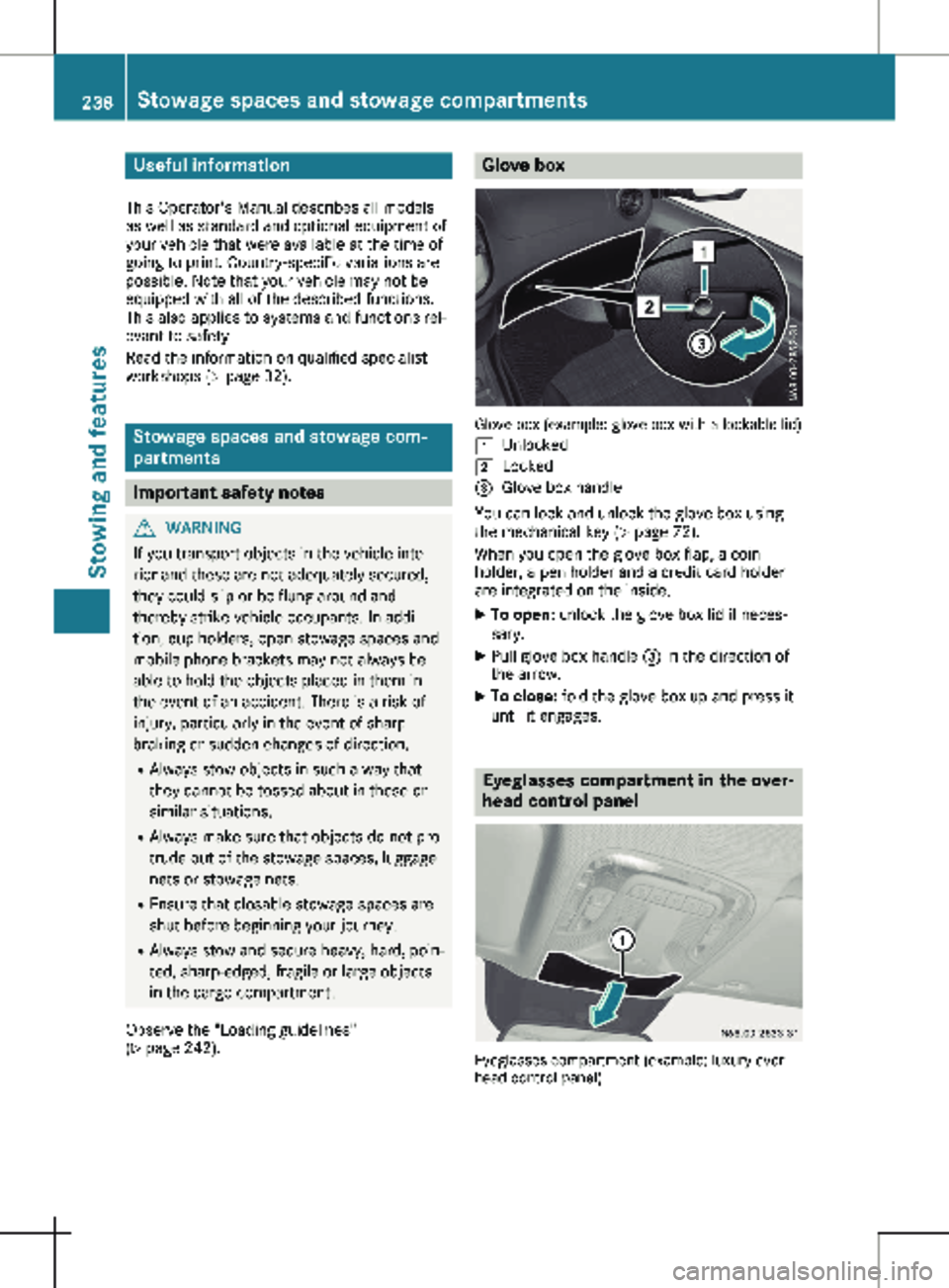
Glove box (example: glove box with a lockable lid)
1 Unlocked
2 Locked
= Glove box handle
You can lock and unlock the glove box using
the mechanical key (Y page
72).
When you open the glove box flap, a coin
holder, a pen holder and a credit card holder
are integrated on the inside.
X To open: unlock the glove box lid if neces-
sary.
X Pull glove box handle = in the direction of
the arrow.
X To close: fold the glove box up and press it
until it engages. Eyeglasses compartment in the over-
head control panel
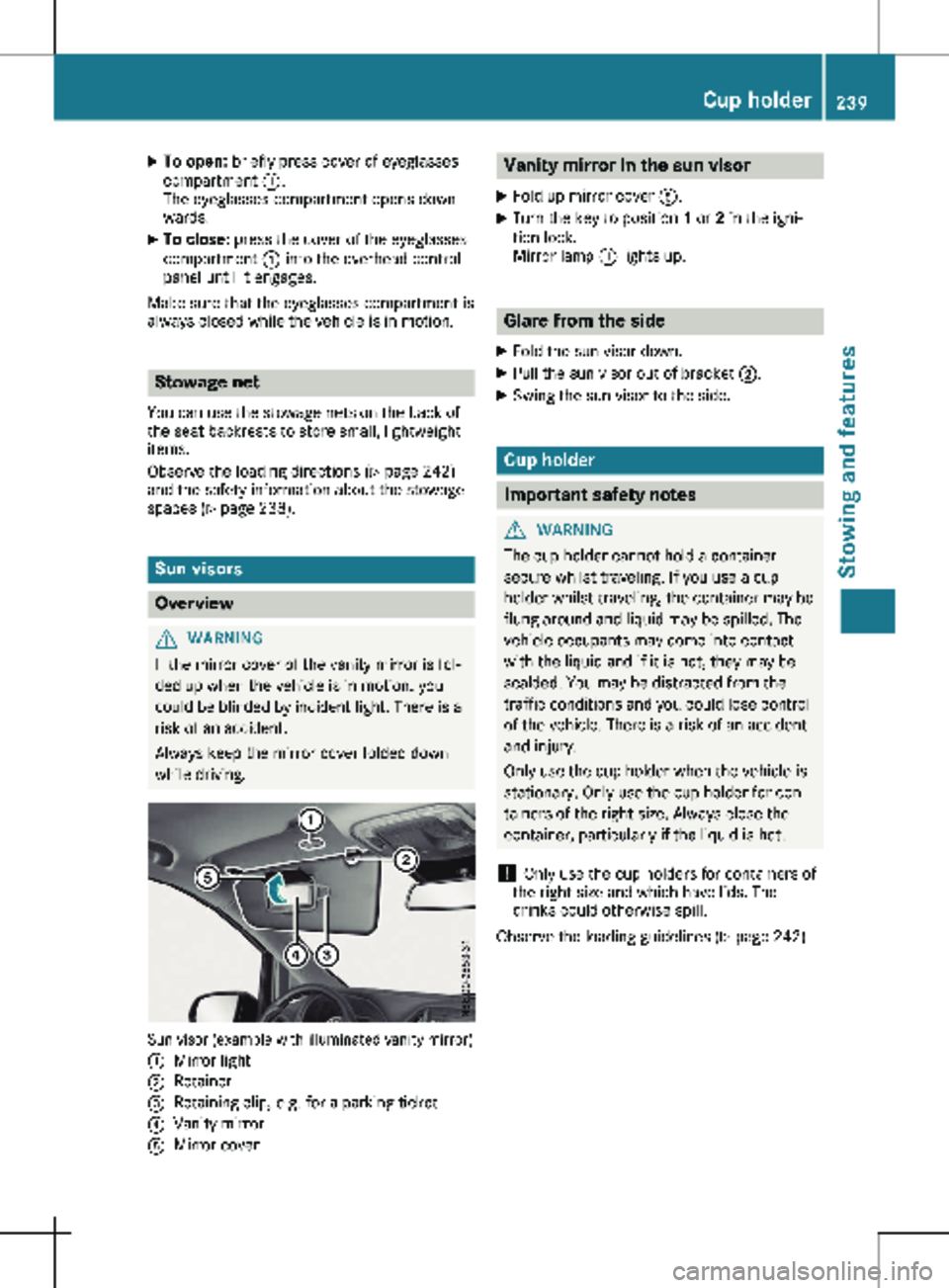
Eyeglasses compartment (example: luxury over-
head control panel) 238
Stowage spaces and stowage compartments
Stowing and features
Page 241 of 320
X
To open: briefly press cover of eyeglasses
compartment :.
The eyeglasses compartment opens down-
wards.
X To close: press the cover of the eyeglasses
compartment : into the overhead control
panel until it engages.
Make sure that the eyeglasses compartment is
always closed while the vehicle is in motion. Stowage net
You can use the stowage nets on the back of
the seat backrests to store small, lightweight
items.
Observe the loading directions ( Y page
242)
and the safety information about the stowage
spaces (Y page 238). Sun visors
Overview
G
WARNING
If the mirror cover of the vanity mirror is fol-
ded up when the vehicle is in motion, you
could be blinded by incident light. There is a
risk of an accident.
Always keep the mirror cover folded down
while driving. Sun visor (example with illuminated vanity mirror)
:
Mirror light
; Retainer
= Retaining clip, e.g. for a parking ticket
? Vanity mirror
A Mirror cover Vanity mirror in the sun visor
X Fold up mirror cover A.
X Turn the key to position 1 or 2 in the igni-
tion lock.
Mirror lamp : lights up. Glare from the side
X Fold the sun visor down.
X Pull the sun visor out of bracket ;.
X Swing the sun visor to the side. Cup holder
Important safety notes
G
WARNING
The cup holder cannot hold a container
secure whilst traveling. If you use a cup
holder whilst traveling, the container may be
flung around and liquid may be spilled. The
vehicle occupants may come into contact
with the liquid and if it is hot, they may be
scalded. You may be distracted from the
traffic conditions and you could lose control
of the vehicle. There is a risk of an accident
and injury.
Only use the cup holder when the vehicle is
stationary. Only use the cup holder for con-
tainers of the right size. Always close the
container, particularly if the liquid is hot.
! Only use the cup holders for containers of
the right size and which have lids. The
drinks could otherwise spill.
Observe the loading guidelines
(Y page 242). Cup holder
239Stowing and features Z
Page 242 of 320
Cup holders in the dashboard
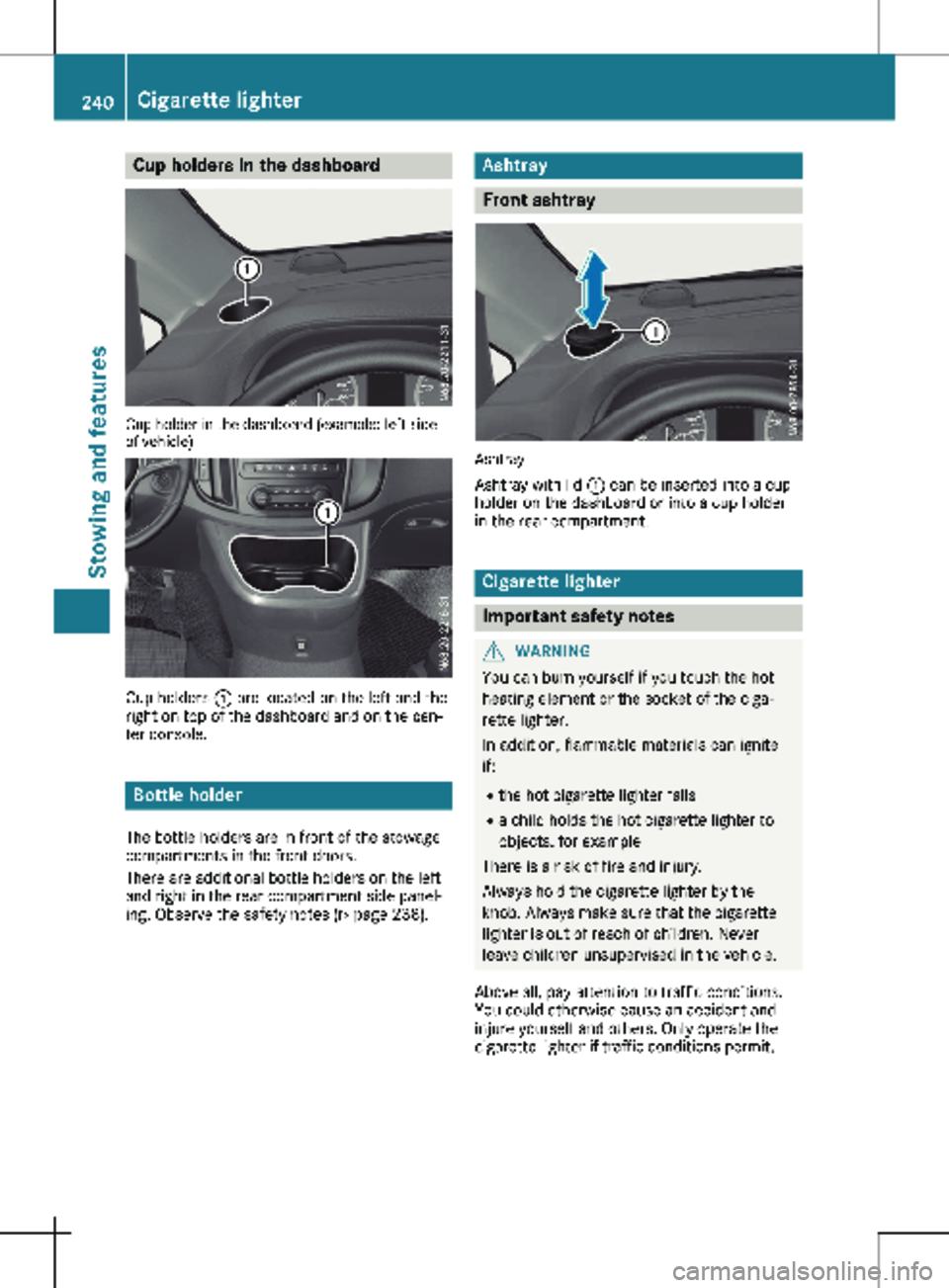
Cup holder in the dashboard (example: left side
of vehicle)
Cup holders
: are located on the left and the
right on top of the dashboard and on the cen-
ter console. Bottle holder
The bottle holders are in front of the stowage
compartments in the front doors.
There are additional bottle holders on the left
and right in the rear compartment side panel-
ing. Observe the safety notes
(Y page 238). Ashtray
Front ashtray
Ashtray
Ashtray with lid : can be inserted into a cup
holder on the dashboard or into a cup holder
in the rear compartment. Cigarette lighter
Important safety notes
G
WARNING
You can burn yourself if you touch the hot
heating element or the socket of the ciga-
rette lighter.
In addition, flammable materials can ignite
if:
R the hot cigarette lighter falls
R a child holds the hot cigarette lighter to
objects, for example
There is a risk of fire and injury.
Always hold the cigarette lighter by the
knob. Always make sure that the cigarette
lighter is out of reach of children. Never
leave children unsupervised in the vehicle.
Above all, pay attention to traffic conditions.
You could otherwise cause an accident and
injure yourself and others. Only operate the
cigarette lighter if traffic conditions permit. 240
Cigarette lighter
Stowing and features
Page 243 of 320
Cigarette lighter in the front com-
partment
X
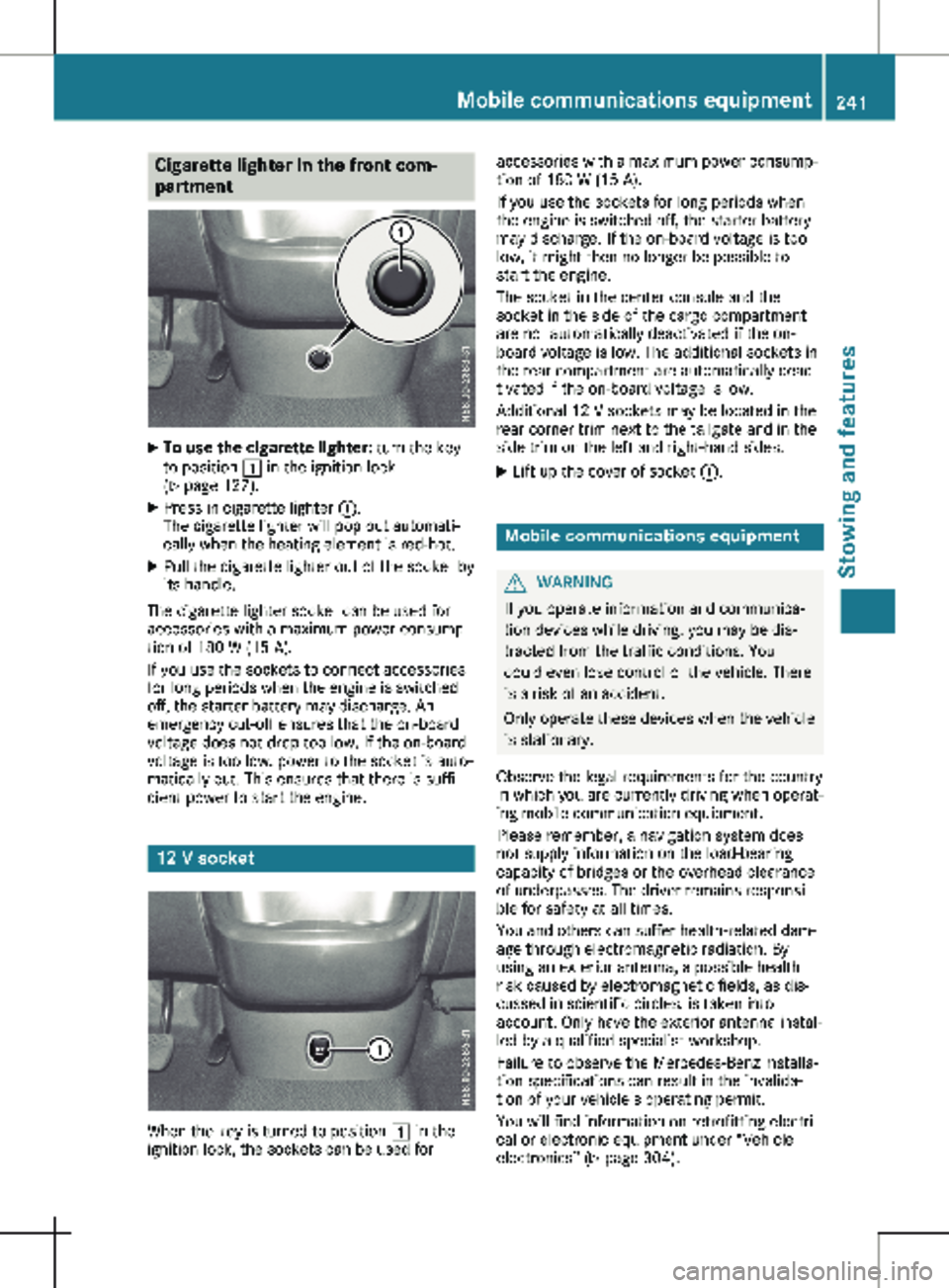
To use the cigarette lighter: turn the key
to position 1 in the ignition lock
(Y page
127).
X Press in cigarette lighter :.
The cigarette lighter will pop out automati-
cally when the heating element is red-hot.
X Pull the cigarette lighter out of the socket by
its handle.
The cigarette lighter socket can be used for
accessories with a maximum power consump-
tion of 180 W
(15 A).
If you use the sockets to connect accessories
for long periods when the engine is switched
off, the starter battery may discharge. An
emergency cut-off ensures that the on-board
voltage does not drop too low. If the on-board
voltage is too low, power to the socket is auto-
matically cut. This ensures that there is suffi-
cient power to start the engine. 12 V socket
When the key is turned to position 1 in the
ignition lock, the sockets can be used for accessories with a maximum power consump-
tion of
180 W (15 A).
If you use the sockets for long periods when
the engine is switched off, the starter battery
may discharge. If the on-board voltage is too
low, it might then no longer be possible to
start the engine.
The socket in the center console and the
socket in the side of the cargo compartment
are not automatically deactivated if the on-
board voltage is low. The additional sockets in
the rear compartment are automatically deac-
tivated if the on-board voltage is low.
Additional 12 V sockets may be located in the
rear corner trim next to the tailgate and in the
side trim on the left and right-hand sides.
X Lift up the cover of socket :. Mobile communications equipment
G
WARNING
If you operate information and communica-
tion devices while driving, you may be dis-
tracted from the traffic conditions. You
could even lose control of the vehicle. There
is a risk of an accident.
Only operate these devices when the vehicle
is stationary.
Observe the legal requirements for the country
in which you are currently driving when operat-
ing mobile communication equipment.
Please remember, a navigation system does
not supply information on the load-bearing
capacity of bridges or the overhead clearance
of underpasses. The driver remains responsi-
ble for safety at all times.
You and others can suffer health-related dam-
age through electromagnetic radiation. By
using an exterior antenna, a possible health
risk caused by electromagnetic fields, as dis-
cussed in scientific circles, is taken into
account. Only have the exterior antenna instal-
led by a qualified specialist workshop.
Failure to observe the Mercedes-Benz installa-
tion specifications can result in the invalida-
tion of your vehicle's operating permit.
You will find information on retrofitting electri-
cal or electronic equipment under “Vehicle
electronics” (Y page
304). Mobile communications equipment
241
Stowing and features Z
Page 244 of 320
Useful information
This Operator's Manual describes all models
as well as standard and optional equipment of
your vehicle that were available at the time of
going to print. Country-specific variations are
possible. Note that your vehicle may not be
equipped with all of the described functions.
This also applies to systems and functions rel-
evant to safety.
Read the information on qualified specialist
workshops (Y page
32).Loading guidelines
Important safety notes
G
WARNING
When objects are unsecured or inadequately
secured, they can slip, turn over or be
thrown about, striking vehicle occupants.
This also applies to:
R luggage or loads
R seats which have been removed and are
being transported in the vehicle in an
exceptional case.
There is a risk of injury, particularly in the
event of a braking maneuver or abrupt
change in direction.
Always stow objects in such a way that they
cannot be tossed about. Before traveling,
secure objects, luggage or loads to prevent
them slipping or tipping over. If you remove
a seat, store it preferably outside the vehi-
cle. G
WARNING
As a result of improperly placed or unevenly
distributed loads, the center of gravity of the
load being transported may be too high or
too far back. This can significantly impair
handling as well as steering and braking
characteristics. There is a risk of an acci-
dent. Always make sure that the center of gravity
of the load is:
R between the axles
and
R as low as possible, near the rear axle. G
WARNING
When the permissible wheel loads, axle
loads and/or the maximum permissible
gross vehicle weight are exceeded, driving
safety is compromised. The handling as well
as steering and braking characteristics may
be significantly impaired. Overloaded tires
may overheat, causing them to burst. There
is a risk of an accident.
When transporting a load, always observe
the permissible wheel loads, axle loads and
the maximum permissible gross vehicle
weight for the vehicle (including occupants).
! If you are using a roof carrier, observe the
maximum roof load and maximum roof car-
rier load.
R Do not stack luggage or loads higher than
the backrests.
R Objects to be transported should preferably
be stowed in the cargo compartment.
R When transporting luggage, always use the
cargo tie-down rings for securing loads and
a cargo net, if installed.
R Use cargo tie-down rings and fasteners
which are suitable for the weight and size of
the load.
When using suitable load securing aids and tie
downs, always follow the manufacturer's oper-
ating instructions, in particular the notes on
discard criteria contained therein.
Load securing aids or tie downs must not be
used if:
R identification marks are missing or illegible
R there are yarn breakages, damage to bear-
ing seams or other signs of tearing
R there are signs of shearing, deformation,
pinching or other damage
R there is damage to clamping or connecting
elements
Load securing aids and tie downs in this condi-
tion are ready for discard and must be 242
Loading guidelines
Transporting loads
Page 245 of 320
replaced. If you use load securing aids or tie
downs which are worn out, the load may not
be sufficiently secured and could cause dam-
age to property.
In the event of an accident, have a damaged
cargo compartment floor or loading area, the
cargo tie-down rings and the tie down checked
at a specialist workshop. Otherwise, the load
may not be correctly secured the next time
anything is stowed.
Even if you follow all loading guidelines, the
load increases the risk of injury in the event of
an accident. Observe the information in the
"Securing a load"
(Y page 244) and "Load dis-
tribution" (Y page 243) sections.
You will find information about the maximum
roof load under "Cargo tie-down points and
carrier systems" (Y page 313). You will find
information about roof carriers under "Carrier
systems" (Y page 249). Before loading
! The anti-slip mats cannot be used for
securing goods and must be replaced when
they show signs of:
R Permanent deformation and crushing
R Crack formation
R Cuts
X Tire pressure: check the tire pressure and
correct if necessary
(Y page 282).
X Cargo compartment floor: clean the cargo
compartment floor.
The cargo compartment floor must be free
from oil and dust, dry and swept clean to
prevent the load from slipping.
X Place non-slip mats (anti-slip mats) on the
cargo compartment floor if necessary. During loading
X Observe the gross axle weight rating and
permissible gross vehicle weight for your
vehicle.
Take into account that your vehicle's curb
weight is increased if accessories or optional equipment are installed. The maxi-
mum payload is thus reduced.
X Observe the notes on load distribution
(Y page
243).
The overall center of gravity of the load
should always be as low as possible, cen-
tered and between the axles near the rear
axle.
X Secure the load (Y page
244).
Observe the legal requirements of the coun-
try in which you are currently driving. Checks after loading
G
DANGER
Combustion engines emit poisonous
exhaust gases, such as carbon monoxide.
Exhaust gases can enter the vehicle interior
if the tailgate/rear-end door is open when
the engine is running, especially if the vehi-
cle is in motion. There is a risk of poisoning.
Always switch off the engine before opening
the tailgate/rear-end door. Never drive the
vehicle when the tailgate/rear-end door is
open.
X Securing luggage/loads: make sure that
the luggage and/or load is secure before
every journey and at regular intervals during
a long journey, and correct it if necessary.
X Doors/tailgate: close the sliding doors and
tailgate/door.
X Tire pressure: adjust the tire pressure
according to the vehicle load
(Y page 282).
X Driving style: adapt your driving style
according to the vehicle load. Load distribution
General notes
! Excessive loads on individual points of the
cargo floor or on the load surface impair
vehicle handling characteristics and could
cause damage to the floor covering.
The overall center of gravity of the load should
always be as low as possible, centered and
between the axles near the rear axle. Load distribution
243
Transporting loads Z