phone MERCEDES-BENZ METRIS 2020 MY20 Operator’s Manual
[x] Cancel search | Manufacturer: MERCEDES-BENZ, Model Year: 2020, Model line: METRIS, Model: MERCEDES-BENZ METRIS 2020Pages: 320, PDF Size: 26.38 MB
Page 14 of 320
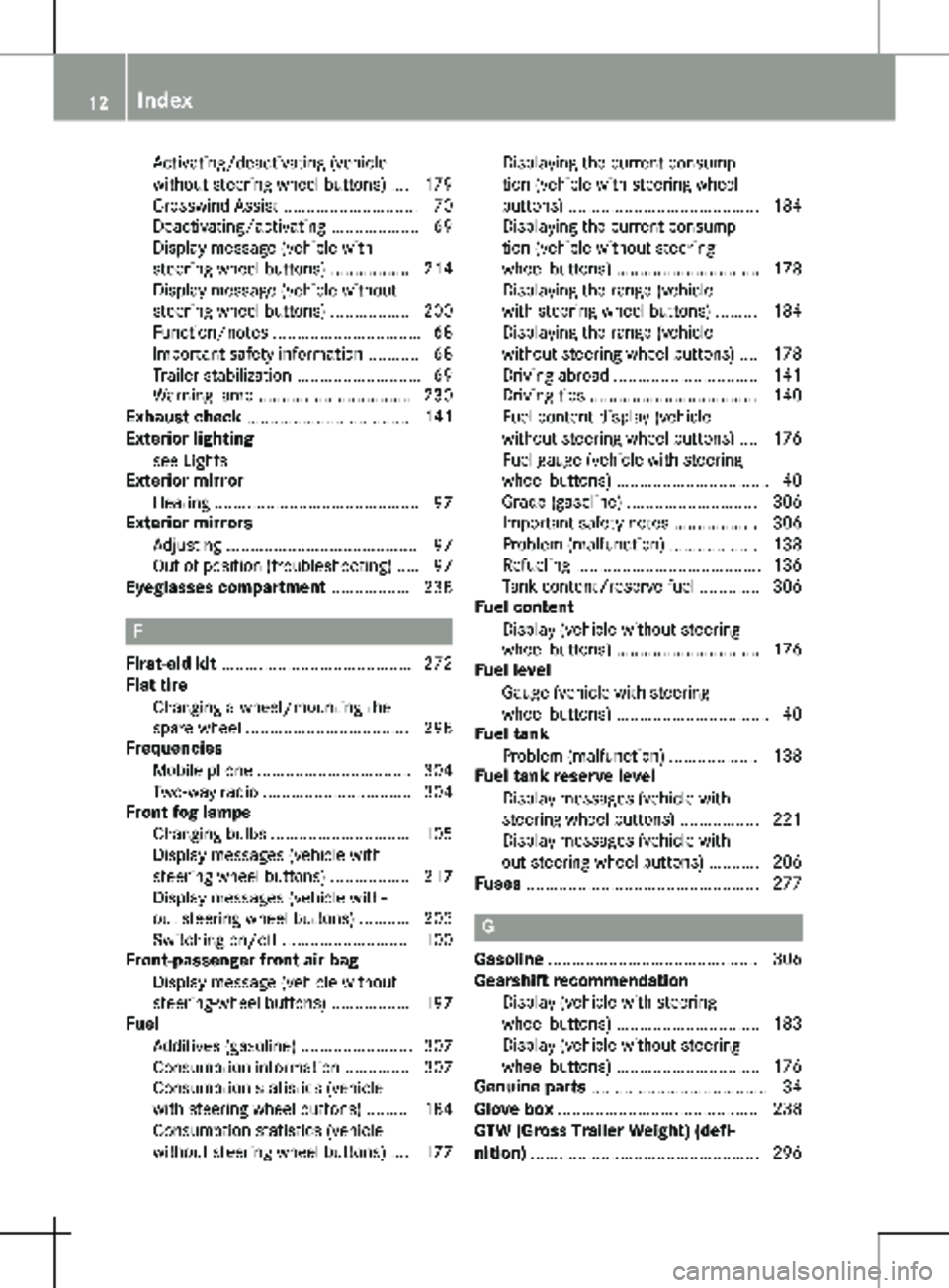
Activating/deactivating (vehicle
without steering wheel buttons)
.... 179
Crosswind Assist ............................. 70
Deactivating/activating ................... 69
Display message (vehicle with
steering wheel buttons) ................. 214
Display message (vehicle without
steering wheel buttons) ................. 200
Function/notes ................................ 68
Important safety information ........... 68
Trailer stabilization ........................... 69
Warning lamp ................................. 230
Exhaust check ................................... 141
Exterior lighting
see Lights
Exterior mirror
Heating ............................................ 97
Exterior mirrors
Adjusting ......................................... 97
Out of position (troubleshooting) ..... 97
Eyeglasses compartment ................. 238 F
First-aid kit .........................................
272
Flat tire
Changing a wheel/mounting the
spare wheel ................................... 298
Frequencies
Mobile phone ................................. 304
Two-way radio ................................ 304
Front fog lamps
Changing bulbs .............................. 105
Display messages (vehicle with
steering wheel buttons) ................. 217
Display messages (vehicle with-
out steering wheel buttons) ........... 203
Switching on/off ........................... 100
Front-passenger front air bag
Display message (vehicle without
steering-wheel buttons) ................. 197
Fuel
Additives (gasoline) ........................ 307
Consumption information .............. 307
Consumption statistics (vehicle
with steering wheel buttons) ......... 184
Consumption statistics (vehicle
without steering wheel buttons) .... 177 Displaying the current consump-
tion (vehicle with steering wheel
buttons) .........................................
184
Displaying the current consump-
tion (vehicle without steering
wheel buttons) ............................... 178
Displaying the range (vehicle
with steering wheel buttons) ......... 184
Displaying the range (vehicle
without steering wheel buttons) .... 178
Driving abroad ............................... 141
Driving tips .................................... 140
Fuel content display (vehicle
without steering wheel buttons) .... 176
Fuel gauge (vehicle with steering
wheel buttons) ................................. 40
Grade (gasoline) ............................ 306
Important safety notes .................. 306
Problem (malfunction) ................... 138
Refueling ........................................ 136
Tank content/reserve fuel ............. 306
Fuel content
Display (vehicle without steering
wheel buttons) ............................... 176
Fuel level
Gauge (vehicle with steering
wheel buttons) ................................. 40
Fuel tank
Problem (malfunction) ................... 138
Fuel tank reserve level
Display messages (vehicle with
steering wheel buttons) ................. 221
Display messages (vehicle with-
out steering wheel buttons) ........... 206
Fuses .................................................. 277 G
Gasoline .............................................
306
Gearshift recommendation
Display (vehicle with steering
wheel buttons) ............................... 183
Display (vehicle without steering
wheel buttons) ............................... 176
Genuine parts ...................................... 34
Glove box ........................................... 238
GTW (Gross Trailer Weight) (defi-
nition) ................................................. 29612
Index
Page 15 of 320
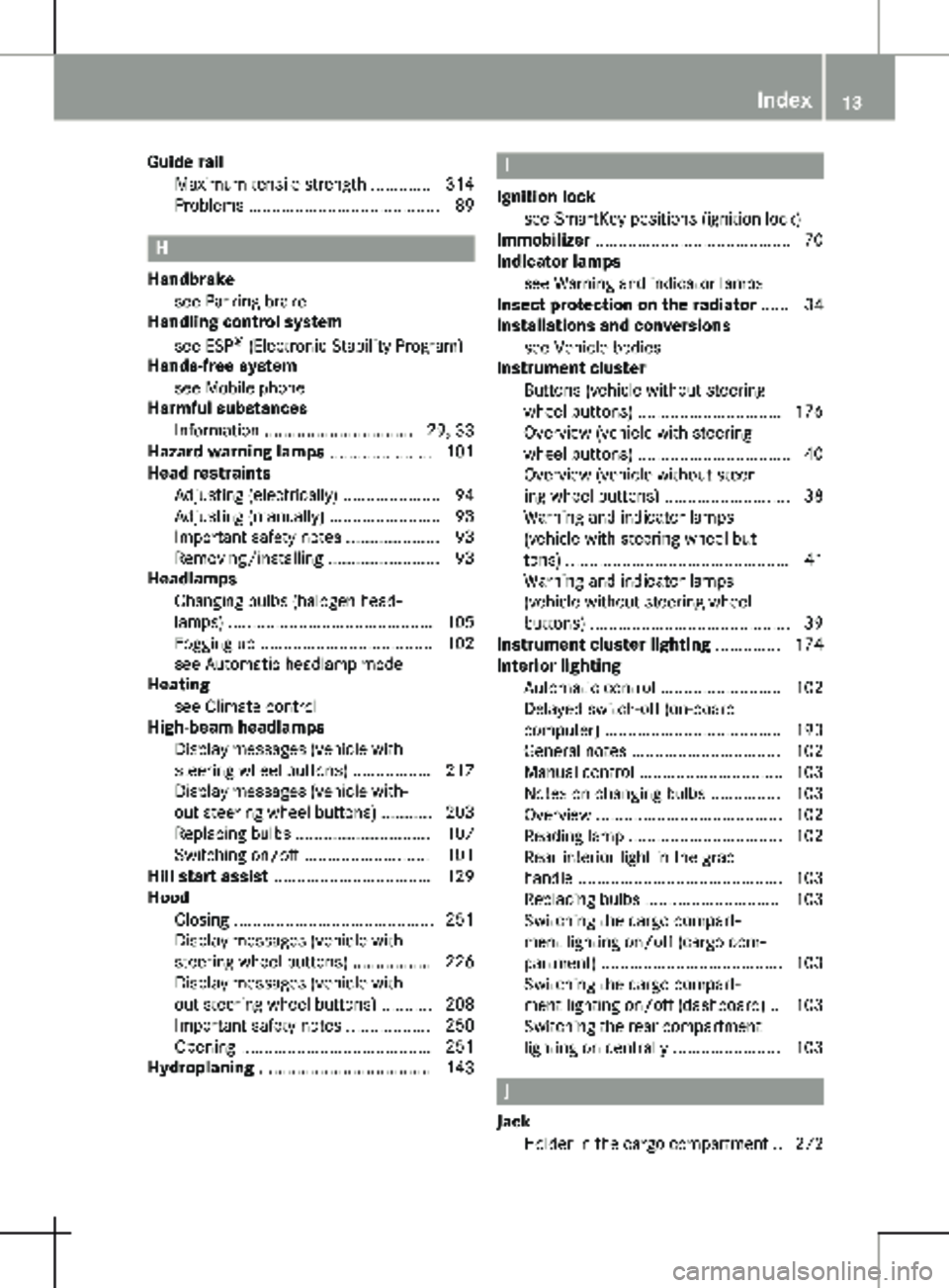
Guide rail
Maximum tensile strength ............. 314
Problems ......................................... 89 H
Handbrake see Parking brake
Handling control system
see ESP ®
(Electronic Stability Program)
Hands-free system
see Mobile phone
Harmful substances
Information
................................ 29, 33
Hazard warning lamps ...................... 101
Head restraints
Adjusting (electrically) ..................... 94
Adjusting (manually) ........................ 93
Important safety notes .................... 93
Removing/installing ........................ 93
Headlamps
Changing bulbs (halogen head-
lamps) ............................................ 105
Fogging up ..................................... 102
see Automatic headlamp mode
Heating
see Climate control
High-beam headlamps
Display messages (vehicle with
steering wheel buttons) ................. 217
Display messages (vehicle with-
out steering wheel buttons) ........... 203
Replacing bulbs ............................. 107
Switching on/off ........................... 101
Hill start assist .................................. 129
Hood
Closing ........................................... 251
Display messages (vehicle with
steering wheel buttons) ................. 226
Display messages (vehicle with-
out steering wheel buttons) ........... 208
Important safety notes .................. 250
Opening ......................................... 251
Hydroplaning ..................................... 143 I
Ignition lock see SmartKey positions (ignition lock)
Immobilizer ..........................................
70
Indicator lamps
see Warning and indicator lamps
Insect protection on the radiator ...... 34
Installations and conversions
see Vehicle bodies
Instrument cluster
Buttons (vehicle without steering
wheel buttons) ............................... 176
Overview (vehicle with steering
wheel buttons) ................................. 40
Overview (vehicle without steer-
ing wheel buttons) ........................... 38
Warning and indicator lamps
(vehicle with steering wheel but-
tons) ................................................ 41
Warning and indicator lamps
(vehicle without steering wheel
buttons) ........................................... 39
Instrument cluster lighting .............. 174
Interior lighting
Automatic control .......................... 102
Delayed switch-off (on-board
computer) ...................................... 193
General notes ................................ 102
Manual control ............................... 103
Notes on changing bulbs ............... 103
Overview ........................................ 102
Reading lamp ................................. 102
Rear interior light in the grab
handle ............................................ 103
Replacing bulbs ............................. 103
Switching the cargo compart-
ment lighting on/off (cargo com-
partment) ....................................... 103
Switching the cargo compart-
ment lighting on/off (dashboard) .. 103
Switching the rear compartment
lighting on centrally ....................... 103 J
Jack Holder in the cargo compartment
.. 272 Index
13
Page 17 of 320
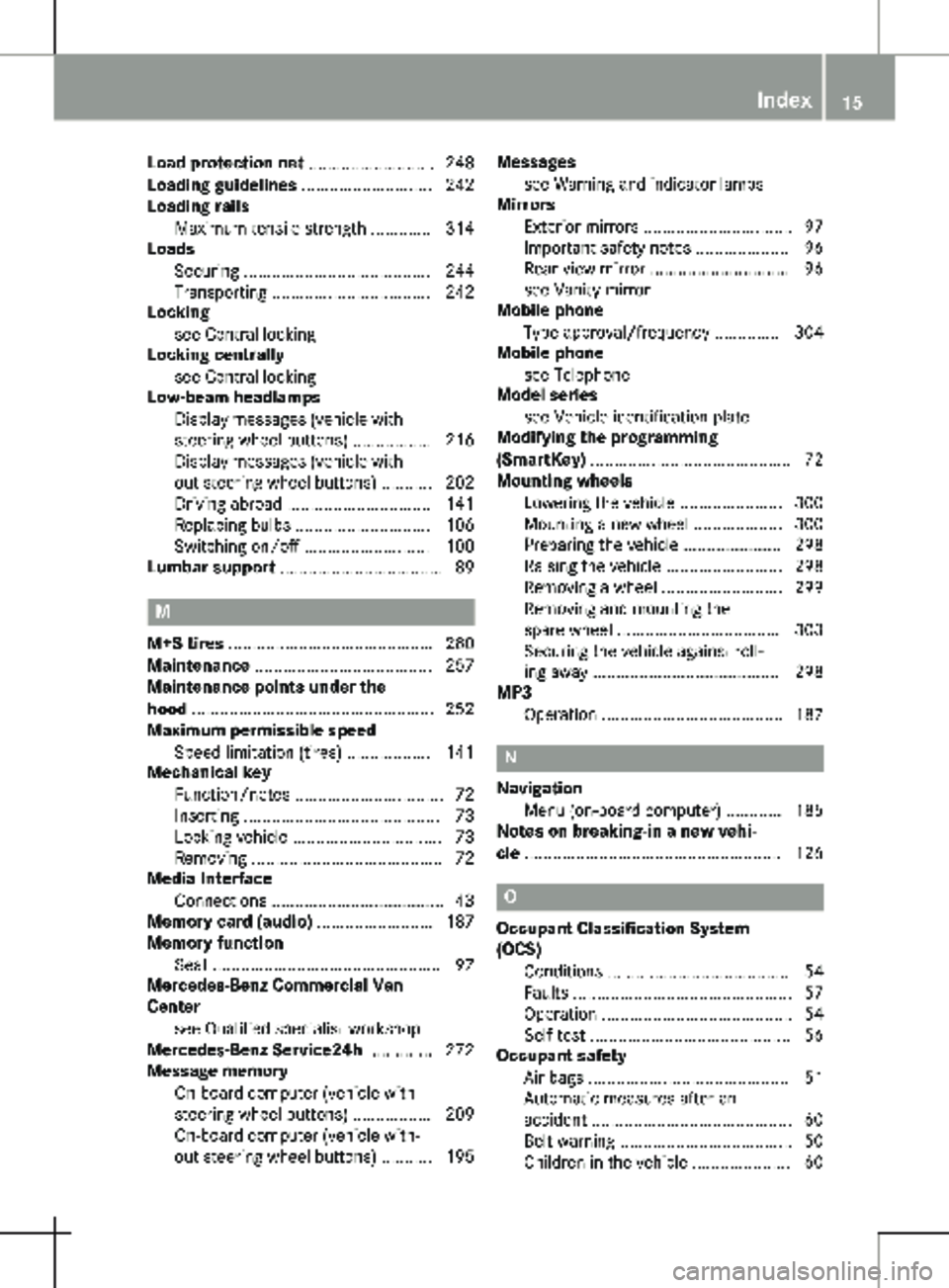
Load protection net ...........................
248
Loading guidelines ............................ 242
Loading rails
Maximum tensile strength ............. 314
Loads
Securing ........................................ 244
Transporting .................................. 242
Locking
see Central locking
Locking centrally
see Central locking
Low-beam headlamps
Display messages (vehicle with
steering wheel buttons) ................. 216
Display messages (vehicle with-
out steering wheel buttons) ........... 202
Driving abroad ............................... 141
Replacing bulbs ............................. 106
Switching on/off ........................... 100
Lumbar support ................................... 89M
M+S tires ............................................
280
Maintenance ...................................... 257
Maintenance points under the
hood .................................................... 252
Maximum permissible speed
Speed limitation (tires) .................. 141
Mechanical key
Function/notes ................................ 72
Inserting .......................................... 73
Locking vehicle ................................ 73
Removing ......................................... 72
Media Interface
Connections ..................................... 43
Memory card (audio) ......................... 187
Memory function
Seat ................................................. 97
Mercedes-Benz Commercial Van
Center
see Qualified specialist workshop
Mercedes-Benz Service24h .............. 272
Message memory
On-board computer (vehicle with
steering wheel buttons) ................. 209
On-board computer (vehicle with-
out steering wheel buttons) ........... 195 Messages
see Warning and indicator lamps
Mirrors
Exterior mirrors
................................ 97
Important safety notes .................... 96
Rear-view mirror .............................. 96
see Vanity mirror
Mobile phone
Type approval/frequency .............. 304
Mobile phone
see Telephone
Model series
see Vehicle identification plate
Modifying the programming
(SmartKey) ........................................... 72
Mounting wheels
Lowering the vehicle ...................... 300
Mounting a new wheel ................... 300
Preparing the vehicle ..................... 298
Raising the vehicle ......................... 298
Removing a wheel .......................... 299
Removing and mounting the
spare wheel ................................... 303
Securing the vehicle against roll-
ing away ........................................ 298
MP3
Operation ....................................... 187 N
Navigation Menu (on-board computer) ............
185
Notes on breaking-in a new vehi-
cle ....................................................... 126 O
Occupant Classification System
(OCS) Conditions .......................................
54
Faults ............................................... 57
Operation ......................................... 54
Self-test ........................................... 56
Occupant safety
Air bags ........................................... 51
Automatic measures after an
accident ........................................... 60
Belt warning ..................................... 50
Children in the vehicle ..................... 60 Index
15
Page 18 of 320
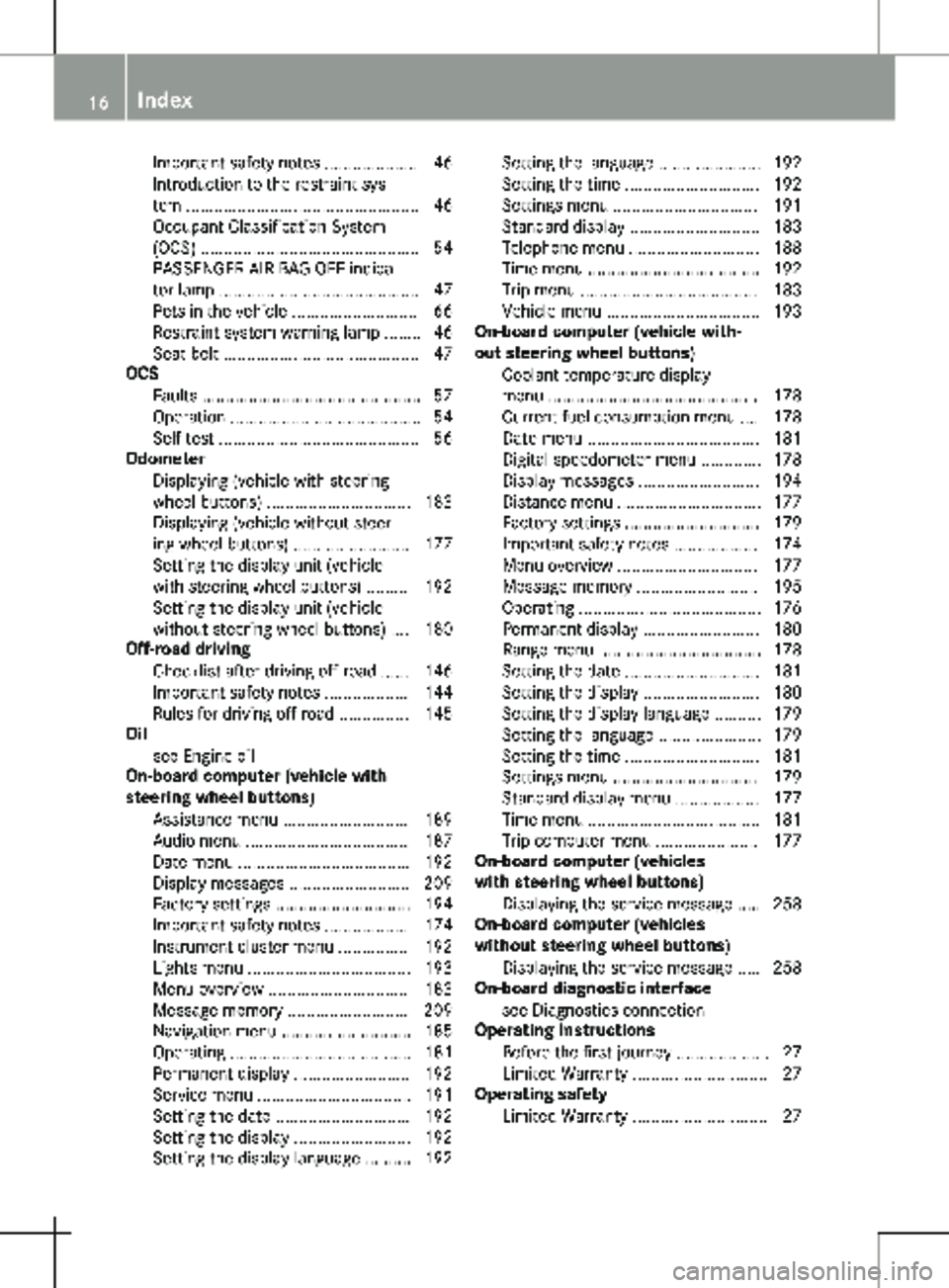
Important safety notes .................... 46
Introduction to the restraint sys-
tem ..................................................
46
Occupant Classification System
(OCS) ............................................... 54
PASSENGER AIR BAG OFF indica-
tor lamp ........................................... 47
Pets in the vehicle ........................... 66
Restraint system warning lamp ........ 46
Seat belt .......................................... 47
OCS
Faults ............................................... 57
Operation ......................................... 54
Self-test ........................................... 56
Odometer
Displaying (vehicle with steering
wheel buttons) ............................... 183
Displaying (vehicle without steer-
ing wheel buttons) ......................... 177
Setting the display unit (vehicle
with steering wheel buttons) ......... 192
Setting the display unit (vehicle
without steering wheel buttons) .... 180
Off-road driving
Checklist after driving off-road ...... 146
Important safety notes .................. 144
Rules for driving off-road ............... 145
Oil
see Engine oil
On-board computer (vehicle with
steering wheel buttons)
Assistance menu ........................... 189
Audio menu ................................... 187
Date menu ..................................... 192
Display messages .......................... 209
Factory settings ............................. 194
Important safety notes .................. 174
Instrument cluster menu ............... 192
Lights menu ................................... 193
Menu overview .............................. 183
Message memory .......................... 209
Navigation menu ............................ 185
Operating ....................................... 181
Permanent display ......................... 192
Service menu ................................. 191
Setting the date ............................. 192
Setting the display ......................... 192
Setting the display language .......... 192 Setting the language ...................... 192
Setting the time ............................. 192
Settings menu ............................... 191
Standard display ............................ 183
Telephone menu ............................ 188
Time menu ..................................... 192
Trip menu ...................................... 183
Vehicle menu ................................. 193
On-board computer (vehicle with-
out steering wheel buttons)
Coolant temperature display
menu ............................................. 178
Current fuel consumption menu .... 178
Date menu ..................................... 181
Digital speedometer menu ............. 178
Display messages .......................... 194
Distance menu ............................... 177
Factory settings ............................. 179
Important safety notes .................. 174
Menu overview .............................. 177
Message memory .......................... 195
Operating ....................................... 176
Permanent display ......................... 180
Range menu ................................... 178
Setting the date ............................. 181
Setting the display ......................... 180
Setting the display language .......... 179
Setting the language ...................... 179
Setting the time ............................. 181
Settings menu ............................... 179
Standard display menu .................. 177
Time menu ..................................... 181
Trip computer menu ...................... 177
On-board computer (vehicles
with steering wheel buttons)
Displaying the service message ..... 258
On-board computer (vehicles
without steering wheel buttons)
Displaying the service message ..... 258
On-board diagnostic interface
see Diagnostics connection
Operating Instructions
Before the first journey .................... 27
Limited Warranty ............................. 27
Operating safety
Limited Warranty ............................. 2716
Index
Page 21 of 320
Fuel gauge (vehicle without
steering wheel buttons) .................
176
Refueling procedure (fuel) ............. 137
see Fuel
Remote control
see Key
Replacing bulbs
Important safety notes .................. 105
Replacing bulbs
see Replacing bulbs
Reporting safety defects .................... 32
Rescue card ......................................... 35
Reserve (fuel tank) see Fuel
Reserve fuel
Display messages (vehicle with
steering wheel buttons) ................. 221
Display messages (vehicle with-
out steering wheel buttons) ........... 206
Warning lamp ................................. 233
Residual heat (climate control) ........ 123
Restraint system
Display message (vehicle with
steering wheel buttons) ................. 215
Display message (vehicle without
steering wheel buttons) ................. 201
Important safety notes .................... 46
Introduction ..................................... 46
PASSENGER AIR BAG OFF indica-
tor lamp ........................................... 47
Warning lamp ................................. 232
Warning lamp (function) ................... 46
Reverse warning feature .................. 129
Reversing feature
Electric sliding door ......................... 78
Side windows ................................... 84
Roadside Assistance (breakdown) .... 28
Roof carrier
Maximum payload .......................... 314
Notes ............................................. 249
Roof lining and carpets (cleaning
guidelines) ......................................... 269
Roof load (roof carrier) ..................... 314S
Safety Children in the vehicle
..................... 60 Operating safety and registration .... 30
see Occupant safety
Safety system
see Driving safety systems
Seat
Correct driver's seat position ...........
87
Seat belts
Adjusting the height ......................... 50
Cleaning ......................................... 269
Correct usage .................................. 49
Fastening ......................................... 50
Important safety guidelines ............. 48
Introduction ..................................... 47
Releasing ......................................... 50
Warning lamp ................................. 228
Warning lamp (function) ................... 50
Seat sliders
Problems ......................................... 89
Seats
Adjusting (electrically) ..................... 88
Adjusting (manually) ........................ 88
Adjusting lumbar support ................ 89
Adjusting the head restraint ............ 93
Armrest ............................................ 95
Cleaning the cover ......................... 269
Important safety notes .................... 87
Seat heating .................................... 95
Storing settings (memory func-
tion) ................................................. 97
Selecting a gear
see Automatic transmission
Selector lever
Cleaning ......................................... 269
see Automatic transmission
Sensors (cleaning instructions) ....... 267
Service interval display
Calling up the service due date ...... 258
Hiding service messages ............... 258
Notes ............................................. 257
Service menu (on-board com-
puter) .................................................. 191
Service phone number ...................... 272
Service products
Brake fluid ..................................... 310
Coolant (engine) ............................ 310
Engine oil ....................................... 308
Fuel ................................................ 306
Important safety notes .................. 305 Index
19
Page 23 of 320
Starting
see Starting (engine)
Starting (engine) ................................
128
Status overview (on-board com-
puter) .................................................. 189
Steering
Display messages (vehicle with
steering wheel buttons) ................. 227
Display messages (vehicle with-
out steering wheel buttons) ........... 208
Warning lamps ............................... 237
Steering wheel
Adjusting ......................................... 95
Button overview ............................... 42
Buttons (on-board computer) ......... 181
Cleaning ......................................... 269
Paddle shifters ............................... 135
Steering wheel paddle shifters ........ 135
Stickers
General safety notes ........................ 29
Stowage net ....................................... 239
Stowage spaces
see Stowage spaces and stow-
age compartments
Stowage spaces and stowage
compartments
Eyeglasses compartment ............... 238
Glove box ....................................... 238
Important safety notes .................. 238
Stowage net ................................... 239
Summer opening
see Convenience opening feature
Summer tires
In winter ........................................ 280
Sun visor
Changing a bulb (mirror lamp) ....... 104
Overview ........................................ 239
Surround lighting (on-board com-
puter) .................................................. 193
Switching air-recirculation mode
on/off ................................................. 123
Switching off the alarm (ATA) ............ 70T
Tachometer ........................................
175Tail lamps
Display messages (vehicle with-
out steering wheel buttons)
........... 202
Replacing bulbs ............................. 108
Trailer display messages (vehicle
with steering wheel buttons) .. 216, 217
Trailer display messages (vehicle
without steering wheel buttons) .... 202
Tailgate
Changing bulbs (ambient lamp) ..... 104
Display messages (vehicle with
steering wheel buttons) ................. 226
Display messages (vehicle with-
out steering wheel buttons) ........... 208
Important safety notes .................... 81
Opening dimensions ...................... 313
Opening/closing from the out-
side .................................................. 81
Replacing light bulbs (signal/
ambient lamp) ................................ 105
Tank
see Fuel tank
Tank contents
Displaying the range (vehicle
with steering wheel buttons) ......... 184
Displaying the range (vehicle
without steering wheel buttons) .... 178
Technical data
Capacities ...................................... 305
Cargo tie-down points .................... 313
Guide rail ....................................... 314
Loading rails .................................. 314
Roof carrier .................................... 314
Tires/wheels ................................. 301
Trailer tow hitch ............................. 315
Vehicle data ................................... 312
Vehicle dimensions ........................ 313
Telephone
Accepting a call ............................. 188
Display message ............................ 227
Introduction ................................... 188
Number from the phone book ........ 188
Redialing ........................................ 189
Rejecting/ending a call ................. 188
Temperature
Coolant (display in the instru-
ment cluster) ................................. 175 Index
21
Page 30 of 320
Mercedes-Benz, LLC has been informed in
writing of the necessity of such a repair.
(2) the same defect or damage, although less serious than described in (1), has been
repaired at least four times and Mercedes-
Benz has been informed of the necessity
of such a repair in writing.
(3) the vehicle cannot be operated for more than 30 calendar days due to repairs
resulting from the same or other major
defects or damage.
Please send written notification to:
Mercedes-Benz USA, LLC
Customer Assistance Center
One Mercedes-Benz
Sandy Springs, GA 30328 Maintenance
USA only:
Always bring the Maintenance Booklet with
you when taking the vehicle to a Mercedes-
Benz Commercial Van Center. Your customer
service advisor enters each service into the
Maintenance Booklet.
Canada only:
Have every service carried out by a qualified
specialist workshop recorded in your service
report. Roadside Assistance
The Mercedes-Benz Roadside Assistance Pro-
gram provides you with technical assistance in
the case of a breakdown. Your toll-free calls to
the Roadside Assistance Hotline are answered
by our staff around the clock. 365 days a year.
1-800-FOR-MERCedes
(1-800-367-6372)
(USA)
1-800-387-0100 (Canada)
Further information can be found in the
Mercedes-Benz Roadside Assistance-Program
brochure (USA) or the "Roadside Assistance"
section of the Service and Warranty Informa-
tion booklet (Canada). Both are located in your
vehicle document wallet. Change of address or owner
Please use the "Notice of Change of Address"
form in the Service and Warranty Information
booklet to inform us of a change of address, or
simply phone the Mercedes-Benz Customer
Assistance Center (USA) on hotline number
1-800-FOR-MERCedes
(1-800-367-6372) or
Customer Service (Canada) on
1-800-387-0100. This enables us, if neces-
sary, to contact you at any time.
If you sell your Mercedes, please leave all the
literature in the vehicle so that it is available
for the next owner.
If your vehicle was purchased as a used vehi-
cle, please send us the "Notice of Purchase of
Used Car" from the Service and Warranty
Information booklet or phone the Mercedes-
Benz Customer Assistance Center (USA) on
hotline number 1-800-FOR-MERCedes
(1-800-367-6372) or Customer Service (Can-
ada) on 1-800-387-0100. Operating the vehicle outside of the
USA and Canada
When traveling abroad with your vehicle,
observe the following points: R Service facilities or replacement parts may
not be available immediately.
R Unleaded fuel for vehicles with a catalytic
converter may not be available. Leaded fuel
can cause damage to the catalytic con-
verter.
R The fuel may have a considerably lower
octane rating. Unsuitable fuel can cause
engine damage.
Certain Mercedes-Benz models are available in
Europe through our European Delivery Pro-
gram. Please consult a Mercedes-Benz Com-
mercial Van Center for further information, or
write to one of the following addresses:
In the USA
Mercedes-Benz USA, LLC
European Delivery Department
One Mercedes Drive
Montvale, NJ 07645-0350
In Canada
Mercedes-Benz Canada, Inc.
European Delivery Department
98 Vanderhoof Avenue 28
Introduction
Page 38 of 320
This data can be saved locally in the vehicle or
is located on a device that you have connected
to the vehicle (e.g. smartphone, USB flash
drive or MP3 player). If this data is saved in
the vehicle, you can delete it at any time.
Transfer of this data to third parties is only
possible at your request, predominantly while
using online services and in accordance with
the settings you have selected.
You can save convenience settings/customi-
zations in the vehicle and change them at any
time.
Depending on the piece of equipment in ques-
tion, these can include:
R settings for the seat and steering wheel
positions
R suspension and air-conditioning settings
R customizations such as interior lighting
If your vehicle is equipped appropriately, you
can connect your smartphone or another
mobile end device to the vehicle. You can
operate this device using the integrated con-
trols in the vehicle. This allows images and
sound from the smartphone to be output
through the multimedia system. Simultane-
ously, certain information is transferred to
your smartphone.
Depending on the type of integration, this can
include:
R general vehicle status
R position data
This allows the use of selected smartphone
apps, such as navigation or music player apps.
No further interaction between smartphone
and vehicle takes place and, in particular, it is
not possible to actively access vehicle data.
The type of additional data processing is deter-
mined by the provider of the app being used.
Which settings can be made, if at all, depend
on the respective app and the operating sys-
tem of your smartphone. Online services
Wireless network connection If your vehicle has a wireless network connec-
tion, data can be exchanged between your
vehicle and other systems. The wireless net-
work connection is made possible by the vehi-
cle's own transceiver or by mobile end devices
that you have brought into the vehicle (e.g. smartphones). This wireless network connec-
tion can be used to access online functions.
This includes online services and apps provi-
ded by the manufacturer or other providers.
Services provided by the manufacturer In the case of the manufacturer's online serv-
ices, the manufacturer describes the functions
in a suitable place (e.g. manufacturer's operat-
ing instructions, website) and provides the
associated information subject to data protec-
tion legislation. Personal data may be used
when providing online services. The data
exchange for this takes place via a secure con-
nection, e.g. with the manufacturer's IT sys-
tems intended for the purpose. The collection,
the processing and the use of personal data
above and beyond the provision of services is
only permitted on the basis of a legal permit or
the consent of the person involved.
In most cases, you can enable or disable the
services and functions, some of which are sub-
ject to a charge. In some cases it will also
apply to the entire data connection of the vehi-
cle. There are exceptions to this; in particular,
legally prescribed functions and services such
as the "E-Call" traffic emergency call system.
Services provided by third parties If it is possible to use online services from
other providers, these services are the respon-
sibility of the provider in question and subject
to that provider's data protection conditions
and terms of use. The manufacturer has no
influence over the content exchanged in this
connection.
Please ask the respective service provider for
information on the type, extent and purpose of
the collection and use of personal data in the
context of services provided by third parties.36
Introduction
Page 44 of 320
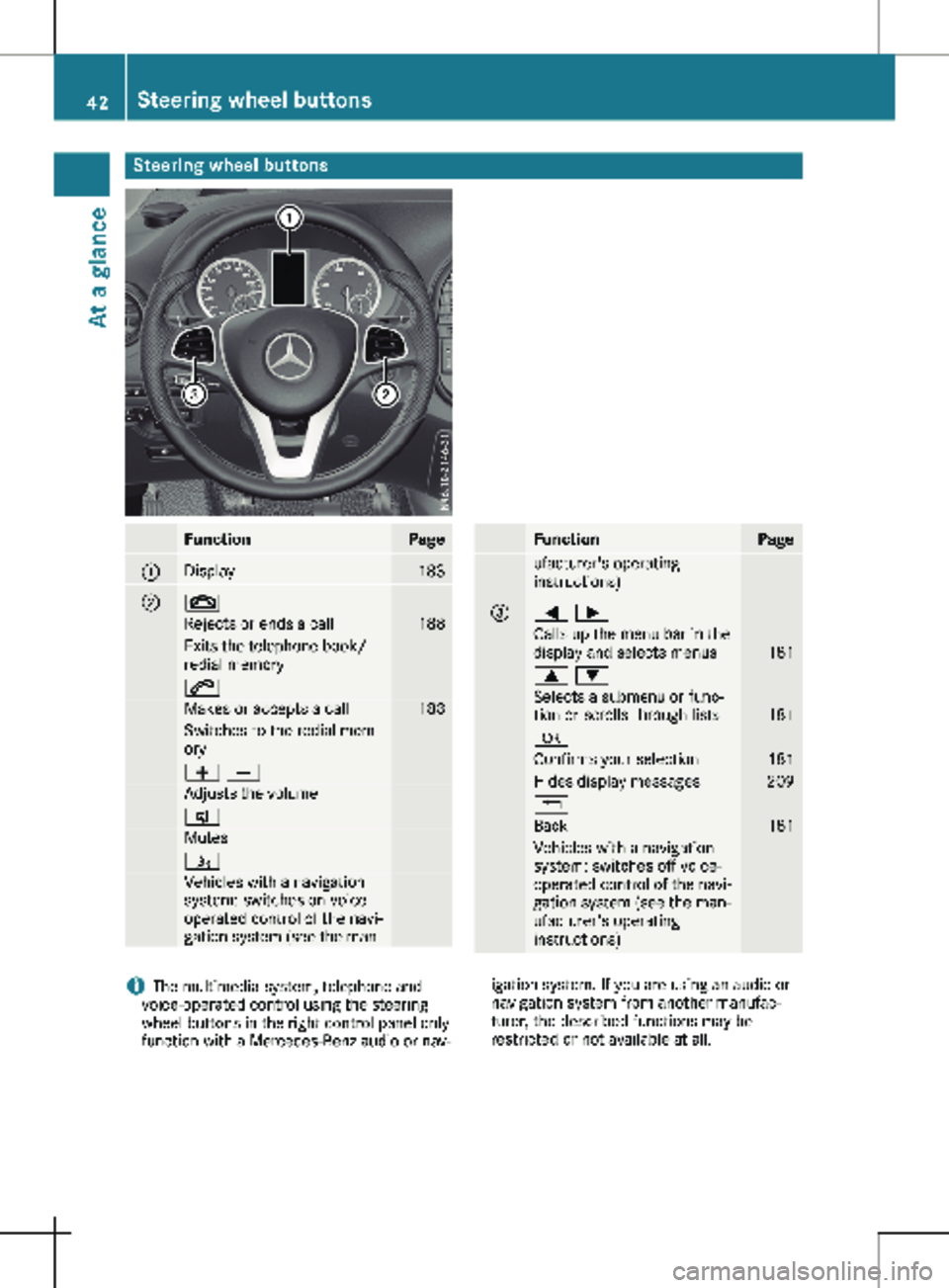
Steering wheel buttons
Function Page
:
Display 183
; ~
Rejects or ends a call 188
Exits the telephone book/
redial memory
6
Makes or accepts a call 188
Switches to the redial mem-
ory
W X
Adjusts the volume
8
Mutes
ó
Vehicles with a navigation
system: switches on voice-
operated control of the navi-
gation system (see the man- Function Page
ufacturer's operating
instructions)
=
= ;
Calls up the menu bar in the
display and selects menus
181
9 :
Selects a submenu or func-
tion or scrolls through lists
181
a
Confirms your selection 181
Hides display messages 209
%
Back 181
Vehicles with a navigation
system: switches off voice-
operated control of the navi-
gation system (see the man-
ufacturer's operating
instructions)
i
The multimedia system, telephone and
voice-operated control using the steering
wheel buttons in the right control panel only
function with a Mercedes-Benz audio or nav- igation system. If you are using an audio or
navigation system from another manufac-
turer, the described functions may be
restricted or not available at all. 42
Steering wheel buttonsAt a glance
Page 73 of 320
Useful information
This Operator's Manual describes all models
as well as standard and optional equipment of
your vehicle that were available at the time of
going to print. Country-specific variations are
possible. Note that your vehicle may not be
equipped with all of the described functions.
This also applies to systems and functions rel-
evant to safety.
Read the information on qualified specialist
workshops (Y page
32).Key
Important safety notes
G
WARNING
If children are left unsupervised in the vehi-
cle, they could:
R open the doors, thus endangering other
people or road users.
R get out and disrupt traffic.
R operate the vehicle's equipment.
Additionally, children could set the vehicle in
motion if, for example, they:
R release the parking brake.
R shift the automatic transmission out of
park position P.
R start the engine.
There is a risk of an accident and injury.
When leaving the vehicle, always take the
SmartKey with you and lock the vehicle.
Never leave children or animals unattended
in the vehicle. Always keep the SmartKey
out of reach of children. G
WARNING
If you attach heavy or large objects to the
SmartKey, the SmartKey could be uninten-
tionally turned in the ignition lock. This
could cause the engine to be switched off.
There is a risk of an accident.
Do not attach any heavy or large objects to
the SmartKey. Remove any bulky key rings before inserting the SmartKey into the igni-
tion lock.
! Keep the key away from strong magnetic
fields. The remote control function may oth-
erwise be damaged.
Strong magnetic fields can occur in the
vicinity of powerful electrical installations.
Do not keep the key:
R with electronic devices, e.g. a mobile phone
or another key
R with metallic objects, e.g. coins or metal foil
R in metallic objects, e.g. metal cases
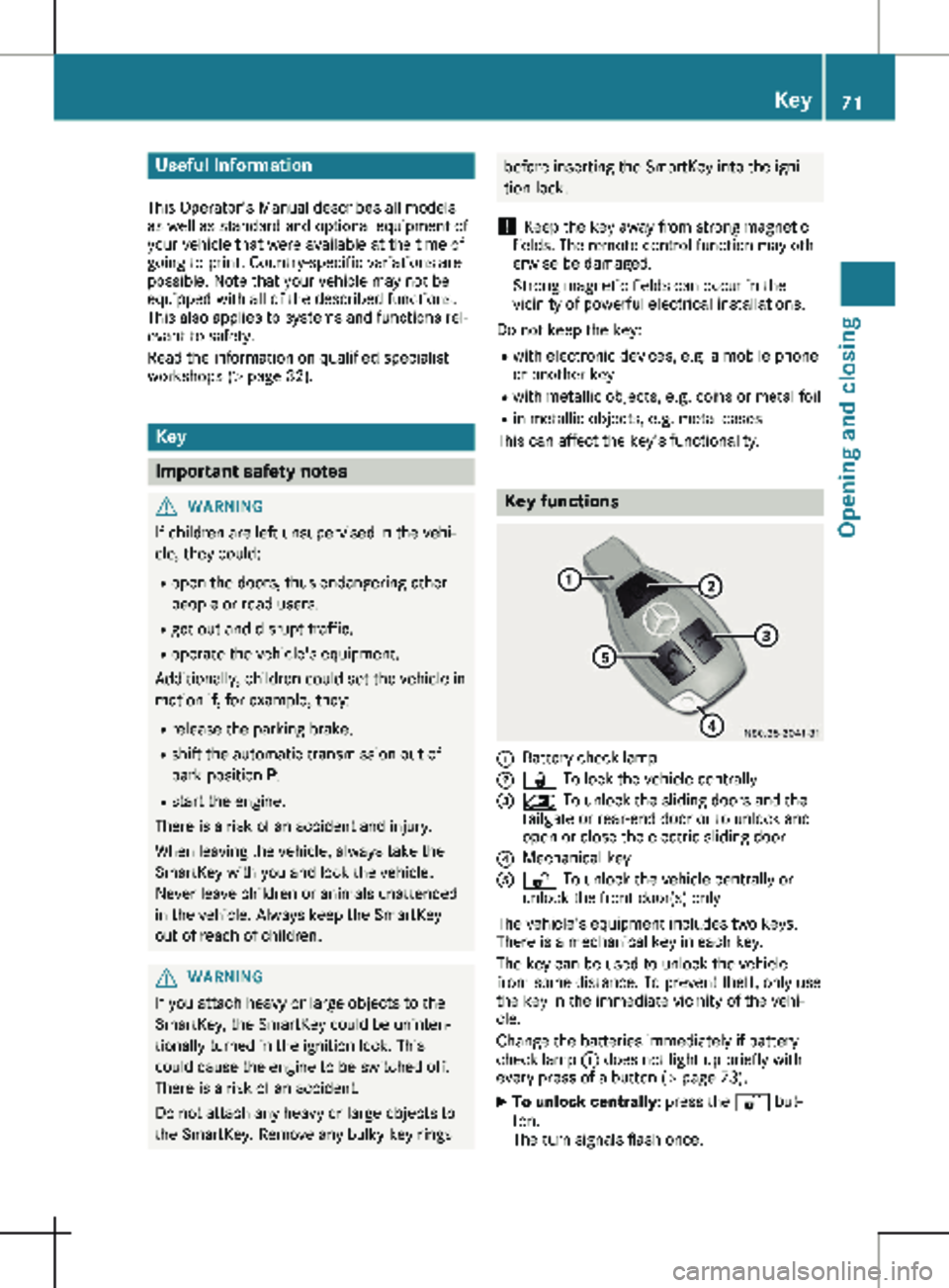
This can affect the key's functionality. Key functions
:
Battery check lamp
; & To lock the vehicle centrally
= 5 To unlock the sliding doors and the
tailgate or rear-end door or to unlock and
open or close the electric sliding door
? Mechanical key
A % To unlock the vehicle centrally or
unlock the front door(s) only
The vehicle's equipment includes two keys.
There is a mechanical key in each key.
The key can be used to unlock the vehicle
from some distance. To prevent theft, only use
the key in the immediate vicinity of the vehi-
cle.
Change the batteries immediately if battery
check lamp : does not light up briefly with
every press of a button (Y page
73).
X To unlock centrally: press the % but-
ton.
The turn signals flash once. Key
71
Opening and closing Z