steering wheel MERCEDES-BENZ SPRINTER 2013 MY13 Operator’s Manual
[x] Cancel search | Manufacturer: MERCEDES-BENZ, Model Year: 2013, Model line: SPRINTER, Model: MERCEDES-BENZ SPRINTER 2013Pages: 334, PDF Size: 3.88 MB
Page 122 of 334
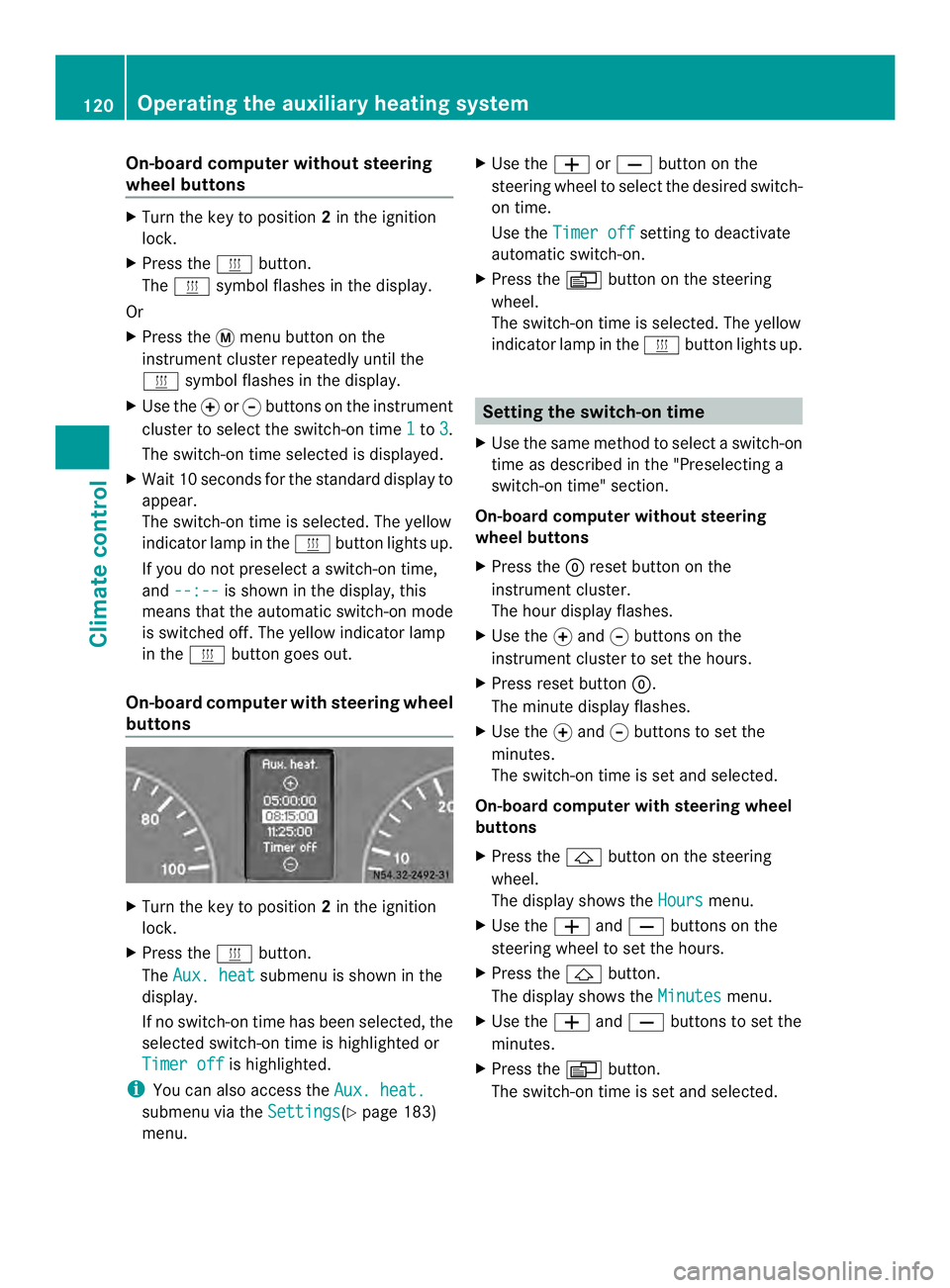
On-board computer without steering
wheel buttons
X
Turn the key to position 2in the ignition
lock.
X Press the 0020button.
The 0020 symbol flashes in the display.
Or
X Press the 0004menu button on the
instrument cluster repeatedly until the
0020 symbol flashes in the display.
X Use the 000Eor000F buttons on the instrument
cluster to select the switch-on time 1 to
3 .
The switch-on time selected is displayed.
X Wait 10 seconds for the standard display to
appear.
The switch-on time is selected. The yellow
indicator lamp in the 0020button lights up.
If you do not preselect a switch-on time,
and --:-- is shown in the display, this
means that the automatic switch-on mode
is switched off. The yellow indicator lamp
in the 0020button goes out.
On-boar dcomputer with steering wheel
buttons X
Turn the key to position 2in the ignition
lock.
X Press the 0020button.
The Aux. heat submenu is shown in the
display.
If no switch-on time has been selected, the
selected switch-on time is highlighted or
Timer off is highlighted.
i You can also access the Aux. heat.submenu via the
Settings (Y
page 183)
menu. X
Use the 0011or0012 button on the
steering wheel to selec tthe desired switch-
on time.
Use the Timer off setting to deactivate
automatic switch-on.
X Press the 0010button on the steering
wheel.
The switch-on time is selected. The yellow
indicator lamp in the 0020button lights up. Setting the switch-on time
X Use the same method to select a switch-on
time as described in the "Preselecting a
switch-on time" section.
On-board computer without steering
wheel buttons
X Press the 0007reset button on the
instrument cluster.
The hour display flashes.
X Use the 000Eand 000Fbuttons on the
instrument cluster to set the hours.
X Press reset button 0007.
The minute display flashes.
X Use the 000Eand 000Fbuttons to set the
minutes.
The switch-on time is set and selected.
On-board computer with steering wheel
buttons
X Press the 0001button on the steering
wheel.
The display shows the Hours menu.
X Use the 0011and0012 buttons on the
steering wheel to set the hours.
X Press the 0001button.
The display shows the Minutes menu.
X Use the 0011and0012 buttons to set the
minutes.
X Press the 0010button.
The switch-on time is set and selected. 120
Operating the auxiliary heating systemClimate control
Page 135 of 334
i
Only switch the vehicle to de-energized
using the battery main switch if:
R the vehicle is stationary for a lengthy
period
R it is absolutely necessary
After the power supply has been activated,
you will need to reset the side windows
(Y page 77).
Switching off the power supply !
When you clamp the connector under the
accelerator pedal, make sure that the
connector does not become damaged or
dirty. It may otherwise not be possible to
restore the electrical connection when the
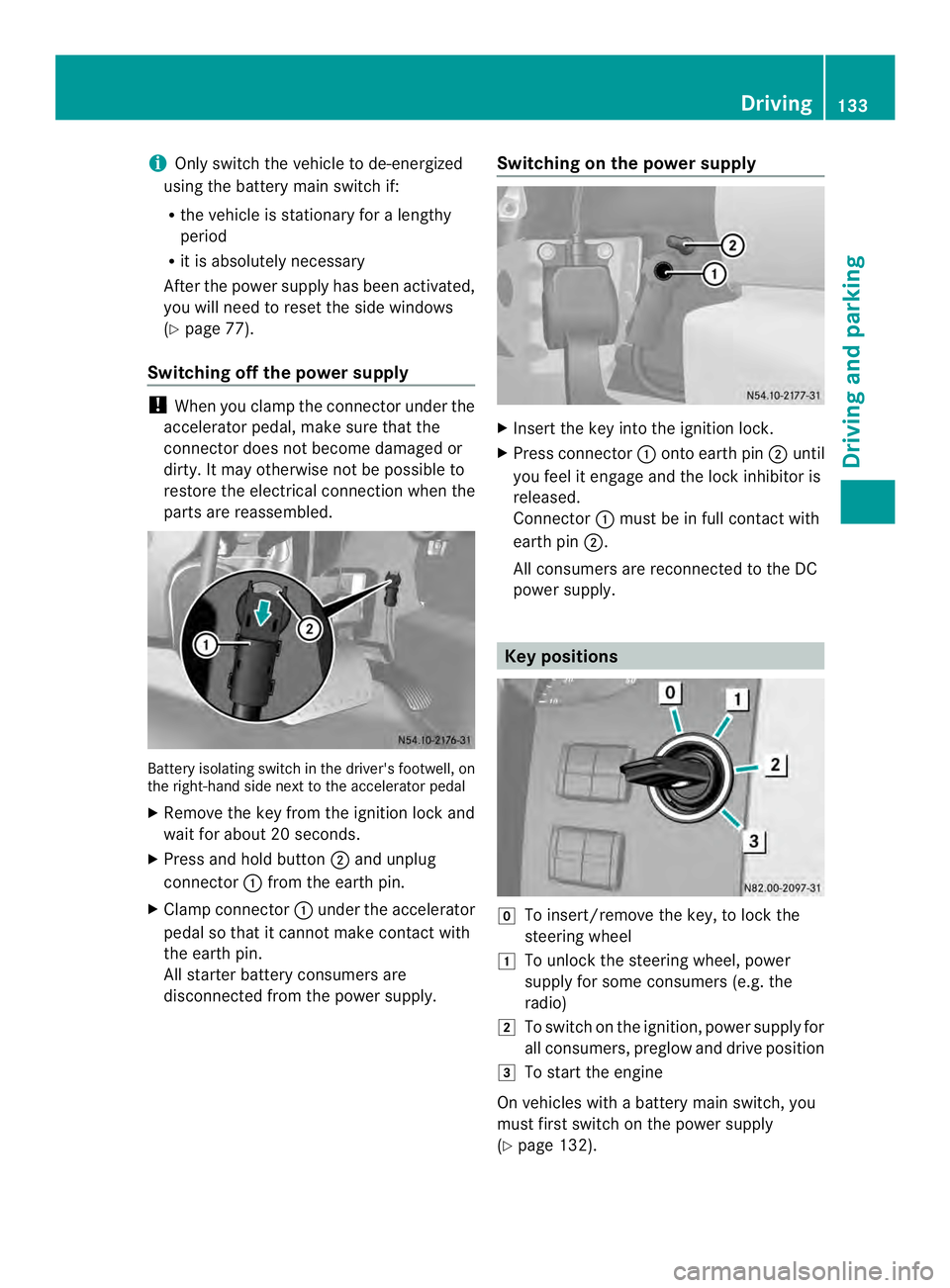
parts are reassembled. Battery isolating switch in the driver's footwell, on
the right-hand side next to the accelerator pedal
X Remove the key from the ignition lock and
waitf or about 20 seconds.
X Press and hold button 0006and unplug
connector 0005from the earth pin.
X Clamp connector 0005under the accelerator
pedal so that it cannot make contact with
the earth pin.
All starter battery consumers are
disconnected from the power supply. Switching on the power supply X
Insert the key into the ignition lock.
X Press connector 0005onto earth pin 0006until
you feel it engage and the lock inhibitor is
released.
Connector 0005must be in full contact with
earth pin 0006.
All consumers are reconnected to the DC
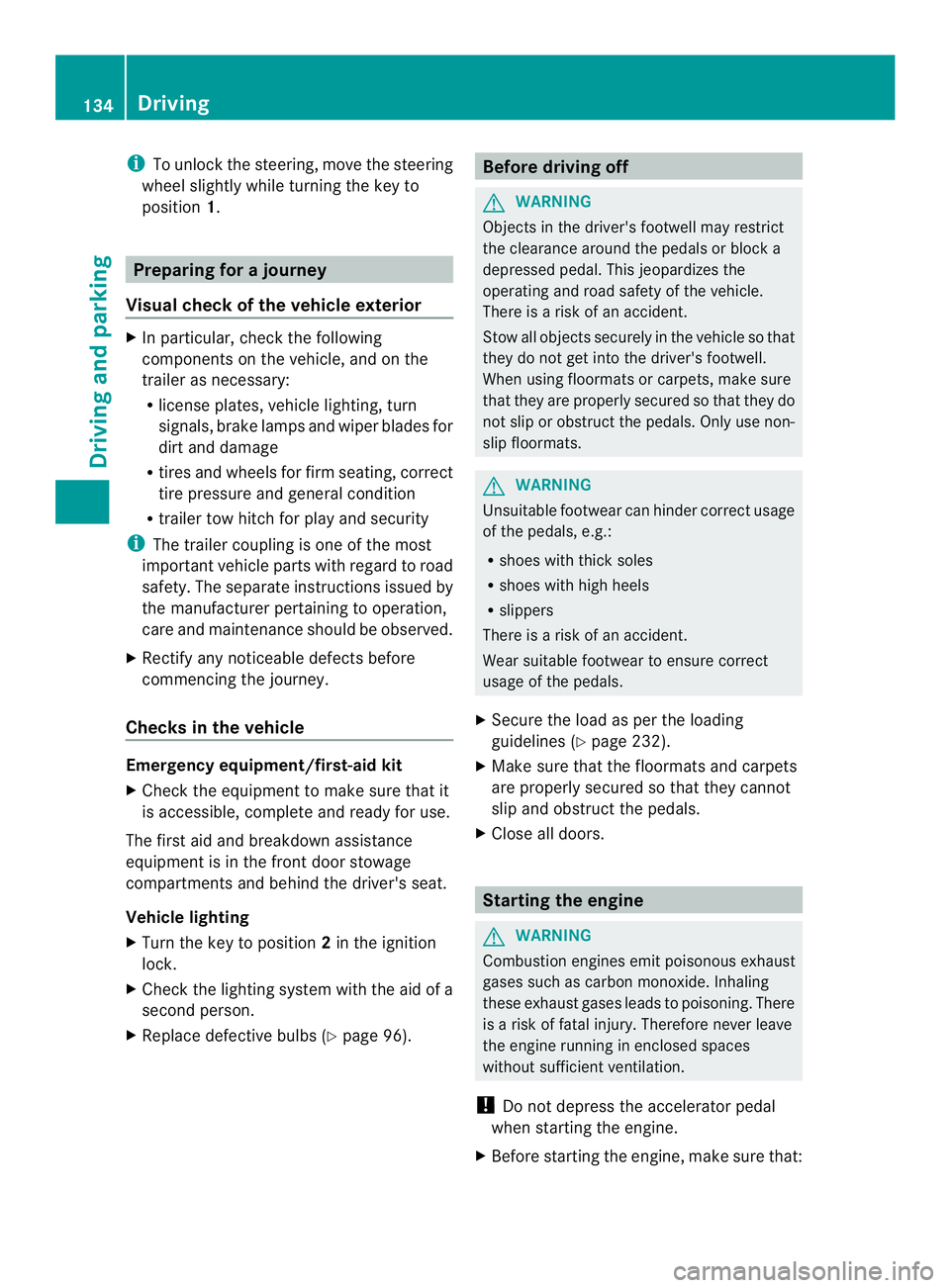
power supply. Key positions
0011
To insert/remove the key, to lock the
steering wheel
0008 To unlock the steering wheel, power
supply for some consumers (e.g. the
radio)
0009 To switch on the ignition, power supply for
all consumers, preglow and drive position
000A To start the engine
On vehicles with a battery main switch, you
must first switch on the power supply
(Y page 132). Driving
133Driving and parking Z
Page 136 of 334
i
To unlock the steering, move the steering
wheel slightly while turning the key to
position 1. Preparing for a journey
Visual check of the vehicle exterior X
In particular, check the following
components on the vehicle, and on the
trailer as necessary:
R
license plates, vehicle lighting, turn
signals, brake lamps and wiper blades for
dirt and damage
R tires and wheels for firm seating, correct
tire pressure and general condition
R trailer tow hitch for play and security
i The trailer coupling is one of the most
importan tvehicle parts with regard to road
safety. The separate instructions issued by
the manufacturer pertaining to operation,
care and maintenance should be observed.
X Rectify any noticeable defects before
commencing the journey.
Checks in the vehicle Emergency equipment/first-aid kit
X
Check the equipment to make sure that it
is accessible, complete and ready for use.
The first aid and breakdown assistance
equipment is in the fron tdoor stowage
compartments and behind the driver's seat.
Vehicle lighting
X Turn the key to position 2in the ignition
lock.
X Check the lighting system with the aid of a
second person.
X Replace defective bulbs (Y page 96). Before driving off
G
WARNING
Objects in the driver's footwell may restrict
the clearance around the pedals or block a
depressed pedal. This jeopardizes the
operating and road safety of the vehicle.
There is a risk of an accident.
Stow all objects securely in the vehicle so that
they do not get into the driver's footwell.
When using floormats or carpets, make sure
that they are properly secured so that they do
not slip or obstruct the pedals. Only use non-
slip floormats. G
WARNING
Unsuitable footwear can hinder correc tusage
of the pedals, e.g.:
R shoes with thick soles
R shoes with high heels
R slippers
There is a risk of an accident.
Wear suitable footwear to ensure correct
usage of the pedals.
X Secure the load as per the loading
guidelines (Y page 232).
X Make sure that the floormats and carpets
are properly secured so that they cannot
slip and obstruct the pedals.
X Close all doors. Starting the engine
G
WARNING
Combustion engines emit poisonous exhaust
gases such as carbon monoxide. Inhaling
these exhaust gases leads to poisoning. There
is a risk of fatal injury. Therefore never leave
the engine running in enclosed spaces
without sufficient ventilation.
! Do not depress the accelerator pedal
when starting the engine.
X Before starting the engine, make sure that: 134
DrivingDriving and parking
Page 137 of 334
R
all the doors are closed.
R all the vehicle occupants are wearing
their seat belts correctly.
R the parking brake is applied.
i If you depress the brake pedal before
starting the engine, th epedal travel is short
and pedal resistance is high.
If you depress the brake pedal again after
starting the engine, pedal travel and
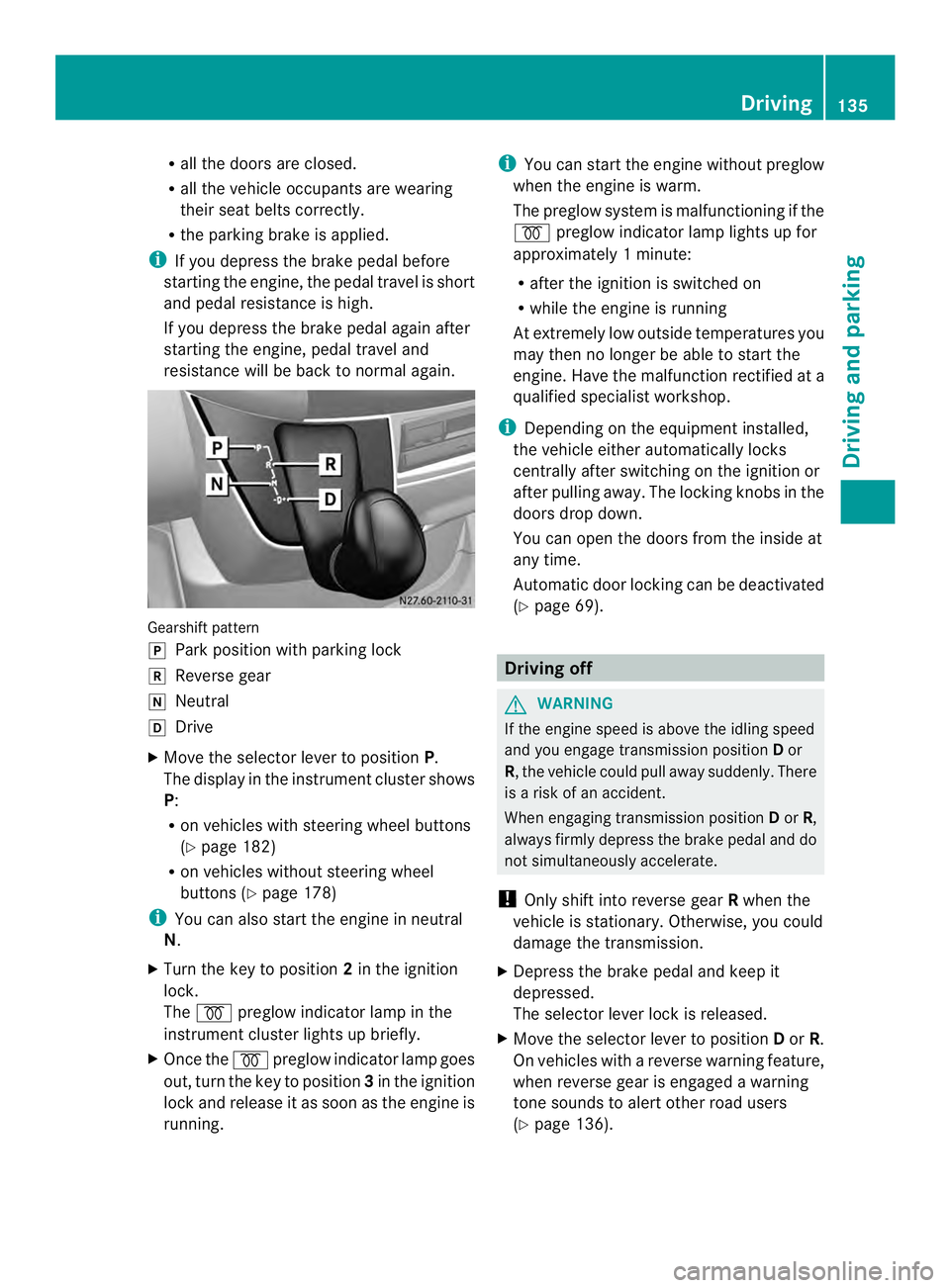
resistance will be back to normal again. Gearshift pattern
0016
Park position with parking lock
0012 Reverse gear
0013 Neutral
0015 Drive
X Move the selector lever to position P.
The display in the instrument cluster shows
P:
R on vehicles with steering wheel buttons
(Y page 182)
R on vehicles without steering wheel
buttons (Y page 178)
i You can also start the engine in neutral
N.
X Turn the key to position 2in the ignition
lock.
The 000D preglow indicator lamp in the
instrument cluster lights up briefly.
X Once the 000Dpreglow indicator lamp goes
out, turn the key to position 3in the ignition
lock and release it as soon as the engine is
running. i
You can start the engine without preglow
when the engine is warm.
The preglow system is malfunctioning if the
000D preglow indicator lamp lights up for
approximately 1minute:
R after the ignition is switched on
R while the engine is running
At extremely low outside temperatures you
may the nno longer be able to start the
engine. Have the malfunction rectified at a
qualified specialist workshop.
i Depending on the equipment installed,
the vehicle either automatically locks
centrally after switching on the ignition or
after pulling away.T he locking knobs in the
doors drop down.
You can open the doors from the inside at
any time.
Automatic door locking can be deactivated
(Y page 69). Driving off
G
WARNING
If the engine speed is above the idling speed
and you engage transmission position Dor
R, the vehicle could pull away suddenly. There
is a risk of an accident.
When engaging transmission position Dor R,
always firmly depress the brake pedal and do
not simultaneously accelerate.
! Only shift into reverse gear Rwhen the
vehicle is stationary. Otherwise, you could
damage the transmission.
X Depress the brake pedal and keep it
depressed.
The selector lever lock is released.
X Move the selector lever to position Dor R.
On vehicles with a reverse warning feature,
when reverse gear is engaged a warning
tone sounds to alert other road users
(Y page 136). Driving
135Driving and parking Z
Page 139 of 334
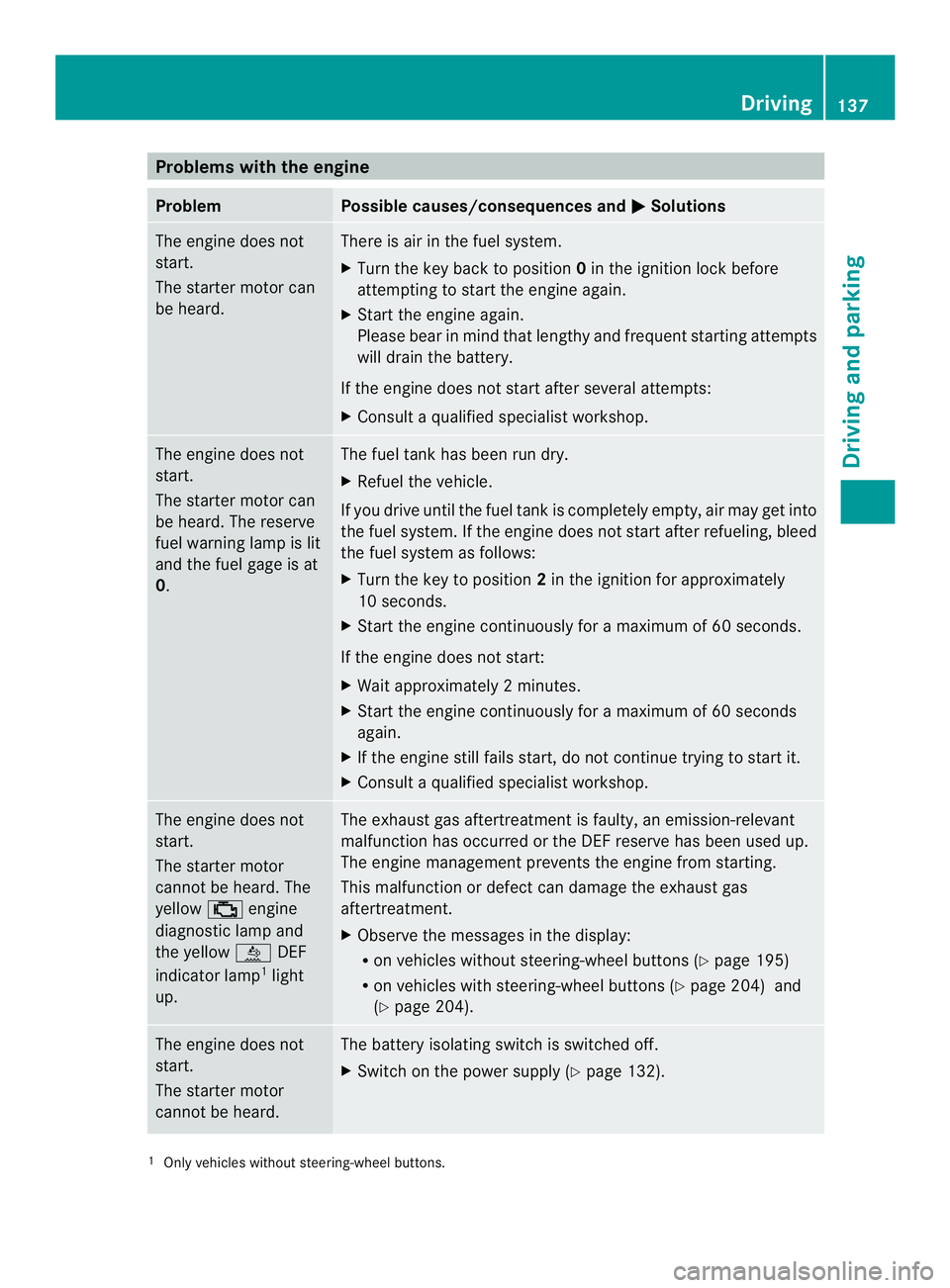
Problems with the engine
Problem Possible causes/consequences and
0004 Solutions
The engine does not
start.
The starter motor can
be heard. There is air in the fuel system.
X
Turn the key back to position 0in the ignition lock before
attempting to start the engine again.
X Start the engine again.
Please bear in mind that lengthy and frequent starting attempts
will drain the battery.
If the engine does not start after several attempts:
X Consult a qualified specialist workshop. The engine does not
start.
The starter motor can
be heard. The reserve
fuel warning lamp is lit
and the fuel gage is at
0. The fuel tank has been run dry.
X
Refuel the vehicle.
If you drive until the fuel tank is completely empty, air may get into
the fuel system. If the engine does not start after refueling, bleed
the fuel system as follows:
X Turn the key to position 2in the ignition for approximately
10 seconds.
X Start the engine continuously for a maximum of 60 seconds.
If the engine does not start:
X Wait approximately 2minutes.
X Start the engine continuously for a maximum of 60 seconds
again.
X If the engine still fails start, do not continue trying to start it.
X Consult a qualified specialist workshop. The engine does not
start.
The starter motor
cannot be heard. The
yellow
0018engine
diagnostic lamp and
the yellow 0009DEF
indicator lamp 1
light
up. The exhaust gas aftertreatmen
tis faulty, an emission-relevant
malfunction has occurred or the DEF reserve has been used up.
The engine management prevents the engine from starting.
This malfunction or defect can damage the exhaust gas
aftertreatment.
X Observe the messages in the display:
R on vehicles without steering-wheel buttons (Y page 195)
R on vehicles with steering-wheel buttons (Y page 204) and
(Y page 204). The engine does not
start.
The starter motor
cannot be heard. The battery isolating switch is switched off.
X
Switch on the power supply (Y page 132).1
Only vehicles without steering-wheel buttons. Driving
137Driving and parking Z
Page 140 of 334
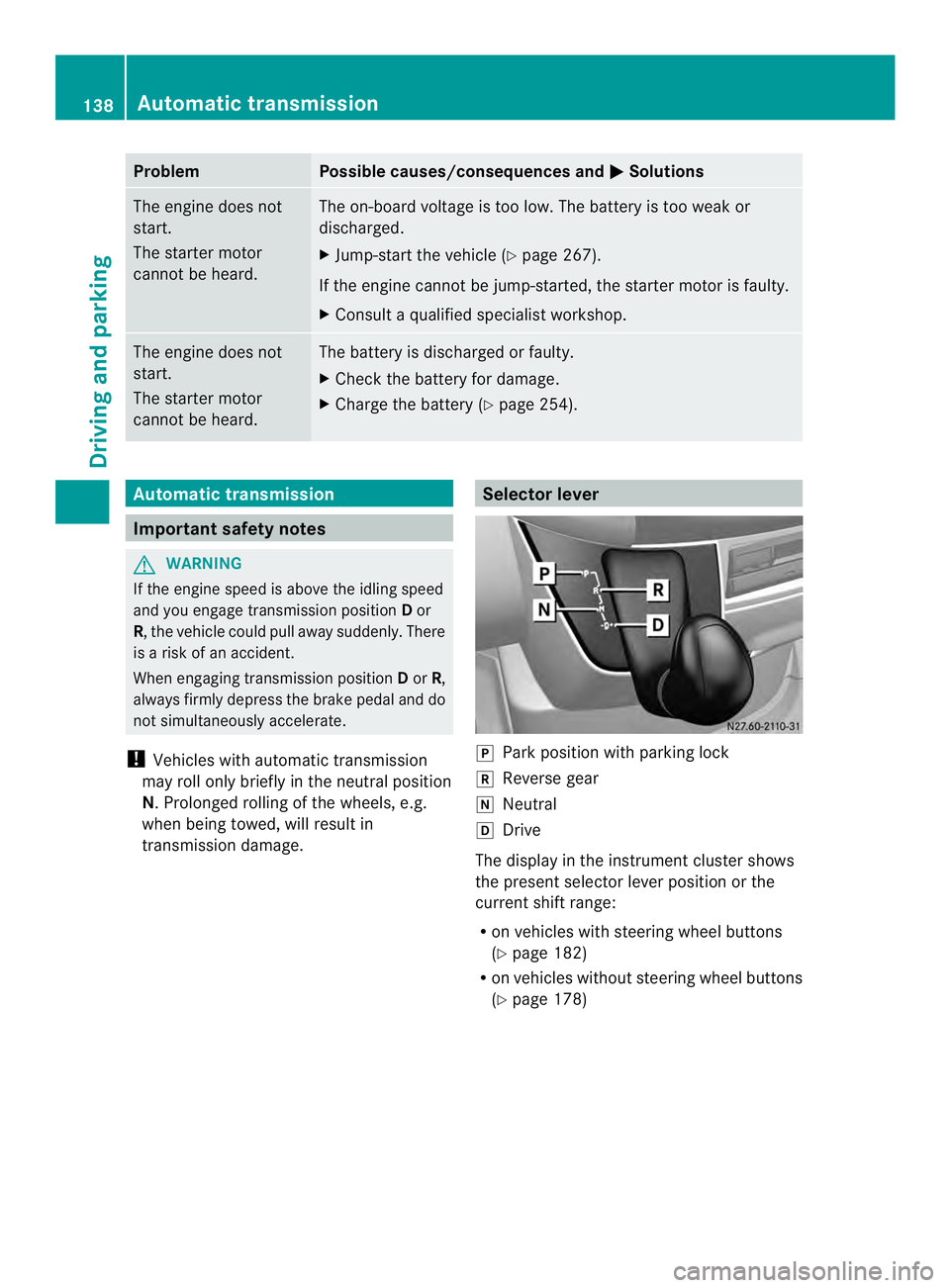
Problem Possible causes/consequences and
0004 Solutions
The engine does not
start.
The starter motor
cannot be heard. The on-board voltage is too low. The battery is too weak or
discharged.
X
Jump-start the vehicle (Y page 267).
If the engine cannot be jump-started, the starter motor is faulty.
X Consult a qualified specialist workshop. The engine does not
start.
The starter motor
cannot be heard. The battery is discharged or faulty.
X
Check the battery for damage.
X Charge the battery (Y page 254).Automatic transmission
Important safety notes
G
WARNING
If the engine speed is above the idling speed
and you engage transmission position Dor
R, the vehicle could pull away suddenly. There
is a risk of an accident.
When engaging transmission position Dor R,
always firmly depress the brake pedal and do
not simultaneously accelerate.
! Vehicles with automatic transmission
may roll only briefly in the neutral position
N.P rolonged rolling of the wheels, e.g.
when being towed, will result in
transmission damage. Selector lever
0016
Park position with parking lock
0012 Reverse gear
0013 Neutral
0015 Drive
The display in the instrument cluster shows
the present selector leve rposition or the
current shift range:
R on vehicles with steering wheel buttons
(Y page 182)
R on vehicles without steerin gwheel buttons
(Y page 178) 138
Automatic transmissionDriving and parking
Page 147 of 334
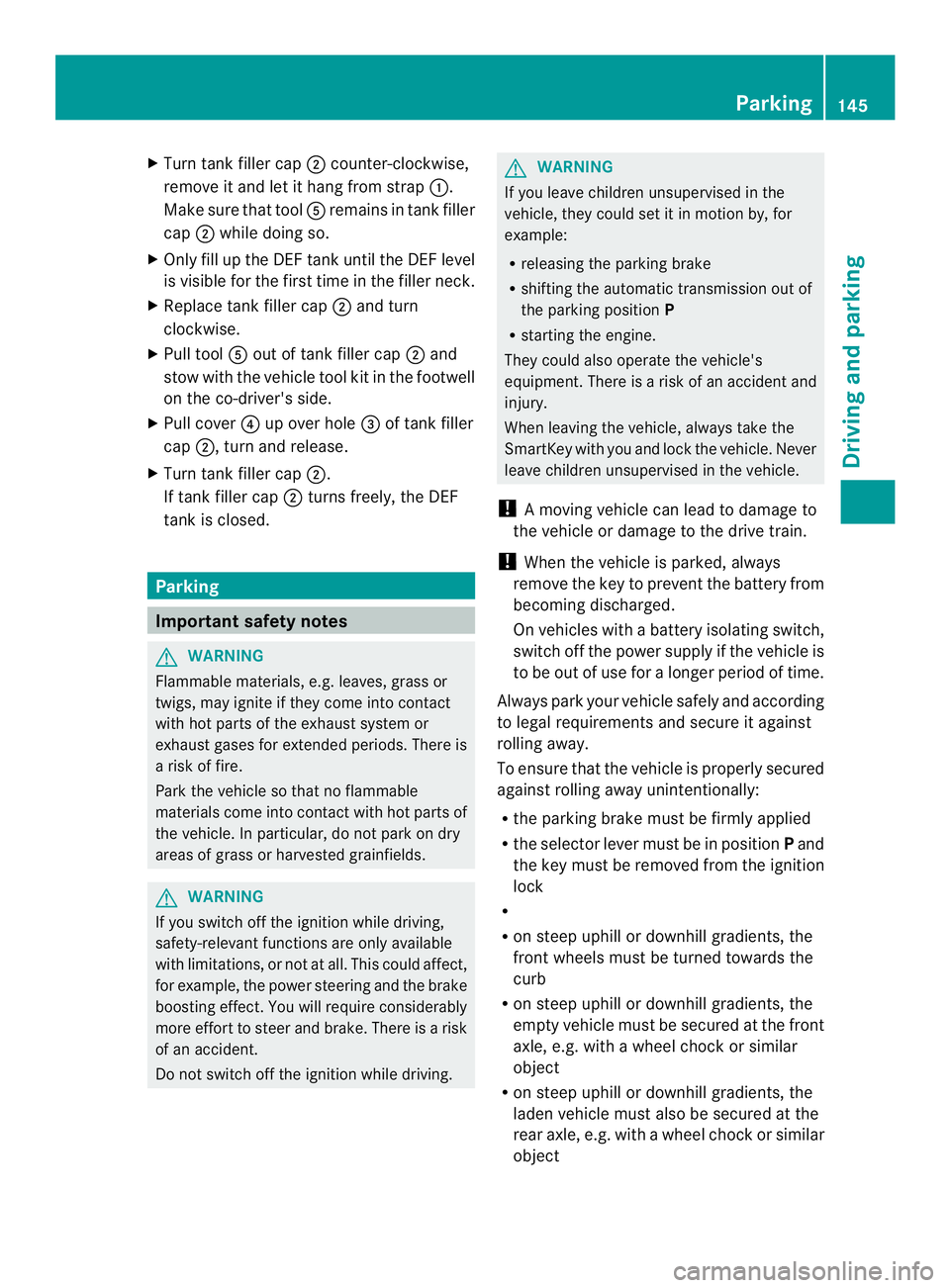
X
Turn tank filler cap 0006counter-clockwise,
remove it and let it hang from strap 0005.
Make sure that tool 0023remains in tank filler
cap 0006while doing so.
X Only fill up the DEFt ank until the DEFlevel
is visible for the first time in the filler neck.
X Replace tank filler cap 0006and turn
clockwise.
X Pull tool 0023out of tank filler cap 0006and
stow with the vehicle tool kit in the footwell
on the co-driver's side.
X Pull cover 0025up over hole 0026of tank filler
cap 0006, turn and release.
X Turn tank filler cap 0006.
If tank filler cap 0006turns freely, the DEF
tank is closed. Parking
Important safety notes
G
WARNING
Flammable materials, e.g. leaves, grass or
twigs, may ignite if they come into contact
with hot parts of the exhaust system or
exhaust gases for extended periods. There is
a risk of fire.
Park the vehicle so that no flammable
materials come into contact with hot parts of
the vehicle. In particular, do not park on dry
areas of grass or harvested grainfields. G
WARNING
If you switch off the ignition while driving,
safety-relevant function sare only available
with limitations, or not at all.T his could affect,
for example, the power steering and the brake
boosting effect.Y ou will require considerably
more effort to steer and brake. There is a risk
of an accident.
Do not switch off the ignition while driving. G
WARNING
If you leave children unsupervised in the
vehicle, they could set it in motion by, for
example:
R releasing the parking brake
R shifting the automatic transmission out of
the parking position P
R starting the engine.
They could also operate the vehicle's
equipment. There is a risk of an accident and
injury.
When leaving the vehicle, always take the
SmartKey with you and lock the vehicle. Never
leave children unsupervised in the vehicle.
! Am oving vehicle can lead to damage to
the vehicle or damage to the drive train.
! When the vehicle is parked, always
remove the key to prevent the battery from
becoming discharged.
On vehicles with a battery isolating switch,
switch off the power supply if the vehicle is
to be out of use for a longer period of time.
Always park your vehicle safely and according
to legal requirements and secure it against
rolling away.
To ensure that the vehicle is properly secured
against rolling away unintentionally:
R the parking brake must be firmly applied
R the selector lever must be in position Pand
the key must be removed from the ignition
lock
R
R on steep uphill or downhill gradients, the
front wheels must be turned towards the
curb
R on steep uphill or downhill gradients, the
empty vehicle must be secured at the front
axle, e.g. with a wheel chock or similar
object
R on steep uphill or downhill gradients, the
laden vehicle must also be secured at the
rear axle, e.g. with a wheel chock or similar
object Parking
145Driving and parking Z
Page 154 of 334
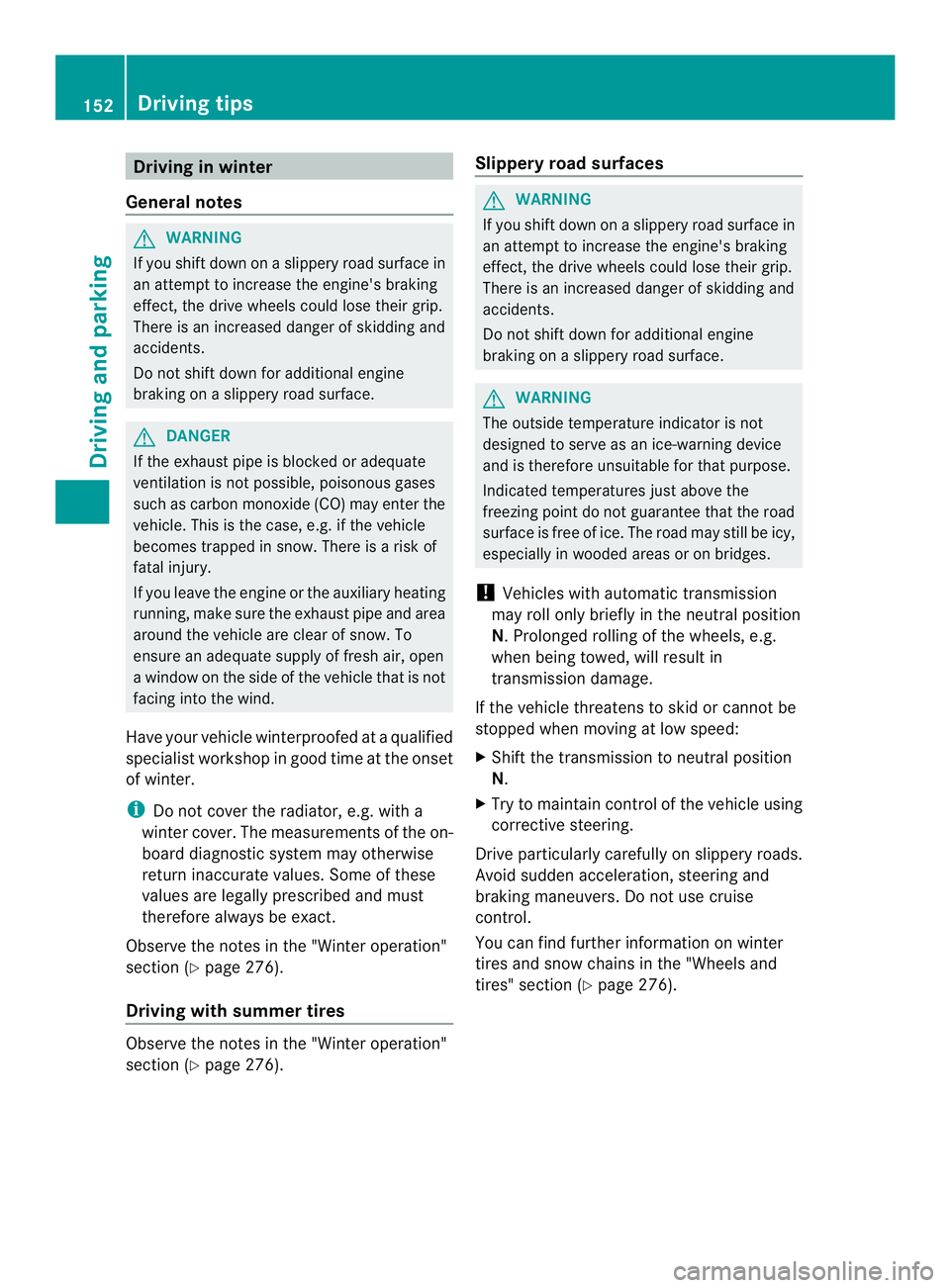
Driving in winter
General notes G
WARNING
If you shift down on a slippery road surface in
an attempt to increase the engine's braking
effect, the drive wheels could lose their grip.
There is an increased danger of skidding and
accidents.
Do no tshift down for additional engine
braking on a slippery road surface. G
DANGER
If the exhaust pipe is blocked or adequate
ventilation is not possible, poisonous gases
such as carbon monoxide (CO) may enter the
vehicle. This is the case, e.g. if the vehicle
becomes trapped in snow. There is a risk of
fatal injury.
If you leave the engine or the auxiliary heating
running, make sure the exhaust pipe and area
around the vehicle are clear of snow. To
ensure an adequate supply of fresh air, open
a window on the side of the vehicle that is not
facing into the wind.
Have your vehicle winterproofed at a qualified
specialist workshop in good time at the onset
of winter.
i Do not cover the radiator, e.g. with a
winter cover. The measurements of the on-
board diagnostic system may otherwise
return inaccurate values. Some of these
values are legally prescribed and must
therefore always be exact.
Observe the notes in the "Winter operation"
section (Y page 276).
Driving with summer tires Observe the notes in the "Winter operation"
section (Y page 276). Slippery road surfaces G
WARNING
If you shift down on a slippery road surface in
an attempt to increase the engine's braking
effect, the drive wheels could lose their grip.
There is an increased danger of skidding and
accidents.
Do not shift down for additional engine
braking on a slippery road surface. G
WARNING
The outside temperature indicator is not
designed to serve as an ice-warning device
and is therefore unsuitable for that purpose.
Indicated temperatures just above the
freezing point do not guarantee that the road
surface is free of ice. The road may still be icy,
especially in wooded areas or on bridges.
! Vehicles with automatic transmission
may roll only briefly in the neutral position
N.P rolonged rolling of the wheels, e.g.
when being towed, will result in
transmission damage.
If the vehicle threatens to skid or cannot be
stopped when moving at low speed:
X Shift the transmission to neutral position
N.
X Try to maintai ncontrol of the vehicle using
corrective steering.
Drive particularly carefully on slippery roads.
Avoid sudden acceleration, steering and
braking maneuvers. Do not use cruise
control.
You can find further information on winter
tires and snow chains in the "Wheels and
tires" section (Y page 276).152
Driving tipsDriving and parking
Page 155 of 334
Driving off-road
Important safety notes G
WARNING
If you drive on a steep incline at an angle or
turn when driving on an incline, the vehicle
could slip sideways, tip and rollover. There is
a risk of an accident.
Always drive on a steep incline in the line of
fall (straight up or down )and do not turn the
vehicle. G
WARNING
Whe ndriving off-road, yourb ody is subject to
forces from all directions, due to the uneven
surface. You could be thrown from your seat,
for instance. There is a risk of injury.
Always wear a seat belt, even when driving off-
road. G
WARNING
If you drive over obstacles or in ruts, the
steering wheel may jerk out of your grip,
causing injury to your hands.
Always hold the steering wheel firmly with
both hands. When driving over obstacles, you
must expect steering forces to increase
briefly and suddenly. G
WARNING
Flammable materials, e.g. leaves, grass or
branches, may ignite if they come into contact
with hot parts of the exhaust system for
extended periods. There is arisk of fire.
When driving off-road or on unpaved surfaces,
chec kthe underside of the vehicle at regular
intervals. In particular, remove any trapped
parts of plants or other flammable material. If
there is any damage, inform a qualified
specialist workshop.
! When driving off-road or on unpaved
surfaces, check the underside of the
vehicle and the wheels and tires at regular
intervals. In particular, remove any trapped
foreign objects, e.g. stones and branches. Such foreign objects may:
R
damage the chassis, the fuel tank or the
brake system
R cause imbalances and thus vibrations
R be flung out when you continue driving
If there is any damage, inform a qualified
specialist workshop.
When driving off-road and on construction
sites, sand, mud and water mixed with oil, for
example, may get into the brakes. This may
lead to a reduction in braking performance or
total brake failure, also as a result of
increased wear. The braking characteristics
will vary depending on the material that has
got into the system. Cleant he brakes after
driving off-road. If you then notice reduced
braking performance or hear scraping noises,
have the brake system checked at a qualified
specialist workshop. Adjust your driving style
to the changed braking characteristics.
Driving off-road or on construction sites
increases the possibility of vehicle damage
which may in turn lead to the failure of certain
assemblies and systems. Adapt your driving
style to the off-road driving conditions. Drive
carefully. Have any vehicle damage rectified
at a qualified specialist workshop as soon as
possible.
When driving on rough terrain, do not shift the
transmission into the neutral position. You
could lose control when attempting to brake
the vehicle with the service brake. If your
vehicle cannot manage an uphill slope, drive
back down the slope in reverse gear.
When loading your vehicle for driving off-road
or on a construction site, keep the vehicle's
center of gravity as low as possible.
Rules for driving off-road !
Always bear the vehicle's ground
clearance in mind and avoid obstacles, e.g.
deep ruts. Driving tips
153Driving and parking Z
Page 157 of 334
steering, chassis and exhaust system for
any damage.
X Check the service brake for operating
safety, e.g. carry out a brake test.
X If you notice strong vibrations after driving
off-road, check the wheels and drive train
for foreign objects again. Remove any
foreign objects which can lead to
imbalances and thus cause vibrations. Driving systems
Cruise control
Important safety notes Observe the notes on braking in the "Driving
tips" section (Y
page 150).
If you fail to adapty our driving style or if you
are inattentive, cruise control can neither
reduce the risk of an accident nor override the
laws of physics. Cruise control cannot take
road, weather and traffic conditions into
account .Cruise control is only an aid.Y ou are
responsible for the distance to the vehicle in
front, for vehicle speed and for braking in
good time.
Do not use cruise control:
R in traffic conditions that are unsuitable for
driving at a constant speed, e.g. in heavy
traffic, on winding roads or off-road
R on slippery roads. Brakin goraccelerating
may cause the drive wheel sto lose traction
and the vehicle could then skid.
R when there is poor visibility, e.g. due to fog,
heavy rain or snow
If there is a change of drivers, make sure that
you inform the new driver about the set cruise
speed.
General notes Cruise control maintains the speed of the
vehicle for you.
Use cruise control if road and traffic
conditions make it appropriate to maintain a steady speed for a prolonged period. You can
set any speed from 20 mph upwards in
increments of 1 mph.
Use cruise control if road and traffic
conditions make it appropriate to maintain a
steady speed for a prolonged period. You can
set any speed from 20 mph upwards in
increments of 1 mph.
i
If you have set km/h as the unit for the
digital speedometer (Y page 185), you can
set any speed from 30 km/h upwards in
increments of 1 km/h.
i Cruise control should not be activated
when driving off-road or on construction
sites.
Cruise control may not be able to maintain
the stored speed on uphill or downhill
gradients. If the gradient evens out and the
vehicle's speed does not fall below 20 mph
(30 km/h), the stored speed is resumed.
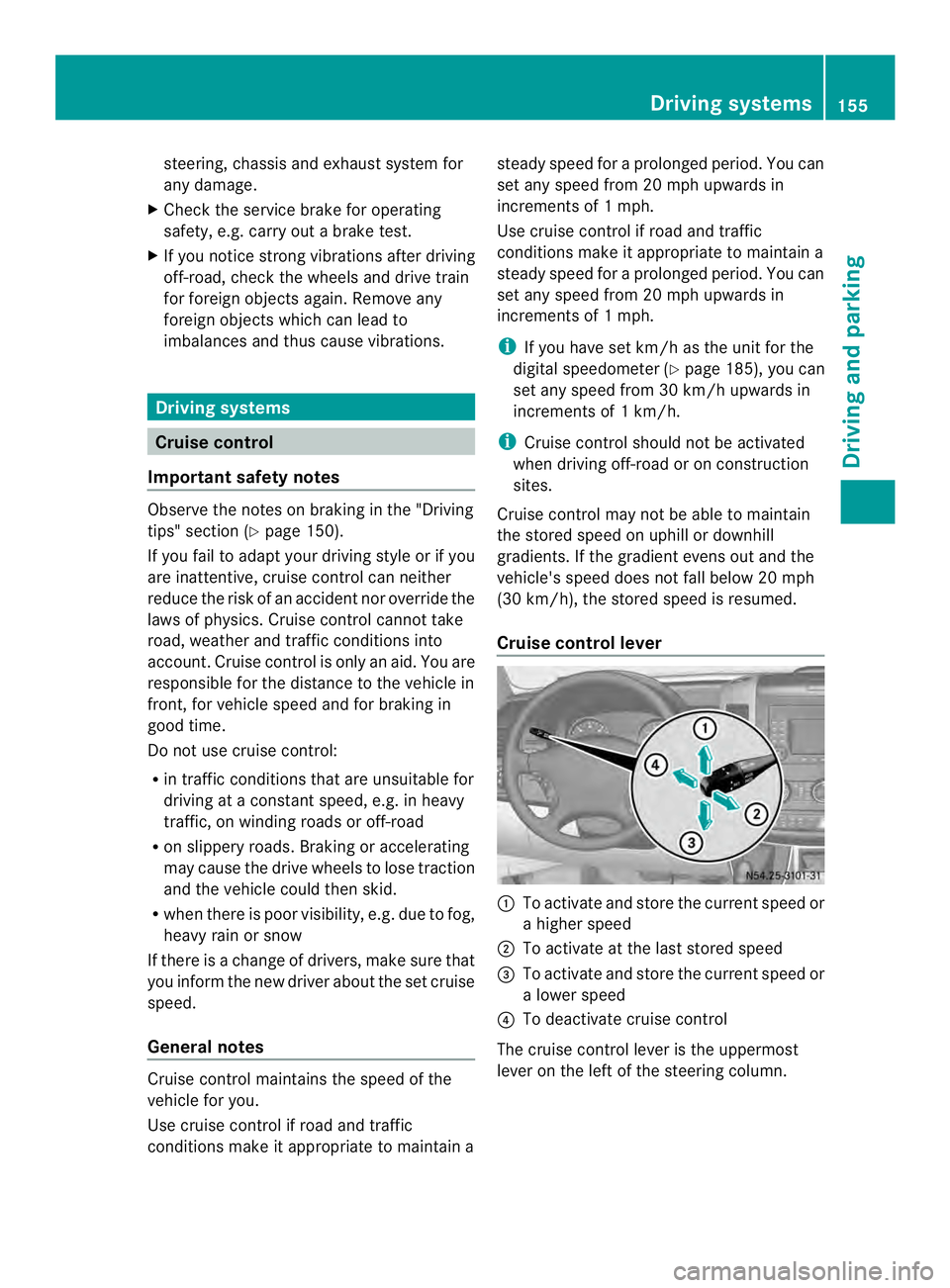
Cruise control lever 0005
To activate and store the current speed or
a higher speed
0006 To activate at the last stored speed
0026 To activate and store the current speed or
a lower speed
0025 To deactivate cruise control
The cruise control lever is the uppermost
lever on the left of the steering column. Driving systems
155Driving and parking Z