trip computer MERCEDES-BENZ SPRINTER 2013 MY13 Operator’s Manual
[x] Cancel search | Manufacturer: MERCEDES-BENZ, Model Year: 2013, Model line: SPRINTER, Model: MERCEDES-BENZ SPRINTER 2013Pages: 334, PDF Size: 3.88 MB
Page 15 of 334
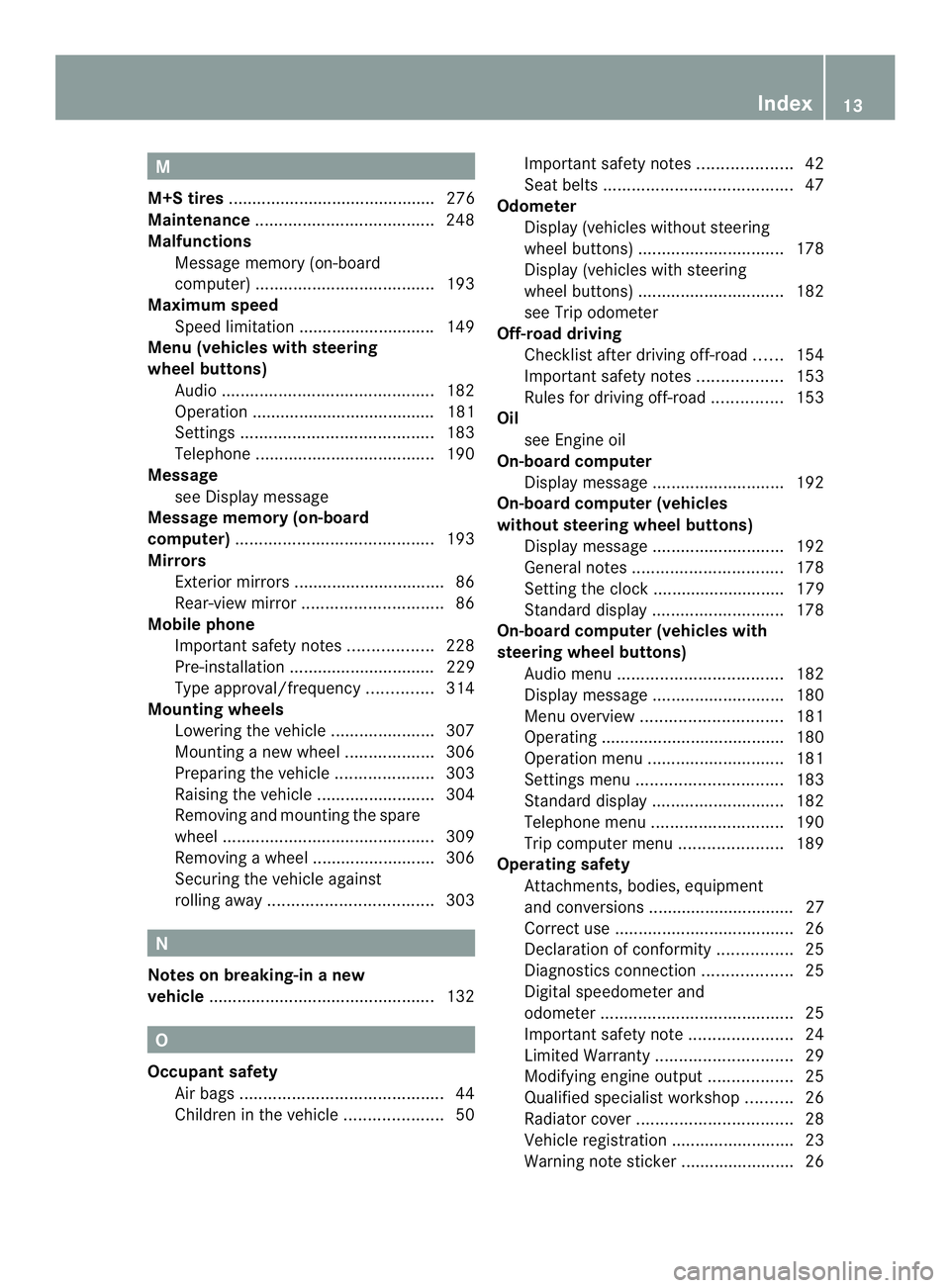
M
M+S tires ............................................ 276
Maintenance ...................................... 248
Malfunctions Message memory (on-board
computer) ...................................... 193
Maximum speed
Speed limitation ............................ .149
Menu (vehicles with steering
wheel buttons)
Audi o............................................. 182
Operation ....................................... 181
Settings ......................................... 183
Telephone ...................................... 190
Message
see Display message
Message memory (on-board
computer) .......................................... 193
Mirrors Exterior mirrors ................................ 86
Rear-view mirror .............................. 86
Mobile phone
Important safety notes ..................228
Pre-installation ............................... 229
Type approval/frequency ..............314
Mounting wheels
Lowering the vehicle ......................307
Mounting anew wheel ................... 306
Preparing the vehicle .....................303
Raising the vehicle .........................304
Removing and mounting the spare
wheel ............................................. 309
Removing awheel .......................... 306
Securing the vehicle against
rolling away ................................... 303N
Notes on breaking-in anew
vehicle ................................................ 132O
Occupant safety Air bag s........................................... 44
Childre ninthe vehicle ..................... 50Important safety notes
....................42
Seat belts ........................................ 47
Odometer
Display (vehicles without steering
wheel buttons) ............................... 178
Display (vehicles with steering
wheel buttons) ............................... 182
see Trip odometer
Off-road driving
Checklist after driving off-roa d...... 154
Important safety notes ..................153
Rules for driving off-road ...............153
Oil
see Engine oil
On-board computer
Display message ............................ 192
On-board computer (vehicles
without steering wheel buttons)
Display message ............................ 192
General notes ................................ 178
Setting the clock ............................ 179
Standard displa y............................ 178
On-board computer (vehicles with
steering wheel buttons) Audi omenu ................................... 182
Display message ............................ 180
Menu overview .............................. 181
Operating ...................................... .180
Operation menu ............................. 181
Settings menu ............................... 183
Standard displa y............................ 182
Telephone menu ............................ 190
Trip computer menu ......................189
Operating safety
Attachments, bodies, equipment
and conversions ............................... 27
Correct use ...................................... 26
Declaratio nofconformity ................ 25
Diagnostics connection ...................25
Digital speedometer and
odometer ......................................... 25
Important safety note ......................24
Limited Warranty ............................. 29
Modifying engine output ..................25
Qualified specialist workshop ..........26
Radiator cover ................................. 28
Vehicle registratio n.......................... 23
Warning note sticker ........................26 Index
13
Page 22 of 334
Trailer loads and drawbar
noseweights
...................................... 173
Trailer towing PARKTRONI C................................. 160
Permissible trailer loads and
drawba rnoseweights ............169, 173
Transmission
see Automatic transmission
Transmission oil ................................ 323
Transport Loading guidelines .........................232
Vehicle .......................................... .271
Transportation
Rail ................................................ 150
Transport by rail ................................ 150
Transporting Load distribution ............................ 234
Securing aload .............................. 234
Trim pieces (cleaning instructions) .260
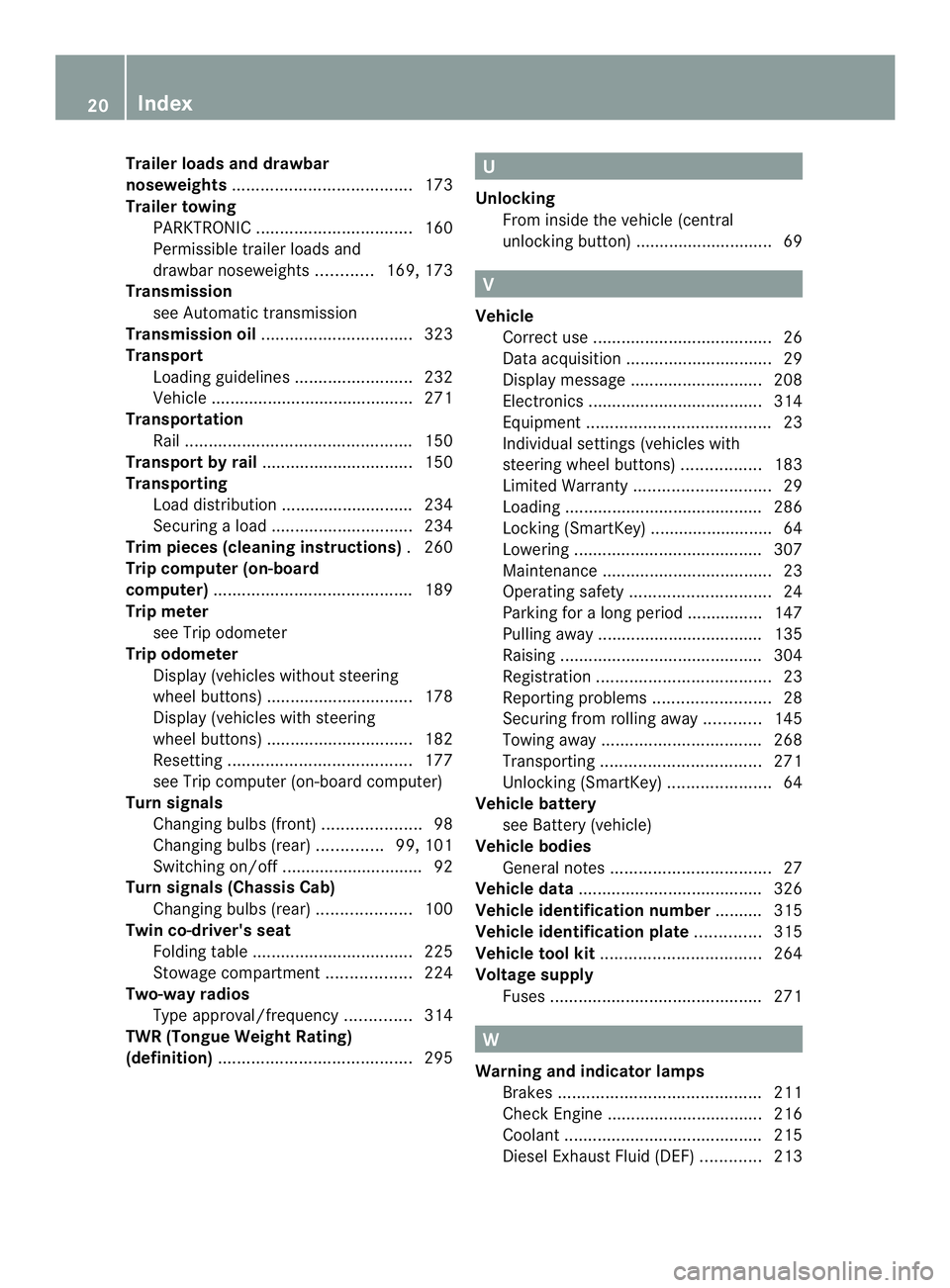
Trip computer (on-board
computer) .......................................... 189
Trip meter see Trip odometer
Trip odometer
Display (vehicles without steering
wheel buttons) ............................... 178
Display (vehicles with steering
wheel buttons) ............................... 182
Resetting ....................................... 177
see Trip computer (on-board computer)
Turn signals
Changing bulbs (front) .....................98
Changing bulbs (rear) ..............99, 101
Switching on/off .............................. 92
Turn signals (Chassis Cab)
Changing bulbs (rear) ....................100
Twin co-driver's seat
Folding tabl e.................................. 225
Stowag ecompartmen t.................. 224
Two-way radios
Type approval/frequency ..............314
TWR (Tongue Weight Rating)
(definition) ......................................... 295 U
Unlocking From inside the vehicle (central
unlocking button) ............................. 69 V
Vehicle Correct use ...................................... 26
Data acquisition ............................... 29
Display message ............................ 208
Electronics ..................................... 314
Equipment ....................................... 23
Individual settings (vehicles with
steering wheel buttons) .................183
Limited Warranty ............................. 29
Loading .......................................... 286
Locking (SmartKey) .......................... 64
Lowering ........................................ 307
Maintenance .................................... 23
Operating safety .............................. 24
Parking for a long period ................ 147
Pulling away ................................... 135
Raising ........................................... 304
Registration ..................................... 23
Reporting problems .........................28
Securing from rolling away ............145
Towing away .................................. 268
Transporting .................................. 271
Unlocking (SmartKey) ......................64
Vehicle battery
see Battery (vehicle)
Vehicle bodies
General notes .................................. 27
Vehicle data ....................................... 326
Vehicle identification number .......... 315
Vehicle identification plate ..............315
Vehicle tool kit .................................. 264
Voltage supply Fuse s............................................. 271 W
Warning and indicator lamps Brakes ........................................... 211
Check Engine ................................. 216
Coolant .......................................... 215
Diesel Exhaus tFluid (DEF) .............213 20
Index
Page 179 of 334
R
press the 0007reset button
R switch on the lights
The display switches off automatically after
approximately 30 seconds if:
R the vehicle lighting is not switched on.
R the key is in position 0in the ignition lock. Instrument lighting
When the lights are switched on, you can
adjust the brightness of the instrument
cluster lighting using the 000Eand 000Fbuttons.
X To brighten: press the000Ebutton.
X To dim: press the 000Fbutton.
i Vehicles with automatic headlamp mode:
the instrument lighting also adapts to
automatic headlamp mode. Tachometer
! Do not drive in the overrevving range, as
this could damage the engine. H
Environmental note
Avoid driving at high engine speeds. This
unnecessarily increases the fuel consumption
of your vehicle and harms the environmen tas
a result of increased emissions.
The red band in the tachometer indicates the
engine's overrevving range.
To protect the engine, the fuel supply is
interrupted when the red band is reached. Outside temperature
You should pay special attention to road
conditions when temperatures are around
the freezing point.
On vehicles without steering wheel buttons
(Y page 178) and on vehicles with steering
wheel buttons (Y page 182), the outside
temperature display is in the display. Changes in the outside temperature are
displayed after a shor
tdelay. Speedometer
The speed can also be shown in the display.
You can find information on the digital
speedometer for vehicles without steering
wheel buttons under (Y page 178) and for
vehicles with steering wheel buttons under
(Y page 182).
i In some countries, a warning sounds
when the vehicle reaches the maximum
speed limit, e.g. at 75 mph ( 120 km/h). Trip odometer
X To reset: make sure that the display is
showing the trip odometer if you have a
vehicle with steering wheel buttons
(Y page 182).
X Press and hold the 0007reset button until the
trip odometer is reset to 0.0 .
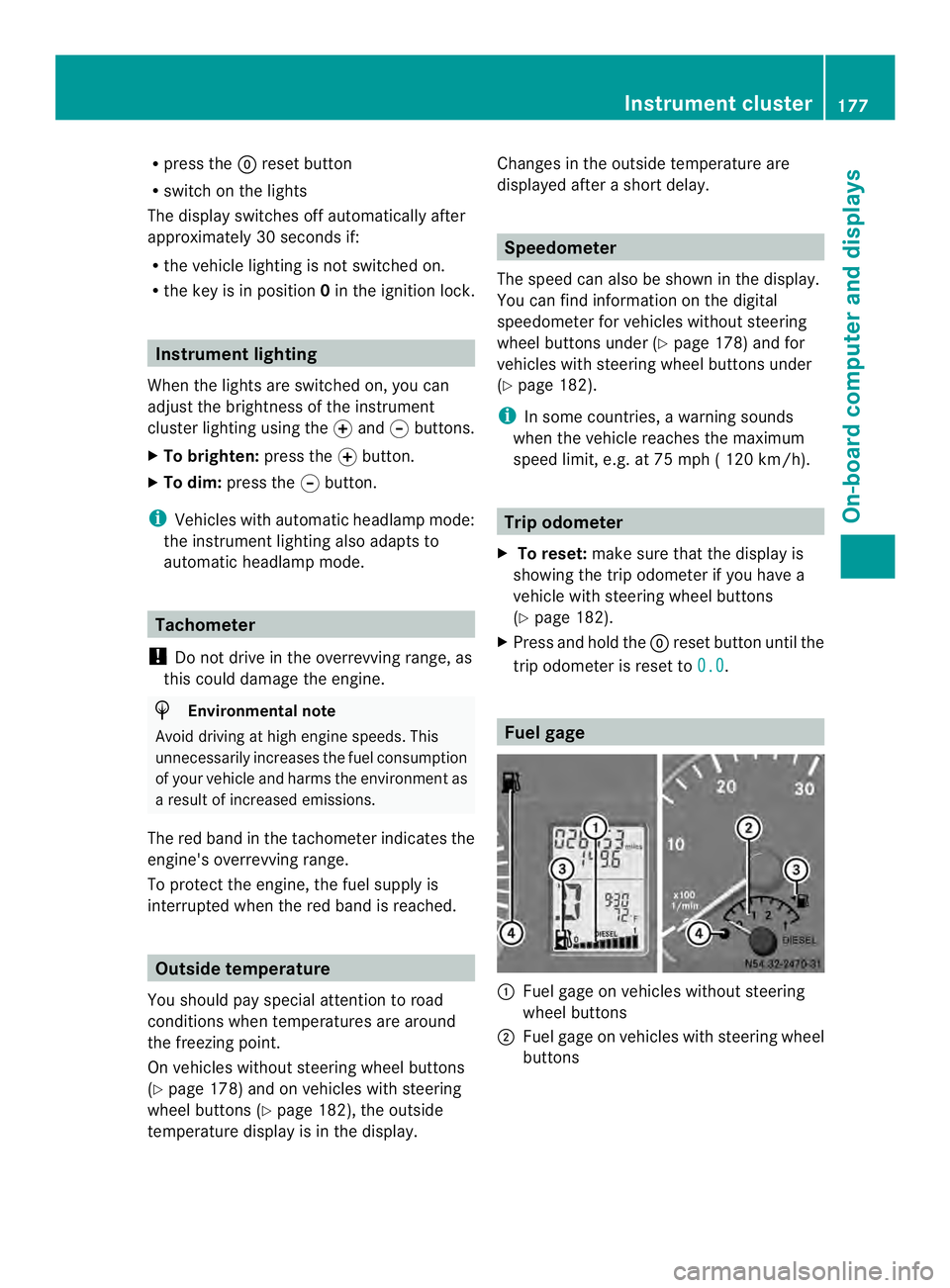
Fuel gage
0005
Fuel gage on vehicles without steering
wheel buttons
0006 Fuel gage on vehicles with steering wheel
buttons Instrument cluster
177On-board computer and displays Z
Page 180 of 334
0026
Fuel fille rflap location indicator 000F: the
fuel filler flap is on the left-hand side. Fuel
filler flap location indicator 001E:the fuel
filler flap is on the right-hand side
0025 Reserve fuel warning lamp (Y page 216)DEF gauge
Vehicles without steering wheel
buttons If the supply of DEF is less than 1.5 US gal
(5.5 l), the 0009indicator lamp lights up and
the 0002dEF Chk display message appears.
If the supply of DEF falls below the reserve
range of 0.8 US gal (3.0 l), the 0009indicator
lamp lights up and the 0002StArtS RExxdisplay message appears. In the display,
xxcorresponds to the number of possible
remaining engine starts (16
to
0 ).
Further information on DEF consumption can
be found in the "Service products and filling
capacity" section (Y page 320).
Vehicles with steering wheel buttons If the supply of DEF is less than 1.5 US gal
(5.5 l), the Check Diesel Exhaust Fluid See Operator's Manual message is shown
in the display.
If the supply of DEF falls below the reserve
range of 0.8 US gal (3.0 l), the 0009xxstarts remaining message is displayed. In
the display, xx corresponds to the number of
possible remaining engine starts (16 to
0 ).
Further information on DEF consumption can
be found in the "Service products and filling
capacity" section (Y page 320). On-board computer (vehicles without
steering wheel buttons)
Operating the on-board computer
General notes The on-board computer is activated as soon
as you turn the key to position
1in the ignition
lock.
The on-board computer shows vehicle
information and settings in the display.
You can control the displaya nd the settings
in the on-board compute rusing the
adjustment buttons on the instrument
cluster.
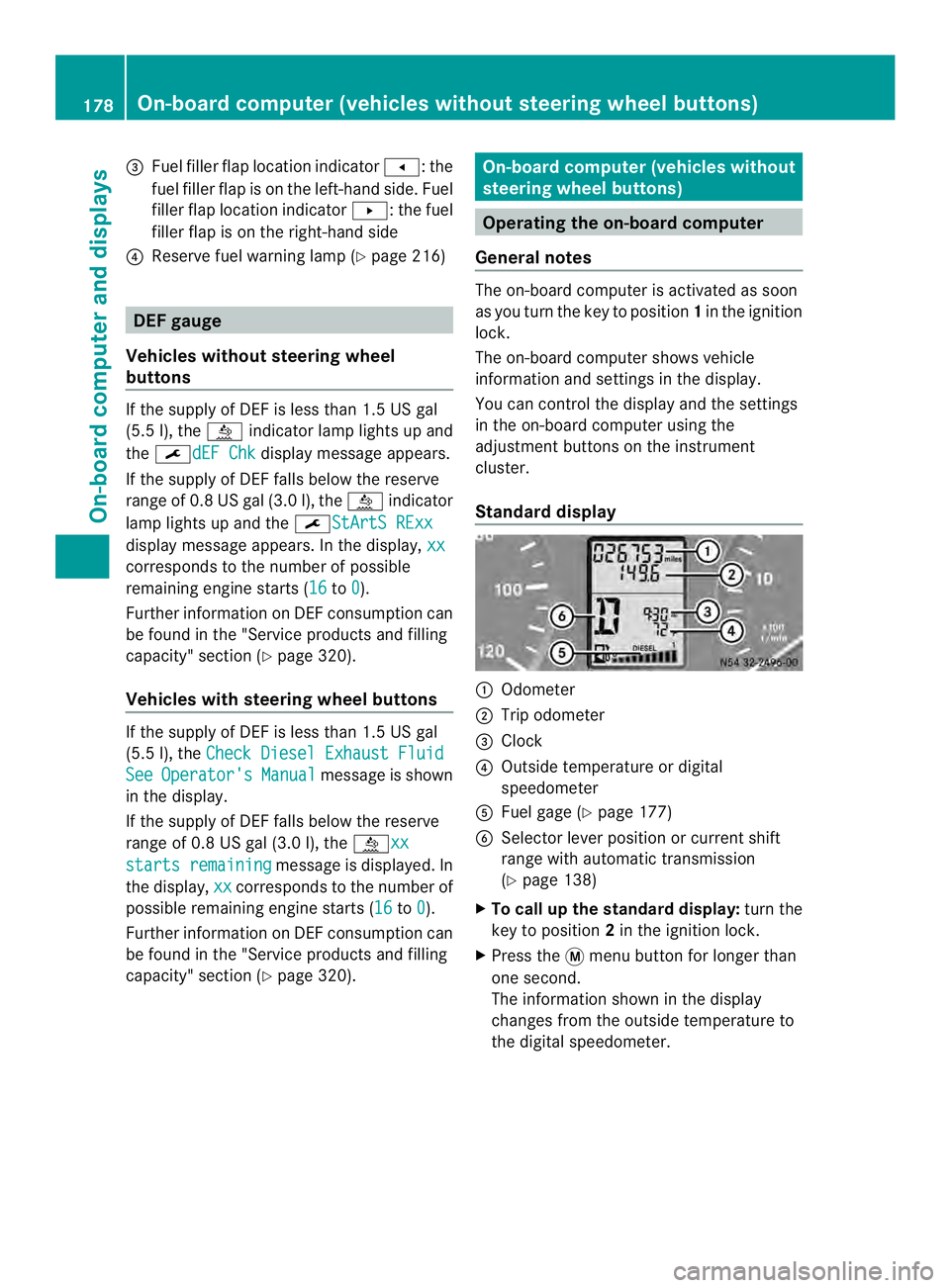
Standard display 0005
Odometer
0006 Trip odometer
0026 Clock
0025 Outside temperature or digital
speedometer
0023 Fuel gage (Y page 177)
0024 Selector lever position or current shift
range with automatic transmission
(Ypage 138)
X To call up the standard display: turn the
key to position 2in the ignition lock.
X Press the 0004menu button for longer than
one second.
The information shown in the display
changes from the outside temperature to
the digital speedometer. 178
On-board computer (vehicles without steering wheel buttons)On-board computer and displays
Page 183 of 334
Menu Overview
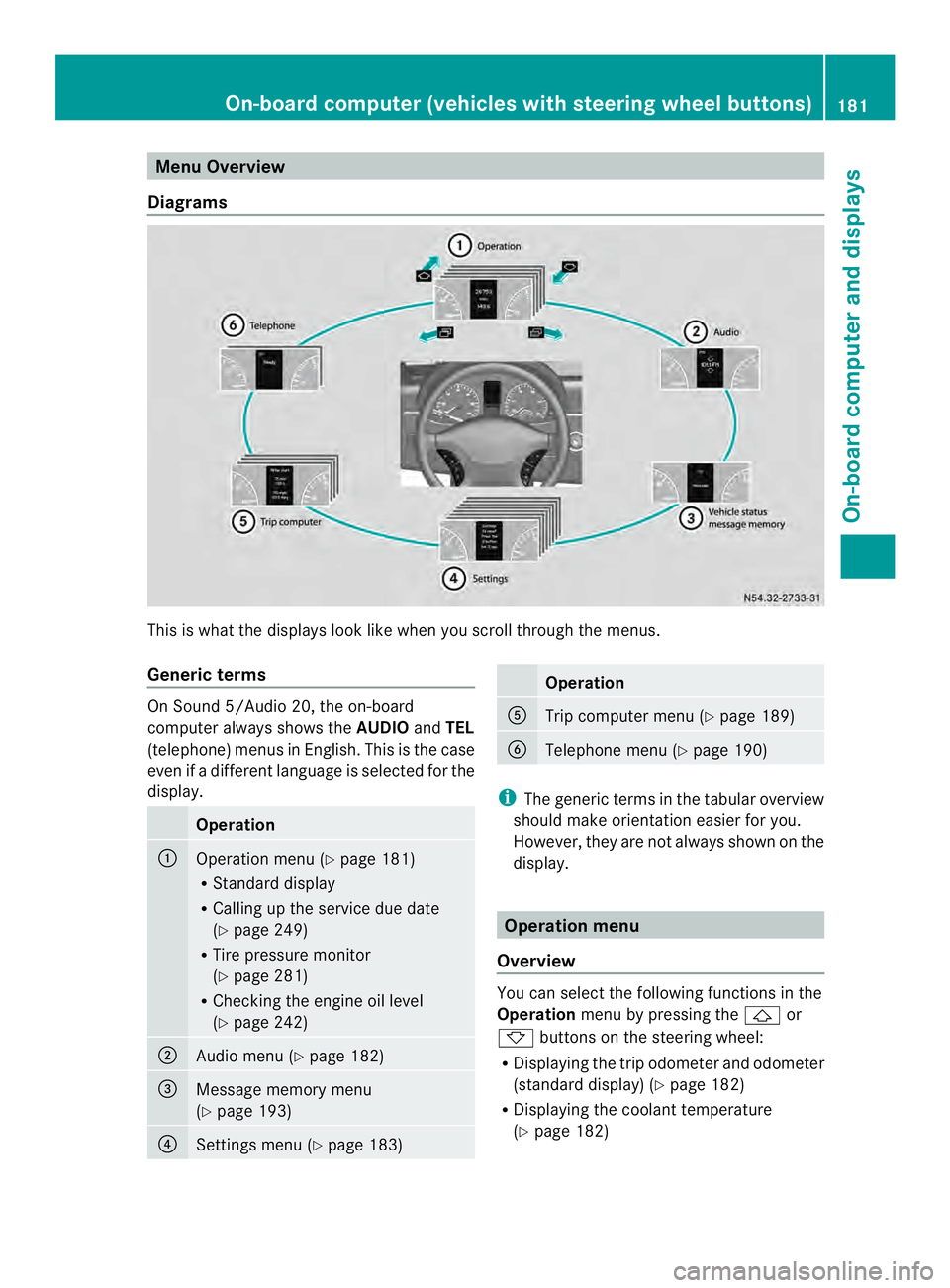
Diagrams This is whatt
he displays look like when you scroll through the menus.
Generic terms On Sound 5/Audio 20, the on-board
computer always shows the
AUDIOandTEL
(telephone) menus in English. This is the case
even if a different language is selected for the
display. Operation
0005
Operation menu (Y
page 181)
R Standard display
R Calling up the service due date
(Y page 249)
R Tire pressure monitor
(Y page 281)
R Checking the engine oil level
(Y page 242) 0006
Audio menu (Y
page 182) 0026
Message memory menu
(Y
page 193) 0025
Settings menu (Y
page 183) Operation
0023
Trip computer menu (Y
page 189) 0024
Telephone menu (Y
page 190) i
The generic terms in the tabular overview
should make orientation easier for you.
However, they are not always shown on the
display. Operation menu
Overview You can select the following functions in the
Operation
menu by pressing the 0001or
0009 buttons on the steering wheel:
R Displaying the trip odometer and odometer
(standard display) (Y page 182)
R Displaying the coolant temperature
(Y page 182) On-board computer (vehicles with steering wheel buttons)
181On-board computer and displays Z
Page 184 of 334
R
Calling up the service due date
(Y page 249)
R Tire pressure monitor (Y page 281)
R Checking the oil level (Y page 242)
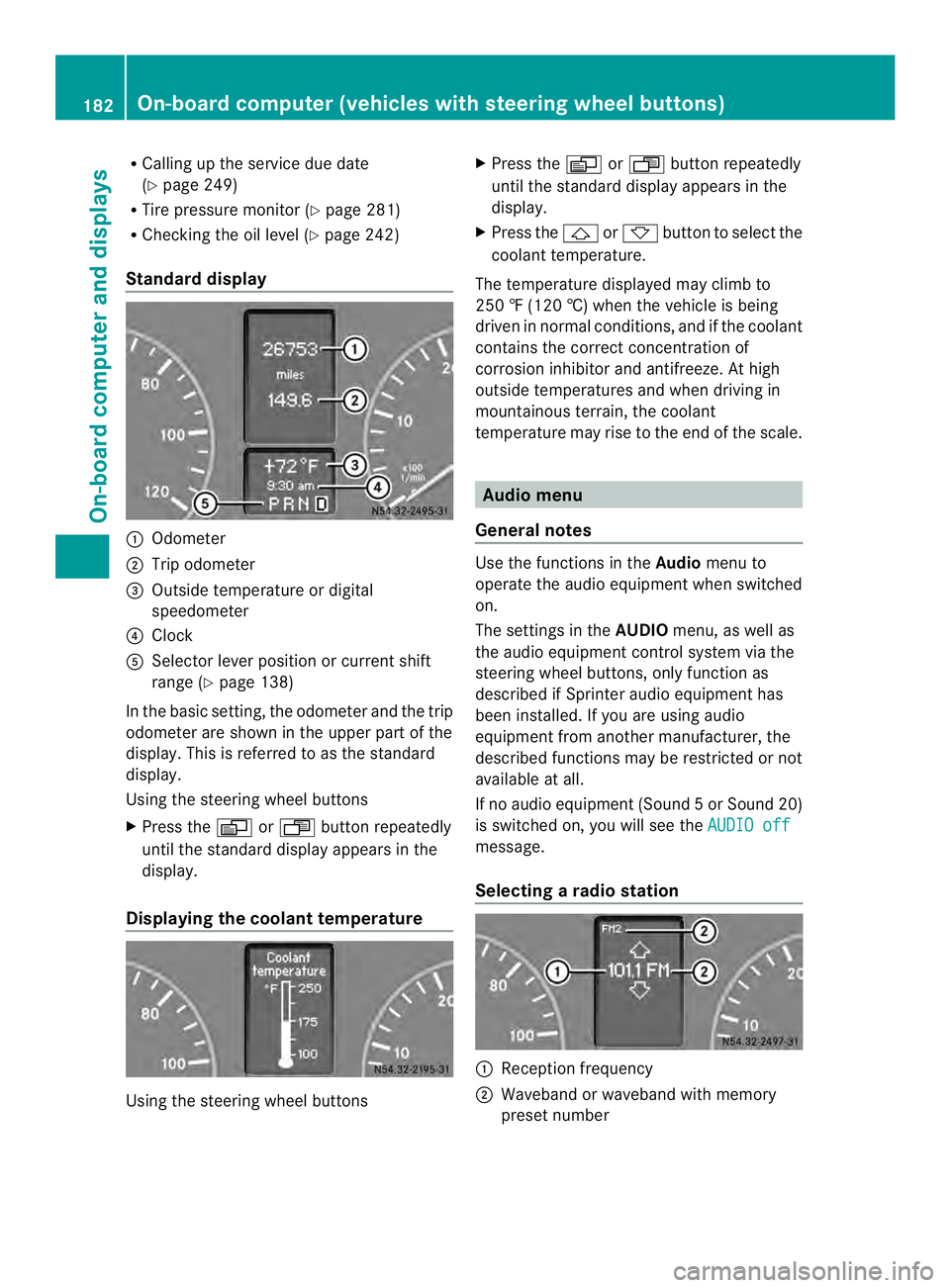
Standard display 0005
Odometer
0006 Trip odometer
0026 Outside temperature or digital
speedometer
0025 Clock
0023 Selector lever position or current shift
range (Y page 138)
In the basic setting, the odometer and the trip
odometer are shown in the upper part of the
display. This is referred to as the standard
display.
Using the steering wheel buttons
X Press the 0010or0007 buttonrepeatedly
until the standard display appears in the
display.
Displaying the coolant temperature Using the steering wheel buttons X
Press the 0010or0007 button repeatedly
until the standard display appears in the
display.
X Press the 0001or0009 button to select the
coolant temperature.
The temperature displayed may climb to
250 ‡ (120 †) when the vehicle is being
driven in normal conditions, and if the coolant
contains the correct concentration of
corrosion inhibitor and antifreeze. At high
outside temperatures and when driving in
mountainous terrain, the coolant
temperature may rise to the end of the scale. Audio menu
General notes Use the functions in the
Audiomenu to
operate the audio equipment when switched
on.
The settings in the AUDIOmenu, as well as
the audio equipment control system via the
steering wheel buttons, only function as
described if Sprinter audio equipment has
been installed. If you are using audio
equipment from another manufacturer, the
described functions may be restricted or not
available at all.
If no audio equipment (Sound 5orSound 20)
is switched on, you will see the AUDIO off message.
Selecting
aradio station 0005
Receptio nfrequency
0006 Waveband or waveband with memory
prese tnumber 182
On-boar
dcomputer (vehicles with steering wheel buttons)On-board computer and displays
Page 187 of 334
X
Press the 0011or0012 button to select the
Inst. cluster submenu.
X Press the 0001button to select the
Temperat. function.
The selection marker is on the current
setting.
X Press the 0011or0012 button to select the
unit for all messages in the display: °C(degrees Celsius) or
°F (degrees
Fahrenheit).
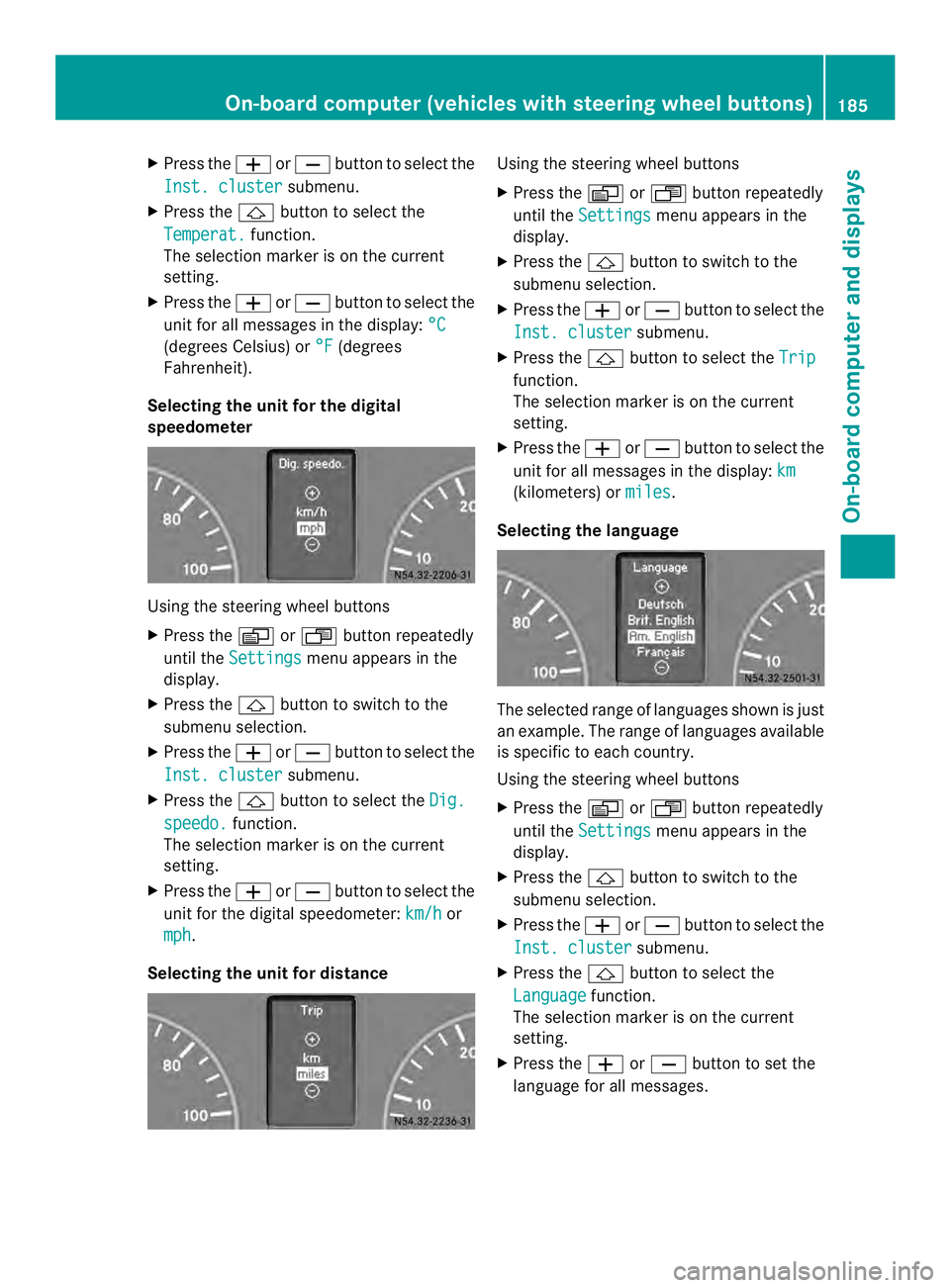
Selecting the unit for the digital
speedometer Using the steering wheel buttons
X
Press the 0010or0007 button repeatedly
until the Settings menu appears in the
display.
X Press the 0001button to switch to the
submenu selection.
X Press the 0011or0012 button to select the
Inst. cluster submenu.
X Press the 0001button to select the Dig. speedo. function.
The selection marker is on the current
setting.
X Press the 0011or0012 button to select the
unit for the digital speedometer: km/h or
mph .
Selecting the unit for distance Using the steering wheel buttons
X
Press the 0010or0007 button repeatedly
until the Settings menu appears in the
display.
X Press the 0001button to switch to the
submenu selection.
X Press the 0011or0012 button to select the
Inst. cluster submenu.
X Press the 0001button to select the Trip function.
The selection marker is on the current
setting.
X Press the 0011or0012 button to select the
unit for all messages in the display: km (kilometers) or
miles .
Selecting the language The selected range of languages shown is just
an example. The range of languages available
is specific to each country.
Using the steering wheel buttons
X
Press the 0010or0007 button repeatedly
until the Settings menu appears in the
display.
X Press the 0001button to switch to the
submenu selection.
X Press the 0011or0012 button to select the
Inst. cluster submenu.
X Press the 0001button to select the
Language function.
The selection marker is on the current
setting.
X Press the 0011or0012 button to set the
language for all messages. On-board computer (vehicle
swith steering wheel buttons)
185On-board computer and displays Z
Page 191 of 334
The
Frequency setting starts the station
search. The Memory setting selects the next
stored station.
Using the steering wheel buttons
X Press the 0010or0007 button repeatedly
until the Settings menu appears in the
display.
X Press the 0001button to switch to the
submenu selection.
X Press 0011or0012 to select the Vehicle submenu.
X Press the 0001button to select the
Search function.
The selection marker is on the current
setting.
X Press the 0011or0012 button to select the
station search mode.
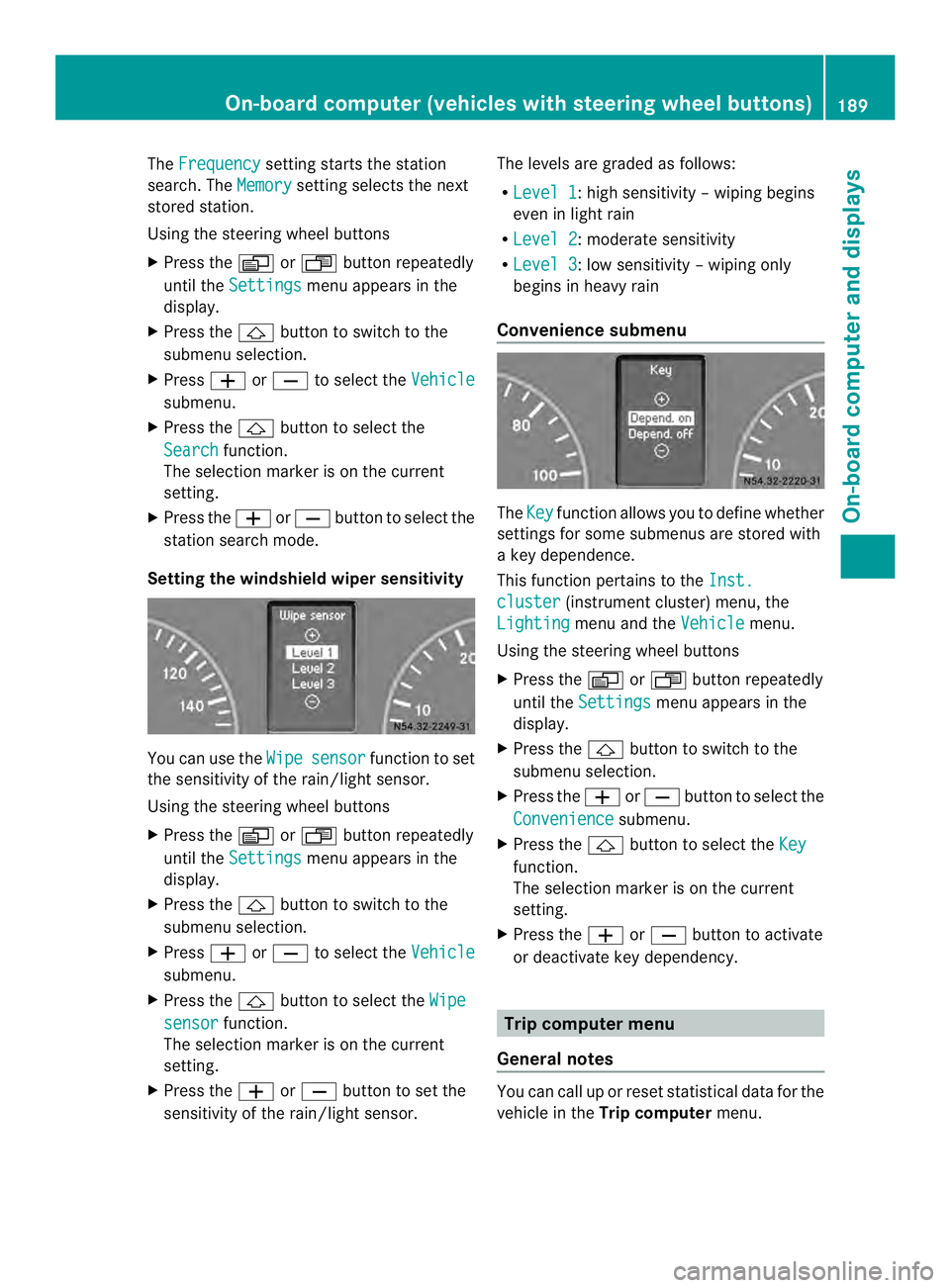
Setting the windshield wiper sensitivity You can use the
Wipe sensor function to set
the sensitivity of the rain/light sensor.
Using the steering wheel buttons
X Press the 0010or0007 button repeatedly
until the Settings menu appears in the
display.
X Press the 0001button to switch to the
submenu selection.
X Press 0011or0012 to select the Vehicle submenu.
X Press the 0001button to select the Wipe sensor function.
The selection marker is on the current
setting.
X Press the 0011or0012 button to set the
sensitivity of the rain/light sensor. The levels are graded as follows:
R
Level 1 :h
igh sensitivity –wiping begins
even in light rain
R Level 2 :m
oderate sensitivity
R Level 3 :l
ow sensitivity –wiping only
begins in heavy rain
Convenience submenu The
Key function allows you to define whether
settings for some submenus are stored with
a key dependence.
This function pertains to the Inst. cluster (instrument cluster) menu, the
Lighting menu and the
Vehicle menu.
Using the steering wheel buttons
X Press the 0010or0007 button repeatedly
until the Settings menu appears in the
display.
X Press the 0001button to switch to the
submenu selection.
X Press the 0011or0012 button to selec tthe
Convenience submenu.
X Press the 0001button to select the Key function.
The selection marker is on the current
setting.
X Press the 0011or0012 button to activate
or deactivate key dependency. Trip computer menu
General notes You can call up or reset statistical data for the
vehicle in the
Trip computer menu. On-board computer (vehicles with steering wheel buttons)
189On-board computer and displays Z
Page 192 of 334
i
When you call up the trip computer again,
it displays the last function called up.
The units of the statistical information
displayed are set permanently for each
specific country, and are therefore
independen tofthe units selected in the
Settings menu.
Trip computer "After start" or "After
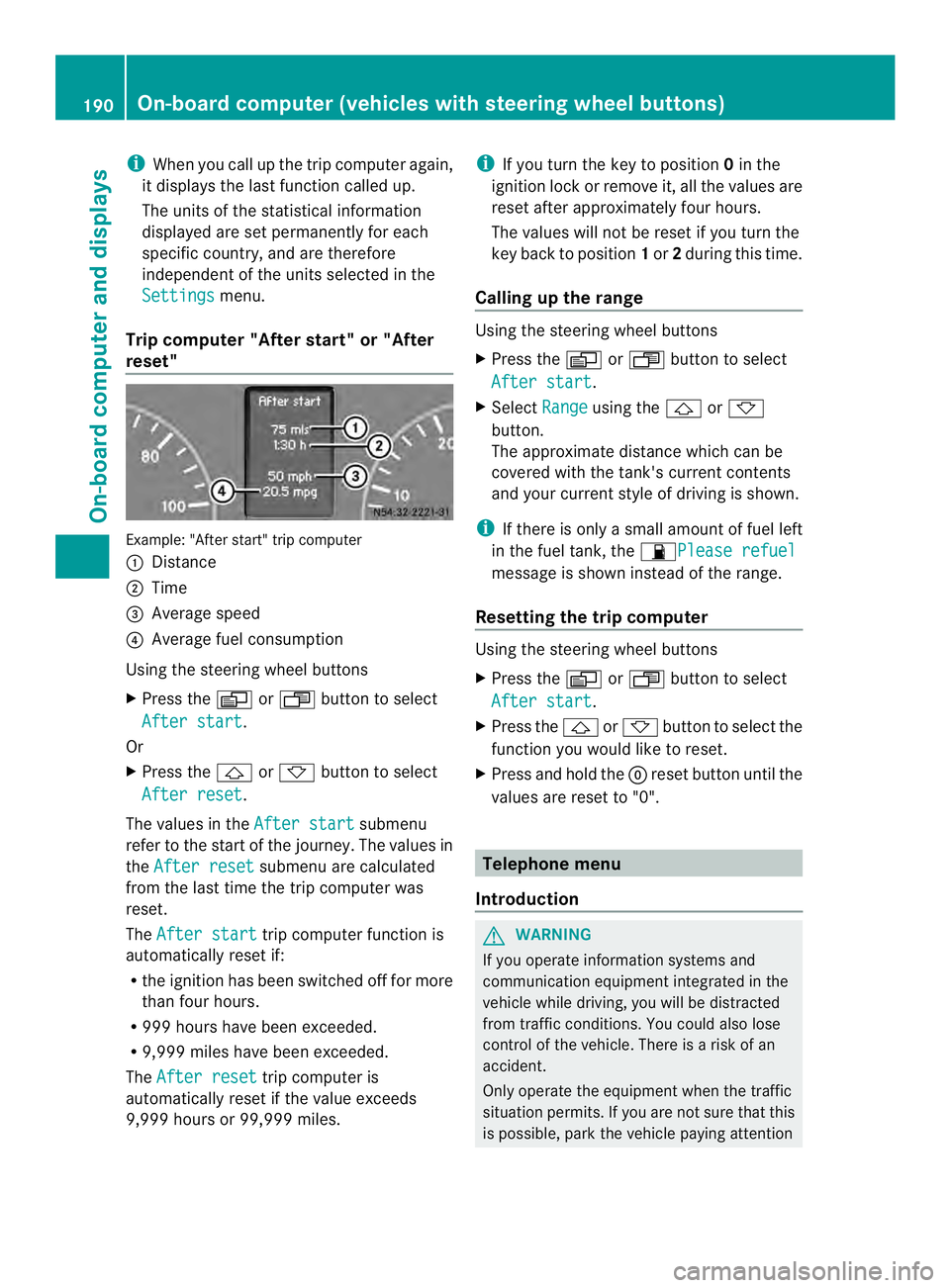
reset" Example: "After start" trip computer
0005
Distance
0006 Time
0026 Average speed
0025 Average fuel consumption
Using the steering wheel buttons
X Press the 0010or0007 button to select
After start .
Or
X Press the 0001or0009 button to select
After reset .
The values in the After start submenu
refer to the start of the journey. The values in
the After reset submenu are calculated
from the last time the trip computer was
reset.
The After start trip computer function is
automatically reset if:
R the ignition has been switched off for more
than four hours.
R 999 hours have been exceeded.
R 9,999 miles have been exceeded.
The After reset trip computer is
automatically reset if the value exceeds
9,999 hours or 99,999 miles. i
If you turn the key to position 0in the
ignition lock or remove it, all the values are
reset after approximately four hours.
The values will not be reset if you turn the
key back to position 1or 2during this time.
Calling up the range Using the steering wheel buttons
X
Press the 0010or0007 button to select
After start .
X Select Range using the
0001or0009
button.
The approximate distance which can be
covered with the tank's current contents
and your current style of driving is shown.
i If there is only a small amount of fuel left
in the fuel tank, the 0016Please refuel message is shown instead of the range.
Resetting the trip computer Using the steering wheel buttons
X
Press the 0010or0007 button to select
After start .
X Press the 0001or0009 button to select the
function you would like to reset.
X Press and hold the 0007reset button until the
values are reset to "0". Telephone menu
Introduction G
WARNING
If you operate information systems and
communication equipment integrated in the
vehicle while driving, you will be distracted
from traffic conditions. You could also lose
control of the vehicle. There is a risk of an
accident.
Only operate the equipment when the traffic
situation permits. If you are not sure that this
is possible, park the vehicle paying attention 190
On-board computer (vehicles with steering wheel buttons)On-board computer and displays
Page 321 of 334
This can result in damage to the fuel
injection system, for example.
Flow improvers are fuel additives used to
improve the flow characteristics of diesel
fuels.
The effectiveness of flow improvers cannot be
guaranteed with all fuels. Observe the
manufacturer's recommendations.
Information about approved flow improvers is
available from any authorized Sprinter Dealer.
At outside temperatures below 14 ‡(002710 †),
and if using diesel with less resistance to low
temperatures, add flow improver, basing the
mixing ratio on the outside temperature.
Mix this fuel additive with the diesel in good
time before the flow properties of the diesel
are affected by paraffi nseparation.
Malfunctions resulting from paraffin
separation can only be rectified by heating
the entire fuel system. Park the vehicle in a
heated garage, for example.
Information on fuel consumption H
Environmental note
CO 2(carbon dioxide) is the gas which
scientists believe to be principally responsible
for global warming (the greenhouse effect).
Your vehicle's CO 2emissions are directly
related to fuel consumption and therefore
depend on:
R efficien tuse of the fuel by the engine
R driving style
R other non-technical factors, such as
environmental influences or road
conditions
You can minimize your vehicle's CO 2
emissions by driving carefully and having it
serviced regularly.
i Only for certain countries: the respective
current consumption and emission values
of your vehicle can be found in the COC
papers (EC CERTIFICATE OF
CONFORMITY). These documents are
supplied when the vehicle is delivered. Consumption figures were found in the
currently valid respective version:
R
for vehicles up to and including the
Euro 4 standard according to EU
Directive 80/1268/EEC
R for vehicles from the Euro 5 standard
according to regulation (EC) no.
715/2007
Fuel consumption depends on:
R the vehicle version
R the style of driving
R the operating conditions
R the type or quality of the fuel used
The vehicle will use more fuel than usual in
the following situations:
R at very low outside temperatures
R in city traffic
R during short journeys
R in mountainous terrain
R when towing a trailer
To keep fuel consumption low, observe the
advice in the "Protection of the environment"
section (Y page 22).
The following components of the different
vehicle versions influence fuel consumption:
R tire sizes, tire tread, tire pressure, tire
condition
R body
R transmission ratios for the drive
assemblies
R additional equipment (e.g. air-conditioning
system, auxiliary heating system).
For these reasons, the actual consumption
figures for your vehicle may deviate from the
consumption figures determined according
to EU Directive 80/1268/EEC.
Data concerning fuel consumption are
recorded in the on-board computer; use the
steering wheel buttons to call up the Trip
computer menu (Ypage 190). Service products and capacities
319Technical data Z