time MITSUBISHI COLT 2009 10.G Owner's Manual
[x] Cancel search | Manufacturer: MITSUBISHI, Model Year: 2009, Model line: COLT, Model: MITSUBISHI COLT 2009 10.GPages: 273, PDF Size: 17.28 MB
Page 96 of 273
Downloaded from www.Manualslib.com manuals search engine Switch position 0-Driver only/Driver + 1 front
passengerSwitch position 2-5 passengers (including driver)Switch position 3-5 passengers (including driv-
er) + Full luggage loadingSwitch position 3-Driver + Full luggage loading
Vehicles with turbocharger
Vehicle condi- tionSwitch
position“0”“1”“2”“2”
: 1 person: Full luggage loading
Switch position 0-Driver only/Driver + 1 front
passengerSwitch position 1-5 passengers (including driver)Switch position 2-5 passengers (including driv-
er) + Full luggage loadingSwitch position 2-Driver + Full luggage loadingTurn-signal lever E00506501000
The turn-signal lamps flash when the lever is oper-
ated (with the ignition switch in the “ON” posi-
tion). At the same time, the turn signal indication
lamp flashes.
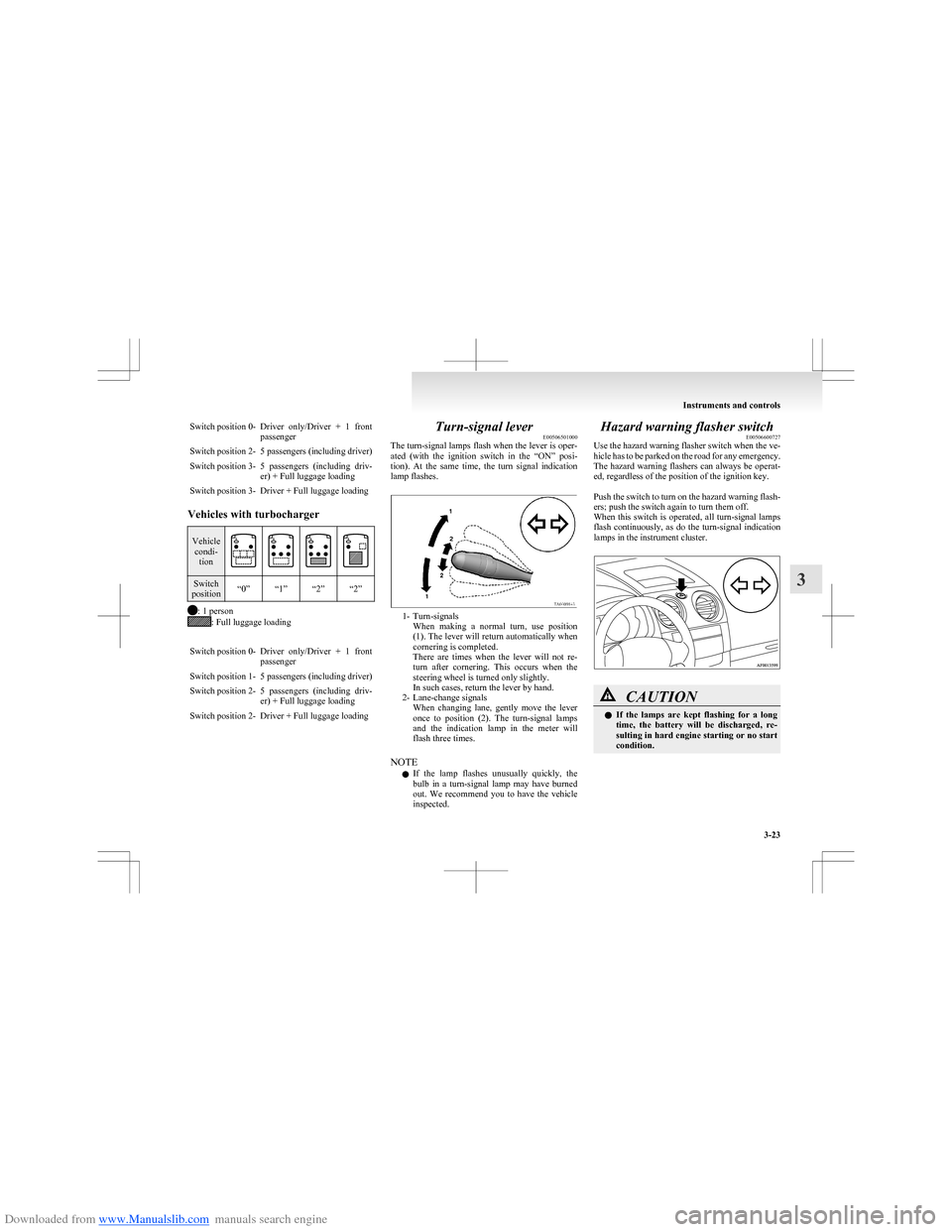
1- Turn-signals When making a normal turn, use position
(1). The lever will return automatically when
cornering is completed.
There are times when the lever will not re-
turn after cornering. This occurs when the
steering wheel is turned only slightly.
In such cases, return the lever by hand.
2- Lane-change signals When changing lane, gently move the lever
once to position (2). The turn-signal lamps
and the indication lamp in the meter will
flash three times.
NOTE l If the lamp flashes unusually quickly, the
bulb in a turn-signal lamp may have burned
out. We recommend you to have the vehicle
inspected.
Hazard warning flasher switch E00506600727
Use the hazard warning flasher switch when the ve-
hicle has to be parked on the road for any emergency.
The hazard warning flashers can always be operat-
ed, regardless of the position of the ignition key.
Push the switch to turn on the hazard warning flash-
ers; push the switch again to turn them off.
When this switch is operated, all turn-signal lamps
flash continuously, as do the turn-signal indication
lamps in the instrument cluster.CAUTIONl If the lamps are kept flashing for a long
time, the battery will be discharged, re-
sulting in hard engine starting or no start
condition.
Instruments and controls
3-23
3
Page 97 of 273
Downloaded from www.Manualslib.com manuals search engine NOTEl While the hazard warning lamps are blinking
due to having manually pushed the switch,
the Emergency stop signal does not operate.
Refer to “Emergency stop signal system” on
page 4-26.Front fog lamp switch* E00506800820
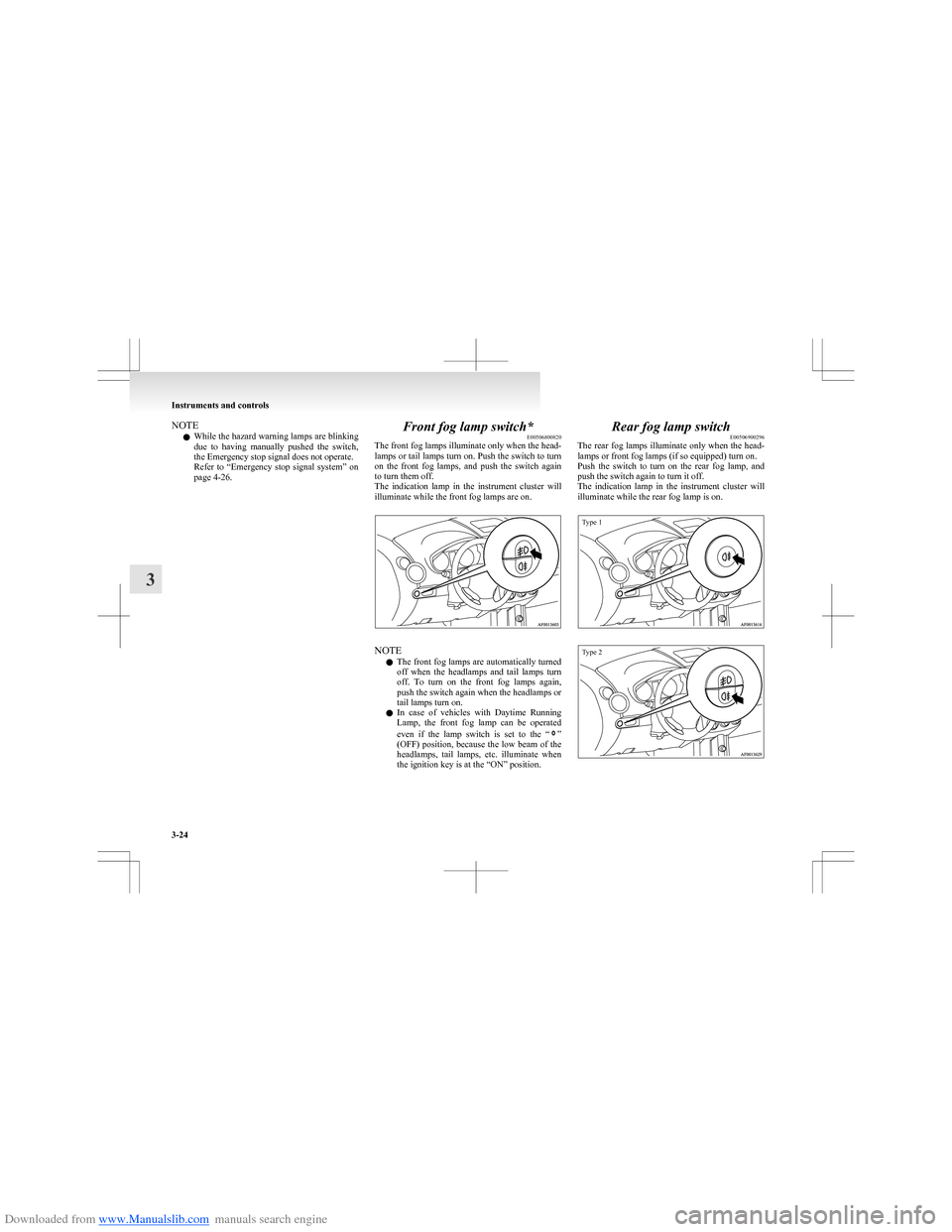
The front fog lamps illuminate only when the head-
lamps or tail lamps turn on. Push the switch to turn
on the front fog lamps, and push the switch again
to turn them off.
The indication lamp in the instrument cluster will
illuminate while the front fog lamps are on.
NOTE
l The front fog lamps are automatically turned
off when the headlamps and tail lamps turn
off. To turn on the front fog lamps again,
push the switch again when the headlamps or
tail lamps turn on.
l In case of vehicles with Daytime Running
Lamp, the front fog lamp can be operated
even if the lamp switch is set to the “
”
(OFF) position, because the low beam of the
headlamps, tail lamps, etc. illuminate when
the ignition key is at the “ON” position.
Rear fog lamp switch E00506900296
The rear fog lamps illuminate only when the head-
lamps or front fog lamps (if so equipped) turn on.
Push the switch to turn on the rear fog lamp, and
push the switch again to turn it off.
The indication lamp in the instrument cluster will
illuminate while the rear fog lamp is on.
Type 1Type 2
Instruments and controls
3-24
3
Page 98 of 273
Downloaded from www.Manualslib.com manuals search engine NOTEl The rear fog lamp is automatically turned off
when the headlamps and front fog lamps (if
so equipped) turned off. To turn on the rear
fog lamp again, push the switch again when
the headlamps or front fog lamps (if so equip-
ped) turn on.
l In case of vehicles with Daytime Running
Lamp, the rear fog lamp can be operated
even if the lamp switch is set to the “
”
(OFF) position, because the low beam of the
headlamps, tail lamps, etc. illuminate when
the ignition key is at the “ON” position.
Wiper and washer switch E00507101191CAUTIONlIf the washer is used in cold weather, the
washer fluid sprayed against the glass
may freeze, which may hinder visibility.
Warm the glass with the defroster or rear
window demister switch before using the
washer.Windscreen wipers E00516900127Except for vehicle with rain sensorE00527000072
The windscreen wiper and washer can be operated
with the ignition switch in the “ON” or “ACC” po-
sition.
If the blades are frozen to the windscreen, do not
operate the wipers until the ice has melted and the
blades are freed, otherwise the wiper motor may be
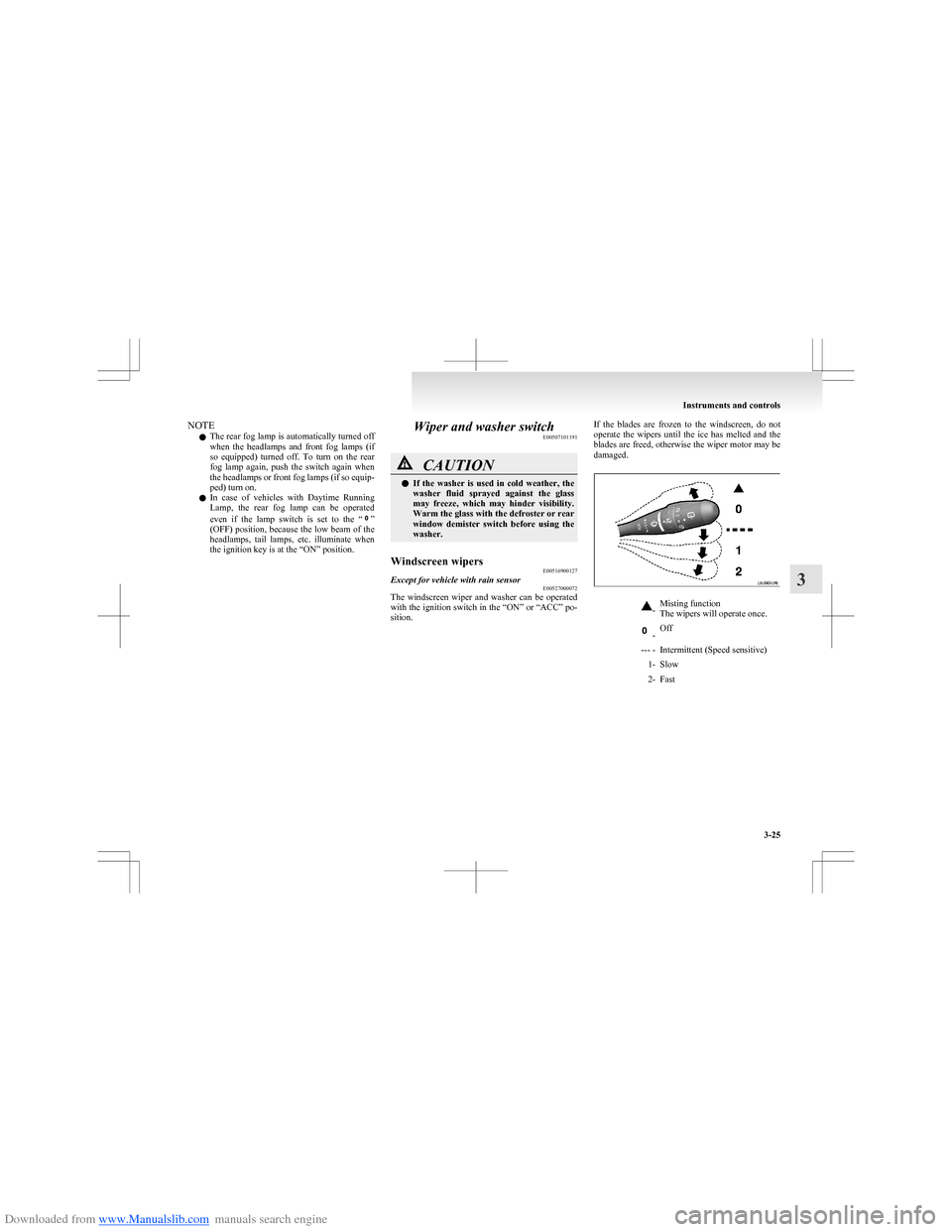
damaged.-Misting function
The wipers will operate once. -Off--- -Intermittent (Speed sensitive)1-Slow2-Fast
Instruments and controls
3-25
3
Page 101 of 273
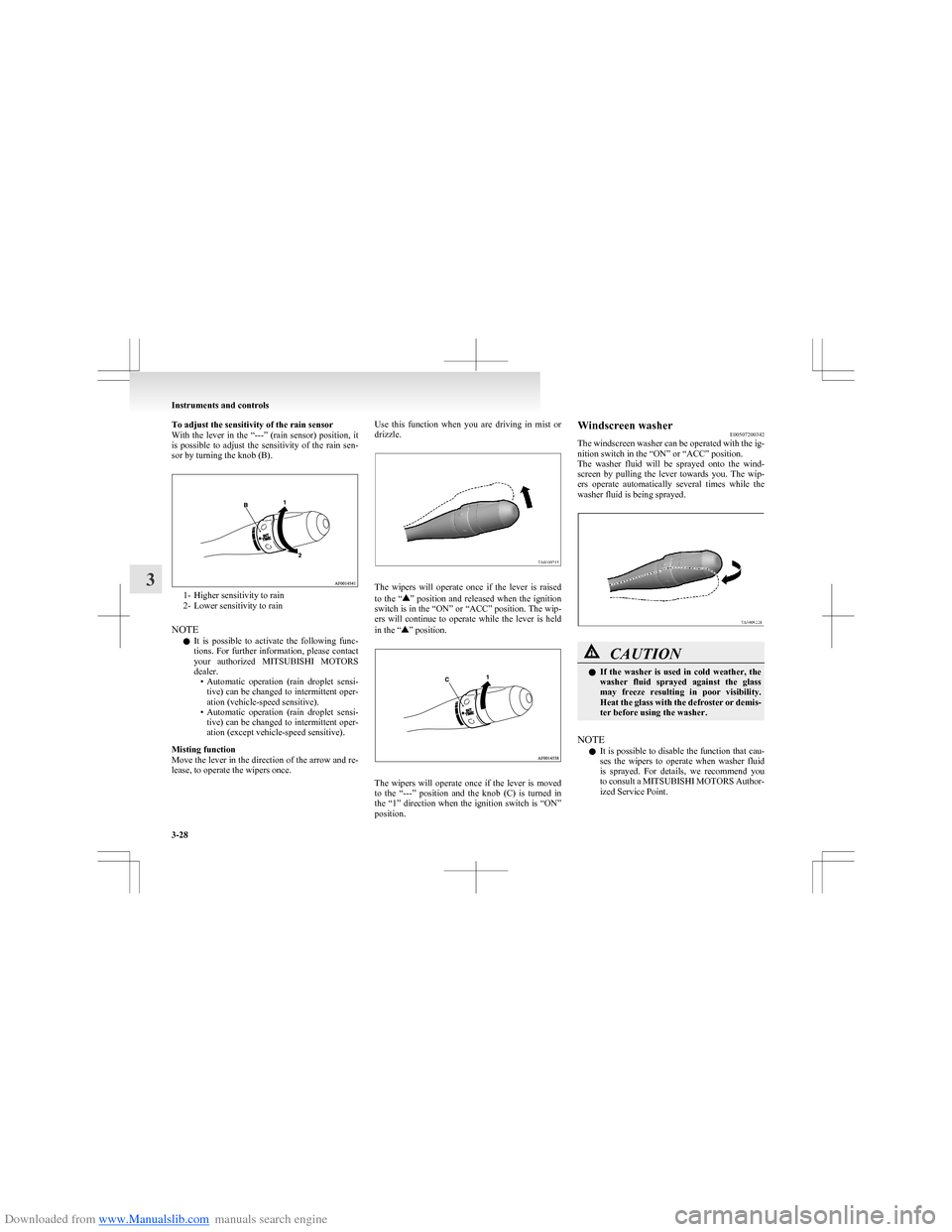
Downloaded from www.Manualslib.com manuals search engine To adjust the sensitivity of the rain sensor
With the lever in the “---” (rain sensor) position, it
is possible to adjust the sensitivity of the rain sen-
sor by turning the knob (B).
1- Higher sensitivity to rain
2- Lower sensitivity to rain
NOTE l It is possible to activate the following func-
tions. For further information, please contact
your authorized MITSUBISHI MOTORS
dealer. •Automatic operation (rain droplet sensi-
tive) can be changed to intermittent oper-
ation (vehicle-speed sensitive).
• Automatic operation (rain droplet sensi-
tive) can be changed to intermittent oper-
ation (except vehicle-speed sensitive).
Misting function
Move the lever in the direction of the arrow and re-
lease, to operate the wipers once.
Use this function when you are driving in mist or
drizzle.
The wipers will operate once if the lever is raised
to the “” position and released when the ignition
switch is in the “ON” or “ACC” position. The wip-
ers will continue to operate while the lever is held
in the “
” position.
The wipers will operate once if the lever is moved
to the “---” position and the knob (C) is turned in
the “1” direction when the ignition switch is “ON”
position.
Windscreen washer E00507200342
The windscreen washer can be operated with the ig-
nition switch in the “ON” or “ACC” position.
The washer fluid will be sprayed onto the wind-
screen by pulling the lever towards you. The wip-
ers operate automatically several times while the
washer fluid is being sprayed.CAUTIONl If the washer is used in cold weather, the
washer fluid sprayed against the glass
may freeze resulting in poor visibility.
Heat the glass with the defroster or demis-
ter before using the washer.
NOTE
l It is possible to disable the function that cau-
ses the wipers to operate when washer fluid
is sprayed. For details, we recommend you
to consult a MITSUBISHI MOTORS Author-
ized Service Point.
Instruments and controls
3-28
3
Page 102 of 273
Downloaded from www.Manualslib.com manuals search engine Rear window wiper and washerE00507300532
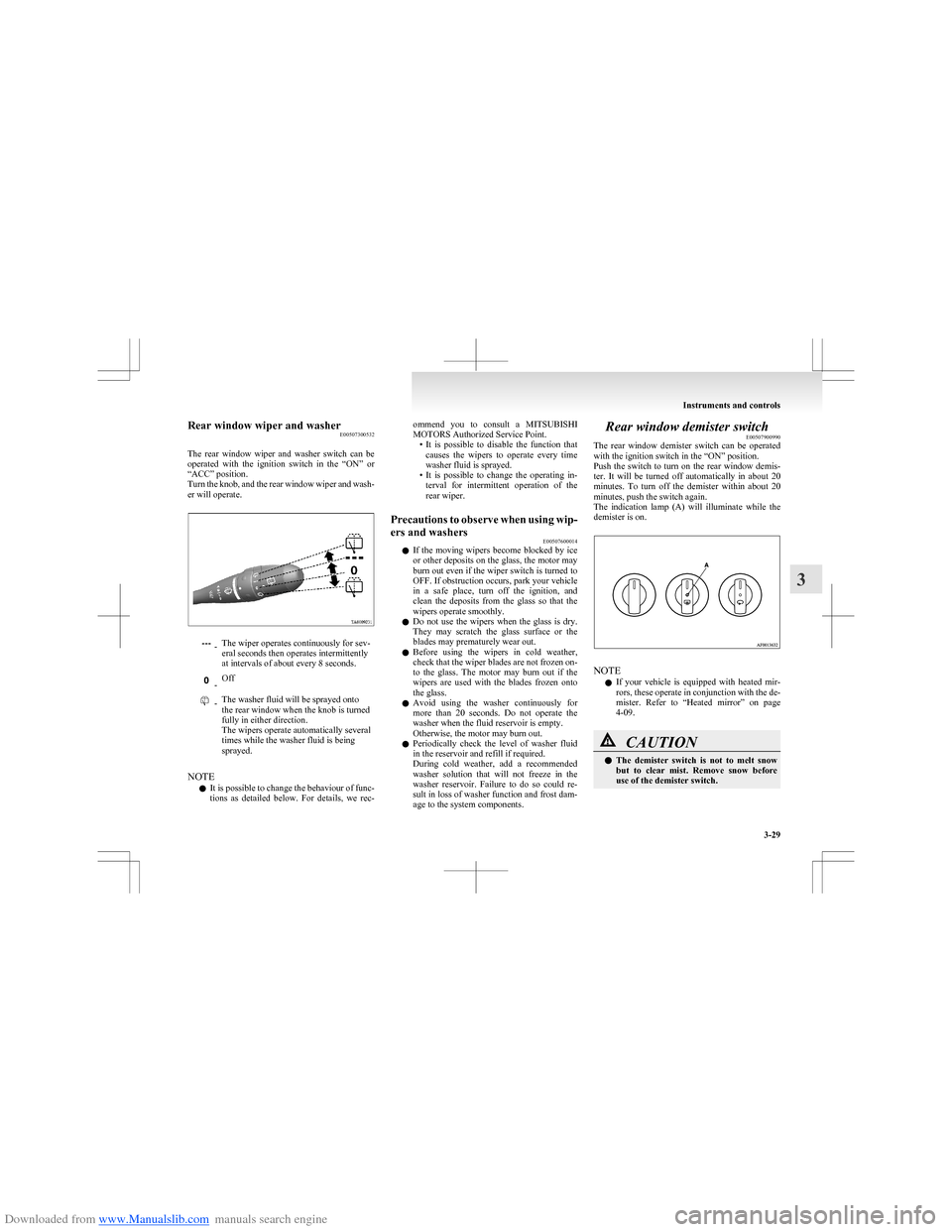
The rear window wiper and washer switch can be
operated with the ignition switch in the “ON” or
“ACC” position.
Turn the knob, and the rear window wiper and wash-
er will operate. -The wiper operates continuously for sev-
eral seconds then operates intermittently
at intervals of about every 8 seconds. -Off -The washer fluid will be sprayed onto
the rear window when the knob is turned
fully in either direction.
The wipers operate automatically several
times while the washer fluid is being
sprayed.
NOTE
l It is possible to change the behaviour of func-
tions as detailed below. For details, we rec-
ommend you to consult a MITSUBISHI
MOTORS Authorized Service Point. •It is possible to disable the function that
causes the wipers to operate every time
washer fluid is sprayed.
• It is possible to change the operating in-
terval for intermittent operation of the
rear wiper.Precautions to observe when using wip-
ers and washers E00507600014
lIf the moving wipers become blocked by ice
or other deposits on the glass, the motor may
burn out even if the wiper switch is turned to
OFF. If obstruction occurs, park your vehicle
in a safe place, turn off the ignition, and
clean the deposits from the glass so that the
wipers operate smoothly.
l Do not use the wipers when the glass is dry.
They may scratch the glass surface or the
blades may prematurely wear out.
l Before using the wipers in cold weather,
check that the wiper blades are not frozen on-
to the glass. The motor may burn out if the
wipers are used with the blades frozen onto
the glass.
l Avoid using the washer continuously for
more than 20 seconds. Do not operate the
washer when the fluid reservoir is empty.
Otherwise, the motor may burn out.
l Periodically check the level of washer fluid
in the reservoir and refill if required.
During cold weather, add a recommended
washer solution that will not freeze in the
washer reservoir. Failure to do so could re-
sult in loss of washer function and frost dam-
age to the system components.
Rear window demister switch E00507900990
The rear window demister switch can be operated
with the ignition switch in the “ON” position.
Push the switch to turn on the rear window demis-
ter. It will be turned off automatically in about 20
minutes. To turn off the demister within about 20
minutes, push the switch again.
The indication lamp (A) will illuminate while the
demister is on.
NOTE
l If your vehicle is equipped with heated mir-
rors, these operate in conjunction with the de-
mister. Refer to “Heated mirror” on page
4-09.
CAUTIONl The demister switch is not to melt snow
but to clear mist. Remove snow before
use of the demister switch.
Instruments and controls
3-29
3
Page 105 of 273
Downloaded from www.Manualslib.com manuals search engine Economical drivingE00600100763
For economical driving, there are some technical re-
quirements that have to be met. The prerequisite
for low fuel consumption is a properly adjusted en-
gine. In order to achieve longer life of the vehicle
and the most economical operation, we recommend
you to have the vehicle checked at regular intervals
in accordance with the service standards.
Fuel economy and generation of exhaust gas and
noise are highly influenced by personal driving hab-
its as well as the particular operating conditions.
The following points should be observed in order
to minimize wear of brakes, tyres and engine as
well as to reduce environmental pollution.
Starting
Avoid rapid acceleration and sudden starts; such op-
eration will result in higher fuel consumption.
Shifting
Shift only at an appropriate speed and engine
speed. Always use the highest gear possible.
City traffic
Frequent starting and stopping increases the aver-
age fuel consumption. Use roads with smooth traf-
fic flow whenever possible. When driving on con-
gested roads, avoid use of a low gear at high en-
gine speeds.
Idling
The vehicle consumes fuel even during idling.
Avoid extended idling whenever possible.Speed
The higher the vehicle speed, the more fuel con-
sumed. Avoid driving at full speed. Even a slight re-
lease of the accelerator pedal will save a significant
amount of fuel.
Tyre inflation pressure
Check the tyre inflation pressures at regular inter-
vals. Low tyre inflation pressure increases road re-
sistance and fuel consumption. In addition, low
tyre pressures adversely affect tyre wear and driv-
ing stability.
Load
Do not drive with unnecessary articles in the lug-
gage compartment. Especially during city driving
where frequent starting and stopping is necessary,
the increased weight of the vehicle will greatly af-
fect fuel consumption. Also avoid driving with un-
necessary luggage, etc., on the roof; the increased
air resistance will increase fuel consumption.
Cold engine starting
Starting of a cold engine consumes more fuel.
Unnecessary fuel consumption is also caused by
keeping a hot engine running. After the engine is
started, commence driving as soon as possible.
Air conditioning*
The use of the air conditioning will increase the
fuel consumption.Driving, alcohol and drugs E00600200012
Driving after drinking alcohol is one of the most fre-
quent causes of accidents.
Your driving ability can be seriously impaired even
with blood alcohol levels far below the legal mini-
mum. If you have been drinking, don’t drive. Ride
with a designated non-drinking driver, call a cab or
a friend, or use public transportation.
Drinking coffee or taking a cold shower will not
make you sober.
Similarly, prescription and nonprescription drugs af-
fect your alertness, perception and reaction time.
Consult with your doctor or pharmacist before driv-
ing while under the influence of any of these medi-
cations.WARNINGl NEVER DRINK AND DRIVE.
Your perceptions are less accurate, your
reflexes are slower and your judgment is
impaired.
Starting and driving
4-02
4
Page 113 of 273
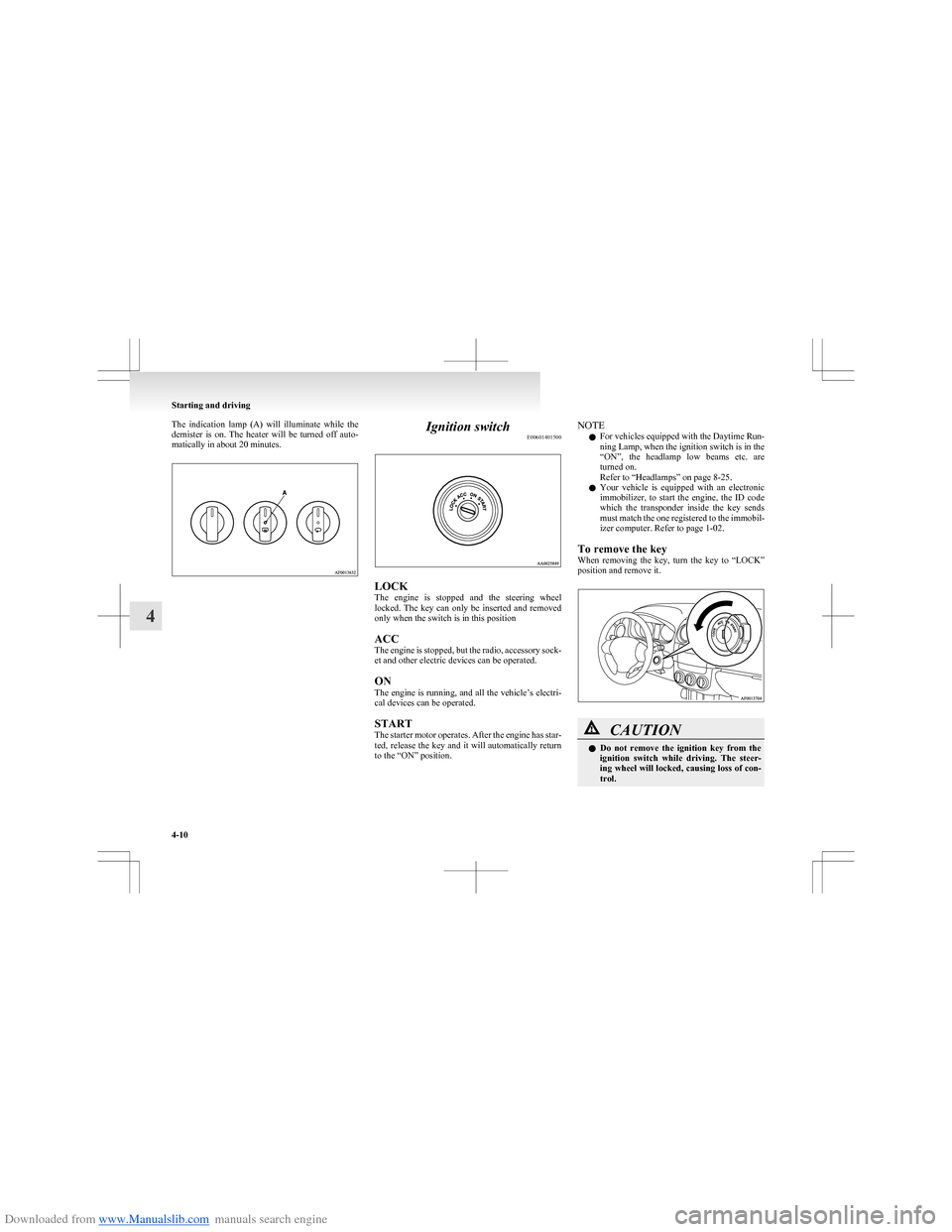
Downloaded from www.Manualslib.com manuals search engine The indication lamp (A) will illuminate while the
demister is on. The heater will be turned off auto-
matically in about 20 minutes.Ignition switch E00601401500
LOCK
The engine is stopped and the steering wheel
locked. The key can only be inserted and removed
only when the switch is in this position
ACC
The engine is stopped, but the radio, accessory sock-
et and other electric devices can be operated.
ON
The engine is running, and all the vehicle’s electri-
cal devices can be operated.
START
The starter motor operates. After the engine has star-
ted, release the key and it will automatically return
to the “ON” position.
NOTE
l For vehicles equipped with the Daytime Run-
ning Lamp, when the ignition switch is in the
“ON”, the headlamp low beams etc. are
turned on.
Refer to “Headlamps” on page 8-25.
l Your vehicle is equipped with an electronic
immobilizer, to start the engine, the ID code
which the transponder inside the key sends
must match the one registered to the immobil-
izer computer. Refer to page 1-02.
To remove the key
When removing the key, turn the key to “LOCK”
position and remove it.CAUTIONl Do not remove the ignition key from the
ignition switch while driving. The steer-
ing wheel will locked, causing loss of con-
trol.
Starting and driving
4-10
4
Page 114 of 273
Downloaded from www.Manualslib.com manuals search engine CAUTIONlIf the engine is stopped while driving, the
brake servomechanism will cease to func-
tion and braking efficiency will deterio-
rate. Also, the power steering system will
not function and it will require greater
manual effort to operate the steering.
l Do not leave the key in the “ON” position
for a long time when the engine is not run-
ning, doing so will cause the battery to be
discharged.
l Do not turn the key to the “START” posi-
tion when the engine is running, doing so
could damage the starter motor.Steering wheel lock E00601500605
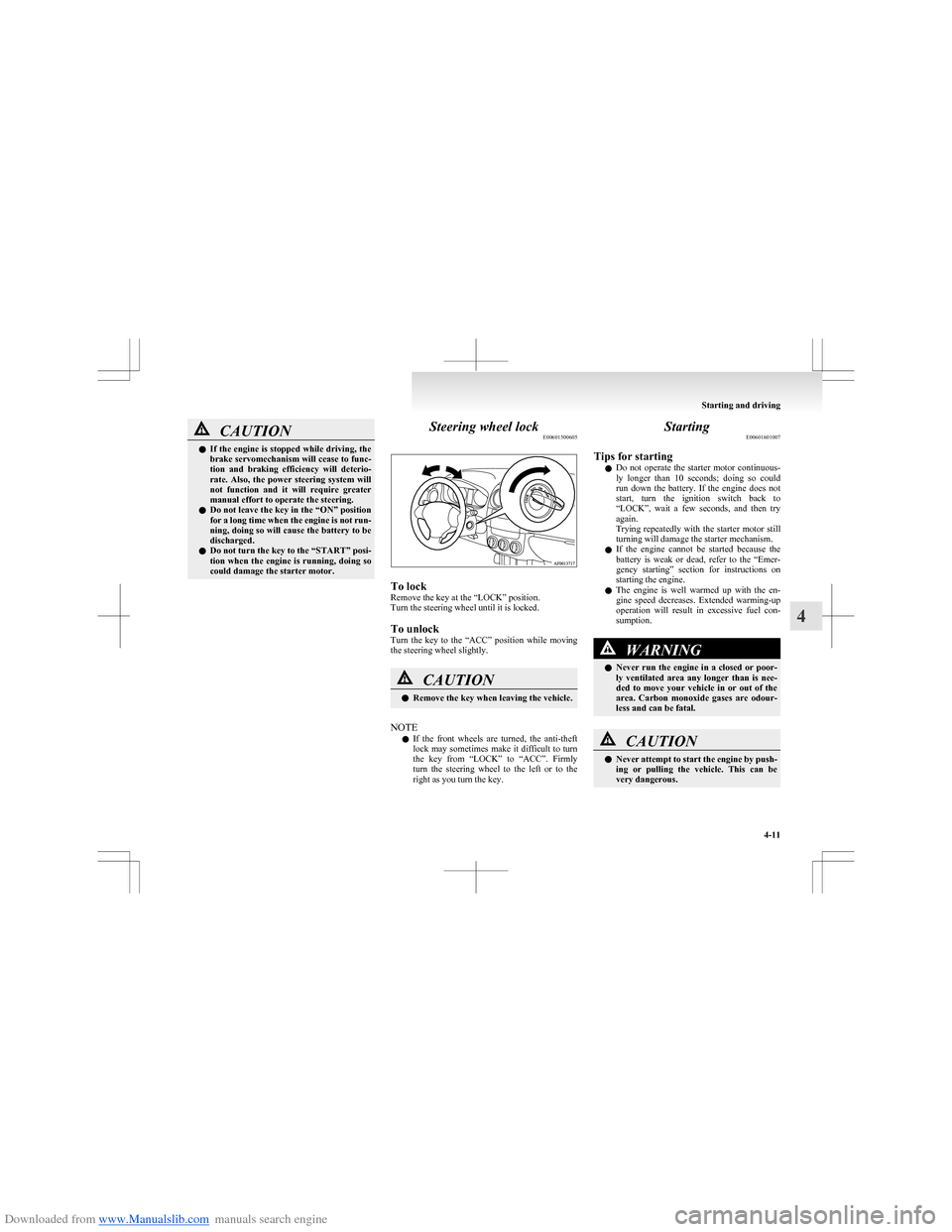
To lock
Remove the key at the “LOCK” position.
Turn the steering wheel until it is locked.
To unlock
Turn the key to the “ACC” position while moving
the steering wheel slightly.
CAUTIONl Remove the key when leaving the vehicle.
NOTE
l If the front wheels are turned, the anti-theft
lock may sometimes make it difficult to turn
the key from “LOCK” to “ACC”. Firmly
turn the steering wheel to the left or to the
right as you turn the key.
Starting E00601601007
Tips for starting l Do not operate the starter motor continuous-
ly longer than 10 seconds; doing so could
run down the battery. If the engine does not
start, turn the ignition switch back to
“LOCK”, wait a few seconds, and then try
again.
Trying repeatedly with the starter motor still
turning will damage the starter mechanism.
l If the engine cannot be started because the
battery is weak or dead, refer to the “Emer-
gency starting” section for instructions on
starting the engine.
l The engine is well warmed up with the en-
gine speed decreases. Extended warming-up
operation will result in excessive fuel con-
sumption.WARNINGl Never run the engine in a closed or poor-
ly ventilated area any longer than is nee-
ded to move your vehicle in or out of the
area. Carbon monoxide gases are odour-
less and can be fatal.CAUTIONl Never attempt to start the engine by push-
ing or pulling the vehicle. This can be
very dangerous.
Starting and driving
4-11
4
Page 115 of 273
Downloaded from www.Manualslib.com manuals search engine CAUTIONlDo not run the engine at high rpm or
drive the vehicle at high speed until the en-
gine has had a chance to warm up.
l Release the ignition key as soon as the en-
gine starts to avoid damaging the starter
motor.
l If your vehicle is equipped with a turbo-
charger, do not stop the engine immedi-
ately after high-speed or uphill driving.
First allow the engine to idle to give the
turbocharger a chance to cool down.Starting the engine E00601702005
This vehicle is equipped with an electronically con-
trolled fuel injection system which is automatically
controlled. When starting the engine, do not de-
press the accelerator pedal.
The starting procedure is as follows:
Vehicles with manual transmission 1.Insert the ignition key and fasten the seat belt.
2. Make sure the parking brake is applied.
3. Depress and hold the brake pedal.
4. Fully depress the clutch pedal.
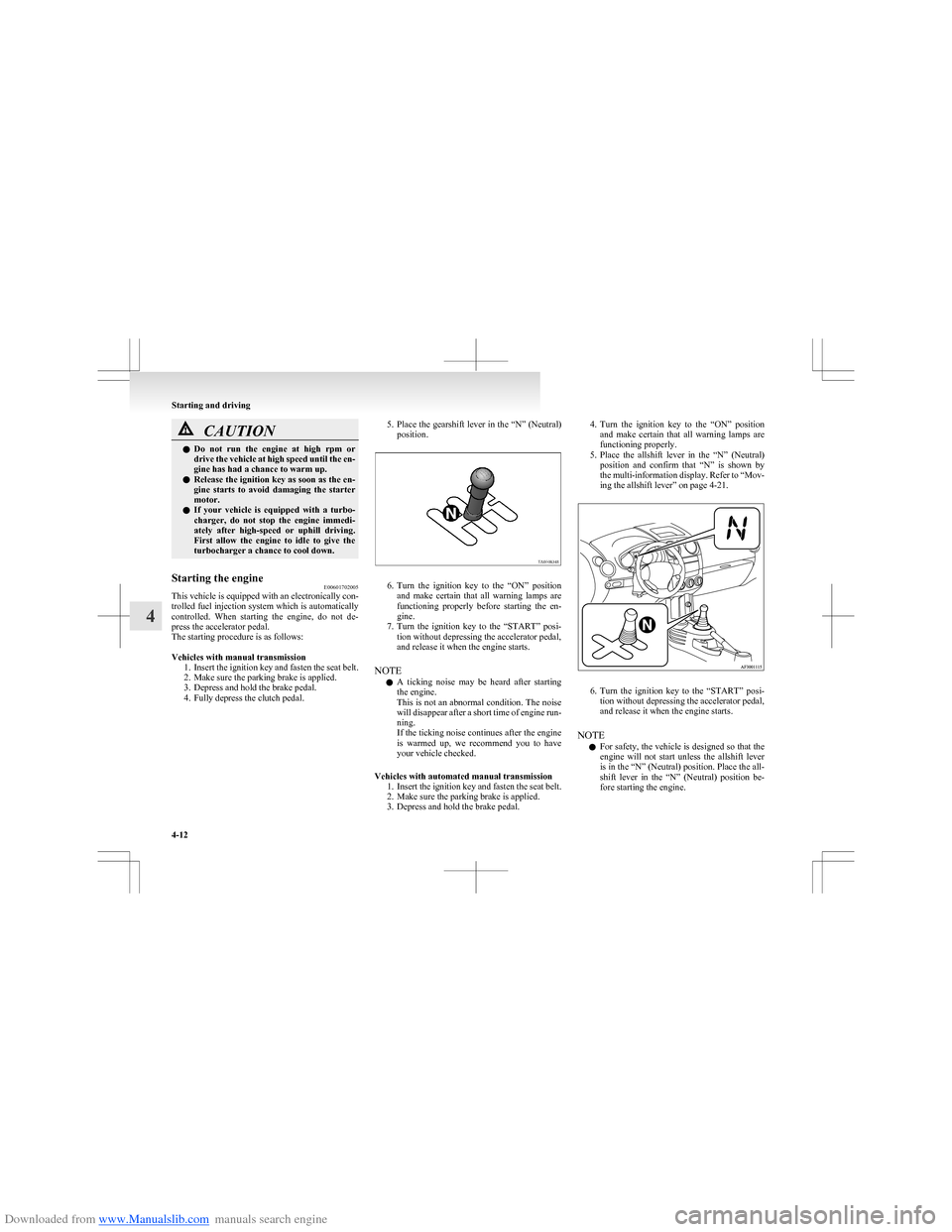
5. Place the gearshift lever in the “N” (Neutral)
position.
6. Turn the ignition key to the “ON” position
and make certain that all warning lamps are
functioning properly before starting the en-
gine.
7. Turn the ignition key to the “START” posi-
tion without depressing the accelerator pedal,
and release it when the engine starts.
NOTE l A ticking noise may be heard after starting
the engine.
This is not an abnormal condition. The noise
will disappear after a short time of engine run-
ning.
If the ticking noise continues after the engine
is warmed up, we recommend you to have
your vehicle checked.
Vehicles with automated manual transmission 1.Insert the ignition key and fasten the seat belt.
2. Make sure the parking brake is applied.
3. Depress and hold the brake pedal.
4. Turn the ignition key to the “ON” position
and make certain that all warning lamps are
functioning properly.
5. Place the allshift lever in the “N” (Neutral)
position and confirm that “N” is shown by
the multi-information display. Refer to “Mov-
ing the allshift lever” on page 4-21.
6. Turn the ignition key to the “START” posi-
tion without depressing the accelerator pedal,
and release it when the engine starts.
NOTE l For safety, the vehicle is designed so that the
engine will not start unless the allshift lever
is in the “N” (Neutral) position. Place the all-
shift lever in the “N” (Neutral) position be-
fore starting the engine.
Starting and driving
4-12
4
Page 116 of 273
Downloaded from www.Manualslib.com manuals search engine lIf you turn the ignition key to the “START”
position when the gearshift is not in the “N”
(Neutral) position, the multi-information dis-
play will behave as follows to indicate that
the engine will not start. •Gearshift in “S” (Stand by) position: An
“A” or “1” will be shown. Or “0” will flash.
• Gearshift in “R” (Reverse) position: An
“R” will be shown. Or “0” will flash.
Confirm that “N” is shown by the multi-infor-
mation display.Auto Stop & Go (AS&G) system* E00627400022
The Auto Stop & Go (AS&G) system automatical-
ly stops and restarts the engine without operating
the ignition switch when the vehicle is stopped,
such as at a traffic light or in a traffic jam, to re-
duce exhaust gases, increase fuel efficiency.CAUTIONl If the vehicle will be stopped for a long
time or if you will leave the vehicle unat-
tended, turn the ignition switch to the
“LOCK” position to stop the engine.Automatically stopping the engine E00627500010
The Auto Stop & Go (AS&G) system is automati-
cally activated when the ignition switch is turned to
the “ON” position.
You can deactivate the system by pressing the “Au-
to Stop & Go (AS&G) OFF” switch.
Refer to “To deactivate” on page 4-16. 1. Stop the vehicle.
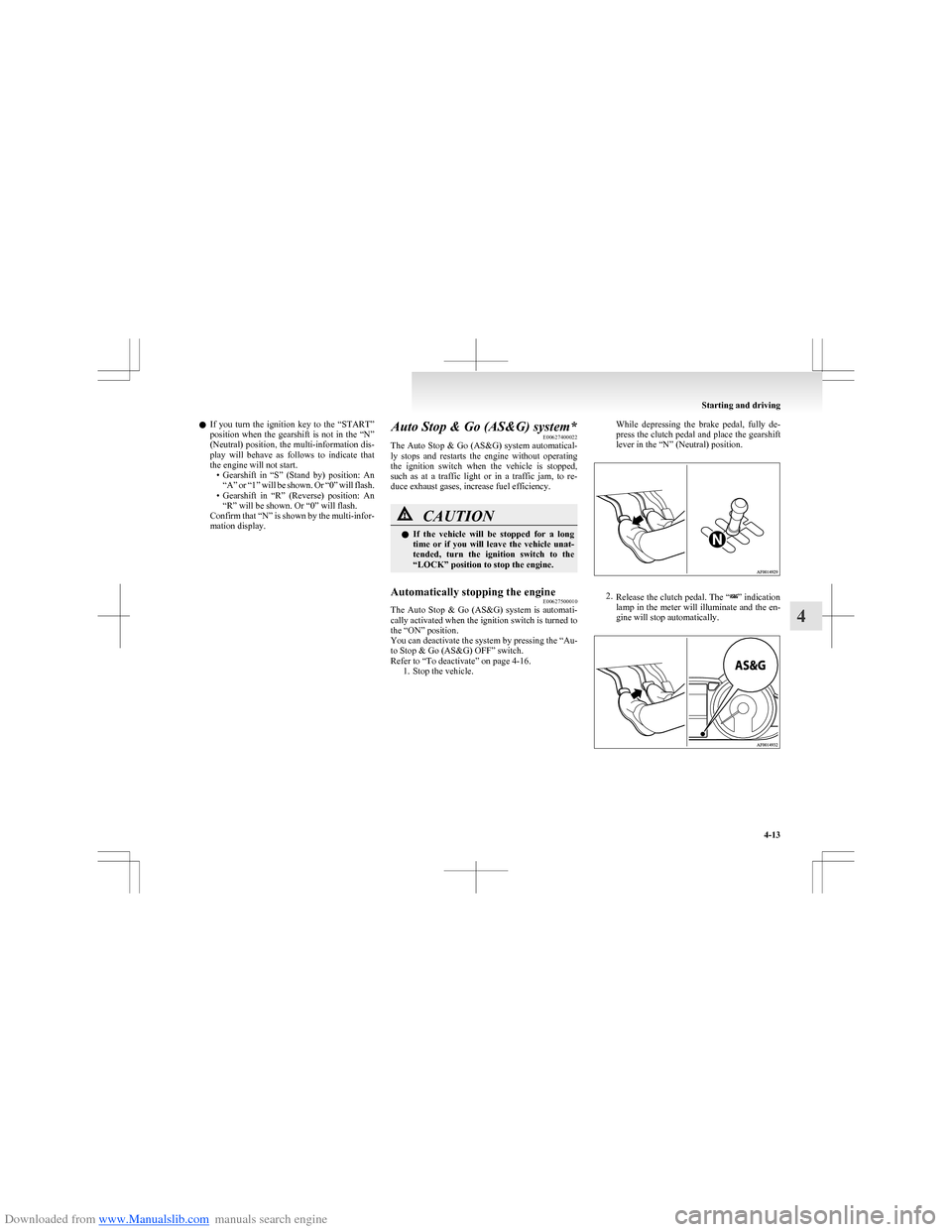
While depressing the brake pedal, fully de-
press the clutch pedal and place the gearshift
lever in the “N” (Neutral) position.
2. Release the clutch pedal. The “” indication
lamp in the meter will illuminate and the en-
gine will stop automatically.
Starting and driving
4-13
4