page 9 MITSUBISHI LANCER RALLIART 2014 8.G Owners Manual
[x] Cancel search | Manufacturer: MITSUBISHI, Model Year: 2014, Model line: LANCER RALLIART, Model: MITSUBISHI LANCER RALLIART 2014 8.GPages: 434, PDF Size: 57.5 MB
Page 241 of 434

Bluetooth® 2.0 interface (if so equipped) 5-174 Features and controls
5
N00565601072
You can make a call in the following 3 ways using the Bluetooth
® 2.0 interface:
Making a call by saying a telephone number, making a call using the Bluetooth
® 2.0 inter-
face’s phonebook, and making a call by redi-aling. You can make a call by saying the telephone number. 1. Press the SPEECH button (except for vehicles with Mitsubishi Multi-Commu- nication System) or PICK-UP button (for vehicles with Mitsubishi Multi-Commu-nication System). 2. Say “Dial.” 3. After the voice guide says “Numberplease,” say the telephone number.
4. The voice guide will say “Dialing
® 2.0 interface will then
make the call. When the confirmation function is on, the system will confirm the telephone number again. To continue with that number,answer “Yes.” To change the telephone number, answer “No.” The system will say “Numberplease” then say the telephone numberagain.
You can make calls using the vehicle phone- book or mobile phonebook of the Bluetooth
®
2.0 interface.
For details on the phonebooks, refer to “Phonebook function” on page 5-176. 1. Press the SPEECH button (except for vehicles with Mitsubishi Multi-Commu- nication System) or PICK-UP button (forvehicles with Mitsubishi Multi-Commu- nication System). 2. Say “Call.” 3. After the voice guide says “Name please,” say the name you want to call, from those registered in the phonebook.
To m a k e a c a l l
Making a call by using the telephone number
NOTE
In the case of English, the system will recog- nise both “zero” and “oh” (Letter “o”) for the number “0.” The Bluetooth
® 2.0 interface supports num-
bers (0 to 9) and characters (+, # and
*).
The maximum supported telephone number length is as follows: • International telephone number: + and tele- phone numbers (to 18 digits). • Except for international telephone number: telephone numbers (to 19 digits).
Making a call using a phonebook
NOTE
If you say “Call” when the vehicle phone- book and the mobile phonebook are empty, the voice guide will say “The vehicle phone- book is empty. Would you like to add a newentry now?” Answer “Yes,” and the voice guide will say “Entering the phonebook - new entry menu.”You can now create data in the vehicle phonebook. Answer “No,” the system will return to themain menu.
Page 246 of 434

Bluetooth® 2.0 interface (if so equipped)
Features and controls 5-179
5
8. The voice guide will say “Adding
10. The voice guide will say “Would you like
to import another contact?”Answer “Yes” if you want to continue with the registration. You can continue to register a new phonebook entry from Step5. Answer “No,” the system will return to the main menu.
N00579800023
You can change or delete a name or telephone number registered in the vehicle phonebook. You can also listen to the list of names regis-tered in the vehicle phonebook.
N00579900024
1. Press the SPEECH button (except forvehicles with Mits
ubishi Multi-Commu-
nication System) or PICK-UP button (for vehicles with Mits
ubishi Multi-Commu-
nication System).2. Say “Phonebook.” 3. The voice guide will say “Select one of the following: new entry, edit number,edit name, list names, delete, erase all, orimport contact”. Say “Edit number.” 4. The voice guide will say “Please say the name of the entry you would like to edit,or say list names.” Say the name of the phonebook entry you want to edit.
5. The voice guide will say “Home, work, mobile or other?” Select and say the loca- tion where the telephone number you want to change or add is registered.When the confirmation function is on, the system will check the target name and location again. Answer “Yes” if you wantto continue with the editing. Answer “No,” the system will return to Step 3.6. The voice guide will say “Number,please.” Say the telephone number you want to register. 7. The voice guide will repeat the telephone number. When the confirmation function is on, the system will ask if the number is correct.Answer “Yes.” Answer “No,” the system will return to the Step 3.
To change the content registered in the vehicle phonebook NOTE
The system must have at least one entry.
Editing a telephone number
NOTE
Say “List names,” and the names registered in the phonebook will be read out in order. Refer to “Listening to the list of registered names” on page 5-180.
NOTE
If the telephone number is already registered in the selected location, the voice guide will say “The current number is
Page 247 of 434

Bluetooth® 2.0 interface (if so equipped) 5-180 Features and controls
5
8. Once the telephone number is registered, the voice guide will say “Number saved” and then the system will return to the main menu.
N00580100026
1. Press the SPEECH button (except forvehicles with Mitsubishi Multi-Commu-nication System) or PICK-UP button (for vehicles with Mitsubishi Multi-Commu- nication System).2. Say “Phonebook.” 3. The voice guide will say “Select one of the following: new entry, edit number,edit name, list names, delete, erase all, or import contact.” Say “Edit name.”
4. The voice guide will say “Please say the name of the entry you would like to edit, or say list names.” Say the name you want to edit. 5. The voice guide will say “Changing
N00580200027
1. Press the SPEECH button (except forvehicles with Mitsubishi Multi-Commu- nication System) or PICK-UP button (for vehicles with Mitsubishi Multi-Commu-nication System).
2. Say “Phonebook.” 3. The voice guide will say “Select one of the following: new entry, edit number, edit name, list names, delete, erase all, orimport contact.” Say “List names.” 4. Bluetooth
® 2.0 interface will read out the
entries in the phonebook in order.5. When the voice guide is done reading the list, it will say “End of list, would you like to start from the beginning?” When youwant to check the list again from thebeginning, answer “Yes.” When you are done, answer “No” to return to the previous or main menu.
NOTE
If the location where a telephone number was already registered has been overwritten with a new number, the voice guide will say “Number changed” and then the system willreturn to the main menu.
Editing a name
NOTE
Say “List names,” and the names registered in the phonebook are read out in order. Refer to “Listening to the list of registered names” on page 5-180.
Listening to the list of registered names
NOTE
You can call, edit or delete a name that is being read out.Press the SPEECH button and say “Call” to call the name, “Edit name” to edit it, or “Delete” to delete it.The system will beep and then execute your command. If you press the SPEECH button and say “Continue” or “Previous” while the list is being read, the system will advance or rewind the list. Say “Continue” to proceed to the next entry or “Previ
ous” to return to the
previous entry.
Page 248 of 434

Bluetooth® 2.0 interface (if so equipped)
Features and controls 5-181
5
N00580300028
1. Press the SPEECH button (except for vehicles with Mitsubishi Multi-Commu-nication System) or PICK-UP button (for vehicles with Mitsubishi Multi-Commu- nication System).2. Say “Phonebook.” 3. The voice guide will say “Select one of the following: new entry, edit number,edit name, list names, delete, erase all, orimport contact.” Say “Delete.” 4. The voice guide will say “Please say the name of the entry you would like todelete, or say list names.” Say the name of the phonebook entry in which the tele- phone number you want to delete is regis-tered.
5. If only one telephone number is registered in the selected phonebook entry, the voice guide will say “Deleting
7. When the telephone number deletion is complete, the voice guide will say “
N00580400029
You can delete all registered informationfrom the vehicle phonebook. 1. Press the SPEECH button (except for vehicles with Mitsubishi Multi-Commu- nication System) or PICK-UP button (forvehicles with Mitsubishi Multi-Commu- nication System). 2. Say “Phonebook.”3. The voice guide will say “Select one of the following: new entry, edit number, edit name, list names, delete, erase all, orimport contact.” Say “Erase all.”
Deleting a telephone number
NOTE
Say “List names,” and the names registered in the phonebook are read out in order. Refer to “Listening to the list of registered names”on page 5-180.
NOTE
To delete the telephone numbers from all locations, say “All.”
Erasing the phonebook
Page 251 of 434
USB input terminal (if so equipped) 5-184 Features and controls
5
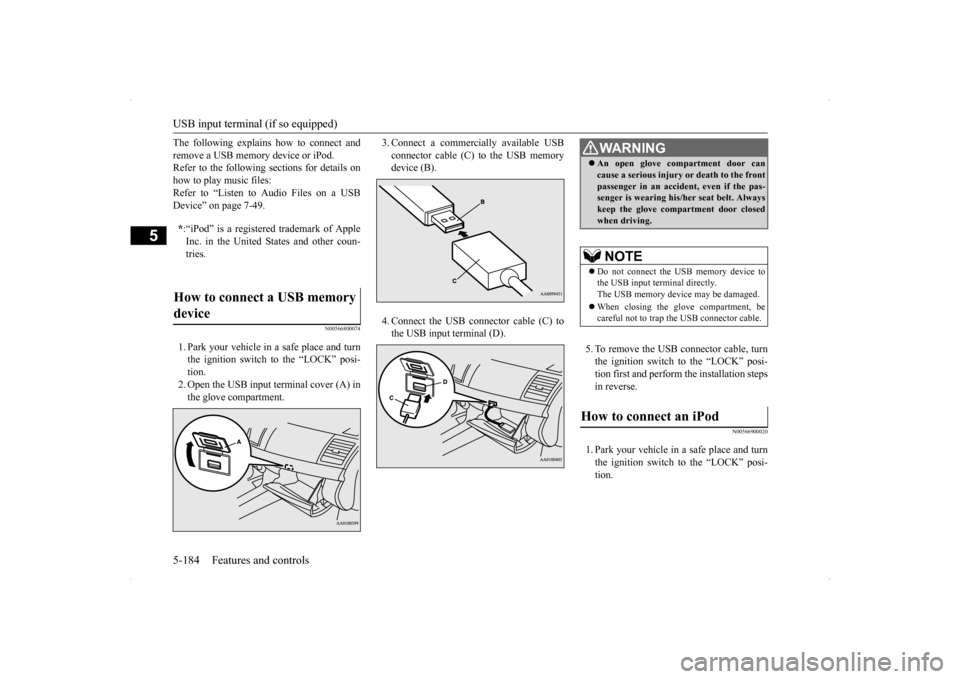
The following explains how to connect and remove a USB memory device or iPod. Refer to the following sections for details on how to play music files:Refer to “Listen to Audio Files on a USB Device” on page 7-49.
N00566800074
1. Park your vehicle in a safe place and turn the ignition switch to the “LOCK” posi- tion. 2. Open the USB input terminal cover (A) inthe glove compartment.
3. Connect a commercially available USB connector cable (C) to the USB memory device (B). 4. Connect the USB connector cable (C) to the USB input terminal (D).
5. To remove the USB connector cable, turn the ignition switch to the “LOCK” posi- tion first and perform the installation steps in reverse.
N00566900020
1. Park your vehicle in a safe place and turnthe ignition switch to the “LOCK” posi- tion.
* :“iPod” is a registered trademark of Apple Inc. in the United States and other coun- tries.
How to connect a USB memory device
WA R N I N G An open glove compartment door can cause a serious injury or death to the front passenger in an accident, even if the pas- senger is wearing his/her seat belt. Always keep the glove compartment door closedwhen driving.NOTE
Do not connect the USB memory device to the USB input terminal directly.The USB memory device may be damaged. When closing the glove compartment, be careful not to trap the USB connector cable.
How to connect an iPod
Page 258 of 434
Storage spaces
Features and controls 5-191
5
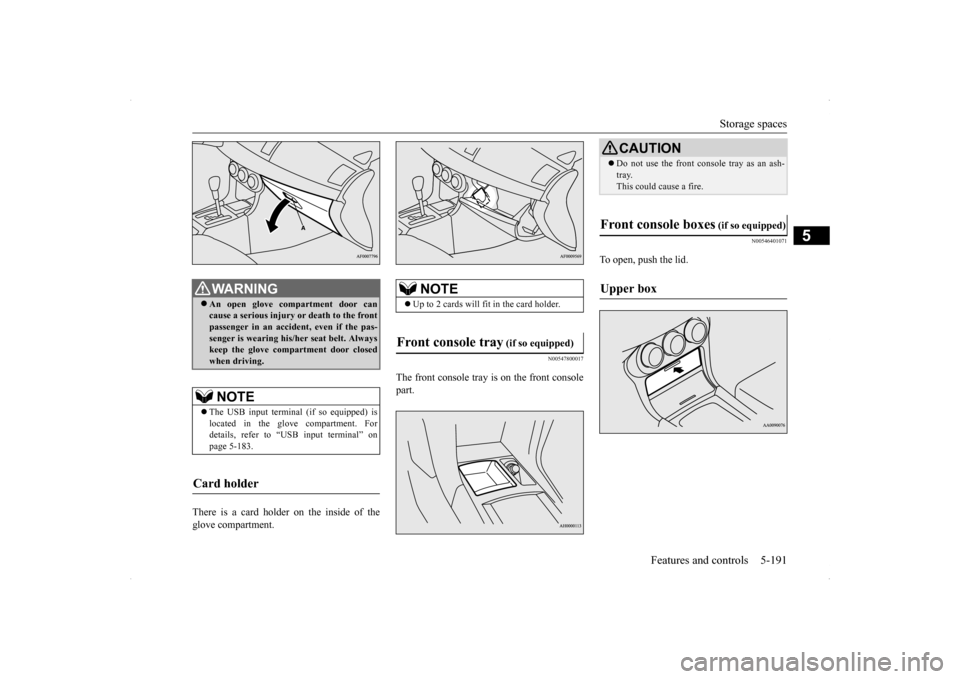
There is a card holder on the inside of the glove compartment.
N00547800017
The front console tray is on the front console part.
N00546401071
To open, push the lid.
WA R N I N G An open glove compartment door can cause a serious injury or death to the front passenger in an accident, even if the pas- senger is wearing his/her seat belt. Alwayskeep the glove compartment door closed when driving. NOTE
The USB input terminal (if so equipped) is located in the glove compartment. For details, refer to “USB input terminal” on page 5-183.
Card holder
NOTE
Up to 2 cards will fit in the card holder.
Front console tray
(if so equipped)
CAUTIONDo not use the front console tray as an ash- tray. This could cause a fire.
Front console boxes
(if so equipped)
Upper box
Page 264 of 434
Vehicle preparation before driving
Driving safety 6-3
6
N00629000337
For a safer and more enjoyable trip, always observe the following: Before starting the vehicle, make certain that you and all passengers are seated and wearing their seat belts properly (with children in the rear seat, in appropriaterestraints), and that all the doors are locked.
Move the driver’s seat as far backward as possible, while still keeping good visibil- ity, and good control of the steering wheel, brakes, accelerator, and controls.Check the instrument panel indicators and multi-information display for any possible problem. Move the front passenger seat as far back as possible. Make sure that infants and small children are properly restrained in accordance withall laws and regulations.
Check these by selecting the defroster mode, and set the blower switch on high. You should be able to feel the air blowing against the windshield. (Refer to “Defrosting or defogging the wind- shield and door windows” on page 7-6, 7-12, 7-17, 7-22, 7-27.) Check all the tires for heavy tread wear or uneven wear patterns. Look for stones, nails,glass, or other objects stuck in the tread. Look for any tread cuts or sidewall cracks. Check the wheel nuts for tightness, and the tires(including spare tire) for proper pressures.
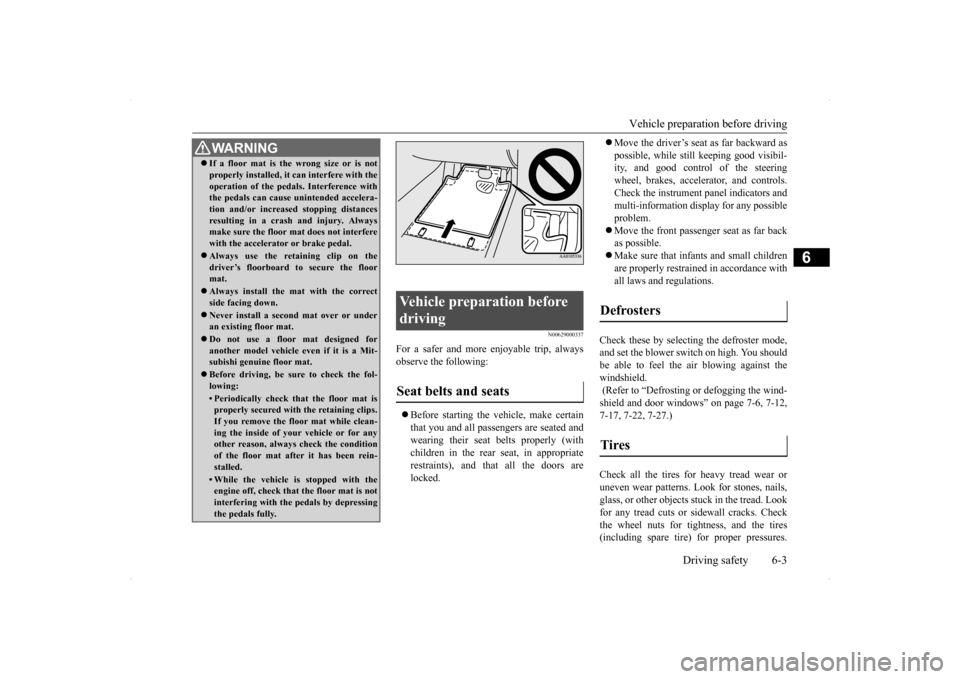
WA R N I N G If a floor mat is the wrong size or is not properly installed, it can interfere with the operation of the pedals. Interference with the pedals can cause unintended accelera- tion and/or increased stopping distancesresulting in a crash and injury. Always make sure the floor mat does not interfere with the accelerator or brake pedal. Always use the retaining clip on the driver’s floorboard to secure the floormat. Always install the mat with the correct side facing down. Never install a second mat over or under an existing floor mat. Do not use a floor mat designed for another model vehicle ev
en if it is a Mit-
subishi genuine floor mat. Before driving, be sure to check the fol- lowing:• Periodically check that the floor mat isproperly secured with the retaining clips. If you remove the floor mat while clean-ing the inside of your vehicle or for any other reason, always check the condition of the floor mat after it has been rein-stalled.• While the vehicle is stopped with the engine off, check that the floor mat is not interfering with the pedals by depressingthe pedals fully.
Vehicle preparation before driving Seat belts and seats
Defrosters Tires
Page 266 of 434
Braking
Driving safety 6-5
6
Stay at low speeds at first so that the transaxle, transfer case and rear axle oil have time to spread to all the lubrication points. Manual transaxle can be harder to shift in cold weather conditions. This is normal and shifting will get easier as the transaxlewarms up. Check the engine antifreeze. If there is not enough coolant because of aleak or from engine overheating, add Mit-subishi Motors Genuine Super Long Life Coolant Premium or equivalent. Please read this section in conjunctionwith the “Engine coolant” on page 9-8.
[For RALLIART vehicles sold in U.S.A.] Mitsubishi Motors recommends that the standard equipment tires be replaced with winter tires when the vehicle is going to be used in winter.The standard equipment tires provided with this vehicle are summer tires and use a high-grip compound that provides supe-rior grip. The road grip, however, is reduced in win- ter.When replacing the standard equipmenttires with winter tires, all four tires must be replaced using radial identicalsize win- ter tires.
N00629500446
All the parts of the brake system are criticalto safety. Have the vehicle serviced by anauthorized Mitsubishi Motors dealer or a repair facility of your choice at regular inter- vals according to the “WARRANTY ANDMAINTENANCE MANUAL”. Check the brake system while driving at a low speed immediately after starting, espe-cially when the brakes are wet, to confirm they work normally. A film of water can be formed on the brakediscs or brake drums and prevent normal braking after driving in heavy rain or through large puddles, or after the vehicle is washed.If this occurs, dry the brakes out by driving slowly while lightly depressing the brake pedal. On snowy roads, ice can form on the braking system, making the brakes less effective.While driving in such conditions, pay close attention to preceding and following vehicles and to the condition of
the road surface. From
WA R N I N GNever open the radiator cap when the radiator is hot. You could be seriously burned.
NOTE
As your vehicle is equipped with a tire pres- sure monitoring system, there is a risk of damage to the tire inflation pressure sensorswhen the tire is replaced on the rim. Tire replacement should, therefore, be performed only by an authorized Mitsubishi Motorsdealer. If you use new wheels w
ith new tire inflation
pressure sensors, their ID codes must be pro- grammed into the tire pressure monitoringsystem. Refer to “Whenever the tires and wheels are replaced with new ones” on page 5-108.
Braking When brakes are wet When driving in cold weather
Page 269 of 434
Loading information 6-8 Driving safety
6
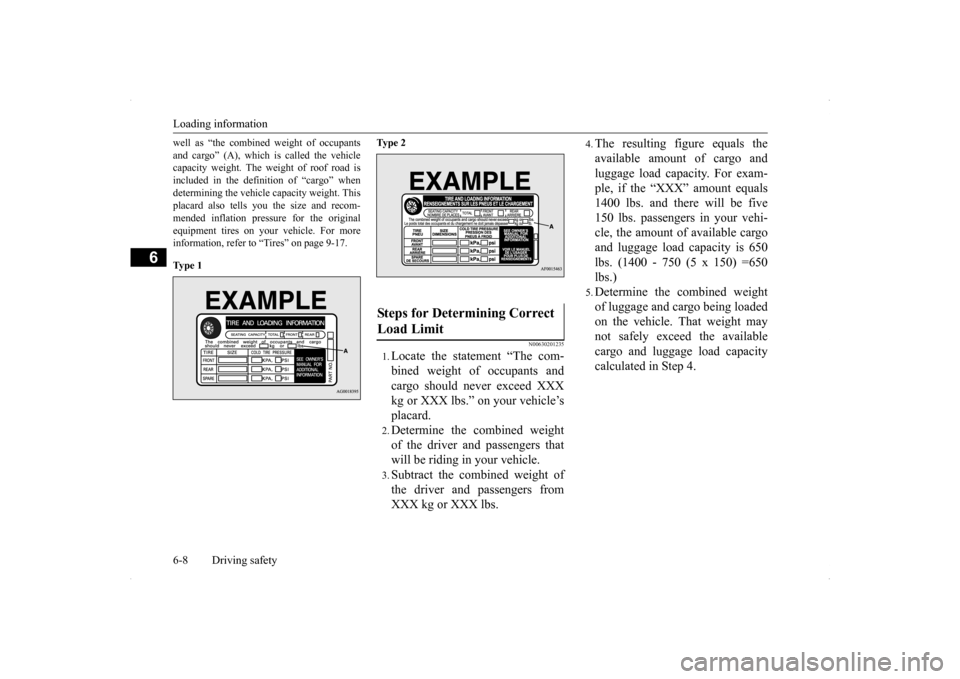
well as “the combined weight of occupants and cargo” (A), which is called the vehicle capacity weight. The weight of roof road is included in the definition of “cargo” whendetermining the vehicle capacity weight. This placard also tells you the size and recom- mended inflation pressure for the originalequipment tires on your vehicle. For more information, refer to “Tires” on page 9-17. Ty p e 1
Ty p e 2
N00630201235
1.Locate the statement “The com- bined weight of occupants and cargo should never exceed XXX kg or XXX lbs.” on your vehicle’splacard.2.Determine the combined weightof the driver and passengers thatwill be riding in your vehicle.3.Subtract the combined weight ofthe driver and passengers fromXXX kg or XXX lbs.
4.The resulting figure equals the available amount of cargo and luggage load capacity. For exam- ple, if the “XXX” amount equals 1400 lbs. and there will be five150 lbs. passengers in your vehi- cle, the amount of available cargo and luggage load capacity is 650lbs. (1400 - 750 (5 x 150) =650 lbs.)5.Determine the combined weight of luggage and cargo being loaded on the vehicle. That weight may not safely exceed the availablecargo and luggage load capacity calculated in Step 4.
Steps for Determining Correct Load Limit
Page 272 of 434
Cargo loads
Driving safety 6-11
6
N00629700464
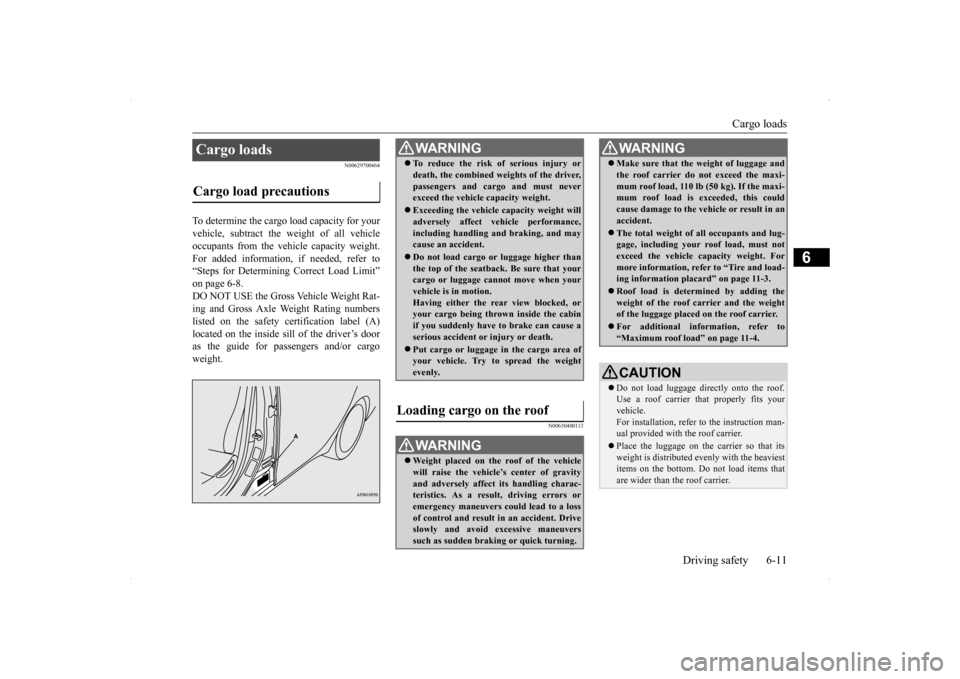
To determine the cargo load capacity for your vehicle, subtract the weight of all vehicleoccupants from the vehicle capacity weight. For added information, if needed, refer to “Steps for Determining Correct Load Limit”on page 6-8.DO NOT USE the Gross Vehicle Weight Rat- ing and Gross Axle Weight Rating numbers listed on the safety certification label (A)located on the inside sill of the driver’s door as the guide for passengers and/or cargo weight.
N00630400113
Cargo loads Cargo load precautions
WA R N I N G To reduce the risk of serious injury or death, the combined weights of the driver, passengers and cargo and must never exceed the vehicle capacity weight. Exceeding the vehicle capacity weight will adversely affect vehicle performance, including handling and braking, and maycause an accident. Do not load cargo or luggage higher than the top of the seatback. Be sure that your cargo or luggage cannot move when your vehicle is in motion.Having either the rear view blocked, or your cargo being thrown inside the cabin if you suddenly have to brake can cause aserious accident or injury or death. Put cargo or luggage in the cargo area of your vehicle. Try to spread the weight evenly.
Loading cargo on the roof
WA R N I N G Weight placed on the roof of the vehicle will raise the vehicle’s center of gravity and adversely affect its handling charac-teristics. As a result, driving errors or emergency maneuvers could lead to a loss of control and result in an accident. Driveslowly and avoid excessive maneuvers such as sudden braking or quick turning.
Make sure that the weight of luggage and the roof carrier do not exceed the maxi- mum roof load, 110 lb (50 kg). If the maxi- mum roof load is exceeded, this could cause damage to the vehicle or result in anaccident. The total weight of all occupants and lug- gage, including your roof load, must not exceed the vehicle capacity weight. For more information, refer to “Tire and load-ing information placard” on page 11-3. Roof load is determined by adding the weight of the roof carrier and the weight of the luggage placed on the roof carrier. For additional information, refer to “Maximum roof load” on page 11-4.CAUTION Do not load luggage directly onto the roof. Use a roof carrier th
at properly fits your
vehicle. For installation, refer to the instruction man- ual provided with the roof carrier. Place the luggage on the carrier so that its weight is distributed evenly with the heaviest items on the bottom. Do not load items that are wider than the roof carrier.WA R N I N G