ECO mode NISSAN ROGUE 2010 Owner´s Manual
[x] Cancel search | Manufacturer: NISSAN, Model Year: 2010, Model line: ROGUE, Model: NISSAN ROGUE 2010Pages: 328, PDF Size: 2.84 MB
Page 69 of 328
Black plate (65,1)
Model "S35-D" EDITED: 2009/ 9/ 4
After pretensioner activation, load limiters allow
the seat belt to release webbing (if necessary) to
reduce forces against the chest.
If any abnormality occurs in the pretensioner
system, the supplemental air bag warning light
will not come on, will flash intermittently or
will turn on for 7 seconds and remain on after
the ignition switch has been turned to the ON
position. In this case, the pretensioner system
may not function properly. They must be
checked and repaired. Take your vehicle to the
nearest NISSAN dealer.
When selling your vehicle, we request that you
inform the buyer about the pretensioner system
and guide the buyer to the appropriate sections
in this Owner’s Manual.
SSS1020
SUPPLEMENTAL AIR BAG WARNING
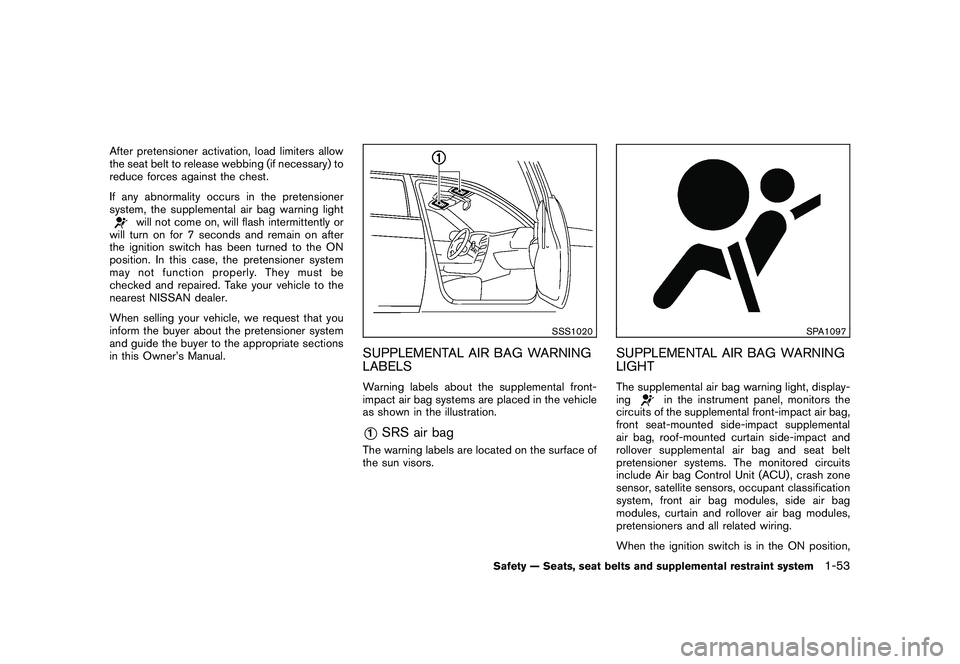
LABELSWarning labels about the supplemental front-
impact air bag systems are placed in the vehicle
as shown in the illustration.*1
SRS air bag
The warning labels are located on the surface of
the sun visors.
SPA1097
SUPPLEMENTAL AIR BAG WARNING
LIGHTThe supplemental air bag warning light, display-
ing
in the instrument panel, monitors the
circuits of the supplemental front-impact air bag,
front seat-mounted side-impact supplemental
air bag, roof-mounted curtain side-impact and
rollover supplemental air bag and seat belt
pretensioner systems. The monitored circuits
include Air bag Control Unit (ACU) , crash zone
sensor, satellite sensors, occupant classification
system, front air bag modules, side air bag
modules, curtain and rollover air bag modules,
pretensioners and all related wiring.
When the ignition switch is in the ON position,
Safety — Seats, seat belts and supplemental restraint system
1-53
Page 70 of 328
Black plate (66,1)
Model "S35-D" EDITED: 2009/ 9/ 4
the supplemental air bag warning light illumi-
nates for about 7 seconds and then turns off.
This means the system is operational.
If any of the following conditions occur, the front
air bag, side air bag, curtain and rollover air bag
and pretensioner systems need servicing:
.The supplemental air bag warning light
remains on after approximately 7 seconds.
. The supplemental air bag warning light
flashes intermittently.
. The supplemental air bag warning light does
not come on at all.
Under these conditions, the front air bag, side air
bag, curtain and rollover air bag and preten-
sioner systems may not operate properly. They
must be checked and repaired. Take your
vehicle to the nearest NISSAN dealer.
WARNING
If the supplemental air bag warning
light is on, it could mean that the front
air bag, side air bag, curtain and roll-
over air bag and/or pretensioner sys-
tems will not operate in an accident. To
help avoid injury to yourself or others,
have your vehicle checked by a NISSAN
dealer as soon as possible.
REPAIR AND REPLACEMENT PRO-
CEDUREThe front air bags, side air bags, curtain and
rollover air bags and pretensioners are designed
to activate on a one-time-only basis. As a
reminder, unless it is damaged, the supplemen-
tal air bag warning light will remain illuminated
after inflation has occurred. Repair and replace-
ment of these systems should be done only by a
NISSAN dealer.
When maintenance work is required on the
vehicle, the front air bags, side air bags, curtain
and rollover air bags and pretensioners and
related parts should be pointed out to the
person performing the maintenance. The ignition
switch should always be in the LOCK position
when working under the hood or inside the
vehicle.
WARNING
. Once a front air bag, side air bag or
curtain and rollover air bag has
inflated, the air bag module will
not function again and must be
replaced. Additionally, if any of the
front air bags inflate, the activated
pretensioners must also be re-
placed. The air bag module and
pretensioner system should be re- placed by a NISSAN dealer. The air
bag modules and pretensioner sys-
tem cannot be repaired.
. The front air bag, side air bag and
curtain and rollover air bag systems,
and pretensioner system should be
inspected by a NISSAN dealer if
there is any damage to the front
end or side portion of the vehicle.
. If you need to dispose of a supple-
mental air bag or pretensioner, or
scrap the vehicle, contact a NISSAN
dealer. Correct supplemental air
bag and pretensioner system dis-
posal procedures are set forth in the
appropriate NISSAN Service Man-
ual. Incorrect disposal procedures
could cause personal injury.
1-54
Safety — Seats, seat belts and supplemental restraint system
Page 76 of 328
Black plate (72,1)
Model "S35-D" EDITED: 2009/ 9/ 4
SIC3472
Speedometer
SPEEDOMETER AND ODOMETER
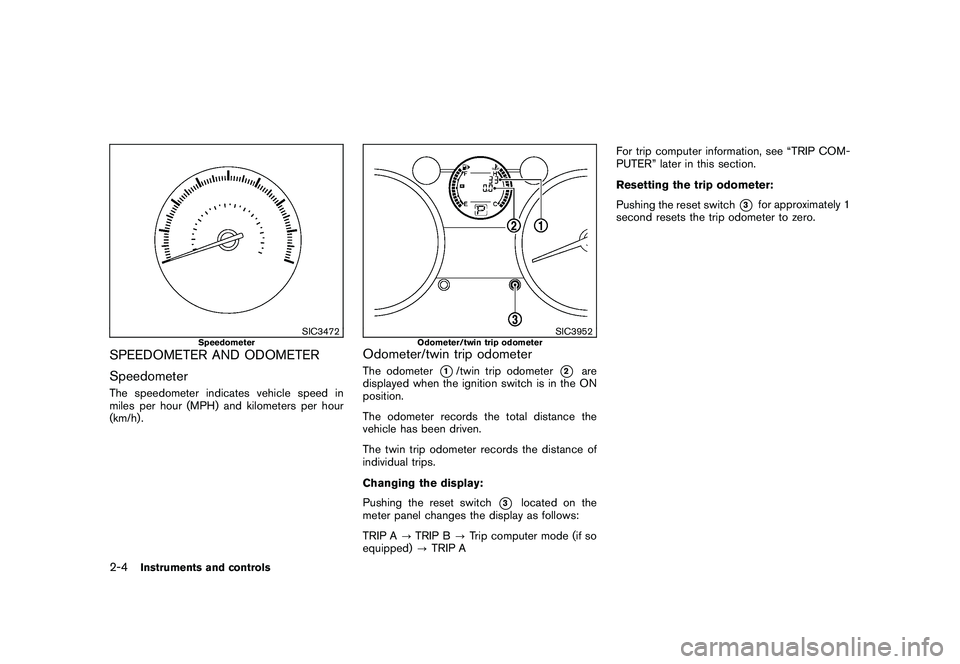
SpeedometerThe speedometer indicates vehicle speed in
miles per hour (MPH) and kilometers per hour
(km/h) .
SIC3952
Odometer/twin trip odometer
Odometer/twin trip odometerThe odometer
*1/twin trip odometer
*2
are
displayed when the ignition switch is in the ON
position.
The odometer records the total distance the
vehicle has been driven.
The twin trip odometer records the distance of
individual trips.
Changing the display:
Pushing the reset switch
*3
located on the
meter panel changes the display as follows:
TRIP A ?TRIP B ?Trip computer mode (if so
equipped) ?TRIP A For trip computer information, see “TRIP COM-
PUTER” later in this section.
Resetting the trip odometer:
Pushing the reset switch
*3
for approximately 1
second resets the trip odometer to zero.
2-4
Instruments and controls
Page 79 of 328
Black plate (75,1)
Model "S35-D" EDITED: 2009/ 9/ 4
When the outside air temperature becomes
378F(3 8C) or lower, the ICY indicator illumi-
nates and the outside air temperature display
blinks to give a warning. The ICY indicator will
turn off and the display will stop blinking after 1
minute or when the outside air temperature
becomes 39 8F(4 8C) or above.
The display may differ from the actual outside
temperature displayed on various signs or bill-
boards.CONTINUOUSLY VARIABLE TRANS-
MISSION (CVT) POSITION INDICATORThe Continuously Variable Transmission (CVT)
position indicator indicates the selector lever
position when the ignition switch is in the ON
position.
SIC3955
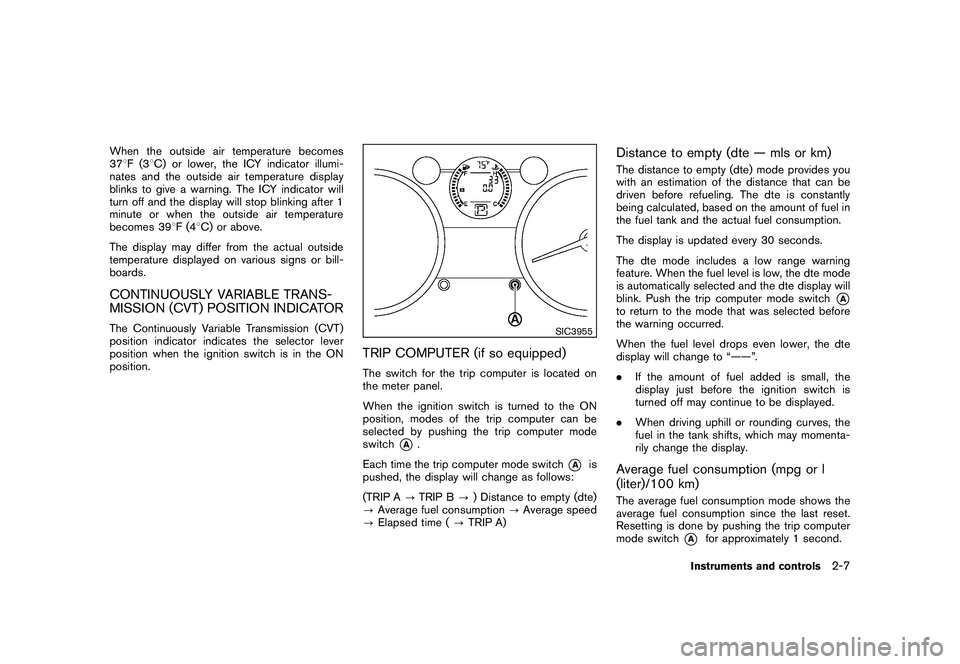
TRIP COMPUTER (if so equipped)The switch for the trip computer is located on
the meter panel.
When the ignition switch is turned to the ON
position, modes of the trip computer can be
selected by pushing the trip computer mode
switch
*A
.
Each time the trip computer mode switch
*A
is
pushed, the display will change as follows:
(TRIP A ?TRIP B ?) Distance to empty (dte)
? Average fuel consumption ?Average speed
? Elapsed time ( ?TRIP A)
Distance to empty (dte — mls or km)The distance to empty (dte) mode provides you
with an estimation of the distance that can be
driven before refueling. The dte is constantly
being calculated, based on the amount of fuel in
the fuel tank and the actual fuel consumption.
The display is updated every 30 seconds.
The dte mode includes a low range warning
feature. When the fuel level is low, the dte mode
is automatically selected and the dte display will
blink. Push the trip computer mode switch
*A
to return to the mode that was selected before
the warning occurred.
When the fuel level drops even lower, the dte
display will change to “——”.
. If the amount of fuel added is small, the
display just before the ignition switch is
turned off may continue to be displayed.
. When driving uphill or rounding curves, the
fuel in the tank shifts, which may momenta-
rily change the display.Average fuel consumption (mpg or l
(liter)/100 km)The average fuel consumption mode shows the
average fuel consumption since the last reset.
Resetting is done by pushing the trip computer
mode switch
*A
for approximately 1 second.
Instruments and controls
2-7
Page 80 of 328
Black plate (76,1)
Model "S35-D" EDITED: 2009/ 9/ 4
The display is updated every 30 seconds. At
about the first 1/3 mile (500 m) after a reset, the
display shows “——”.Average speed (mph or km/h)The average speed mode shows the average
vehicle speed since the last reset. Resetting is
done by pushing the trip computer mode switch*A
for approximately 1 second.
The display is updated every 30 seconds. The
first 30 seconds after a reset, the display shows
“——”.
Elapsed timeThe elapsed time mode shows the time since
the last reset. The displayed time can be reset
by pushing the trip computer mode switch
*A
for approximately 1 second.Resetting displaysPush the trip computer mode switch
*A
for
longer than 3 seconds. The average fuel
consumption, average speed, elapsed time and
trip odometer (TRIP B only) displays will be reset
at the same time.
SIC3181
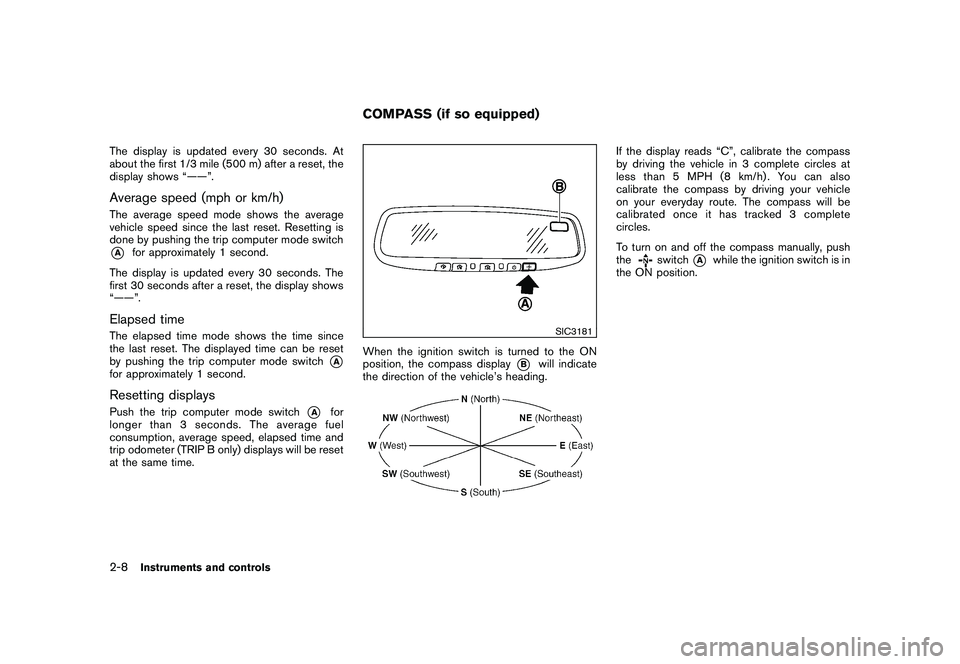
When the ignition switch is turned to the ON
position, the compass display
*B
will indicate
the direction of the vehicle’s heading.
If the display reads “C”, calibrate the compass
by driving the vehicle in 3 complete circles at
less than 5 MPH (8 km/h). You can also
calibrate the compass by driving your vehicle
on your everyday route. The compass will be
calibrated once it has tracked 3 complete
circles.
To turn on and off the compass manually, push
the
switch
*A
while the ignition switch is in
the ON position.
COMPASS (if so equipped)
2-8
Instruments and controls
Page 81 of 328
Black plate (77,1)
Model "S35-D" EDITED: 2009/ 9/ 4
SIC0611B
Zone map
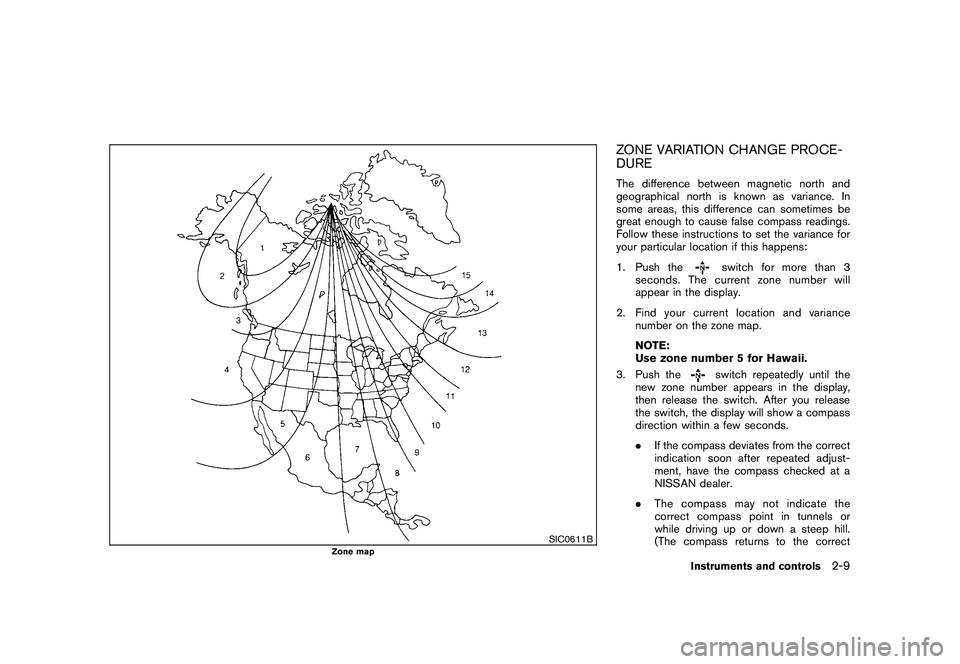
ZONE VARIATION CHANGE PROCE-
DUREThe difference between magnetic north and
geographical north is known as variance. In
some areas, this difference can sometimes be
great enough to cause false compass readings.
Follow these instructions to set the variance for
your particular location if this happens:
1. Push the
switch for more than 3
seconds. The current zone number will
appear in the display.
2. Find your current location and variance number on the zone map.
NOTE:
Use zone number 5 for Hawaii.
3. Push theswitch repeatedly until the
new zone number appears in the display,
then release the switch. After you release
the switch, the display will show a compass
direction within a few seconds.
. If the compass deviates from the correct
indication soon after repeated adjust-
ment, have the compass checked at a
NISSAN dealer.
. The compass may not indicate the
correct compass point in tunnels or
while driving up or down a steep hill.
(The compass returns to the correct
Instruments and controls
2-9
Page 84 of 328
Black plate (80,1)
Model "S35-D" EDITED: 2009/ 9/ 4
WARNING LIGHTS
All-Wheel Drive (AWD) warning
light (AWD models)
The light illuminates when the ignition switch is
turned to the ON position. It turns off after the
engine is started.
If the All-Wheel Drive (AWD) system malfunc-
tions, or the diameter of the front and the rear
wheels are different, the warning light will either
remain illuminated or blink. (See “ALL-WHEEL
DRIVE (AWD)” in the “5. Starting and driving”
section.)
CAUTION
.If the warning light comes on while
driving there may be a malfunction
in the AWD system. Reduce the
vehicle speed and have your vehicle
checked by a NISSAN dealer as
soon as possible.
. If the AWD warning light blinks
while driving:
— blinks rapidly (about twice a
second):
Pull off the road in a safe area,
and idle the engine. The driving mode will change to 2WD to
prevent the AWD system from
malfunctioning. If the warning
light turns off, you can drive
again.
— blinks slowly (about once every 2 seconds):
Pull off the road in a safe area,
and idle the engine. Check that
all tire sizes are the same, tire
pressure is correct and tires are
not worn.
. If the warning light is still on after
the above operations, have your
vehicle checked by a NISSAN dealer
as soon as possible.
or
Anti-lock Braking System
(ABS) warning light
When the ignition switch is in the ON position,
the Anti-lock Braking System (ABS) warning
light illuminates and then turns off. This indicates
the ABS is operational.
If the ABS warning light illuminates while the
engine is running, or while driving, it may
indicate the ABS is not functioning properly.
Have the system checked by a NISSAN dealer. If an ABS malfunction occurs, the anti-lock
function is turned off. The brake system then
operates normally, but without anti-lock assis-
tance. (See “BRAKE SYSTEM” in the “5.
Starting and driving” section.)
or
Brake warning light
This light functions for both the parking brake
and the foot brake systems.
Parking brake indicator:
When the ignition switch is in the ON position,
the light illuminates when the parking brake is
applied.
Low brake fluid warning light:
When the ignition switch is in the ON position,
the light warns of a low brake fluid level. If the
light illuminates while the engine is running with
the parking brake not applied, stop the vehicle
and perform the following:
1. Check the brake fluid level. Add brake fluid
as necessary. (See “BRAKE FLUID” in the
“8. Maintenance and do-it-yourself” sec-
tion.)
2. If the brake fluid level is correct, have the warningsystemcheckedbyaNISSAN
dealer.
2-12
Instruments and controls
Page 86 of 328
Black plate (82,1)
Model "S35-D" EDITED: 2009/ 9/ 4
yourself” section.)
CAUTION
Running the engine with the engine oil
pressure warning light on could cause
serious damage to the engine almost
immediately. Such damage is not cov-
ered by warranty. Turn off the engine as
soon as it is safe to do so.
Intelligent Key system warning light
(if so equipped)
This light illuminates in green when it is possible
to turn the ignition switch.
When the light illuminates in red, it is not
possible to turn the ignition switch.
.The warning light blinks in red when the
Intelligent Key is outside the vehicle with the
ignition switch in the ACC or ON position.
Confirm the location of the key as soon as
possible when the warning light blinks in
red. Be sure to carry the Intelligent Key with
you while driving the vehicle.
. The warning light turns off about 10
seconds after the Intelligent Key is brought
inside the vehicle. See “INTELLIGENT KEY SYSTEM” in the “3.
Pre-driving checks and adjustments” section.
Low fuel warning light
This light illuminates when the fuel in the tank is
getting low. Refuel as soon as it is convenient,
preferably before the fuel gauge reaches the E
(Empty) position.
There will be a small reserve of fuel
remaining in the tank when the fuel gauge
reaches E.
Low tire pressure warning light
Your vehicle is equipped with a Tire Pressure
Monitoring System (TPMS) that monitors the tire
pressure of all tires except the spare.
The low tire pressure warning light warns of low
tire pressure or indicates that the TPMS is not
functioning properly.
After the ignition switch is turned ON, this light
illuminates for about 1 second and turns off.
Low tire pressure warning:
If the vehicle is being driven with low tire
pressure, the warning light will illuminate.
When the low tire pressure warning light
illuminates, you should stop and adjust the tire
pressure to the recommended COLD tire pressure shown on the Tire and Loading
Information label. The low tire pressure warning
light does not automatically turn off when the tire
pressure is adjusted. After the tire is inflated to
the recommended pressure, the vehicle must be
driven at speeds above 16 MPH (25 km/h) to
activate the TPMS and turn off the low tire
pressure warning light. Use a tire pressure
gauge to check the tire pressure.
For additional information, see “TIRE PRES-
SURE MONITORING SYSTEM (TPMS)” in the
“5. Starting and driving” section and “TIRE
PRESSURE MONITORING SYSTEM (TPMS)”
in the “6. In case of emergency” section.
TPMS malfunction:
If the TPMS is not functioning properly, the low
tire pressure warning light will flash for approxi-
mately 1 minute when the ignition switch is
turned ON. The light will remain on after 1
minute. Have the system checked by a NISSAN
dealer.
For additional information, see “TIRE PRES-
SURE MONITORING SYSTEM (TPMS)” in the
“5. Starting and driving” section.
WARNING
.
If the light does not illuminate with
the ignition switch turned ON, have
2-14
Instruments and controls
Page 87 of 328
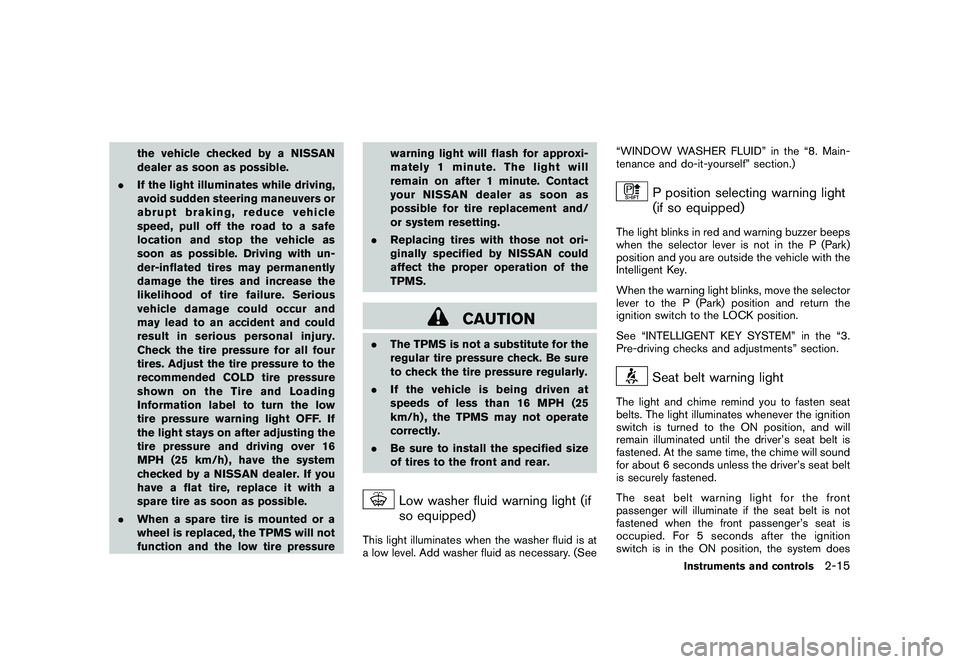
Black plate (83,1)
Model "S35-D" EDITED: 2009/ 9/ 4
the vehicle checked by a NISSAN
dealer as soon as possible.
. If the light illuminates while driving,
avoid sudden steering maneuvers or
abrupt braking, reduce vehicle
speed, pull off the road to a safe
location and stop the vehicle as
soon as possible. Driving with un-
der-inflated tires may permanently
damage the tires and increase the
likelihood of tire failure. Serious
vehicle damage could occur and
may lead to an accident and could
result in serious personal injury.
Check the tire pressure for all four
tires. Adjust the tire pressure to the
recommended COLD tire pressure
shownontheTireandLoading
Information label to turn the low
tire pressure warning light OFF. If
the light stays on after adjusting the
tire pressure and driving over 16
MPH (25 km/h) , have the system
checked by a NISSAN dealer. If you
have a flat tire, replace it with a
spare tire as soon as possible.
. When a spare tire is mounted or a
wheel is replaced, the TPMS will not
function and the low tire pressure warning light will flash for approxi-
mately 1 minute. The light will
remain on after 1 minute. Contact
your NISSAN dealer as soon as
possible for tire replacement and/
or system resetting.
. Replacing tires with those not ori-
ginally specified by NISSAN could
affect the proper operation of the
TPMS.
CAUTION
.The TPMS is not a substitute for the
regular tire pressure check. Be sure
to check the tire pressure regularly.
. If the vehicle is being driven at
speeds of less than 16 MPH (25
km/h) , the TPMS may not operate
correctly.
. Be sure to install the specified size
of tires to the front and rear.
Low washer fluid warning light (if
so equipped)
This light illuminates when the washer fluid is at
a low level. Add washer fluid as necessary. (See “WINDOW WASHER FLUID” in the “8. Main-
tenance and do-it-yourself” section.)
P position selecting warning light
(if so equipped)
The light blinks in red and warning buzzer beeps
when the selector lever is not in the P (Park)
position and you are outside the vehicle with the
Intelligent Key.
When the warning light blinks, move the selector
lever to the P (Park) position and return the
ignition switch to the LOCK position.
See “INTELLIGENT KEY SYSTEM” in the “3.
Pre-driving checks and adjustments” section.
Seat belt warning light
The light and chime remind you to fasten seat
belts. The light illuminates whenever the ignition
switch is turned to the ON position, and will
remain illuminated until the driver’s seat belt is
fastened. At the same time, the chime will sound
for about 6 seconds unless the driver’s seat belt
is securely fastened.
The seat belt warning light for the front
passenger will illuminate if the seat belt is not
fastened when the front passenger’s seat is
occupied. For 5 seconds after the ignition
switch is in the ON position, the system does
Instruments and controls
2-15
Page 88 of 328
Black plate (84,1)
Model "S35-D" EDITED: 2009/ 9/ 4
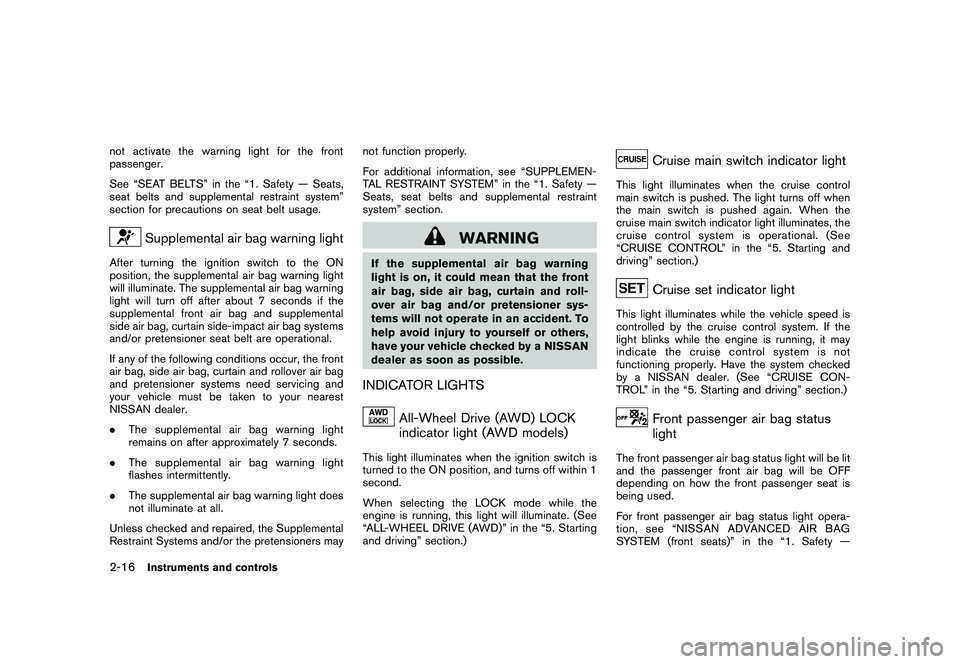
not activate the warning light for the front
passenger.
See “SEAT BELTS” in the “1. Safety — Seats,
seat belts and supplemental restraint system”
section for precautions on seat belt usage.
Supplemental air bag warning light
After turning the ignition switch to the ON
position, the supplemental air bag warning light
will illuminate. The supplemental air bag warning
light will turn off after about 7 seconds if the
supplemental front air bag and supplemental
side air bag, curtain side-impact air bag systems
and/or pretensioner seat belt are operational.
If any of the following conditions occur, the front
air bag, side air bag, curtain and rollover air bag
and pretensioner systems need servicing and
your vehicle must be taken to your nearest
NISSAN dealer.
.The supplemental air bag warning light
remains on after approximately 7 seconds.
. The supplemental air bag warning light
flashes intermittently.
. The supplemental air bag warning light does
not illuminate at all.
Unless checked and repaired, the Supplemental
Restraint Systems and/or the pretensioners may not function properly.
For additional information, see “SUPPLEMEN-
TAL RESTRAINT SYSTEM” in the “1. Safety —
Seats, seat belts and supplemental restraint
system” section.
WARNING
If the supplemental air bag warning
light is on, it could mean that the front
air bag, side air bag, curtain and roll-
over air bag and/or pretensioner sys-
tems will not operate in an accident. To
help avoid injury to yourself or others,
have your vehicle checked by a NISSAN
dealer as soon as possible.INDICATOR LIGHTS
All-Wheel Drive (AWD) LOCK
indicator light (AWD models)
This light illuminates when the ignition switch is
turned to the ON position, and turns off within 1
second.
When selecting the LOCK mode while the
engine is running, this light will illuminate. (See
“ALL-WHEEL DRIVE (AWD)” in the “5. Starting
and driving” section.)
Cruise main switch indicator light
This light illuminates when the cruise control
main switch is pushed. The light turns off when
the main switch is pushed again. When the
cruise main switch indicator light illuminates, the
cruise control system is operational. (See
“CRUISE CONTROL” in the “5. Starting and
driving” section.)
Cruise set indicator light
This light illuminates while the vehicle speed is
controlled by the cruise control system. If the
light blinks while the engine is running, it may
indicate the cruise control system is not
functioning properly. Have the system checked
by a NISSAN dealer. (See “CRUISE CON-
TROL” in the “5. Starting and driving” section.)
Front passenger air bag status
light
The front passenger air bag status light will be lit
and the passenger front air bag will be OFF
depending on how the front passenger seat is
being used.
For front passenger air bag status light opera-
tion,see“NISSANADVANCEDAIRBAG
SYSTEM (front seats)” in the “1. Safety —
2-16
Instruments and controls