service NISSAN TEANA 2014 Service Manual
[x] Cancel search | Manufacturer: NISSAN, Model Year: 2014, Model line: TEANA, Model: NISSAN TEANA 2014Pages: 4801, PDF Size: 51.2 MB
Page 728 of 4801

PRECAUTIONSDEF-3
< PRECAUTION >
C
D E
F
G H
I
J
K
M A
B
DEF
N
O P
PRECAUTION
PRECAUTIONS
Precaution for Supplemental Restraint System (SRS) "AIR BAG" and "SEAT BELT
PRE-TENSIONER"
INFOID:0000000009951577
The Supplemental Restraint System such as “A IR BAG” and “SEAT BELT PRE-TENSIONER”, used along
with a front seat belt, helps to reduce the risk or severi ty of injury to the driver and front passenger for certain
types of collision. Information necessary to service t he system safely is included in the SR and SB section of
this Service Manual.
WARNING:
• To avoid rendering the SRS inoper ative, which could increase the risk of personal injury or death in
the event of a collision which would result in air bag inflation, all maintenance must be performed by
an authorized NISSAN/INFINITI dealer.
• Improper maintenance, including in correct removal and installation of the SRS, can lead to personal
injury caused by unintentional act ivation of the system. For removal of Spiral Cable and Air Bag
Module, see the SR section.
• Do not use electrical test equipm ent on any circuit related to the SRS unless instructed to in this
Service Manual. SRS wiring harnesses can be identi fied by yellow and/or orange harnesses or har-
ness connectors.
PRECAUTIONS WHEN USING POWER TOOLS (AIR OR ELECTRIC) AND HAMMERS
WARNING:
• When working near the Airbag Diagnosis Sensor Un it or other Airbag System sensors with the Igni-
tion ON or engine running, DO NOT use air or el ectric power tools or strike near the sensor(s) with a
hammer. Heavy vibration could activate the sensor( s) and deploy the air bag(s), possibly causing
serious injury.
• When using air or electric power tools or hammers , always switch the Ignition OFF, disconnect the
battery and wait at least three mi nutes before performing any service.
Precaution for WorkINFOID:0000000009463020
• When removing or disassembling each component, be ca reful not to damage or deform it. If a component
may be subject to interference, be sure to protect it with a shop cloth.
• When removing (disengaging) components with a screwdriver or similar tool, be sure to wrap the component with a shop cloth or vinyl tape to protect it.
• Protect the removed parts with a shop cloth and prevent them from being dropped.
• Replace a deformed or damaged clip.
• If a part is specified as a non-reusabl e part, always replace it with a new one.
• Be sure to tighten bolts and nuts securely to the specified torque.
• After installation is complete, be sure to check that each part works properly.
• Follow the steps below to clean components:
- Water soluble dirt:
• Dip a soft cloth into lukewarm water, wring the water out of the cloth and wipe the dirty area.
• Then rub with a soft, dry cloth.
-Oily dirt:
• Dip a soft cloth into lukewarm water with mild detergent (concentration: within 2 to 3%) and wipe the dirty area.
• Then dip a cloth into fresh water, wring the water out of the cloth and wipe the detergent off.
• Then rub with a soft, dry cloth.
- Do not use organic solvent such as thinner, benzene, alcohol or gasoline.
- For genuine leather seats, use a genuine leather seat cleaner.
Revision: November 20132014 Altima NAMRevision: November 20132014 Altima NAM
Page 729 of 4801

DEF-4
< PREPARATION >
PREPARATION
PREPARATION
PREPARATION
Special Service ToolINFOID:0000000009463021
The actual shapes of the tools may differ from those illustrated here.
Tool number
(TechMate No.)
Tool name Description
—
(J-46534)
Trim Tool Set Removing trim components
AWJIA0483ZZ
Revision: November 20132014 Altima NAMRevision: November 20132014 Altima NAM
Page 742 of 4801
DIAGNOSIS AND REPAIR WORKFLOWDEF-17
< BASIC INSPECTION >
C
D E
F
G H
I
J
K
M A
B
DEF
N
O P
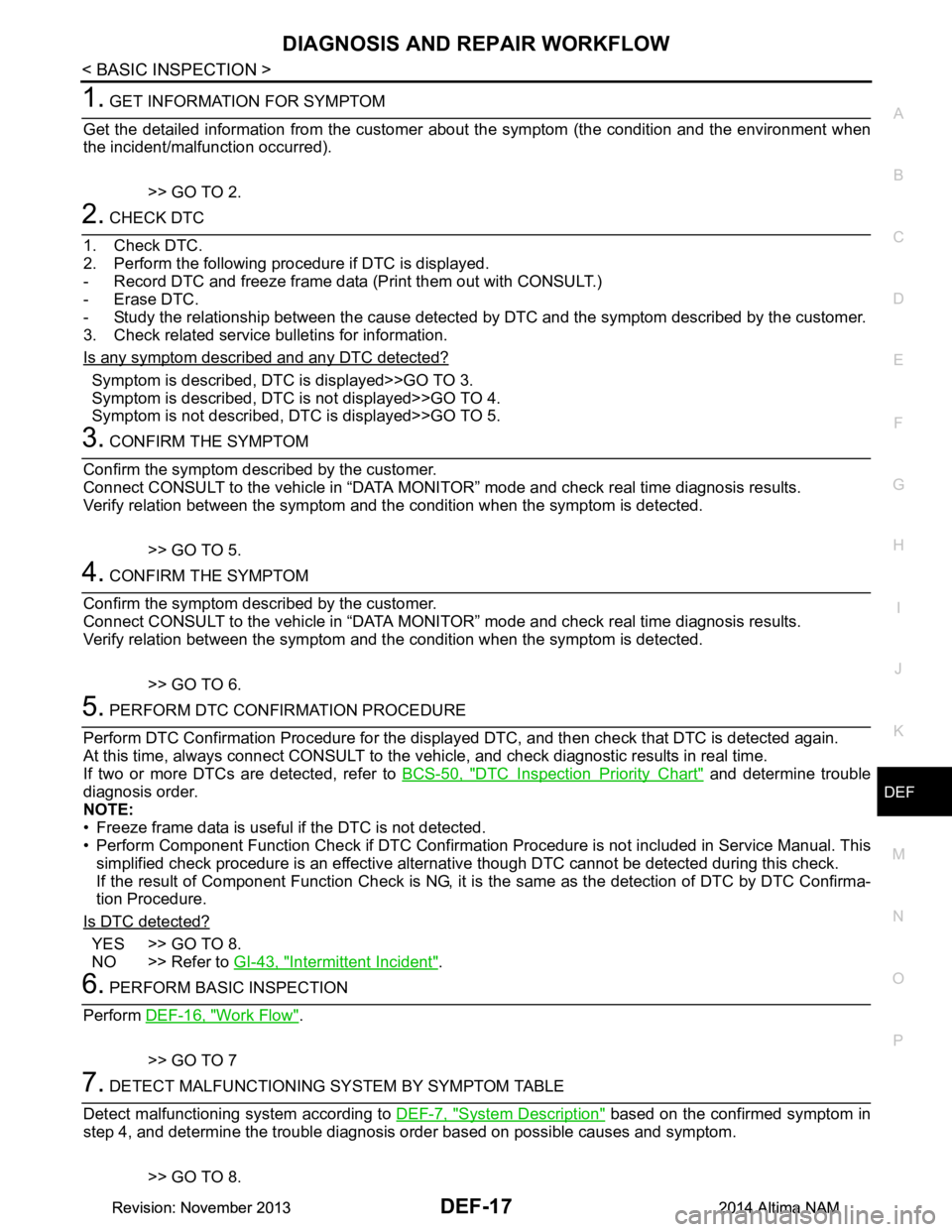
1. GET INFORMATION FOR SYMPTOM
Get the detailed information from the customer about the symptom (the condition and the environment when
the incident/malfunction occurred).
>> GO TO 2.
2. CHECK DTC
1. Check DTC.
2. Perform the following procedure if DTC is displayed.
- Record DTC and freeze frame data (Print them out with CONSULT.)
- Erase DTC.
- Study the relationship between the cause detected by DTC and the symptom described by the customer.
3. Check related service bulletins for information.
Is any symptom described and any DTC detected?
Symptom is described, DTC is displayed>>GO TO 3.
Symptom is described, DTC is not displayed>>GO TO 4.
Symptom is not described, DTC is displayed>>GO TO 5.
3. CONFIRM THE SYMPTOM
Confirm the symptom described by the customer.
Connect CONSULT to the vehicle in “DATA MONITO R” mode and check real time diagnosis results.
Verify relation between the symptom and t he condition when the symptom is detected.
>> GO TO 5.
4. CONFIRM THE SYMPTOM
Confirm the symptom described by the customer.
Connect CONSULT to the vehicle in “DATA MONITO R” mode and check real time diagnosis results.
Verify relation between the symptom and t he condition when the symptom is detected.
>> GO TO 6.
5. PERFORM DTC CONFIRMATION PROCEDURE
Perform DTC Confirmation Procedure for the display ed DTC, and then check that DTC is detected again.
At this time, always connect CONSULT to the v ehicle, and check diagnostic results in real time.
If two or more DTCs are detected, refer to BCS-50, "DTC Inspection Priority Chart"
and determine trouble
diagnosis order.
NOTE:
• Freeze frame data is useful if the DTC is not detected.
• Perform Component Function Check if DTC Confirma tion Procedure is not included in Service Manual. This
simplified check procedure is an effective alternat ive though DTC cannot be detected during this check.
If the result of Component Function Check is NG, it is the same as the detection of DTC by DTC Confirma-
tion Procedure.
Is DTC detected?
YES >> GO TO 8.
NO >> Refer to GI-43, "Intermittent Incident"
.
6. PERFORM BASIC INSPECTION
Perform DEF-16, "Work Flow"
.
>> GO TO 7
7. DETECT MALFUNCTIONING SY STEM BY SYMPTOM TABLE
Detect malfunctioning system according to DEF-7, "System Description"
based on the confirmed symptom in
step 4, and determine the trouble diagnosis or der based on possible causes and symptom.
>> GO TO 8.
Revision: November 20132014 Altima NAMRevision: November 20132014 Altima NAM
Page 769 of 4801

DLK-1
BODY EXTERIOR, DOORS, ROOF & VEHICLE SECURITY
C
D E
F
G H
I
J
L
M
SECTION DLK
A
B
DLK
N
O P
CONTENTS
DOOR & LOCK
PRECAUTION ................ ...............................6
PRECAUTIONS .............................................. .....6
Precaution for Supplemental Restraint System
(SRS) "AIR BAG" and "SEAT BELT PRE-TEN-
SIONER" ............................................................. ......
6
Precaution for Procedure without Cowl Top Cover ......6
Precaution for Servicing Doors and Locks .......... ......6
PREPARATION ............................................8
PREPARATION .............................................. .....8
Special Service Tools .......................................... ......8
Commercial Service Tools ........................................9
CLIP LIST ...........................................................10
Descriptions for Clips .......................................... ....10
SYSTEM DESCRIPTION .............................14
COMPONENT PARTS ................................... ....14
POWER DOOR LOCK SYSTEM ........................... ....14
POWER DOOR LOCK SYSTEM :
Component Parts Location ................................ ....
14
POWER DOOR LOCK SYSTEM :
Component Description ...................................... ....
15
INTELLIGENT KEY SYSTEM ...................................15
INTELLIGENT KEY SYSTEM : Component Parts
Location ............................................................... ....
16
INTELLIGENT KEY SYSTEM :
Component Description ...................................... ....
19
INTEGRATED HOMELINK TRANSMITTER ......... ....19
INTEGRATED HOMELINK TRANSMITTER :
Component Parts Location .................................. ....
19
INTEGRATED HOMELINK TRANSMITTER :
Component Description ....................................... ....
19
TRUNK LID OPENER SYSTEM ............................ ....19
TRUNK LID OPENER SYSTEM :
Component Parts Location ................................ ....
20
TRUNK LID OPENER SYSTEM :
Component Description ...................................... ....
20
SYSTEM (POWER DOOR LOCK SYSTEM) ....21
System Diagram .................................................. ....21
System Description ..................................................21
SYSTEM (INTELLIGENT KEY SYSTEM) .........23
INTELLIGENT KEY SYSTEM ......................... ...........23
INTELLIGENT KEY SYSTEM : System Diagram ....23
INTELLIGENT KEY SYSTEM : System Descrip-
tion ....................................................................... ....
23
DOOR LOCK FUNCTION ...................................... ....24
DOOR LOCK FUNCTION : System Diagram ..........24
DOOR LOCK FUNCTION : System Description . ....24
REMOTE KEYLESS ENTRY FUNCTION ..................26
REMOTE KEYLESS ENTRY FUNCTION : Sys-
tem Diagram ........................................................ ....
27
REMOTE KEYLESS ENTRY FUNCTION : Sys-
tem Description .................................................... ....
27
KEY REMINDER FUNCTION ................................ ....29
KEY REMINDER FUNCTION : System Diagram ....29
KEY REMINDER FUNCTION : System Descrip-
tion ....................................................................... ....
29
REMOTE ENGINE START FUNCTION ................. ....30
REMOTE ENGINE START FUNCTION : System
Diagram ............................................................... ....
30
REMOTE ENGINE START FUNCTION : System
Description ........................................................... ....
30
WELCOME LIGHT FUNCTION ............................. ....32
WELCOME LIGHT FUNCTION : System Diagram
....
32
WELCOME LIGHT FUNCTION : System Descrip-
tion ....................................................................... ....
32
WARNING FUNCTION .......................................... ....33
WARNING FUNCTION : System Description ..........33
Revision: November 20132014 Altima NAMRevision: November 20132014 Altima NAM
Page 770 of 4801

DLK-2
TRUNK LID OPENER SYSTEM ............................ ...36
TRUNK LID OPENER SYSTEM : System Dia-
gram .................................................................... ...
37
TRUNK LID OPENER SYSTEM : System De-
scription ............................................................... ...
37
SYSTEM (INTEGRATED HOMELINK
TRANSMITTER) ............................................. ...
40
System Description .............................................. ...40
SYSTEM (TRUNK LID OPENER SYSTEM) ......41
System Diagram .................................................. ...41
System Description .................................................41
DIAGNOSIS SYSTEM (BCM) ............................42
COMMON ITEM ..................................................... ...42
COMMON ITEM : CONSULT Function (BCM -
COMMON ITEM) ................................................. ...
42
DOOR LOCK .......................................................... ...43
DOOR LOCK : CONSULT Function (BCM -
DOOR LOCK) ...................................................... ...
43
INTELLIGENT KEY ................................................ ...44
INTELLIGENT KEY : CONSULT Function (BCM -
INTELLIGENT KEY) ........ .......................................
44
TRUNK ................................................................... ...47
TRUNK : CONSULT Function (BCM - TRUNK) .....47
ECU DIAGNOSIS INFORMATION ..............48
ECM, IPDM E/R, BCM .................................... ...48
List of ECU Reference ......................................... ...48
WIRING DIAGRAM .....................................49
HOMELINK UNIVERSAL TRANSCEIVER ..... ...49
Wiring Diagram .................................................... ...49
POWER DOOR LOCK SYSTEM .......................51
Wiring Diagram .................................................... ...51
INTELLIGENT KEY SYSTEM ............................61
Wiring Diagram .................................................... ...61
TRUNK LID OPENER ........................................77
Wiring Diagram .................................................... ...77
BASIC INSPECTION ...................................81
DIAGNOSIS AND REPAIR WORKFLOW ...... ...81
Work Flow ............................................................ ...81
INSPECTION AND ADJUSTMENT ...................84
ADDITIONAL SERVICE WHEN REPLACING
CONTROL UNIT ..................................................... ...
84
ADDITIONAL SERVICE WHEN REPLACING
CONTROL UNIT : Description ............................. ...
84
ADDITIONAL SERVICE WHEN REPLACING
CONTROL UNIT : Special Repair Requirement .....
84
DTC/CIRCUIT DIAGNOSIS ........................85
U1000 CAN COMM CIRCUIT ......................... ...85
Description ........................................................... ...85
DTC Logic ...............................................................85
Diagnosis Procedure ...............................................85
U1010 CONTROL UNIT (CAN) .........................86
DTC Logic ............................................................ ...86
Diagnosis Procedure ...............................................86
Special Repair Requirement ...................................86
B261B REMOTE ENGINE START ....................87
DTC Logic ............................................................ ...87
Diagnosis Procedure ...............................................87
B2621 INSIDE ANTENNA .............................. ...88
DTC Logic ............................................................ ...88
Diagnosis Procedure ...............................................88
B2622 INSIDE ANTENNA .............................. ...90
DTC Logic ............................................................ ...90
Diagnosis Procedure ...............................................90
B26FD SHIFT LOCK SOLENOID .....................92
DTC Logic ............................................................ ...92
Diagnosis Procedure ...............................................92
B26FE HOOD SWITCH .....................................95
DTC Logic ............................................................ ...95
Diagnosis Procedure ..............................................95
Component Inspection ............................................96
B26FF REMOTE KEYLESS ENTRY RECEIV-
ER ................................................................... ...
97
DTC Logic ............................................................ ...97
Diagnosis Procedure ...............................................97
POWER SUPPLY AND GROUND CIRCUIT .....99
Diagnosis Procedure ............................................ ...99
DOOR SWITCH ................................................100
Description ........................................................... .100
Component Function Check ................................100
Diagnosis Procedure .............................................100
Component Inspection ..........................................102
DOOR LOCK AND UNLOCK SWITCH ............103
DRIVER SIDE ......................................................... .103
DRIVER SIDE : Description ..................................103
DRIVER SIDE : Component Function Check ......103
DRIVER SIDE : Diagnosis Procedure (With LH
and RH Anti-Pinch) .............................................. .
103
DRIVER SIDE : Diagnosis Procedure (With LH
Anti-Pinch Only) ................................................... .
104
PASSENGER SIDE .................................................105
PASSENGER SIDE : Descripti on .........................105
PASSENGER SIDE :
Component Function Check ............................... .
106
Revision: November 20132014 Altima NAMRevision: November 20132014 Altima NAM
Page 774 of 4801
DLK-6
< PRECAUTION >
PRECAUTIONS
PRECAUTION
PRECAUTIONS
Precaution for Supplemental Restraint System (SRS) "AIR BAG" and "SEAT BELT
PRE-TENSIONER"
INFOID:0000000009951560
The Supplemental Restraint System such as “A IR BAG” and “SEAT BELT PRE-TENSIONER”, used along
with a front seat belt, helps to reduce the risk or severi ty of injury to the driver and front passenger for certain
types of collision. Information necessary to service the system safely is included in the SR and SB section of
this Service Manual.
WARNING:
• To avoid rendering the SRS inopera tive, which could increase the risk of personal injury or death in
the event of a collision which would result in air bag inflation, all maintenance must be performed by
an authorized NISS AN/INFINITI dealer.
• Improper maintenance, including in correct removal and installation of the SRS, can lead to personal
injury caused by unintent ional activation of the system. For re moval of Spiral Cable and Air Bag
Module, see the SR section.
• Do not use electrical test equipmen t on any circuit related to the SRS unless instructed to in this
Service Manual. SRS wiring harn esses can be identified by yellow and/or orange harnesses or har-
ness connectors.
PRECAUTIONS WHEN USING POWER TOOLS (AIR OR ELECTRIC) AND HAMMERS
WARNING:
• When working near the Airbag Diagnosis Sensor Unit or other Airbag System sensors with the Igni-
tion ON or engine running, DO NOT use air or electri c power tools or strike near the sensor(s) with a
hammer. Heavy vibration could activate the sensor( s) and deploy the air bag(s), possibly causing
serious injury.
• When using air or electric power tools or hammers , always switch the Ignition OFF, disconnect the
battery and wait at least three minutes before performing any service.
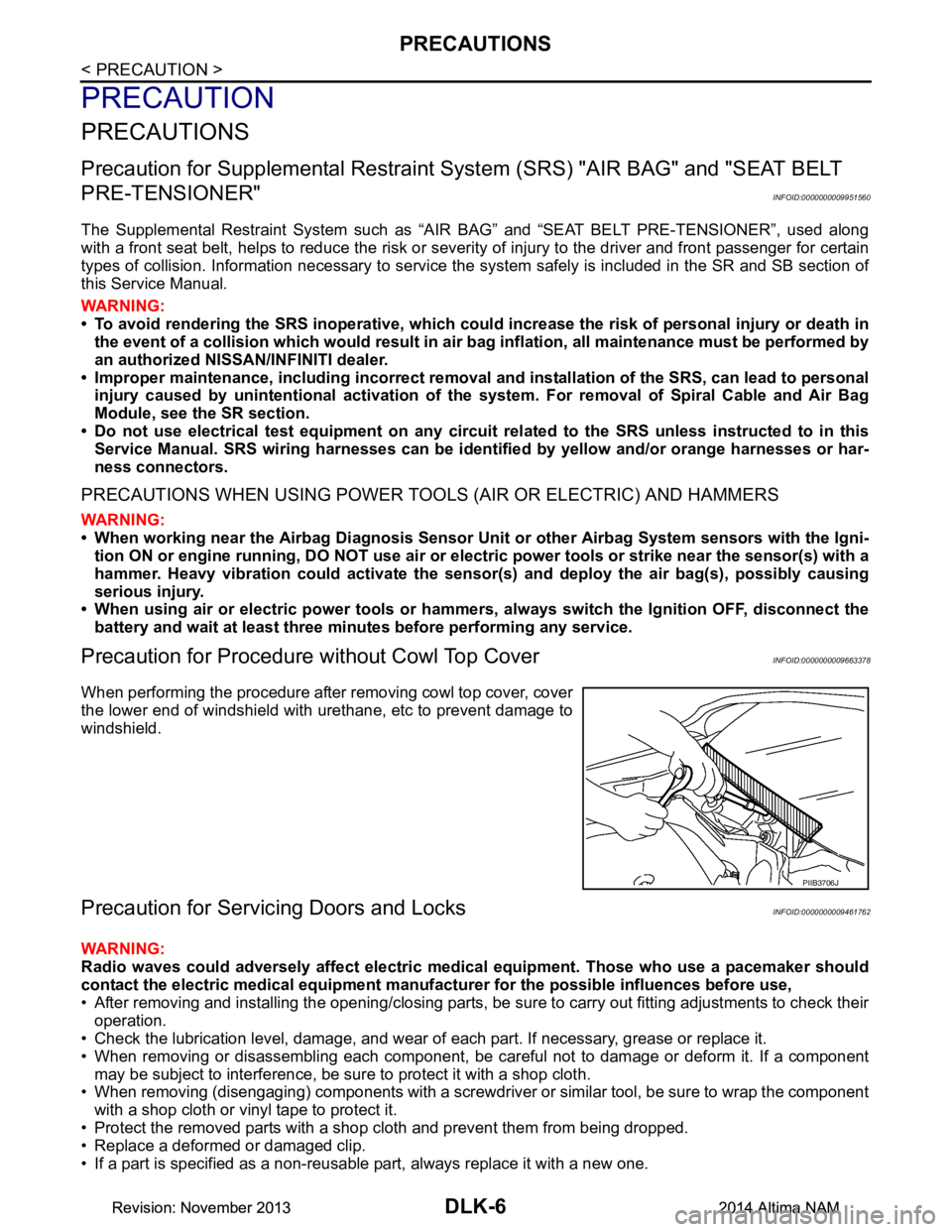
Precaution for Procedure without Cowl Top CoverINFOID:0000000009663378
When performing the procedure after removing cowl top cover, cover
the lower end of windshield with urethane, etc to prevent damage to
windshield.
Precaution for Servicing Doors and LocksINFOID:0000000009461762
WARNING:
Radio waves could adversely affect electric medical equipment. Those who use a pacemaker should
contact the electric medical eq uipment manufacturer for the possible influences before use,
• After removing and installing the opening/closing parts, be sure to carry out fitting adjustments to check their
operation.
• Check the lubrication level, damage, and wear of each part. If necessary, grease or replace it.
• When removing or disassembling each component, be careful not to damage or deform it. If a component may be subject to interference, be sure to protect it with a shop cloth.
• When removing (disengaging) components with a screwdriver or similar tool, be sure to wrap the component
with a shop cloth or vinyl tape to protect it.
• Protect the removed parts with a s hop cloth and prevent them from being dropped.
• Replace a deformed or damaged clip.
• If a part is specified as a non-reusable part, always replace it with a new one.
PIIB3706J
Revision: November 20132014 Altima NAMRevision: November 20132014 Altima NAM
Page 776 of 4801
DLK-8
< PREPARATION >
PREPARATION
PREPARATION
PREPARATION
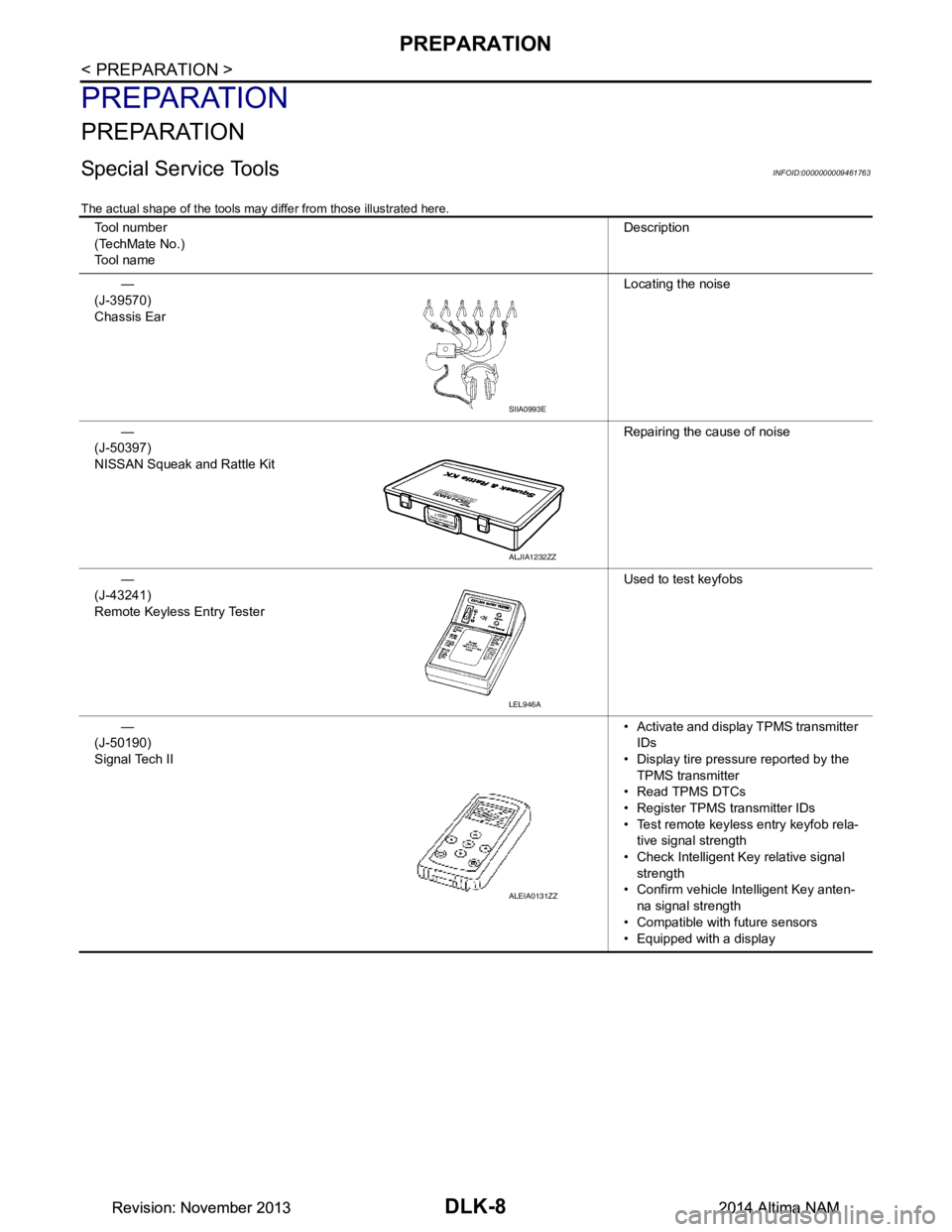
Special Service ToolsINFOID:0000000009461763
The actual shape of the tools may differ from those illustrated here.
Tool number
(TechMate No.)
Tool name Description
—
(J-39570)
Chassis Ear Locating the noise
—
(J-50397)
NISSAN Squeak and Rattle Kit Repairing the cause of noise
—
(J-43241)
Remote Keyless Entry Tester Used to test keyfobs
—
(J-50190)
Signal Tech II • Activate and display TPMS transmitter
IDs
• Display tire pressu re reported by the
TPMS transmitter
• Read TPMS DTCs
• Register TPMS transmitter IDs
• Test remote keyless entry keyfob rela- tive signal strength
• Check Intelligent Key relative signal strength
• Confirm vehicle Intelligent Key anten-
na signal strength
• Compatible with future sensors
• Equipped with a display
SIIA0993E
ALJIA1232ZZ
LEL946A
ALEIA0131ZZ
Revision: November 20132014 Altima NAMRevision: November 20132014 Altima NAM
Page 777 of 4801
PREPARATIONDLK-9
< PREPARATION >
C
D E
F
G H
I
J
L
M A
B
DLK
N
O P
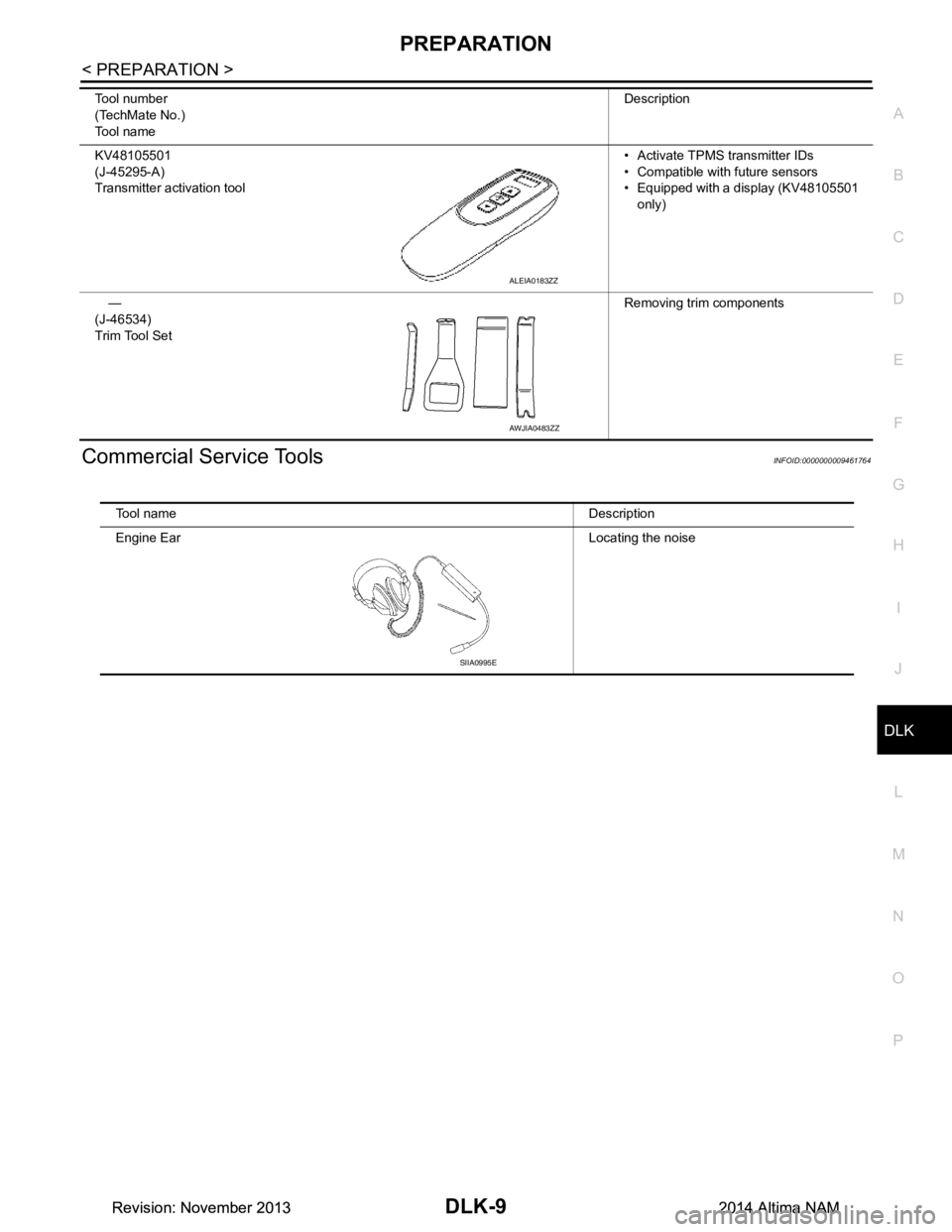
Commercial Service ToolsINFOID:0000000009461764
KV48105501
(J-45295-A)
Transmitter activation tool • Activate TPMS transmitter IDs
• Compatible with future sensors
• Equipped with a display (KV48105501
only)
—
(J-46534)
Trim Tool Set Removing trim components
Tool number
(TechMate No.)
Tool name Description
ALEIA0183ZZ
AWJIA0483ZZ
Tool name Description
Engine Ear Locating the noise
SIIA0995E
Revision: November 20132014 Altima NAMRevision: November 20132014 Altima NAM
Page 850 of 4801
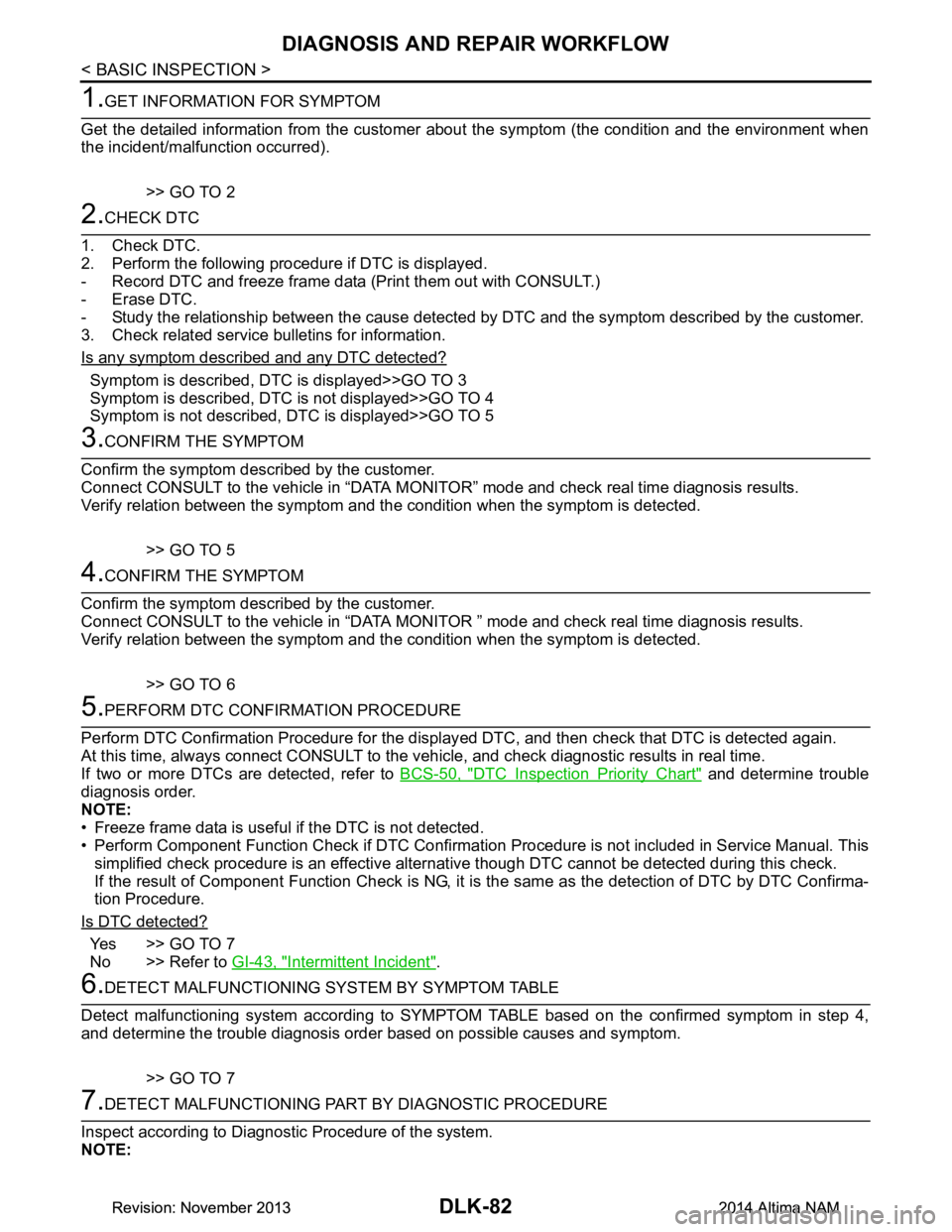
DLK-82
< BASIC INSPECTION >
DIAGNOSIS AND REPAIR WORKFLOW
1.GET INFORMATION FOR SYMPTOM
Get the detailed information from the customer about the symptom (the condition and the environment when
the incident/malfunction occurred).
>> GO TO 2
2.CHECK DTC
1. Check DTC.
2. Perform the following procedure if DTC is displayed.
- Record DTC and freeze frame data (P rint them out with CONSULT.)
- Erase DTC.
- Study the relationship between the cause detected by DTC and the symptom described by the customer.
3. Check related service bulletins for information.
Is any symptom described and any DTC detected?
Symptom is described, DTC is displayed>>GO TO 3
Symptom is described, DTC is not displayed>>GO TO 4
Symptom is not described, DTC is displayed>>GO TO 5
3.CONFIRM THE SYMPTOM
Confirm the symptom described by the customer.
Connect CONSULT to the vehicle in “DATA MONITO R” mode and check real time diagnosis results.
Verify relation between the symptom and the condition when the symptom is detected.
>> GO TO 5
4.CONFIRM THE SYMPTOM
Confirm the symptom described by the customer.
Connect CONSULT to the vehicle in “DATA MONITOR ” mode and check real time diagnosis results.
Verify relation between the symptom and the condition when the symptom is detected.
>> GO TO 6
5.PERFORM DTC CONFIRMATION PROCEDURE
Perform DTC Confirmation Procedure for the display ed DTC, and then check that DTC is detected again.
At this time, always connect CONSULT to the vehicle, and check diagnostic results in real time.
If two or more DTCs are detected, refer to BCS-50, "DTC Inspection Priority Chart"
and determine trouble
diagnosis order.
NOTE:
• Freeze frame data is useful if the DTC is not detected.
• Perform Component Function Check if DTC Confirmati on Procedure is not included in Service Manual. This
simplified check procedure is an effective alternat ive though DTC cannot be detected during this check.
If the result of Component Function Check is NG, it is the same as the detection of DTC by DTC Confirma-
tion Procedure.
Is DTC detected?
Ye s > > G O T O 7
No >> Refer to GI-43, "Intermittent Incident"
.
6.DETECT MALFUNCTIONING SYST EM BY SYMPTOM TABLE
Detect malfunctioning system according to SYMPTO M TABLE based on the confirmed symptom in step 4,
and determine the trouble diagnosis order based on possible causes and symptom.
>> GO TO 7
7.DETECT MALFUNCTIONING PART BY DIAGNOSTIC PROCEDURE
Inspect according to Diagnostic Procedure of the system.
NOTE:
Revision: November 20132014 Altima NAMRevision: November 20132014 Altima NAM
Page 852 of 4801

DLK-84
< BASIC INSPECTION >
INSPECTION AND ADJUSTMENT
INSPECTION AND ADJUSTMENT
ADDITIONAL SERVICE WHEN REPLACING CONTROL UNIT
ADDITIONAL SERVICE WHEN REPL ACING CONTROL UNIT : Description
INFOID:0000000009461804
Perform the system initialization when replacing BCM, replacing Intelligent Key or registering an additional
Intelligent Key.
ADDITIONAL SERVICE WHEN REPLACING CONTROL UNIT : Special Repair Re-
quirement
INFOID:0000000009461805
Refer to the CONSULT Immobilizer mode and follow the on-screen instructions.
Revision: November 20132014 Altima NAMRevision: November 20132014 Altima NAM