ECO mode NISSAN TEANA 2014 Workshop Manual
[x] Cancel search | Manufacturer: NISSAN, Model Year: 2014, Model line: TEANA, Model: NISSAN TEANA 2014Pages: 4801, PDF Size: 51.2 MB
Page 853 of 4801
U1000 CAN COMM CIRCUITDLK-85
< DTC/CIRCUIT DIAGNOSIS >
C
D E
F
G H
I
J
L
M A
B
DLK
N
O P
DTC/CIRCUIT DIAGNOSIS
U1000 CAN COMM CIRCUIT
DescriptionINFOID:0000000009461806
CAN (Controller Area Network) is a serial communication line for real time applications. It is an on-vehicle mul-
tiplex communication line with high data communicati on speed and excellent error detection ability. Modern
vehicles are equipped with many electronic control uni ts, and each control unit shares information and links
with other control units during operation (not independent ). In CAN communication, control units are con-
nected with 2 communication lines (CAN H-line, CAN L-li ne) allowing a high rate of information transmission
with less wiring. Each control unit transmits/recei ves data but selectively reads required data only.
CAN Communication Signal Chart. Refer to LAN-32, "CAN COMMUNICATION SYSTEM : CAN Communica-
tion Signal Chart".
DTC LogicINFOID:0000000009461807
DTC DETECTION LOGIC
Diagnosis ProcedureINFOID:0000000009461808
1.PERFORM SELF DIAGNOSTIC
1. Turn ignition switch ON and wait for 2 seconds or more.
2. Check “Self Diagnostic Result”.
Is
“CAN COMM CIRCUIT” displayed?
YES >> Refer to LAN-62, "Diagnosis Procedure".
NO >> Refer to GI-43, "Intermittent Incident"
.
DTCCONSULT display de-
scription DTC Detection Condit
ion Possible cause
U1000 CAN COMM CIRCUIT When BCM cannot communicate CAN com-
munication signal continuously for 2 sec-
onds or more. In CAN communication system, any item (or items)
of the following listed below is malfunctioning.
•Transmission
• Receiving (ECM)
• Receiving (VDC/TCS/ABS)
• Receiving (METER/M&A)
• Receiving (TCM)
• Receiving (MULTI AV)
• Receiving (IPDM E/R)
Revision: November 20132014 Altima NAMRevision: November 20132014 Altima NAM
Page 855 of 4801
B261B REMOTE ENGINE STARTDLK-87
< DTC/CIRCUIT DIAGNOSIS >
C
D E
F
G H
I
J
L
M A
B
DLK
N
O P
B261B REMOTE ENGINE START
DTC LogicINFOID:0000000009461812
DTC DETECTION LOGIC
NOTE:
• If DTC B261B is displayed with DTC U1000, first perform the trouble diagnosis for DTC U1000. Refer to
BCS-68, "DTC Logic"
.
• If DTC B261B is displayed with DTC U1010, first perform the trouble diagnosis for DTC U1010. Refer to
BCS-69, "DTC Logic"
.
Diagnosis ProcedureINFOID:0000000009461813
1. CHECK ECM IGNITION, POWER AND GROUND CIRCUITS
Check ECM ignition power and ground circuits. Refer to EC-203, "Diagnosis Procedure"
(with QR25DE) or
EC-709, "Diagnosis Procedure"
(with VQ35DE) .
Is the inspection result normal?
YES >> Replace ECM. Refer to EC-540, "Removal and Installation" (with QR25DE) or EC-997, "Removal
and Installation" (with VQ35DE). GO TO 2.
NO >> Repair or replace harness or connectors.
2. INSPECTION
1. Turn ignition switch ON.
2. Select "Self-diagnostic result" mode with CONSULT.
3. Touch "ERASE".
4. Perform vehicle remote start operation.
Does DTC B261B return?
YES >> Replace BCM. Refer to BCS-80, "Removal and Installation".
NO >> Inspection End.
DTC No. Trouble diagnosis
name DTC detecting condition Possible cause
B261B BCM The BCM has requested ignition OFF but ECM
keeps the engine running for more than 10 seconds
after the OFF request was made. •ECM
Revision: November 20132014 Altima NAMRevision: November 20132014 Altima NAM
Page 871 of 4801
DOOR LOCK AND UNLOCK SWITCHDLK-103
< DTC/CIRCUIT DIAGNOSIS >
C
D E
F
G H
I
J
L
M A
B
DLK
N
O P
DOOR LOCK AND UNLOCK SWITCH
DRIVER SIDE
DRIVER SIDE : DescriptionINFOID:0000000009461830
Transmits door lock/unlock operation to BCM.
DRIVER SIDE : Comp onent Function CheckINFOID:0000000009461831
1.CHECK FUNCTION
With CONSULT
Check CDL LOCK SW, CDL UNLOCK SW in Data Monitor mode with CONSULT.
Is the inspection result normal?
YES >> Door lock and unlock switch is OK.
NO >> With LH and RH anti-pinch, refer to DLK-103, "DRIVER SIDE : Diagnosis Procedure (With LH and
RH Anti-Pinch)".
NO >> With LH anti-pinch only, refer to DLK-104, "DRIVER SIDE : Diagnosis Procedure (With LH Anti-
Pinch Only)".
DRIVER SIDE : Diagnosis Procedure (With LH and RH Anti-Pinch)INFOID:0000000009461832
Regarding Wiring Diagram information, refer to DLK-51, "Wiring Diagram".
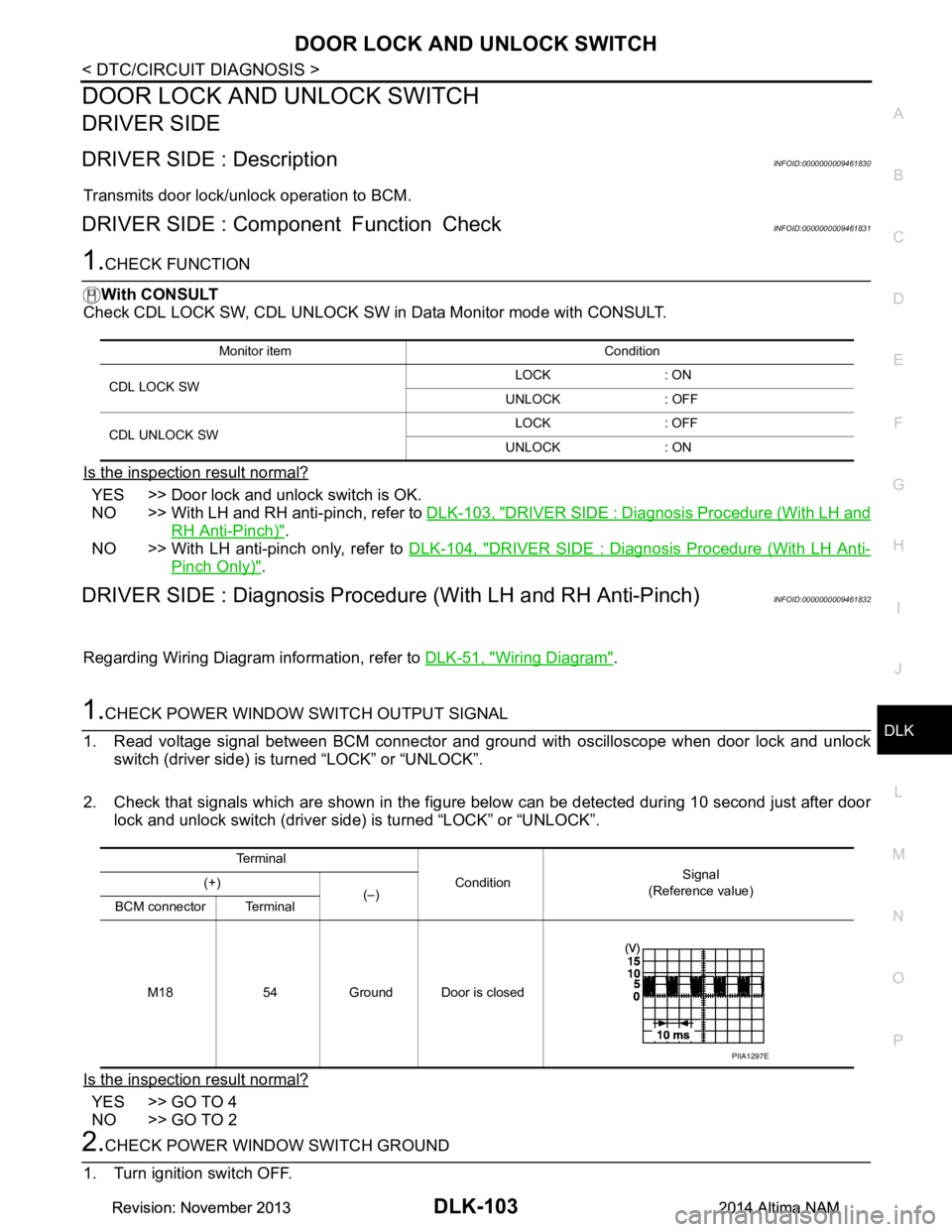
1.CHECK POWER WINDOW SWITCH OUTPUT SIGNAL
1. Read voltage signal between BCM connector and ground with oscilloscope when door lock and unlock switch (driver side) is turned “LOCK” or “UNLOCK”.
2. Check that signals which are shown in the figure below can be detected during 10 second just after door lock and unlock switch (driver side) is turned “LOCK” or “UNLOCK”.
Is the inspection result normal?
YES >> GO TO 4
NO >> GO TO 2
2.CHECK POWER WINDOW SWITCH GROUND
1. Turn ignition switch OFF.
Monitor item Condition
CDL LOCK SW LOCK : ON
UNLOCK : OFF
CDL UNLOCK SW LOCK : OFF
UNLOCK : ON
Te r m i n a l Condition Signal
(Reference value)
(+)
(–)
BCM connector Terminal
M18 54 Ground Door is closed
PIIA1297E
Revision: November 20132014 Altima NAMRevision: November 20132014 Altima NAM
Page 874 of 4801
DLK-106
< DTC/CIRCUIT DIAGNOSIS >
DOOR LOCK AND UNLOCK SWITCH
PASSENGER SIDE : Component Function Check
INFOID:0000000009461835
1.CHECK FUNCTION
With CONSULT
Check CDL LOCK SW, CDL UNLOCK SW in Data Monitor mode with CONSULT.
Is the inspection result normal?
YES >> Door lock and unlock switch is OK.
NO >> With LH and RH anti-pinch, refer to DLK-106, "PASSENGER SIDE : Diagnosis Procedure (With
LH and RH Anti-Pinch)".
NO >> With LH anti-pinch only, refer to DLK-107, "PASSENGER SIDE : Diagnosis Procedure (With LH
Anti-Pinch Only)".
PASSENGER SIDE : Diagnosis Procedure (With LH and RH Anti-Pinch)INFOID:0000000009461836
Regarding Wiring Diagram information, refer to DLK-51, "Wiring Diagram".
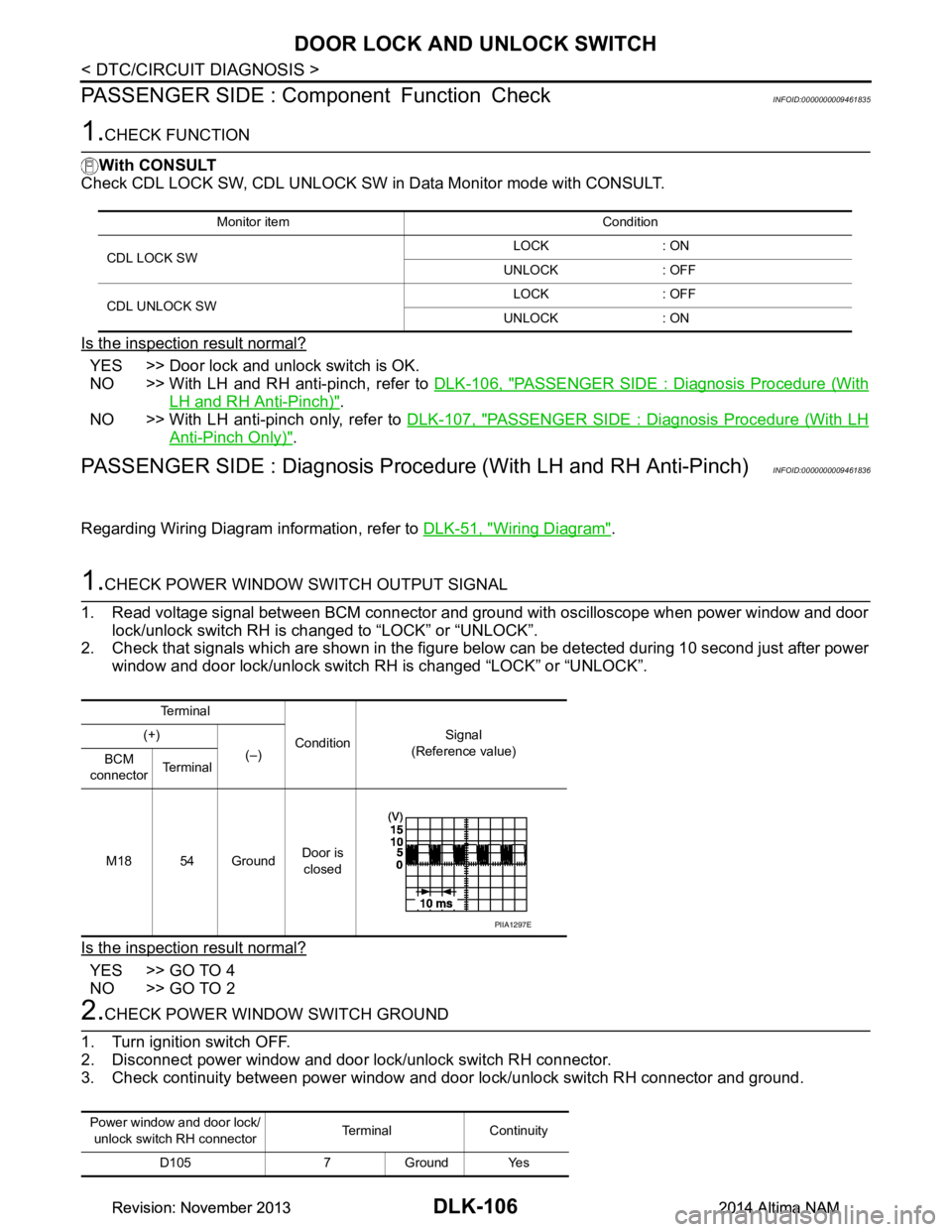
1.CHECK POWER WINDOW SWITCH OUTPUT SIGNAL
1. Read voltage signal between BCM connector and ground with oscilloscope when power window and door lock/unlock switch RH is changed to “LOCK” or “UNLOCK”.
2. Check that signals which are shown in the figure below can be detected during 10 second just after power
window and door lock/unlock switch RH is changed “LOCK” or “UNLOCK”.
Is the inspection result normal?
YES >> GO TO 4
NO >> GO TO 2
2.CHECK POWER WINDOW SWITCH GROUND
1. Turn ignition switch OFF.
2. Disconnect power window and door lock/unlock switch RH connector.
3. Check continuity between power window and door lock/unlock switch RH connector and ground.
Monitor item Condition
CDL LOCK SW LOCK : ON
UNLOCK : OFF
CDL UNLOCK SW LOCK : OFF
UNLOCK : ON
Te r m i n a l
Condition Signal
(Reference value)
(+)
(–)
BCM
connector Te r m i n a l
M18 54 Ground Door is
closed
PIIA1297E
Power window and door lock/ unlock switch RH connector Terminal Continuity
D105 7 Ground Yes
Revision: November 20132014 Altima NAMRevision: November 20132014 Altima NAM
Page 1067 of 4801
![NISSAN TEANA 2014 Workshop Manual
DIAGNOSIS SYSTEM (ECM)EC-67
< SYSTEM DESCRIPTION > [QR25DE]
C
D E
F
G H
I
J
K L
M A
EC
NP
O
DIAGNOSIS SYSTEM (ECM)
DIAGNOSIS DESCRIPTION
DIAGNOSIS DESCRIPTION : 1s
t Trip Detection Logic and Two Tri](/img/5/57390/w960_57390-1066.png "NISSAN TEANA 2014 Workshop Manual
DIAGNOSIS SYSTEM (ECM)EC-67
< SYSTEM DESCRIPTION > [QR25DE]
C
D E
F
G H
I
J
K L
M A
EC
NP
O
DIAGNOSIS SYSTEM (ECM)
DIAGNOSIS DESCRIPTION
DIAGNOSIS DESCRIPTION : 1s
t Trip Detection Logic and Two Tri")
DIAGNOSIS SYSTEM (ECM)EC-67
< SYSTEM DESCRIPTION > [QR25DE]
C
D E
F
G H
I
J
K L
M A
EC
NP
O
DIAGNOSIS SYSTEM (ECM)
DIAGNOSIS DESCRIPTION
DIAGNOSIS DESCRIPTION : 1s
t Trip Detection Logic and Two Trip Detection Logic
INFOID:0000000009462112
When a malfunction is detected for the first time, 1st tr ip DTC and 1st trip Freeze Frame data are stored in the
ECM memory. The MIL will not illuminate at this stage. <1st trip>
If the same malfunction is detected again during the next drive, the DTC and Freeze Frame data are stored in
the ECM memory, and the MIL illuminates. The MIL illu minates at the same time when the DTC is stored.
<2nd trip> The “trip” in the “Two Trip Detection Logic” means a driving mode in which self-diagnosis is per-
formed during vehicle operation. Specific on board diagnosti c items will cause the ECM to illuminate or blink
the MIL, and store DTC and Freeze Frame data, even in the 1st trip, as shown below.
×: Applicable —: Not applicable
DIAGNOSIS DESCRIPTION : DTC and Freeze Frame DataINFOID:0000000009462113
DTC AND 1ST TRIP DTC
The 1st trip DTC (whose number is the same as the DT C number) is displayed for the latest self-diagnostic
result obtained. If the ECM memory was cleared previously , and the 1st trip DTC did not recur, the 1st trip DTC
will not be displayed.
If a malfunction is detected during the 1st trip, the 1st trip DTC is saved in the ECM memory. The MIL will not
light up (two trip detection logic). If the same malfunc tion is not detected in the 2nd trip (meeting the required
driving pattern), the 1st trip DTC is cleared from the ECM memory. If the same malfunction is detected in the
2nd trip, both the 1st trip DTC and DTC are saved in t he ECM memory and the MIL lights up. In other words,
the DTC is stored in the ECM memory and the MIL light s up when the same malfunction occurs in two consec-
utive trips. If a 1st trip DTC is stored and a non-diagnostic operation is performed between the 1st and 2nd
trips, only the 1st trip DTC will continue to be stored. Fo r malfunctions that blink or light up the MIL during the
1st trip, the DTC and 1st trip DTC are stored in the ECM memory.
For malfunctions in which 1st trip DTCs are displayed, refer to EC-105, "DTC Index"
. These items are
required by legal regulations to c ontinuously monitor the system/component . In addition, the items monitored
non-continuously are also displayed on CONSULT.
1st trip DTC is specified in Service $07 of SAE J1979/ ISO 15031-5. 1st trip DTC detection occurs without illu-
minating the MIL and therefore does not warn the driver of a malfunction.
When a 1st trip DTC is detected, check, print out or write down and erase (1st trip) DTC and Freeze Frame
data as specified in Work Flow procedure Step 2, refer to EC-165, "Work Flow"
. Then perform DTC Confirma-
tion Procedure or Component Function Check to try to duplicate the malfunction. If the malfunction is dupli-
cated, the item requires repair.
FREEZE FRAME DATA AND 1ST TRIP FREEZE FRAME DATA
The ECM records the driving conditions such as fuel system status, calculated load value, engine coolant tem-
perature, short term fuel trim, long term fuel trim, engi ne speed, vehicle speed, absolute throttle position, base
fuel schedule and intake air temperature at the moment a malfunction is detected.
Data which are stored in the ECM memory, along with the 1st trip DTC, are called 1st trip freeze frame data.
The data, stored together with the DTC data, are called freeze frame data and displayed on CONSULT or
GST. The 1st trip freeze frame data c an only be displayed on the CONSULT screen.
Items MIL DTC 1st trip DTC
1st trip 2nd trip 1st trip
displaying 2nd trip
displaying 1st trip
displaying 2nd trip
display- ing
Blinking Illuminat-
ed Blinking Illuminat-
ed
Misfire (Possible three way catalyst
damage) — DTC: P0300 – P0304
is being detected ×
———— — ×—
Misfire (Possible three way catalyst
damage) — DTC: P0300 – P0304
is being detected ——
×—— ×——
One trip detection diagnoses (Re-
fer to EC-105, "DTC Index"
.) —
×—— ×———
Except above — — — ×— ×× —
Revision: November 20132014 Altima NAMRevision: November 20132014 Altima NAM
Page 1068 of 4801
![NISSAN TEANA 2014 Workshop Manual
EC-68
< SYSTEM DESCRIPTION >[QR25DE]
DIAGNOSIS SYSTEM (ECM)
Only one set of freeze frame data (either 1st trip freez
e frame data or freeze frame data) can be stored in the
ECM. 1st trip freeze frame](/img/5/57390/w960_57390-1067.png "NISSAN TEANA 2014 Workshop Manual
EC-68
< SYSTEM DESCRIPTION >[QR25DE]
DIAGNOSIS SYSTEM (ECM)
Only one set of freeze frame data (either 1st trip freez
e frame data or freeze frame data) can be stored in the
ECM. 1st trip freeze frame")
EC-68
< SYSTEM DESCRIPTION >[QR25DE]
DIAGNOSIS SYSTEM (ECM)
Only one set of freeze frame data (either 1st trip freez
e frame data or freeze frame data) can be stored in the
ECM. 1st trip freeze frame data is stored in the ECM me mory along with the 1st trip DTC. There is no priority
for 1st trip freeze frame data and it is updated each time a different 1st trip DTC is detected. However, once
freeze frame data (2nd trip detection/MIL on) is stored in the ECM memory, 1st trip freeze frame data is no
longer stored. Remember, only one set of freeze frame data can be stored in the ECM. The ECM has the fol-
lowing priorities to update the data.
For example, the EGR malfunction (Priority: 2) was detected and the freeze frame data was saved in the 2nd
trip. After that when the misfire (Priority: 1) is detected in another trip, the freeze frame data will be updated
from the EGR malfunction to the misfire. The 1st trip freeze frame data is updated each time a different mal-
function is detected. There is no priority for 1st trip freeze frame data. However, once freeze frame data is
stored in the ECM memory, 1st trip freeze data is no longer stored (because only one freeze frame data or 1st
trip freeze frame data can be stored in the ECM). If fr eeze frame data is stored in the ECM memory and freeze
frame data with the same priority occurs later, t he first (original) freeze frame data remains unchanged in the
ECM memory.
Both 1st trip freeze frame data and freeze frame dat a (along with the DTCs) are cleared when the ECM mem-
ory is erased.
DIAGNOSIS DESCRIPTION : Counter SystemINFOID:0000000009462114
RELATIONSHIP BETWEEN MIL, 1ST TRIP DTC, DTC, AND DETECTABLE ITEMS
• When a malfunction is detected for the first time, the 1st trip DTC and the 1st trip freeze frame data are
stored in the ECM memory.
• When the same malfunction is detected in two consec utive trips, the DTC and the freeze frame data are
stored in the ECM memory, and the MIL will come on.
• The MIL will turn OFF after the vehicle is driven 3 time s (driving pattern B) with no malfunction. The drive is
counted only when the recorded driving pattern is met (as stored in the ECM). If another malfunction occurs
while counting, the counter will reset.
• The DTC and the freeze frame data will be stored until the vehicle is driven 40 times (driving pattern A) with-
out the same malfunction recurring (except for Misfire and Fuel Injection System). For Misfire and Fuel Injec-
tion System, the DTC and freez e frame data will be stored until the vehicle is driven 80 times (driving pattern
C) without the same malfunction recurring. The “TIM E” in “SELF-DIAGNOSTIC RESULTS” mode of CON-
SULT will count the number of times the vehicle is driven.
• The 1st trip DTC is not displayed when the self-diagnosis results in OK for the 2nd trip.
COUNTER SYSTEM CHART
For details about patterns B and C under “Fuel Inject ion System” and “Misfire”, see “EXPLANATION FOR
DRIVING PATTERNS FOR “MISFIRE
TEM”.
For details about patterns A and B under Other, s ee “EXPLANATION FOR DRIVING PATTERNS FOR “MIS-
FIRE
• *1: Clear timing is at the moment OK is detected.
• *2: Clear timing is when the same ma lfunction is detected in the 2nd trip.
Relationship Between MIL, DTC, 1st Trip DTC and Driving Patterns for “Misfire
Priority Items
1 Freeze frame data Misfire — DTC: P0300 – P0304
Fuel Injection System Function — DTC: P0171, P0172
2 Except the above items
3 1st trip freeze frame data
Items Fuel Injection System Misfire Other
MIL (turns OFF) 3 (pattern B) 3 (pattern B) 3 (pattern B)
DTC, Freeze Frame Data (no display) 80 (p attern C) 80 (pattern C) 40 (pattern A)
1st Trip DTC (clear) 1 (pattern C), *1 1 (pattern C), *1 1 (pattern B)
1st Trip Freeze Frame Data (clear) *1, *2 *1, *2 1 (pattern B)
Revision: November 20132014 Altima NAMRevision: November 20132014 Altima NAM
Page 1074 of 4801
![NISSAN TEANA 2014 Workshop Manual
EC-74
< SYSTEM DESCRIPTION >[QR25DE]
DIAGNOSIS SYSTEM (ECM)
PERMANENT DTC SET TIMING
The setting timing of permanent DTC is stored in EC
M with the lighting of MIL when a DTC is confirmed.
DIAGNOSIS](/img/5/57390/w960_57390-1073.png "NISSAN TEANA 2014 Workshop Manual
EC-74
< SYSTEM DESCRIPTION >[QR25DE]
DIAGNOSIS SYSTEM (ECM)
PERMANENT DTC SET TIMING
The setting timing of permanent DTC is stored in EC
M with the lighting of MIL when a DTC is confirmed.
DIAGNOSIS")
EC-74
< SYSTEM DESCRIPTION >[QR25DE]
DIAGNOSIS SYSTEM (ECM)
PERMANENT DTC SET TIMING
The setting timing of permanent DTC is stored in EC
M with the lighting of MIL when a DTC is confirmed.
DIAGNOSIS DESCRIPTION : Malfunction Indicator Lamp (MIL)INFOID:0000000009462118
When emission-related ECU detects a malfunction in the emission
control systems components and/or the powertrain control compo-
nents (which affect vehicle emissions), it turns on/blinks MIL to
inform the driver that a malfunction has been detected.
1. The MIL illuminates when ignition switch is turned ON (engine is not running).
NOTE:
Check the MIL circuit if MIL does not illuminate. Refer to EC-
517, "Diagnosis Procedure".
2. When the engine is started, the MIL should go off.
NOTE:
If MIL continues to illuminate/blink, perform self-diagnoses and
inspect/repair accordingly because an emission-rela ted ECU has detected a malfunction in the emission
control systems components and/or the powertrain cont rol components (which affect vehicle emissions).
On Board Diagnosis FunctionINFOID:0000000009462119
ON BOARD DIAGNOSIS ITEM
The on board diagnostic system has the following functions.
BULB CHECK MODE
Description
This function allows damage inspection in the MIL bulb (blown, open circuit, etc.).
Operation Procedure
1. Turn ignition switch ON.
2. The MIL on the instrument panel should stay ON. If it remains OFF, check MIL circuit. Refer to EC-517, "Diagnosis Procedure"
.
SRT STATUS MODE
Description
This function allows to read if ECM has completed t he self-diagnoses of major emission control systems and
components. For SRT, refer to EC-72, "DIAGNOSIS DESCRIPTION : System Readiness Test (SRT) Code"
.
Operation Procedure
1. Turn ignition switch ON and wait 20 seconds.
2. SRT status is indicated as shown blow. • ECM continues to illuminate MIL if all SRT codes are set.
JSBIA1315ZZ
Diagnostic test mode Function
Bulb check MIL can be checked.
SRT status ECM can read if SRT codes are set.
Malfunction warning If ECM detects a malfunction, it illuminates or blinks MIL to inform the driver that a malfunction has been detected.
Self-diagnostic results DTCs or 1st trip DTCs stored in ECM can be read.
Accelerator pedal released po-
sition learning ECM can learn the accelerator pedal released position. Refer to
EC-177, "Work Procedure"
.
Throttle valve closed position
learning ECM can learn the throttle valve closed position. Refer to
EC-178, "Work Procedure"
.
Idle air volume learning ECM can learn the idle air volume. Refer to EC-179, "Work Procedure"
.
Mixture ratio self -learning value
clear Mixture ratio self-learning value can be erased. Refer to
EC-181, "Work Procedure"
.
Revision: November 20132014 Altima NAMRevision: November 20132014 Altima NAM
Page 1075 of 4801
![NISSAN TEANA 2014 Workshop Manual
DIAGNOSIS SYSTEM (ECM)EC-75
< SYSTEM DESCRIPTION > [QR25DE]
C
D E
F
G H
I
J
K L
M A
EC
NP
O
• ECM blinks MIL for about 10 seconds if all SRT codes are not set.
MALFUNCTION WARNING MODE
Description](/img/5/57390/w960_57390-1074.png "NISSAN TEANA 2014 Workshop Manual
DIAGNOSIS SYSTEM (ECM)EC-75
< SYSTEM DESCRIPTION > [QR25DE]
C
D E
F
G H
I
J
K L
M A
EC
NP
O
• ECM blinks MIL for about 10 seconds if all SRT codes are not set.
MALFUNCTION WARNING MODE
Description")
DIAGNOSIS SYSTEM (ECM)EC-75
< SYSTEM DESCRIPTION > [QR25DE]
C
D E
F
G H
I
J
K L
M A
EC
NP
O
• ECM blinks MIL for about 10 seconds if all SRT codes are not set.
MALFUNCTION WARNING MODE
Description
In this function ECM turns on or blinks MIL when it detects a malfunction in the emission control system com-
ponents and/or the powertrain control components (which affe ct vehicle emissions) to inform the driver that a
malfunction has been detected.
Operation Procedure
1. Turn ignition switch ON.
2. Check that MIL illuminates. If it remains OFF, check MIL circuit. Refer to EC-517, "Diagnosis Procedure"
.
3. Start engine and let it idle. • For two trip detection logic diagnoses, ECM turns on MIL when it detects the same malfunction twice in
the two consecutive driving cycles.
• For 1st trip detection logic diagnoses, ECM turns on MIL when it detects a malfunction in one driving cycle.
• ECM blinks MIL when it detects a malfunction t hat may damage the three way catalyst (misfire).
SELF-DIAGNOSTIC RESULTS MODE
Description
This function allows to indicate DTCs or 1st trip DTCs stored in ECM according to the number of times MIL is
blinking.
How to Set Self-diagnostic Results Mode
NOTE:
• It is better to count the time accurately with a clock.
• It is impossible to switch the diagnostic mode when an accelerator pedal position sensor circuit has a mal-
function.
• After ignition switch is turned off, ECM is a lways released from the “self-diagnostic results” mode.
1. Confirm that accelerator pedal is fully releas ed, turn ignition switch ON and wait 3 seconds.
2. Repeat the following procedure quick ly five times within 5 seconds.
• Fully depress the accelerator pedal.
• Fully release the accelerator pedal.
3. Wait 7 seconds, fully depress the accelerator pedal and keep it depressed for approx. 10 seconds until the
MIL starts blinking.
NOTE:
Do not release the accelerator pedal for 10 seconds if MIL starts blinking during this period. This blinking
is displaying SRT status and is continued for another 10 seconds.
4. Fully release the accelerator pedal. ECM has entered to “Self-diagnostic results” mode.
JMBIA1515GB
Revision: November 20132014 Altima NAMRevision: November 20132014 Altima NAM
Page 1076 of 4801
![NISSAN TEANA 2014 Workshop Manual
EC-76
< SYSTEM DESCRIPTION >[QR25DE]
DIAGNOSIS SYSTEM (ECM)
NOTE:
Wait until the same DTC (or 1st trip DTC) appears to completely confirm all DTCs.
How to Read Self-diagnostic Results
The DTC and 1](/img/5/57390/w960_57390-1075.png "NISSAN TEANA 2014 Workshop Manual
EC-76
< SYSTEM DESCRIPTION >[QR25DE]
DIAGNOSIS SYSTEM (ECM)
NOTE:
Wait until the same DTC (or 1st trip DTC) appears to completely confirm all DTCs.
How to Read Self-diagnostic Results
The DTC and 1")
EC-76
< SYSTEM DESCRIPTION >[QR25DE]
DIAGNOSIS SYSTEM (ECM)
NOTE:
Wait until the same DTC (or 1st trip DTC) appears to completely confirm all DTCs.
How to Read Self-diagnostic Results
The DTC and 1st trip DTC are indicated by the number of blinks of the MIL as shown below.
The DTC and 1st trip DTC are displayed at the same time. If the MIL does not illuminate in diagnostic test
mode I (Malfunction warning), all displayed items are 1s t trip DTCs. If only one code is displayed when the MIL
illuminates in “malfunction warning” mode, it is a DTC; if two or more codes are displayed, they may be either
DTCs or 1st trip DTCs. DTC No. is same as that of 1st trip DTC. These unidentified codes can be identified by
using the CONSULT or GST. A DTC will be used as an example for how to read a code.
A particular trouble code can be identified by the number of four-digit numeral flashes per the following.
The length of time the 1,000th-digit numeral flashes on and off is 1.2 seconds consisting of an ON (0.6-sec-
onds) - OFF (0.6-seconds) cycle.
The 100th-digit numeral and lower digit numerals consis t of a 0.3-seconds ON and 0.3-seconds OFF cycle.
A change from one digit numeral to another occurs at an inte rval of 1.0-second OFF. In other words, the later
numeral appears on the display 1.3 seconds after the former numeral has disappeared.
A change from one trouble code to another occurs at an interval of 1.8-seconds OFF.
PBIB0092E
PBIB3005E
Number 0123456789ABCDEF
Flashes 10123456789111213141516
Revision: November 20132014 Altima NAMRevision: November 20132014 Altima NAM
Page 1077 of 4801
![NISSAN TEANA 2014 Workshop Manual
DIAGNOSIS SYSTEM (ECM)EC-77
< SYSTEM DESCRIPTION > [QR25DE]
C
D E
F
G H
I
J
K L
M A
EC
NP
O
In this way, all the detected malfunctions are classi
fied by their DTC numbers. The DTC 0000 refers to no](/img/5/57390/w960_57390-1076.png "NISSAN TEANA 2014 Workshop Manual
DIAGNOSIS SYSTEM (ECM)EC-77
< SYSTEM DESCRIPTION > [QR25DE]
C
D E
F
G H
I
J
K L
M A
EC
NP
O
In this way, all the detected malfunctions are classi
fied by their DTC numbers. The DTC 0000 refers to no")
DIAGNOSIS SYSTEM (ECM)EC-77
< SYSTEM DESCRIPTION > [QR25DE]
C
D E
F
G H
I
J
K L
M A
EC
NP
O
In this way, all the detected malfunctions are classi
fied by their DTC numbers. The DTC 0000 refers to no mal-
function. Refer to EC-105, "DTC Index"
.
How to Erase Self-diagnostic Results
By performing this procedure, ECM memory is erased and the following diagnostic information is erased as
well.
• Diagnostic trouble codes
• 1st trip diagnostic trouble codes
• Freeze frame data
• 1st trip freeze frame data
• System readiness test (SRT) codes
• Test values
NOTE:
Also, if a battery terminal is disconnected, ECM memory is erased and the diagnostic information as listed
above is erased. (The amount of time required for eras ing may vary from a few seconds to several hours.)
1. Turn ignition switch OFF and wait at least 10 seconds.
2. Turn ignition switch ON.
3. Turn ignition switch OFF and wait at least 10 seconds.
4. Turn ignition switch ON.
5. Set ECM in “self-diagnostic results” mode.
6. The diagnostic information has been erased from the backup memory in the ECM. Fully depress the accelerator pedal and keep it depressed for more than 10 seconds.
7. Fully release the accelerator pedal, and confirm the DTC 0000 is displayed.
CONSULT FunctionINFOID:0000000009462120
FUNCTION
*: The following emission-related diagnostic information is cleared when the ECM memory is erased.
• Diagnostic trouble codes
• 1st trip diagnostic trouble codes
• Freeze frame data
• 1st trip freeze frame data
• System readiness test (SRT) codes
•Test values
SELF-DIAGNOSTIC RESULT MODE
Self Diagnostic Item
Regarding items of DTC and 1st trip DTC, refer to EC-105, "DTC Index".)
How to Read DTC and 1st Trip DTC
DTCs and 1st trip DTCs related to the malfunction are displayed in “self-diag results”.
• When ECM detects a 1st trip DTC, 1t” is displayed for “TIME”.
• When ECM has detected a current DTC, “0” is displayed for “TIME”.
• If “TIME” is neither “0” nor “1t”, the DTC occurred in the past and ECM shows the number of times the vehi-
cle has been driven since the last detection of the DTC.
Diagnostic test mode Function
Self Diagnostic Result Self-diagnostic results such as 1st trip DTC, DTC and 1st trip freeze frame data or freeze frame data
can be read and erased quickly.*
Data Monitor Input/Output data in the ECM can be read.
Work support This mode enables a technician to adjust some devices faster and more accurately by following the in-
dications on the CONSULT screen.
Active Test Diagnostic Test Mode in which CONSULT drives some actuators apart from the ECMs and also shifts
some parameters in a specified range.
ECU Identification ECM part number can be read.
DTC Work Support The status of system monitoring tests and the self-diagnosis status/results can be confirmed.
Revision: November 20132014 Altima NAMRevision: November 20132014 Altima NAM