page 48 Oldsmobile Alero 2003 s Service Manual
[x] Cancel search | Manufacturer: OLDSMOBILE, Model Year: 2003, Model line: Alero, Model: Oldsmobile Alero 2003Pages: 354, PDF Size: 16.74 MB
Page 143 of 354
Audio System(s)
Nofice: Before you add any sound equipment to
your vehicle
- like a tape player, CB radio, mobile
telephone or two-way radio
- be sure you can
add what you want.
If you can, it’s very important to
do it properly. Added sound equipment may
interfere with the operation of your vehicle’s engine,
Delphi Electronics radio or other systems, and
even damage them. Your vehicle’s systems may
interfere with the operation
of sound equipment that
has been added improperly.
So, before adding sound equipment, check with
your dealer and be sure
to check federal rules
covering mobile radio and telephone units.
Your audio system has been designed to operate easily
and to give years of listening pleasure.
You will get
the most enjoyment out of it
if you acquaint yourself with
it first. Find out what your audio system can do and
how to operate all of its controls to be sure you’re getting
the most out of the advanced engineering that went
into
it.
Your vehicle has a feature called Retained Accessory
Power (RAP). With RAP, you can play your audio
system even after the ignition
is turned off. See Retained
Accessory Power under
Ignition Positions on page 2- 17.
Setting the Time for Radios without
Radio Data Systems (RDS)
Press and hold the HR or MIN arrow for two seconds.
Then press the HR arrow until the correct hour appears
on the display. Press and hold the MIN arrow until
the correct minute appears. The time may be set with
the ignition on or
off.
Setting the Time for Radios with
Radio Data Systems (RDS)
Press and hold HR or MIN for two seconds. Then press
and hold HR until the correct hour appears on the
display. AM or PM will also appear. Press and hold MIN
until the correct minute appears on the display. The
time may be set with the ignition on or
off.
To synchronize the time with an FM station broadcasting
Radio Data System (RDS) information, press and
hold HR and MIN at the same time for two seconds until
UPDATED appears on the display.
If the time is not
available from the station, NO UPDATE will appear on
the display instead.
RDS time is broadcast once a minute. Once you have
tuned to an RDS broadcast station, it may take a
few minutes before pressing and holding the
HR and
MIN buttons will result in an update to the time.
3-38
Page 167 of 354
< SCAN > : Press and hold either arrow for more
than two seconds until you hear a beep and SCAN
appears on the display. The tape will go to the next
selection, play for a few seconds, then go on to the next
selection. Press this button again to stop scanning.
BAND: Press this button
to listen to the radio when a
cassette tape is playing. The tape will stop but remain in
the player.
TP
CD (TAPE): Press this button to play a cassette
tape or a CD when listening to the radio. Press TP CD
to switch between the tape and compact disc
if both
are loaded. The inactive tape or CD will remain safely
inside the radio for future listening. The display will
show the TAPE and CD symbols.
A (Eject): Press this button, located next to the
cassette tape slot, to eject
a tape. Eject may be
activated with either the ignition or radio
off. Cassettes
may be loaded with the radio and ignition
off if this
button is pressed first.
Cassette Tape Messages
If an error occurs while trying to play a cassette tape, it
could be for one of the following reasons:
TIGHT TAPE: When this message is displayed, the
tape is tight and the player can’t turn the tape hubs.
Remove the tape. Hold the tape with the open end down
and try to turn the right hub counterclockwise with a
pencil. Turn the tape over and repeat. If the hubs do not
turn easily, your tape may be damaged and should
not be used in the player. Try a new tape to make sure
your player is working properly.
BROKEN TAPE:
If this message is displayed, the tape
is broken. Try a new tape.
WRAPPED: When this message is displayed, the tape
is wrapped around the tape head. Attempt to get the
cassette out. Try a new tape.
CLEAN PLAYR (Clean Player): This message may
also appear on the radio display to indicate that
the cassette tape player needs to be cleaned. It will still
play tapes, but you should clean it as soon
as possible
to prevent damage to the tapes and player. For
additional information see
Care of Your Cassette Tape
Player on page
3-65.
If any error occurs repeatedly or if an error can’t be
corrected, contact your dealer.
If your radio displays an
error message, write it down and provide it to your
dealer when reporting the problem.
3-62
Page 175 of 354
Your Driving, the Road, and
Your Vehicle
Defensive Driving
The best advice anyone can give about driving is: Drive
defensively.
Please start with a very important safety device in your
vehicle: Buckle up. See
Safety Belts: They Are for
Everyone on page
1-9.
Defensive driving really means “be ready for anything.”
On city streets, rural roads or freeways, it means
“always expect the unexpected.”
Assume that pedestrians or other drivers are going to
be careless and make mistakes. Anticipate what
they might do. Be ready for their mistakes.
Rear-end collisions are about the most preventable of
accidents. Yet they are common. Allow enough following
distance. It’s the best defensive driving maneuver, in
both city and rural driving. You never know when
the vehicle in front of you is going to brake or turn
suddenly.
Defensive driving requires that a driver concentrate on
the driving task. Anything that distracts from the
driving task
- such as concentrating on a cellular telephone call, reading,
or reaching for something on
the floor
- makes proper defensive driving more difficult
and can even cause a collision, with resulting injury.
Ask a passenger to help do things like this, or pull off the
road in a safe place to do them yourself. These simple
defensive driving techniques could save your life.
Drunken Driving
Death and injury associated with drinking and driving is
a national tragedy. It’s the number one contributor to
the highway death toll, claiming thousands of victims
every year.
Alcohol affects four things that anyone needs to drive a
vehicle:
Judgment
0 Muscular Coordination
Vision
0 Attentiveness.
Police records show that almost half of all motor
vehicle-related deaths involve alcohol. In most cases,
these deaths are the result of someone who was
drinking and driving.
In recent years, more than
16,000 annual motor vehicle-related deaths have been
associated with the use of alcohol, with more than
300,000 people injured.
4-2
Page 178 of 354
There’s something else about drinking and driving that
many people don’t know. Medical research shows
that alcohol in a person’s system can make crash
injuries worse, especially injuries to the brain, spinal
cord or heart. This means that when anyone who
has been drinking
- driver or passenger - is in a
crash, that person’s chance
of being killed or
permanently disabled is higher than
if the person had
not been drinking.
Control of a Vehicle
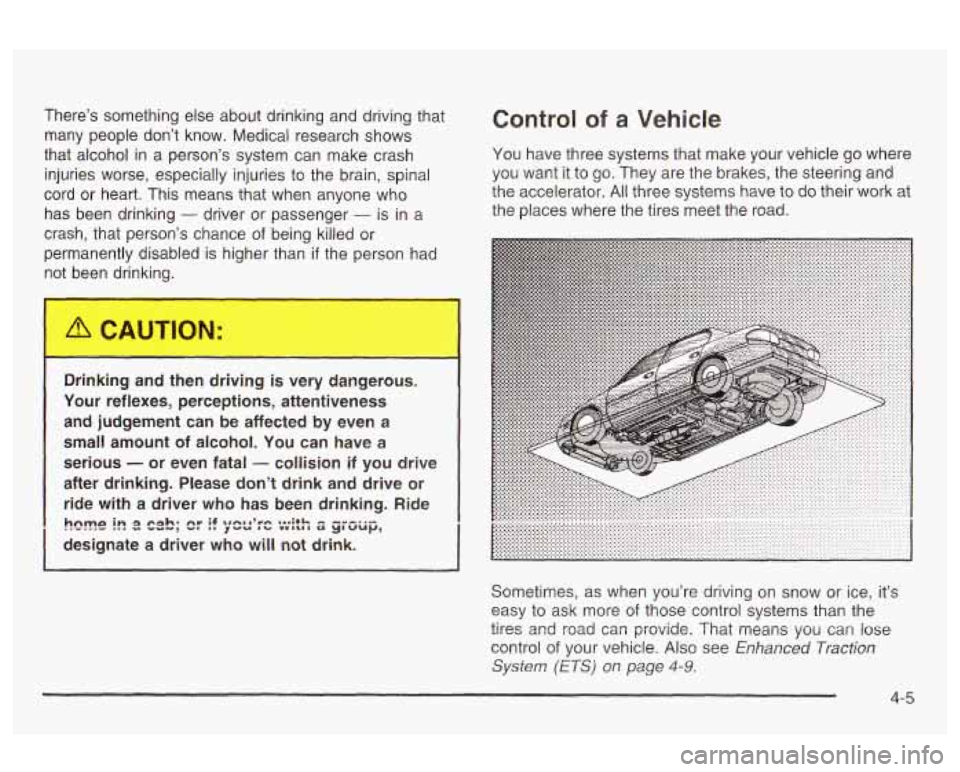
You have three systems that make your vehicle go where
you want it to go. They are the brakes, the steering and
the accelerator.
All three systems have to do their work at
the places where the tires meet the road.
I
,,inking and then driving is very dangerous.
Your reflexes, perceptions, attentiveness
and judgement can be affected by even
a
small amount of alcohol. You can have a
serious
- or even fatal - collision if you drive
after drinking. Please don’t drink and drive or
ride with a driver who has been drinking. Ride
designate
a driver who will not drink.
h~m~ i~ 8 cab; cr if agnma’mn ...;+I- - ----.- ~VU nb vw~wr a y~ VU~,
I
Sometimes, as when you’re driving on snow or ice, it’s
easy to ask more
of those control systems than the
control
of your vehicle. Also see Enhanced Traction
System (ETS) on page 4-9.
tires and :cad car: prwidz. That means you can lose
4-5
Page 182 of 354
In an emergency, you will probably want to squeeze the
brakes hard without locking the wheels.
If you hear or
feel the wheels sliding, ease
off the brake pedal.
This will help you retain steering control.
If you do have
anti-lock, it’s different. See “Anti-Lock Brakes.”
In many emergencies, steering can help you more than
even the very best braking.
Enhanced Traction System (ETS)
Your vehicle may have an Enhanced Traction System
(ETS) that limits wheel spin. This is especially useful in
slippery road conditions. The system operates only
if
it senses that one or both of the front wheels are
spinning or beginning to lose traction. When this
happens, the system reduces engine power and may
also upshift the transaxle to limit wheel spin.
I
This light will come on
when your Enhanced
Traction Slmtem is !irniting
wheel spin. See
Enhanced Traction System
Active Light on page
3-30.
You may feel or hear the system working, but this is
normal.
If your vehicle is in cruise control when the enhanced
traction system begins to limit wheel spin, the cruise
control will automatically disengage. When road
conditions allow you to safely use it again, you may
re-engage the cruise control. See ‘Cruise Control” under
Turn Signal/Multifunction Lever on page 3-7.
The Enhanced Traction System operates in all transaxle
shift lever positions. But the system can upshift the
transaxle only as high as the shift lever position you’ve
chosen, so you should use the lower gears only
when necessary. See
Automatic Transaxle Operation on
page 2-22.
TRAC
OFF
When the system is on
and the parking brake is
fully released, this warning
light will come on to let
you know
if there’s a
problem.
See
Enhanced Traction System Warning Light on
page 3-29.
When this warning light is on, the system will
not limit wheel spin. Adjust your driving accordingly.
To limit wheel spin, especially in slippery road
Traction System on. But you can turn the system
off if
you prefer.
ca?dltic?ns, you should alwa‘js leave the Enhanced
4-9
Page 184 of 354
Suppose you’re steering through a sharp curve.
Then you suddenly accelerate. Both control
systems
- steering and braking - have to do their work
where the tires meet the road. Unless you have
four-wheel anti-lock brakes, adding the hard braking can
demand too much of those places. You can lose
control.
The same thing can happen
if you’re steering through a
sharp curve and you suddenly accelerate. Those two
control systems
- steering and acceleration - can
overwhelm those places where the tires meet the road
and make you lose control. See
Enhanced Traction
System (ETS) on page 4-9.
What should you do if this ever happens? Ease up on
the brake or accelerator pedal, steer the vehicle the way
you want it to go, and slow down.
Speed limit signs near curves warn that you should
adjust your speed. Of course, the posted speeds
are based on good weather and road conditions. Under
less favorable conditions you’ll want to go slower.
If you need to reduce your speed as you approach a
curve, do it before you enter the curve, while your front
wheels are straight ahead.
Try to adjust your speed so you can “drive” through the
curve. Maintain a reasonable, steady speed. Wait to
accelerate until you are out of the curve, and then
accelerate gently into the straightaway.
Steering in Emergencies
There are times when steering can be more effective
than braking. For example, you come over a
hill and find
a truck stopped in your lane, or a car suddenly pulls
out from nowhere, or a child darts out from between
parked cars and stops right
in front of you. You
can avoid these problems by braking
- if you can stop
in time. But sometimes you can’t; there isn’t room.
That’s the time for evasive action
- steering around the
problem.
Your vehicle can perform very well in emergencies like
these. First apply your brakes
- but, unless you
have anti-lock, not enough to lock your wheels.
See
Braking on page 4-6. It is better to remove as much
speed as you can from a possible collision. Then
steer around the problem, to the left or right depending
on the space available.
Page 192 of 354
Hydroplaning doesn’t happen often. But it can if your Driving Through Flowing Water
tires do not have much tread or if the pressure in one or
more is low. It can happen
if a lot of water is standing
on the road.
If you can see reflections from trees,
telephone poles or other vehicles, and raindrops
“dimple” the water’s surface, there could be
hydroplaning.
Hydroplaning usually happens at higher speeds. There
just isn’t a hard and fast rule about hydroplaning.
The best advice is to slow down when
it is raining.
Driving Through Deep Standing Water
Notice: If you drive too quickly through deep
puddles or standing water, water can come in
through your engine’s air intake and badly damage
your engine. Never drive through water that
is
slightly lower than the underbody of your vehicle. If
you can’t avoid deep puddles or standing water,
drive through them very slowly. Fla
ng or rushi - ater creates strong
forces. If you try to drive through flowing
water, as you might at a low water crossing,
your vehicle can be carried away.
As little as
six inches
of flowing water can carry away a
smaller vehicle. If this happens, you and other
vehicle occupants could drown. Don’t ignore
police warning signs, and otherwise be
very cautious about trying to drive through
flowing water.
Some Other Rainy Weather Tips
e Besides slowing down, allow some extra following
distance. And be especially careful when you
pass another vehicle. Allow yourself more clear
room ahead, and be prepared to have your
view restricted by road spray.
Have good tires with proper tread depth. See Tires
on page 5-53.
4-1 9
Page 199 of 354
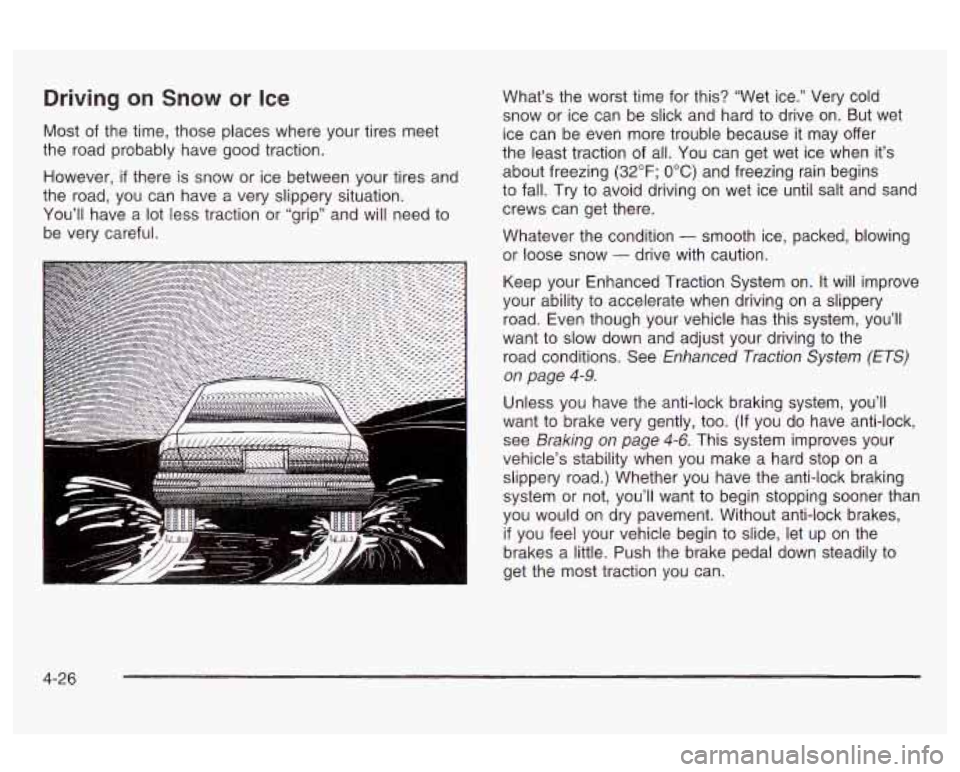
Driving on Snow or Ice
Most of the time, those places where your tires meet
the road probably have good traction.
However,
if there is snow or ice between your tires and
the road, you can have a very slippery situation.
You’ll have a
lot less traction or “grip” and will need to
be very careful. What’s
the worst time for this? “Wet ice.” Very cold
snow or ice can be slick and hard to drive on. But wet
ice can be even more trouble because it may offer
the least traction of all. You can get wet ice when it’s
about freezing
(32°F; OOC) and freezing rain begins
to fall. Try to avoid driving on wet ice until salt and sand
crews can get there.
Whatever the condition
- smooth ice, packed, blowing
or loose snow
- drive with caution.
Keep your Enhanced Traction System on.
It will improve
your ability to accelerate when driving on a slippery
road. Even though your vehicle has this system, you’ll
want
to slow down and adjust your driving to the
road conditions. See
Enhanced Traction System (ETS)
on page 4-9.
Unless you have the anti-lock braking system, you’ll
want to brake very gently,
too. (If you do have anti-lock,
see
Braking on page 4-6. This system improves your
vehicle’s stability when you make a hard stop on a
slippery road.) Whether you have the anti-lock braking
system or not, you’ll want to begin stopping sooner than
you would on dry pavement. Without anti-lock brakes,
if you feel your vehicle begin to slide, let up on the
brakes a little. Push the brake pedal down steadily to
get the most traction you can.
4-26
Page 203 of 354
Notice: Spinning your wheels can destroy parts of
your vehicle as well as the tires.
If you spin the
wheels
too fast while shifting your transaxle back
and forth, you can destroy your transaxle. See
“Rocking Your Vehicle
To Get It Out.”
For information about using tire chains on your vehicle,
see Tire
Chains on page 5-60.
Rocking Your Vehicle To Get It Out
First, turn your steering wheel left and right. That will
clear the area around your front wheels. Then shift back
and forth between REVERSE
(R) and a forward gear
(or with a manual transaxle, between FIRST
(1) or
SECOND
(2) and REVERSE (R)), spinning the wheels
as little as possible. Release the accelerator pedal
while you shift, and press lightly on the accelerator pedal
when the transaxle is in gear. By slowly spinning your
wheels in the forward and reverse directions, you
will cause a rocking motion that may free your vehicle.
H
that doesn’t get you out after a few tries, you may
need to be towed out. If you do need to be towed
out
see “Towing Your Vehicle’’ following.
4-30
Page 204 of 354
Towing
Towing Your Vehicle
Consult your dealer or a professional towing service if
you need to have your disabled vehicle towed. See
Roadside Assistance Program on page 7-5.
If you want to tow your vehicle behind another vehicle
for recreational purposes (such as behind a motorhome),
see
Recreational Vehicle Towing on page 4-31.
Recreational Vehicle Towing
Recreational vehicle towing means towing your vehicle
behind another vehicle
- such as behind a motorhome.
The two most common types of recreational vehicle
towing are known as “dinghy towing” (towing your
vehicle with all four wheels on the ground) and “dolly
towing” (towing your vehicle with two wheels on
the ground and two wheels up on a device known
as a i’dolly”).
With the proper preparation and equipment, many
vehicles can be towed in these ways. See “Dinghy
Towing” and “Dolly Towing,” following. Here
are some important things to consider before you
do recreational vehicle towing:
What’s the towing capacity
of the towing vehicle?
Be sure you read the tow vehicle manufacturer’s
recommendations.
How far will you tow? Some vehicles have
restrictions on how far and how long they can tow.
Do you have the proper towing equipment?
See your dealer or trailering professional for
additional advice and equipment recommendations.
Is your vehicle ready to be towed? Just as you
would prepare your vehicle for a long trip, you’ll
want to make sure your vehicle is prepared to be
towed. See
Before Leaving on a Long Trip on
page
4-22.
4-31