instrument panel PEUGEOT 108 2014 Owners Manual
[x] Cancel search | Manufacturer: PEUGEOT, Model Year: 2014, Model line: 108, Model: PEUGEOT 108 2014Pages: 256, PDF Size: 5.88 MB
Page 4 of 256
.
.
B3_en_Chap00a_sommaire_ed01-2014
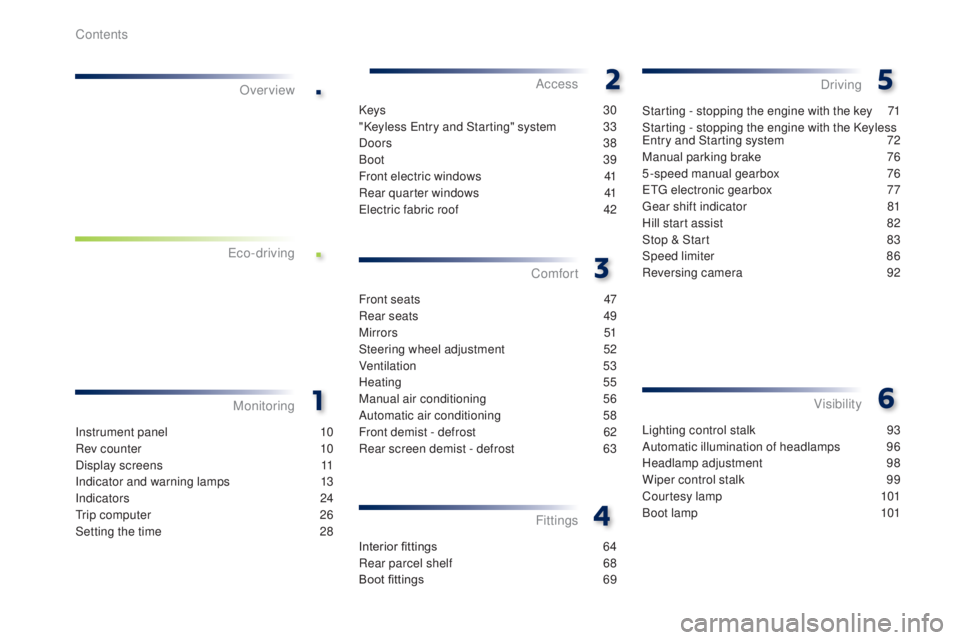
Lighting control stalk 93
A utomatic illumination of headlamps
9
6
Headlamp adjustment
9
8
Wiper control stalk
9
9
Courtesy lamp
1
01
Boot lamp
1
01
Visibility
Instrument panel 1 0
Rev counter
1
0
Display screens
1
1
Indicator and warning lamps
1
3
Indicators
2
4
tr
ip computer
2
6
Setting the time
2
8
MonitoringOver view
Keys
30
"Keyless e
n
try and Starting" system
3
3
Doors
38
Boot
39
Front electric windows
4
1
Rear quarter windows
4
1
ele
ctric fabric roof
4
2
Access
Front seats 4 7
Rear seats
4
9
M i r r o r s
51
S
teering wheel adjustment
5
2
Ventilation
5
3
Heating
55
Manual air conditioning
5
6
Automatic air conditioning
5
8
Front demist - defrost
6
2
Rear screen demist - defrost
6
3
Comfort
Interior fittings 6 4
Rear parcel shelf
6
8
Boot fittings
6
9
Fittings
Starting - stopping the engine with the key 7 1
Starting - stopping the engine with the Keyless
en
try and Starting system
7
2
Manual parking brake
7
6
5-speed manual gearbox
7
6
e
tg
el
ectronic gearbox
7
7
ge
ar shift indicator
8
1
Hill start assist
8
2
Stop & Start
8
3
Speed limiter
8
6
Reversing camera
9
2
Driving
e
co-driving
Contents
Page 9 of 256
7
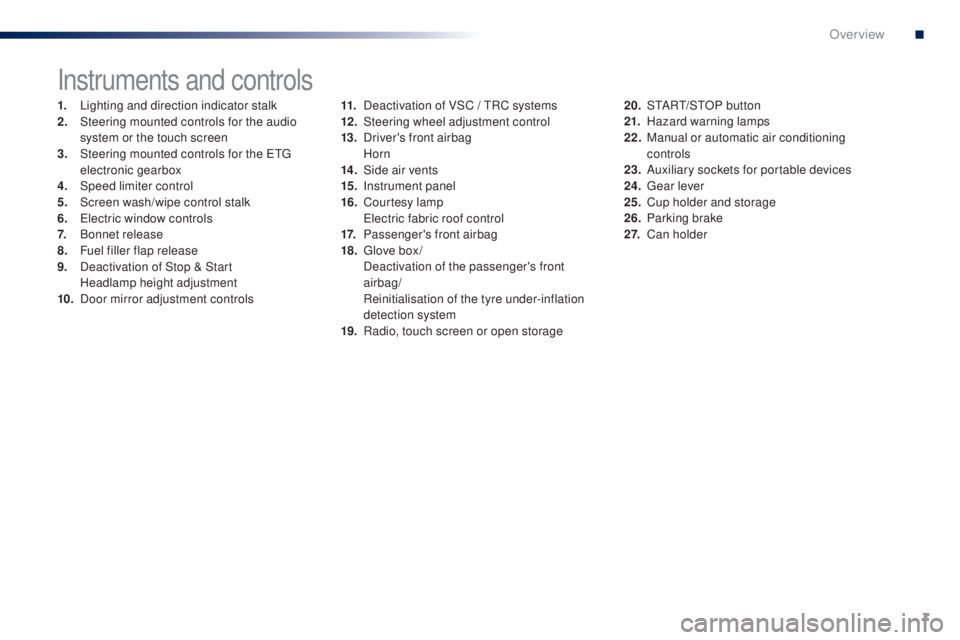
Instruments and controls
1. Lighting and direction indicator stalk
2. Steering mounted controls for the audio
system or the touch screen
3.
S
teering mounted controls for the etg
electronic gearbox
4.
Spe
ed limiter control
5.
S
creen wash/wipe control stalk
6.
e
le
ctric window controls
7.
B
onnet release
8.
F
uel filler flap release
9.
D
eactivation of Stop & Start
H
eadlamp height adjustment
10.
D
oor mirror adjustment controls 11. D
eactivation of VSC / tR C systems
12 . S teering wheel adjustment control
13.
D
river's front airbag
Horn
14 .
S
ide air vents
15.
I
nstrument panel
16.
C
ourtesy lamp
e
le
ctric fabric roof control
17.
P
assenger's front airbag
18.
g
l
ove box /
D
eactivation of the passenger's front
airbag/
R
einitialisation of the tyre under-inflation
detection system
19.
R
adio, touch screen or open storage20. S
tA Rt/ S tO P button
21. H azard warning lamps
22.
M
anual or automatic air conditioning
controls
23.
A
uxiliary sockets for portable devices
24.
g
ea
r lever
25.
C
up holder and storage
26.
P
arking brake
2 7.
Ca
n holder
B3_en_Chap00b_vue-ensemble_ed01-2014
.
Over view
Page 10 of 256
8
Optimise the use of your gearbox
With a manual gearbox, move off gently and change up without waiting.
During acceleration change up early.
With an etg electronic gearbox, give preference to automatic (
ea
sy)
mode and avoid pressing the accelerator pedal heavily or suddenly.
Control the use of your electrical
equipment
Before moving off, if the passenger compartment is too warm, ventilate it
by opening the windows and air vents before using the air conditioning.
Above 30 mph (50 km/h), close the windows and leave the air vents
open.
Remember to make use of equipment that can help keep the
temperature in the passenger compartment down (sunroof and window
blinds...).
Switch off the air conditioning, unless it has automatic regulation, as
soon as the desired temperature is attained.
Switch off the demisting and defrosting controls, if not automatic.
Switch off the heated seat as soon as possible.
Switch off the headlamps and front foglamps when the level of light
does not require their use.
Avoid running the engine before moving off, particularly in winter; your
vehicle will warm up much faster while driving.
As a passenger, if you avoid connecting your multimedia devices
(film, music, video game...), you will contribute towards limiting the
consumption of electrical energy, and so of fuel.
Disconnect your portable devices before leaving the vehicle.
eco-driving
eco-driving is a range of everyday practices that allow the motorist to optimise their fuel consumption and CO2 emissions.
th
e gear shift indicator invites you engage the most suitable gear:
as
soon as the indication is displayed in the instrument panel, follow it
straight away.
For vehicles fitted with an
etg
electronic gearbox, this indicator
appears only in manual mode.
Drive smoothly
Maintain a safe distance between vehicles, use engine braking rather
than the brake pedal, and press the accelerator progressively. th ese
practices contribute towards a reduction in fuel consumption and CO
2
emissions and also helps reduce the background traffic noise.
Eco-driving
Page 12 of 256

10
Instrument panel
1. Speedometer (mph or km/h).
2. Central display screen.
F
or more information, refer to the
corresponding section.
3.
g
e
ar shift indicator. 4. D
isplay management button (Display). D
isplay of information in ascending order.
5.
D
isplay management button (Display).
D
isplay of information in ascending order.th e engine speed is indicated by the display of
orange bars.
Above the maximum engine speed, the bars
are displayed in red to indicate the need to
change up.
Rev counter*
* Depending on version.
Monitoring
Page 15 of 256

13
Indicator and warning lamps
Certain warning lamps may come on in
one of two modes: fixed (continuous) or
flashing.
Only by relating the type of illumination
to the operation of the vehicle can it
be determined whether the situation is
normal or a fault has occurred.
Refer to the tables in the following
pages for more information.
Visual indicators informing the driver that a system is in operation or is switched off (indicator lamp) or has a fault (warning lamp).
When the ignition is switched on
Certain warning lamps come on for a few
seconds in the instrument panel when the
vehicle's ignition is switched on.
When the engine is star ted, these same
warning lamps should go off.
If they remain on, before moving off, refer to the
information on the warning lamp concerned.
Associated warnings
the switching on of certain warning lamps may
be accompanied by an audible signal.
th
e warning lamps may come on continuously
(fixed) or flash.
1
Monitoring
Page 28 of 256
26
tr i p c o m p u t e r
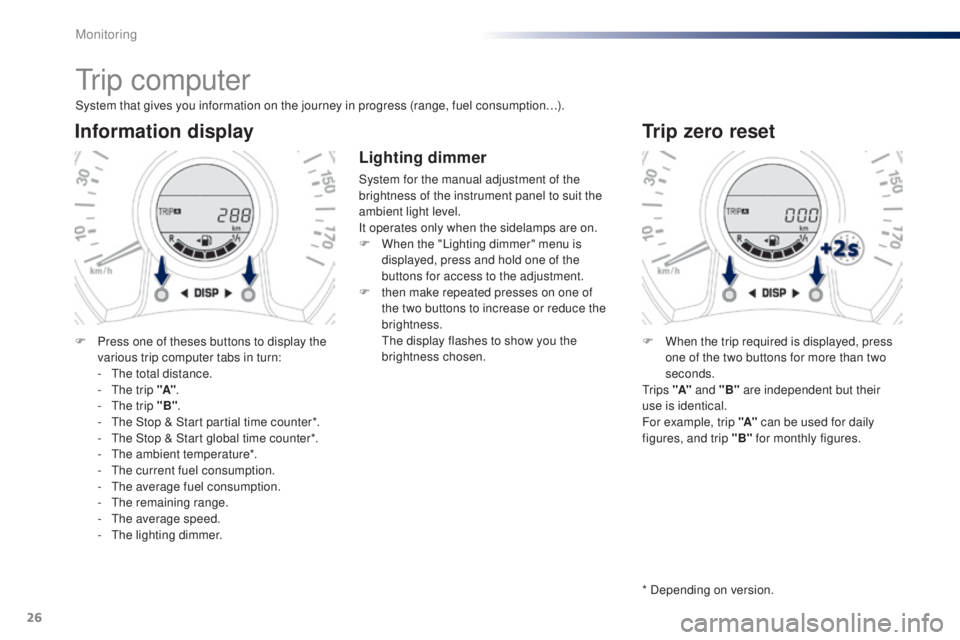
System that gives you information on the journey in progress (range, fuel consumption…).
Information display
F Press one of theses buttons to display the various trip computer tabs in turn:
-
t
h
e total distance.
-
t
h
e trip "A".
-
t
h
e trip "B" .
-
t
h
e Stop & Start partial time counter*.
-
t
h
e Stop & Start global time counter*.
-
t
h
e ambient temperature*.
-
t
h
e current fuel consumption.
-
t
h
e average fuel consumption.
-
t
he
remaining range.
-
t
h
e average speed.
-
t
h
e lighting dimmer.
Trip zero reset
F When the trip required is displayed, press one of the two buttons for more than two
seconds.
t
r i p s "A" and "B" are independent but their
use is identical.
For example, trip "A" can be used for daily
figures, and trip "B" for monthly figures.
* Depending on version.
Lighting dimmer
System for the manual adjustment of the
brightness of the instrument panel to suit the
ambient light level.
It operates only when the sidelamps are on.
F
W
hen the "Lighting dimmer" menu is
displayed, press and hold one of the
buttons for access to the adjustment.
F
t
hen make repeated presses on one of
the two buttons to increase or reduce the
brightness.
t
h
e display flashes to show you the
brightness chosen.
Monitoring
Page 29 of 256
27
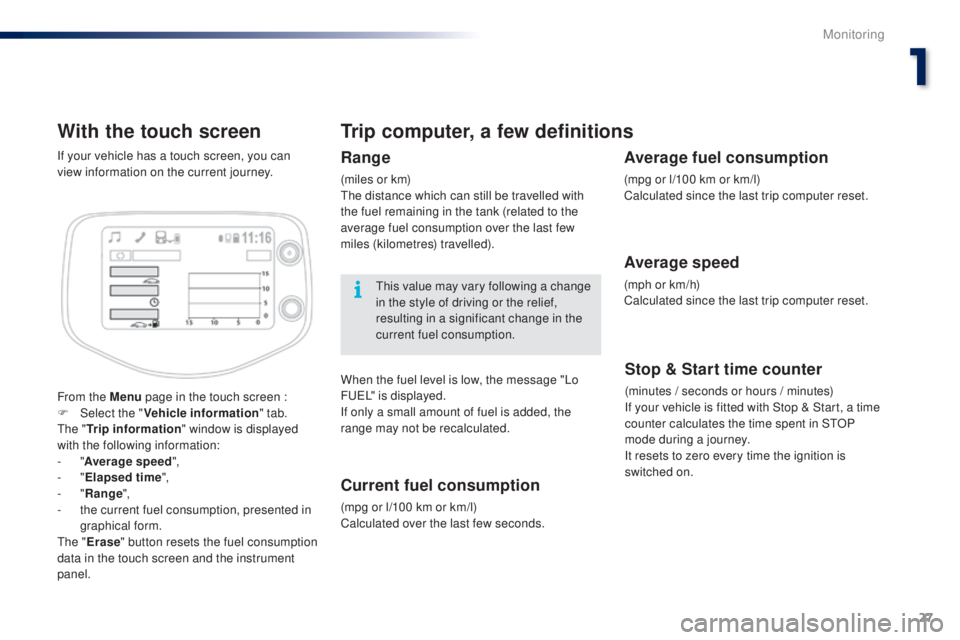
With the touch screen
From the Menu page in the touch screen :
F Sel ect the " Vehicle information " tab.
th
e " Trip information " window is displayed
with the following information:
-
"Average speed ",
-
"Elapsed time ",
-
"Range ",
-
t
he current fuel consumption, presented in
graphical form.
th
e " Erase " button resets the fuel consumption
data in the touch screen and the instrument
panel. If your vehicle has a touch screen, you can
view information on the current journey.
Trip computer, a few definitions
Range
(miles or km)th e distance which can still be travelled with
the fuel remaining in the tank (related to the
average fuel consumption over the last few
miles (kilometres) travelled).
th
is value may vary following a change
in the style of driving or the relief,
resulting in a significant change in the
current fuel consumption.
When the fuel level is low, the message "Lo
F
u
e
L
" is displayed.
If only a small amount of fuel is added, the
range may not be recalculated.
Current fuel consumption
(mpg or l/100 km or km/l)
Calculated over the last few seconds.
Stop & Start time counter
(minutes / seconds or hours / minutes)
If your vehicle is fitted with Stop & Start, a time
counter calculates the time spent in S
tO
P
mode during a journey.
It resets to zero every time the ignition is
switched on.
Average fuel consumption
(mpg or l/100 km or km/l)
Calculated since the last trip computer reset.
Average speed
(mph or km/h)
Calculated since the last trip computer reset.
1
Monitoring
Page 38 of 256
36
Changing the battery of
the electronic key
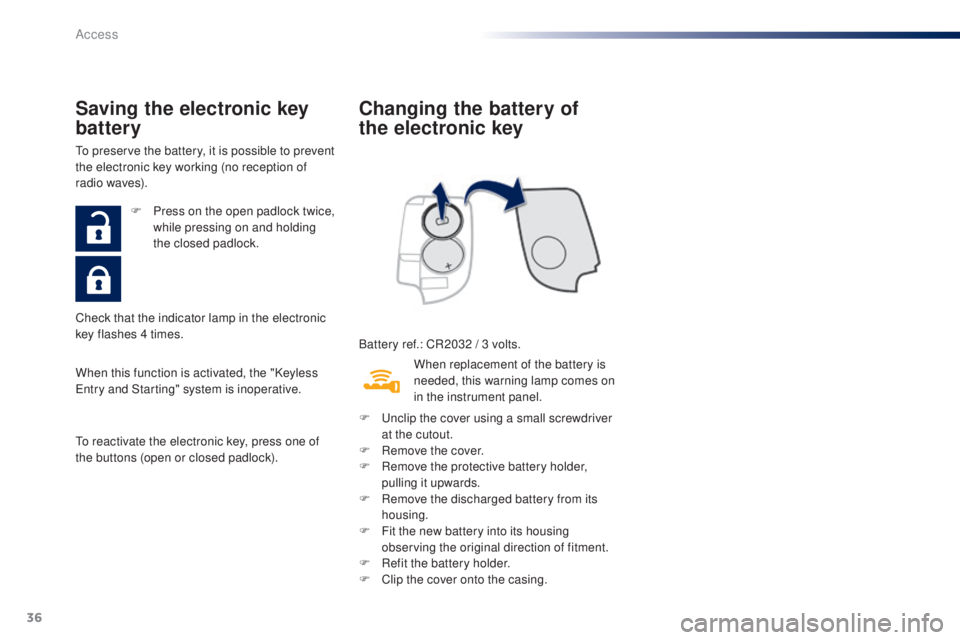
Battery ref.: CR2032 / 3 volts.
Saving the electronic key
battery
to preserve the battery, it is possible to prevent
the electronic key working (no reception of
radio waves).
When this function is activated, the "Keyless
en
try and Starting" system is inoperative.
to r
eactivate the electronic key, press one of
the buttons (open or closed padlock). F
P
ress on the open padlock twice,
while pressing on and holding
the closed padlock.
Check that the indicator lamp in the electronic
key flashes 4 times. When replacement of the battery is
needed, this warning lamp comes on
in the instrument panel.
F
u
n
clip the cover using a small screwdriver
at the cutout.
F
R
emove the cover.
F
R
emove the protective battery holder,
pulling it upwards.
F
R
emove the discharged battery from its
housing.
F
F
it the new battery into its housing
observing the original direction of fitment.
F
R
efit the battery holder.
F
C
lip the cover onto the casing.
Access
Page 54 of 256
52
Steering wheel adjustment
(with power steering)
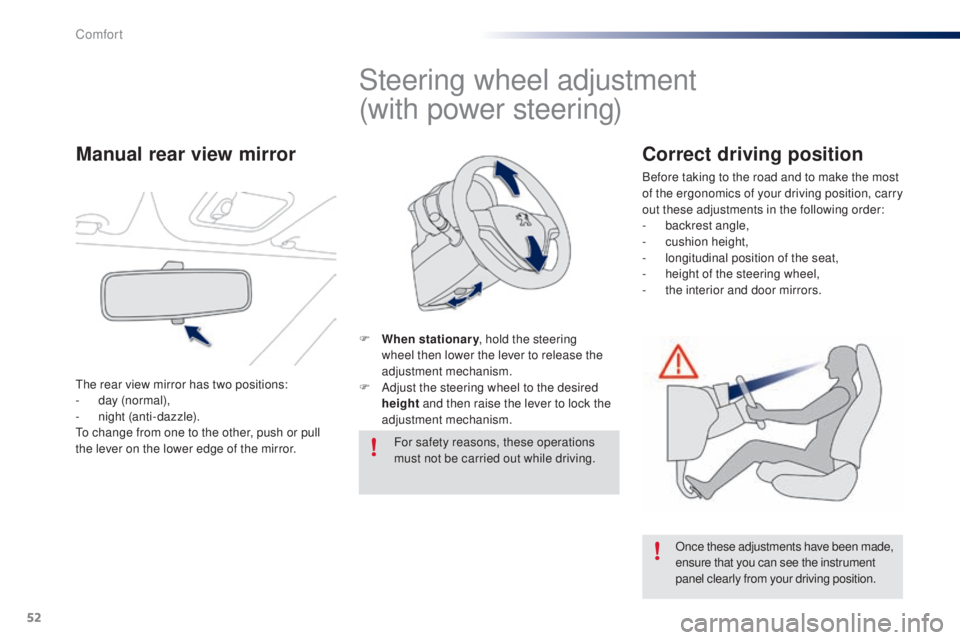
F When stationary, hold the steering
wheel then lower the lever to release the
adjustment mechanism.
F
A
djust the steering wheel to the desired
height and then raise the lever to lock the
adjustment mechanism.
For safety reasons, these operations
must not be carried out while driving.
Once these adjustments have been made,
ensure that you can see the instrument
panel clearly from your driving position.
Manual rear view mirror
the rear view mirror has two positions:
- d ay (normal),
-
n
ight (anti-dazzle).
to c
hange from one to the other, push or pull
the lever on the lower edge of the mirror.
Correct driving position
Before taking to the road and to make the most
of the ergonomics of your driving position, carry
out these adjustments in the following order:
-
b
ackrest angle,
-
c
ushion height,
-
l
ongitudinal position of the seat,
-
hei
ght of the steering wheel,
-
t
he interior and door mirrors.
Comfort
Page 75 of 256
73
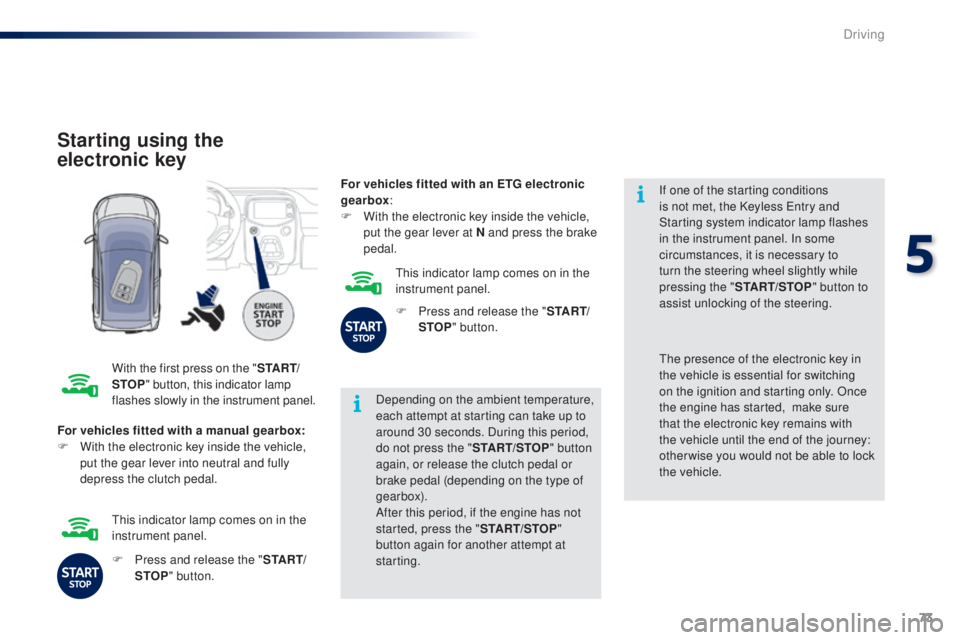
Starting using the
electronic key
With the first press on the "S TA R T/
STOP " button, this indicator lamp
flashes slowly in the instrument panel. Depending on the ambient temperature,
each attempt at starting can take up to
around 30 seconds. During this period,
do not press the "
START/STOP" button
again, or release the clutch pedal or
brake pedal (depending on the type of
gearbox).
After this period, if the engine has not
started, press the " START/STOP"
button again for another attempt at
starting. If one of the starting conditions
is not met, the Keyless
e
n
try and
Starting system indicator lamp flashes
in the instrument panel. In some
circumstances, it is necessary to
turn the steering wheel slightly while
pressing the " START/STOP " button to
assist unlocking of the steering.
For vehicles fitted with a manual gearbox:
F
W
ith the electronic key inside the vehicle,
put the gear lever into neutral and fully
depress the clutch pedal.th e presence of the electronic key in
the vehicle is essential for switching
on the ignition and starting only. Once
the engine has started,
make sure
that the electronic key remains with
the vehicle until the end of the journey:
other wise you would not be able to lock
the vehicle.
F
P
ress and release the " S TA R T/
STOP " button.
th
is indicator lamp comes on in the
instrument panel. For vehicles fitted with an ETG electronic
gearbox
:
F
W
ith the electronic key inside the vehicle,
put the gear lever at N and press the brake
pedal.
th
is indicator lamp comes on in the
instrument panel.
F
P
ress and release the "
S TA R T/
STOP " button.
5
Driving